Two of the most talked-about AI image models right now are Nano Banana 2 and Seedream 5.0, and the best part is you don't need to pay or set up anything to use either of them. Both are available on PicassoIA, which means you can switch between them in the same browser tab and find out which one fits your creative style without spending a cent.
What Is Nano Banana 2?

Nano Banana 2 is a text-to-image model developed by Google. It sits in a category of fast, efficient generators that prioritize speed and coherence. If you've used models that take 30 seconds or more to produce an image, Nano Banana 2 is a different experience. It's built for iteration, which means you can fire off prompt after prompt and refine your outputs quickly. The model handles a wide range of subjects well, from portraits to architecture, and delivers results that have a clean, polished look with natural color gradation.
What makes it worth trying: it responds predictably to prompt structure. You write what you want, and it delivers something close to that intent without the usual drift you get from lesser models. It doesn't hallucinate random elements or ignore your described composition.
Speed Without the Tradeoffs
Most fast models sacrifice detail or composition quality to hit low generation times. Nano Banana 2 doesn't do that to the same extent. Backgrounds stay coherent, proportions hold up, and faces render well even in crowd scenes. For creators who iterate constantly, this is a significant practical advantage.
Google's underlying architecture ensures the outputs stay sharp even at high resolution requests. You also have access to Nano Banana Pro if you want to push the quality ceiling further on a single subject.
What Google Built Here
Google's approach with Nano Banana 2 leans into scalable inference. The model is lightweight enough to run without heavy compute costs, yet produces images that punch well above its weight class. The training distribution seems biased toward real-world photography, lifestyle imagery, and editorial-style visuals, which makes it a strong choice for anyone generating content for social media, blogs, or product concepts.
The naming is unconventional, but don't let it fool you: Nano Banana 2 is a serious, production-ready free text-to-image tool.
Seedream 5.0 in Plain Terms

Seedream 5.0 comes from ByteDance, and it represents their most refined image generation work to date. Where Nano Banana 2 favors speed, Seedream 5.0 favors precision and aesthetic depth. The outputs tend to have richer color saturation, more elaborate lighting rendering, and a stronger sense of photographic intentionality.
If you're generating fashion, beauty, lifestyle photography, or any content where visual impact matters more than turnaround time, Seedream 5 Lite earns its reputation. It handles fine details like fabric texture, hair strands, skin tone gradients, and complex backgrounds with a level of care that shows in the final output.
ByteDance's Best Work
The Seedream 5 Lite model is ByteDance's latest iteration in the Seedream line, following Seedream 4 and Seedream 4.5. Each release improved the model's handling of human subjects and complex lighting scenarios. With version 5, ByteDance pushed color science significantly, and the results speak for themselves.
💡 Seedream 5.0 is particularly strong with prompts that describe specific lighting conditions. Try phrases like "volumetric morning light through frosted glass" or "golden hour backlight on a rooftop" and watch the model respond to the detail.
How It Handles Prompts
Seedream 5 Lite is more sensitive to prompt specificity than Nano Banana 2. A vague prompt like "a woman in a city" will produce something passable, but a detailed prompt describing the angle, light source, outfit, and background will produce something genuinely impressive. The model rewards the effort you put into describing your scene.
It also handles mixed-element prompts well. A subject in a natural environment with a specific prop, a complex architectural background with people in motion, a still life with strong directional light: Seedream 5.0 holds all of these together without losing coherence.
Side by Side: Which Wins?

This is the question most creators ask when they encounter both models. The honest answer is: neither wins unconditionally. They're better at different things, and the right choice depends on what you're making.
| Feature | Nano Banana 2 | Seedream 5.0 |
|---|
| Generation speed | Very fast | Moderate |
| Color depth | Clean, natural | Rich, saturated |
| Prompt sensitivity | Forgiving | Detail-responsive |
| Human subjects | Good | Excellent |
| Architecture / Objects | Strong | Strong |
| Best for | Iteration, volume | High-impact single shots |
| Free on PicassoIA | Yes | Yes |
The table makes the tradeoff clear. For workflows where you're generating many variations to pick the best one, Nano Banana 2 is more efficient. For workflows where each image needs to stand alone as a polished piece, Seedream 5.0 delivers the higher ceiling.
Realism vs. Creativity
Seedream 5.0 produces outputs that look like they were photographed. Nano Banana 2 produces outputs that look like clean AI generation with photographic sensibility. Both are realistic, but Seedream 5 Lite adds a layer of artistic direction that makes individual images feel more curated.
This isn't a criticism of Nano Banana 2. For social media content at volume, editorial blog imagery, or rapid prototyping, the clean look of Nano Banana 2 is fine and sometimes preferred. It doesn't draw attention to itself as AI-generated, which is often the goal.
Speed Comparison

In practical use, Nano Banana 2 returns results noticeably faster. The gap matters if you're doing iterative creative work, where you send 20 prompts in a session to find the three that work. With Seedream 5 Lite, you'll spend more time waiting, but you'll also get back more from each individual result.
A useful workflow is to prototype with Nano Banana 2 to establish composition and subject, then move to Seedream 5.0 for the final render once you know the direction. Both are free on PicassoIA, so there's no cost to running this dual-model approach.
How to Use Nano Banana 2 on PicassoIA

Getting to your first image with Nano Banana 2 takes under a minute. Here's exactly how it works:
- Go to the Nano Banana 2 model page on PicassoIA.
- Type your prompt in the input field. Be specific about subject, environment, and lighting.
- Select your aspect ratio. 16:9 works well for editorial and landscape. 1:1 for social content.
- Hit generate. Results appear in seconds.
- If the output isn't quite right, adjust one element of your prompt and regenerate. The model responds well to small prompt changes.
Best Prompts for Nano Banana 2
The model responds well to prompts that front-load the main subject and follow with environment and lighting. Keep your prompt linear and descriptive rather than fragmentary.
Works well:
- "A young woman in a cream knit sweater standing at a frosted window, overcast soft light, 85mm portrait, film grain"
- "A wooden desk with an open laptop, coffee mug, and green plant, morning light from the left, overhead angle, clean minimal aesthetic"
- "A city street at blue hour, empty sidewalk, warm shop lights reflecting on wet pavement, wide angle"
Avoid:
- Abstract concepts without visual anchors
- Too many competing subjects in one prompt
- Extremely short prompts with no environmental context
💡 Adding "film grain, Kodak Portra 400, shallow depth of field" to any portrait prompt will significantly improve the photographic quality of Nano Banana 2 outputs.
How to Use Seedream 5.0 on PicassoIA
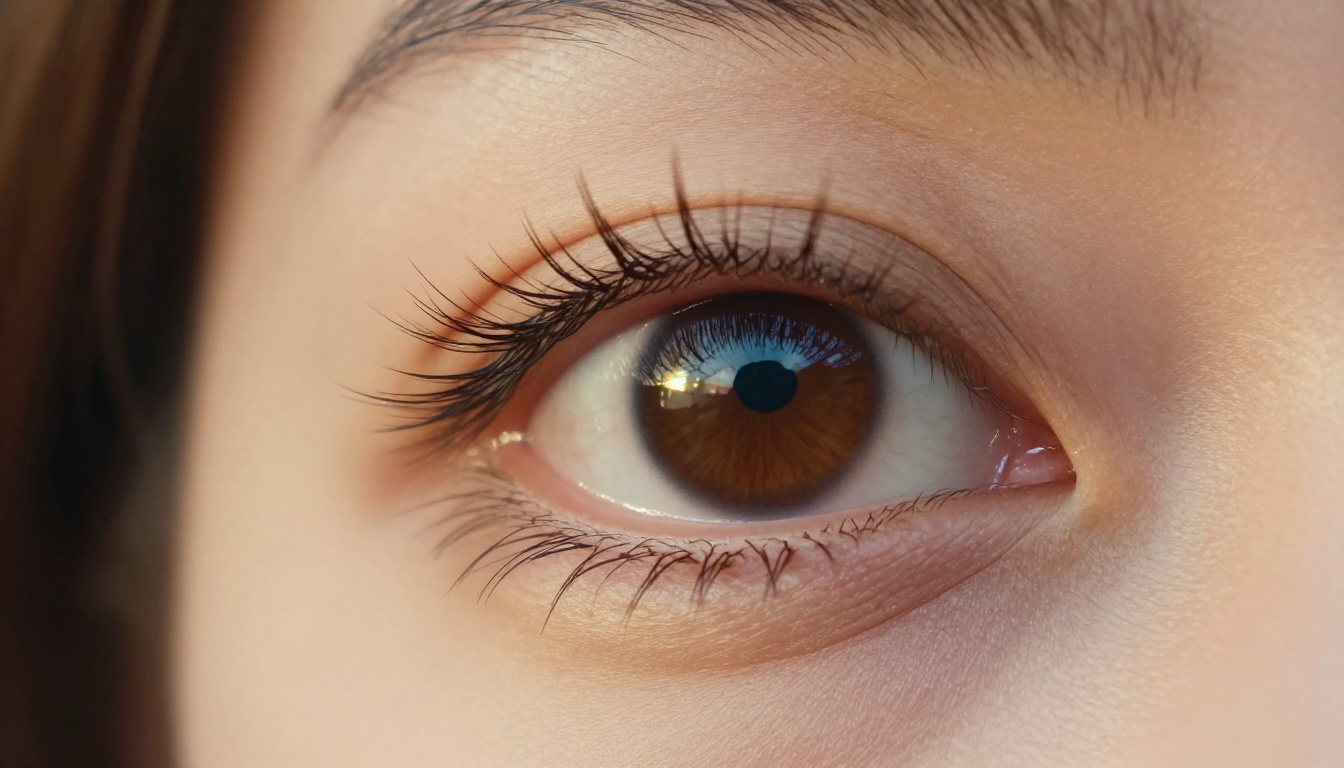
The Seedream 5 Lite model is accessible through the same platform. The process is identical to Nano Banana 2, but your prompting strategy should shift slightly to get the best results.
- Open the Seedream 5 Lite model page on PicassoIA.
- Write a detailed prompt. Seedream 5.0 rewards specificity, so spend an extra 30 seconds on the prompt before generating.
- Describe lighting conditions explicitly. This model responds to light descriptions more precisely than most.
- Select 16:9 for widescreen output or 9:16 for vertical format content.
- Generate and review. Because Seedream 5.0 takes more time per image, the extra effort on the prompt pays off.
Prompt Tips That Work

The difference between an average and excellent Seedream 5.0 output often comes down to how precisely you describe the light source and its direction.
High-impact prompt elements:
- Specify the light source: "volumetric golden hour light from the left," "soft overcast diffused light," "directional studio light from above"
- Name the lens: "85mm f/1.4," "35mm wide angle," "100mm macro"
- Describe the atmosphere: "warm haze in the air," "slight morning mist," "clear crisp air with hard shadows"
- Reference a film stock: "Kodak Ektar 100," "Fuji Velvia 50," "Ilford HP5 black and white"
Example prompt that produces excellent results:
"A woman in her mid-30s sitting at a round marble cafe table outdoors, wearing a white linen blazer, long dark hair, looking down at a book, late afternoon golden light from the left creating warm highlights on her hair and cheekbone, Paris street with blurred pedestrians in background, 85mm f/1.4, shallow depth of field, Kodak Portra 400 grain, photorealistic"
When to Use Both on the Same Project

Most professional creators who work with AI image generation don't pick one model and commit to it exclusively. They use multiple models strategically depending on the task at hand. Here's how that workflow looks with Nano Banana 2 and Seedream 5.0 together:
Phase 1: Concepting with Nano Banana 2
Use Nano Banana 2 to generate a high volume of compositional options quickly. You're not looking for perfect images here. You're looking for the right framing, subject positioning, and overall visual direction. Generate 15 to 20 variations at speed. Pick two or three that have the right bones.
Phase 2: Refinement with Seedream 5.0
Take the composition and prompt from your best Nano Banana 2 result and adapt it for Seedream 5 Lite. Add more detail to the prompt, specifically around lighting and atmosphere. Let Seedream 5.0 produce the final, polished version that you'll actually use.
This two-stage approach takes advantage of what each model does best. Nano Banana 2 handles the volume and speed of exploration. Seedream 5.0 handles the quality of the final output.
Real Use Cases
- Content creators: Generate thumbnail concepts with Nano Banana 2, finalize the hero image with Seedream 5.0.
- Small business owners: Iterate product lifestyle shots with Nano Banana 2, produce the main image with Seedream 5.0.
- Writers and bloggers: Quickly populate article sections with Nano Banana 2 imagery, then generate the featured image with Seedream 5.0 for visual impact.
- Social media managers: Use Nano Banana 2 for daily post imagery at volume, use Seedream 5.0 for campaign-level hero shots.
More Free Models Worth Trying
Both Nano Banana 2 and Seedream 5.0 are strong, but PicassoIA offers a wide range of free text-to-image tools that complement them for different creative needs.
Flux 2 Pro by Black Forest Labs is a high-quality option for creators who want balanced speed and quality in a single model. It handles both photorealistic and stylized prompts with notable flexibility.
Flux 1.1 Pro Ultra pushes the realism ceiling even higher and is worth trying for portrait and architectural subjects where maximum detail matters.
Imagen 4 is another Google model that sits in a different generation tier. If you enjoy Nano Banana 2, Imagen 4 is a natural next step for higher-fidelity outputs from the same research team.
Seedream 4.5 remains an excellent option from ByteDance for creators who find that version 5 is too demanding on their prompt-writing workflow. It's slightly more forgiving while still producing rich results.
💡 PicassoIA's text-to-image section has 91 models available. You can filter by style, speed, or output type. Spending an afternoon testing three or four models side by side is the fastest way to build intuition for which model fits which type of project.
Start Creating Right Now

You've seen what both models can do. You know how to prompt them, when to use each one, and how to combine them into a workflow that's faster and better than picking just one. The only thing left is to open a browser tab and start generating.
Both Nano Banana 2 and Seedream 5 Lite are free on PicassoIA right now. No signup wall, no credit card, no waiting list. You land on the model page, you write a prompt, you generate an image.
If you've been putting off experimenting with AI image generation because of cost or complexity, this is where that excuse runs out. Two of the best models available today are sitting there, free, waiting for your first prompt.
Pick a subject you've wanted to visualize. Write a detailed prompt using the tips above. Run it through Nano Banana 2 first for speed. Then take the best result and push it through Seedream 5 Lite for quality. That's your starting workflow.
The gap between your creative idea and a polished visual has never been smaller.


