If your book cover workflow still starts with a blank canvas and ends with a hefty designer invoice, something has shifted without you noticing. Nano Banana 2 is Google's fast iteration model for text-to-image generation, built specifically for the kind of back-and-forth refinement that book cover design actually demands. You describe an image, it generates one in about 25 seconds, you say "make the forest darker and add fog," and it updates without starting over. That conversational loop is the central change this model brings to illustration work, and once you experience it, going back to prompt-and-restart workflows feels like handwriting emails.

What Nano Banana 2 Actually Does
Most text-to-image models treat every generation as a fresh start. You type a prompt, receive a result, decide it is 80% right, and spend the next twenty minutes rewriting from scratch trying to preserve the good parts while fixing the bad ones. Experienced illustrators and art directors know exactly how much time evaporates in that loop.
Nano Banana 2 disrupts that pattern with native conversational editing. After your first generation, you type a follow-up instruction in plain language, and the model applies your change without discarding the composition, lighting, character features, or stylistic choices you already have. This is not a variation feature that shuffles randomness. It is a directed edit applied to an existing result.
Beyond Single-Shot Generation
The conversational layer is what separates this model from conventional text-to-image workflows. You are not executing a single generation event per creative session. You are running an ongoing dialogue with the image, and each exchange builds on the previous one. For book cover work, where the feedback cycle between an author, designer, and publisher can span weeks and dozens of small decisions, this kind of iterative, non-destructive control is not a convenience. It is the structural backbone of a professional workflow.
💡 Prompting tip: Write your initial prompt to establish the composition and emotional tone of the image. Use follow-up instructions only for targeted adjustments: color temperature, character expression, background density, typographic space. Keep each instruction to one change at a time.
The model also delivers real-time output speeds. Average generation time across a range of prompts sits around 25 seconds. That is fast enough to run six or seven iterations inside a single working session and actually finish with a result you can use.
The 14-Image Fusion Ceiling
Nano Banana 2 accepts up to 14 reference images as input simultaneously. That number reflects real professional workflow needs. When designing a fantasy novel cover, you might have a character sketch, a lighting reference pulled from a painting, a color palette sampled from a genre comp, fabric texture references for the protagonist's clothing, and three or four existing covers from similar books to set the visual register. All of those can enter the model at once and get synthesized into a single coherent output.
For authors writing multi-volume series, this feature solves the hardest consistency problem in cover design. A detective protagonist needs the same jaw structure, hair, worn jacket, and physical presence across five volumes, even though each cover puts that character in a completely different environment and emotional state. Feed the same character reference image each time, and the model maintains the physical identity across every scene.
Web Grounding in Practice
The real-time web grounding capability lets you anchor a generation in current information without needing to describe every visual detail manually. If you are working on a non-fiction cover that needs to reference a specific place, event, or trending aesthetic, the model can pull from live web data to inform its output. This means your cover looks timely and specific rather than generic, without requiring you to hand-curate a reference library for every project.

Why Book Covers Are the Sweet Spot
Not every creative domain benefits equally from AI-assisted image generation. Book covers happen to sit at the intersection of nearly every strength this model was built to demonstrate, and the practical advantages compound quickly when you move from single-cover projects to whole-series or whole-catalog work.
Character Consistency Across Scenes
A thriller series with six entries needs the same detective across every cover: same face, same build, same signature jacket, same energy under different environmental pressures. Traditional illustration requires locking in the same artist for all six books and maintaining meticulous style documentation to keep that character coherent. The alternative, sourcing each cover separately, almost always results in a protagonist who looks like a different person from volume three onward.
The character consistency capability in Nano Banana 2 changes that dynamic entirely. You supply a reference image of the character in your first cover session, carry that reference into every subsequent session, and the model reads the physical identity from it each time. The protagonist's face, proportions, and distinguishing features stay locked across wildly different compositions.
Style Transfer Without the Art Director
If you have a published cover whose visual language you want to replicate for a new book in the same genre, uploading it as a reference image tilts the model's output strongly toward that aesthetic. The model does not copy the reference; it extracts the stylistic logic from it and applies it to your new subject matter. This is how small publishers can maintain visual brand cohesion across a catalog without paying for a dedicated art director who knows every title.
For self-published authors building a brand, this is the single most practically valuable feature in the model's toolkit. Your first cover sets the visual language. Every subsequent cover you produce in the same series carries that language forward automatically, because the reference is always available and the model reads it reliably.
4K Output for Print and Digital
A cover needs to work at two extreme scales. On Amazon or Kindle, it needs to read clearly at thumbnail size, roughly 80 by 120 pixels. In a bookstore or on a print run, it needs to hold full detail at 6 by 9 inches or larger. These requirements pull in opposite directions, and managing them has historically meant doing different things for different output contexts.
Nano Banana 2 supports output at 1K, 2K, and 4K resolution. The 4K ceiling means a print-ready file comes out of the same workflow that produced your thumbnail-optimized digital assets. You are not generating twice or upscaling after the fact with a separate super-resolution tool.

How to Use Nano Banana 2 on PicassoIA
On PicassoIA, the model runs with unlimited generations, no credit caps, and no per-session quotas. You can run the iteration cycle as many times as the project requires without watching a credit counter or rationing refinement attempts. The practical sequence below reflects real publishing workflows.
Step 1: Set Your Aspect Ratio First
Book covers follow standard dimension conventions, and the aspect ratio you choose shapes the composition the model builds. If you set the wrong ratio and generate at 16:9 when you need 2:3, you will spend iterations cropping and recomposing instead of refining. Set the canvas shape before writing your first prompt.
| Cover Type | Recommended Ratio | Notes |
|---|
| Standard novel (paperback/ebook) | 2:3 | Most common publishing format |
| Children's picture book | 4:3 | Spread-layout friendly |
| Square ebook | 1:1 | Works for social media assets too |
| Graphic novel portrait | 9:16 | Tall vertical format |
| Non-fiction wide | 3:2 | Landscape-friendly for some genres |
Step 2: Upload Reference Images Before Writing
Gather your reference materials first, before you type a single word. For a fantasy novel, you might include a character sketch, a lighting reference from a painting in the same color register, a texture reference for the protagonist's clothing, and two genre comp covers. Upload all of them to the image input field at once. The model reads all inputs simultaneously and begins synthesizing from the start.
This order matters. If you write your prompt first and add references after, you lose the synthesizing advantage. References in, then prompt.
Step 3: Write a Scene Prompt, Not a Style Prompt
Your opening prompt should describe the scene, not the aesthetic. The references carry the stylistic information. Your words should describe who is in the image, where they are, what they are doing, and what the emotional register of the moment is. One or two sentences is usually enough.
💡 Scene prompt that works: "A lone woman in a dark hooded cloak standing at the edge of an ancient stone bridge over a fog-filled river, midnight, her face turned slightly toward the viewer, faint light rising from below."
Keep style language minimal in your text prompt. Let the uploaded references carry that weight. When text and references point in different directions, the model tends to weight the references more heavily, which is usually what you want.
Step 4: Iterate With One Change at a Time
After your first generation, identify the single most important thing to fix and write a follow-up instruction addressing only that. "Move her face so it is more forward-facing." Then: "Add stars in the upper portion of the sky." Then: "Deepen the shadows in the bridge stonework." Each small, precise instruction compounds into a final result you actually specified, rather than landing on something good by accident.

Nano Banana 2 handles a broad range of illustration styles with genuine fluency. Each style genre has specific prompting conventions that help the model land in the right place quickly.
Watercolor and Botanical Art
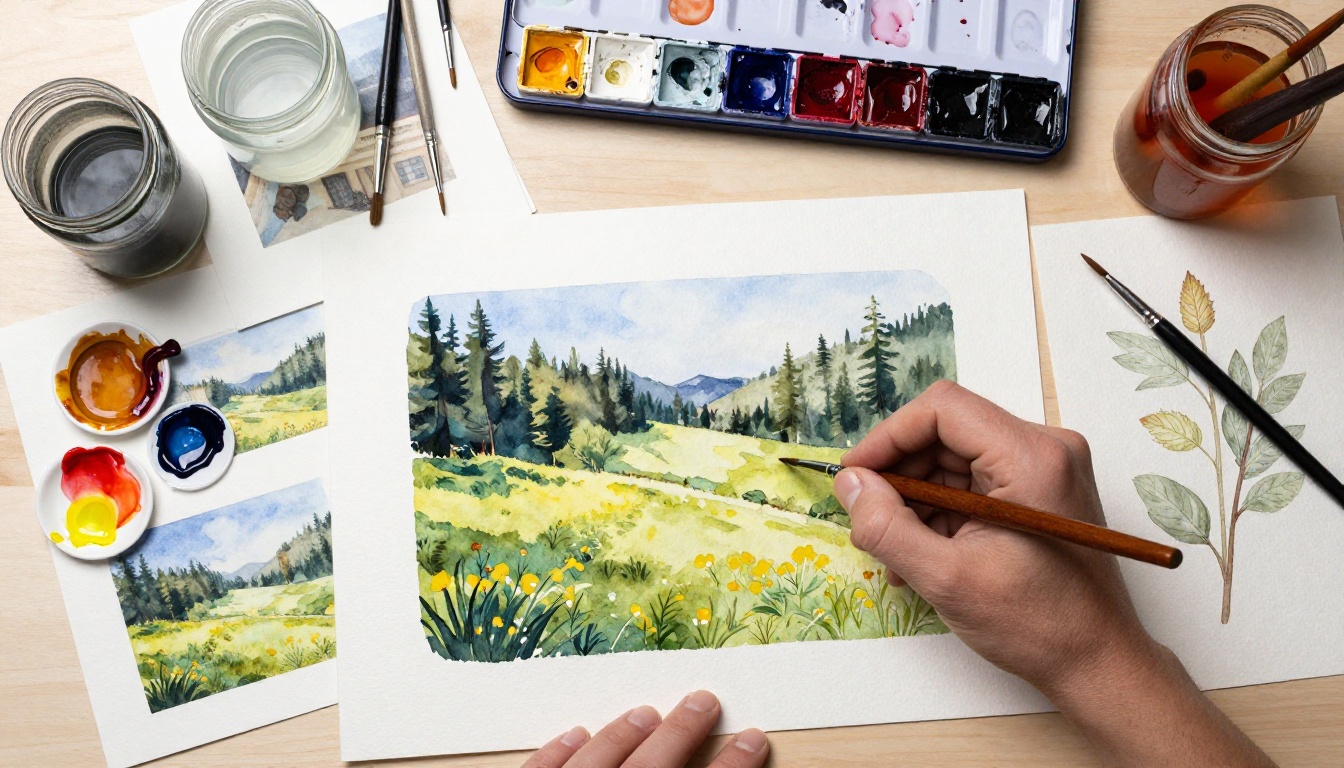
Watercolor illustration for book covers combines expressive texture with enough graphic clarity to read at small sizes. The model produces strong watercolor results when you use technical language in your prompts: "wet-on-wet wash," "visible brushstroke edges," "paper texture bleeding through pigment," "granulation in shadow areas." Nature writing, literary fiction, and botanical reference books respond particularly well to this treatment because the style signals warmth and a handcrafted quality that readers associate with those genres.
Reference images are especially valuable here. Watercolor has enormous internal variation, and a single painted reference anchors the model in the right sub-style without requiring an essay of technical description in your text prompt.
Anime and Manga
Light novels and manga covers have a well-defined visual vocabulary: expressive eyes with specific proportions, precise ink outlines, cel-shading, controlled flat color fills, and dynamic posing. The model understands this vocabulary at the prompt level without requiring exhaustive description. "Manga-style character design, clean ink outlines, cel-shaded flat color, strong pose" puts you in the correct territory in one generation. Reference images from your specific aesthetic sub-genre narrow it further.
Children's Book Characters
Children's illustration prioritizes immediate warmth, visual clarity, and age-appropriate proportions over technical complexity. The model produces round, friendly characters with clean outlines and saturated palettes consistently when prompted correctly. For picture book work, specifying "clean bold outline, flat color fills, friendly proportions, simple background" in your initial prompt prevents the model from adding unwanted detail complexity that makes the result read as adult illustration rather than children's.
💡 For children's illustration: Generate your character against a white or very simple background in the first session. Busy backgrounds compete with the character at small sizes and in page layout.
Comic Panels and Sequential Art
The model can generate multi-panel comic layouts in a single prompt when the panel count and content are described explicitly. For graphic novel covers specifically, a strong single-image composition in bold ink style performs better than multi-panel approaches, but the model's sequential art awareness helps when generating interior spot illustrations that need to share visual continuity across multiple pages.

How It Stacks Up Against Other Models
Choosing a model for publishing work requires weighing specific capabilities, not just general image quality. Here is how the core options compare on dimensions that directly affect book cover and illustration workflows.
| Feature | Nano Banana 2 | Standard Text-to-Image | Specialized Illustration Models |
|---|
| Conversational editing | Native, no restart | No, full restart needed | Rarely available |
| Multi-image reference | Up to 14 simultaneously | 0 to 1 images | 1 to 2 images |
| Web grounding | Real-time live data | None | None |
| Max output resolution | 4K | 1K to 2K | 1K to 2K |
| Character consistency | Strong and reliable | Inconsistent across sessions | Varies by model |
| Illustration style range | Very broad | Broad | Narrow (specialized niche) |
| Credit cost on PicassoIA | None, unlimited | Per-generation credits | Per-generation credits |
| Average generation time | 22 to 27 seconds | 10 to 30 seconds | 30 to 90 seconds |
The credit model at PicassoIA is worth noting separately. Unlimited generations mean you can iterate through rough stages without financial pressure to accept a 90% result. That changes the creative dynamic in a measurable way. You stop settling early.
3 Mistakes That Kill Your Results
Describing the Style Instead of Uploading It
Authors new to AI image generation spend enormous effort putting stylistic language into text prompts when uploading a reference image would communicate the same information faster and more precisely. Words like "painterly," "illustrated," or "loose brushwork" are interpretive. An uploaded example of the exact visual style you want is not. If you have an example of what you are after, put it in the reference input and save your text for scene description.
Starting Iterations at 4K
Running at maximum resolution from the first generation makes the iteration cycle slower than it needs to be. Higher resolution takes more compute time, even with unlimited access. Start your iteration process at 1K. Run four to six refinement cycles at that scale. When the composition, character, and lighting are exactly right, generate the final deliverable at 4K. This approach cuts iteration time by 30 to 50 percent without affecting the quality of your final output.
Treating the First Generation as Final
The conversational editing feature only saves you time if you use it. One generation establishes a starting point, not a finished illustration. The productive workflow is: generate, identify the single most important thing to fix, write one precise instruction, generate again. Four to six cycles typically takes an initial rough result to something print-ready. Authors who stop at the first generation leave the majority of the model's capability unused.
The Self-Publisher's Practical Advantage
Traditional publishing puts cover decisions in the hands of the house. Authors provide input, designers interpret it, art directors approve or reject the result, and the author accepts whatever emerges from that process. Self-published authors control every decision but have historically lacked the budget and technical access to match the output quality that traditional publishing funds.
Nano Banana 2 on PicassoIA closes most of that gap. Unlimited generations remove the financial pressure to accept imperfect results. The 4K output ceiling removes resolution constraints for print work. The character consistency feature means a five-book series reads as a cohesive visual product rather than five separately commissioned pieces. And the conversational iteration workflow means you can produce something genuinely professional-looking through persistence and iteration rather than through technical expertise.
For non-fiction authors, the web grounding capability adds another layer of practical value. A cover for a book on a fast-moving industry, a specific geographic location, or a current social dynamic can draw on live web data to look timely and specific rather than generic. The cover communicates that the book itself is current, which matters in categories where readers choose titles partly based on how fresh the information feels.
The model also works well as a brief generator for authors who plan to hire human illustrators. Running the conversational iteration cycle until you have a composition you love gives you a precise visual brief that a human illustrator can work from directly, rather than a verbal description that may translate unpredictably. You arrive at the commissioned illustration stage knowing exactly what you want because you have already seen it rendered.
Start Generating on PicassoIA
The friction that used to sit between "I have a cover concept" and "I have a print-ready file" has dropped significantly. You do not need a design background. You do not need to translate visual concepts into words for a designer who may or may not share your aesthetic sensibility. You need a clear mental picture of what you want, a handful of reference images that point in the right direction, and a willingness to run through four to six iterative instructions.
Nano Banana 2 is available on PicassoIA with no credit limits, no usage quotas, and output resolution up to 4K. If you want to compare it against the full range of text-to-image models for different illustration challenges across your catalog, the complete selection of over 90 models is at picassoia.com/en/all-models.
Upload your references, set your aspect ratio, write your first scene prompt, and start iterating. The book cover that used to feel like a six-week project is usually four good instructions away.