There are hundreds of AI image generators out there right now. Most of them share the same problem: they require you to spend hours studying prompt engineering, fiddling with obscure settings, and you still end up with results that look off. Nano Banana 2 by Google breaks that pattern entirely. It is fast, it is forgiving with prompts, and it produces images that genuinely look like they came from a professional camera. If you have ever wanted to generate realistic photos without the frustration, this is the model worth knowing about.

What Sets Nano Banana 2 Apart
Most text-to-image tools were built for specialists. They reward people who already know the difference between a LoRA weight and a CFG scale. Nano Banana 2 was designed from the other direction. It starts with the assumption that you just want a good image, and it builds everything around that single goal.
Built for Speed, Not Complexity
Generation times on Nano Banana 2 are among the fastest available on any platform. You type a description, click generate, and the result appears in seconds. There is no queue waiting period, no batch scheduling, no premium tier just to get a reasonable response time. The architecture behind it prioritizes low latency without sacrificing visual fidelity, which is a balance that most models never manage to strike.
Speed matters more than most people realize when they are new to AI image creation. When a tool is slow, it breaks the creative loop. You get an idea, you wait 40 seconds, you see the result, and by that point the momentum is gone. With Nano Banana 2, the turnaround is close enough to instant that you can iterate quickly and actually enjoy the process.
Prompt Flexibility That Surprises You
One of the biggest frustrations beginners face with AI image tools is prompt sensitivity. Write the description slightly wrong and the image falls apart. Nano Banana 2 handles loose, natural-language prompts exceptionally well. You do not need to include keywords like "cinematic lighting, 8K, photorealistic, hyperdetailed" for every single image. A straightforward sentence like "a woman reading in a sunlit library" produces something coherent and beautiful on the first try.
That said, the model also rewards more detailed prompts when you want precise control. It scales with your skill. Beginners get good results immediately, and experienced users who add lighting descriptions, camera angles, and atmosphere details get results that rival much heavier models.

The Output Quality Is Real
There is a version of "beginner-friendly" that means "you will get okay results that look obviously AI-generated." Nano Banana 2 is not that. The images it produces have a quality level that competes directly with models far more complex to use.
Photorealism Without Tweaking
The default output from Nano Banana 2 leans toward photorealism without you having to ask for it explicitly. Skin textures look natural. Lighting behaves the way light actually behaves in a physical space. Backgrounds have depth and believable detail. This is not something that happens automatically with most models. Tools like SDXL and Stable Diffusion 3.5 Large can produce photorealistic results, but they need careful prompting and often post-generation adjustments to get there.
💡 Pro Tip: For portraits, add "natural skin texture, soft window light, shallow depth of field" to your prompt. Nano Banana 2 picks these up immediately and produces something that looks like it came from a professional shoot.
Consistent Results Every Time
Consistency is underrated. Many models produce one great image out of four attempts. The other three have distorted hands, strange proportions, or lighting that makes no physical sense. Nano Banana 2 has a noticeably higher hit rate. Running the same prompt multiple times produces variations that are all usable, not just one winner among several failures.
For anyone who needs to produce images regularly, whether for social media, blog content, or client work, that reliability changes everything. You can plan around it. You can trust it.

How to Use Nano Banana 2 on PicassoIA
PicassoIA gives you direct browser access to Nano Banana 2 with no installation, no API keys, and no setup required. Here is exactly how to use it from the first visit.
Step 1: Open the Model Page
Go directly to the Nano Banana 2 model page on PicassoIA. You will see the generation interface immediately without any onboarding barrier. The layout is clean: a prompt input field at the top, generation parameters below it, and the output area beneath that.
Step 2: Write Your Prompt
Type what you want to see. Be as specific or as vague as you like. Here are a few examples that work well:
- Simple: "A golden retriever puppy sitting in a field of sunflowers"
- Medium detail: "A woman in a red coat walking through a rainy Paris street at night, reflections on wet cobblestones"
- High detail: "Close-up portrait of a middle-aged man with weathered skin, silver stubble, warm brown eyes, photographed with an 85mm lens, soft natural window light from the left, shallow depth of field, Kodak Portra 400 film grain"
All three prompt levels produce solid results. The more detail you add, the more control you have over the final image.
Step 3: Set Parameters and Generate
The parameter controls are straightforward:
| Parameter | What It Does | Recommended Starting Point |
|---|
| Aspect Ratio | Sets image dimensions | 16:9 for widescreen, 1:1 for square |
| Steps | Controls generation quality | Default works well for most uses |
| Guidance Scale | How closely it follows your prompt | 7 to 9 for most images |
| Seed | Locks a specific result for reproducibility | Leave random unless repeating a result |
Click generate. The image appears within seconds.
Step 4: Download or Share
Once generated, you can download the full-resolution image directly. PicassoIA also lets you copy the image URL or share it immediately. If the first result is close but not quite right, adjust one element of your prompt and regenerate. Small changes often produce significant improvements.

Who Actually Benefits From This
The honest answer is: almost everyone who wants to create images without a steep learning curve. But some specific groups benefit more than others.
Beginners With Zero AI Experience
If you have never used an AI image generator before, starting with a tool that demands prompt engineering expertise is discouraging. Nano Banana 2 removes that barrier. You can type a natural sentence, get a great result, and immediately feel the reward that builds the habit of creating. That matters for actually sticking with these tools.

Content Creators on a Schedule
Bloggers, newsletter writers, and social media managers often need images on tight timelines. They cannot spend 20 minutes per image testing prompts across three different tools. Nano Banana 2 fits into a production workflow because it is fast, reliable, and produces publish-ready quality without editing. One good prompt, one great image, move on.
For higher-stakes work requiring maximum detail, pairing it with Flux 2 Pro gives you another strong option. But for daily content at volume, Nano Banana 2 handles the workload.
Small Business Owners
Product photography, social media graphics, website hero images. These all cost real money when commissioned from human photographers or designers. A small business owner who can generate polished, realistic images on demand changes their cost structure completely. Nano Banana 2 makes that accessible without requiring any design background at all.

How It Compares to Other Models
Placing Nano Banana 2 in context helps you understand when to use it and when to reach for something else.
| Model | Speed | Ease of Use | Photorealism | Best For |
|---|
| Nano Banana 2 | Very Fast | Very Easy | High | Everyday creation, beginners |
| Flux 2 Pro | Fast | Moderate | Very High | Professional quality work |
| SDXL | Moderate | Requires experience | High | Fine-tuned creative control |
| GPT Image 1.5 | Fast | Easy | Very High | Instruction-following, edits |
| Imagen 4 | Moderate | Moderate | Very High | High-fidelity landscape and scenes |
| Flux Schnell | Fastest | Easy | Moderate | Quick drafts and rapid iteration |
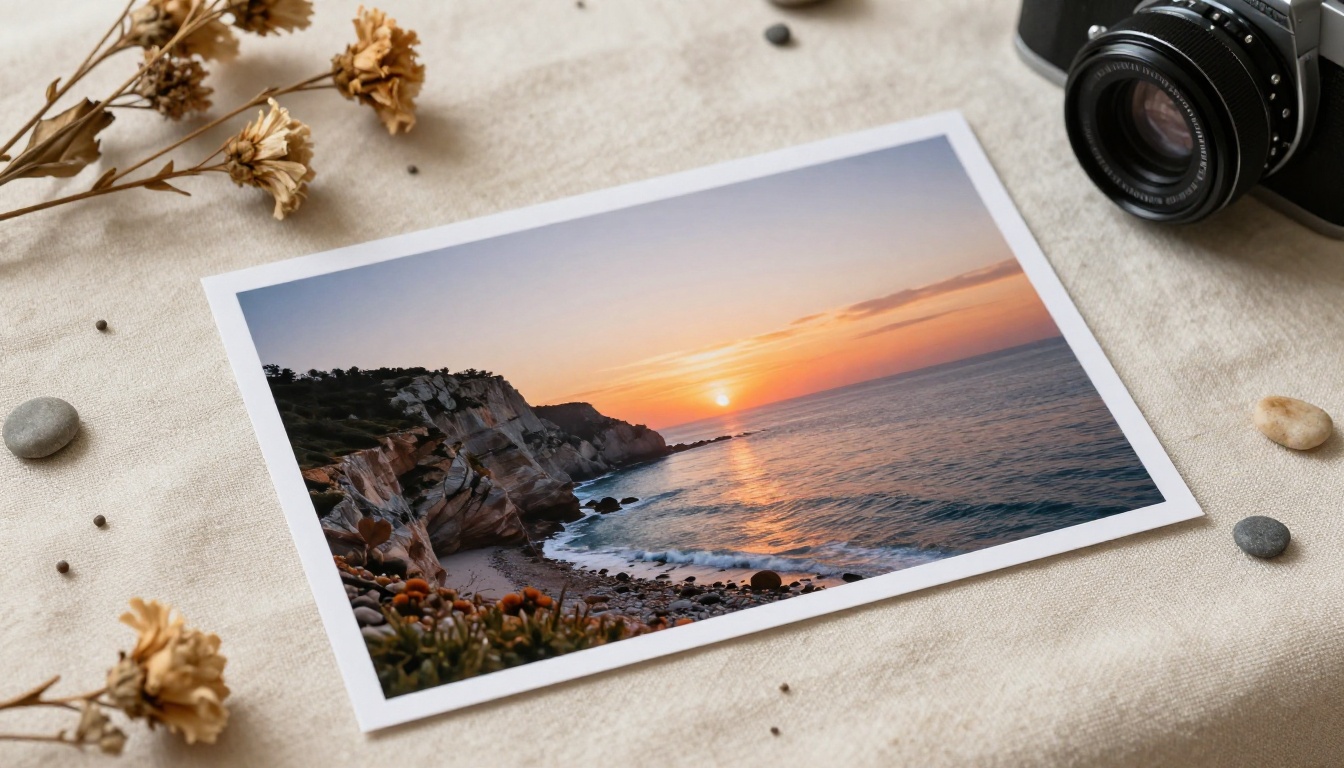
Nano Banana 2 sits at a sweet spot: fast enough for real-time creative work, with quality high enough that the outputs are actually usable without modification. It is not the absolute ceiling for photorealism, but it delivers the best ratio of quality to effort of anything currently available on the platform.
The original Nano Banana is also available and solid, but version 2 improves on it meaningfully in terms of prompt adherence and detail rendering. If you want even higher-end output from the same model family, Nano Banana Pro pushes the quality ceiling further at the cost of some speed.
Tips for Better Results
Even with a model this forgiving, a few simple habits make a noticeable difference in what you get back.
Be Specific About Lighting
Lighting is the single biggest lever in photorealistic image quality. "A woman at a cafe" and "a woman at a cafe, soft diffused daylight from a large window to her left, warm golden shadows under her chin" produce very different results. You do not need to be technical. Just describe the light the way you would describe it to someone who has never been in that space.
Good lighting descriptions include:
- "Morning light from a north-facing window"
- "Overhead midday sun with sharp shadows"
- "Warm candlelight from below, soft on the face"
- "Overcast sky, even diffused light, no harsh shadows"
Describe the Atmosphere
Mood affects the output significantly. Words like "quiet," "vibrant," "melancholic," or "joyful" shift how the model interprets color, contrast, and subject expression. Use it deliberately.
💡 Tip: If your results feel flat, add a single emotional word to your prompt. "A market in Morocco, vibrant" versus "A market in Morocco" produces a noticeably different level of energy and color saturation in the image.
Mix Styles Carefully
Nano Banana 2 defaults toward photorealism. If you want to push toward a different aesthetic, adding camera and film references works very well. "Kodak Portra 400, 35mm film" shifts the color grading toward warm, slightly desaturated tones. "Clean editorial, bright fill light, white background" pushes toward a commercial product look.
Avoid mixing too many style directions in one prompt. Asking for "cinematic and bright and vintage and editorial" creates conflicting signals. Pick one direction and commit to it.

Other Models Worth Trying on PicassoIA
Once you are comfortable with Nano Banana 2, the natural next step is trying models that offer different strengths. PicassoIA has 91 text-to-image models, so here are the ones that make the most sense as follow-up options:
For maximum detail and professional quality: Flux 2 Pro and Flux 1.1 Pro Ultra push photorealism to its ceiling. They reward detailed prompts and produce output that is genuinely difficult to distinguish from real photography.
For fast drafts and iteration: Flux Schnell is the speed record holder on the platform. Use it to test multiple prompt directions before committing to a full-quality generation.
For portraits and faces: Realistic Vision v5.1 is specifically tuned for face and skin realism. It handles portrait photography with a level of skin texture detail that general-purpose models sometimes miss.
For text in images: GPT Image 1.5 handles text rendering far better than most models. If you need logos, labels, signage, or any legible text in the image, this is the right choice.
For ultra-high resolution output: Imagen 4 Ultra produces images with exceptional sharpness at large sizes, making it ideal for print or large-format display use.
Beyond text-to-image, PicassoIA also covers video generation with 87 text-to-video models, background removal, face swap, super resolution upscaling from 2x to 4x, and AI music generation. Once image creation feels natural, the rest of the platform opens up significant creative possibilities.

Start Creating Your Own Images Now
If there is one thing that keeps people from getting into AI image creation, it is the idea that it requires technical expertise they do not have yet. Nano Banana 2 removes that excuse cleanly. You already know how to describe what you want to see. That is all this model needs from you.
The best way to find out what it can do is to try it with something personal. Think of an image you have wanted but never had a good way to create. A specific place, a mood, a moment. Type it out, generate it, and see what comes back. Most people are surprised by how close the first result is to what they pictured.
PicassoIA makes this accessible from any browser, with no downloads, no API configuration, and no previous AI experience required. Open the Nano Banana 2 model page, type your first prompt, and start building images that actually look the way you imagined them. With 91 text-to-image models available and tools covering everything from video creation to background removal, there is a lot more to experiment with once you take that first step.


