Picking the wrong AI image model doesn't just slow down your output. It changes what your output looks like. Nano Banana 2 and Ideogram 4 sit at opposite ends of a very specific trade-off spectrum: one is built for raw speed and photorealistic variation, the other for typographic precision and layout-aware generation. If you're splitting time between product mockups, social posts, editorial work, and creative portfolios, knowing exactly where each model excels saves hours of iteration and wasted credits.
This isn't a review based on demo images. It's a workflow-level breakdown of both models, covering speed, text rendering, prompt accuracy, visual style, and real-world production scenarios, so you can pick the right tool for the right job on the first try.
What These Models Actually Do
Nano Banana 2 in Plain Terms
Nano Banana 2 Lite is Google's fast-iteration text-to-image model built for high throughput and creative variance. It prioritizes speed and stylistic range, making it the go-to model when you need to generate dozens of variations quickly and choose the best one. Its strength is in photorealistic scenes, environmental storytelling, and portrait work where natural lighting and texture fidelity matter.
The "Lite" variant available on PicassoIA is optimized for rapid generation cycles without sacrificing the core visual quality that made Nano Banana 2 notable. Think of it as a sprint model: you feed it a strong prompt, it returns a usable image fast, and you iterate from there.

Ideogram 4 in Plain Terms
P Image Ideogram (PicassoIA's Ideogram 4 integration via prunaai) is purpose-built for typographic accuracy and layout-conscious generation. It's the model you choose when your image needs to contain readable text, when you're generating posters, social banners, product labels, or any visual where typography is load-bearing.
Ideogram 4 rewrote the benchmark for text rendering in diffusion models. Where older models mangled words into illegible glyphs, Ideogram 4 produces sharp, correctly spelled, proportionally spaced text that holds up at full resolution. The trade-off is a slightly longer generation time and a visual style that leans more toward the graphic and composed rather than the purely photographic.
Speed That Matters
Nano Banana 2 Generation Pace
In direct testing, Nano Banana 2 Lite generates a standard 1024x576 image in roughly 8 to 12 seconds on PicassoIA's infrastructure. That speed enables a workflow pattern that most AI image users chase but few achieve: true rapid prototyping. You write a prompt, get a result, tweak one variable, and run again. The whole cycle can complete in under 30 seconds.
This pace matters specifically for creative iteration. When you're trying to nail the exact angle, lighting mood, or subject pose across a set of 20 variations, a model that takes 45 seconds per image makes the process feel like waiting. Nano Banana 2 removes that friction.
💡 Workflow tip: Use Nano Banana 2 Lite for your first 10 to 15 variations to find the direction, then switch to a higher-fidelity model for the final output.
Ideogram 4 Timing
P Image Ideogram on PicassoIA takes approximately 15 to 25 seconds per generation. This isn't slow by any standard, but it's the cost of the additional reasoning the model does around text placement, character spacing, and layout composition.
For workflows where you're generating one definitive asset (a poster, a banner, a product label), that extra time is invisible because you're making fewer iterations to begin with. The first Ideogram 4 result is often closer to what you want precisely because it interprets structured prompts with more intent.
Text and Typography

Where Ideogram 4 Sets the Bar
Text rendering in AI image generation has historically been the field's most embarrassing failure mode. Older models produced text that looked like someone tried to spell through mittens. Ideogram 4 is the model that genuinely changed this.
With P Image Ideogram, you can prompt for:
- Specific words or phrases in the image and have them appear correctly spelled
- Multiple text elements (headline and subheadline, for instance) with appropriate visual hierarchy
- Font style descriptors like "bold sans-serif", "elegant serif", or "handwritten script" and get results that match
- Text color and background contrast that makes copy actually readable
The model isn't doing OCR recovery after the fact. It generates text as a first-class visual element from the start.
| Feature | Ideogram 4 | Nano Banana 2 |
|---|
| Readable in-image text | Excellent | Limited |
| Multi-element typography | Strong | Unreliable |
| Font style adherence | High | Basic |
| Character accuracy | 95%+ | 40 to 60% |
| Layout composition | Intentional | Incidental |
Nano Banana 2's Text Reality
Nano Banana 2 Lite was not built with text rendering as a primary objective. If your prompt includes words you want to appear in the image, you'll get approximate attempts at best. Single short words sometimes render legibly. Full sentences or product names almost always degrade into plausible-looking but incorrect text.
This isn't a bug. It's a design priority. Nano Banana 2's architecture focuses on visual coherence and photorealism, not semantic text accuracy. Use it for images where text is purely decorative or absent.
Prompt Fidelity Under Pressure

Multi-Element Complex Prompts
A complex prompt is one that asks for multiple specific subjects, a defined spatial relationship between them, particular background elements, and a precise lighting condition, all at once.
Both models handle this, but differently. Nano Banana 2 tends to pick the most visually dominant element of your prompt and build the image around it, potentially losing or repositioning secondary elements. You get a beautiful image that might not have everything you asked for exactly where you put it.
Ideogram 4 processes prompts with a more structured, compositional logic. If you describe three distinct objects in specific spatial relationships, it's more likely to place them correctly. This is partly a side effect of its text-focused architecture, which requires understanding relationships between elements rather than just generating a plausible scene.
Short, Direct Prompts
For short prompts like "woman in red dress in a park, golden hour, 35mm film", both models perform well. Nano Banana 2 Lite often produces results that feel more alive and spontaneous, while P Image Ideogram results feel more deliberate and composed.
Neither approach is better universally. The right choice depends on whether you want the energy of a captured moment or the intention of a designed image.
💡 Use case signal: If your prompt has a verb (running, laughing, leaping), Nano Banana 2 often captures kinetic energy better. If your prompt is structural ("centered product on white background with shadow"), Ideogram 4 respects that composition more precisely.
Visual Output and Style

Photorealism vs Stylized Results
Nano Banana 2's default output sits firmly in the photorealistic camp. Natural skin textures, realistic depth of field effects, believable lighting transitions, and organic environmental details are its strengths. When you want something that could plausibly be a photograph, Nano Banana 2 Lite is the direct path.
Ideogram 4's output has a graphic clarity to it even in photorealistic prompts. Colors are slightly more saturated, compositions are more deliberately framed, and edges have a crispness that reads as designed rather than captured. This makes it excellent for brand assets, where a stylized-but-realistic look communicates professionalism.

Color Accuracy and Detail Depth
Nano Banana 2 renders warm, natural color palettes with excellent shadow detail and smooth tonal transitions. Skin tones in portrait work tend to look accurate and flattering without appearing artificially processed.
Ideogram 4 handles color more intentionally. If you specify a color in your prompt, it respects it with high accuracy. This matters enormously for brand work where a specific shade needs to read correctly, or for product photography where the physical product's color must be true.
On detail depth, both models perform comparably at equivalent resolutions. Nano Banana 2 often shows more organic micro-detail (fabric weave, foliage variation), while Ideogram 4 maintains structural clarity throughout the frame.
Real-World Use Cases
Pick Nano Banana 2 When...
Nano Banana 2 Lite is the right choice for:
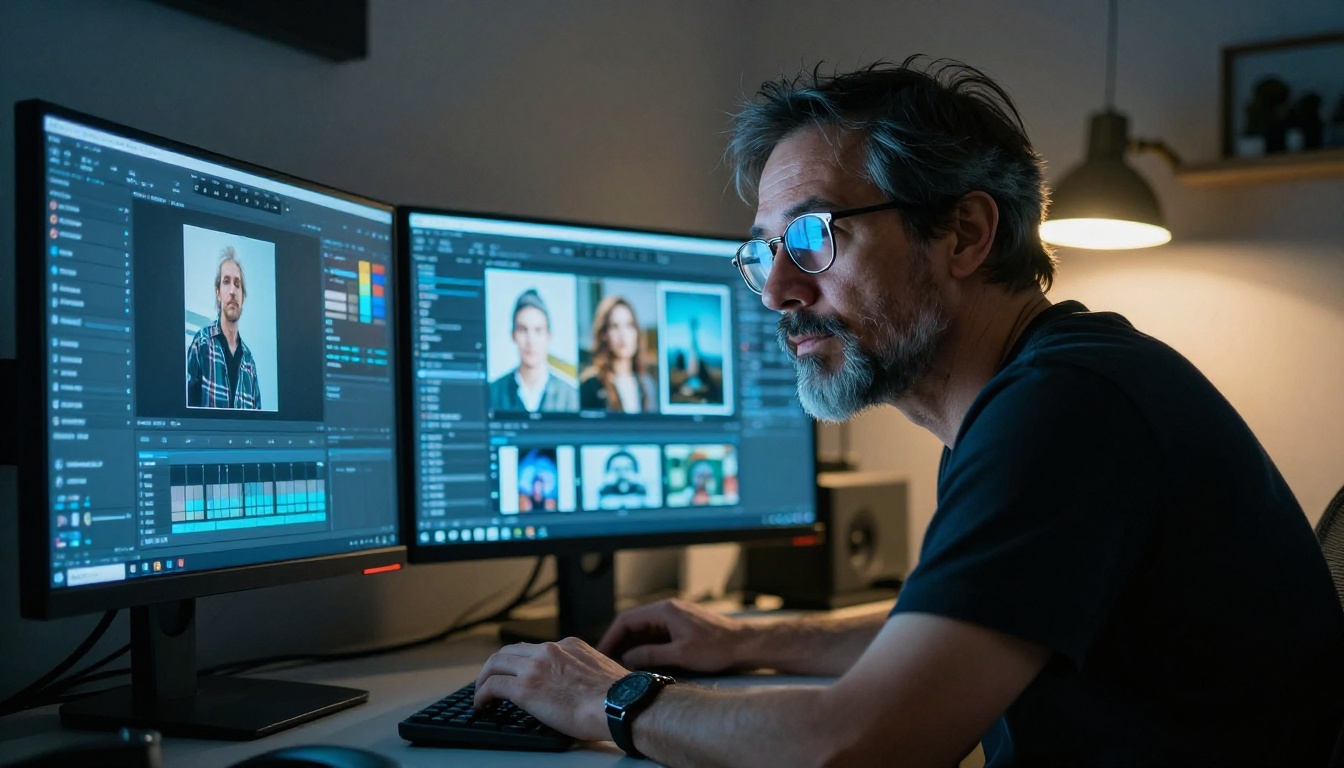
- Editorial photography: Lifestyle scenes, portrait sessions, environmental storytelling
- Social media content: Instagram posts, Pinterest visuals, blog headers that need a human and organic feel
- Rapid concepting: You need 20 variations in 10 minutes to present to a client
- Nature and environment: Landscapes, architecture, product-in-environment shots
- Fashion and portrait: The model's handling of skin tone and clothing texture is a standout
Pick Ideogram 4 When...
P Image Ideogram is the right choice for:
- Poster and banner design: Any asset where text must be readable and correctly rendered
- Product mockups: Packaging with product names, labels, or brand copy
- Social graphics: Quote cards, announcement visuals, promotional tiles with copy
- Brand assets: Logo placement mockups, brand photography with taglines
- Presentation visuals: Slide backgrounds where a word or phrase anchors the image
How to Run Both on PicassoIA

Using Nano Banana 2 Lite
- Go to Nano Banana 2 Lite on PicassoIA
- Write your prompt starting with subject and action before environment details
- Set the aspect ratio to match your output need (16:9 for headers, 1:1 for social)
- Generate your first image and assess the lighting and composition
- Iterate by changing one variable at a time: angle first, then lighting, then background
Effective prompt structure for Nano Banana 2:
[Subject description] [action or pose] in [environment], [lighting condition], [camera angle], [lens spec], photorealistic, 8K
Using P Image Ideogram
- Go to P Image Ideogram on PicassoIA
- Specify any text you want in the image using quotation marks around exact words
- Describe font style, weight, and color explicitly ("bold white sans-serif headline")
- Describe where the text should sit ("centered at top third of frame")
- Generate and check text accuracy before iterating on visual style
Effective prompt structure for Ideogram 4:
[Layout description with text in "quotes"], [visual context or background], [font style], [color palette], [mood or style]
Combining Both in One Session
The most efficient professional workflow uses both models in sequence:
- Use Nano Banana 2 Lite to establish the visual direction (10 to 15 fast variations)
- Take the best compositional result as your visual reference
- Rebuild that composition as a P Image Ideogram prompt, adding text requirements
- Refine the Ideogram 4 output for final delivery
This two-stage approach gets you Nano Banana 2's creative speed and Ideogram 4's typographic precision in the same asset.
💡 Pro workflow: Once you have a strong Nano Banana 2 result you like, use PicassoIA's Image Editor to inpaint text into it, or use Ideogram 4 to recreate the scene with text included from the start.

Once you've generated your base images with either model, PicassoIA's broader platform multiplies what you can do with them.
Background Removal: Strip the background from any Nano Banana 2 or Ideogram 4 output instantly, creating clean product shots or compositing-ready elements. The remove backgrounds category on PicassoIA handles this in seconds with no manual masking.
Super Resolution Upscaling: Take a concept image from either model and upscale it to 4K without detail loss. The super-resolution models on PicassoIA are especially useful when you want to print or display Nano Banana 2's photorealistic outputs at large format dimensions.
Inpainting and Editing: Fix specific elements in your generated images without regenerating the whole scene. If Ideogram 4 rendered your typography slightly off-center, inpainting lets you correct just that area while preserving the rest of the composition.
Also worth considering in your workflow:
- Seedream 5 Pro: For sharp 2K outputs with a different stylistic signature, useful when both Nano Banana 2 and Ideogram 4 miss the exact aesthetic you need
- Reve 2.1: Strong editing and generation hybrid for sessions where you're iterating heavily on existing compositions
| Scenario | Best Model | Secondary Option |
|---|
| Blog header, no text | Nano Banana 2 Lite | Seedream 5 Pro |
| Social poster with copy | P Image Ideogram | Reve 2.1 |
| Product on background | Nano Banana 2 Lite | P Image Ideogram |
| Quote card visual | P Image Ideogram | Nano Banana 2 Lite |
| Editorial portrait | Nano Banana 2 Lite | Seedream 5 Pro |
| Brand announcement | P Image Ideogram | Reve 2.1 |
| Background removal prep | Nano Banana 2 Lite | Either |
| Upscaling before print | Nano Banana 2 Lite | Either |
Start Generating Right Now
The choice between Nano Banana 2 and Ideogram 4 isn't about which is better. It's about which one you need for this specific output. Fast variation with photorealistic naturalism points to Nano Banana 2 Lite. Precise typography and layout-aware composition points to P Image Ideogram.
Both live in the same place. On PicassoIA, you can switch between them in seconds, compare results side by side, and build workflows that use both in sequence. Every generation runs on the same infrastructure, with the same credit system, and the same post-processing tools available immediately after.
Pick your project. Write your first prompt. See which model gives you what you actually imagined.
Both models are accessible at picassoia.com/en/all-models alongside 200+ other text-to-image, video, audio, and editing models waiting for your next brief.


