Two of the most debated text-to-image models right now sit at opposite ends of the spectrum — Google's Nano Banana 2 and Black Forest Labs' FLUX.2 Pro. One prioritizes raw speed and lightweight execution; the other bets everything on professional-grade quality and prompt fidelity. Choosing between them isn't obvious — and the right answer depends entirely on what you're building.
This breakdown cuts through the noise and puts both models through the same tests: portrait photography, landscape generation, complex prompt adherence, and real-world creative workflows. No marketing, just results.
What These Models Actually Are
Knowing what each model was built for changes how you read the results. They were designed with fundamentally different priorities in mind.
Nano Banana 2: Speed-First Architecture
Nano Banana 2 is Google's second iteration of the Nano Banana architecture — a family of fast, distilled diffusion models designed to run efficiently at scale. The "nano" isn't just branding. The model is architecturally compressed without sacrificing the quality thresholds needed for commercial creative applications.
It sits between Google's heavier Imagen 3 and the leaner Nano Banana v1. Compared to v1, Nano Banana 2 shows meaningful improvements in:
- Face rendering: less uncanny valley, sharper eye details
- Background coherence: complex scenes stay structurally consistent
- Color accuracy: warmer, more natural tones without oversaturation
If you need fast iteration — generating 10–20 variations to pick the best — Nano Banana 2 is built for that workflow.
FLUX.2 Pro: Quality-First Design
FLUX.2 Pro is Black Forest Labs' flagship model in the FLUX.2 generation. It follows the original FLUX 1.1 Pro and builds on the flow-matching architecture that made FLUX a benchmark setter.
FLUX.2 Pro targets professionals who need production-ready output on the first try. It runs slower than Nano Banana 2, but the gap in quality — especially on complex human subjects and high-resolution details — is noticeable at 100% zoom.
The FLUX.2 family also includes FLUX.2 Dev for research and experimentation, and FLUX.2 Max for maximum resolution fidelity.
Speed: Who Generates Faster?

Speed matters when you're iterating. No one wants to wait 40 seconds to see if their prompt worked.
Nano Banana 2 Generation Times
In typical inference conditions, Nano Banana 2 clocks in at 4–8 seconds for standard 1024px outputs. Its distilled architecture means fewer diffusion steps are needed to reach a coherent image — typically 20–28 steps versus the 30–50 required by heavier models.
💡 Nano Banana 2 runs noticeably faster on simple prompts. Add complexity (multiple subjects, detailed backgrounds) and generation time creeps up — but stays well under 15 seconds in most cases.
FLUX.2 Pro Generation Times
FLUX.2 Pro typically runs 12–25 seconds depending on resolution and server load. The tradeoff is intentional — the model runs more diffusion steps and applies a guidance mechanism that improves structural accuracy.
| Model | Typical Speed | Steps | Best For |
|---|
| Nano Banana 2 | 4–8 sec | 20–28 | Fast iteration, bulk generation |
| FLUX.2 Pro | 12–25 sec | 30–50 | Final production outputs |
For agencies and creators running 50+ generations per session, that speed difference adds up fast.
Image Quality: The Real Test
This is where the comparison gets interesting. Raw benchmarks tell one story; looking at actual outputs tells another.
Photorealism and Detail
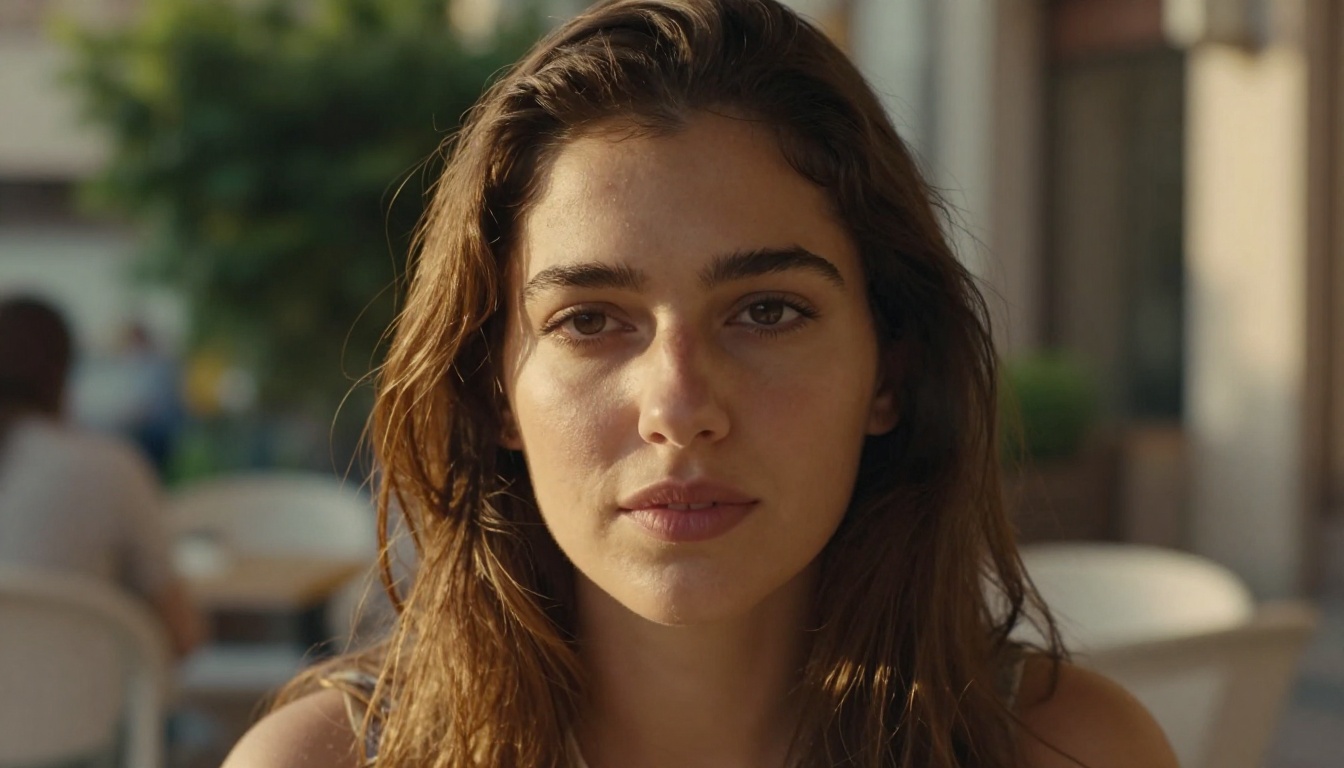
Both models produce photorealistic images — but the definition of "photorealistic" differs between them.
Nano Banana 2 leans toward clean and polished. Skin textures are smooth, lighting is even, and the overall look is professional without being clinical. It handles faces well at standard distances — the sort of quality you'd see in stock photography.
FLUX.2 Pro pushes into cinematic territory. Pore-level skin detail, micro-shadows under brow ridges, individual hair strand separation — these are the kinds of details that separate a $30 stock photo from a $3,000 photography session.

💡 At 512px preview size, both models look nearly identical. Zoom to 100% — or export at full resolution — and FLUX.2 Pro's detail advantage becomes impossible to ignore.
Portrait and Human Subjects
For portraits, the gap is most visible in three areas:
- Eyes: FLUX.2 Pro renders corneal reflections, wet highlights, and iris detail with remarkable fidelity. Nano Banana 2 produces clean eyes, but they're slightly less dimensional.
- Hair: FLUX.2 Pro separates individual strands in strong side-lighting. Nano Banana 2 renders hair as cohesive shapes — still natural, but less granular.
- Hands: Both models struggle with extreme hand poses, but FLUX.2 Pro recovers more reliably in realistic, natural positions.
Landscapes and Architecture
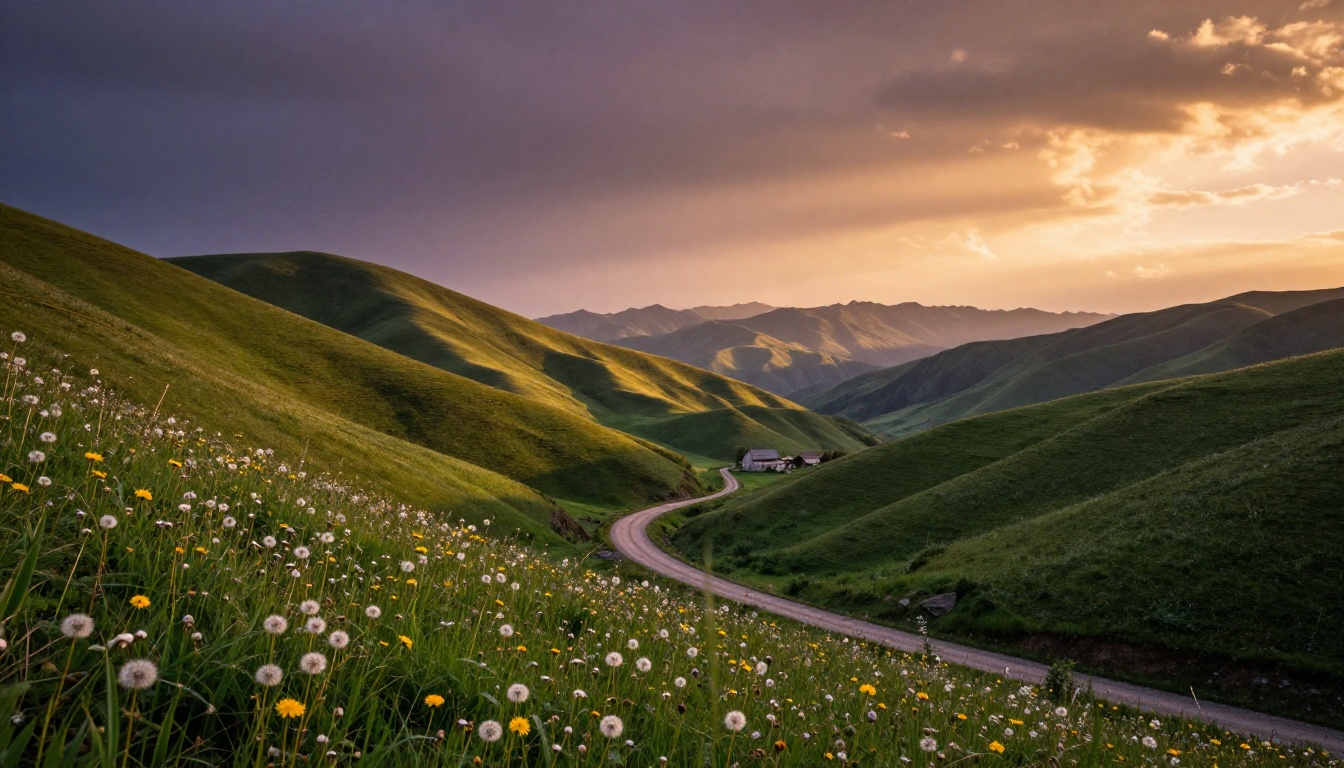
Landscape generation is where Nano Banana 2 punches well above its weight. Wide vistas, natural terrain, atmospheric lighting — these don't require the micro-detail that portraits demand, and Nano Banana 2's speed advantage here is hard to ignore.
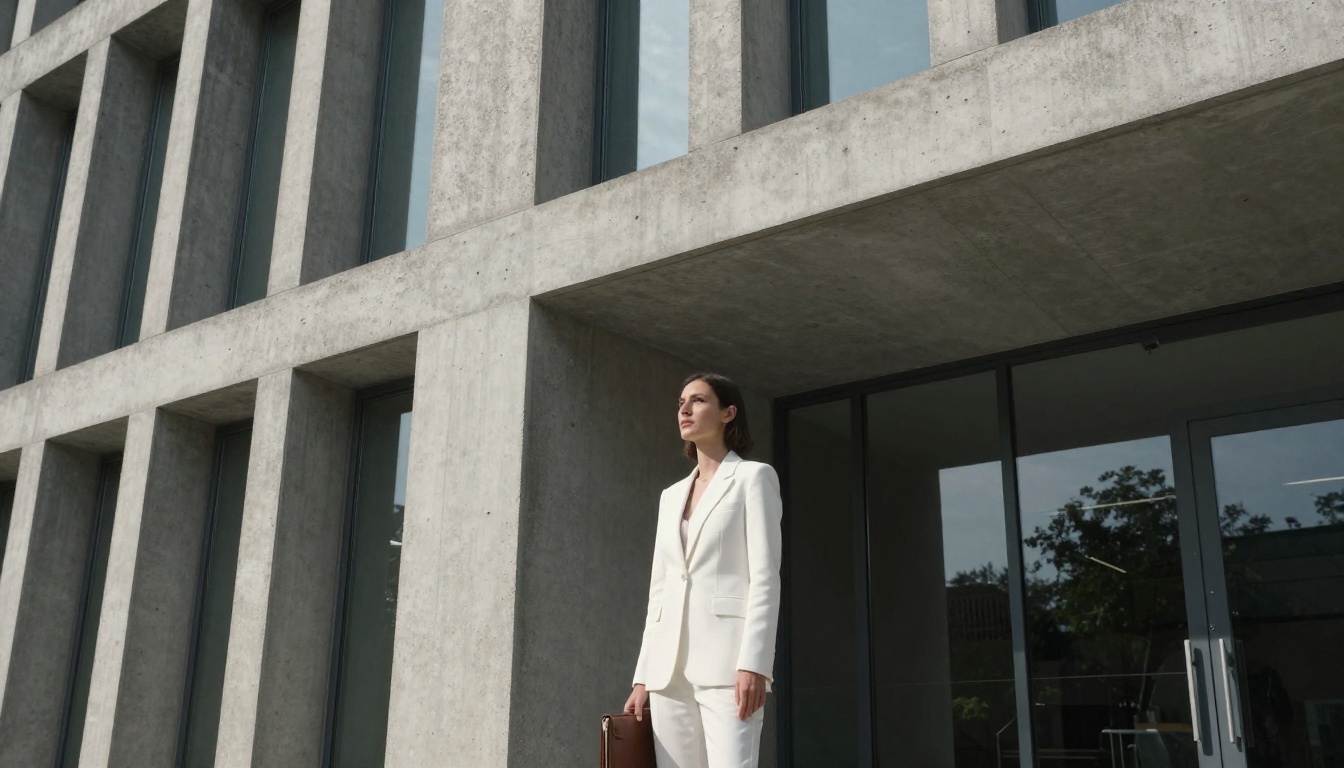
For architectural photography, FLUX.2 Pro wins on geometric precision and material rendering. Concrete grain, glass reflections, shadow depth on hard surfaces — these come out with greater accuracy.
Prompt Accuracy: Does It Listen?
Prompt adherence — how faithfully a model follows what you typed — is one of the biggest differentiators in day-to-day use.
Complex, Multi-Subject Prompts
Prompts with multiple subjects, specific positioning, and layered scene descriptions are where both models diverge the most.
FLUX.2 Pro handles complexity with notable reliability. Request "a woman in a red coat standing to the left of a wooden table with a vase of sunflowers, afternoon light from the right window" — and it delivers the composition accurately in roughly 7 out of 10 attempts.
Nano Banana 2 nails simpler compositions well but tends to merge or re-position elements in denser scenes. The model prioritizes aesthetic coherence over strict prompt adherence — sometimes producing a better-looking image that still didn't follow instructions precisely.
Short Prompts
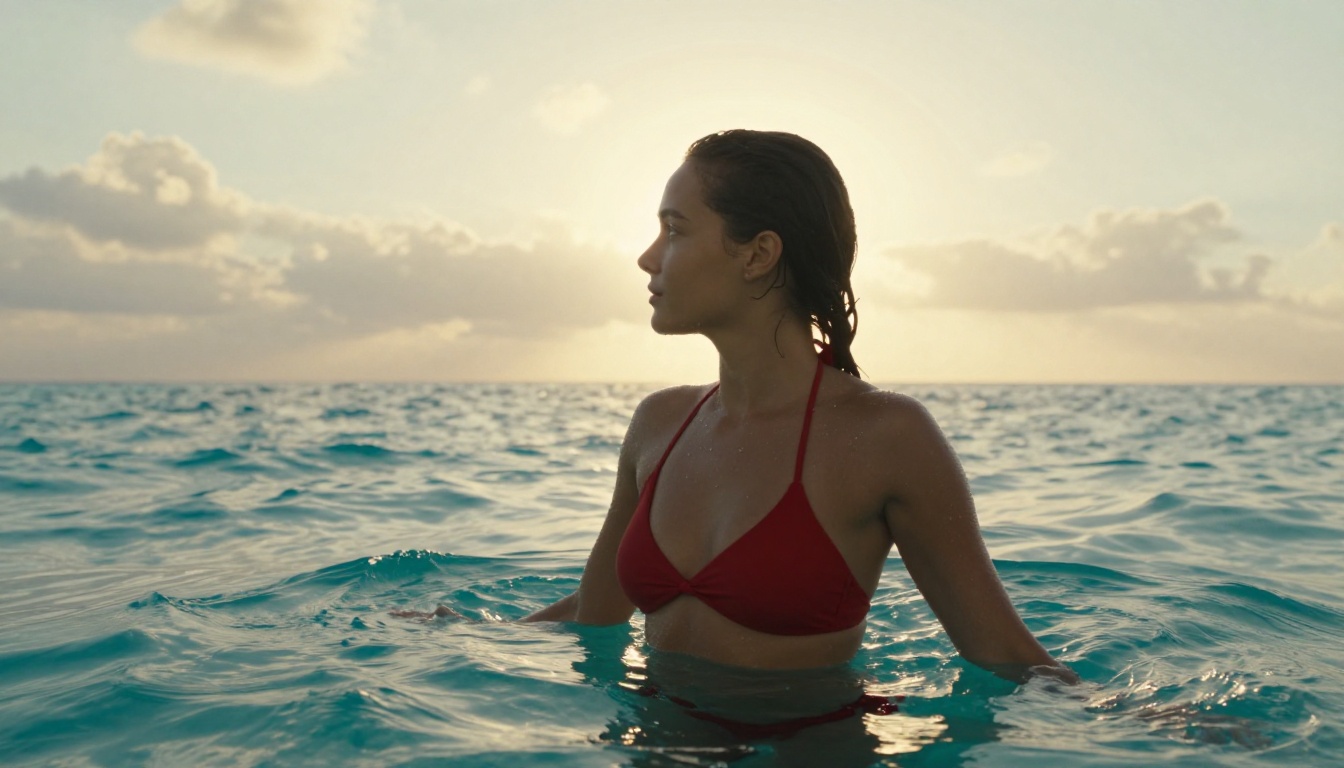
On short, direct prompts (under 20 words), the playing field levels considerably. Nano Banana 2's aesthetic optimization becomes an advantage here — it fills in missing detail gracefully, producing vibrant and natural-looking results without needing a 100-word brief.
💡 Use Nano Banana 2 for short exploratory prompts during ideation. Switch to FLUX.2 Pro when you've locked in a concept and need precise execution.
Style Versatility
Realistic vs. Artistic Outputs
Neither model is monolithic in style — both respond to stylistic direction in prompts. That said:
- Nano Banana 2 has a default output that leans warm and vibrant — slightly enhanced saturation and a tendency toward golden-hour tones. Beautiful for lifestyle, travel, and portrait work.
- FLUX.2 Pro defaults to neutral and precise — it renders what's in the prompt without adding stylistic interpretation. Better when you need direct control over mood and color grading.
Both models avoid the "AI look" (overly smooth skin, floating objects, inconsistent shadows) that plagued earlier diffusion models. For photorealistic work, both are production-ready.
Creative Scenes and Glamour

For glamour, lifestyle, and fashion imagery, both models deliver — but with different strengths. Nano Banana 2 produces naturally warm, inviting scenes that work for social media and editorial. FLUX.2 Pro delivers the precision needed for high-end campaign work where the difference between good and exactly right has commercial consequence.
When to Use Each Model
Best Use Cases for Nano Banana 2
- Rapid concept development: Test 10 visual directions in the time FLUX.2 Pro does 3
- Social media content: Warm, natural tones that perform well on visual platforms
- Landscape and travel imagery: Wide scenes where micro-detail matters less
- Bulk content creation: Volume workflows where consistent quality beats maximum quality
- Short prompts and casual creativity: Excellent aesthetic defaults that fill in the gaps
Best Use Cases for FLUX.2 Pro
- Campaign and commercial photography: Production-ready quality without retouching
- Portrait work: Pore-level detail, accurate hair rendering, precise lighting
- Complex scene construction: Multi-subject compositions with specific spatial relationships
- Architecture and product photography: Geometric precision and material accuracy
- Final output generation: When you have the concept and need the definitive version
How to Use Both on PicassoIA
Both models are live on PicassoIA and require no setup, API tokens, or local hardware.
Running Nano Banana 2

- Go to Nano Banana 2 on PicassoIA
- Enter your prompt in the text field — start concise (15–25 words works well)
- Set aspect ratio to 16:9 for landscape, 1:1 for portraits
- Click Generate — output arrives in 4–8 seconds
- If the composition is right but detail is lacking, try Nano Banana Pro for a higher-fidelity version
Practical tips for Nano Banana 2:
- Add lighting direction in your prompt ("morning light from the left") — the model responds well to this
- Keep subject count to 1–2 per scene for best compositional coherence
- Avoid overspecifying background elements — let the model's aesthetic defaults fill them in naturally
Running FLUX.2 Pro
- Navigate to FLUX.2 Pro on PicassoIA
- Write a detailed prompt — 50–100 words consistently outperforms short prompts here
- Specify camera angle, lens type, and lighting direction for maximum control
- Set resolution — FLUX.2 Pro handles 1024×1024 and above exceptionally well
- For faster iteration during ideation, try FLUX.2 Dev first, then finalize with FLUX.2 Pro
Practical tips for FLUX.2 Pro:
- Describe textures explicitly ("rough concrete surface," "satin fabric with slight sheen") — the model renders them accurately
- Use camera lens specifications ("85mm f/1.4," "24mm wide-angle") to control depth of field
- Include lighting angle and quality ("volumetric afternoon light from the right") for cinematic results
Full Comparison at a Glance
| Feature | Nano Banana 2 | FLUX.2 Pro |
|---|
| Speed | ⚡ 4–8 sec | 12–25 sec |
| Portrait Detail | Good | Excellent |
| Landscape Quality | Excellent | Very Good |
| Prompt Adherence | Moderate | High |
| Default Style | Warm, vibrant | Neutral, precise |
| Complex Scenes | Moderate | High |
| Short Prompts | Excellent | Good |
| Production-Ready | Yes | Yes |
| Cost per Generation | Lower | Higher |
The Verdict
There's no single winner here — and that's the honest answer. If speed and volume matter, Nano Banana 2 is the right tool. Its architectural efficiency, warm aesthetic defaults, and fast generation times make it ideal for iterative workflows and content production at scale.
If quality is non-negotiable, FLUX.2 Pro earns its place at the top of the text-to-image stack. The level of photographic detail it produces — particularly in human subjects and complex compositions — sets the current standard for diffusion-based generation.
The smartest approach: use them together. Nano Banana 2 for rapid concept iteration, FLUX.2 Pro for production execution. This two-stage workflow cuts generation costs while maintaining output quality at the finish line.
Try Both Right Now

The best way to settle this comparison is to run your own prompts and see what each model does with them. Both Nano Banana 2 and FLUX.2 Pro are available on PicassoIA right now — no downloads, no setup, no waiting. Load the same prompt into both and see exactly where each one shines.
The FLUX family goes further than just FLUX.2 Pro — FLUX.2 Flex and FLUX.2 Max offer additional options depending on your resolution and flexibility needs. On Google's side, Imagen 4 represents the high end of what their architecture can produce.
Your next image is one prompt away.


