Nano Banana Pro represents a significant leap in AI image generation. Unlike previous models that treat prompts as abstract suggestions, this model comes with a built-in reasoning engine that genuinely understands structure, logic, and sequential instructions. What does this mean for creators? It means your prompts can be more ambitious, more detailed, and more precise than ever before.
The model's ability to interpret complex spatial constraints, mathematical relationships, and multi-step workflows opens entirely new creative possibilities. Instead of hoping the AI "gets it," you can now design prompts that function like blueprints, where every element has its designated place and purpose.
In this article, we'll explore ten advanced prompting techniques that leverage what makes Nano Banana Pro unique. These aren't basic tips; they're professional-grade strategies that produce consistent, high-quality results.
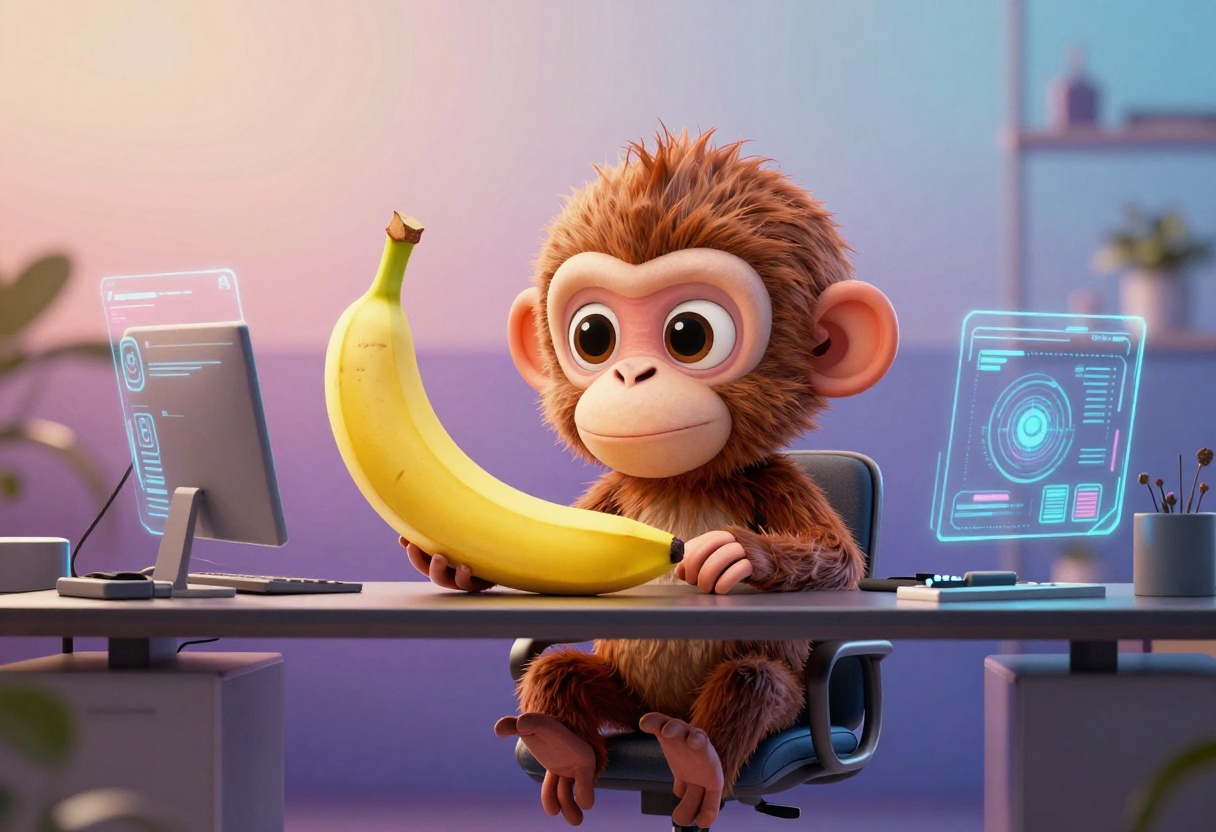
Structured Layout Prompts
Traditional AI models struggle with precise spatial positioning. You'd ask for a logo in the bottom right, and it might appear anywhere, or not at all. Nano Banana Pro changes this dynamic entirely by treating canvas regions as actual semantic zones.
Why structured prompts work: The model now recognizes that when you specify "top-left," "center," or "footer," these aren't vague suggestions. They're architectural instructions that the model respects with remarkable consistency.
This capability transforms how you approach design work. Whether you're creating social media posts, presentation slides, dashboard layouts, or brand materials, you can now define exactly where each element should appear.

Practical Applications
For UX/UI designers, structured prompts enable rapid mockup creation. You can specify that navigation sits at the top, content occupies the center third, and footer elements anchor the bottom, all in a single prompt.
For brand designers, this means generating consistent layouts where logos, taglines, and brand elements maintain their positions across different assets.
For social media managers, structured prompts ensure text overlays, CTAs, and visual elements appear exactly where engagement data suggests they should.
The key is being explicit about spatial relationships. Rather than "a logo and some text," write "logo centered in upper 20% of canvas, headline text occupying middle 40%, call-to-action button in lower right corner."
Here's where Nano Banana Pro truly differentiates itself. The model can process JSON-structured prompts that incorporate multiple reference images, each with specific roles and transformations.
Think of it as giving the AI a detailed instruction manual. You're not just describing what you want; you're providing a structured data format that maps inputs to desired outputs with precision.
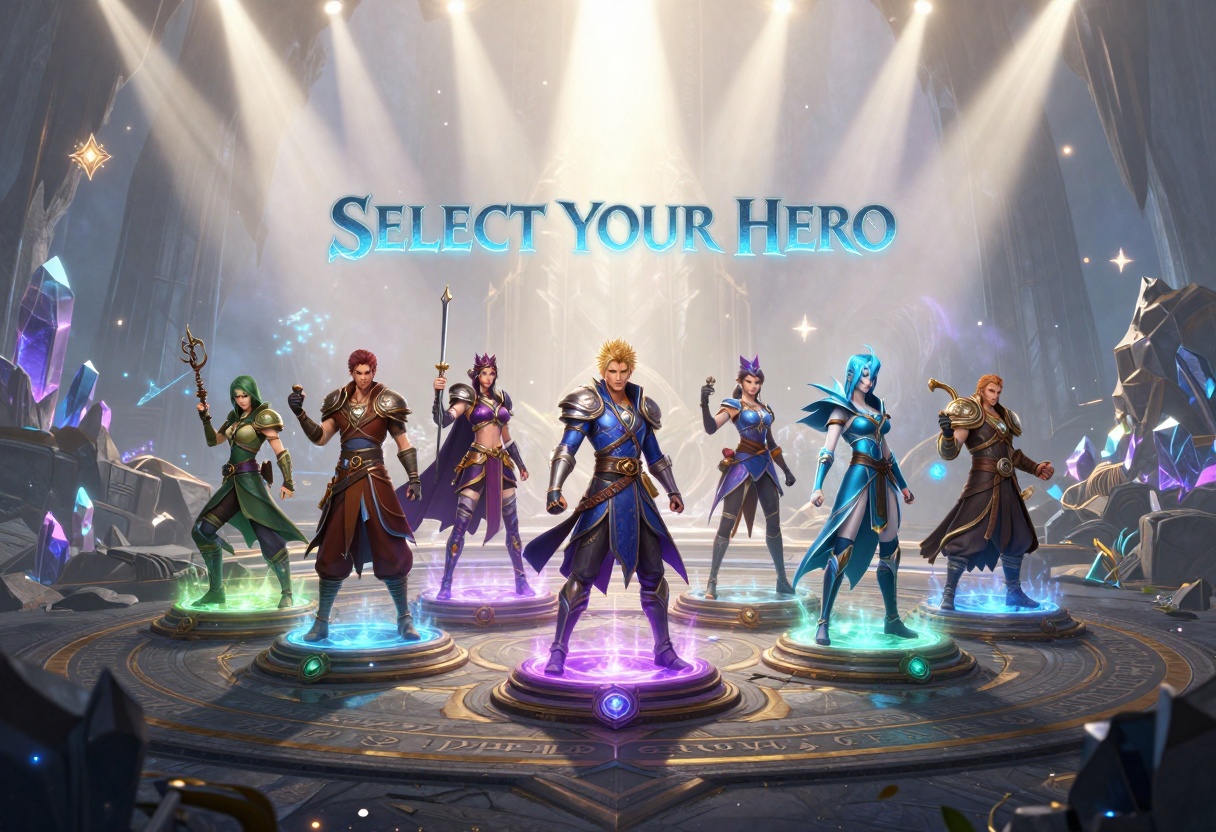
Real-World Example
Imagine creating a character selection screen for a game. With JSON prompts, you can:
- Specify 10 different character portraits as inputs
- Define the exact layout configuration (arc arrangement, grid, lineup)
- Set lighting parameters for each character
- Determine platform designs and atmospheric effects
- Control overlay UI elements and text positioning
The model processes all these instructions simultaneously, maintaining consistency across all elements while respecting the spatial and stylistic relationships you've defined.
This approach is particularly powerful for templates and repeatable workflows. Once you've crafted a JSON structure that works, you can reuse it with different inputs to generate consistent results at scale.
Scene Composition Through Atmosphere
One of the subtle but powerful capabilities of Nano Banana Pro is its understanding of atmospheric storytelling. You can now describe the mood, lighting, and environmental context of a scene, and the model translates these descriptions into cohesive visual narratives.
Traditional models might generate technically correct images that feel disconnected from their described context. Nano Banana Pro maintains coherence between the described atmosphere and every visual element it creates.
The Film Crew Example
Consider prompting for a behind-the-scenes film production scene. Rather than just listing objects (camera, lights, crew), you describe the atmosphere: "bustling professional set with diffused studio lighting creating soft shadows, atmospheric haze adding depth, collaborative energy visible in crew positioning."
The model understands these aren't just aesthetic choices; they're narrative elements that inform how every object and person should be rendered. The result is images that feel authentic because the atmosphere and content work together.
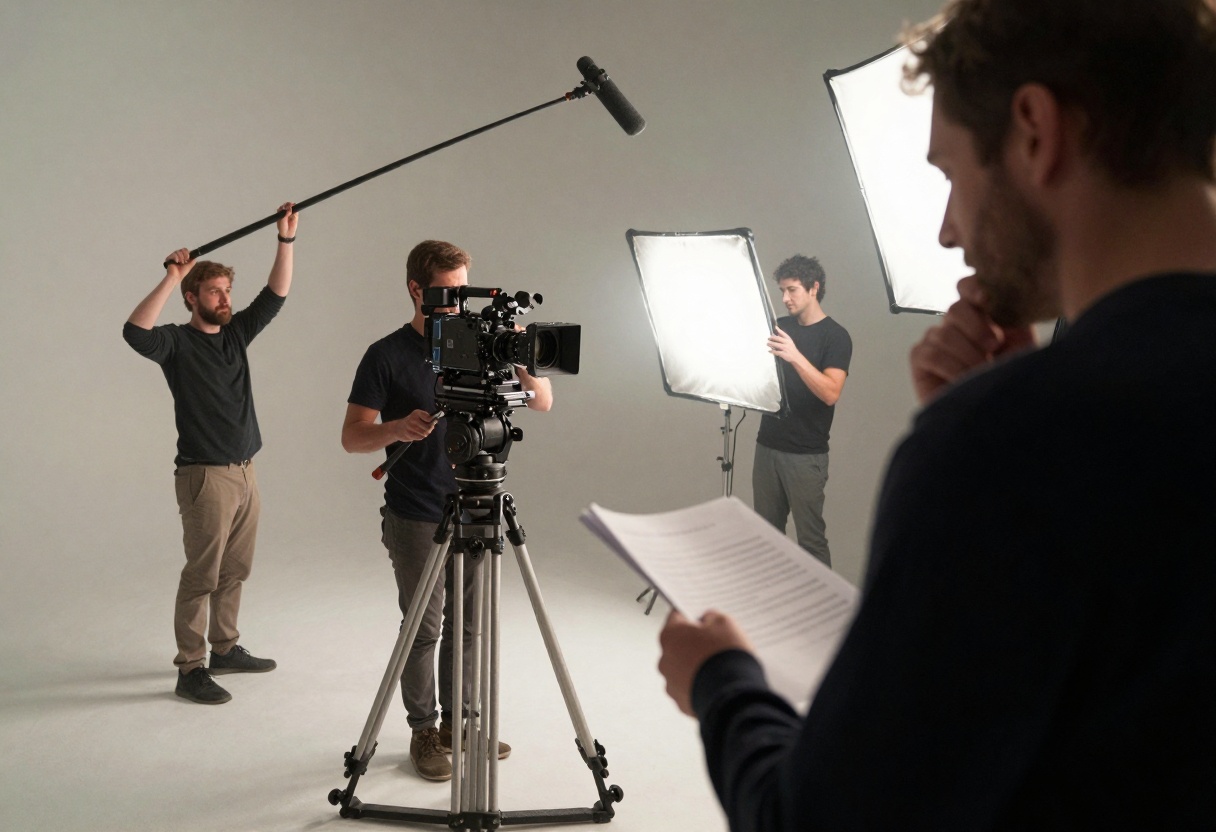
This technique excels for:
- Marketing materials that need to convey specific emotional tones
- Concept art where mood is as important as content
- Storyboarding where scene-to-scene atmosphere must remain consistent
- Product photography where environmental context enhances the subject
The secret is layering your atmospheric descriptors throughout the prompt, not just mentioning them once.
Mathematical and Logical Challenges
Here's something previous models couldn't reliably do: handle prompts with mathematical precision and logical constraints. Nano Banana Pro's reasoning engine can interpret and execute prompts that involve counting, spatial relationships, and even basic mathematical operations.

The "S" Object Challenge
Want to test a model's logical reasoning? Try this: "Create an image showing 25 distinct office workers, each holding a different object whose name starts with S, no two objects should be the same."
Most models would either:
- Duplicate objects across people
- Ignore the "S" constraint entirely
- Get the count wrong
- Generate nonsensical combinations
Nano Banana Pro processes this as a logical problem with constraints:
- Count requirement: exactly 25 people
- Uniqueness constraint: each object must differ
- Linguistic constraint: all objects start with S
- Visual coherence: each pairing should look natural
The model systematically addresses each constraint, producing results that satisfy all requirements simultaneously.
Complex Mathematical Notation
The model's text rendering capabilities extend to mathematical and scientific notation. You can prompt for whiteboards, educational materials, or technical documentation that include complex equations, and the model will render them correctly.
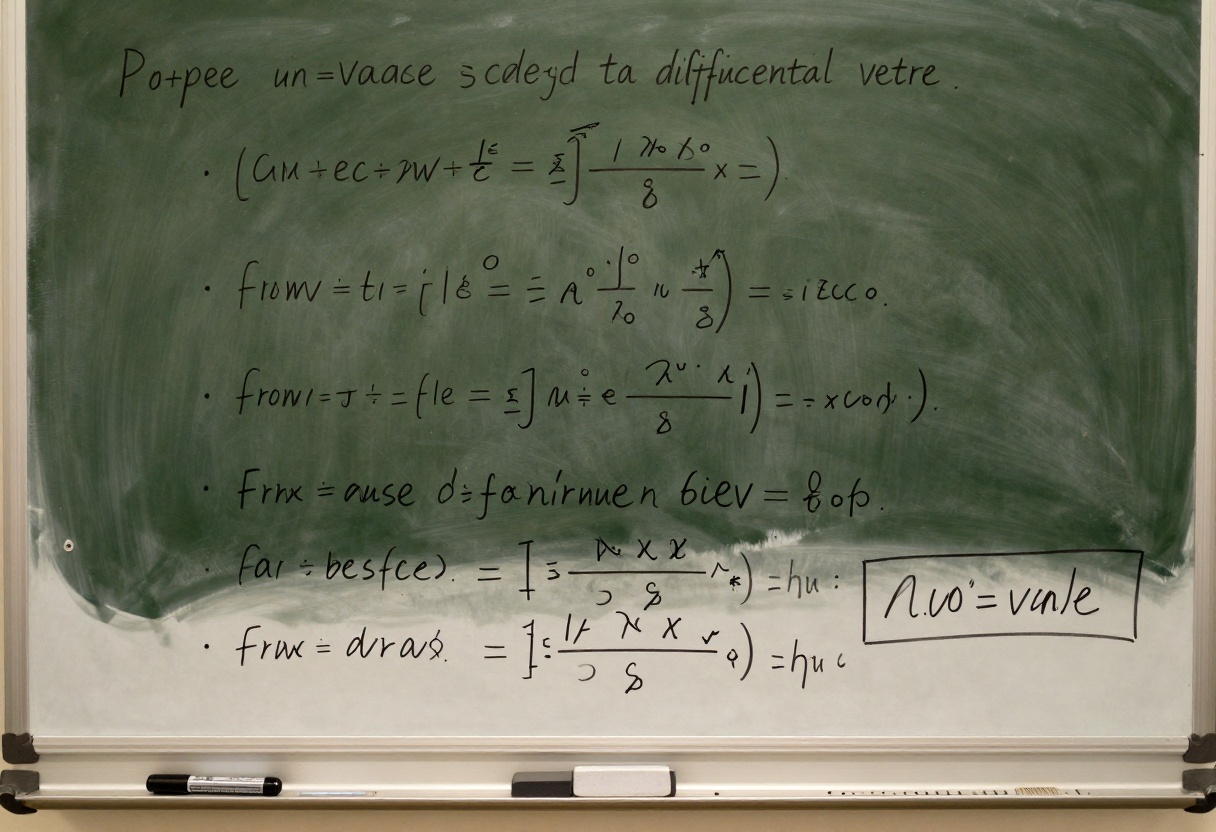
Educational Content Creation
For educators and technical writers, this opens new possibilities:
Generate images of whiteboard presentations showing step-by-step equation solving, complete with clear notation, proper mathematical symbols, and logical flow from problem to solution.
Create educational posters that combine mathematical formulas with visual representations, ensuring accuracy in both the symbolic and graphical elements.
Develop technical documentation illustrations that include precise specifications, measurements, and mathematical relationships.
The key is structuring your prompt to indicate you need "clear, handwritten mathematical notation" or "printed equation formatting" depending on your desired aesthetic.
Technical Infographics and Diagrams
One of Nano Banana Pro's most impressive capabilities is generating detailed technical infographics with labeled components, callouts, and structured information hierarchies.
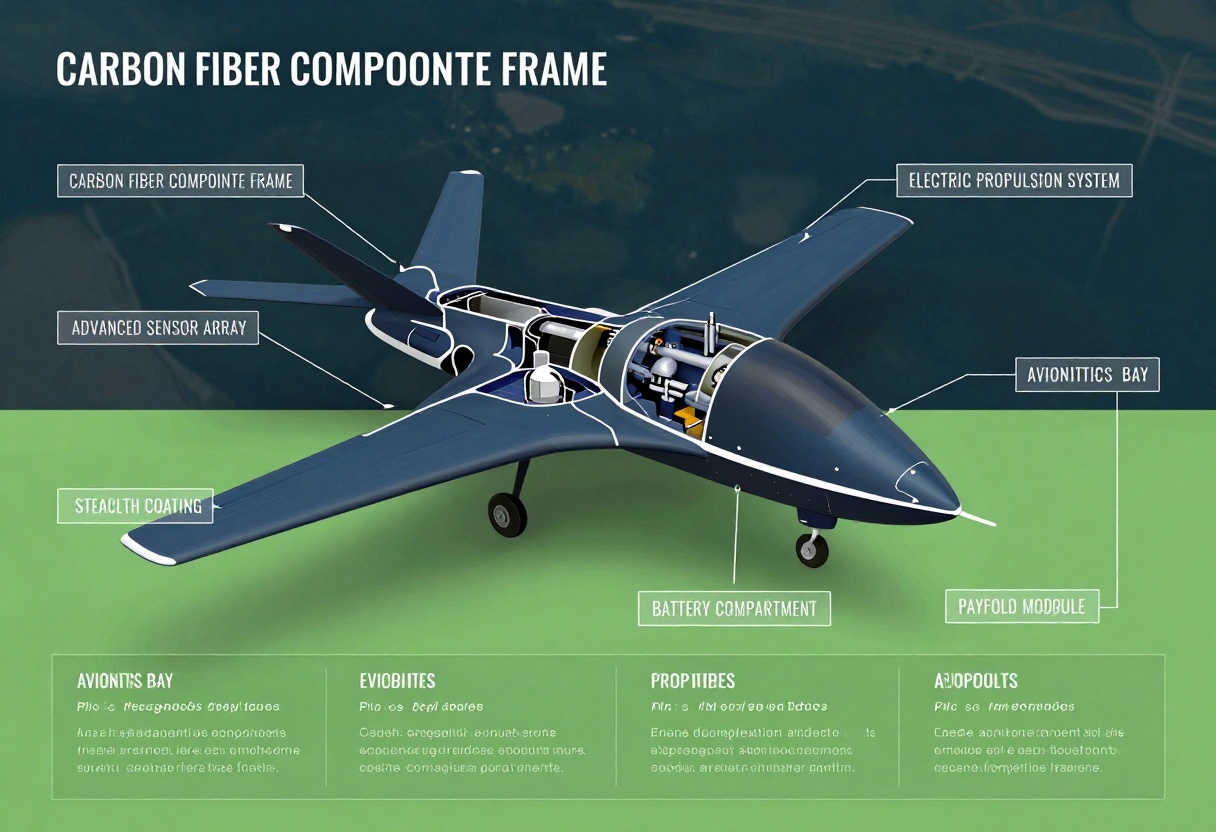
The Technical Breakdown Format
When creating infographics, the model excels at:
Cutaway views: Exposing internal components while maintaining external context
Labeled diagrams: Precise arrow-to-component connections with readable text
Data visualization: Incorporating charts, graphs, and statistical information
Hierarchical information: Primary, secondary, and tertiary information levels clearly distinguished
For a technical breakdown, structure your prompt like this:
"Technical infographic of [subject] showing cutaway view with labeled components. Include title at top, main subject centrally positioned with white outline detail work, white arrows pointing to key features with text boxes explaining: [list features]. Background should be [description]. Bottom section displays performance specifications and key stats."
This systematic approach tells the model exactly how to organize information visually, resulting in infographics that look professionally designed rather than AI-generated.
Extreme Infographics
Want to push the limits? Try creating comprehensive multi-topic infographics that combine dozens of elements into a single, cohesive visual. Think "Complete Guide" style posters that pack maximum information into organized, visually appealing layouts.
The model can handle this complexity when you provide clear structural guidance about information hierarchy, visual zones, and connection patterns between elements.
Character Design Pipeline
For game developers, animators, and character artists, Nano Banana Pro offers a complete character design workflow from concept to implementation.
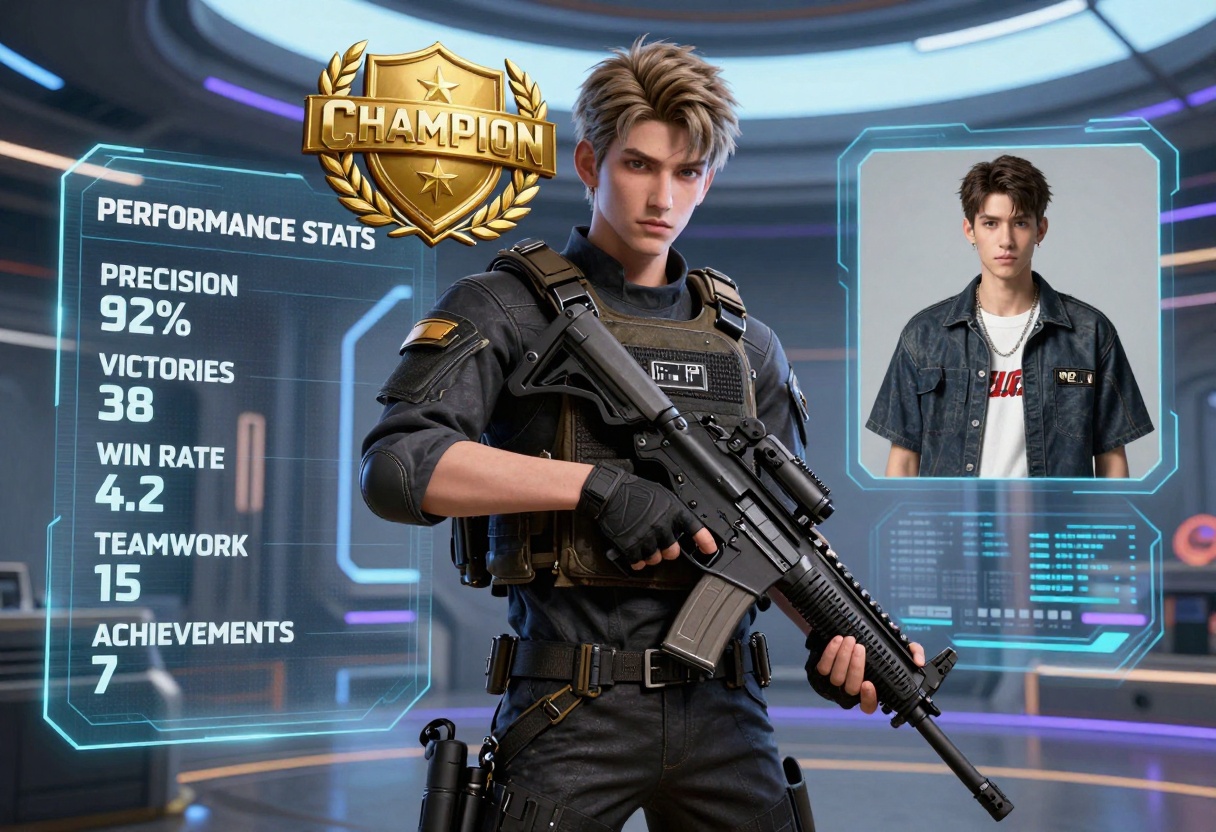
The MVP Character Template
The "Most Valuable Player" prompt structure demonstrates how to create game-ready character presentations that combine:
- Main character render in dramatic pose and lighting
- Stats overlay with performance metrics
- Equipment showcase with detailed gear
- Reference photo showing character in casual attire
- UI elements and branding consistent with game aesthetic
This isn't just about creating a single image. It's about establishing a repeatable template that maintains visual consistency across your entire character roster. Change the input photo and parameters, keep the structure, and generate cohesive character cards for dozens of characters.
Character Consistency Tips
To maintain consistency across character designs:
Define a base lighting setup that applies to all characters
Establish a color palette that variations draw from
Create standardized UI overlays for stats and information
Use consistent background treatments that reinforce the world setting
Maintain uniform composition rules for camera angle and character positioning
Spatial Logic and Architecture
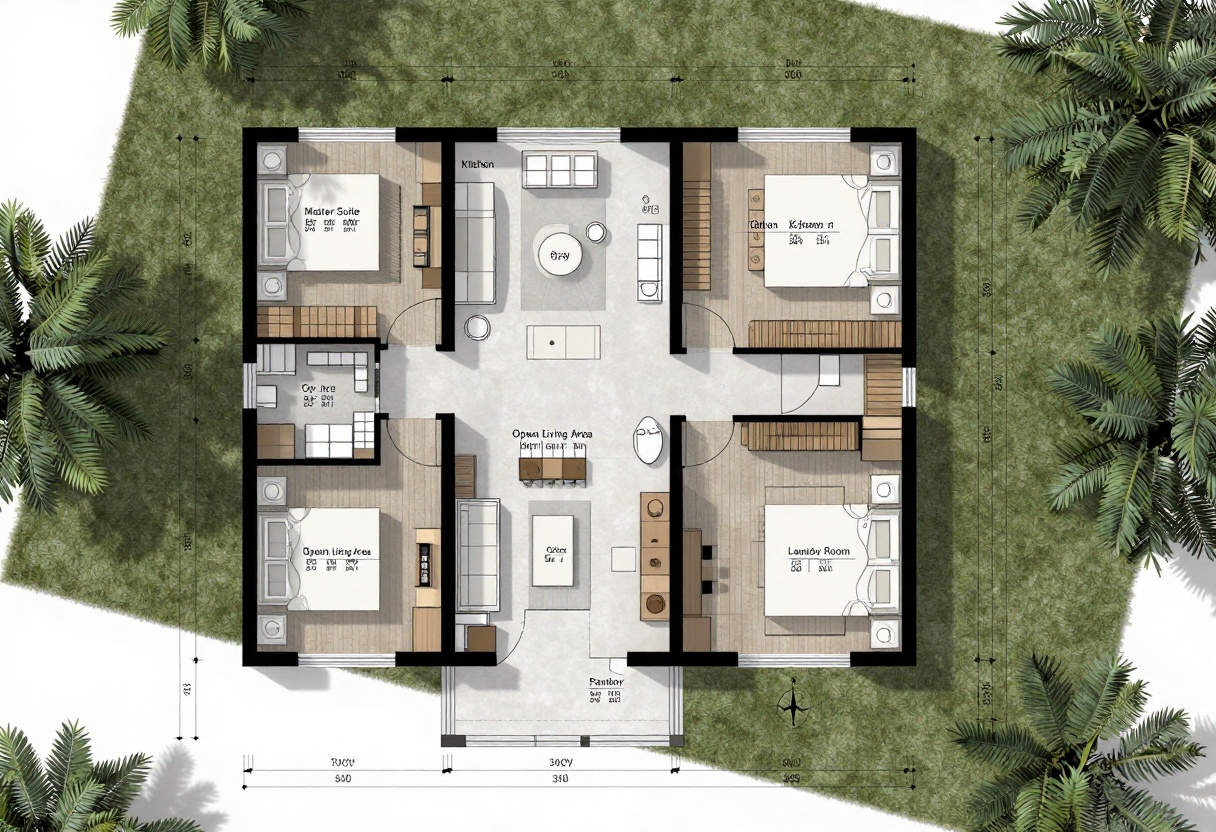
Nano Banana Pro excels at understanding spatial relationships and architectural constraints. This makes it exceptionally capable for generating floor plans, architectural diagrams, and layouts that require precise proportional relationships.
Floor Plan Generation
When prompting for architectural plans, the model can:
- Maintain realistic room proportions
- Respect spatial constraints (doors need wall space, bathrooms need plumbing lines)
- Follow architectural conventions (proper symbol usage, dimension notation)
- Create layouts that function logically (traffic flow, room adjacency)
Structure your prompt by defining constraints rather than just listing rooms: "Single-story residential floor plan with north-facing main entrance, living areas oriented toward south for natural light, service areas (kitchen, laundry) clustered near utility access, bedrooms in quiet wing opposite living areas."
This constraint-based approach leverages the model's reasoning capabilities to generate functionally sound designs.
Advanced Material Gradients
The model demonstrates sophisticated understanding of material properties and gradual transformations. This capability is particularly valuable for scientific visualization, educational content, and any application where showing progressive change matters.
The Steak Doneness Example
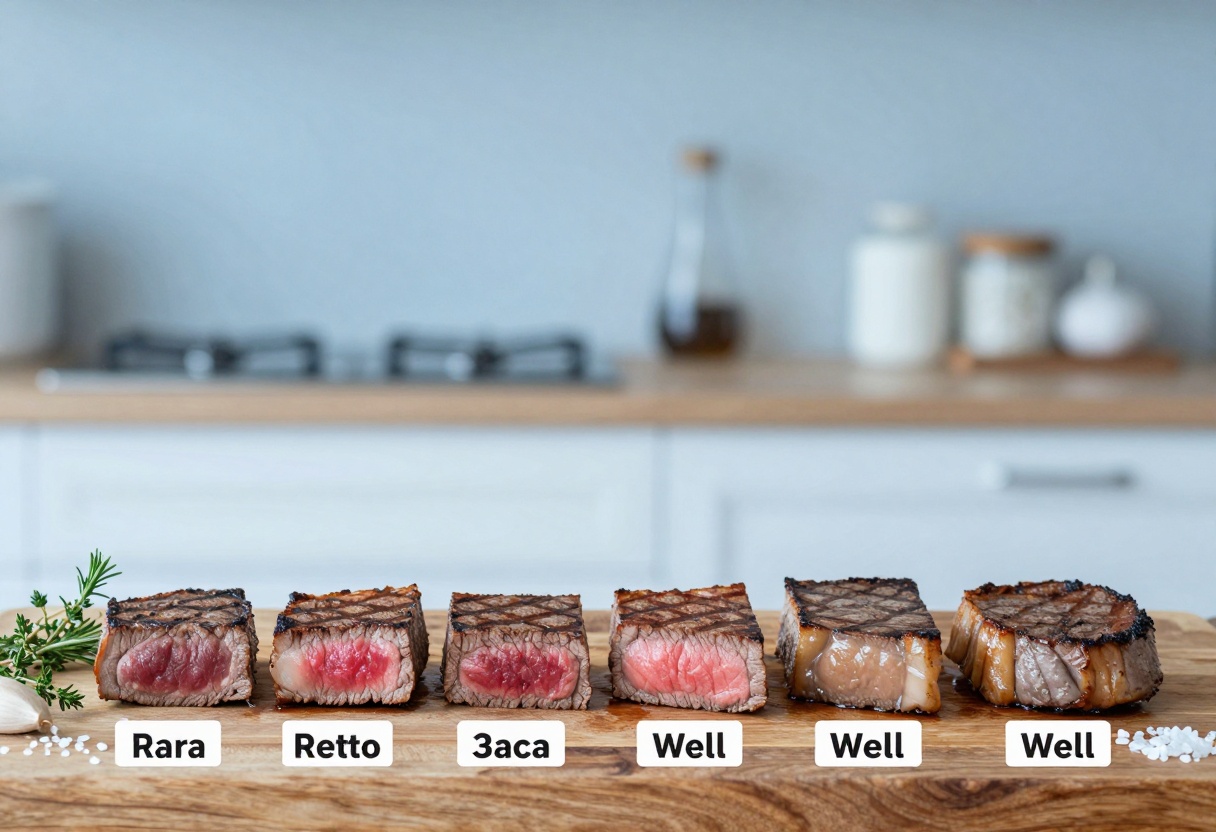
Consider the classic culinary visualization: showing steak from rare to well-done. This requires the model to understand:
- Progressive color change from deep red to uniform brown
- Texture transformation as proteins denature at different temperatures
- Consistent external appearance while interiors change
- Clear categorical boundaries between doneness levels
- Proper sequencing from least to most cooked
The model handles this because it understands the concept of enumerated gradients—systematic progressions with distinct stages. This same capability applies to:
- Paint color swatches showing gradual hue shifts
- Material samples demonstrating different finishes
- Scientific diagrams showing stages of transformation
- Tutorial imagery depicting step-by-step progression
When prompting for gradients, explicitly state the number of stages and describe the characteristics that change between them.
Cinematic Portrait Techniques
While much of this article focuses on technical and structured applications, Nano Banana Pro also excels at cinematic portraiture with sophisticated lighting and composition understanding.

Prompt Engineering for Portraits
When crafting portrait prompts, layer your descriptors strategically:
Subject description comes first but keep it concise
Lighting setup defines the mood more than anything else
Composition rules (close-up, three-quarter view, environmental context)
Background treatment (bokeh, solid, contextual)
Color grading and atmospheric effects
Technical details (lens characteristics, depth of field)
Rather than a wall of adjectives, structure your prompt in narrative form: "A confident portrait captured with dramatic side lighting that sculpts the face. Vibrant clothing patterns catch accent lights while designer sunglasses reflect the environment. Warm bokeh background suggests an upscale urban setting. Shot with a fast prime lens creating shallow depth of field."
This narrative structure helps the model understand not just what to show, but why each element matters to the final composition.
How to Use Nano Banana Pro on PicassoIA
Ready to try these techniques yourself? PicassoIA makes it straightforward to access Nano Banana Pro's advanced capabilities through an intuitive interface.
Step 1: Access the Model
Navigate to the Nano Banana Pro model page on PicassoIA. The interface provides clear access to all the model's parameters and settings.
Step 2: Craft Your Prompt
In the prompt field, enter your detailed description. Remember the techniques we've covered:
- For structured layouts, be explicit about spatial positioning
- For complex scenes, layer atmospheric and compositional details
- For technical content, include specific terminology and constraints
- For multi-element prompts, consider JSON formatting for precision
Step 3: Configure Advanced Settings
Nano Banana Pro offers several powerful options:
Reference Images: Upload up to 14 reference images to guide the generation. The model uses these to understand style, composition, or specific elements you want to incorporate.
Aspect Ratio: Choose from multiple preset ratios or match your input image dimensions. This ensures your output fits your intended use case, whether that's social media, print, or presentation formats.
Resolution: Select between 1K, 2K, or 4K output depending on your quality needs and use case. Higher resolutions provide more detail for professional applications.
Output Format: Choose JPG for smaller file sizes or PNG when you need transparency support or lossless quality.
Safety Filters: Adjust the content moderation level based on your audience and use case. Options range from strict filtering to more permissive settings.
Step 4: Generate and Refine
Click generate and wait for the model to process your prompt. Nano Banana Pro typically produces results in 30-60 seconds depending on complexity and resolution settings.
If the result doesn't match your vision perfectly, refine your prompt rather than starting over. Small adjustments to wording, especially around spatial relationships and constraints, can significantly improve results.
Step 5: Iterate for Consistency
Once you've developed a prompt structure that works, save it as a template. Modify only the variable elements (subjects, specific details) while keeping the structural framework intact. This approach ensures consistency across multiple generations.
Key Takeaways
Nano Banana Pro's reasoning engine fundamentally changes how we approach prompting. Instead of hoping the AI understands vague descriptions, you can now provide structured instructions that the model follows with impressive fidelity.
Structure matters: Explicitly define spatial relationships, hierarchies, and constraints rather than listing elements hoping they'll align correctly.
Leverage JSON for complexity: When dealing with multiple inputs or intricate relationships, structured data formats help the model maintain coherence.
Think in layers: Build prompts that address composition, lighting, atmosphere, and technical details as distinct but interconnected layers.
Test constraints: The model's logical reasoning capabilities mean you can set specific rules and expect them to be followed—use this power strategically.
Document what works: When you discover effective prompt patterns, save them. The techniques that work once will work repeatedly with minor modifications.
The gap between amateur and professional results in AI image generation increasingly comes down to prompt engineering skill. These advanced techniques require more upfront thought than simple descriptions, but they consistently produce results that look intentional, polished, and ready for professional use.
Whether you're designing brand materials, creating educational content, developing game assets, or producing marketing visuals, mastering these prompting strategies will transform your workflow and output quality.
Start experimenting with these techniques on PicassoIA's Nano Banana Pro today. The platform's interface makes it easy to test different approaches and refine your skills, while the model's capabilities ensure your creative vision translates into stunning visual results.


