Why Nano Banana Pro Works for Adult Content
Most AI image generators come with strict content policies that block mature or adult-oriented prompts. Nano Banana Pro takes a different approach. As an open-source model available on PicassoIA, it provides creators with the flexibility to generate sophisticated artwork across all content types, including NSFW material.
The model excels at understanding nuanced prompts and producing high-quality results without the frustrating censorship that plagues commercial platforms. You can work on artistic projects involving nudity, sensuality, or adult themes while maintaining professional output quality.
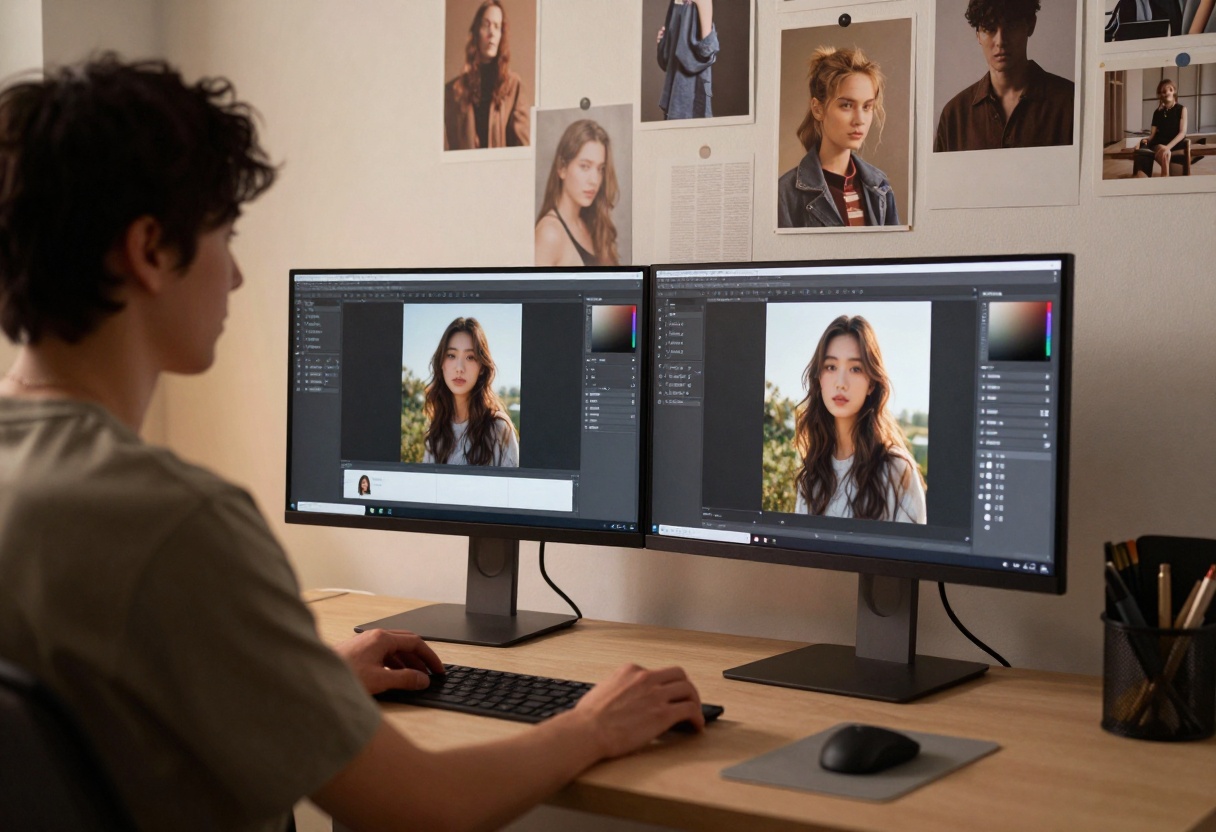
Key advantages for adult content creators include the ability to generate reference material for illustrations, create concept art for mature games or comics, and produce marketing visuals for adult entertainment platforms. The model's high resolution options (up to 4K) mean your final outputs look professional and publication-ready.
Setting Up Your Creative Workflow
Starting with Nano Banana Pro on PicassoIA takes just a few minutes. The platform's interface makes it easy to access powerful AI capabilities without technical complexity or restrictive content policies.
First, you'll want to familiarize yourself with how the model interprets different prompt styles. Descriptive language produces better results than vague requests. Instead of "attractive person," try "athletic figure with defined features, confident posture, soft studio lighting, photorealistic rendering."
The model supports up to 14 reference images, which becomes incredibly useful for maintaining consistency across a series or matching a specific aesthetic. Upload your style references before generating to guide the AI toward your desired look.

When working with adult content, resolution settings matter more than with general imagery. Higher resolutions capture subtle details in skin tones, lighting, and textures that separate amateur work from professional results. Start with 2K for testing, then move to 4K for final outputs.
Prompt Engineering for Quality Results
Writing effective prompts separates mediocre outputs from stunning artwork. The model responds well to specific, detailed descriptions that paint a complete picture of what you want to create.
Structure your prompts in three parts: subject description, styling elements, and technical specifications. For the subject, include physical characteristics, pose, expression, and clothing or lack thereof. For styling, specify lighting type, color palette, mood, and artistic influences. Technical specs cover resolution, rendering quality, and compositional elements.
Here's what works:
- Physical details create consistency (hair color, body type, facial features)
- Lighting dramatically affects mood (soft studio light vs dramatic shadows)
- Compositional terms guide framing (close-up portrait, full body shot, environmental)
- Style keywords influence aesthetic (photorealistic, artistic, cinematic, painterly)
Negative prompts help too, though Nano Banana Pro is less restrictive than other models. If you're getting unwanted elements or styles, explicitly mention what to avoid. "Avoid cartoonish features, exaggerated proportions, or oversaturated colors" guides the model toward realism.
Working with Reference Images
Reference images transform your results from generic to specific. The model can analyze up to 14 reference photos and incorporate their style, composition, or subject characteristics into new generations.
This feature shines when creating character consistency across multiple images or matching a particular aesthetic. Upload reference shots showing the look you want, then describe how to adapt or modify them in your prompt.
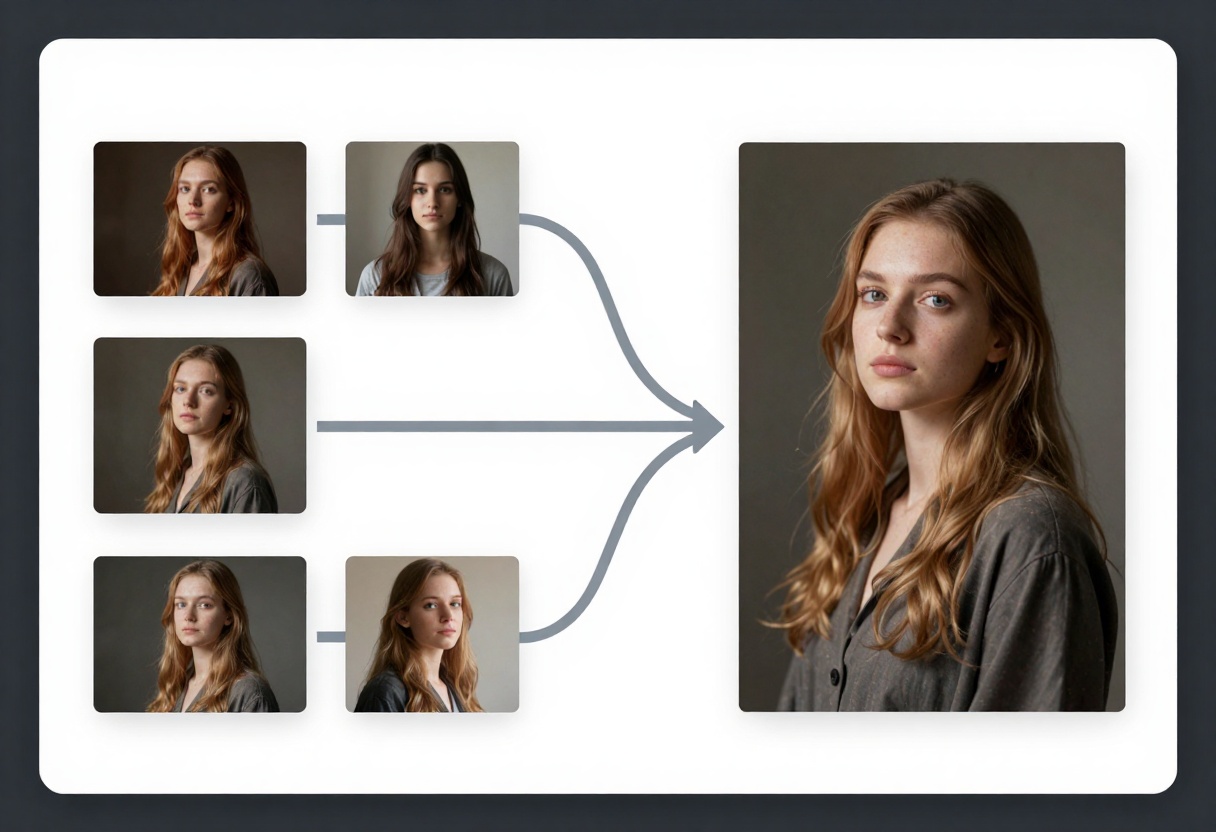
Character consistency becomes achievable when you provide multiple angles of the same person as references. The model learns facial features, body type, and styling elements, then applies them to new poses or scenarios you describe.
For style transfer, reference images showing lighting, composition, or artistic treatment guide the model's interpretation. Want that specific "golden hour photography" look? Upload examples. The AI picks up on the warm tones, soft shadows, and atmospheric quality.
Mix reference types strategically:
- Pose references establish body position and framing
- Style references influence lighting and mood
- Feature references maintain character consistency
- Environmental references set scene context
Output quality depends heavily on choosing the right resolution and format for your needs. Nano Banana Pro offers three resolution tiers: 1K, 2K, and 4K, each serving different purposes.
1K resolution works for quick tests, social media posts, or thumbnails where file size matters more than maximum detail. It generates faster and consumes less storage while still providing decent quality for smaller displays.
2K resolution hits the sweet spot for most projects. You get professional quality suitable for web use, print materials up to magazine size, and enough detail for editing or compositing. This setting balances quality with reasonable generation times.
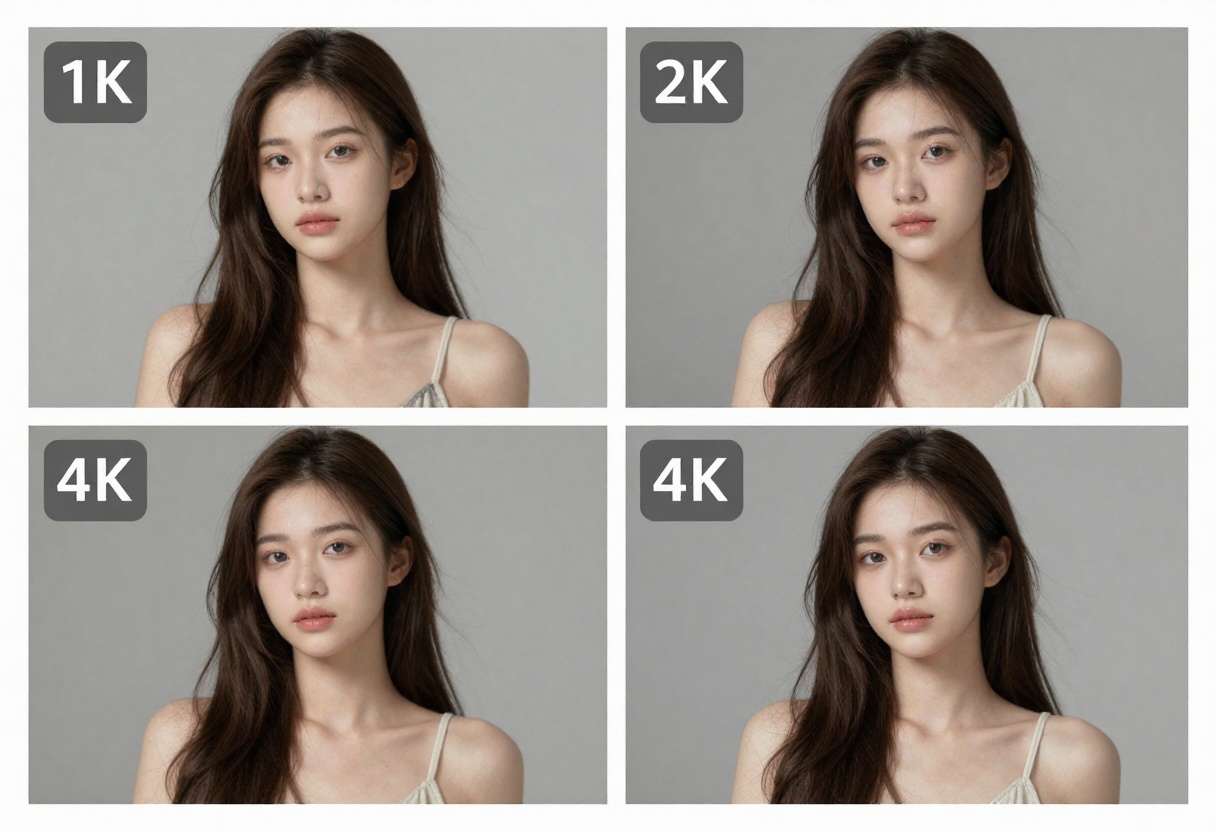
4K resolution delivers maximum detail for large prints, high-end commercial work, or situations where you need to crop or zoom without losing quality. The extra pixels capture subtle skin textures, fine hair detail, and environmental elements that make images feel more real.
Format choice affects final file quality too. JPG provides smaller file sizes through compression, perfect for web delivery. PNG maintains maximum quality without compression artifacts, better for archival or further editing. Most adult content platforms accept both, so choose based on your distribution method.
Different platforms and uses require different image proportions. Nano Banana Pro supports multiple aspect ratios, letting you create perfectly formatted content for any destination without awkward cropping.
1:1 square format dominates Instagram posts and profile pictures. It works well for character portraits and centered compositions where you want to emphasize the subject without environmental context.
16:9 widescreen fits YouTube thumbnails, website banners, and desktop wallpapers. The horizontal orientation accommodates environmental scenes, group shots, or compositions where you want to show context around your subject.
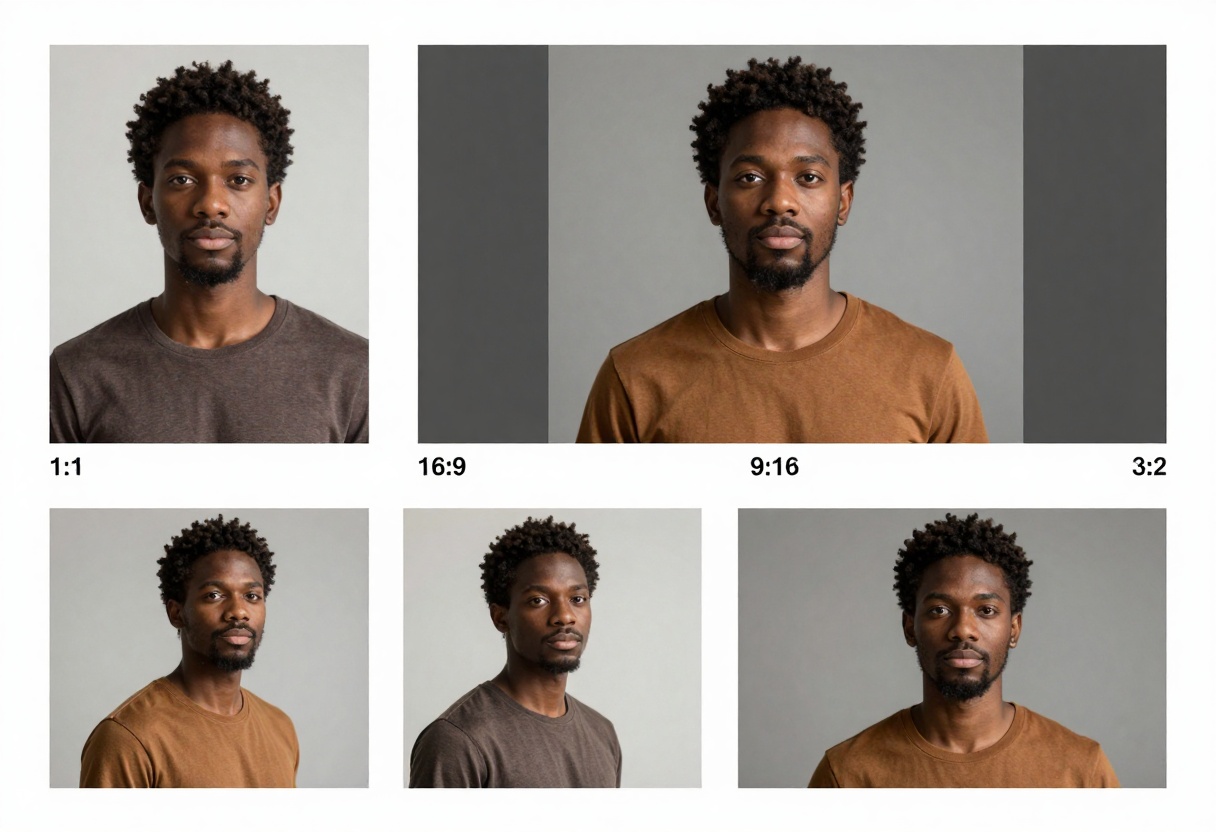
9:16 portrait matches Instagram Stories, TikTok, and mobile-first content. The vertical format emphasizes full-body shots and creates immersive, phone-filling visuals that grab attention on mobile feeds.
Consider your distribution before generating. Creating content in the wrong aspect ratio means losing important parts of your composition when platforms auto-crop, or dealing with ugly letterboxing that screams "amateur."
Safety Controls and Content Moderation
While Nano Banana Pro offers more flexibility than mainstream platforms, it still includes configurable safety controls. Understanding these settings helps you work efficiently without hitting unexpected blocks.
The model provides three safety filter levels: block_low_and_above (strictest), block_medium_and_above (moderate), and block_only_high (most permissive). For adult content creation, the most permissive setting allows artistic expression while still preventing extreme content.
Even with lenient settings, some prompts may be rejected. When this happens, rephrase rather than abandon the concept. Often, more artistic or indirect language achieves your goal without triggering filters. Instead of explicit descriptions, focus on mood, lighting, and composition.
Think of safety settings as guidelines rather than walls. They exist to prevent misuse while allowing legitimate artistic work. Most creators find the most permissive setting strikes the right balance for professional NSFW content.
Alternative Models for NSFW Content
PicassoIA hosts several other models that support adult content creation, each with different strengths. Knowing your options helps you choose the right tool for specific projects.
p-image-edit excels at rapid editing and transformation. If you have existing images that need modification, enhancement, or style changes, this model processes them in under a second. It supports multiple reference images and delivers production-ready results quickly.
The editing capabilities shine when you need to refine poses, adjust lighting, modify backgrounds, or blend multiple elements. Content creators use it for touching up generated images or transforming reference photos into new artistic interpretations.
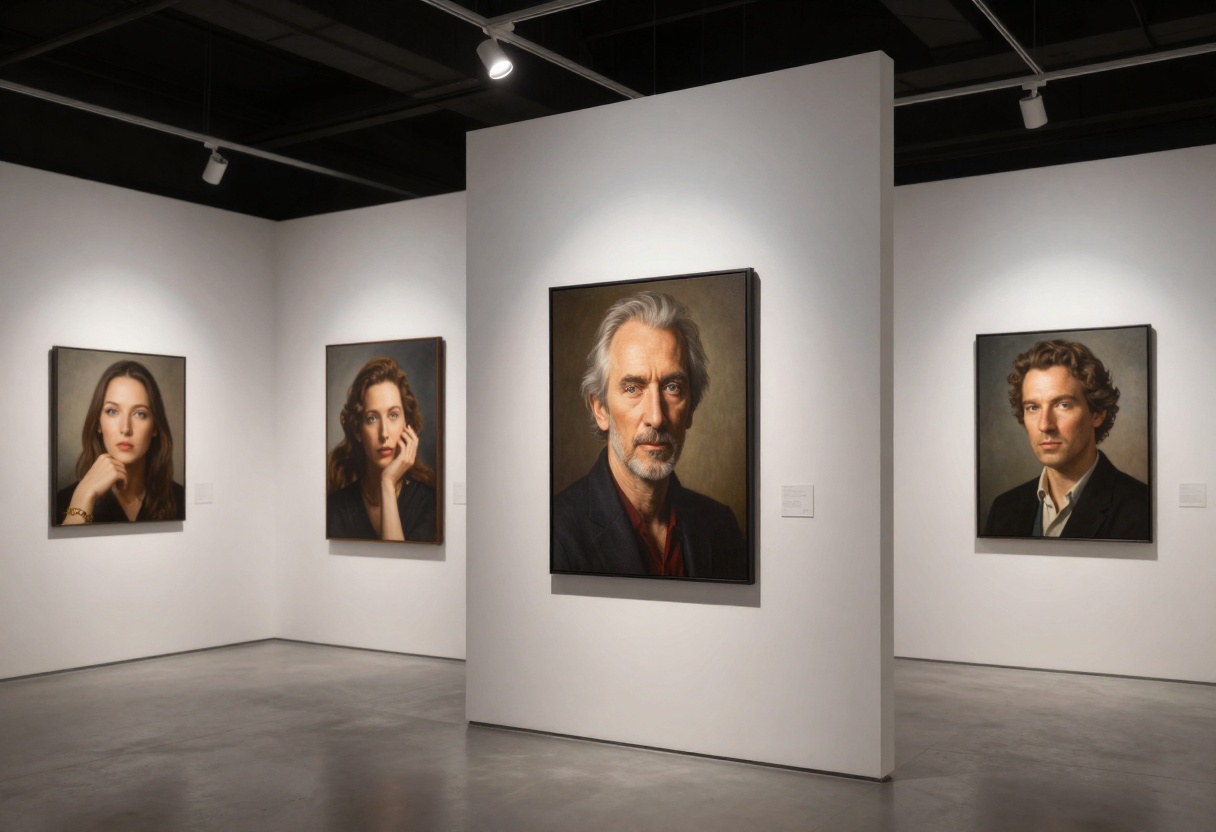
wan-2.2-image generates cinematic, visually striking images in 3-4 seconds. It's optimized for speed without sacrificing quality, making it perfect for high-volume projects or rapid iteration during the creative process.
This model handles dramatic lighting and atmospheric compositions particularly well. If your work emphasizes mood and visual impact over photorealistic detail, wan-2.2-image delivers faster than Nano Banana Pro while maintaining professional quality.
Choose models based on your project needs:
- Nano Banana Pro: Maximum control, highest resolution, best for primary generation
- p-image-edit: Fast editing, quick modifications, ideal for refinement
- wan-2.2-image: Cinematic speed, atmospheric quality, great for volume work
Common Mistakes to Avoid
Even experienced creators make predictable errors when starting with AI generation. Recognizing these pitfalls saves time and frustration.
Vague prompts produce vague results. "Beautiful woman" could mean anything. The AI needs specific details about age, features, styling, pose, lighting, and mood to generate what you actually envision. Every vague word is an opportunity for the model to guess wrong.
Ignoring composition creates technically sound images that feel lifeless. Include framing instructions (close-up, medium shot, full body), camera angle (eye level, low angle, overhead), and environmental context. These elements transform a floating subject into a complete scene.
Wrong aspect ratio for your platform wastes crops that force you to lose important composition elements or include awkward empty space. Plan your output dimensions before generating, not after.
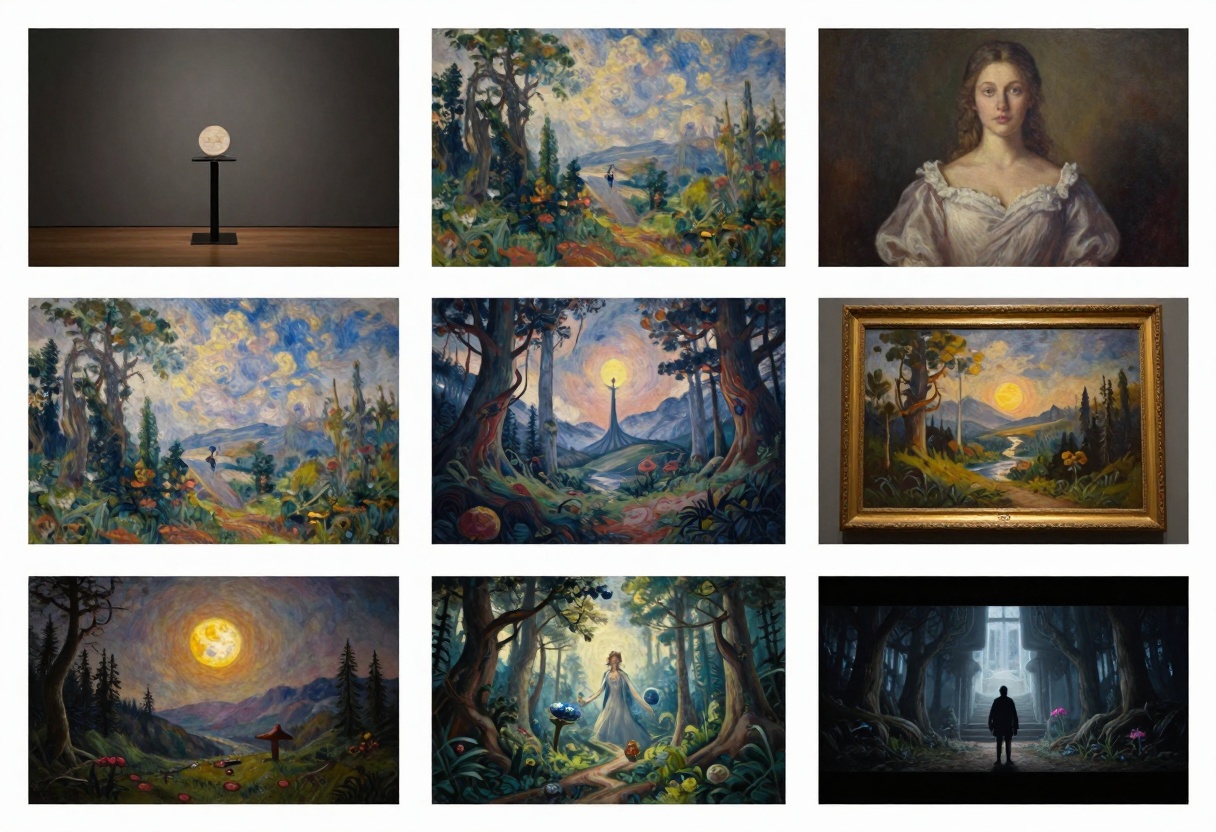
Single attempts rarely produce perfect results. Successful creators generate multiple versions with slight prompt variations, then select the best. Iteration is part of the process, not a sign of failure.
Neglecting lighting undermines otherwise solid compositions. Lighting creates mood, reveals form, and separates amateur from professional work. Always specify lighting type and direction in your prompts.
Professional Workflow Tips
Efficient creators develop systems that maximize quality while minimizing wasted time. These workflow strategies come from actual professionals working in adult content creation.
Batch your concepts. Generate multiple variations of the same idea in one session rather than jumping between different projects. This focused approach helps you refine prompts iteratively and maintain consistent quality standards.
Build a prompt library. Save successful prompts with notes about what worked. Over time, you'll develop templates for different scenarios that you can adapt rather than writing from scratch each time.
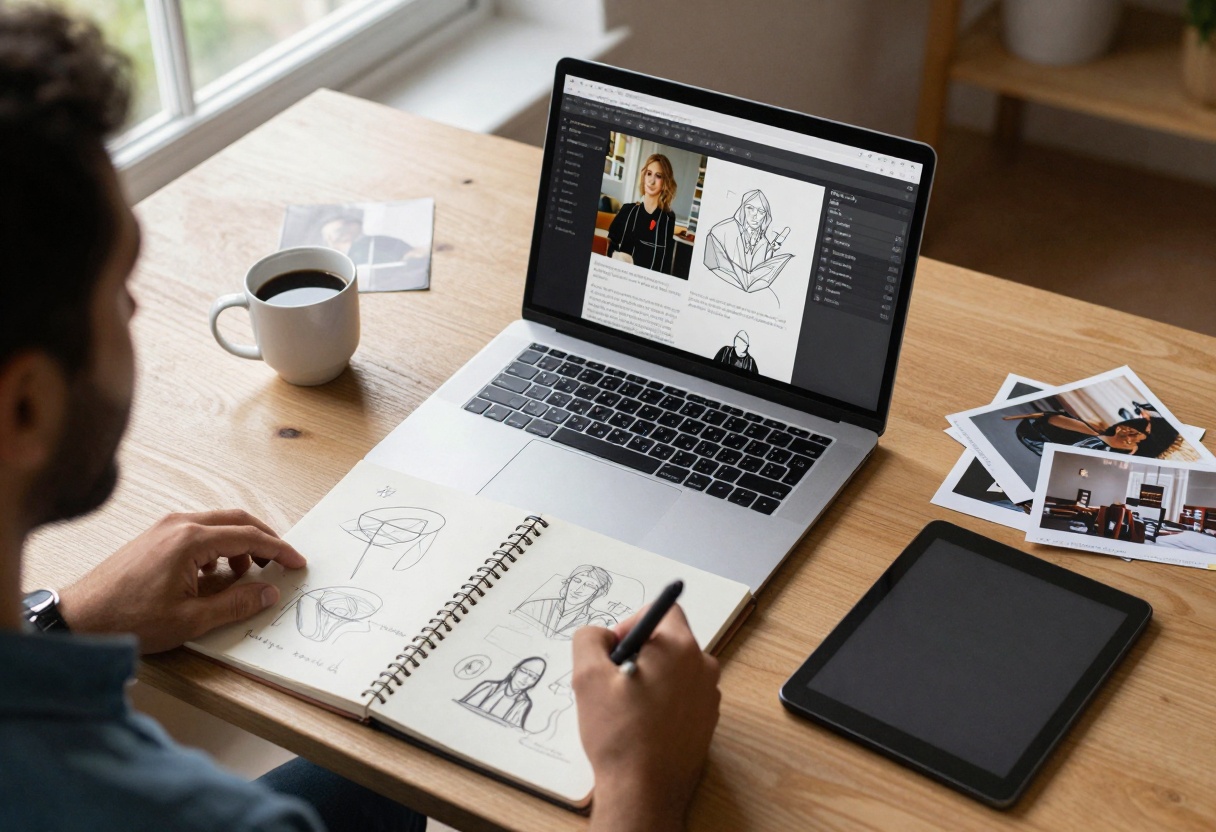
Use reference collections organized by category. Keep folders of poses, lighting examples, style references, and environmental settings you frequently need. This makes it faster to grab the right references when starting a new generation.
Test at lower resolution first. Generate 1K versions to verify your prompt works as intended before committing to 4K renders. This saves time when you need to make adjustments.
Successful workflow looks like this:
- Define your concept with clear goals
- Gather relevant reference images
- Write detailed prompt with all specifications
- Generate 1K test to verify direction
- Adjust prompt based on test results
- Create final 4K version
- Save successful prompts for future use
Getting Started on PicassoIA
Ready to start creating? PicassoIA makes accessing Nano Banana Pro straightforward. The platform provides a clean interface for all the model's capabilities without requiring technical knowledge or complicated setup.
Visit the Nano Banana Pro page on PicassoIA to access the model. You'll see input fields for your prompt, options for uploading reference images, and controls for all the settings we've discussed.
Start simple, then add complexity as you learn how the model responds. Your first generations might not match your vision perfectly, and that's expected. Each attempt teaches you more about effective prompting for this specific model.
The platform handles all technical aspects behind the scenes. You focus on creativity while PicassoIA manages processing, storage, and delivery. Results typically generate within seconds to minutes depending on resolution settings.
Step-by-Step Tutorial: Using Nano Banana Pro
Let's walk through creating your first NSFW artwork with Nano Banana Pro. This tutorial covers everything from accessing the model to downloading your finished image.
Access the Model
Navigate to Nano Banana Pro on PicassoIA. The page displays the model interface with all available controls and parameters.
Write Your Prompt
Click the prompt input field and describe your desired image in detail. Remember to include subject details, styling elements, lighting specifications, and compositional instructions. A well-structured prompt might look like: "Athletic figure in confident pose, soft dramatic lighting from left side, elegant composition, photorealistic rendering, 8k quality, professional photography, shallow depth of field, warm color palette."
Upload Reference Images (Optional)
If you're using references to guide style or maintain character consistency, click the image upload area. You can add up to 14 reference images. The model analyzes these and incorporates their characteristics into your generation.
Configure Generation Settings
Set your aspect ratio based on where you'll use the image. Choose resolution (1K for tests, 2K for most work, 4K for maximum quality). Select output format (JPG for smaller files, PNG for maximum quality). Adjust safety filter level to "block_only_high" for adult content work.
Generate Your Image
Click the generate button to start processing. The model analyzes your prompt and references, then creates your image. Generation time varies by resolution: 1K renders in seconds, 4K takes longer but still completes quickly.
Review and Download
When generation completes, your image appears in the preview area. Examine it carefully to verify it matches your vision. If satisfied, click download to save the file to your device. If not, adjust your prompt and generate again.
Advanced Techniques for Better Results
Once you've mastered basics, these advanced approaches push your results from good to exceptional.
Layered prompting means structuring your description in logical sections that guide the AI's attention. Start with the primary subject and key features, then add environmental details, followed by technical specifications. This hierarchy helps the model prioritize what matters most.
Style fusion combines elements from different artistic traditions or photographic styles. Try mixing "fashion photography lighting with renaissance painting composition" or "cyberpunk aesthetics with classical portraiture." Unexpected combinations often produce striking results.
Emotional direction goes beyond physical description to specify mood and psychological elements. "Confident posture, knowing expression, powerful presence" creates different energy than "relaxed stance, playful smile, carefree attitude."
Micro-adjustments in prompt wording significantly impact results. Experiment with synonyms and related terms. "Soft lighting" produces different effects than "gentle illumination" or "diffused light." Small changes compound into meaningfully different outputs.
The model's understanding of artistic terminology means you can reference specific techniques like "chiaroscuro lighting," "Dutch angle composition," or "bokeh background effect." Using precise technical language produces more predictable results.
The Future of NSFW AI Art
AI image generation for adult content continues evolving rapidly. Models become more capable, output quality improves, and generation speeds increase. Understanding where this technology heads helps creators prepare for upcoming possibilities.
Increased resolution will push beyond 4K into 8K and higher, capturing even finer detail for large format prints and professional publications. This opens opportunities for premium content that competes directly with traditional photography.
Better consistency across generations means creating character-consistent series becomes easier. Future models will maintain specific individuals across dozens or hundreds of images without the careful reference management required today.
Real-time generation will eventually allow interactive creation where you see results update as you type your prompt. This immediate feedback loop dramatically speeds the creative process and makes experimentation more natural.
Video capabilities are already emerging in some models. Soon, generating short animations or video content with the same flexibility as still images will become standard. This expands possibilities for adult content creators into motion media.
The open-source nature of models like Nano Banana Pro means development accelerates through community contributions. Each improvement benefits all users without requiring expensive subscriptions or platform lock-in.
Privacy and Legal Considerations
Creating adult content with AI requires awareness of privacy and legal issues. Responsible use protects both creators and subjects.
Never generate images of real people without explicit permission. This applies especially to public figures, celebrities, or anyone who hasn't consented to having AI-generated content created using their likeness. Doing so creates legal risks and ethical problems.
Verify platform terms before using generated content commercially. Different platforms have different policies about AI-generated adult content. Some prohibit it entirely, others allow it with specific disclosures, and some have no restrictions.
Consider disclosure when selling or distributing AI-generated content. Many markets expect creators to identify work as AI-generated rather than photographed or illustrated traditionally. Transparency builds trust and avoids potential issues.
Respect copyright in reference images. Using copyrighted photos as references without permission could create legal liability, especially if the reference influence is obvious in your output. Stick to your own photos, licensed stock imagery, or public domain sources.
Keep records of your creative process. If questions arise about ownership or originality, being able to show your prompts, iterations, and creation timeline helps establish you as the content's legitimate creator.
Pricing and Access on PicassoIA
PicassoIA offers flexible access to Nano Banana Pro and other models. Understanding pricing helps you plan projects and manage costs effectively.
The platform uses a credit-based system where different operations consume different amounts of credits. Higher resolution generations cost more than lower resolution. Using multiple reference images increases processing requirements and credit consumption.
Credit packs let you purchase specific amounts of generation capacity. This works well for creators with variable needs or those testing whether AI generation fits their workflow. Buy credits when you need them without ongoing commitments.
Subscription plans provide better value for regular users. Monthly subscriptions include credit allocations that reset each cycle. Heavy users benefit from the lower per-generation cost compared to individual credit purchases.
The platform frequently runs promotions for new users or specific models. Check their offerings page for current deals that might reduce your startup costs as you explore capabilities.
Most creators find that after initial experimentation, their usage patterns stabilize. You'll develop a sense of how many generations you need monthly, making it easier to choose the right plan or credit purchase amount.
Building Your Portfolio
AI-generated adult content can absolutely form the basis of a professional portfolio. The key lies in presenting work that demonstrates skill, creativity, and understanding of visual fundamentals.
Curation matters more than quantity. Show your best 15-20 images rather than everything you've generated. Each piece should represent a specific skill or creative direction worth highlighting.
Variety demonstrates versatility. Include different styles, moods, compositions, and technical approaches. This proves you can adapt to client needs rather than producing variations on a single theme.
Context adds value. When sharing work, briefly explain your creative intent, technical approach, or challenges overcome. This transforms a portfolio from "look at these images" into "look at what I can solve for you."
Consistency suggests professionalism. While showing variety, maintain an overall quality standard and aesthetic coherence. Viewers should recognize your work as coming from a thoughtful creator, not random generations.
Consider how potential clients or collaborators will view your portfolio. Adult content platforms want creators who understand lighting, composition, and mood. Game developers need character consistency and stylistic versatility. Tailor your showcase to your target opportunities.
Community and Resources
No creator works in isolation. Connecting with others using AI for adult content creation accelerates your learning and opens opportunities.
Online communities share prompts, techniques, and results. These groups provide feedback, inspiration, and practical answers to specific challenges. Finding your creative community makes the journey more enjoyable and productive.
Prompt libraries curated by experienced users shortcut your learning process. Rather than discovering effective techniques through trial and error, you can adapt proven approaches to your specific needs.
Tutorial content from successful creators reveals workflow strategies and advanced techniques. Many professionals share their processes, including both successes and failures that taught valuable lessons.
Platform updates from PicassoIA announce new models, features, and capabilities. Staying informed means you can take advantage of improvements that might perfectly serve your current projects.
The AI art creation space moves quickly. What works best today might be superseded by better approaches tomorrow. Staying connected to the community keeps your knowledge current and your skills sharp.
Taking Your First Steps
The gap between reading about AI art creation and actually creating closes with action. Your first generations won't match your vision perfectly, but each attempt teaches you more about effective prompting and the model's capabilities.
Start with a simple concept that excites you creatively. Something specific enough to describe clearly but flexible enough that you won't feel devastated if the first result isn't perfect. Write a detailed prompt incorporating what you've learned about subject description, styling, and technical specifications.
Generate at 1K resolution first. Review the result critically. What worked? What didn't match your expectation? How could you adjust your prompt to move closer to your vision? Make those changes and generate again.
This iterative process is how professional creators work. The difference between amateurs and professionals isn't that professionals nail it first try. It's that professionals iterate efficiently, learning from each generation to improve the next.
As your skill grows, you'll develop intuition for how this specific model interprets different prompt elements. That intuition is what transforms technical capability into artistic expression. The tool becomes an extension of your creative vision rather than a separate entity you're trying to control.
Your first hundred generations teach you more than this article ever could. So stop reading and start creating. The best way to learn AI art generation is by generating AI art.
Ready to create unrestricted AI art? Visit Nano Banana Pro on PicassoIA and start generating today.


