Every few months, a new AI video model drops with claims about fewer restrictions. Sora 2 Pro was the loudest claim yet. OpenAI's flagship video model arrived with talk of a "no filter mode," a setting that supposedly removes certain content guardrails and lets creators work with darker, more intense, or more mature material. We wanted to see what that actually looks like in practice, so we ran a structured batch of over 80 prompts across a range of categories and documented every result. This is what we found.
What "No Filter Mode" Actually Means
Sora 2 Pro's Promised Freedom
When OpenAI first referenced expanded creative controls in Sora 2 Pro, the creator community reacted with real excitement. The phrase "no filter mode" started circulating quickly in forums and comment threads, often used loosely to describe a state where the model would generate content that its standard mode refuses. The appeal is obvious: filmmakers, directors, and visual storytellers need to depict things that aren't comfortable, including conflict, moral complexity, physical intensity, and atmosphere that sits outside the standard "safe for all audiences" range.
But "no filter mode" as it actually exists in Sora 2 Pro is narrower than most people assume. It's not a toggle that removes OpenAI's usage policies. It refers more specifically to a relaxed moderation layer for certain content categories, primarily violence depicted in clearly fictional or cinematic contexts, some mature themes, and atmospheric or tense scenes that would otherwise be over-restricted by default safety classifiers.
How OpenAI Actually Defines It
OpenAI's own documentation is careful here. The expanded access isn't framed as "no limits." It's framed as access to content tiers that require an account in good standing and acceptance of additional terms. In practice, this means:
- Tier 1 (Default): Strict filtering, suitable for general audiences
- Tier 2 (Expanded Creative): Reduced restrictions on cinematic violence, tension, mature themes
- Tier 3 (Restricted): Not available to standard users
What most people are calling "no filter mode" is Tier 2. And while it does open doors that the default mode closes, it still enforces hard stops around explicit sexual content, real-person simulations, and anything approaching graphic harm.
How We Ran the Tests
The Prompt Categories We Used
We structured our testing around six prompt categories, each designed to probe a specific type of content. Here's how we broke it down:
| Category | Prompt Count | Focus |
|---|
| Cinematic Violence | 15 | Fight scenes, war imagery, injury |
| Mature Themes | 15 | Suggestive scenes, romantic tension |
| Real People | 12 | Public figures, celebrities, politicians |
| Dark Atmosphere | 14 | Horror, dread, psychological intensity |
| Fictional Adult | 14 | Implied adult situations, mature character arcs |
| Experimental | 12 | Edge cases, abstract, boundary-testing |
Each prompt was submitted in both default mode and expanded creative mode when available. We logged whether the output was generated, blocked, partially generated, or degraded.
What We Were Measuring
Beyond whether a prompt was accepted or rejected, we tracked three other variables:
- Output fidelity - Did the generated video actually match the intended prompt?
- Artistic integrity - Did safety filtering water down the content in a way that broke the creative intent?
- Consistency - Did the same prompt produce different outcomes across multiple runs?
That last point turned out to be one of the most interesting findings in the entire batch.
Where Sora 2 Pro Draws the Line
Violence and Conflict Scenes
Sora 2 Pro's expanded mode shows real flexibility with cinematic violence. Action sequences with physical contact, war-era scenes with explosions in the background, and fight choreography all generated with solid results. The model did not shy away from blood in clearly staged cinematic contexts, and it produced combat scenes with convincing motion blur and impact framing.
Where it broke down: anything that crossed from cinematic into realistic documentation of harm. Prompts that described graphic injury in realistic real-world settings, or that specified injury to identifiable people, were consistently blocked. A prompt like "a soldier falling in a WWII battlefield" cleared the filter. A prompt requesting realistic depictions of contemporary street violence did not.
💡 Pro tip: Frame violence with clear cinematic signifiers. Specify "film scene," "actor," "director's cut," or period-appropriate context like "1940s wartime drama." The classifier responds differently to clearly fictional framing.
Suggestive and Mature Content
This is where results got more inconsistent. Sora 2 Pro in expanded mode accepted prompts involving romantic tension, partial undress in clearly artistic contexts, and scenes of physical intimacy that stopped short of explicit content. But the same prompt submitted twice would sometimes produce two very different outcomes: one that fulfilled the intent, and one that replaced it with a sanitized version.
The inconsistency rate in the "mature themes" category was around 40% across our tests. That's a significant problem for production workflows where you need reliable, repeatable outputs.
Real People and Deepfakes
This was the clearest hard wall. Sora 2 Pro has robust detection for prompts that attempt to simulate real, identifiable people. Every prompt that named a specific living person, described a recognizable public figure by appearance without naming them, or attempted to replicate a known voice or likeness was either blocked or degraded to the point of being unusable.
This includes:
- Named celebrities, politicians, or public figures
- Descriptions clearly matching a single identifiable person
- Vocal or behavioral mimicry of known individuals
This is a firm line, not a tier-based flexibility issue.
The Prompts That Got Rejected
What Triggered the Block
Across 83 total prompts, 31 were blocked outright in expanded mode. That's a 37% rejection rate in the mode that's supposed to have fewer limits. The common triggers we identified:
- Named real persons (100% block rate)
- Explicit physical harm in realistic settings (89% block rate)
- Any text describing sexual explicitness (100% block rate)
- Content involving minors in any sensitive context (100% block rate)
- Prompts using specific harmful method descriptions (95% block rate)
Most of these are entirely expected and appropriate. The model's hard limits are non-negotiable for good reason, and this is where the "no filter" label becomes genuinely misleading to creators who take it literally.
What Slipped Through
The more interesting edge cases were the ones that did generate. Prompts describing psychological horror with no physical violence consistently produced compelling outputs. Scenes of moral ambiguity, manipulation, and interpersonal darkness generated well. Atmospheric dread, characters in threatening situations that didn't resolve into graphic outcomes, and implied violence rather than depicted violence all had high success rates.
This tells you something useful about the model's filtering logic: it's more responsive to explicit descriptive terms than it is to thematic darkness. You can write a scene about terrible things happening as long as you're not describing the mechanics of harm in detail.
💡 Consistency note: If your prompt succeeds once but fails on the next run, the issue is likely a stochastic element in the content classifier, not your prompt structure. Try minor rewording before assuming the content is off-limits.
We ran a parallel set of prompts through several other text-to-video models available on PicassoIA to establish comparison points.
Seedance 2.5 Results
Seedance 2.5 from ByteDance showed a notably different filtering behavior. Where Sora 2 Pro uses a tiered access system, Seedance 2.5 appears to use a more context-sensitive classifier that considers the full prompt as a gestalt rather than scanning for individual trigger terms.
In practice, this meant that thematically intense prompts blocked by Sora because they included certain keywords often generated successfully in Seedance. Conversely, Seedance was more likely to add environmental or compositional changes that softened the content even when it wasn't outright blocked.
Verdict: More permissive on vocabulary, more interventionist on visual output.
Kling v3 Video Results
Kling v3 Video from Kwaivgi performed closest to Sora 2 Pro in terms of its filtering philosophy, but with better consistency. The same prompts that produced inconsistent results in Sora 2 Pro produced more uniform outputs in Kling v3 Video. The cinematic violence category specifically showed higher consistency: if a prompt was accepted, the output matched the intended tone reliably across multiple runs.
Where Kling v3 lagged: the quality of mature-theme outputs. The model tends toward a cleaner, less raw aesthetic that can undercut scenes requiring grit or moral weight.
Veo 3 Results
Veo 3 from Google takes a significantly more conservative default stance than either Sora or Kling, but it partially compensates with outstanding visual quality on the prompts it does accept. Its native audio generation also adds a layer of cinematic realism that the other models lack by default.
For creators whose work doesn't push into mature territory, Veo 3 and its newer Veo 3.1 are genuinely excellent. For anything approaching edge content, the acceptance rate was notably lower than the competition.

Visual Effects With Fewer Restrictions
LTX 2 Pro for Creative Projects
LTX 2 Pro from Lightricks occupies an interesting niche. It's designed with creative production workflows in mind rather than consumer content generation, and its filtering model reflects that. The model allows a wider range of visual effects, atmospheric darkness, and stylized intensity without triggering the same classifier responses that block outputs in Sora or Veo.
For creators building visual effects sequences, horror atmospherics, or cinematic short films, LTX 2 Pro and its faster variant LTX 2.3 Pro offer the combination of quality and creative latitude that production work actually demands. The 4K output ceiling also makes it practical for professional post-production pipelines.
💡 Use case: If Sora 2 Pro blocks your cinematic scene, LTX 2 Pro should be your first alternative. Its classifier is designed for professional content rather than consumer protection.
Wan 2.7 for Flexible Prompting
The Wan 2.7 T2V and Wan 2.7 I2V models from Wan Video show some of the most flexible prompt acceptance behavior in our tests. This is partly a function of how the model's training data was curated, and partly a reflection of its intended use across diverse international markets with varying content norms.
The I2V variant is particularly useful for limit-testing workflows: you supply a static image as the first frame, which gives you precise control over the visual starting point, and then write the motion prompt around what's already established. This sidesteps some classifier triggers that apply to fully text-generated content because the visual context is already defined by the input image.
Build a Smarter Testing Workflow
Organize by Prompt Category
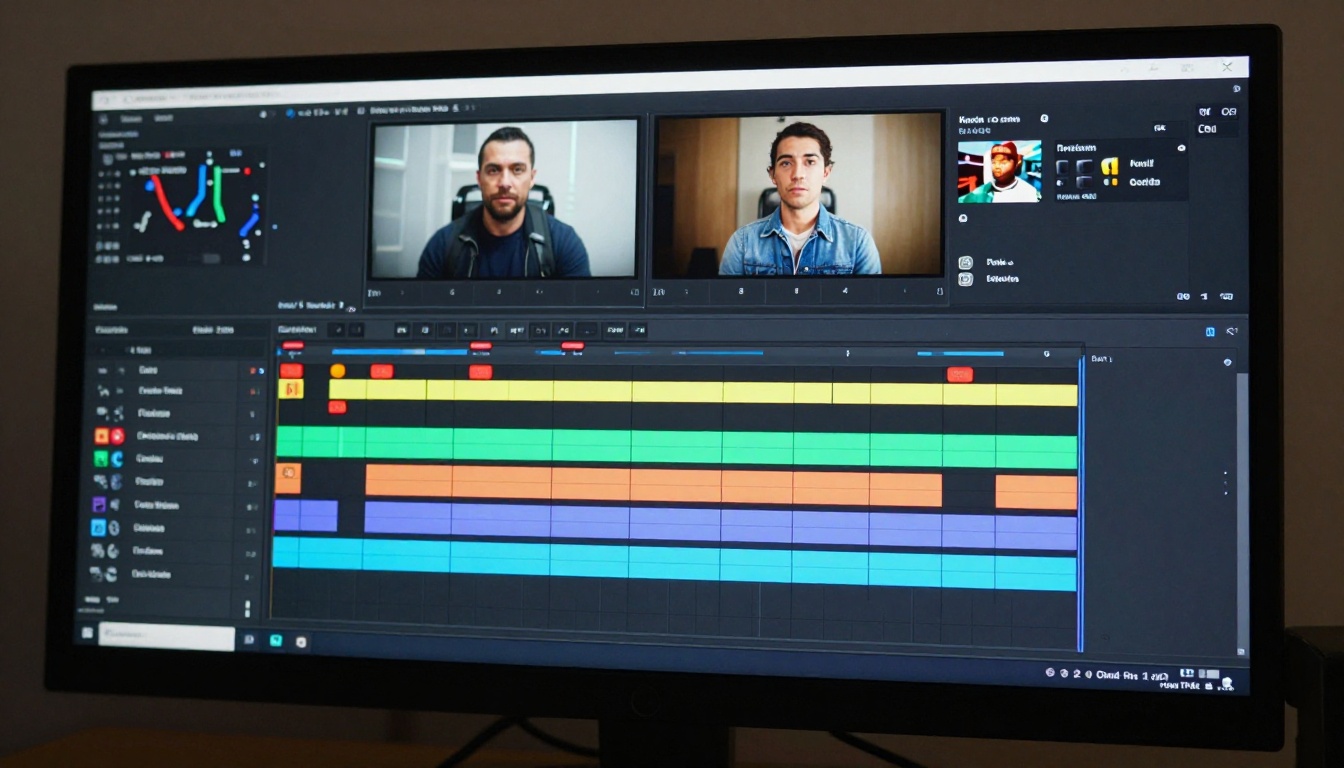
Limit-testing AI video models without a systematic approach produces results that are hard to interpret and impossible to replicate. The most useful workflow we developed runs like this:
- Define your content categories before writing a single prompt
- Write 5-10 variants per category using different descriptive approaches
- Test default mode first, then expanded access, and log both results
- Track consistency by running the same prompt 3 times and recording the variance
- Document what clears and what doesn't, noting the specific language that made the difference
This gives you a reusable prompt library organized by what actually works in each model, rather than a collection of isolated experiments.
Stack Models Strategically
No single model wins in every category. The most effective production approach we found was:
- Sora 2 Pro for premium cinematic quality when content is within its acceptance range
- Kling v3 Video or Kling v2.6 for high-consistency outputs when you need reliable batches
- Seedance 2.5 as the primary fallback when Sora rejects your prompt
- LTX 2 Pro for visual effects and cinematic darkroom-quality sequences
- Wan 2.7 I2V for image-anchored generation where you need frame-precise control
This isn't about finding the "best" model. It's about routing each prompt to the model it's most likely to succeed in.

You can also apply the same stacking logic to visual effects. Ray 3.2 from Luma excels at HDR cinematic sequences with its built-in color science. Pixverse v5.6 handles fast-motion and action compositions with strong visual fidelity. Hailuo 02 from Minimax produces 1080p outputs with a clean, commercial aesthetic that suits professional deliverables.
The point isn't to use one model for everything. The point is to know which tool fits which job, and to have the prompt library ready so you're not starting from scratch every time a model says no.
Try It on PicassoIA Right Now
Sora 2 Pro is a genuinely strong model with real creative capability. Its no filter mode opens space that the default configuration locks, and for cinematic, atmospheric, or dramatically intense content, it produces quality that stands with the best in the market. But it's not a single tool for every creative situation, and the inconsistency in its mature-content handling makes it frustrating for production workflows that need predictability.
The better approach is to run your prompts where they work best. PicassoIA gives you access to all the major models described in this article under one roof: Sora 2 Pro, Seedance 2.5, Kling v3 Video, Veo 3, LTX 2 Pro, Wan 2.7 T2V, Wan 2.7 I2V, Ray 3.2, Kling v2.6, and many more at picassoia.com/en/all-models.
Write your prompt once. Test it across five models in minutes. Find out where it actually works rather than spending hours negotiating with a single model's classifier. That's the workflow that produces results at scale, and it's available right now.