If you've spent any time searching for the best AI image generation platform, you've probably landed on the same three names: Picasso AI, OpenArt, and Freepik. Each positions itself as a creative powerhouse, but the real question most people never ask directly is this: which one actually gives you the most models to work with? Model count matters because variety drives flexibility. When you have access to more models, you can match the right architecture to the right output without workarounds.
The Model Count That Actually Matters
Raw numbers tell one story. How those numbers break down across categories tells the full one.
PicassoIA: 183+ Text-to-Image Models
PicassoIA hosts over 183 text-to-image models alone, and that's before counting its video, audio, enhancement, and LLM categories. The collection spans everything from heavy open-source architectures like Stable Diffusion 3 and Flux Redux Dev to cutting-edge proprietary options like GPT Image 2 and Seedream 4.5. The platform acts as an aggregator, pulling together models from Black Forest Labs, Stability AI, OpenAI, Qwen, Tencent, and dozens of independent developers.
OpenArt: A Curated Selection
OpenArt takes a different approach. It focuses on a smaller, more curated list of models, primarily anchored around Stable Diffusion variants and some Flux integration. While curation has its advantages for beginners, experienced users will quickly run into the ceiling. You won't find the same breadth of LoRA-enabled architectures, specialty editing tools, or video-adjacent models that define a true multi-category platform.
Freepik: Template-First, Models Second
Freepik's AI generation tool, Mystic, is built primarily for asset creation within Freepik's design ecosystem. It's optimized for producing design-ready graphics, not raw model experimentation. The platform integrates a small set of generation pipelines, but calling them "models" in the same sense as what PicassoIA or OpenArt offer would be a stretch. If your workflow lives inside Freepik's template environment, it works well. Outside that context, the limitations become apparent fast.
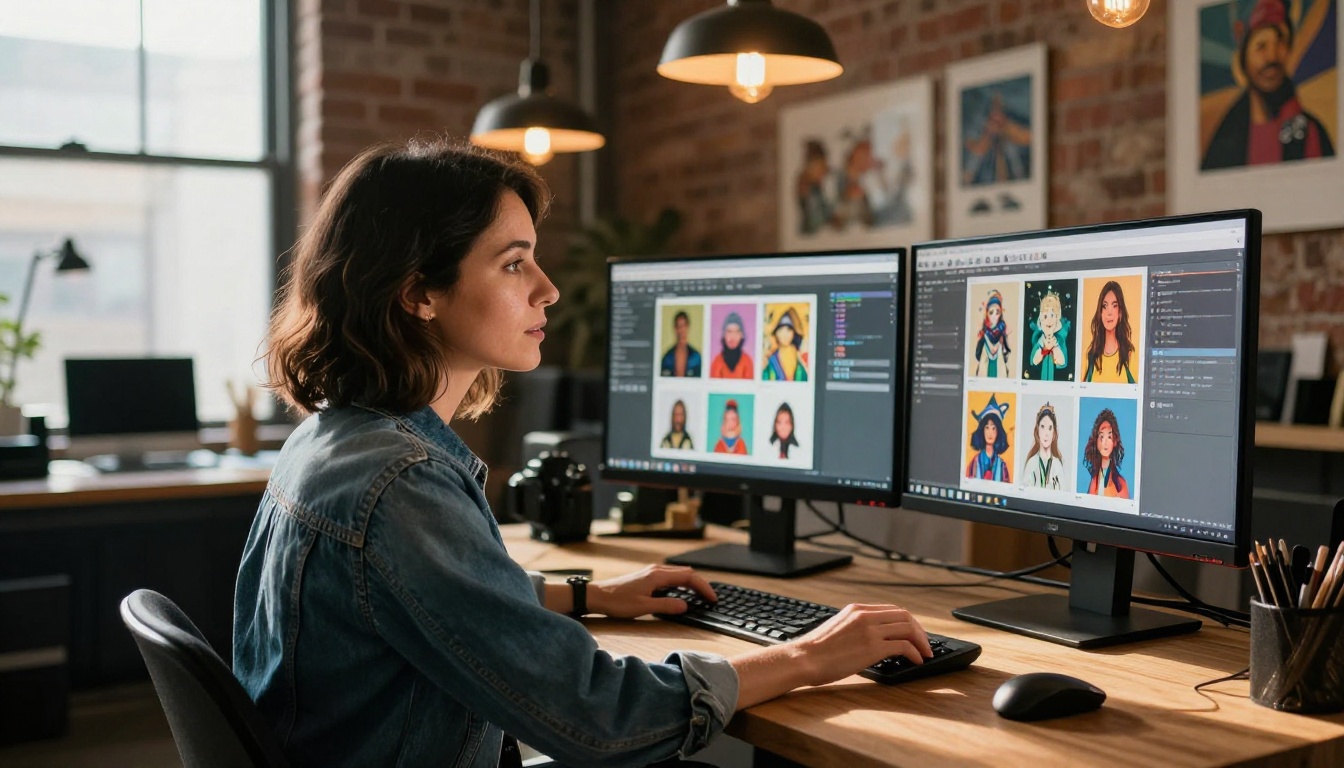
What You Can Actually Do With Those Models
A high model count only means something if those models cover genuinely different use cases.
Text-to-Image Variety
PicassoIA's text-to-image category is where the gap becomes most visible. You have access to:
OpenArt's text-to-image selection covers the major Stable Diffusion checkpoints and some Flux access, but it doesn't extend into the same granularity of specialty tools. Freepik doesn't attempt to compete in this category in any meaningful way.
Beyond Still Images
This is where PicassoIA separates itself most aggressively from both competitors. While OpenArt focuses almost exclusively on images and Freepik stays in the design asset lane, PicassoIA offers a platform-wide model count that no other single tool matches.
| Category | PicassoIA | OpenArt | Freepik |
|---|
| Text-to-Image | 183+ models | ~40 models | ~5 pipelines |
| Text-to-Video | 87+ models | Limited | None |
| AI Music Generation | Yes | No | No |
| Text-to-Speech | Yes | No | No |
| Speech-to-Text | Yes | No | No |
| Super Resolution | Yes | Limited | Yes (basic) |
| Background Removal | Yes | Yes | Yes |
| LLM Chat | Yes | No | No |
| Lipsync | Yes | No | No |
| Video Effects | 500+ | No | No |
The comparison isn't even close when you look at the full platform footprint.
Flux from Black Forest Labs has become the benchmark for high-quality open-source image generation. How a platform handles Flux says a lot about its commitment to staying current.
Flux on PicassoIA
PicassoIA carries multiple Flux variants as dedicated model pages, each with its own parameter controls and output gallery:
- Flux Redux Dev: generates creative variations from a reference image, preserving composition while shifting style or detail
- Flux Schnell LoRA: applies custom LoRA weights to Flux's fast inference pipeline for branded or styled outputs
- Flux 2 Klein 9B Base LoRA: the full 9-billion parameter version with LoRA support for maximum quality
- Flux 2 Klein 4B Base LoRA: a lighter 4B variant optimized for speed without sacrificing too much quality
Every Flux model on PicassoIA has its own dedicated page with full parameter sliders, example outputs, and usage context.
Flux on OpenArt
OpenArt does include Flux access, primarily through its model selector interface. You can choose Flux as a base architecture when creating images. However, the access is less granular: you're working with a unified Flux endpoint rather than distinct model variants. LoRA customization over Flux is available but limited compared to PicassoIA's dedicated Flux LoRA pages.
Flux on Freepik
Freepik's Mystic generation tool does not expose Flux as a selectable model architecture. The platform abstracts all generation into its own pipeline, meaning users have no direct control over which model runs their prompt. For Flux-specific workflows, Freepik is not an option.

Stable Diffusion and Open-Source Access
Stable Diffusion remains the backbone of the open-source image generation ecosystem. Platform support for SD models is a direct indicator of how open a platform actually is to serious users.
PicassoIA's SD Lineup
Stable Diffusion 3 is available on PicassoIA with full parameter control. Beyond the flagship model, the platform includes numerous SD-adjacent architectures, ControlNet-compatible pipelines for pose and structure control, and inpainting tools that run on SD foundations.
What this means in practice: You can run a ControlNet pose-locked generation, then refine specific areas with an SD-based inpainting model, then upscale the result, all within the same platform session.
What OpenArt Offers
OpenArt was built heavily around Stable Diffusion and remains strong in this area. You'll find SDXL, SD 1.5, and various fine-tuned checkpoints. The community model sharing aspect means you can access popular community checkpoints, which is a genuine advantage for traditional SD users coming from Civitai or Hugging Face workflows.
Freepik's Approach
Freepik does not expose any underlying model architecture to the user. You get a text box, some style presets, and a generation button. There's no way to select SD, SDXL, or any specific checkpoint. This works fine for simple generation but shuts out any user who wants model-level control over their outputs.
Specialty Models Worth Comparing
Video Generation Models
This category is PicassoIA's most significant advantage over both competitors. With 87+ text-to-video models, the platform offers more video generation options than most dedicated video AI tools. OpenArt has introduced some video generation features, but the model count remains in single digits. Freepik has no meaningful video generation offering.
The implications for creative workflows are substantial. If you're producing content that mixes static images with short video clips, you currently need separate tools for each medium unless you're working on PicassoIA. The platform collapses that workflow into a single subscription.
LoRA and Custom Training
P Image Trainer on PicassoIA lets you upload your own training images and produce a custom LoRA model. That model can then be applied through any compatible Flux or SD pipeline on the platform. The ability to train and immediately deploy a custom model within a single platform is something neither OpenArt nor Freepik offers at the same level of accessibility.
OpenArt does have some custom training features. Freepik has none.

Pricing, Access, and Value
Free Tier Comparison
All three platforms offer free access with limitations, but the structures differ enough that comparisons can be misleading:
- PicassoIA: Free tier with credit-based generation. New users get a meaningful credit allocation to test across models before committing.
- OpenArt: Free tier with daily generation limits. Access to premium models requires a paid plan, and the best model selection sits behind higher-tier subscriptions.
- Freepik: Free tier tightly tied to the broader Freepik subscription. AI generation credits are bundled with stock asset downloads, making it difficult to evaluate the AI tool on its own terms.
What You Get Per Dollar
The value calculation changes completely when you factor in model count.
On OpenArt or Freepik, you're paying for access to a relatively fixed set of models. On PicassoIA, the same subscription tier gives you access to 183+ image models, 87+ video models, audio generation, LLMs, and specialized tools like face swap and lipsync. For creators who need more than one type of output, the per-feature cost on PicassoIA is dramatically lower.
| Feature | PicassoIA | OpenArt | Freepik |
|---|
| Model selection | Full control | Partial | None |
| Custom LoRA training | Yes | Limited | No |
| Video generation | 87+ models | Very limited | No |
| Audio generation | Yes | No | No |
| Free trial | Yes | Yes | Yes (bundled) |
| API access | Yes | Yes | Limited |

How to Use Flux Redux Dev on PicassoIA
Since PicassoIA has dedicated Flux model pages, Flux Redux Dev stands out as one of the most practical for creators who already have a reference image and want intelligent, high-quality variations without starting from scratch.
Step 1: Open the Model Page
Navigate to Flux Redux Dev on PicassoIA. The model parameters panel appears on the right side of the screen, and a gallery of example outputs sits below, giving you a clear sense of what the model produces before you run anything.
Step 2: Upload Your Reference Image
Flux Redux Dev takes an input image and generates a variation that maintains structural composition while allowing significant creative deviation. Upload a high-resolution source image for the best results. JPEG or PNG both work without any quality difference. Square or landscape ratios give the cleanest outputs from this model.
Step 3: Set Your Parameters
- Megapixels: 1.0 is the default and works for most use cases. Increase to 1.5 or 2.0 for print-quality output requirements.
- Inference steps: 25-30 steps produces excellent quality. Going above 40 rarely improves results and significantly increases generation time.
- Guidance scale: Keep this between 3.5 and 5 for Flux. Too high and outputs become oversaturated and lose coherence. Too low and the model starts ignoring your prompt.
- Seed: Set a fixed seed when you want reproducible results for A/B testing different prompt variations against the same base image.
Step 4: Write a Directional Prompt
Unlike some models where the prompt carries all the creative weight, Flux Redux Dev uses the reference image as its primary signal. Your prompt steers the variation direction rather than defining the subject from scratch. Keep prompts specific: describe the mood, lighting conditions, or environmental shift you want rather than redescribing the subject already visible in the image.
Step 5: Generate and Iterate
Run the generation. If the output drifts too far from the reference, lower the guidance scale slightly and rerun. If it stays too close to the source with no meaningful variation, raise the scale or add stronger directional language to the prompt. PicassoIA saves your generation history automatically, so every iteration remains accessible for side-by-side comparison.

Model count is important, but it only matters when those models produce results worth using. Here's what the output quality landscape actually looks like across the three platforms.
Photorealism
PicassoIA's photorealistic pipeline, anchored by GPT Image 2 and Seedream 4.5, consistently produces images that hold up to close inspection. Skin texture, environmental lighting, and scene coherence are all strong across both models. Wan 2.7 Image Pro handles 4K-level outputs with fine detail that smaller models struggle to render without artifacts.
OpenArt's photorealistic outputs are competitive in the SDXL-based range but fall behind when you need access to the most recent architectures. Freepik's photorealism is acceptable for background graphics and stock-adjacent use, but it lacks the fine-detail control that comes from choosing your model deliberately.
Creative Flexibility
The Recraft 20B model on PicassoIA deserves specific attention for its multi-style capability. It handles photorealistic, illustration, pixel art, and vector styles from the same base architecture, controlled through a style selector parameter. This kind of built-in versatility reduces the need to switch between multiple models when your project requires different output types within the same visual identity.
Editing and Post-Processing Models
One area consistently overlooked in platform comparisons is what happens after initial generation. A platform that can generate well but forces you to a different tool for editing is only solving half the problem.
PicassoIA's editing suite runs on dedicated model inferences, not filters. Fibo Edit handles precise object-level image editing through natural language text prompts. Qwen Image Edit Plus LoRA Upscale sharpens and upscales a generated image in a single operation. Qwen Image Edit Plus LoRA Skin applies professional-grade skin retouching through the same prompt-based interface. These aren't surface-level adjustments: they're full model inferences that understand and reinterpret image content.
OpenArt offers inpainting and some outpainting tools for extending image borders. Freepik has basic background removal, which overlaps with what PicassoIA's dedicated super-resolution and background removal categories already handle more precisely.
The pattern across every category is consistent: PicassoIA's model depth creates a workflow where you can take an asset from generation through editing through post-processing without leaving the platform or switching subscriptions.
Start Creating on PicassoIA
If you've been using OpenArt or Freepik and feel limited by model selection, the gap is real and it's wide. Over 183 text-to-image models, 87+ video models, dedicated audio tools, LoRA training pipelines, and specialized editing models add up to a different category of creative access, not just a larger version of the same thing.
The most effective way to feel that difference is to run the same prompt across different models on PicassoIA and watch how output quality and style shift between architectures. Start with Flux Redux Dev for reference-based image variations, GPT Image 2 for photorealistic generation from text prompts, or Recraft 20B for style-flexible work across multiple visual formats. All three respond differently to the same input, and understanding those differences is exactly how you build a production-ready AI image workflow.
PicassoIA's free tier gives you enough credits to run meaningful tests across multiple models before committing to a paid plan. There's no faster way to settle the comparison than generating the same image on every platform and putting the results side by side.