The AI video market exploded in 2024, and by 2025 the three names on every creator's lips are Runway, Pika, and Picasso AI. If you have spent time trying to produce AI video content, you already know the frustration: pick a platform, spend credits, and get results that range from stunning to completely unusable. This breakdown is not a press release. It is an honest look at what each tool actually delivers, who it is built for, and which one you should be using based on your real workflow requirements.
Runway in 2027: What It Actually Delivers
Runway built its reputation on precision and professional-grade output. Their Gen4 Turbo and Gen 4.5 models represent serious engineering investment. The platform is polished, well-documented, and used by commercial studios that need consistent, controllable results frame after frame.

Where Runway wins:
- Frame-to-frame temporal consistency is among the strongest in the industry
- Camera motion presets (push in, pull back, orbit) work reliably
- Professional timeline interface that production teams already know
- Strong for 4-16 second cinematic clips with minimal flickering
Where Runway loses ground:
- Per-credit pricing adds up fast at any real production scale
- Native platform locks you into Runway-only models with no alternatives
- Longer video sequences degrade in quality significantly past 10 seconds
- No access to competing models in one interface forces multiple subscriptions
💡 Gen4 Turbo is available directly on PicassoIA, which means you can run it alongside 100+ other video models and compare results without maintaining separate accounts or subscriptions.
Pika Labs: The Honest Picture
Pika became famous for making AI video feel fun and accessible. Their interface is clean, results arrive fast, and for short social media clips, it genuinely delivers on that promise. But the ceiling is lower than the marketing suggests, and serious creators hit that ceiling quickly.
What Pika does well:
- Speed: generations complete in seconds for simple prompts
- Social-first formats: vertical video, short loops, animated stickers
- Low barrier to entry for creators new to AI video
- Effects library for adding motion to static images
Where it struggles:
- Resolution caps below what professional production work demands
- Flickering artifacts appear frequently in complex or high-motion scenes
- Limited granular control over camera movement and timing
- Prompt adherence weaker than current top-tier alternatives
| Feature | Runway Gen4 | Pika 2.x | PicassoIA Models |
|---|
| Max Resolution | 1080p | 1080p | Up to 4K |
| Video Length | 4-16 sec | 3-10 sec | 5-30 sec |
| Camera Control | Yes | Limited | Model-dependent |
| Model Variety | 1 | 1 | 106+ models |
| Audio Support | No | Limited | Yes (select models) |
| Pricing Model | Per-credit | Subscription | Pay-per-use |
Video Quality: Four Things That Actually Matter
Quality in AI video is not a single number. It breaks down into four distinct measurements: temporal consistency (no flickering between frames), prompt adherence (does it match your description), motion naturalism (does movement look human), and resolution fidelity (does it hold up at full screen).

Temporal consistency: Gen4 Turbo leads here. Their training pipeline prioritizes frame stability, which is why it remains trusted for commercial work. Kling v3 is a close second, with particularly strong results on human subjects and facial consistency across frames.
Prompt adherence: Seedance 2.0 from ByteDance consistently ranks at the top of independent benchmarks for following complex, multi-element prompts. Veo 3.1 from Google is also exceptional in this category, particularly for narrative scene descriptions.
Motion naturalism: Kling v2.6 produces some of the most natural-looking human motion currently available. Walking cycles, hand movements, and facial expressions look significantly less mechanical compared to earlier model generations and both Runway and Pika outputs.
Resolution fidelity: LTX 2.3 Pro from Lightricks is the clear leader for raw resolution, pushing 4K output that holds up on large displays without the soft edges that plague most upscaled AI video.
Not every project needs cinematic perfection. Social content, rapid prototyping, and storyboard previsualization all benefit from speed over quality. Knowing where each platform sits on the speed-quality curve determines how you structure your workflow.

Fastest options for concept testing:
- Hailuo 02 Fast: 512p output in seconds, ideal for rapid concept iteration
- Wan 2.2 T2V Fast: 720p with fast turnaround and solid motion
- LTX 2.3 Fast: 4K resolution at reduced processing time with slight quality trade-off
- Pika 2.x: competitive for simple, low-complexity prompts
Best quality per processing second:
💡 Running fast models first for concept testing, then switching to high-quality models for final renders, cuts wasted credit spend by 60-70% without compromising the delivered result.
Pricing: What You Actually Pay
This is where the comparison gets uncomfortable for both Runway and Pika. Both platforms use subscription models with credit limits that feel generous until you hit a real production schedule.
Runway pricing reality:
- Standard plan: approximately $12/month, 625 credits
- Pro plan: approximately $28/month, 2,250 credits
- Gen4 Turbo uses 5-10 credits per second of output video
- A production project with 20 final clips can exhaust a Pro plan in days
- No access to other model families regardless of subscription tier
Pika pricing reality:
- Basic: free with watermarks and hard output limits
- Standard: approximately $8/month, 700 credits
- Pro: approximately $28/month, 2,000 credits
- Credit efficiency varies widely based on output quality settings chosen
The multi-model platform advantage:
- Access to 106+ video models without separate subscriptions per provider
- Pay per use across all models, not locked into monthly credit buckets
- Run Gen4 Turbo and Kling v3 and Seedance 2.0 within the same project
- No platform switching, no separate logins, no parallel subscriptions
| Plan | Runway Pro | Pika Pro | PicassoIA |
|---|
| Monthly Cost | $28 | $28 | Flexible |
| Models Available | 1 | 1 | 106+ |
| Max Resolution | 1080p | 1080p | 4K |
| Audio Generation | No | Limited | Yes |
| Model Switching | No | No | Yes |
The honest answer is that there is no single best AI video tool. There is a best tool for your specific workflow and project type. Here is where each platform actually makes sense.
Use Runway when:
- You work in professional film or commercial video production
- Frame consistency across a specific clip matters more than model variety
- Your team is already trained on the Runway interface
- You have a dedicated production budget and need a familiar, trusted environment
Use Pika when:
- You create high-volume social content and speed outweighs quality
- You are experimenting with AI video for the first time and want low friction
- Short-form loops, effects, and animated stickers are your primary output format
- Budget is very tight and you need a free or low-cost starting point
Use PicassoIA when:
- You need access to multiple state-of-the-art models without managing separate subscriptions
- Your work spans different output requirements: cinematic, social, 4K, audio-synced
- You want Runway Gen4 Turbo, Kling v3, Veo 3.1, and Seedance 2.0 in one unified workflow
- Cost efficiency at production scale is a real priority
How to Use Kling v3 on PicassoIA
Kling v3 is one of the strongest cinematic video models available in 2027, and accessing it through PicassoIA removes the need for a separate KwaiGI account. Here is how to get the best results from it.
Step 1: Write a scene-specific prompt
Kling v3 responds well to prompts that describe the subject, environment, camera movement, and lighting in specific terms. Vague prompts produce generic output.
Strong prompt: "A professional chef in a Michelin-star kitchen plates a dish under warm overhead lighting, camera slowly pulls back to reveal the full kitchen, 4K cinematic, natural color grading"
Weak prompt: "A chef cooking in a kitchen"
Step 2: Set the right parameters
- Duration: 5 seconds for concept testing, 10 seconds for final delivery
- Aspect ratio: 16:9 for cinematic output, 9:16 for social vertical content
- Camera motion: Kling v3 supports explicit camera motion in the prompt. Include terms like "slow dolly forward," "slight pan right," or "static locked-off" for controlled framing
Step 3: Use image-to-video for character consistency
Kling v3 excels at animating from a reference image. If you have a character or scene established through a generated still image, upload it as the starting frame. This produces significantly higher character consistency than text-only prompts, particularly for close-up facial scenes.
Step 4: Iterate across variations
Generate 2-3 variations of the same prompt with slightly different wording. Kling v3 outputs vary meaningfully between runs. The processing cost per generation is low, and the quality difference between a mediocre and excellent take is substantial enough to justify the extra iterations.
💡 For facial close-ups and precise body language sequences, Kling v2.6 Motion Control adds granular control over how subjects move across the frame, which is critical for scenes requiring specific gestures or expressions.
Beyond Runway and Pika, there are models producing results that neither platform can match in their respective categories.
For cinematic text-to-video:
- Kling v3 Video: best-in-class for dramatic, high-motion cinematic scenes with natural subject behavior
- Seedance 2.0: built-in audio generation paired with strong visual quality and prompt accuracy
- Veo 3: Google's model with native audio synthesis, excellent for narrative-driven content
For image-to-video animation:
- Wan 2.7 I2V: animates static images with fluid, natural-looking motion at 1080p
- Kling Avatar v2: face animation with highly realistic lip sync and micro-expression fidelity
- Hailuo 02: strong at animating portrait-oriented images with natural motion
For 4K professional output:
- LTX 2.3 Pro: the model consistently delivering true 4K from text prompts without soft edges
- Wan 2.7 T2V: 1080p with strong prompt adherence and reliable motion physics
For audio-synced video:
- Seedance 1.5 Pro: text-to-video with synchronized audio generated alongside the visual output
- Veo 3.1: native audio generation with impressive scene-to-sound accuracy for ambient and music scoring
- Wan 2.2 S2V: audio-synced video output built specifically for music-driven content creation
The Real Structural Difference
Runway is deep on one model. Pika is accessible but narrow. The platform that wins for most creators in 2027 is the one with breadth: the ability to run the right model for each specific job rather than forcing every project through the same pipeline.
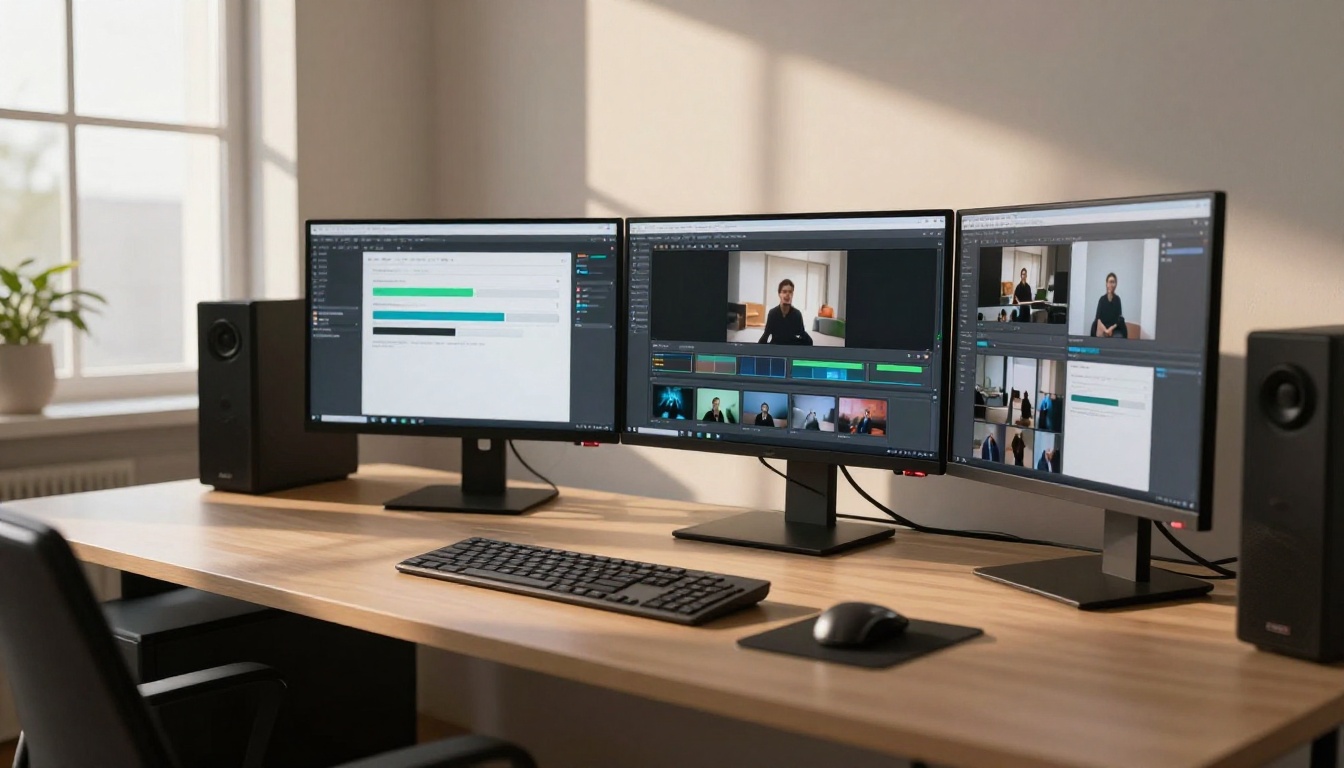
This structural advantage changes the cost-benefit equation in a real way. When Gen4 Turbo is too slow for a quick concept test, you switch to Hailuo 02 Fast. When your client needs 4K cinematic output, you run LTX 2.3 Pro. When the brief calls for synchronized audio in the video, Seedance 2.0 handles it in one generation. When a scene requires precise motion control on a face, Kling Avatar v2 is right there in the same interface. None of this requires switching platforms, managing separate logins, or maintaining parallel credit balances across multiple services.
The comparison between Runway, Pika, and multi-model platforms is not just about which tool produces the best single output. It is about whether your creative workflow should be built around one tool's strengths or around having access to the best tool for every individual task you face.
💡 Professional tip: use free-tier or fast models to iterate on prompt concepts at low cost per generation, then switch to premium-quality models for the final render pass. This workflow approach dramatically reduces the credit spend on output you will never actually use in a project.
Stop Watching. Start Creating.
The AI video space in 2027 moves faster than any single platform can keep up with. Every few weeks, new models with better motion physics, higher resolution, and more creative control push the ceiling higher for everyone. Runway and Pika both have their place, but neither gives you access to the full competitive field in one place.
If you have been waiting to take AI video seriously, there is no better moment than now. Open PicassoIA, browse the text-to-video collection, and run your first generation. Start with Kling v3 for cinematic quality, Seedance 2.0 for output that includes audio by default, or LTX 2.3 Fast if iteration speed is your first priority.
The best AI video tool is not the one with the biggest marketing budget or the most press coverage. It is the one that fits the actual job you are trying to do, and it changes from project to project. Having all of them in one place is not a convenience. It is a creative advantage.


