Two tools dominate the conversation around AI video generation right now: Pika 2.0 and Runway Gen-4. Both promise to turn text prompts into cinematic clips. Both have real user bases and genuine capabilities. But they are not the same product, and picking the wrong one for your workflow means wasted credits, slower output, and creative frustration. This breakdown puts them side by side on the metrics that actually matter: output quality, prompt fidelity, generation speed, pricing structure, and real-world use cases, so you can make the call with actual information.
Pika 2.0 in Practice
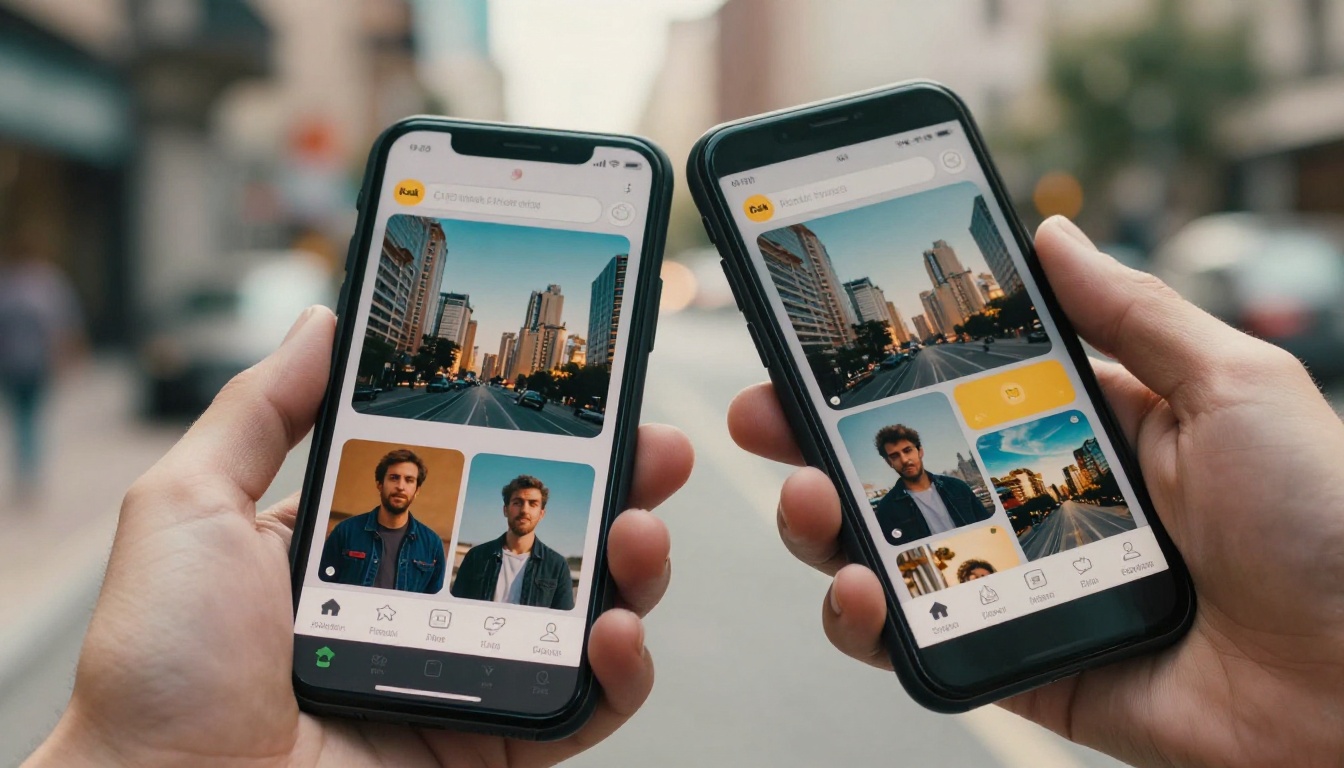
Pika 2.0, developed by Pika Labs, is built around accessibility and speed. It targets social-media creators, small production teams, and marketers who want short, punchy video clips without a steep technical learning curve. The second version brought meaningful improvements to temporal coherence, which means objects no longer drift or morph mid-clip the way they did in earlier iterations.
The standout addition in Pika 2.0 is Pikaffects, a curated library of motion presets that apply physics-based behaviors to static images or video frames. You can make objects explode, melt, squish, inflate, or dissolve with a single preset selection. This system makes Pika 2.0 popular for product videos and social-first content where visual impact matters more than narrative depth.
The interface rewards rapid iteration. Prompts are short to medium in length, generation times are among the fastest in the current market, and outputs are primarily 3 to 5 second clips. Longer outputs are supported but consistency degrades past the 7-second mark, especially in scenes with multiple moving subjects.
Pika 2.0 also introduced improved lip-sync capability for talking-head style videos, which has made it useful for marketers producing avatar-based content without dedicated video production setups. The model handles stylized prompts (cartoon, anime, watercolor) with more control than earlier versions, though photorealistic outputs still show occasional surface-level inconsistencies under close inspection.
Runway Gen-4 in Practice
Runway Gen-4 represents a different approach entirely. Built by RunwayML, a company with deep roots in professional creative tools and academic research, Gen-4 targets filmmakers, directors, creative agencies, and advanced content creators who need frame-accurate control over motion, character consistency, and scene composition.
Gen-4 introduced Multi-Motion Brush, the most significant differentiating feature in its release. This tool lets users paint directional motion vectors onto specific regions within a frame. A character walks left while the background pans right and a foreground prop stays static. A camera appears to dolly through a scene while a central subject holds position. This level of granular spatial control has no direct equivalent in Pika 2.0.
The model also handles character consistency across shots at a level that was not previously available in consumer-grade AI video tools. A reference image of a specific person, fed into Gen-4, produces a clip where that person's facial structure, clothing, proportions, and skin tone remain stable throughout the full duration. For any content requiring a recognizable protagonist across multiple scenes, this capability alone justifies Gen-4's higher price point.
Runway Gen-4 also excels at interpreting complex camera language in prompts. Descriptions like "slow dolly left with rack focus to background" or "handheld follow shot with natural camera shake" produce recognizable cinematic results that other models often flatten into generic movement.
💡 For multi-scene content with recurring characters, Runway Gen-4 currently has the most reliable consistency of any consumer AI video model.
Video Quality: Side by Side
Quality is where the comparison gets most concrete. Both tools produce impressive results, but they excel in different visual dimensions.
Realism and Motion Fidelity
Runway Gen-4 leads clearly on photorealism. Its outputs exhibit finer texture rendering, more physically accurate lighting responses, and smoother camera movement paths. Skin surfaces show realistic pore detail and subsurface scattering under lit conditions. Fabric and environmental materials respond to simulated physics in ways that read as credible on screen.
Pika 2.0 produces capable output but operates at a slightly lower ceiling on raw realism. The model's strength is in its stylized treatments, fast iteration, and the Pikaffects system, which adds visual energy that does not depend on photorealism to succeed.
Prompt Adherence
Gen-4 interprets compound, multi-layer prompts more reliably. A prompt specifying a lighting setup, camera angle, subject action, and background behavior simultaneously will be followed more accurately by Gen-4 than by Pika 2.0. Pika 2.0 handles simple, focused prompts very well but shows inconsistency when instructions exceed three or four simultaneous requirements. This is rarely a problem for social content. It becomes limiting in professional production contexts where precise frame composition is required.
| Dimension | Pika 2.0 | Runway Gen-4 |
|---|
| Photorealism | Good | Excellent |
| Motion Consistency | Good | Excellent |
| Character Coherence | Moderate | Very High |
| Stylized Output | Strong | Moderate |
| Prompt Adherence | High | Very High |
| Max Output Length | 10 seconds | 10 seconds |
| Native Resolution | Up to 1080p | Up to 4K |
| Camera Control | Basic | Advanced |
| Lip-Sync Quality | Good | Good |
| Generation Speed | Fast | Moderate |
Where Each Model Struggles
Pika 2.0 shows instability on hand and finger rendering, a persistent challenge across most generative video models. It also struggles with maintaining background consistency when a foreground subject moves, producing occasional blending artifacts in complex scenes.
Runway Gen-4 can over-sharpen certain textures, giving some outputs a processed look on fine details like hair or grass when generation parameters are pushed to maximum resolution. At standard settings, outputs are cleaner and more filmic.
Speed: What to Expect

Speed matters enormously when you are iterating through prompt variations or running a high-volume production workflow.
Pika 2.0 generates a 3 to 5 second clip in 30 to 90 seconds under normal server load. This rapid iteration cycle allows you to test dozens of prompt variations in an hour, a significant practical advantage for teams who need to find the right creative angle before committing to a final version.
Runway Gen-4, with its heavier architecture and higher output fidelity, takes 2 to 5 minutes per clip at standard 1080p quality. At 4K resolution, generation time climbs further. This is not a flaw in the model. The output quality justifies the wait in most professional contexts. But it fundamentally changes how you plan your production sessions.
A practical approach: use a fast model like Pika 2.0 or Gen4 Turbo for the prompt exploration phase, then move to full Runway Gen-4 for the final renders once the creative direction is locked in. This hybrid approach respects both the credit cost and the time investment.
Pricing: Where They Differ

Pricing structures reflect the fundamental positioning difference between the two tools.
Pika 2.0 Pricing
| Plan | Monthly Cost | Credits | Resolution |
|---|
| Free | $0 | 150 credits | 720p |
| Basic | $8/month | 700 credits | 1080p |
| Standard | $28/month | 2,000 credits | 1080p |
| Pro | $78/month | 7,000 credits | 1080p |
| Unlimited | $98/month | Unlimited | 1080p |
Runway Gen-4 Pricing
| Plan | Monthly Cost | Credits | Resolution |
|---|
| Free | $0 | 125 credits | 720p |
| Standard | $15/month | 625 credits | 1080p |
| Pro | $35/month | 2,250 credits | 4K capable |
| Unlimited | $95/month | Unlimited | 4K capable |
💡 A single 5-second Gen-4 clip costs approximately 10 credits, meaning the Pro plan yields roughly 225 clips per month at standard settings.
For creators producing at volume, neither platform is inexpensive at scale. A team producing 50 finished clips per week would spend significantly on either platform. This is precisely where access to multiple models through a single consolidated platform becomes financially practical.
5 Things Pika Does Better
- Speed: Generates clips 3x faster than Gen-4, enabling rapid prompt iteration sessions
- Pikaffects: Physics-based presets creating unique visual behaviors impossible to replicate with text prompts alone
- Stylized outputs: Stronger at anime, cartoon, and illustrative style treatments
- Entry price point: The Basic plan at $8/month is among the most accessible in the current market
- Interface simplicity: Lower learning curve for users new to AI video generation
5 Things Gen-4 Does Better
- Character consistency: Maintains facial features, clothing, and proportions across the full clip duration
- Complex prompt handling: Reliably interprets multi-layer instructions covering lighting, camera, subject, and environment simultaneously
- Camera language: Responds accurately to specific cinematic camera movement descriptions
- Raw photorealism: Higher fidelity texture rendering and more physically accurate motion
- 4K resolution: Only Gen-4 currently offers genuine 4K output in its standard paid tiers

The answer to "which is better" almost entirely depends on what you are making.
Pika 2.0 Is Right For
- Social content creators producing short-form clips for TikTok, Reels, and YouTube Shorts
- Product marketers animating static product images with preset motion behaviors
- Beginners who want a low-friction entry point without complex parameter controls
- Teams running A/B tests across multiple prompt variations at high volume
Runway Gen-4 Is Right For
- Independent filmmakers developing short films or branded narratives with recurring characters
- Creative agencies producing campaign videos requiring consistent brand talent appearances
- Directors who need precise camera motion and shot composition control
- Post-production teams extending or augmenting existing footage
Neither tool is the definitive right answer across all scenarios. The strongest creative workflows draw from both tools, using each for the moments where it excels.
3 Alternatives Worth Testing
The AI video generation market extends well beyond these two tools. These three models offer specific strengths that neither Pika nor Runway fully covers.
Kling v3 Video
Kling v3 Video from Kwaivgi delivers cinematic output that competes with Gen-4 on motion fidelity, with particularly strong performance on human subject animations. Full-body motion is handled with a natural fluidity that makes it a standout for lifestyle, fashion, and character-driven content.
Seedance 2.0
Seedance 2.0 from ByteDance generates video with built-in audio generation, removing the need for a separate audio pipeline in the post-production workflow. For creators building content that requires synchronized sound design from the start, this integrated approach saves significant time and additional tool costs.
Gen4 Turbo
Gen4 Turbo is Runway's speed-optimized variant of the Gen-4 architecture. It trades a fraction of the quality ceiling for substantially faster generation times, producing a practical middle ground between Pika 2.0's speed and Gen-4's quality. It is the best starting point for testing the Gen-4 aesthetic before committing to full Gen-4 credits.
Other models worth keeping on your radar:
- Veo 3 by Google: native audio generation with exceptional realism at 1080p
- LTX 2 Pro by Lightricks: 4K output at competitive generation speeds
- Pixverse v5: fast stylized video with strong prompt adherence
- Hailuo 02: 1080p cinematic output with dramatic motion range
- Wan 2.7 T2V: HD text-to-video at open-source-friendly cost
- Sora 2: OpenAI's model with native synced audio and high narrative coherence
- Kling v2.6: cinematic motion control with strong image-to-video capability
- Gen 4.5: the latest Runway iteration with enhanced cinematic motion output
How to Use Gen4 Turbo

Since Runway's Gen-4 architecture is available through Gen4 Turbo, here is a practical workflow to get strong results on your first session.
Step 1: Structure Your Prompt
Gen4 Turbo responds to layered prompts that define subject, action, environment, and camera behavior in sequence. A reliable prompt format:
"[Subject] [doing action] in [environment], [camera movement and angle], [lighting description], photorealistic"
Example: "A woman in her thirties walking through a sunlit market corridor, tracking shot from behind, warm afternoon light filtering through canvas awnings, photorealistic"
Step 2: Upload a Reference Image
For character-driven content, upload a reference image of your subject. Gen4 Turbo uses it to maintain facial structure and appearance throughout the full clip duration, producing consistent results across multiple takes of the same scene.
Step 3: Set Duration and Format
Use 9:16 for vertical social content, 16:9 for widescreen output. Clips between 3 and 7 seconds maintain the highest consistency. Beyond 7 seconds, quality variance increases with most prompts.
Step 4: Generate 3 to 5 Variations
Small prompt changes produce meaningfully different outputs. Swap the camera direction or lighting description between variations and compare before committing to your final version. The fastest way to find what works is to iterate quickly.
Step 5: Chain With Other Models
After generating your base clip with Gen4 Turbo, use Kling v2.6 for motion control refinements, or pass the output through Veo 3 for additional realism if your pipeline supports model chaining.
💡 Specific lighting direction descriptions consistently improve Gen4 Turbo outputs. "Volumetric late afternoon light from the left" outperforms "outdoor scene" in almost every test.
Which One Should You Pick
The direct answer: if you create short-form social content or need rapid-volume production, Pika 2.0 is the more practical daily driver. Its speed, accessibility, and Pikaffects system make it genuinely fast to work with at scale.
If you need cinematic quality, character consistency across shots, or granular control over camera motion and scene composition, Runway Gen-4 earns every dollar of its higher price point. The 4K capability, Multi-Motion Brush, and character reference system are features with no real equivalent in Pika.
For most professional workflows, the real answer is: neither alone. The AI video generation landscape has evolved past the single-tool paradigm. The strongest creative stacks combine a high-quality model like Gen-4 for hero shots, a fast model like Pika 2.0 or Gen4 Turbo for iteration, and a specialized tool like Seedance 2.0 for audio-integrated outputs. The question is not "Pika or Runway." The question is which model fits which moment in your production pipeline.
Try It on Your Own Prompts

Written comparisons only carry you so far. The only way to know which tool fits your creative process is to run your own prompts through both and see what comes back.
Picasso IA gives you direct access to Gen4 Turbo, Gen 4.5, Seedance 2.0, Kling v3 Video, Veo 3, and 80+ additional text-to-video models from a single platform. No separate subscriptions. No switching between five different dashboards. You put the right model to work for each creative challenge and move forward.
Take a prompt you are already working with and run it through Gen4 Turbo. Then try the same prompt on Kling v3 Video or Sora 2. The comparison you run on content that is actually relevant to your work will give you more signal than any written breakdown. Your first AI video is one prompt away.


