Picking the wrong AI image editor costs you time on every project. Both Qwen Image 2 Pro and Flux 2 Pro have earned real attention in 2027, but they are built around very different architectures and priorities. One excels at reading context inside an image and following multi-part instructions with precision. The other delivers tighter diffusion outputs with stronger visual polish and aesthetic coherence. Neither is universally better, which is exactly why a direct comparison actually matters for your workflow.
The gap between these two models is not about raw capability. Both can edit images, both are fast, and both produce results that would have seemed impossible just a couple of years ago. The gap is about how they edit, what they prioritize, and which type of work each one genuinely suits. This breakdown cuts through the noise.
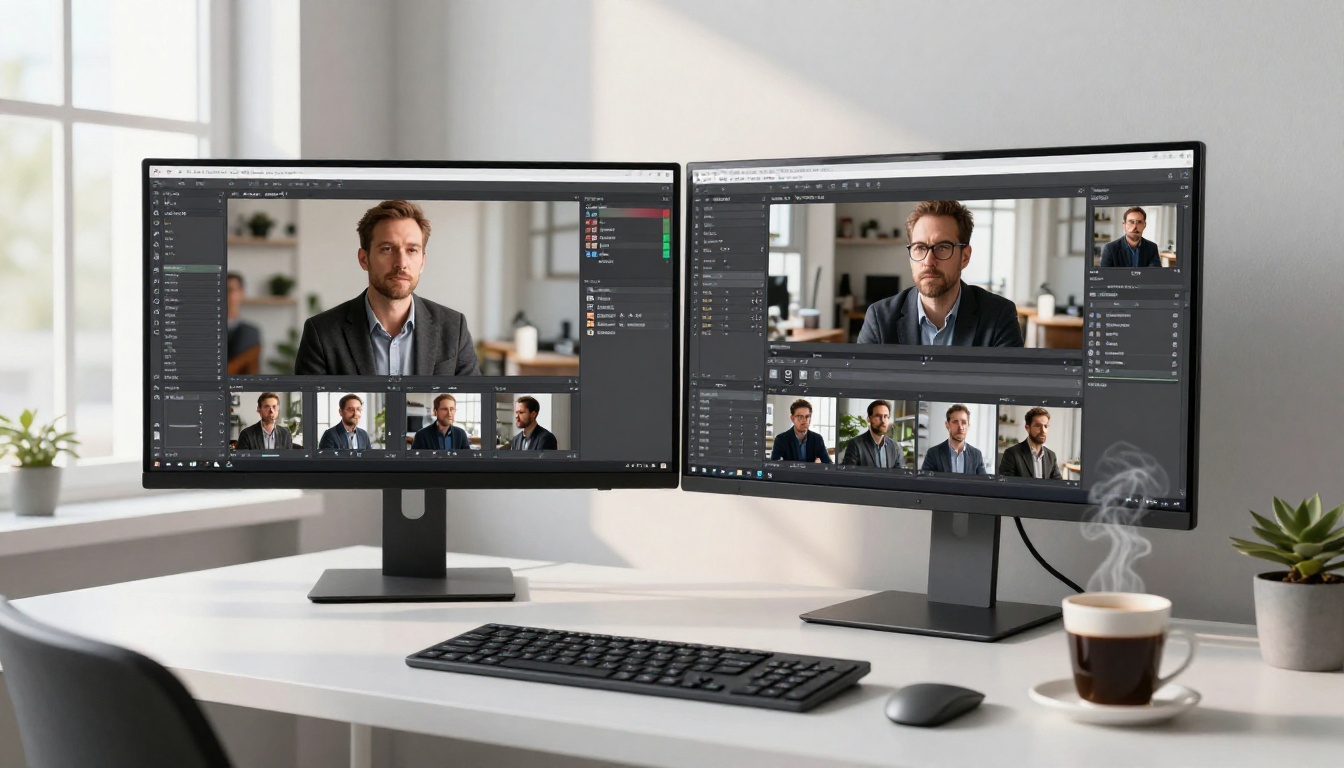
Two Models, Very Different Foundations
Before comparing outputs, you need to know what each model actually is. Both are available right now on PicassoIA, but they were designed with fundamentally different goals in mind.
What Qwen Image 2 Pro Actually Does
Qwen Image 2 Pro is built on Alibaba's Qwen multimodal architecture. Unlike most image editing tools that rely purely on diffusion, Qwen's approach treats the image as a vision-language problem. The model reads the image like a document, processes your text instruction as a command, and generates an edited version that reflects both inputs simultaneously.
This architecture matters in practice. Qwen can follow complex, multi-part instructions in a single pass. Write "change the jacket to red, add a shadow behind the subject, and remove the background chairs" and the model processes all three changes at once rather than forcing you through separate editing steps. The Qwen Image Edit Plus variant takes this further, offering instruction-following edits with stronger coherence across object boundaries and more precise spatial awareness.
Under the hood, Qwen Image 2 runs on FP8 precision with a Qwen2.5-VL INT4 text encoder, which keeps inference fast without sacrificing output quality. On RTX 5090-class hardware, you are looking at 6 to 12 seconds per edit at 1024x1024 resolution. That is genuinely fast for instruction-guided editing with this level of semantic complexity. The model also supports up to 3 multi-reference images simultaneously, which opens up workflows that single-image editors simply cannot handle.
Qwen's strengths:
- Multi-part instruction following in a single pass
- Object-level context awareness across the full scene
- Strong realism preservation in edited regions
- Handles complex scene semantics and spatial relationships
- Supports up to 3 multi-reference images simultaneously
Where it falls short:
- Highly stylized creative outputs (it strongly defaults toward photorealism)
- Large structural changes to overall image composition
- Very fine typography rendering at small sizes
- Style transfer with dramatic visual shifts

Flux 2 Pro: What It Actually Does
Flux 2 Klein 4B and Flux 2 Klein 9B from Black Forest Labs represent a fundamentally different approach to AI image editing. Where Qwen treats editing as a vision-language problem, Flux treats it as a generative diffusion problem with strong image-to-image conditioning and a distilled inference pipeline.
Flux 2 Pro uses a 4-step distilled diffusion process, which is what gives it both its characteristic speed and its particular visual signature. The 4B variant runs in BF16 with full CPU offload, keeping VRAM usage near zero when idle and making it extremely accessible on a wide range of hardware configurations. The 9B variant uses a Qwen3-8B text encoder with NF4 quantization, which gives it noticeably stronger prompt comprehension compared to earlier diffusion models in the same family.
What Flux does exceptionally well is produce images that look finished. Edges are clean, lighting feels rendered, and the overall aesthetic carries that polished commercial quality you often need for client-facing work. The Flux Redux Dev model, built specifically for image variation tasks, shows how far Black Forest Labs has pushed the image-to-image pipeline in terms of visual consistency and output quality.
Flux's strengths:
- Exceptional visual polish, sharpness, and edge definition
- Clean aesthetic coherence that reads as commercial and finished
- Excellent for product photography and editorial work
- Lower VRAM footprint than Qwen on equivalent hardware
- Strong performance on style-first tasks
Where it falls short:
- Complex multi-step text instructions are harder to follow precisely
- Preserving very specific details from the source image can be inconsistent
- Semantic reading of object relationships within a real-world scene
- Following exact font or typography style requests from the prompt

The Editing Showdown
Real-world performance tells you far more than spec sheets. Here is what actually happens when both models tackle the same common editing tasks.
Object Replacement Results
Object replacement is one of the harder editing tasks because the model needs to read lighting direction, perspective angles, and object semantics simultaneously. The replaced object must not only look correct in isolation but in relation to everything else in the frame.
Qwen Image 2 Pro handles object replacement with impressive contextual accuracy. Swap a wooden chair for a metal one and Qwen correctly infers that the reflections should shift, the shadows should harden, and the surrounding environment stays structurally intact. It respects spatial relationships between objects in a way that genuinely reflects scene-level reading rather than pixel-level blending.
Flux 2 Pro produces cleaner-looking object replacements in terms of raw visual finish. The replaced element often looks sharper, more refined, and more "AI-pristine" in the best sense. However, Flux is less consistent at preserving contextual accuracy. The replaced object may look perfect in isolation while feeling slightly disconnected from the rest of the scene. For product shots where perfection-of-part matters more than scene coherence, this is often a non-issue. For editorial or real-estate photography, the disconnect becomes visible to trained eyes.
💡 Scene coherence vs. visual finish: Qwen wins on accuracy, Flux wins on aesthetics. The right choice depends entirely on whether the image needs to feel real or look polished.
Style Transfer Test
Style transfer asks the model to apply a specific visual treatment to an image while keeping the subject identifiable and the composition intact.
Qwen Image 2 Pro's multimodal backbone means it reads style at a semantic level. Ask it to "make this photo look like it was shot on 1970s analog film" and it adjusts grain structure, color palette shifts, contrast curve, and even inferred light source behavior. The results feel like an interpretation of the style rather than a filter being applied. This makes Qwen's style transfers feel more intentional and less mechanical than simple post-processing.
Flux 2 Pro's style transfers are more literal and often more visually dramatic. It applies styles aggressively, which produces bolder outputs at the cost of sometimes pushing past the threshold of subject fidelity. The subject can start to blend into the style treatment rather than wearing it. For social media content where visual impact matters more than accuracy, this is genuinely useful. For careful editorial work, it requires more iteration to stay within the desired range.
| Task | Qwen Image 2 Pro | Flux 2 Pro |
|---|
| Object replacement accuracy | ★★★★★ | ★★★★☆ |
| Style transfer depth | ★★★★★ | ★★★★☆ |
| Visual polish and finish | ★★★★☆ | ★★★★★ |
| Complex instruction following | ★★★★★ | ★★★☆☆ |
| Speed at 1024×1024 (RTX 5090) | 6-12 seconds | 5-10 seconds |
| Background edge preservation | ★★★★★ | ★★★★☆ |
| Typography accuracy | ★★★☆☆ | ★★★★☆ |
| VRAM efficiency | ★★★★☆ | ★★★★★ |
Text and Typography Edits
Typography editing is where many AI image models fall apart. Both Qwen and Flux have real limitations here, but they fail in different ways and at different thresholds.
Qwen Image 2 Pro, drawing directly on its Qwen2.5-VL language backbone, treats text within images as language rather than texture. This means it can often successfully change signage, alter product labels, or modify text overlays within a scene. The output is readable and contextually correct, but letterform rendering can be slightly inconsistent at smaller sizes, particularly with ornate or serif fonts.
The Qwen Image Edit Plus model handles in-image text editing better than the base Qwen Image 2, because its stronger instruction-following pipeline gives it more precise control over typographic outputs. For text-heavy editing tasks, Edit Plus is the right variant to use.
Flux 2 Pro, especially the 9B variant with its Qwen3-8B encoder, delivers stronger character-level rendering. Individual letterforms tend to look cleaner and more consistent across a word. However, Flux may not accurately follow a specific font style request. Ask for "bold sans-serif white text" and you will likely get white text that is vaguely sans-serif, not an exact match to a specific typeface or precise weight.
For both models: keep text edits simple. One to two words, large size, high contrast background. That is where both models perform reliably enough to use in production.
Background Swaps
Background replacement is one of the most common AI editing tasks in commercial and social media workflows. Here the gap between the two models is visible at the edges, literally.
Qwen Image 2 Pro's context awareness means it handles edge blending more naturally. Complex foreground objects like curly hair, fur, foliage, or fine product edges integrate with the new background in a way that respects the original lighting direction. The new background does not simply appear behind the subject; it adjusts to match the scene's ambient light and color cast.
Flux 2 Pro produces more visually striking background replacements overall. The new environment often looks dramatically lit, intentionally styled, and highly polished. For fashion, beauty, and product content, this is exactly what you want. However, the edges around complex subjects can show blending artifacts more often than Qwen, particularly around flyaway hairs or transparent fabrics where the boundary between subject and background is not a clean line.
Speed vs. Quality Tradeoffs
Both models are fast in absolute terms. But speed plays out differently depending on your hardware, your volume, and what you are actually producing.
When Speed Actually Matters
For content creators or agencies running high-volume editing workflows, the difference between 5 seconds and 12 seconds per image compounds quickly. At 50 images per batch, a 7-second difference adds nearly 6 minutes of processing time per run. At 500 images, that becomes nearly an hour of additional wait time across the batch.
Flux 2 Klein 4B is slightly faster on average because its BF16 diffusion pipeline with full CPU offload keeps VRAM pressure low and allows concurrent processing on shared GPU infrastructure. On GPU-limited or shared cloud environments, Flux's lower VRAM footprint is a practical operating advantage rather than just a benchmark number.
Qwen Image Edit Plus is heavier at peak load, particularly when handling multi-reference image inputs. Each additional reference image adds processing tokens and extends inference time. For batches doing straightforward single-image edits, the difference is marginal. For complex multi-reference editing pipelines, Qwen requires more careful batch planning to stay within your time budget.
💡 Single-image edits with simple instructions: Flux handles it faster. Multi-reference edits with complex, multi-part instructions: Qwen is the right architecture for the task.
When Quality Wins Every Time
For print campaigns, commercial advertising, or any deliverable reviewed by a human art director, output quality wins over speed without exception.
In this category, Qwen Image 2 Pro wins on semantic accuracy. The edited image is more likely to correctly reflect what you asked for across the full scene. Flux 2 Pro wins on visual aesthetic quality. The edited image is more likely to look polished, sharp, and intentionally finished.
The most effective approach combines both in sequence: use Qwen to produce a semantically correct edit, then pass that output through Flux for final visual refinement. The two models are genuinely complementary rather than competitive when used this way, and running both through PicassoIA makes that combined workflow practical without any additional setup.

Who Should Use Which Model
Here is a straightforward breakdown by use case and workflow type.
Content Creators and Social Media
Flux 2 Pro is the stronger pick for most social media workflows. Its outputs carry that polished, editorial visual signature that performs well on Instagram, Pinterest, and TikTok. Generating consistent visual styles across a batch of content images comes naturally to Flux because aesthetic coherence is built into the diffusion pipeline itself.
The Flux Redux Dev model is particularly well-suited to social content creation. It lets you generate multiple image variations from a single reference while maintaining the overall visual vibe of your brand aesthetic, which is exactly the kind of variation you need when producing content at volume.
For creators who need speed, visual volume, and consistent output aesthetics, Flux 2 Pro is the more practical day-to-day tool.
Product Photography and E-Commerce
For e-commerce work, both models serve different but complementary roles in the same workflow.
Use Qwen Image 2 Pro when editing existing product photos. Swapping colors, replacing backgrounds with a new context, removing unwanted props from the scene, or adjusting lighting conditions to match a different distribution channel all benefit from Qwen's semantic accuracy. The contextual reading prevents the blending artifacts that make edited product shots look obviously artificial.
Use Flux 2 Pro when generating new product context shots from scratch or when a polished, styled output is the primary goal. A luxury watch on a weathered marble surface with dramatic side lighting, a sneaker floating against a clean white background, a perfume bottle surrounded by fresh botanicals. Flux generates these compositions with visual quality that is hard to distinguish from a dedicated studio shoot at a fraction of the cost.

Artists and Illustrators
Qwen Image 2 Pro gives artists more granular control over the editing process. Its instruction-following capability means you can specify detailed, specific changes without losing the original artwork's established style or composition. For illustrators iterating on specific visual elements, adjusting a character's outfit color while keeping the surrounding scene intact, or changing a background detail without affecting the foreground, Qwen's precision is a genuine production advantage.
The Qwen Image Edit Plus model is specifically designed for this kind of detailed, instruction-driven iteration workflow. It is the closest available tool to a model that actually reads your creative intent before executing rather than approximating it through diffusion noise.
For artists who want to generate entirely new style explorations, or who need broad creative variation from a base image rather than precise controlled changes, Flux's generative strength suits that goal better.

Using Qwen Image Edit on PicassoIA
PicassoIA hosts both Qwen Image 2 and Qwen Image Edit Plus directly in the platform. No local setup, no API configuration, no prior experience with diffusion models required to get started.
Step 1: Open the model page
Go to Qwen Image Edit Plus on PicassoIA. Click "Try It" to open the generation interface. The model loads within a few seconds.
Step 2: Upload your source image
Drag and drop your source image into the input field or click to browse. JPG, PNG, and WebP formats all work. Images up to 2048×2048 resolution process without resizing. Larger images are auto-scaled down before inference.
Step 3: Write a specific instruction
This step makes or breaks the output. Qwen responds to specific, verb-driven language. Instead of "make it look better," write "change the background to soft beige, adjust the shadow direction to match a left-side light source, and remove the glass on the table."
The more specific your instruction, the more accurately Qwen executes it. Multi-part instructions in a single prompt work well because of how the Qwen2.5-VL architecture processes vision and language together in one pass.
Step 4: Set the guidance scale
A guidance scale between 7 and 10 gives the best balance between following your instruction tightly and preserving the original image's integrity. Lower values (4 to 6) give Qwen more creative freedom and produce more interpretive results. For precise editing tasks, stay above 7.
Step 5: Generate and iterate
Qwen is fast enough to make multiple attempts practical. Run 2 to 3 variations before committing to one. A small change in instruction wording can shift the output significantly, so experimentation pays off quickly without costing much time.
💡 For chained edits where you need to edit an already-edited image multiple times, use the previous output as your new source image. Qwen handles chained editing with good consistency across multiple passes, which is rare among instruction-following image editors.
Using Flux 2 Klein on PicassoIA
The Flux 2 Klein 4B model on PicassoIA runs through the standard image generation interface, but the workflow requires a slightly different approach compared to Qwen.
Step 1: Open the model page
Go to Flux 2 Klein 4B on PicassoIA. The interface loads quickly because of the model's lightweight VRAM footprint. Under normal conditions, there is no queue delay.
Step 2: Choose image-to-image mode
Flux 2 Klein 4B supports both text-to-image and image-to-image (editing) modes. For editing tasks, switch to image-to-image mode and upload your source image. The model will use it as the structural starting point for the diffusion process.
Step 3: Set the denoising strength
This is the single most important parameter for editing with Flux. Low denoising strength (0.3 to 0.5) preserves more of the original image's structure. High denoising strength (0.7 to 0.9) gives Flux more freedom to regenerate from the noise baseline. For editing tasks where you want to maintain the source structure, stay in the 0.4 to 0.6 range. For style transfers and creative reinterpretations, go higher.
Step 4: Write a descriptive prompt
Flux responds better to prompts that describe the desired output rather than instructions to the model. Instead of "remove the chair and replace it with a plant," write "a modern living room with a fiddle-leaf fig plant in the left corner, warm afternoon lighting, identical layout to the source, photorealistic."
Think of Flux's prompt as a description of what you want the result to look like, not a set of directions to follow step by step.
Step 5: Add negative prompts
Flux benefits from negative prompts more than Qwen does. Explicitly specifying what you do not want, such as "blurry, distorted, low quality, artifacts, overexposed, flat lighting," helps Flux focus its generative output toward cleaner and more intentional results.

Which Model Wins This Round
Both models are genuinely impressive, and the competition between them is good news for anyone using AI image editing tools in 2027. Neither one is going away, and neither one is clearly obsolete.
If your workflow centers on instruction-following, semantic accuracy, and multi-step editing that needs to make contextual sense within the image, Qwen Image 2 Pro is the model your pipeline needs. The Qwen2.5-VL backbone gives it scene-reading capabilities that pure diffusion models cannot replicate for complex real-world editing tasks.
If your workflow centers on visual output quality, fast turnaround, and the kind of aesthetic polish that clients and audiences respond to on first view, Flux 2 Pro delivers that more consistently. The 4-step distilled pipeline produces outputs that look finished and intentional with minimal iteration required.
The most practical position in 2027 is not to choose one at the expense of the other. Use Qwen Image Edit Plus for edits that require reading and acting on scene context. Use Flux 2 Klein 9B for final visual refinement and style consistency. Both are live on PicassoIA without any local setup, letting you move between them in a single workflow without leaving the platform.
Try both on your next project. The difference becomes clear within a few generations, and the right answer for your specific use case becomes obvious quickly. Browse all AI image editing models on PicassoIA and start creating today.


