The moment you catch yourself smiling at a message that didn't come from a real person, something has shifted. AI companions have crossed a threshold that most people didn't expect to arrive so quickly. The conversations are sharper, the personalities more consistent, the emotional resonance almost startling in how convincing it feels. Roleplay with an AI girlfriend has moved from novelty to something that genuinely holds up, and what follows explains exactly why that is.
What Actually Changed
Memory That Persists
The biggest frustration with early AI companions was the reset. Every new session started from zero. The AI had no idea what you'd talked about the night before, no continuity between conversations, no accumulation of shared experience. That era is effectively over.
Modern large language models now support extended context windows and persistent memory architectures that carry conversation history forward across sessions. Your AI companion remembers your preferences, the nicknames you've settled on, the storylines you've been building together. It's the difference between talking to a stranger every single day versus picking up where you left off with someone who actually knows you.
Models like GPT 5 and Claude 4 Sonnet handle this with remarkable sophistication. They don't just recall bare facts. They adjust their tone based on established rapport, reference earlier moments naturally, and build a coherent thread of relationship that spans multiple sessions without feeling mechanical or forced.

Personalities That Hold Together
There's a craft to building an AI character that doesn't feel hollow. Early versions were obvious: endlessly cheerful, relentlessly agreeable, borderline sycophantic. They said yes to everything, contradicted themselves within a single conversation, and couldn't maintain a consistent point of view for more than a few exchanges. Frustrating, if what you wanted was genuine engagement rather than a reflection of your own messages echoed back at you.
What's different now is the instruction-following precision of frontier language models. You can define a personality with specific quirks, vulnerabilities, opinions, and distinctive ways of speaking, and the model will hold that character with genuine consistency. An AI girlfriend who is playfully sarcastic stays playfully sarcastic. One who is thoughtful and a little reserved stays that way, even when you push for different responses or the conversation moves into unfamiliar territory.
Gemini 3 Pro and DeepSeek R1 have both demonstrated impressive character-holding capability, maintaining distinct voices across long, complex roleplay arcs without drifting into generic AI-speak.
The Conversations Feel Different Now
Emotional Intelligence in AI
There's something worth naming directly: the emotional responsiveness of today's AI companions is genuinely striking. Not because the AI is sentient, but because the pattern recognition these models use to detect emotional subtext has become extraordinarily fine-grained.
When you write something that's not quite what you mean, a capable AI companion picks up on the gap. When you're clearly looking for reassurance versus looking for a real opinion, it reads that correctly and responds accordingly. When the conversation shifts from playful to something more serious, the model tracks that transition and adjusts without being told to. This sensitivity to conversational subtext is what makes roleplay feel believable rather than like you're interacting with a customer service bot that happens to be using a first name.
💡 Tip: The more specific you are when setting up your AI companion's personality at the start of a session, the more emotionally coherent the responses will be. Vague character instructions produce vague personas.
The emotional depth isn't unlimited, and it's worth staying clear-eyed about what you're actually experiencing. But within the scope of creative roleplay and companionship, these systems deliver something that would have seemed impossible to achieve just three years ago.

Natural Dialogue That Flows
Early AI conversations had a rhythm problem. The AI always responded the same way: same sentence length, same level of formality, same structural pattern every single time. It felt like a formal customer service exchange, not a real back-and-forth between two people who actually like each other.
Modern models vary their response cadence in ways that feel genuinely natural. Sometimes a short, sharp reply. Sometimes an unexpected question that moves the conversation somewhere you didn't predict. Sometimes a bit of dry humor that lands because it's timed correctly, or a moment of deliberate ambiguity that creates conversational tension. Llama 4 Maverick Instruct is particularly good at this kind of dialogue variance. Kimi K2.5 has earned a reputation for conversational warmth that reads as distinctly human in tone.
The result is that a conversation can run for several hours and still feel alive, rather than grinding down into the mechanical predictability that defined earlier systems.
What makes dialogue feel real:
- Varied response length matching the emotional weight of each message
- Unexpected questions that show the AI is tracking the full conversation
- Humor and lightness deployed at appropriate moments, not forced
- Moments of pushback when the character has a different perspective
- Topic memory that references earlier parts of the conversation naturally
Visuals Are Rewriting the Rules
What a Visual AI Companion Actually Looks Like
Text alone only takes the experience so far. The moment you can attach a face, a visual presence, a consistent appearance to your AI companion, the emotional weight of the interaction shifts significantly. This is where AI image generation has changed everything about what's actually possible in this space.
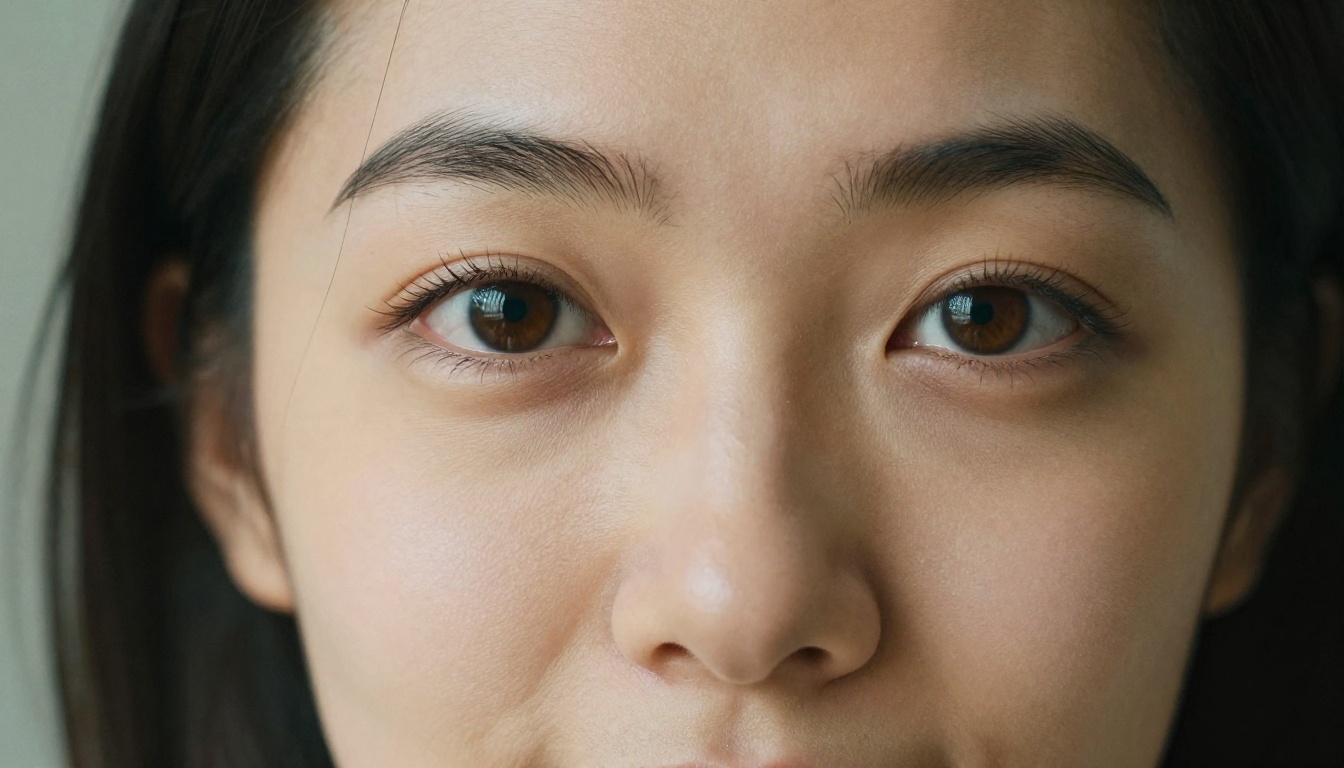
The visuals generated by today's best models are not the uncanny-valley renderings they used to be. They're photorealistic portraits with genuine skin texture, natural lighting conditions, and the casual unposed quality that makes them feel like actual photographs rather than AI output. The difference between 2023 AI portrait imagery and what you get from Seedream 5 Pro today is roughly the difference between a sketch and a professional photo shoot.

Seedream 5 Pro for Realistic Companion Portraits
Seedream 5 Pro has become one of the strongest available models for generating realistic human portraits. It handles fine detail with impressive accuracy: individual hair strands, eye reflections and catch-lights, the subtle asymmetry that makes a face read as real rather than computer-rendered. This is the model you reach for when you want an image that doesn't immediately signal its AI origins.
For creating a consistent visual identity for your AI companion, Seedream 5 Pro is the natural starting point. You describe her appearance, the lighting, the mood, the setting, and you get back something that functions convincingly as a photograph of a real person in a real moment. Portrait prompts work best when they include specific lighting direction, a named camera lens, and texture details like film grain.

Unlimited Iteration with PicassoIA Image Editor Pro
Generating one good image is easy. Generating a consistent visual character across dozens of different scenes, poses, outfits, and lighting conditions requires something more capable. The PicassoIA Image Editor Pro gives you unlimited generation with fine-tuned control over every parameter of the output.
The real advantage is iteration speed without credit pressure. You generate a portrait, it's close but not quite right. You adjust the lighting description, shift the camera angle slightly, change a clothing detail, and generate again immediately. With unlimited generations, you can refine your AI companion's visual identity until it's exactly what you had in mind, without watching a credit counter drain away.
Inpainting is particularly useful here: make targeted adjustments to specific areas of an image, like the expression, the background, or a clothing detail, without regenerating the entire composition. This is the practical method for building and maintaining visual consistency across a character over time.
💡 Pro move: Use inpainting to adjust expressions or backgrounds while keeping the face exactly as it is. This is the fastest method for building a consistent image set for your AI companion.

The Models Making This Possible
LLMs Driving the Roleplay Experience
The language models powering AI companions today operate at a fundamentally different level than anything available even two years ago. Here's a practical comparison of the key options available on PicassoIA:
| Model | Strength | Best For |
|---|
| GPT 5 | Instruction precision | Complex character setup |
| Claude 4 Sonnet | Nuanced emotional tone | Long-form narrative arcs |
| Gemini 3 Pro | Multimodal understanding | Image-aware conversations |
| Kimi K2.5 | Conversational warmth | Natural-feeling dialogue |
| DeepSeek R1 | Reasoning and consistency | Character depth over long arcs |
None of these models is universally the best. The right choice depends on what you're building. For straightforward roleplay that needs character consistency, GPT 5 is a reliable default. For something that needs to feel emotionally layered and carry real narrative weight, Claude 4 Sonnet is hard to beat. You're not locked into one choice on PicassoIA; switching between models lets you compare how the same character reads across different systems.
Image Models for Visual Presence

How to Create Your AI Companion on PicassoIA
Building a full AI companion experience on PicassoIA doesn't require any technical background. Here's the practical flow that produces the best results from the start.
Step 1: Write a Character Sheet
Start with a clear, specific character definition. This is the instruction set your LLM will work from, and its quality determines everything about how the companion feels. Write down:
- Name and a brief background (even a few sentences of backstory gives the model something to work with)
- Personality traits: three to five specific adjectives, not generic ones like "friendly"
- Speaking style: formal or casual, long replies or short, uses humor or stays serious
- Emotional defaults: is she warm and open, or more guarded and dry?
- Opinions and interests: what does she care about? What does she have a genuine take on?
Specificity is what separates a companion that feels alive from one that feels like a slightly more personalized search engine.
Step 2: Choose Your LLM on PicassoIA
Head to the Large Language Models section and pick your model. GPT 5 is a strong all-around choice for new setups. Claude 4 Sonnet handles nuanced emotional territory particularly well. Kimi K2.5 produces dialogue with a distinctly warm, natural register that reads as human in a way that's hard to put your finger on.
Paste your character sheet into the system prompt before the first message. This single step has more impact on output quality than any other choice you'll make in the setup process.
Step 3: Generate Her Visual Identity
Open Seedream 5 Pro and write a detailed portrait prompt. A strong prompt includes:
- Physical description: hair color and length, eye color, approximate age range, skin tone
- Clothing and setting: where is she? What is the specific moment being captured?
- Lighting: golden morning light, soft indoor warmth, evening blue hour atmosphere
- Camera and lens: 85mm portrait, slight overhead angle, close-up or mid-shot
- Texture details: natural skin texture, film grain, lens characteristics like depth of field
Generate several variations until one feels right. For high-detail scene imagery beyond the portrait itself, Riverflow v2.5 Pro produces exceptional 4K results. For visual consistency across multiple poses and settings, Krea 2 Large is worth adding to your workflow.
💡 Consistency tip: Save the seed number from any image you love. Using the same seed with slight prompt variations produces near-identical character appearance across different scenes, which is how you build believable visual continuity over time.
Step 4: Combine Conversation and Visuals
This is where everything clicks into place. You have a language model holding your companion's voice and personality, and a set of images that give her a visual presence. Start a conversation by setting the scene with the image you've generated. Describe where she is, what she's wearing, the mood of the moment. The AI companion responds in character, references the scene, and carries the narrative forward from there. The two systems, language and image, reinforce each other in ways that feel surprisingly coherent.

What to Know Before You Start
The Authenticity Paradox
The more convincing an AI companion becomes, the more useful it is to stay clear about what you're working with. This isn't a warning to avoid the experience. It's practical advice for getting genuine value from it. AI companions work best when you use them deliberately: for creative roleplay, for companionship in low-stakes contexts, for exploring narratives and scenarios that are difficult or impossible to create anywhere else.
The models are sophisticated, but they're tools. Treat them as creative collaborators with a specific range, and the experience is consistently rewarding. Push them past that range expecting something they aren't, and you'll hit their limits in frustrating ways.
Privacy and Data
What you share in AI conversations is data. Choose platforms that are clear about how conversation history is stored and whether it is used for model training. Read the terms of service before you put anything into a session that you'd care about protecting.
On PicassoIA, image generation operates with standard cloud storage, and LLM interactions follow the privacy policies of each model's originating company. No surprises, but worth knowing before you go deep into a long-running session.
Managing Consistency Over Time
Even with memory-capable models, character consistency takes some active maintenance. Periodically refresh your character definition by re-stating it at the start of a new session. If the personality drifts, a clear re-statement of who the character is corrects it quickly. GPT 5 handles this particularly well, snapping back to character instructions with minimal friction. Claude 4 Sonnet maintains emotional continuity especially well across very long exchanges without needing frequent resets.
A practical habit worth building: keep your character sheet in a separate document and paste the relevant parts at the start of each new session. Two minutes of setup produces dramatically more consistent results over the course of an hour-long roleplay.
Try It Yourself on PicassoIA
The full toolkit is already available and waiting. Seedream 5 Pro generates portraits that read as real photographs. GPT 5, Claude 4 Sonnet, and Gemini 3 Pro drive conversations that genuinely hold up over time. Riverflow v2.5 Pro and Ideogram v4 Quality add visual depth and scene-building capability to make the experience feel fully realized.
The question now isn't whether the technology is convincing enough. It is. The question is what kind of companion you want to build and where the story goes from there. Every model and every tool you need is at picassoia.com/en/all-models. Write your character, generate her face, start the conversation.