Seedance 2.0 has become one of the most discussed AI video generation models in 2025, and the reason is straightforward: it produces video clips with a level of motion realism and cinematic fluidity that genuinely surprises first-time users. Built by ByteDance, the same team behind TikTok, this model brings professional-quality video generation within reach of anyone with a browser and a text prompt.
Whether you want to produce social media clips, product demos, or creative short films, this article walks you through exactly what Seedance 2.0 is, how it works, and how to use it effectively from your very first attempt.

What Is Seedance 2.0?
Seedance 2.0 is a text-to-video AI model developed by ByteDance. It takes a natural language description as input and generates a short video clip, typically ranging from 3 to 10 seconds, with realistic motion, coherent lighting, and solid frame-to-frame consistency.
The Seedance family has been growing steadily. You can already try earlier versions on PicassoIA, including Seedance 1 Lite, Seedance 1 Pro, Seedance 1 Pro Fast, and Seedance 1.5 Pro. Version 2.0 represents a significant jump in all measurable output qualities.
ByteDance Behind the Model
ByteDance is not new to AI research. The company has been investing in video generation since 2023, and Seedance reflects that focused effort. Unlike models that chase artistic stylization, the Seedance lineage has always prioritized realism first: real-looking motion, real-looking environments, and outputs that hold up at full playback speed without the flickering or warping that plagues lower-tier models.
Version 2.0 carries that philosophy further with a larger training dataset, refined diffusion architecture, and better handling of complex multi-element scenes.
How 2.0 Differs from Version 1.x
The gap between Seedance 1.x and 2.0 is meaningful. Here is a direct comparison:
| Feature | Seedance 1.x | Seedance 2.0 |
|---|
| Motion coherence | Good | Excellent |
| Temporal consistency | Moderate | Strong |
| Physics simulation | Basic | Improved (water, fabric) |
| Prompt fidelity | Moderate | High |
| Scene complexity | Limited | Richer multi-element |
| Output resolution | Up to 720p | Up to 1080p |
That jump in prompt fidelity is particularly important for first-time users. With version 1.x, your prompt would often produce a scene that felt loosely related to what you typed. With 2.0, the model actually reflects specific elements you describe in detail.

Why Seedance 2.0 Stands Out
There are now dozens of text-to-video models competing for attention. Seedance 2.0 earns its place near the top for a few specific reasons that matter to everyday creators.
Motion Quality vs. Competitors
Most AI video models still struggle with one core problem: things in motion look unnatural. Hair does not flow correctly. Water does not behave like water. Hands attached to arms detach mid-clip.
Seedance 2.0 addresses this with a motion-aware architecture that models physical interactions more accurately. The result is video that does not need to be hidden behind artistic filters or kept to static scenes to look convincing. You can show a person walking down a street, a dog running in a field, or ocean waves breaking on a beach, and the output holds up.
Realistic Physics and Lighting
Lighting consistency across video frames has always been a weak spot for generative video. Most models let the light source wander from frame to frame, producing a flickering effect.
Seedance 2.0 anchors lighting geometry more firmly. If you describe "soft morning light from the left," that light stays on the left. Shadows remain consistent. This makes the outputs dramatically more usable without post-processing.
💡 Pro tip: Always specify your lighting direction in the prompt. "Warm afternoon light from the right" or "overcast diffused lighting" gives the model a concrete anchor that dramatically improves consistency.
Where It Falls Short
Honesty matters here. Seedance 2.0 is not perfect. Long clips beyond 6 to 7 seconds can still show drift in character appearance. Very crowded scenes with many moving elements sometimes produce artifacts. And like all current AI video models, it struggles with readable text inside the video frame.
Work around these limitations by keeping prompts focused, keeping clips short, and avoiding prompts that ask for text or digits to appear in the video.

Your First Video in 5 Steps
If you have never generated an AI video before, here is exactly what to do. The process is simpler than most people expect.
Step 1: Pick Your Platform
You need access to a platform that hosts Seedance. PicassoIA is one of the best options because it gives you access to the full Seedance family alongside 80+ other video models, all in one place without requiring API keys or local installations.
Step 2: Write Your Prompt
This is where most first-time users stumble. They type something vague like "a beautiful scene" and get confused when the output does not match their mental image.
A strong prompt has four parts:
- Subject: What or who is in the video
- Action: What they are doing
- Environment: Where the scene takes place
- Mood and Lighting: What it looks and feels like
Weak prompt: "A woman in nature"
Strong prompt: "A woman in her early 30s walking barefoot through a sun-dappled forest path, wearing a flowing white linen dress, early morning mist around her ankles, soft golden light filtering through the canopy from the left, slow forward camera movement, photorealistic, 8K"
That level of specificity is what separates amateur outputs from cinematic ones.
Step 3: Set Your Parameters
Before hitting generate, choose your settings. The main ones to think about:
- Duration: Start with 5 seconds for testing. Longer clips take more time and cost more credits.
- Resolution: 720p is fine for social media. Use 1080p when quality matters.
- Aspect ratio: 16:9 for landscape video, 9:16 for vertical mobile content.
Step 4: Generate and Evaluate
Your first generation will rarely be perfect. That is normal. Review the output and ask yourself:
- Did the motion look natural?
- Did the lighting match your description?
- Is the overall scene what you had in mind?
If something is off, adjust your prompt rather than regenerating the exact same text. Change one variable at a time so you can isolate what actually makes a difference.
Step 5: Iterate
The best AI video creators are not people who nail it on the first try. They are people who iterate quickly and thoughtfully. Keep a notes document with prompts that worked well. Build a personal library of phrasing you can reuse across projects.

Prompt Writing That Actually Works
Writing effective prompts is a skill that improves with practice. These are the patterns that consistently produce strong results with Seedance 2.0.
What to Include Every Time
| Element | Why It Matters | Example |
|---|
| Camera angle | Shapes composition | "Low-angle shot", "bird's-eye view" |
| Lighting direction | Prevents light drift | "Warm light from the left" |
| Movement description | Controls motion intensity | "Slow pan right", "static camera" |
| Texture details | Adds realism | "Wet cobblestones", "crumpled linen" |
| Time of day | Sets color palette | "Golden hour", "midday harsh sun" |
3 Common Mistakes to Avoid
1. Overloading the prompt with too many subjects
Seedance 2.0 handles one or two focal subjects well. Asking for "five people dancing around a fire while a dog runs by and fireworks explode overhead" produces unpredictable results. The model will prioritize some elements and drop others without warning.
2. Using abstract adjectives without grounding
"Epic", "stunning", and "magical" do not translate into video instructions. Replace them with concrete visual descriptions: "dramatic thunderstorm clouds", "shimmering reflections on wet pavement", "deep red sunset sky."
3. Forgetting camera movement
A static subject with no camera direction often produces a video that barely moves, which defeats the purpose. Always specify either subject movement or camera movement, or both.
💡 Pro tip: Add "cinematic, photorealistic, 8K, film grain" at the end of every prompt. These quality modifiers consistently improve output fidelity across the entire Seedance model family.

How to Use Seedance on PicassoIA
PicassoIA hosts the full Seedance family alongside dozens of other models. Here is how to use it, step by step.
Step 1: Choose Your Model
Head to the text-to-video section. You have several Seedance options depending on your priorities:
For first-time users, start with Seedance 1 Pro Fast. It strikes the best balance between iteration speed and output quality when you are still figuring out what prompts work.
Step 2: Write Your Prompt
Use the text input field to paste your prompt. No special formatting required. Write it as a description of what you want to see, as if you are briefing a cinematographer on a specific shot.
Step 3: Adjust the Settings
Configure your generation parameters:
- Duration: Set to 5 seconds initially
- Resolution: 720p for testing, 1080p for final outputs
- Aspect ratio: Match your publishing platform
If the interface shows a "seed" option, set it to a fixed number for reproducibility. This lets you tweak the prompt while keeping the random variation constant, making it much easier to see exactly what each prompt change produces.

Step 4: Generate and Download
Hit generate. Generation time varies by model and resolution. Seedance 1 Lite will finish in seconds. Seedance 1.5 Pro may take a minute or two at 1080p.
Preview the video directly in the browser, then download the MP4 file for use in your editing software or direct upload to social platforms.
Knowing where Seedance 2.0 fits in the broader landscape helps you choose the right tool for each job.
Seedance vs. Kling
Kling v3 is arguably Seedance's closest competitor. Both prioritize realism and both come from Asian tech companies with significant compute resources. The differences are subtle:
- Kling v3 tends to produce slightly more stylized, cinematic outputs with stronger default color grading
- Seedance leans toward naturalistic fidelity, which suits documentary or commercial-style content better
Seedance vs. Veo 3
Veo 3 from Google is a powerful model with excellent physics simulation and very strong prompt following. It is arguably ahead of Seedance 2.0 in raw technical quality. However, Veo 3 has more restricted access and higher generation costs, making Seedance the more practical everyday choice for most creators.
Seedance vs. Sora
Sora 2 from OpenAI is notable for its long-form video capability and sophisticated world modeling. For clips longer than 15 seconds, Sora is generally the stronger choice. For the 3 to 10 second clips that make up most social media content, Seedance 2.0 competes very well at a lower cost per generation.
| Model | Best For | Cost Level |
|---|
| Seedance 2.0 | Short realistic clips, everyday use | Moderate |
| Kling v3 | Cinematic style, character animation | Moderate |
| Veo 3 | Physics-heavy, high fidelity | Higher |
| Sora 2 | Long-form video, story arcs | Higher |
Real Use Cases Worth Trying
Knowing the theory is one thing. Seeing where Seedance 2.0 actually pays off in practice is what gets you moving.
Social Media Content
Short-form video platforms reward consistency and volume. AI video generation lets you produce 5 to 10 unique clips per day without a camera, crew, or editing suite. Product aesthetics, lifestyle b-roll, nature clips for environmental brands, abstract backgrounds for text overlays: all of these are within reach with a well-crafted Seedance prompt.
Prompt pattern that works well for social media: "[Subject] doing [action] in [visually appealing environment], soft natural lighting, slow motion, cinematic 16:9, photorealistic, Kodak Portra film grain"
Product Demos
Showing a product in use without a physical shoot is one of the most commercially valuable applications. Seedance 2.0 can generate a lifestyle context around a product description: "A woman pouring coffee from a sleek matte black kettle in a modern minimalist kitchen, morning light from the window, steam rising from the cup, slow motion, photorealistic."
The realism of Seedance 2.0 makes these demos genuinely usable as social ads or website backgrounds.
Creative Storytelling
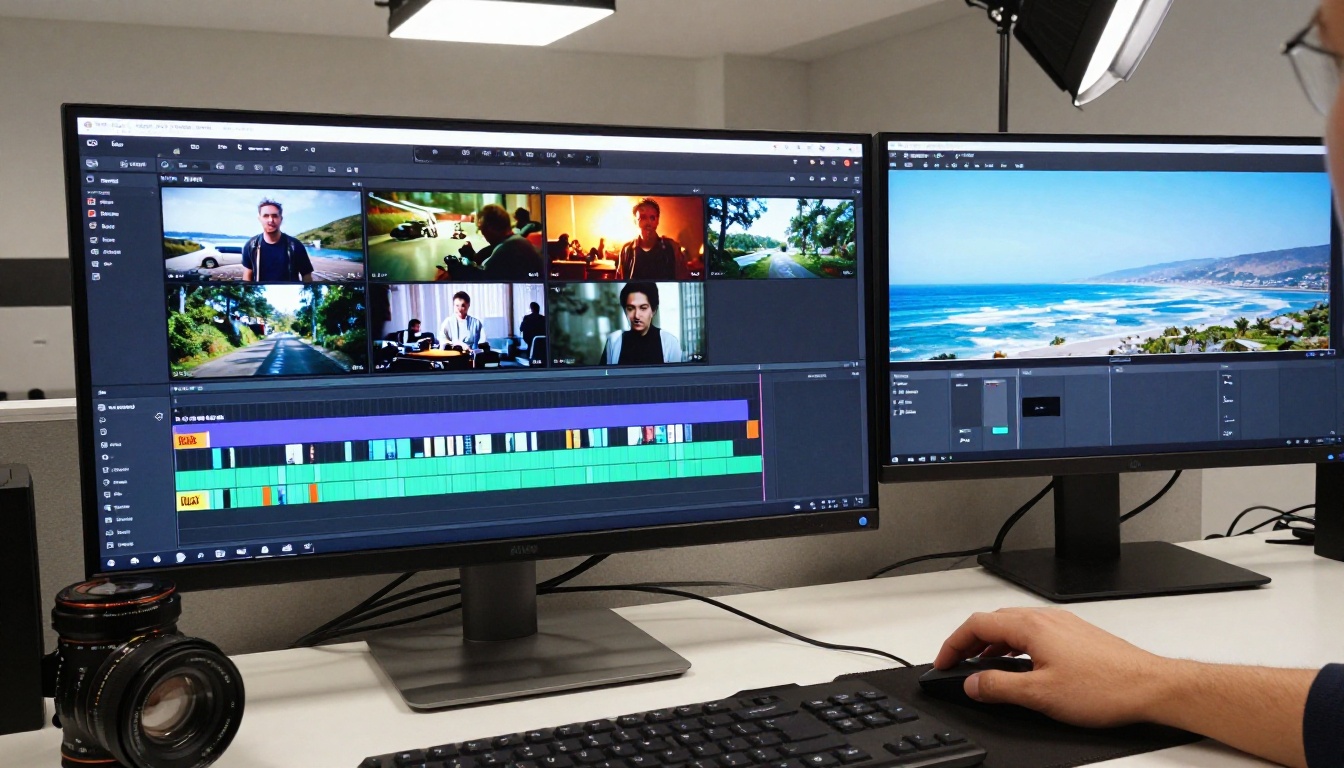
Short narrative films that would cost thousands of dollars to produce can be sketched out as AI video storyboards. Each scene becomes a Seedance prompt. Combined with tools like LTX 2.3 Pro for animation control and Wan 2.6 T2V for high-motion sequences, you can assemble a short film workflow without leaving your browser.
Seedance 2.0 does not have to work alone. The most effective AI video workflows combine multiple models, each doing what it does best.
Adding Motion to Still Images
If you start with a photorealistic AI image, you can feed it into an image-to-video model to add motion. Wan 2.6 I2V and Hailuo 2.3 Fast are strong choices for this image-to-video workflow.
Upscaling Outputs
If you need higher resolution than the generation provides, AI video enhancement tools can upscale your Seedance output to 4K without significant quality loss. This is particularly useful when the content will be displayed on large screens or in presentations.
Adding Audio
Text-to-speech models and AI music generation can finalize the production pipeline. Generate the video, add voice narration, layer in a music track, and you have a polished piece of content with no traditional production resources required.
💡 Workflow tip: Generate multiple short clips with variations of the same prompt, then edit them together. This gives you natural cut points and visual variety without the coherence issues that long single-clip generation can produce.
Make Your First Video Today
You now have everything you need to generate your first Seedance video. Start with something simple: a landscape, a product in a natural setting, or a straightforward character action. Write a specific prompt using the four-part structure (subject, action, environment, mood and lighting), choose Seedance 1 Pro Fast for your first attempt, and see what comes out.
The gap between "I tried AI video once" and "I produce AI video content regularly" is usually just a few sessions of deliberate practice. Prompt quality is the primary variable. Everything else is settings and iteration.
If you want to push further after getting comfortable with Seedance, the full text-to-video catalog on PicassoIA gives you access to Kling v3, Veo 3, Sora 2, LTX 2.3 Pro, and 80+ other models in one place, each with its own strengths for specific types of content.
The tools are ready. The only question is what you will create with them.


