If you've been watching the AI video space, Seedance 2.0 is hard to miss. ByteDance released it as a genuine competitor in the text-to-video race, and unlike most models that quietly restrict adult-oriented prompts, Seedance 2.0 has earned a reputation for creative flexibility that serious content creators are tracking closely. This piece breaks down exactly what Seedance 2.0 can produce in the NSFW space, how it compares to rival models, where to access it without the filters mainstream platforms impose, and which tools pair best with it for adult content creation.
What Seedance 2.0 Actually Is
Seedance 2.0 is ByteDance's flagship AI video generation model. Feed it a text prompt or a starting image and it returns a short video clip with native synchronized audio built directly into the generation process. No separate audio step, no patching sound in afterward. Visuals and ambient sound are generated together in a single pass.
At its highest quality setting, Seedance 2.0 produces video at 1080p resolution with smooth temporal consistency across every frame of the clip. Characters don't flicker or morph between frames. Fabric, water, and hair respond to gravity and momentum with natural physical weight. These aren't just claims from a spec sheet. The 2.0 architecture was substantially rebuilt from the version 1.x foundation with a specific focus on multi-modal input: you can pass an existing image as the first frame and animate outward from that precise visual starting point. That matters enormously for adult content creation, where controlling a subject's appearance before setting it in motion is often the whole point.
ByteDance's Video Engine, Explained
ByteDance has pushed the Seedance series through several generations at a fast pace. Seedance 1 Pro established the brand. Seedance 1.5 Pro added motion quality improvements. Version 2.0 brought the architectural overhaul, and Seedance 2.5 extended clip length to 30 seconds. Three variants of the 2.0 core are available:
The practical consequence for NSFW creators is that there are now multiple entry points depending on your priority: raw speed, clip length, or visual quality.
What the 2.0 Architecture Changed
The jump from Seedance 1.5 Pro to 2.0 isn't incremental. Three concrete improvements show up in NSFW video generation specifically:
- Skin and fabric realism: Textures render with visible pore detail, realistic cloth drape, and natural light response rather than the smooth-plastic look of earlier models
- Motion coherence over time: The subject stays visually consistent across the full clip duration, critical for bodies in motion
- Integrated audio: Ambient sound, environmental audio, and tone textures sync to what's happening on screen as part of the same generation pass
💡 Tip: When using image-to-video mode, start with a high-quality source image from Seedream 4.5. It generates ultra-realistic content in under 3 seconds and is the strongest NSFW image model available right now.
The NSFW Side of Seedance 2.0

Adult content generation with AI video is a genuinely complicated topic, and the confusion usually starts with what "NSFW" actually means in this context.
What "NSFW" Means for AI Video
"NSFW" covers everything from a swimsuit shoot to fully explicit content. Most AI models place their content filters somewhere in the middle of that spectrum, blocking prompts at different thresholds depending on who built the model and what their platform requires. Seedance 2.0's openness to adult content sits at the suggestive to moderately explicit range: bikini and swimwear content, glamour photography, artistic nudity with implied rather than graphic detail. Full explicit content depends heavily on the platform you use to access the model, not the model itself.
The distinction between the model's raw capability and the platform's policy layer on top of it is the most important thing to understand here. Most platforms add filtering regardless of what the underlying model can do.
What Seedance 2.0 Can Generate
When accessed through a permissive platform, Seedance 2.0 handles:
- Bikini and swimwear content: Natural body movement, water interaction, fabric physics responding to wind and motion
- Glamour and editorial style shots: Fashion-quality lighting, posed and candid movement with naturalistic imperfections
- Implied intimacy: Suggestive scenes that read as adult without graphic visual content
- Artistic body-focused content: Nude or semi-nude in a cinematic, non-pornographic style consistent with fine art photography
💡 Prompt tip: Describe the scene in cinematic terms rather than explicit ones. "Warm golden hour light, Mediterranean rooftop setting, flowing white dress moving in the breeze, 85mm portrait framing" produces more convincing and visually rich results than blunt anatomical descriptions.
Where Restrictions Come From
Seedance 2.0 as a model does not restrict content. The filtering comes from three sources:
- Platform policies: The site or API you use to access the model may add its own content filter layer before your prompt ever reaches the model
- API-level guardrails: Some API providers apply their own moderation pass between your input and the model
- Regional restrictions: Legal requirements vary by country, and platforms implement blocks to comply with local regulations
This is why two different platforms offering "Seedance 2.0" can produce radically different results from the same prompt. The model isn't blocking your prompt. The platform around it is.
Seedance 2.0 vs. Other NSFW Video AI Models
The video AI market has several serious NSFW-capable options right now. Here's how they compare:
Seedance 2.0 leads for photorealistic motion quality and audio synchronization. P-Video stands out because its safety filter is off by default, making it the most permissive option for adult prompts with no configuration required. Grok Imagine Video offers the longest clips without watermarks. LTX 2.3 Pro is the choice for maximum output fidelity, delivering up to 4K at 50fps with retake and extend editing capabilities.
For NSFW content, P-Video and Seedance 2.0 are the two strongest combined picks: one for permissiveness by default, one for visual quality.

How to Use Seedance 2.0 on PicassoIA
PicassoIA gives you access to Seedance 2.0 without the aggressive content filtering that most mainstream tools apply. Here's the full workflow from prompt to finished clip.

Step-by-Step Workflow
Step 1: Generate or upload a source image
For NSFW video, image-to-video mode is the right starting point because it gives you precise control over what the subject looks like before animation begins. Start with Seedream 4.5, the top NSFW image model on PicassoIA. Describe your subject in detail: pose, outfit, lighting, skin tone, environment. Download the result. Generate several options and pick the strongest one before moving to video.
Step 2: Open Seedance 2.0 on PicassoIA
Navigate to Seedance 2.0 on PicassoIA and upload your source image from Step 1 into the image input field. The model will use it as the exact starting frame for the animation.
Step 3: Write a motion prompt
Describe the motion, not the subject. Your source image already established who's in the frame. The video prompt should describe what physically happens during the clip:
"Gentle breeze moves hair slowly from left to right, subject turns head toward camera over 3 seconds, soft sunlight shifts slightly as clouds pass, fabric at the hem ripples in the wind."
Step 4: Select resolution and generate
Choose 720p for speed and iteration, 1080p for final output quality. Hit generate. Seedance 2.0 will animate your source image and return a clip with synchronized ambient audio already included.
Step 5: Review and iterate
If the first generation doesn't match what you had in mind, adjust the motion prompt with more specific directional cues. Seedance 2.0 responds well to temporal descriptions ("in the first two seconds... then gradually...") and camera movement language ("slow dolly inward from the left", "gentle pan right to reveal the background").

Prompt Tips for NSFW Results
Getting the aesthetic right on NSFW video prompts takes a bit of calibration. These patterns consistently produce strong results:
- Lead with setting and lighting: "Warm golden hour on a private rooftop terrace, late afternoon sun from the left at 45 degrees, long shadows across warm stone tiles..."
- Describe motion as physical events: "Hair lifts gently in the breeze from the left. Hands move slowly to adjust the shoulder strap. Subject turns slightly toward camera with a soft expression."
- Stay cinematic, not clinical: Descriptions framed around photographic and film language produce better visual results than explicit anatomical terminology
- Use natural photography framing references: "Low angle shot, 50mm equivalent, shallow depth of field, subject in sharp focus with background softly dissolved into warm bokeh"
💡 Audio built in: Seedance 2.0's native audio means environmental sounds generate automatically alongside the visuals. Outdoor beach scenes get wave sounds matching the water movement on screen. Interior scenes get room tone. This adds significant production value without any extra steps.
Seedance 2.0 Mini, Standard, and Fast: Which One?
With three 2.0 variants available, the choice between them comes down to what stage of the creative process you're in.

Picking the Right Variant
Seedance 2.0 is the right choice when output quality is the priority. If you're creating content you plan to publish, share, or sell, this is the version to use. The additional generation time is worth it for the skin texture detail, motion coherence, and audio quality it produces.
Seedance 2.0 Mini is the rapid iteration tool. Use it when you're testing new prompt directions, previewing motion before committing to a full generation, or working through a large batch where speed matters more than resolution.
Seedance 2.0 Fast sits in the middle: it produces 1080p output but skips some of the slower refinement passes that make the standard version so sharp. Useful when you've found a prompt that works and want multiple takes at solid quality quickly.
For most creators, the workflow breaks down cleanly: Mini for testing, Standard for final output. Fast sits between the two when you want 1080p at reduced wait time.
Best NSFW Image Models to Pair with Seedance 2.0
Video quality starts with the source image. If you're using image-to-video mode (and for NSFW content, you should be), the image generator you use for the starting frame matters as much as the video model itself. A low-quality source image will produce a low-quality video no matter how good the video model is.

PicassoIA hosts a strong lineup of NSFW-capable image models. Here are the ones worth using:
-
Seedream 4.5 ⭐ The top recommendation. Accepts adult content, supports image editing, and produces ultra-realistic results in under 3 seconds. Its successor Seedream 5 Pro does not support NSFW, which makes 4.5 the best image model for adult content on the platform right now.
-
PicassoIA Image Editor Pro An img2img model with unlimited generations on Elite or Infinite plans. Generate 1,000 variations at no extra cost, results land in under a second, and NSFW content is accepted. Offers a 3-generation free trial with no credit card required. Generating that same volume on models like Nano Banana 2 would cost around $100. Here it's included in the subscription.
-
Qwen Image 2 Open-source model that edits or creates any image in seconds with very detailed realism and no content restrictions.
-
Grok Imagine Image Realistically converts any existing photo into a bikini or swimwear format with convincing body and lighting accuracy.
-
Recraft V4 Text-to-image only, but the realism output is excellent for establishing the visual tone and setting of a scene before animation.
-
P-Image NSFW text-to-image in under 1 second. Fast enough to generate dozens of source image options before selecting the strongest one for video.
💡 Workflow recommendation: Generate 5-10 source images in Seedream 4.5, select the strongest one for subject appearance and lighting, then bring it into Seedance 2.0 for animation. This two-step process gives you far more control over the final result than pure text-to-video alone.
What the Output Actually Looks Like
It's one thing to list specifications. It's another to describe what Seedance 2.0 actually produces when you run it.
Video Quality and Realism
At 1080p with a strong source image and a well-written motion prompt, Seedance 2.0 outputs video that passes the "looks like a real clip" test in casual viewing. The motion isn't robotic or jerky. Hair moves in coherent arcs. Fabric interacts with simulated wind or body movement without tearing or morphing unnaturally. Eyes blink. Small incidental body motions, the kind a real person makes without thinking, appear in the clip without being explicitly prompted.
The areas where the model still shows its limits are fast motion, complex multi-person interactions, and detailed hand movement. These areas can still produce visual artifacts if you push the model hard enough. For the types of scenes most common in glamour and adult-adjacent content, stationary or slow-motion subjects in controlled environments, the results are genuinely impressive by the standards of any video AI available right now.

Audio Sync Quality
This is where Seedance 2.0 separates meaningfully from most of its competition. The native audio isn't just ambient noise dropped over the video as a separate layer. It responds to what's visually happening in the clip. A beach scene generates wave sounds that match the water movement visible on screen. A room scene produces a subtle room tone. Outdoor wind generates a sound texture that correlates with visible fabric movement.
The synchronization isn't perfect in every case, but it's directionally accurate, and it adds a layer of production value that would otherwise require a manual audio pass after generation. For NSFW video specifically, this matters because a single generation gives you a self-contained, ready-to-use piece of content rather than a video file that still needs audio work.
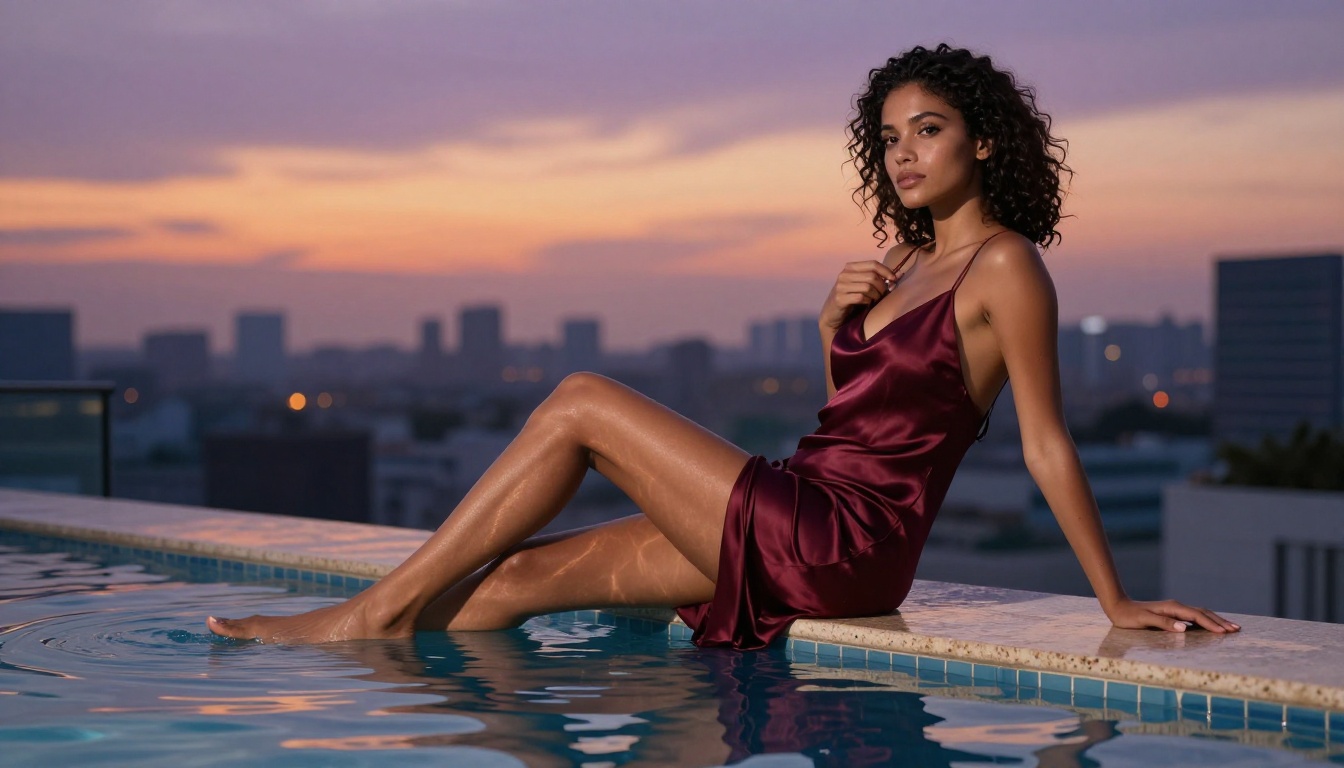
Start Creating Your Own NSFW AI Content
If you're serious about NSFW AI video creation, the setup is more straightforward than most people expect. The full workflow is:
- Pick a strong image model (start with Seedream 4.5)
- Generate and select your best source image, varying subject appearance and lighting until you have the right starting frame
- Bring that image into Seedance 2.0 on PicassoIA
- Write a motion-focused prompt describing what physically happens during the clip, not who's in the frame
- Generate, review, refine the motion prompt, and repeat
The whole process from image generation to finished video clip runs in under 5 minutes on a solid session. For longer clips, Seedance 2.5 extends that capacity to 30 seconds per generation, which opens up more narrative and scene complexity.
PicassoIA brings all of this into one place without the content restrictions most mainstream platforms impose. Whether you want still images from Seedream 4.5, unlimited iterations from PicassoIA Image Editor Pro, extended clips from Seedance 2.5, or the most permissive video generation via P-Video, everything runs from the same platform.
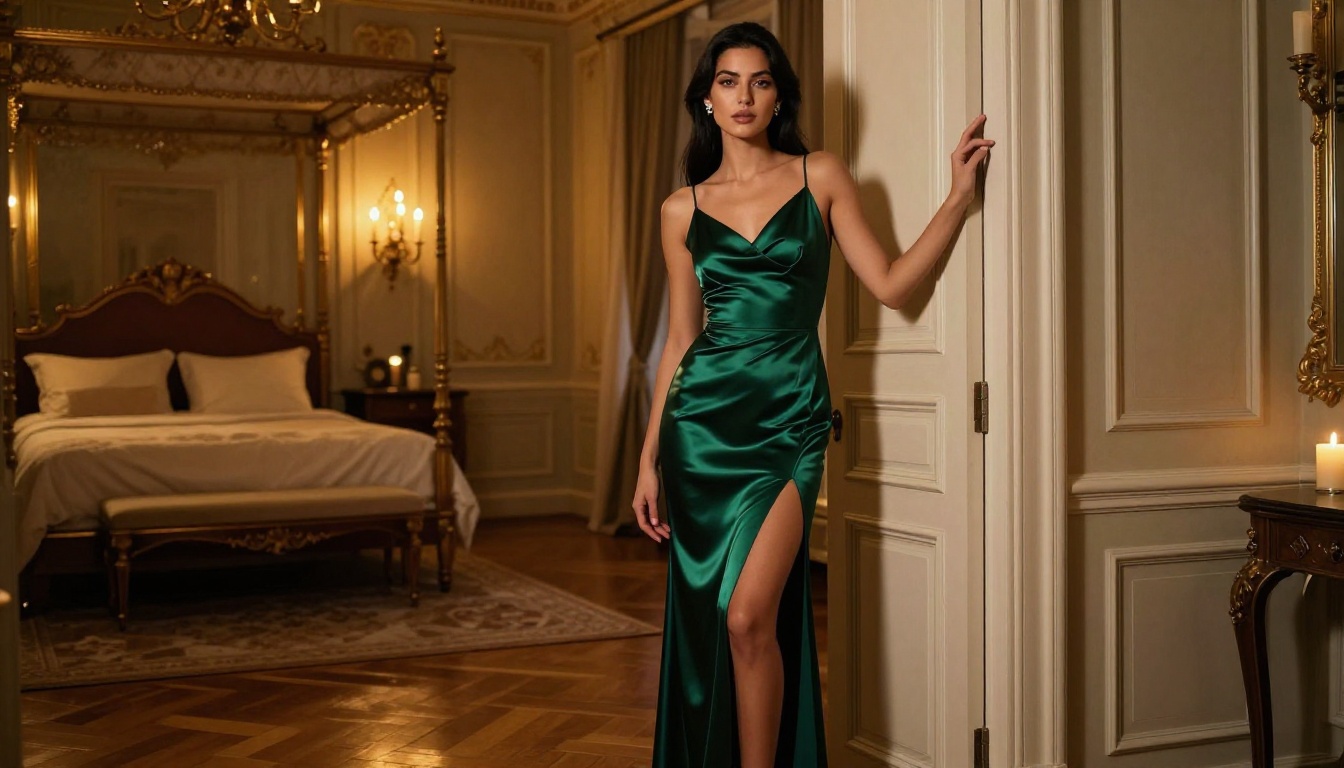
The full catalog of NSFW AI models, both image and video, is available at picassoia.com/en/all-models. If you haven't tried generating your own NSFW AI video content yet, right now is the right moment. The tools have never been this capable, this fast, or this accessible to individual creators working without a production team.
Pick a model, write a scene, and see what you can make.


