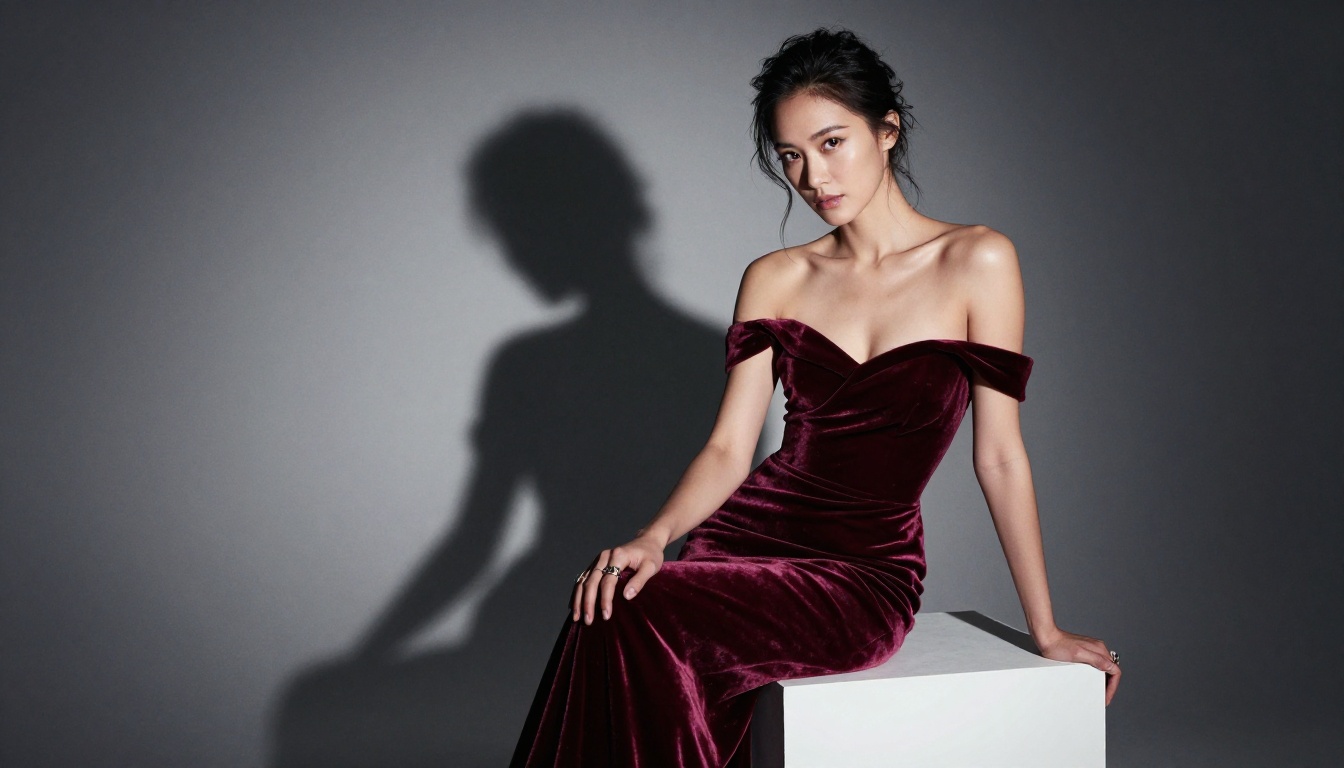
Seedance 2.0 landed as one of the most technically capable AI video generators released this year, and it operates differently from what most creators have grown accustomed to. Built by ByteDance, it generates clips with native synchronized audio built directly into every render. No separate audio pipeline, no external tools, no post-production workaround. Write a prompt or upload an image, and the output comes back as a finished video with sound already attached. For adult content creators who have spent years watching prompt rejections pile up on mainstream platforms, the more significant fact is that Seedance 2.0, accessed through PicassoIA, generates without the content filters that block most other tools. This is a step-by-step breakdown of exactly how to use it.

What Seedance 2.0 Actually Does
Seedance 2.0 accepts two kinds of input: a text prompt alone, or a text prompt combined with a reference image. In text-to-video mode, it builds the entire scene from scratch, generating characters, environments, lighting, and motion based entirely on your description. In image-to-video mode, it takes your uploaded image as the first frame and animates it forward in time, preserving the subject's appearance, skin tone, face, and clothing while adding motion dictated by your prompt.
The model outputs clips up to 10 seconds at 1080p resolution. That resolution and duration combination, paired with built-in audio, puts it well ahead of most competing models in practical output value per generation.
Built-in Audio Changes Everything
Most AI video models produce silent clips. Adding audio is a separate post-production task requiring a different tool, time, and often additional cost. Seedance 2.0 generates audio that is semantically connected to the visual content of each clip. Fabric movement produces rustling. Indoor scenes carry ambient room tone. Outdoor environments have wind and atmosphere. Character movement produces natural body audio.
For adult content specifically, this distinction matters more than it might seem. A looping clip with manually dubbed background music feels like stock footage. A self-contained video with spatially coherent ambient audio feels produced and intentional. Seedance gives you the second result by default.
💡 Audio tip: The model's audio follows the environment you describe. "A quiet private bedroom scene, late at night, no music" produces subdued, intimate ambient audio. Being specific about the setting gives you indirect audio control without any separate configuration.
No Content Filters
ByteDance's Seedance 2.0 on PicassoIA does not apply the same level of content filtering that consumer AI products impose. Adult, suggestive, and NSFW scenes generate without the model refusing mid-render or automatically softening the prompt. Platforms like Sora reject explicit or suggestive prompts outright. Seedance 2.0 on PicassoIA renders them.
For creators who have been burned by account suspensions, rejected prompts, or silent soft-filters that sanitize outputs without notification, this is the operational difference that matters most.

Best Models for Adult Content on PicassoIA
Most Seedance 2.0 workflows for adult video start with a source image. The image-to-video mode needs a first frame, and that first frame determines exactly who appears and what they look like in the generated clip. These are the models to use for generating those source images.
Image Generation Models (NSFW)
1. Seedream 4.5 ⭐
The top recommendation. Accepts adult content without restrictions, supports image editing on top of already-generated images, and produces ultra-realistic outputs in under 3 seconds. Note: Its successor, Seedream 5 Lite, does not support NSFW content.
2. PicassoIA Image Editor Pro
Img2img model with unlimited generations on Elite and Infinite subscription plans. That means 1,000 images cost the same as 10 or 1. Models like Nano Banana 2 would charge approximately $100 for that volume. Here it is included in your plan. Results arrive in under one second, and there is a 3-generation free trial with no credit card required.
3. Qwen Image 2
Open-source model that edits or creates any image from text in seconds with very detailed realism. No content restrictions.
4. Grok Imagine Image
Converts any reference photo into a bikini or swimwear format with high realism. Strong for wardrobe-swap workflows before video generation.
5. Recraft V4
Text-to-image only. Produces very realistic results for adult content from text descriptions.
6. P-Image
NSFW text-to-image generation in under 1 second. Best when you need high volume at maximum speed.
Video Generation Models (NSFW)
Beyond Seedance 2.0, PicassoIA offers additional NSFW-compatible video models worth knowing:
- P-Video: Text, image, or audio to video at up to 1080p. Safety filter is off by default. Draft mode gives instant low-resolution previews before committing to a full render.
- Grok Imagine Video: Clips up to 15 seconds with no watermarks. Accepts image references.
- PicassoIA Video: Unlimited video generation from text at up to 720p and 5 seconds per clip.
- LTX 2.3 Pro: Highest fidelity at up to 4K/50fps with retake and extend editing tools for precise clip management.
👉 See the full catalog at picassoia.com/en/all-models.

How to Use Seedance 2.0 on PicassoIA
Open Seedance 2.0 on PicassoIA. The interface presents a text prompt field, an optional image upload slot, and a resolution selector. That is the entire configuration surface. There are no hidden settings menus or parameter grids to configure before you can generate.
Step 1: Choose Your Input Mode
Text to Video: Type a scene description. Seedance synthesizes characters, environments, lighting, and motion entirely from your text. Use this when you are not working from a specific character design.
Image to Video: Upload a source image (generated with Seedream 4.5 or any image model), then write a motion prompt describing what happens in the clip. The model animates your image forward, preserving every detail of the first frame.
💡 For adult content, image-to-video delivers more reliable results. When you control the first frame, you control exactly who appears in the video. Text-to-video leaves character appearance to the model's interpretation, which can introduce unpredictability.
Step 2: Write a Strong Prompt
A Seedance prompt describes motion, not a static scene. The model needs to know what moves, in which direction, at what speed, and what the camera does during the action.
Weak: "Beautiful woman in lingerie in a bedroom"
Strong: "Woman in ivory silk lingerie slowly turning to face the camera from across a white hotel room, soft morning light from the left casting long shadows across the bed linen, her hair catching the diffused window light as she turns, fabric draping with natural weight, camera in a slow push-in from medium distance to three-quarter framing, ambient quiet bedroom audio"
The second version gives the model: the subject, the action, the direction of motion, the pacing, the camera starting position, the camera movement, the lighting source, the fabric behavior, and the audio environment. Every additional detail reduces randomness in the output.
Step 3: Set Resolution
Select 1080p for delivery-quality outputs. If you are testing prompt concepts or comparing motion directions before committing to a final render, use a lower resolution setting for faster turnaround, then switch to 1080p once the prompt is confirmed.
Step 4: Download the Output
Once the render finishes, download the MP4 file directly. It includes the native audio track. No watermarks are added by the platform, and no additional compression artifacts are introduced. The file is ready to use in your content pipeline or in any standard video editor for trimming, color grading, or sequencing with other clips.

Writing Prompts That Work for NSFW Video
The single largest factor in Seedance output quality is prompt quality. Your prompt decides whether you get a cinematic result or a barely-animated blur.
What Every Strong Prompt Needs
| Element | What to Include | Why It Matters |
|---|
| Subject specifics | Age range, body type cues, clothing material | Prevents generic default outputs |
| Motion direction | Specific verb plus direction of movement | Model needs explicit motion to animate |
| Camera angle | Low-angle, close-up, aerial, three-quarter | Controls scene composition |
| Lighting | Source direction, quality (soft/hard), color temperature | Sets visual mood and realism |
| Fabric physics | "The satin drapes as she moves," "sheer fabric shifts" | Adds visual richness and believability |
| Pacing | "Slowly," "languidly," "in one swift motion" | Controls perceived animation speed |
| Setting details | Room size, surfaces, ambient environment | Grounds the scene in a believable space |
What Kills the Result
Four patterns consistently produce weak outputs:
No motion direction: If your prompt describes a static image rather than an action, Seedance produces barely-animated output. Always include a clear motion verb paired with a direction or destination.
Vague subjects: "A beautiful woman" gives the model almost nothing to work with. Age range, clothing type, hair description, and setting all help the model build a coherent, specific subject.
Conflicting signals: "Beach setting with studio lighting" is internally contradictory. The model will average the contradiction into something that looks like neither. Keep environment details consistent.
Too many elements: Five characters in three locations across four action sequences produces incoherent output. Seedance works best with one subject, one setting, and one core action per clip.

Seedance 2.0 vs Other NSFW Video Models
PicassoIA gives you access to multiple NSFW-capable video models. This table compares the most relevant options directly:
| Model | Max Resolution | Native Audio | NSFW | Max Duration | Best Use Case |
|---|
| Seedance 2.0 | 1080p | ✅ Yes | ✅ Yes | 10s | Primary NSFW video production |
| Seedance 2.0 Mini | 720p | ✅ Yes | ✅ Yes | 10s | Fast iteration and drafts |
| P-Video | 1080p | Optional | ✅ Yes (filter off) | 10s | Draft previews, filter-free |
| Grok Imagine Video | 720p | Optional | ✅ Yes | 15s | Longer clips without watermarks |
| PicassoIA Video | 720p | No | ✅ Yes | 5s | Unlimited, budget-free generation |
| LTX 2.3 Pro | 4K/50fps | Yes | ✅ Yes | Configurable | Client-quality, maximum fidelity |
Seedance 2.0 takes the top slot for most workflows because it combines 1080p quality with native audio in a single generation. P-Video is stronger when you want instant draft previews through its draft mode before committing to a full render. LTX 2.3 Pro wins if output fidelity is the only variable that matters and render time is not a constraint.
Five Types of Videos You Can Make Right Now
Seedance 2.0 handles a wider range of adult content styles than most creators expect on their first session.
Solo Character Scenes
Single-subject videos with a clearly described person in a defined environment performing a specific action. Image-to-video works best here: generate your subject in Seedream 4.5 first to control appearance precisely, then animate with Seedance 2.0 using a focused motion prompt.
Glamour and Fashion Clips
High-production clips that read like editorial or runway content. Fabric in motion, architectural settings, natural or dramatic light. These work well with text-to-video because the subject is less specific and the model has room to synthesize visually strong results without a reference image.
Artistic and Implied Scenes
Content where the effect is suggestive rather than explicit, relying on lighting, composition, implication, and motion rather than direct depiction. These often produce the most visually striking Seedance outputs because the model excels at cinematic composition when given creative space in the prompt.
Fantasy Scenarios
Settings that would be impractical or impossible to film through conventional production. AI has no location costs, no casting requirements, and no production timeline. If you can describe the scenario clearly in a prompt, Seedance will attempt to render it.
Short-Form Subscription Content
5-10 second clips optimized for platforms where short, engaging content performs well. The built-in audio makes these clips work independently without any post-production audio work.
Using the Seedance 2.0 Ecosystem
ByteDance released three Seedance 2.0 variants on PicassoIA, each with different speed-quality tradeoffs:
- Seedance 2.0: The full model. 1080p, native audio, up to 10 seconds. Use for final delivery outputs.
- Seedance 2.0 Fast: Faster generation, slightly reduced quality compared to the full model. Use for prompt iteration rounds.
- Seedance 2.0 Mini: Fastest and smallest. Use for rapid concept testing before committing to a full render.
The recommended production workflow: iterate prompts on Seedance 2.0 Fast or Mini, then run the confirmed prompt on the full Seedance 2.0 for delivery at 1080p.
💡 Credit-saving tip: When comparing multiple prompt variations, run them all on Seedance 2.0 Mini first. Once you identify the prompt that produces the best motion and framing, switch to the full model for a single high-resolution render. This approach significantly reduces credit consumption during the development phase of any project.

Adding Lipsync to Your Generated Clips
Once you have a Seedance 2.0 clip with a visible face, PicassoIA's lipsync tools can take it further by synchronizing mouth movements to any audio track you provide. This makes the character appear to speak, sing, or perform, which opens additional content categories: talking presenters, character dialogue, or any format where a character needs to appear to be communicating directly with the viewer.
For lipsync to produce clean results, the source video needs to show the face clearly and at sufficient resolution. Clips generated at 1080p in Seedance 2.0 produce noticeably cleaner lipsync sync than lower-resolution inputs. The face should also be visible for a majority of the clip duration rather than obscured by extreme camera angles or heavy motion blur.
Combining Image Editing with Video Generation
A workflow that consistently produces strong adult video results pairs PicassoIA Image Editor Pro with Seedance 2.0:
- Generate a base subject image with Seedream 4.5.
- Use PicassoIA Image Editor Pro to refine specific details: clothing, background, lighting, body positioning. Because Image Editor Pro is unlimited on Elite and Infinite plans, you can iterate as many times as needed without additional cost per generation.
- Once the source image is exactly right, feed it into Seedance 2.0 as the first frame with a motion prompt.
This workflow gives you pixel-level subject control from the image stage, then uses Seedance 2.0 to animate that perfected first frame into a finished video with native audio.
Wan 2.2 and Wan 2.7 as Alternatives
If you want to animate source images with a different motion aesthetic from Seedance 2.0, Wan 2.2 I2V Fast is another NSFW-compatible image-to-video model on PicassoIA. It handles motion differently from Seedance, tending toward smoother, more fluid animation at the cost of some output fidelity. Running both models on the same source image is a practical way to compare motion styles before deciding which fits your content direction.
For higher-fidelity image animation at 1080p, Wan 2.7 I2V provides the same image-to-video workflow at increased quality.
Generate Your First Video Now
Every image in this article was produced on PicassoIA using the models described above. Every workflow described here runs in a browser right now, without a download, without GPU hardware, and without content restrictions blocking adult creative work.
Start at Seedance 2.0 for video generation. Generate source images in Seedream 4.5 for precise subject control before animating. Iterate on Seedance 2.0 Fast to test prompt variations without spending full render credits. Move to the full Seedance 2.0 model for final delivery at 1080p.
For creators who want to see every NSFW-compatible model available including image models, video models, lipsync, super-resolution, audio generation, and editing tools, the full PicassoIA catalog is at picassoia.com/en/all-models.