Every day, Instagram serves over 2 billion Reels to users worldwide. The creators winning that attention share one thing: they move faster, test more, and produce content that looks expensive without breaking a budget. Seedance 2.0 for Instagram Reels is the tool changing that equation, letting anyone go from a text prompt to a cinematic, audio-ready vertical video in under a minute.
What Seedance 2.0 Actually Is
Seedance 2.0 is ByteDance's second-generation AI video model, designed specifically for high-motion, photorealistic short-form content. Released as a major upgrade over the original Seedance series, it handles complex motion sequences, realistic human body movement, and synchronized audio generation without requiring any editing software on your end.
The model comes in three variants on PicassoIA:
What separates Seedance 2.0 from earlier generations is its understanding of temporal coherence: subjects don't drift or morph mid-clip, backgrounds stay stable, and motion feels intentional rather than jittery. For Instagram Reels, where the first 1.5 seconds decide whether someone swipes away, this matters enormously.

Why Reels Creators Are Switching to AI Video
The economics are straightforward. A professional video shoot for a single Reel costs between $500 and $3,000 when you factor in crew, location, talent, and editing. An AI-generated clip using Seedance 2.0 costs a fraction of that, takes minutes instead of days, and can be iterated instantly if the first result isn't right.
Beyond cost, there are three specific reasons Seedance 2.0 for Instagram Reels has taken off among content creators:
1. Native Audio
Seedance 2.0 generates synchronized audio alongside the video. Ambient sound, music beds, and environmental audio appear in the output without any post-production work.
2. Motion Fidelity
Instagram's algorithm rewards watch time. Seedance 2.0's smooth, purposeful motion holds attention in a way that choppy AI video from older models simply doesn't. Human subjects walk, turn, and gesture with a naturalness that older text-to-video systems couldn't achieve.
3. Speed to Post
From prompt to download-ready MP4: typically under 90 seconds. When a trend hits on Monday morning, creators using Seedance 2.0 can publish by Monday afternoon while competitors are still booking studio time.

Not all AI video generators perform equally on vertical short-form content. Here's how the main options stack up for Reels-specific use cases:
💡 For Instagram Reels specifically, Seedance 2.0 wins on the combination of native audio, human motion quality, and generation speed. If you need HDR color grading for high-end brand content, Ray 3.2 is worth testing alongside it.
Speed in Practice
When creating content in volume, generation time adds up. Seedance 2.0 Fast produces a 5-second clip in roughly 45-60 seconds. The full Seedance 2.0 model takes 90-120 seconds for noticeably higher output fidelity. For most Reels workflows, the Fast variant handles ideation and the full model handles final output.
Output Quality for Vertical Content
Instagram Reels renders at 9:16 (1080x1920 for HD). Most AI video models default to 16:9 widescreen, which means cropping or pillarboxing for vertical display. Seedance 2.0 handles vertical orientation naturally in its prompt understanding, producing compositions that work in the native Reels aspect ratio without awkward cropping artifacts.

How to Use Seedance 2.0 on PicassoIA
PicassoIA gives you direct access to Seedance 2.0 without API tokens, technical setup, or credit hunting. Here's the exact workflow:
Step 1: Access the Model
Go to Seedance 2.0 on PicassoIA. You'll see the prompt input field and parameter controls on a clean interface. No complex account setup needed to preview; sign in to save and download outputs directly to your device.
Step 2: Write Your Video Prompt
This is the highest-leverage step. Seedance 2.0 is prompt-sensitive in a way older models weren't. A vague prompt produces generic motion. A specific, structured prompt produces exactly what you visualized.
Good prompt structure:
- Subject: Who or what is in the frame
- Action: What they're doing, specifically
- Environment: Where this happens, what's in the background
- Camera: Shot type (close-up, wide, aerial), movement (static, slow pan, push-in)
- Mood / Lighting: Time of day, color temperature, atmosphere
Example prompt for a fashion Reel:
"A young woman in a floral summer dress walks confidently down a sunlit cobblestone street in Paris, looking over her shoulder with a subtle smile. The camera slowly tracks alongside her at waist level. Golden afternoon light, warm tones, bokeh background of café terraces. Photorealistic, 9:16 vertical."
Step 3: Set Parameters and Generate
- Aspect Ratio: Set to 9:16 for Reels
- Duration: 5-10 seconds (Reels perform best at 7-15 seconds; chain 2 clips if needed)
- Audio: Leave enabled — Seedance 2.0's native audio often sounds better than stock tracks for lifestyle and ambient content
Hit generate, wait roughly 60-90 seconds, and download the MP4 directly to your phone or desktop.

Prompt Writing That Gets Results
The gap between a mediocre Reel and a viral one often comes down to 20 words in the prompt. Here's what separates prompts that work from ones that don't.
The 3-Part Prompt Formula
1. Scene anchor: Lock the setting before anything else. "Rooftop bar at sunset, Tokyo skyline behind" gives the model a stable environment to build motion within. Without a clear anchor, the background tends to drift or shift mid-clip.
2. Motion descriptor: Be explicit about what moves and how. "She raises her glass slowly" outperforms "she celebrates" every time. Seedance 2.0 responds to verbs with physical specificity far better than emotional abstractions.
3. Camera language: Directing the camera is the fastest way to control the emotional register of the clip. "Slow push-in" creates intimacy. "Wide static shot" creates scale. "Handheld slight shake" creates energy. These instructions translate directly into the model's output.
💡 Pro tip: Add "photorealistic, film grain, 8K" at the end of any prompt. These tokens push Seedance 2.0 toward higher-fidelity output rather than the slightly artificial look it can default to on shorter prompts.
What to Avoid
- Overcrowding the prompt: More than 5-6 distinct elements and the model starts dropping details. Pick your three most important elements and describe those precisely.
- Abstract emotional language: "A video that feels nostalgic" doesn't translate. "Soft warm tones, grain overlay, slow camera movement" does.
- Conflicting instructions: Don't ask for "slow motion" and "rapid cutting" in the same prompt. Seedance 2.0 generates single continuous clips, not edited sequences.

Most AI video training data is horizontal. This creates a subtle compositional problem: models often frame subjects too centrally, wasting the vertical space that makes Reels engaging. Here's how to counteract it with Seedance 2.0.
Frame with intention. In your prompt, specify where the subject sits in the vertical frame. "Subject positioned in the lower third of the frame, negative space above" creates the exact composition that Reels viewers find compelling because it mirrors how they hold their phones and scan content.
Use height-friendly subjects. Walking shots, standing portraits, and floor-to-sky environments work beautifully in 9:16. Wide horizontal landscapes fight the format. Save those for Stories carousels.
Stack your clips. One 5-second Seedance 2.0 clip is a starting point. Two or three clips, each with a different camera angle on the same subject, edited together in a basic app like CapCut, create a polished Reel that looks like it was shot by a professional crew.
Pair with AI-generated imagery. Generate a still thumbnail image first using PicassoIA's text-to-image tools, then use Seedance 2.0 to animate that same scene into video. The visual consistency between your Reels thumbnail and the video itself improves click-through from the grid significantly.

Add Lipsync to Your Reels
Static AI videos are powerful. AI videos where a person speaks directly to camera are even more powerful. For Instagram, talking-head content consistently outperforms b-roll-only content in comment rate and saves.
PicassoIA has a dedicated lipsync category with models built specifically for this use case. The workflow is:
- Generate a photorealistic portrait video with Seedance 2.0 (a person facing camera, neutral expression, good lighting)
- Write your Reel script (15-30 seconds maximum for best retention)
- Run the video through a lipsync model on PicassoIA to synchronize mouth movement to your audio
The result is an AI presenter for your brand or content series who looks completely real, never misses a shoot day, and can be regenerated with a new script in minutes.
💡 Lipsync works best when the source video shows the subject facing directly toward the camera with minimal head movement. Side profiles and fast-moving shots reduce sync accuracy significantly.
For even more control, Kling Avatar v2 on PicassoIA lets you create a consistent AI avatar from a single photo that you can then drive with any audio track. It's a different approach to the same result: a speaking on-camera presence with zero film crew required.
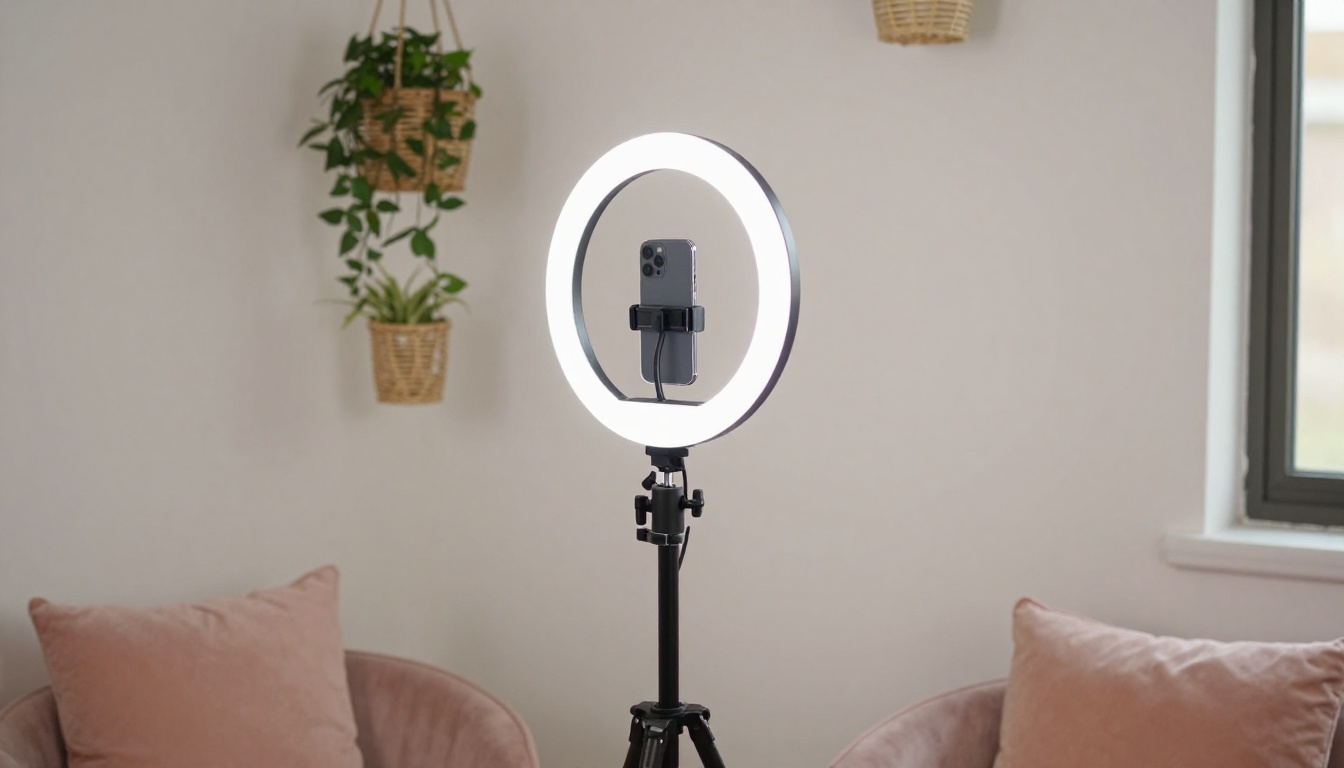
3 Reel Ideas You Can Make Right Now
These are concrete, ready-to-execute concepts. Each one is designed around what Seedance 2.0 does best.
The "Behind the Scenes" Fake-Out
Prompt Seedance 2.0 to generate a clip that looks like unpolished backstage footage: handheld camera movement, slightly warmer exposure, subject glancing at notes then looking up. Caption it with something like "nobody told me this about creating with AI." The contrast between the intimate aesthetic and the AI origin creates exactly the kind of curiosity gap that drives shares.
The Before/After Product Showcase
Use two separate Seedance 2.0 clips. First: a scene showing a problem (messy workspace, faded photo, untextured product). Second: the same scene transformed. Cut between them at the two-second mark with a sharp audio cue. Product and e-commerce accounts use this structure to drive saves because viewers want to reference the transformation later.
The Lifestyle Loop
Generate a 5-second clip of an aspirational everyday scene: morning coffee by a window, golden-hour walk through a market, a workspace that looks effortlessly productive. Set it to trending audio, post with minimal caption. Lifestyle content in this format performs disproportionately well for accounts building an aesthetic identity rather than selling a specific product.
Seedance 2.0 vs. Seedance 2.5
Worth addressing directly: ByteDance has continued the Seedance line with Seedance 2.5 and Seedance 2.5 Lite, both available on PicassoIA. So which one should you use for Instagram Reels?
The honest answer depends on your priority:
For a daily posting schedule, Seedance 2.0 sits in the sweet spot. It generates fast enough to produce content in real time and at a quality level that stands out in a Reels feed dominated by standard smartphone footage.
Scaling Your Reels Production
Once you've validated a content format, the real advantage of Seedance 2.0 for Instagram Reels becomes apparent: you can scale without scaling your team.
A single creator producing 3 Reels per week typically burns 6-10 hours on filming, editing, and posting. With Seedance 2.0, that same output can be generated in under 2 hours, leaving the remaining time for strategy, responding to comments, and building the account rather than executing production logistics.
Batch your prompts. Write 10-15 prompts in one session, generate them all, and queue the videos for the week. Instagram's scheduler handles the posting automatically.
Repurpose systematically. Each AI video clip can serve as a Reel, a Story, a carousel thumbnail, or a thumbnail. One generation creates assets for four different touchpoints with no additional work.
Test fast, double down. Because generation is inexpensive and fast, you can run two versions of the same concept with different color grades, camera angles, or subject choices. Within 48 hours of posting, you'll know which performs better and can double down with similar content.
For accounts that want video content beyond standard clips, Wan 2.7 T2V produces 1080p output with strong temporal consistency, and LTX 2.3 Fast delivers 4K resolution for ultra-high-end brand content where every pixel matters.
Also worth bookmarking: Pixverse v5.6 is a strong alternative when you need stylized motion with a slightly more cinematic look, and Kling v2.6 remains one of the best options for controlled camera motion on human subjects.
Make Your First Reel Right Now
The only thing separating you from a Reels account that gets attention is the first generation. PicassoIA has Seedance 2.0 ready to use right now, no technical knowledge required. Pick one of the three Reel ideas from above, write a prompt using the three-part formula, and generate your first clip.
If it doesn't look exactly how you imagined, adjust one element of the prompt and run it again. That iteration loop, from idea to viewable clip, takes less than five minutes. No shoot days, no editing backlog, no waiting on a production team.
The entire library of AI video models on PicassoIA is at picassoia.com/en/all-models. Start with Seedance 2.0 for Reels, then see what else is possible. The catalog of 87 text-to-video models means there's always a tool that fits exactly what you're trying to create, whether that's a cinematic lifestyle clip, a talking avatar, a lipsync presenter, or a 4K brand film.


