Picking between Seedance 2.0 and Runway Gen-5 right now feels like choosing between two completely different visions of what AI video should be. ByteDance built Seedance around native audio generation and long-form coherence. Runway built Gen-5 around cinematic aesthetics and precise creative control. Both are genuinely impressive. Both have real weaknesses.
The frustrating part is that most comparisons online focus on cherry-picked examples rather than what actually matters for a working creative: generation speed across dozens of clips, how quality holds up in complex scenes, what the pricing looks like per video at scale, and whether the tool fits your existing workflow. This breakdown covers all of that, with direct links to every model available on PicassoIA so you can test these conclusions yourself.

What Seedance 2.0 Actually Is
Seedance 2.0 is ByteDance's flagship text-to-video model, and it comes with one standout feature that most competitors still cannot match: native audio generation baked directly into the video output. Write a prompt, get a video clip that already includes ambient sound, music, or synchronized effects without any post-processing step.
The model runs at up to 1080p resolution and supports clip lengths that stretch well beyond the typical 5-second range. ByteDance also released Seedance 2.0 Fast for creators who need rapid iteration at slightly reduced quality, and Seedance 2.0 Mini for lightweight use cases where speed is the priority over resolution.
What makes Seedance interesting as a platform play is that ByteDance keeps iterating fast. Seedance 2.5 is already available and extends clip length to 30 seconds. The lineage from 1.0 to 2.5 shows consistent improvements in motion coherence and prompt accuracy with each release.
💡 Seedance 2.0 on PicassoIA: You can run Seedance 2.0 directly on PicassoIA with text or image input, no API setup required.

What Runway Gen-5 Actually Is
Runway Gen-5 represents the latest evolution in Runway ML's line of cinematic AI video models. Where Seedance focuses on audio coherence and output completeness, Runway Gen-5 doubles down on motion quality and aesthetic control. The model produces video with exceptionally smooth motion curves, strong temporal consistency between frames, and a cinematic look that holds up even in complex scenes with multiple moving subjects.
On PicassoIA, the closest Runway model is Gen 4.5, which delivers that same cinematic motion philosophy at scale. For faster turnarounds with image-to-video workflows, Gen4 Turbo is available alongside it.
The core philosophical difference: Runway treats the AI as a cinematographer. Seedance treats it more like a full production pipeline that handles picture and sound together. Neither is wrong. They are solving different problems for different users.
Video Quality: Real-World Results

Motion Consistency
This is where the comparison gets interesting. Runway Gen-5 holds a clear edge when it comes to smooth, artifact-free motion, particularly for scenes with deliberate camera movement. Slow pans, dolly moves, and cinematic tilts look natural and well-controlled. You rarely see the jitter or temporal flickering that plagued earlier models.
Seedance 2.0 is competitive here, but its motion consistency shows minor artifacts in scenes with fast-moving subjects or highly complex backgrounds with lots of distinct elements. For scenes with moderate movement, like a person walking, a fountain, or a city street at dusk, Seedance 2.0 holds up very well.
| Feature | Seedance 2.0 | Runway Gen-5 |
|---|
| Camera motion smoothness | Good | Excellent |
| Fast action scenes | Moderate | Good |
| Subject stability | Good | Very Good |
| Temporal coherence | Good | Excellent |
| Clip resolution (max) | 1080p | 1080p |
| Native audio | Yes | No |
Detail Retention in Complex Scenes
When generating scenes with fine textures, fabric, flowing water, or dense foliage, both models handle it reasonably well. Runway Gen-5 retains edge definition more reliably across longer clips. Seedance 2.0 can sometimes soften fine detail in middle frames while maintaining sharp first and last frames.
For portrait-style content or scenes with a single clear subject and a clean background, the gap narrows significantly. Both models produce footage that would genuinely fool a casual viewer at 1080p. The difference shows most clearly on a large screen or when footage is slowed down.
Color grading behavior also differs. Runway Gen-5 leans toward naturally desaturated, film-like tones. Seedance 2.0 tends toward more vibrant, higher-contrast outputs. Neither is neutral by default, so if you have a specific color target, plan to adjust prompts accordingly.
Speed: How Long Does It Actually Take?
Seedance 2.0 Generation Times
Seedance 2.0 typically delivers a 5-second clip in 2 to 4 minutes depending on server load and resolution settings. The Fast variant cuts that down to roughly 60 to 90 seconds, which makes a meaningful difference when you're iterating on creative direction across 10 or 15 variations.
For batch workflows where you need 20 or 30 short clips across a project, Seedance 2.0's speed tiers give you real control over the quality-speed tradeoff. Start fast to lock the direction, then run final renders at full quality.
Runway Gen-5 Generation Times
Runway Gen-5 takes longer on average. A comparable 5-second clip typically runs 3 to 6 minutes. The cinematic quality improvement is genuine, but you pay for it in wait time. For creators running a tight production schedule with multiple iterations needed, this compounds quickly.
💡 Speed tip: Use Seedance 2.0 Fast to lock creative direction, then switch to Runway Gen-5 via Gen 4.5 for final quality renders. This cuts total generation time by 40 to 60 percent compared to running everything through Gen-5 from the start.

Pricing Per Video
What You Pay with Seedance 2.0
ByteDance prices Seedance 2.0 competitively. On most platforms, you're looking at roughly $0.05 to $0.10 per second of generated video, depending on resolution and the specific tier. The Mini model costs less. The standard model sits in the mid-range. Seedance 2.5 costs more but extends clip length to 30 seconds.
For high-volume content production, Seedance offers the better value per clip, especially when you factor in that native audio is included by default. You are not paying separately for a sound design step.
What You Pay with Runway Gen-5
Runway Gen-5 commands a premium. Expect $0.10 to $0.20 per second at standard resolution, with costs rising for higher-end outputs. Runway's subscription tiers bundle credits, which can make the per-clip cost more manageable for regular users, but the ceiling cost per video is higher than Seedance.
The tradeoff is real: you get better motion quality for roughly double the per-second cost. Whether that's worth it depends entirely on your output requirements.
| Metric | Seedance 2.0 | Runway Gen-5 |
|---|
| Approx. cost per second | $0.05 to $0.10 | $0.10 to $0.20 |
| Audio included | Yes (native) | No |
| Free tier access | Yes (via platforms) | Limited |
| Credit-based pricing | Yes | Yes |
| Best value for volume | Yes | No |

Prompt Accuracy and Motion Control
How Well Each Tool Follows Text Instructions
This is where opinions diverge most sharply. Seedance 2.0 is strong on compositional accuracy: describe a wide shot of a forest with morning mist and a deer in the foreground, and you're likely to get exactly that. It follows spatial descriptions and subject placement reliably, making it more predictable for brief-driven work.
Runway Gen-5 is better at stylistic interpretation. It takes your prompt's emotional tone seriously. Ask for something melancholic and rain-soaked, and the model produces video that actually feels that way, with appropriate lighting temperature and pacing. It is less literal and more expressive.
Neither is objectively better. If you're producing content that needs to match a specific brief word for word, Seedance gives you more control. If you're generating creative video where mood matters more than exact composition, Gen-5 delivers better results.
Camera Movement and Subject Control
Runway Gen-5 handles camera movement prompts more reliably. Dutch angles, slow push-ins, and parallax effects appear at a higher hit rate than with Seedance. For filmmakers who think in shot types and camera language, this is a significant advantage.
Seedance 2.0 supports camera motion in prompts but interprets it more loosely. Prompt for a slow left-to-right pan and you'll get some version of it, though not always as clean or deliberate as you envisioned.
💡 For precise camera control entirely separate from prompt language, try Kling v3 Motion Control on PicassoIA. It gives you direct trajectory control over camera path independent of the text description.

Audio and Lipsync
Native Audio in Seedance 2.0
This is Seedance 2.0's most distinctive differentiator. The model generates synchronized ambient sound and music natively, which means the output video is immediately usable without a separate audio pipeline. A clip of ocean waves will sound like ocean waves. A clip of a city street carries background voices and traffic. A musical scene will have something rhythmically relevant in the audio track.
For social media content, short-form video, and quick marketing clips, this removes a post-production step that adds up fast when you're generating 20 or 30 clips per week.
Runway Gen-5 and Audio Handling
Runway Gen-5 outputs silent video clips. That is not necessarily a problem for professional workflows where you're layering a custom soundtrack anyway. Many agencies prefer silent output because it gives the audio department a clean foundation to work from. But for creators who need ready-to-publish content, the missing audio adds time and effort.
One practical workaround: pair Runway Gen-5 output with Veo 3, which includes native audio and runs on PicassoIA alongside Runway for a hybrid quality approach.
Lipsync Tools to Pair with Either
For talking-head content, spokesperson videos, or any scenario where a character needs to sync mouth movement to specific audio, both tools benefit from dedicated lipsync models on top.
On PicassoIA, Lipsync 2 Pro delivers frame-accurate lip synchronization for any video input. Omni Human 1.5 from ByteDance takes a static photo and generates a fully animated talking video synchronized to an audio track. Kling Lip Sync is another strong option specifically optimized for natural-looking mouth movement without a mechanical quality to it.
For rapid video dubbing across multiple languages, Lipsync Speed handles fast batch translations while Lipsync Precision prioritizes accuracy over turnaround time. Video Translate covers 150 languages for international content distribution.

Seedance 2.0's Weaknesses
The audio generation, while impressive, is not always controllable. You cannot prompt for a specific BPM, genre, or exact sound design. You get what the model decides is appropriate. For many use cases that works fine. For music-specific or branded audio workflows, it falls short.
Motion artifact frequency at fast movement is also higher than Runway. And while ByteDance has addressed many issues from earlier versions, rapid-action scenes like sports, fight choreography, or dynamic vehicle movement still show occasional visual errors in generated clips.
Runway Gen-5's Weaknesses
The lack of native audio is the most significant gap for creators who need complete, publishable clips without an additional post step. The longer generation times compound this when you're running multiple iterations to refine creative direction.
Prompt adherence to exact spatial descriptions is looser than Seedance. If your prompt specifies that a subject stands in the left third of the frame with a window behind them, Runway may interpret this impressionistically rather than literally. That creative freedom is valuable in some contexts and a real problem in others.
Which One Is Right for You?
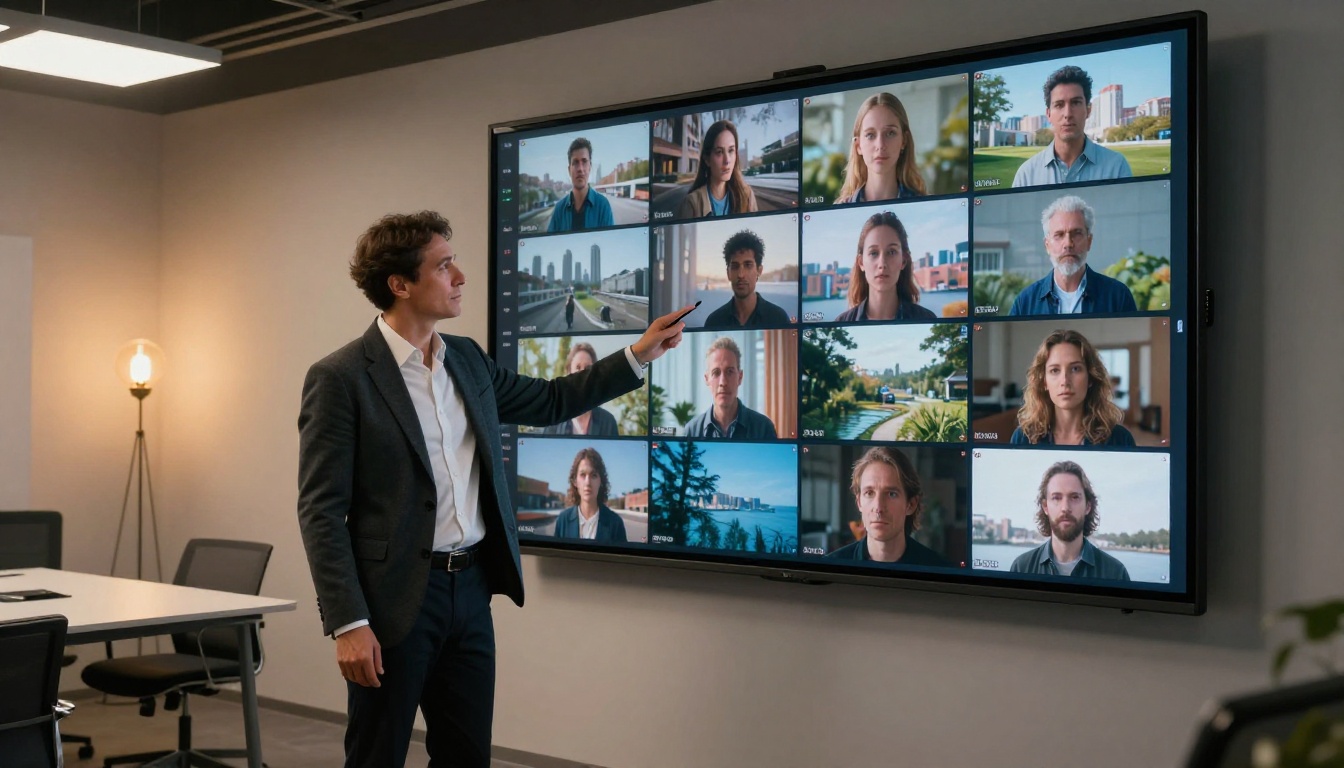
Best for Social Media Creators
If your primary output is Instagram Reels, TikTok, YouTube Shorts, or any platform where you need fast, self-contained clips with built-in audio, Seedance 2.0 is the better fit. Native audio alone removes a step that accumulates quickly when you're generating 20 or 30 clips per week. The Fast speed tier makes iteration affordable without sacrificing too much on quality.
Pair it with Lipsync Speed for dubbing content across multiple markets without rerecording.
Best for Professional Production
If you're producing content for agency clients, cinematic short films, commercials, or any context where visual quality is the primary criterion, Runway Gen-5 is the better foundation. Motion quality and color consistency produce footage that holds up at larger screen sizes and in contexts where viewers are paying close attention to what they're watching.
Plan to handle audio separately in your post-production workflow.
Best for Experimenting and Prototyping
Seedance 2.0 Fast is the most practical tool for rapid iteration. It generates clips fast enough that you can test 5 or 6 creative directions in the time it takes Runway Gen-5 to finish one render. Lock your concept first, then upgrade the final output to whichever model delivers what you need.
💡 Gen 4.5 and Gen4 Turbo are both on PicassoIA for side-by-side testing against Seedance 2.0 without switching platforms or accounts.
Start Generating on PicassoIA Right Now
Both Seedance 2.0 and Runway Gen-5 are available on PicassoIA, which means you can test both on the same prompt without juggling two separate accounts or API integrations. Run the same description through Seedance 2.0 and Gen 4.5 back to back, and you'll have a real side-by-side quality result in under 10 minutes.
If you're not sure where to begin, try this workflow:
- Write one prompt describing your scene clearly, 2 to 3 sentences with specific lighting and subject detail.
- Run it through Seedance 2.0 Fast to get a quick reference output with audio included.
- Run the same prompt through Gen 4.5 and compare motion quality directly.
- Pick your winner and generate the final version at full resolution.
Beyond Seedance and Runway, PicassoIA hosts over 87 text-to-video models including Veo 3 for audio-native cinematic video, Kling v3 Video for cinematic quality at scale, and Seedance 2.5 for clip lengths up to 30 seconds. Every model is available without a subscription lock-in. You only pay for what you generate.
The comparison between Seedance 2.0 and Runway Gen-5 is close enough that the best way to settle it is to run the same prompt through both and see the results on your screen. Start at picassoia.com/en/all-models.


