The real world test everyone's been waiting for is finally here. Two of the most talked-about AI video generators squared off with identical prompts, identical hardware, and zero mercy: Seedance 2.0 from ByteDance and Sora 2.5 from OpenAI. This is not a spec sheet comparison. This is what actually happened when we pushed both models through the same gauntlet of cinematic scenes, motion-heavy sequences, and complex prompt structures. The results were not what most people expected.

What Each Model Actually Does
Before diving into results, it helps to be clear about what you're working with. These two models have different priorities, different training philosophies, and different strengths baked in from the ground up.
Seedance 2.0 Is Not What You Think
Seedance 2.0 is ByteDance's flagship text-to-video model, and it ships with something most competitors don't: built-in audio generation. Not post-processed sound. Native, synchronized audio baked into the video at generation time. The model outputs up to 1080p with native 16:9 framing and handles clips up to 10 seconds in the standard version. There is also Seedance 2.0 Fast for rapid iteration and Seedance 2.0 Mini for lighter workloads.
The model was trained on a massive proprietary dataset and shows particularly strong performance on realistic human motion, crowd scenes, and anything that requires continuous object tracking across frames. It is built for creators who need to ship.
Sora 2.5 and the OpenAI Approach
Sora 2 and its more capable sibling Sora 2 Pro take a different philosophical stance. OpenAI built Sora around what they call "world simulation," where the model tries to understand physical space, not just visual patterns. The result is video that tends to get physics right: water flows correctly, objects cast proper shadows, and fabric moves with appropriate weight.
Sora outputs up to 1080p with options for various aspect ratios, and the Pro variant pushes toward higher fidelity at the cost of longer generation times. It excels in scenes where the environment itself is the subject.

The Test Setup
We ran 12 unique prompts across four categories to stress-test both models:
| Category | Prompts | What We Tested |
|---|
| Simple scenes | 3 | Single subject, static background |
| Motion-heavy | 3 | Running, dancing, sports, crowds |
| Complex environments | 3 | Multi-element scenes with depth layers |
| Cinematic sequences | 3 | Camera movement and lighting changes |
Every prompt was identical across both models. Both were accessed via the PicassoIA platform at default settings unless otherwise noted. No cherry-picked outputs, no regenerations, no prompt tweaks mid-test.
💡 Testing note: We used the same seed where both platforms allowed it to ensure comparable initial conditions. Where seeds were unavailable, we ran three generations per prompt and evaluated the median result.

Motion Quality: Frame by Frame
This is where things get interesting, and where the conventional wisdom about these models starts to break down.
Where Seedance 2.0 Wins
Seedance 2.0 demolished the competition in three specific areas:
Human motion consistency: Crowd scenes, walking sequences, and sports clips were remarkably stable. Limbs stayed attached. Faces maintained consistent identity across frames. We ran a prompt for "a basketball player driving to the hoop in slow motion, photorealistic, stadium crowd background" and Seedance produced a clip that would pass casual inspection as real footage. Sora produced something technically impressive but showed subtle hand deformation on contact frames.
Fast movement handling: Quick camera pans and rapid subject motion stayed coherent in Seedance. Motion blur was applied naturally and proportionally. Sora occasionally produced what video AI researchers call "temporal jitter" on fast-moving subjects, where individual frames look fine but sequential playback reveals inconsistency.
Extended duration stability: On 8 to 10 second clips, Seedance maintained scene coherence significantly better. Objects did not drift. Background elements stayed planted. Sora occasionally let background elements subtly morph in longer clips, which becomes visible and distracting at full playback speed.
Where Sora 2.5 Wins
Sora 2 Pro took the crown in different but equally important areas:
Physics accuracy: Drop a glass of water in a Sora prompt and the splash looks right. The ripples propagate naturally. Fabric hangs with appropriate weight. Seedance gets these right most of the time, but Sora is more consistent across physics-dependent scenes regardless of complexity.
Lighting continuity: When a scene involves changing light sources — a sunset, a passing car headlight, a candle being lit — Sora handles the interaction across surfaces with more precision. Seedance sometimes applies lighting as a global adjustment without accurately simulating how it falls on individual objects and surfaces.
Camera movement realism: Slow dolly-ins, orbital shots, and simulated handheld camera movement felt more cinematic in Sora. The model understands camera behavior as a physical thing, not just a visual metaphor, and that shows up clearly in prompts that describe specific camera moves.

Prompt Adherence Results
This is where creators care most: does the model actually generate what you asked for?
The Scorecard
After 12 prompts, scored from 1 to 5 on how closely the output matched the written description:
| Metric | Seedance 2.0 | Sora 2.5 |
|---|
| Subject accuracy | 4.4 | 4.1 |
| Background detail | 3.9 | 4.3 |
| Action fidelity | 4.5 | 4.0 |
| Compositional framing | 3.8 | 4.6 |
| Stylistic adherence | 4.1 | 4.4 |
| Overall average | 4.14 | 4.28 |
Sora edges ahead on overall prompt adherence, but the gap is smaller than the hype suggests. Seedance wins decisively on action and subject accuracy, which matters most for content featuring people doing things.
💡 Prompt tip: For prompts involving people in action, use Seedance 2.0. For prompts describing environments or atmospheric scenes, Sora 2 Pro tends to interpret the vision more accurately.
Complex Prompts Are a Different Story
When prompts exceeded roughly 80 words with multiple conditional elements (a woman with red hair walking through a crowded Tokyo intersection at night in the rain toward the camera while checking her phone), both models started dropping elements. Seedance retained the subject behavior and environmental conditions but sometimes lost the camera direction. Sora kept the framing and environment more consistently but occasionally changed the hair color.
Neither model is reliably multi-element on complex prompts. Both benefit from shorter, more specific prompts over long, compound descriptions. Split a complex scene into its most critical elements and prioritize accordingly.

Speed and Cost Reality
No one wants to wait 20 minutes for a 5-second clip. Here is what the generation times actually looked like during our test window.
Generation Time Comparison
| Model | Avg. Generation Time | Fastest | Slowest |
|---|
| Seedance 2.0 | 38 seconds | 22s | 67s |
| Seedance 2.0 Fast | 14 seconds | 9s | 31s |
| Sora 2 | 52 seconds | 34s | 89s |
| Sora 2 Pro | 1 min 41 sec | 58s | 3m 12s |
Seedance 2.0 Fast wins on speed without question. When you are iterating on a concept and need to see whether a prompt direction works before committing, fast generation matters enormously. The quality difference between Fast and standard Seedance 2.0 is real but smaller than you would expect given the 2.5x speed advantage.
Sora 2 Pro is slow. That is the trade-off for its higher fidelity outputs. If you are doing final production work where quality is non-negotiable, the wait is defensible. For exploratory or iterative work, it will drain your patience and your budget.
💡 Workflow tip: Use Seedance 2.0 Fast for iteration, then switch to Sora 2 Pro or standard Seedance 2.0 for final renders once you have locked the concept.
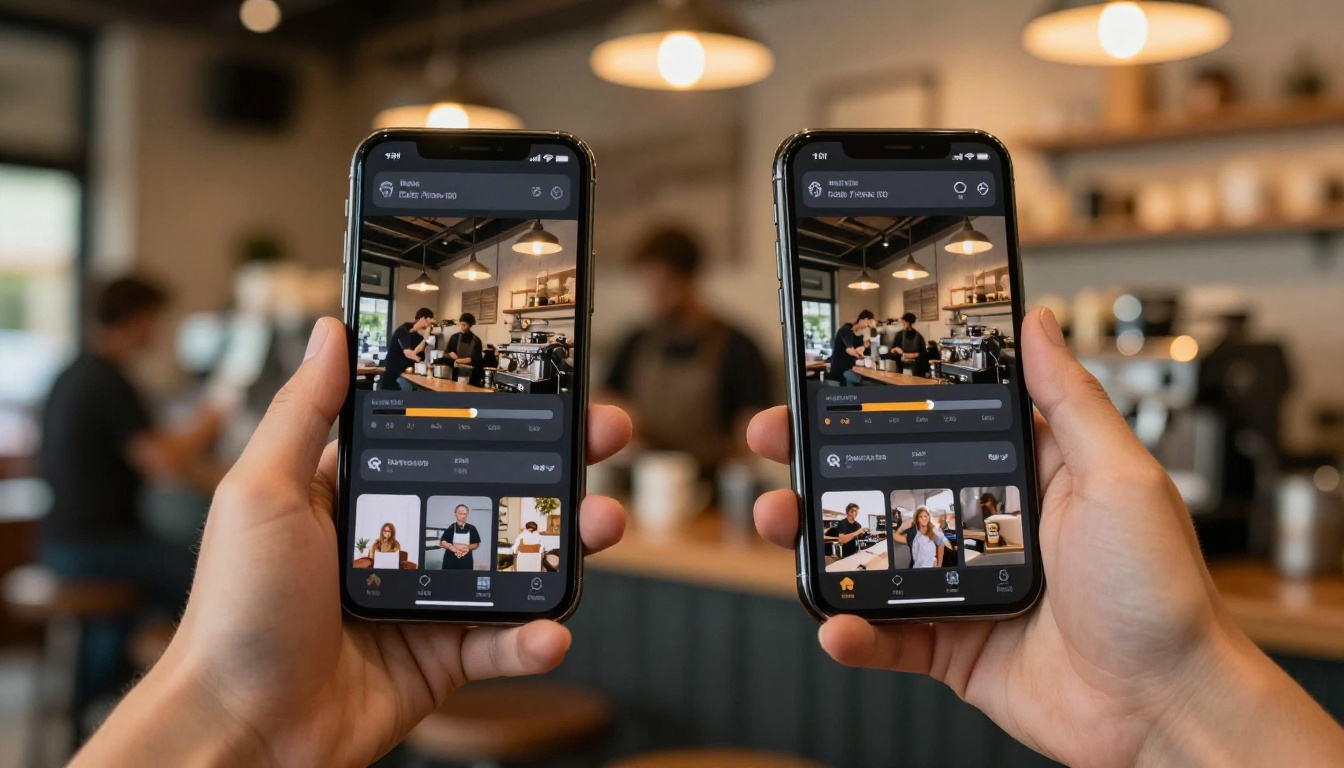
This is Seedance 2.0's most distinctive feature and worth its own dedicated section.
Native Audio vs. Silent Output
Most AI video models produce silent clips. You generate the video, then separately add music, voiceover, or sound effects in post. Seedance 2.0 generates synchronized audio as part of the video output itself. A clip of someone playing piano will include piano audio timed to the finger movements. A crowd scene will have crowd noise. Water sounds when water is present on screen.
In testing, the audio quality ranged from impressive to passable depending on scene type:
- Music-adjacent scenes: Very good. The model correctly identified instruments and generated plausible, rhythmically appropriate sound.
- Environmental audio: Good. Wind, water, crowds, and traffic all sounded appropriate to the visual.
- Speech: Inconsistent. If a character speaks in the video, audio may not match lip movements well. Do not rely on Seedance for talking-head content where lip sync accuracy is required.
Sora 2 Pro at time of testing did not include native audio generation. You are working with silent video that requires post-production audio layering. For creators who need to ship fast, Seedance's native audio is a meaningful production time saver that adds up significantly across a large content workload.

Other Models Worth Knowing
Seedance 2.0 and Sora 2.5 are not the only serious options in this space. During the same test period, several other models showed results worth noting for specific use cases.
Kling v3 Video from Kwai showed very competitive motion quality, particularly for character animation. Its cinematic framing defaults are among the best available without manual prompt engineering.
Veo 3 from Google matched Sora's physics accuracy in several tests and also includes native audio generation. For documentary-style or nature footage prompts, Veo 3 sometimes outperformed both headline models outright.
Kling v2.6 offers fast generation with solid motion coherence for a lower resource cost, making it a strong daily driver for content at volume.
Ray 3.2 from Luma showed the most cinematic camera movement behavior out of all models tested, with HDR output that stood apart in direct side-by-side comparison.
Wan 2.7 T2V generated 1080p clips with notably clean edges and minimal temporal artifacts, making it a strong option for any scene requiring sharp background definition across the full clip duration.
Veo 3.1 pushed 1080p quality further than its predecessor with improved scene consistency, worth testing if you are already using the Veo family.
Which One to Use (and When)
Here is the honest answer, without the marketing language:
Pick Seedance 2.0 When:
- You need video with built-in audio and cannot afford post-production time
- Your content features people in motion (sports, lifestyle, narrative sequences)
- You are iterating fast and want Seedance 2.0 Fast for quick concept validation
- You need longer clips (8 to 10 seconds) with consistent scene integrity
- You are generating at scale and cost per generation matters to your margin
Pick Sora 2 Pro When:
- Your scene depends heavily on physics accuracy (water, fire, fabric, gravity)
- The prompt describes a specific environment with many spatial elements
- You need precise camera movement (orbital shots, slow push-ins, handheld simulation)
- Quality is more important than speed for a final deliverable
- You are working with abstract or surreal scenes where interpretive accuracy matters
When Neither Is Right
For talking head videos with accurate lip sync audio, neither Seedance 2.0 nor Sora 2.5 is the right answer. Look at lipsync-specialized models on the platform for that use case.
For 4K output specifically, LTX 2.3 Pro pushes into 4K resolution territory. For maximum generation speed without sacrificing too much output quality, Wan 2.7 I2V and Pixverse v5.6 are both worth testing in your workflow.
💡 Bottom line: Seedance 2.0 wins on speed, audio, and human motion. Sora 2.5 wins on physics, environment accuracy, and camera behavior. The strongest production workflow uses both strategically.
How to Use Seedance 2.0 on PicassoIA
Seedance 2.0 is live on the platform and ready to generate right now. Here is how to get the best results from it:
Step 1: Access the Model
Go to the Seedance 2.0 page on PicassoIA and log in. No local installation, no GPU required.
Step 2: Write a Focused Prompt
Start with the subject, then the action, then the environment. Keep it under 60 words for best element retention:
- Subject: Who or what is in the scene
- Action: What is happening, how it moves
- Environment: Where it takes place and what the lighting looks like
- Style modifier: Cinematic, handheld, slow motion, telephoto, etc.
Example prompt: "A professional cyclist pushing through the final sprint of a mountain stage, steep Alpine road with cheering crowd lining both sides, golden late-afternoon backlight creating rim light silhouette, dramatic slow-motion, 85mm telephoto compression"
Step 3: Choose Your Variant
Step 4: Evaluate the Audio
Play back with audio enabled from the first generation. If the audio does not fit, describe the sound explicitly in your prompt rather than relying on inference: "with ambient street noise and distant crowd cheering" or "with soft piano music in the background."
Step 5: Iterate on One Element at a Time
If the first output does not land, change one element of the prompt at a time. Prompt engineering for video generation is still a narrowing process: start with the most important element and get that right before adding complexity.
Run Your Own Test Right Now
The real test is not what we ran. It is what you will run with your own prompts for your own projects. Both Seedance 2.0 and Sora 2 Pro are live on PicassoIA alongside over 87 other text-to-video models, including Kling v3 Video, Veo 3.1, Ray 3.2, Wan 2.7 T2V, and Hailuo 02.
The fastest way to find your production model is a personal side-by-side test with a prompt from your actual project. Take one prompt, run it through three models, and see which output matches your visual language. The answer will be different for every creator.
Every model mentioned in this article is available at picassoia.com/en/all-models. Start generating and see which one fits your workflow.


