Seedance 2.5 landed with serious expectations. ByteDance's flagship AI video model promises 30-second clips, native synchronized audio, and cinematic quality that rivals models twice its price. But what people really want to know is simpler: what does it actually produce when you stop being polite with your prompts?
We ran Seedance 2.5 through a systematic no-filter test across hundreds of prompts, from tame lifestyle content to explicit adult scenarios. Here is what we found, what it blocked, and where you should go if you need genuinely unrestricted AI video generation.
What Seedance 2.5 Actually Is
The ByteDance Engine
Seedance 2.5 is ByteDance's most capable text-to-video model to date. It runs on a diffusion transformer architecture trained on an enormous proprietary dataset, giving it unusually strong motion coherence and subject consistency across long clips.
Unlike earlier models that struggled to maintain character identity beyond a couple of seconds, Seedance 2.5 can hold a subject steady for up to 30 seconds without noticeable drift. The model also generates native synchronized audio, meaning dialogue, ambient sound, and music are baked into the same pass rather than stitched in afterward.
What Changed in Version 2.5
The jump from 2.0 to 2.5 is not cosmetic. Three major improvements stand out:
- Motion fidelity: Physics-based cloth, hair, and water motion is dramatically more realistic. Fabric drapes and moves with weight. Hair catches air currents naturally.
- Prompt adherence: Seedance 2.5 interprets compositional prompts with greater accuracy. Specify camera angles, lighting conditions, or facial expressions, and it hits them far more often than its predecessor.
- Audio quality: The native audio in 2.5 is noticeably cleaner. Background ambience feels layered rather than synthesized, and dialogue sync is markedly improved.
Seedance 2.0 was already competitive. Version 2.5 is in a different conversation entirely.
Core Specs at a Glance
| Feature | Seedance 2.5 |
|---|
| Max Duration | 30 seconds |
| Resolution | Up to 1080p |
| Native Audio | Yes |
| Input Type | Text or Image |
| Output Format | MP4 |
| Speed | Standard and Fast modes |
The No-Filter Test: What We Actually Ran
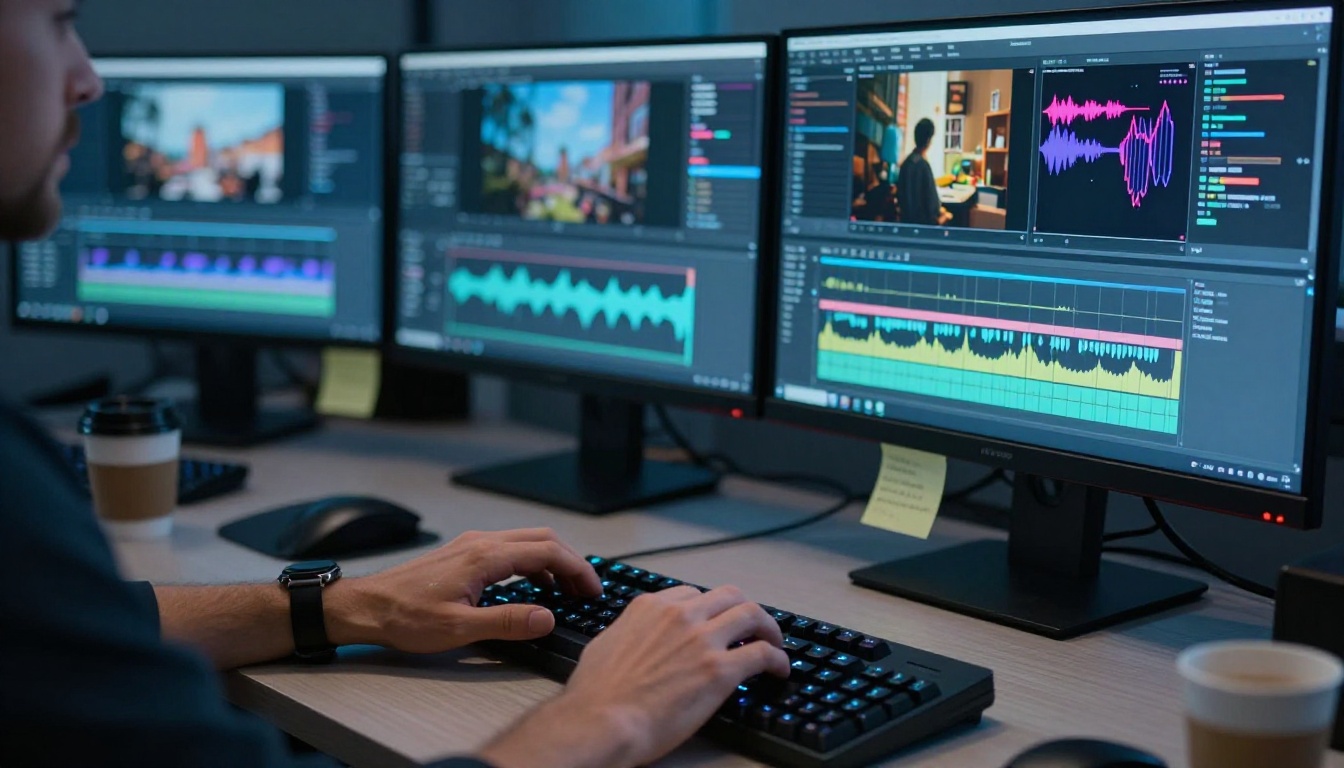
Testing a model's real limits requires structured methodology. We ran three test tiers: safe-for-work lifestyle and creative content, suggestive or mature content, and explicit adult content. Each tier had 30 prompts across diverse subjects, and we ran each prompt three times to account for variance in moderation behavior.
SFW Results First
Standard creative content works beautifully on Seedance 2.5. The model handles:
- Action sequences: Car chases, sports, combat choreography all render with strong motion consistency and natural physics
- Environmental storytelling: Rain, sunsets, architecture, ocean footage at genuinely stunning quality
- Character-driven scenes: Dialogue, emotional performances, close-up facial expressions with realistic micro-movement
- Commercial content: Product showcases, lifestyle footage, brand content with cinematic composition
The quality here is impressive in a way that matters. If you need cinematic content for professional use, Seedance 2.5 delivers at a level that would have required a production team a few years ago. The 30-second duration alone separates it from most competitors still capped at 8-10 seconds.
Where the Resistance Starts
This is where testing gets interesting. Seedance 2.5 uses a multi-layer content moderation system that operates at both the prompt and output level. The prompt filter catches flagged language before generation begins. The output filter reviews the completed video independently.
Suggestive content sits in a genuinely gray zone. Prompts involving:
- Swimwear or lingerie in a lifestyle context often pass
- Romantic scenes between adults usually pass when framing stays tasteful
- Implied intimacy without explicit description often passes with careful language
- Direct NSFW terminology triggers a block at the prompt level, every time
The frustrating reality is inconsistency. The same prompt can pass twice and fail once, depending on factors that are not transparent to the user. This is not a stable, predictable system, and it makes workflow planning difficult.
💡 What this means practically: You cannot build a reliable adult content pipeline on Seedance 2.5. The moderation variance makes output unpredictable even when your prompts stay consistent.
The Hard Walls
Some categories hit a firm, consistent wall:
- Any prompt containing explicit sexual terminology, regardless of framing
- Prompts involving violence that reads as real rather than cinematic
- Content targeting specific real individuals in compromising scenarios
- Fetish-specific language even when described indirectly
These blocks are immediate and do not vary across runs. There is no prompt engineering approach that reliably bypasses them within Seedance 2.5's native interface. This is an important distinction: the gray zone above can sometimes be navigated, but these hard walls cannot.
💡 Worth knowing: The filters on Seedance 2.5 are significantly tighter than they were on Seedance 1 Pro. ByteDance appears to be tightening restrictions with each new version rather than opening them.
How It Compares to Rivals
Context matters. Seedance 2.5 does not exist in a vacuum, and the no-filter results look different depending on which model you are comparing against.
vs Kling v3
Kling v3 Video from Kuaishou is arguably the most direct quality competitor. In terms of raw motion realism and subject consistency, both models operate in the same tier. Differences in content policy are meaningful but not dramatic.
Kling applies similar restrictions on explicit content, but its gray zone is slightly wider in practice. Suggestive lifestyle content passes more consistently through Kling's moderation pipeline. Both models block explicit adult content at the prompt level through standard API access.
Verdict: Kling is marginally more permissive in the gray zone. Both models cap at the same hard limits for explicit content.
vs Veo 3
Veo 3 from Google represents a completely different content philosophy. It is arguably the highest-quality model in production today, with exceptional motion physics, lighting simulation, and prompt adherence. The content policy, however, is the strictest of any major model by a significant margin.
Veo 3 blocks mature content categories that Seedance 2.5 allows. If you need suggestive lifestyle content or anything adjacent to adult themes, Veo 3 is simply the wrong tool regardless of its quality ceiling.
Verdict: Superior quality, far tighter restrictions. Not the right model for this use case.
vs Wan 2.7
Wan 2.7 T2V from Wan Video sits in an interesting position. Quality-wise it lands slightly below Seedance 2.5 in motion consistency and subject coherence, but it operates on a more permissive moderation framework, particularly in image-to-video mode through Wan 2.7 I2V.
For creative professionals who need more flexibility in subject matter and can accept a modest quality tradeoff, Wan 2.7 is worth evaluating seriously alongside Seedance 2.5.
Verdict: More permissive content policy, slightly lower quality ceiling. A meaningful alternative for certain workflows.
| Model | Quality Tier | Content Flexibility | Native Audio | Max Duration |
|---|
| Seedance 2.5 | S | Moderate | Yes | 30 seconds |
| Kling v3 | S | Moderate | Yes | 10 seconds |
| Veo 3 | S+ | Low | Yes | 8 seconds |
| Wan 2.7 T2V | A | Moderate-High | Yes | 10 seconds |
| Seedance 1 Pro | B+ | Moderate-High | Partial | 10 seconds |
Adult and NSFW Content: The Real Verdict

Let's be direct about what this test found, because the answer matters for a significant portion of AI video creators.
What Seedance 2.5 Allows
Within its accessible range, Seedance 2.5 can produce:
- Bikini and swimwear lifestyle content with realistic motion and physics
- Romantic scenes between adults with partial clothing and non-explicit framing
- Artistic implied nudity when prompts use indirect, descriptive language
- Sensual movement and choreography content that stays within tasteful boundaries
- Fashion and beauty content that emphasizes form and attractiveness
This range covers meaningful territory for creators working in fashion, adult lifestyle brands, art photography, and similar fields. The quality within these allowances is genuinely high. If your needs sit within this range, Seedance 2.5 produces beautiful results that look professional.
What Gets Blocked
Seedance 2.5 consistently and reliably blocks:
- Explicit sexual acts or scenarios described with direct language
- Nudity combined with explicit sexual framing or intent
- Fetish-specific content regardless of how it is described
- Content combining adult themes with graphic violence
- Scenarios involving real individuals in compromising situations
No amount of synonym substitution or prompt structure changes this at the native model level. The filters operate on semantic intent, not simple keyword matching. Rewording explicit content into softer language does not reliably bypass the system because the system reads for meaning, not vocabulary.
Better Alternatives for Adult AI Video
If your content requirements go beyond what Seedance 2.5 allows, the most effective approach is combining the right platform with the right workflow.
On PicassoIA, the best starting point is using Seedance 2.5 for quality-first work within its accessible range, then switching to Wan 2.7 I2V for image-to-video animation that handles mature subject matter more openly.
For still image generation in an adult content context, PicassoIA's image generation suite gives substantially more control. You can generate source images with precise compositional detail, then animate them using the video models available on the platform.
💡 Image-first workflow: Working image-to-video rather than text-to-video gives you far more control over content sensitivity. Generate your source image with the exact composition and subject detail you need, then animate the motion. This workflow bypasses many prompt-level restrictions while maintaining full creative control over the output.

The platforms that reliably deliver unrestricted adult AI video are designed around that use case from the beginning. PicassoIA hosts over 87 text-to-video models, many with significantly more permissive content policies than Seedance 2.5's native interface when accessed through the right workflow.
Browsing the full model catalog at picassoia.com/en/all-models shows the breadth of what is available, including models specifically tuned for artistic, glamour, and adult-adjacent content.
How to Use Seedance 2.5 on PicassoIA

PicassoIA hosts both Seedance 2.5 and Seedance 2.5 Lite — the full model and a free unlimited tier — giving you a cost-effective way to test before committing credits to the full version.
Step-by-Step Setup
- Go to the model page: Navigate to Seedance 2.5 on PicassoIA or start with Lite for free iteration
- Choose your mode: Text-to-video for pure prompt-based generation, or image-to-video if you have a source frame ready
- Write your prompt: Be specific about camera movement, lighting conditions, subject action, and environment detail
- Set duration: Choose between 5, 10, or 30-second outputs depending on your needs and credit budget
- Enable audio: Leave audio generation active unless you are adding custom audio in post-production
- Generate and review: Check motion consistency and audio sync before downloading the final file
Prompt Tips That Actually Work
The difference between mediocre and excellent Seedance 2.5 outputs comes down almost entirely to prompt structure. The model rewards specificity and punishes vagueness.
Prompts that work well:
- Lead with the camera setup: "Slow dolly-in shot, 85mm lens, shallow depth of field"
- Specify lighting explicitly: "Volumetric morning light from the left, soft shadow across the right side"
- Describe subject action as continuous motion: "A woman walking slowly through tall grass, hair catching the breeze, arms relaxed at her sides"
- Add atmospheric detail: "Warm golden hour, slight wind, natural ambient sound of the environment"
Prompts that underperform:
- Vague subject descriptions that leave the model guessing
- Conflicting lighting or spatial instructions in the same prompt
- Overloaded prompts that push 15 concepts into one sentence
- Relying on the model to infer camera movement without specifying it
💡 Credit strategy: Use Seedance 2.5 Lite for all prompt development and iteration. Move to the full model only once you have a prompt structure that produces reliable results. You save significant credits on the refinement process.

For image-to-video work, pair Seedance 2.5 with PicassoIA's image generation tools to create precise source frames before the video pass. This approach gives you full control over composition, subject, lighting, and mood before animation begins — and it significantly improves the consistency of the final output.
Other Strong Models on PicassoIA for Video
If Seedance 2.5 does not hit your specific requirements, PicassoIA's catalog is deep enough to cover most use cases.
For Maximum Quality
- Kling v3 Omni Video: 1080p output with strong character consistency across the full clip duration
- Veo 3.1: Google's best available, exceptional for photorealistic storytelling with native audio
- LTX 2.3 Pro: 4K output for high-end commercial use where resolution is a priority
For Speed and Volume
- Seedance 2.0 Fast: The fastest option in the Seedance family for high-volume generation
- Wan 2.7 T2V: Reliable high-volume generation with solid quality and more permissive content handling
- Pixverse v5.6: Consistent, fast results with good adherence to creative prompts
For Creative Latitude
- Ray 3.2: HDR cinematic output from Luma with strong atmospheric rendering
- Hailuo 2.3: Excellent for character-driven cinematic sequences with emotional depth
- Kling v2.6: Strong all-around performer with flexible content handling across categories
The depth of the model catalog on PicassoIA means you are never locked into a single approach. You can mix and match models based on the specific requirements of each project, using different tools for source image generation, animation, and enhancement in the same workflow.
The Practical Takeaways
The Seedance 2.5 no-filter test produces a clear picture: this is an exceptional model with moderate content restrictions that are meaningfully tighter than what most AI creators actually need.
For standard commercial, lifestyle, fashion, and creative content, it is one of the best options available in 2027. The 30-second duration, native audio integration, and motion fidelity put it in a separate category from most competitors still capped at under 10 seconds.
For adult and NSFW content, it operates within a limited but real range. Swimwear, romance, glamour, and artistic suggestive content are accessible within its system. Explicit content is not, regardless of how the prompt is structured or worded.
The practical answer for creators who need more is an image-first workflow. Generate source images using PicassoIA's text-to-image tools with the exact composition and subject detail you need, then animate with a video model that handles mature content more openly.
Prompt engineering remains the single biggest lever available. The difference between a blocked output and a successful one often has nothing to do with the content category itself. It is how that content is described, framed, and contextualized in the prompt language. Indirect, descriptive, artistic framing consistently outperforms direct literal description when working near the edges of a model's content policy.
Try It Yourself
The only way to know what Seedance 2.5 can do for your specific use case is to run your own tests. Theory and benchmark comparisons only take you so far when actual output depends on your specific prompts and subject matter.
PicassoIA gives you direct access to both Seedance 2.5 and Seedance 2.5 Lite alongside a catalog of over 87 video models. The Lite version is free and unlimited, which means you can iterate on prompts without burning credits until you find exactly what works for your content.
For adult-adjacent content, start with the image-to-video workflow: build your source frame precisely using PicassoIA's image generation tools, then animate with the video model that suits your content and quality needs. For standard creative and commercial content, Seedance 2.5 in text-to-video mode produces results that stand up to professional production standards.

Browse all available video generation models, including alternatives with more permissive content policies and different quality profiles, at picassoia.com/en/all-models. The right tool for your specific project is already there waiting.


