One AI model has quietly changed what "one-take video" means, and most creators are still operating on assumptions that were outdated before 2025 ended. Seedance 2.5 from ByteDance can do things people assumed required an edit suite, a multi-clip timeline, and days of rendering. The myths around one-take AI video have calcified into received wisdom, and that wisdom is holding creators back. This article picks apart three of the most stubborn ones, with real context on how the model actually behaves.
What One-Take Video Actually Means
The Single-Shot Standard
In traditional filmmaking, a "one-take" shot means the camera rolls without stopping: no cuts, no splices, no reset. The shot lives or dies as a single unbroken strip of time. Hitchcock built Rope around the concept. Alfonso Cuarón used it for Children of Men's most harrowing sequences. The constraint forces a particular kind of discipline, where the subject, the camera, and the environment must all coordinate in real time.
In AI video generation, the equivalent is a single prediction call that produces one continuous output clip. No stitching. No post-processing. No external compositing. The model generates every frame in sequence, maintaining spatial and temporal coherence across the full duration. When that works, the result is something traditional editing cannot replicate: motion that feels genuinely continuous rather than assembled.
Why Myths Form Around New Technology
Every powerful technology attracts myths, and AI video is no exception. Early models, from AnimateDiff to the first Wan releases, had real limitations: short max durations, subject drift after a few seconds, and a hard ceiling on narrative complexity. Creators tested them, wrote about what they found, and formed conclusions that made complete sense at the time.
The problem is that those conclusions stuck around after the technology moved on. Seedance 2.0 expanded what was possible. Seedance 1.5 Pro pushed temporal consistency further. And now Seedance 2.5 has arrived with specs that make several of those old assumptions simply incorrect. Let's go through them.
Myth 1: One-Take Video Tops at 10s
What the Spec Sheet Really Says
This is the most widespread myth in AI video circles, and it is understandable. The first generation of serious text-to-video models topped out at 4-6 seconds. AnimateDiff struggled past 2-3 seconds without obvious frame repetition. Even some competitive 2024 models capped at 5-8 seconds. For a long time, if you wanted anything longer in a single clip, you stitched clips together and hoped the cuts were not too obvious.
That expectation has become so baked in that many creators do not even check a new model's actual duration specs. They assume the ceiling sits somewhere around 5-10 seconds and plan accordingly. They are wrong.
💡 The actual ceiling for Seedance 2.5: Up to 30 seconds per generation in a single, continuous clip. That is not a stitching artifact. That is one unbroken output, generated from one prompt, in one prediction call.
Seedance 2.5 and the 30-Second Barrier
Thirty seconds of continuous, coherent AI video changes the calculus for creative work in ways that a 5-second clip simply cannot. A 30-second clip is long enough to:
- Show a subject walking from one environment to another without a cut
- Capture the full arc of a product reveal sequence
- Run a brand spot from concept to close in a single shot
- Build genuine narrative tension across a scene with real character motivation
Seedance 2.5 achieves this without the frame-repetition artifacts that plagued earlier long-duration attempts. The model's architecture handles temporal prediction across longer sequences, which is exactly the problem that previous models failed to solve at scale. You can also work with Seedance 2.5 Lite, which offers free and unlimited generations up to 10 seconds. That is a meaningful option when you are iterating on prompt language before committing to a full 30-second run.
| Duration | What's Possible |
|---|
| Up to 10s | Tight product shots, transitions, social clips |
| 10-20s | Brand vignettes, establishing sequences, short narrative beats |
| 20-30s | Full scenes, complete narrative arcs, brand spots end-to-end |
The 30-second mark was a wall. Seedance 2.5 walked through it.
Myth 2: Subjects Always Drift Off-Model

The Consistency Problem Explained
Subject consistency is the hardest technical problem in video generation. In a still image, every pixel is generated simultaneously with full context about every other pixel. In video, the model generates frames sequentially, and early frames influence later ones through the model's internal state. Small errors compound.
The classic failure mode looks like this: a character starts with brown hair at frame 1, and by frame 90 the hair has shifted to a slightly different shade. The face has softened in ways that do not match the opening frames, and the clothing details have quietly changed. None of these drifts are dramatic in isolation, but together they create the uncanny sense that you are watching a different person who happens to look similar.
This happened regularly with older Seedance versions and still happens with many competitive models today. It is the technical reason most serious creators work in short clips and stitch them together. The stitching hides the drift by resetting the visual context at each cut point.
How Seedance 2.5 Holds the Frame
Seedance 2.5's architecture addresses this through improved attention mechanisms that enforce longer-range consistency across frames. In practical terms, a subject introduced at the opening of a 30-second clip retains identifiable features at the close of the same clip. Hair color holds. Clothing stays consistent. The camera can move, the background can change, but the subject's visual identity persists.
💡 Prompt tip: Subject consistency is strongest when your prompt describes the subject in specific, stable terms. Vague descriptors like "a woman" give the model more room to drift than specific ones like "a woman with short black hair, red jacket, standing upright facing left."
This does not mean Seedance 2.5 is perfect. Across very long generations, subtle drift can still appear, particularly in extreme motion sequences where the subject undergoes dramatic pose changes across many frames. But the drift is now the exception rather than the rule, which is the exact reversal of where the technology stood two years ago.
For image-to-video workflows specifically, the consistency improvement is even more pronounced because the model has a concrete visual reference locked to the first frame. Wan 2.7 I2V is another strong option in this space if you want to compare behaviors, but Seedance 2.5's text-to-video consistency is genuinely competitive with many image-seeded approaches from competing providers.
Myth 3: Stories Require Multiple Cuts
The Editing Fallacy
This myth is more subtle than the others because it is rooted in something true: traditional video editing exists for very good reasons. Cuts control pacing. They direct attention. They create meaning through juxtaposition. The Kuleshov effect, which demonstrated that a neutral face acquires different emotional meaning depending on what it is cut against, is a real and powerful phenomenon.
But the conclusion that you cannot tell a story without cuts is a leap that does not follow from the premise. One-take films have always existed. Victoria, shot as a single 138-minute take through Berlin, stands as one of the most tense thrillers ever made. The constraint of a no-cut approach forces a different kind of narrative thinking, and that thinking is now available to AI video creators working with current models.
What actually requires cuts is scene-switching without transition logic. If you want your video to go from a beach at noon to a mountain at night with no connecting motion between them, you need a cut. But if your story can be told through continuous motion, continuous camera movement, or continuous environmental transformation within a shared space, a single AI-generated clip handles it.
Multi-Motion Sequences in One Prompt
Seedance 2.5 handles multi-motion sequences with more control than any previous version of the model. A single prompt can describe:
- Subject motion: a person walks, sits, turns, reacts to something off-screen
- Camera motion: slow dolly in, pan left, tilt up, crane shot rising above the scene
- Environmental motion: clouds shifting overhead, ambient light changing, a crowd in the background moving naturally
All three can operate simultaneously within a single generation call. The model does not require you to serialize your motion descriptions across separate clips. This is the core capability that makes one-take video a genuine storytelling format rather than a technical curiosity.
Here is how prompt complexity can scale within a single 30-second request:
"A woman in a red jacket stands at the edge of a rooftop at dawn. She slowly raises her coffee cup, looks out over the city skyline as the sun breaks the horizon and warm light washes across her face. The camera slowly dollies forward until her face fills the frame, catching the reflection of the sunrise in her eyes. Wind moves her hair. The sounds of the city below fade as the moment holds."
That prompt can produce a single coherent, emotionally complete clip with Seedance 2.5. No stitching required. No timeline. No editor.
Using Seedance 2.5 on PicassoIA
Setting Up Your First Generation
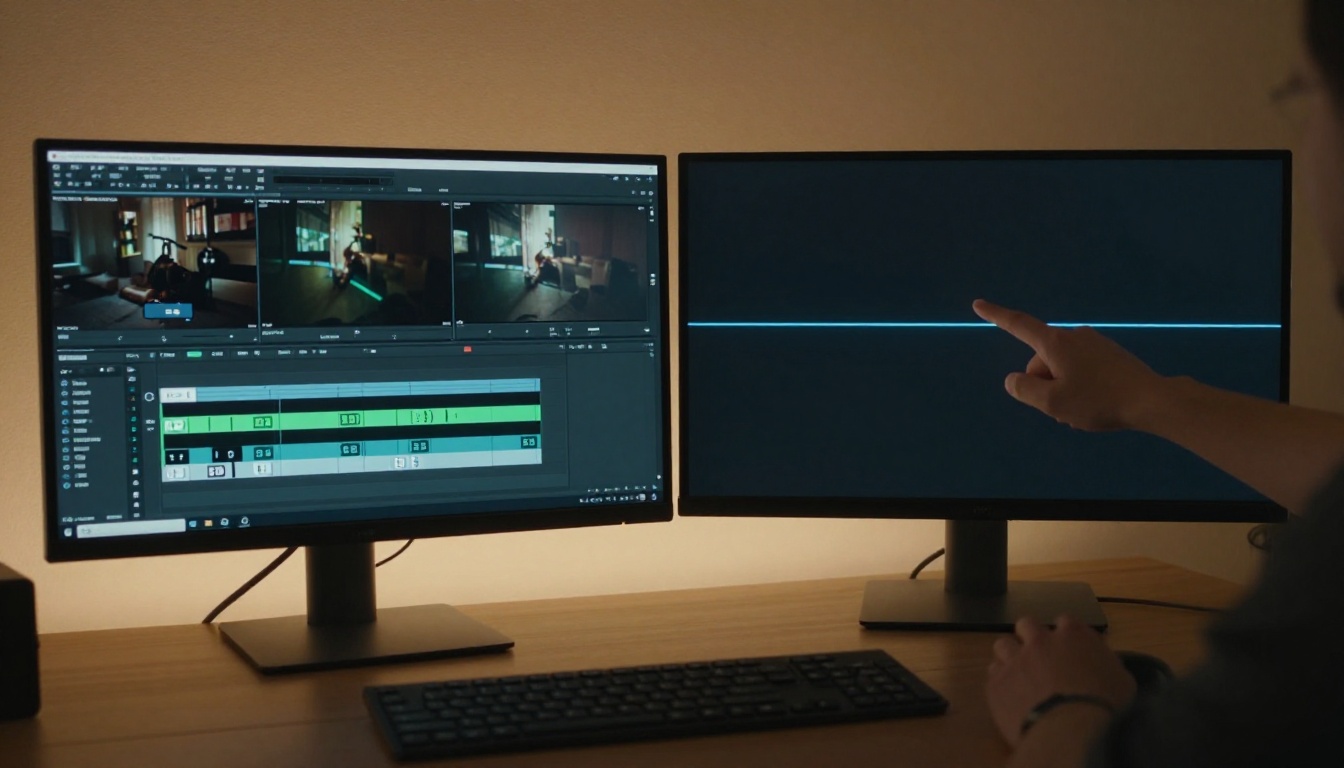
PicassoIA gives you direct access to Seedance 2.5 and Seedance 2.5 Lite without API configuration, local model installation, or account-level approvals. You navigate to the model page, enter your prompt, and the generation begins.
Step-by-step for a first 30-second generation:
- Go to the Seedance 2.5 page on PicassoIA
- Write a prompt that describes your subject, their state at the opening of the clip, and at least one clear motion direction
- Set the duration to 30 seconds for maximum length output
- Select your aspect ratio (16:9 for widescreen content, 9:16 for vertical social platforms)
- Submit and wait for the generation to process
- Preview the output and iterate on your prompt if the motion or consistency does not match your intent
For rapid iteration on prompt language, start with Seedance 2.5 Lite before moving to full Seedance 2.5 for your final generation. The Lite version's 10-second output is long enough to evaluate whether your motion language is working correctly before you commit to a full-length run.
Writing Prompts That Actually Hold
The single biggest factor in one-take quality is prompt specificity. Vague prompts produce results that wander because the model fills in the blanks, and those blanks may not match your intent across 30 seconds of continuous generation.
Prompts that hold well:
- Describe the subject's physical appearance in consistent, specific terms from the start
- Name the starting position and the intended ending position of any motion arc
- Describe camera movement in cinematographic language: dolly, pan, tilt, zoom, crane
- Include atmospheric context: lighting direction, time of day, ambient conditions
- Keep subject count low: one or two primary subjects maintain coherence better than crowds
Prompts that drift:
- Generic subject descriptions such as "a person" with no further detail
- Ambiguous motion descriptions such as "moving around" with no spatial anchoring
- Multiple unrelated scene locations with no connecting logic or transition
- Competing focal points with no clear hierarchy of attention
💡 Think of your prompt as a shot list, not a mood board. The more specifically you describe what happens in sequence, the more the model can hold the thread across the full duration of the clip.
Seedance 2.5 vs. the Competition
Placing Seedance 2.5 in context means comparing it to the strongest alternatives currently available on PicassoIA. The landscape looks like this:
| Model | Max Duration | Consistency | Native Audio | Best For |
|---|
| Seedance 2.5 | 30s | High | Yes | Long-form one-take narrative |
| Veo 3.1 | ~8s | Very High | Yes | Short photorealistic clips |
| Kling v3 Video | 10s | High | No | Cinematic motion control |
| Ray 3.2 | 9s | High | Yes | HDR cinematic quality |
| Hailuo 02 | ~6s | High | Yes | Fast 1080p generation |
| Sora 2 | 20s | Very High | Yes | Photorealistic HD video |
| Wan 2.7 T2V | ~8s | High | No | 1080p open-source quality |
The models with the strongest frame-level quality, like Veo 3.1 and Ray 3.2, top out at significantly shorter durations. Seedance 2.5 occupies a distinct position in the market: it trades some per-frame perfection for dramatically extended duration. For one-take storytelling specifically, that trade-off is exactly right.
Sora 2 at 20 seconds is the closest competitor in raw duration, with very high consistency scores, but it comes at a significantly higher per-generation cost. For creators who need volume and iteration speed alongside long duration, Seedance 2.5 is the practical choice.
Other Models Worth Testing Right Now
If Seedance 2.5 is your primary tool for long-form one-take work, these models belong in your workflow for specific scenarios where each one has a clear edge:
For short, high-fidelity clips:
Veo 3.1 Fast delivers 1080p video with native audio in under a minute. When you need a 5-8 second clip that looks as close to broadcast quality as currently achievable with AI, this is the model to reach for.
For image-to-video with strong consistency:
Wan 2.7 I2V animates any photo with impressive motion fidelity. If you have a specific first-frame requirement and need the output to match it precisely, image-seeded generation is more reliable than text-only approaches for visual accuracy.
For rapid iteration:
Seedance 2.0 Fast is faster than the full Seedance 2.5 pipeline and close enough in quality to validate prompt directions before committing to a full-length, full-cost generation run.
For cinematic motion control:
Kling v3 Omni Video gives you 1080p output with fine-grained camera movement control, useful when you need a precise dolly or pan that Seedance's free-form prompting does not lock down tightly enough.
All of these are accessible at picassoia.com/en/all-models alongside the full catalog of over 87 text-to-video options, organized by category and use case.
Stop Waiting for the Edit

The three myths addressed above were not invented by bad actors. They were formed by real creators working with real limitations that genuinely existed at the time. One-take video used to cap at 5 seconds. Subjects used to drift visibly. Complex stories required cuts because the alternative did not work. Those constraints shaped an entire creative vocabulary around AI video, and that vocabulary is now outdated.
Seedance 2.5 has not solved every problem in AI video generation. Frame-level quality at the absolute ceiling still belongs to shorter models like Veo 3.1 and Ray 3.2. Audio synchronization becomes harder to maintain at longer durations. Crowd scenes remain difficult for any model in the current generation. But the specific myths around one-take video, that it cannot be long, that it cannot hold a subject, that it cannot carry a story, have been answered in a concrete and testable way.
The question now is not whether one-take AI video is possible. It is what you will do with 30 seconds of continuous, coherent, synchronized video generated from a single text prompt.
Go to PicassoIA, open Seedance 2.5, write the shot description you have been putting off, and see what actually comes out. The old assumptions will not survive contact with the current model. Neither will the habit of reaching for the scissors first.


