Seedream 5.0 is ByteDance's most ambitious push yet in the text-to-image space, and it arrives with changes that go far deeper than a version number bump. If you have followed the progression from Seedream 3 through to 4.5, you already know ByteDance moves fast. But 5.0 feels like a genuine generational shift in what the model can do, not a refinement of what was already there. The improvements touch native resolution, prompt fidelity, material texture rendering, and inference speed simultaneously, which is rare. Most models gain ground in one dimension at the cost of another.
What Seedream 5.0 Actually Is
ByteDance's Image Model Lineage
ByteDance entered the generative image space with a model built to compete directly with Stable Diffusion, Midjourney, and Flux on photorealism and prompt fidelity. What made Seedream stand out from the start was its attention to Chinese-language prompt support and its ability to render scenes with a naturalistic quality that felt closer to photography than illustration.
Seedream 4.5 already set a strong baseline. It produced sharp imagery, handled multi-subject scenes reasonably well, and processed generation requests at a speed that made practical production workflows viable. Users working with Seedream 4.5 saw results that were consistently competitive with other leading models like Hunyuan Image 2.1 and GPT Image 2.
Seedream 5.0 does not abandon that foundation. Instead, it rebuilds the core architecture in three critical areas: resolution handling, semantic accuracy, and inference efficiency.
From 4.5 to 5.0: What Changed
The architecture shift in 5.0 is not cosmetic. ByteDance redesigned the attention mechanism that governs how the model reads and interprets text prompts, replaced the earlier pixel-space decoder with a latent diffusion approach that preserves fine detail at higher resolutions, and improved the training dataset substantially with more curated high-fidelity images.
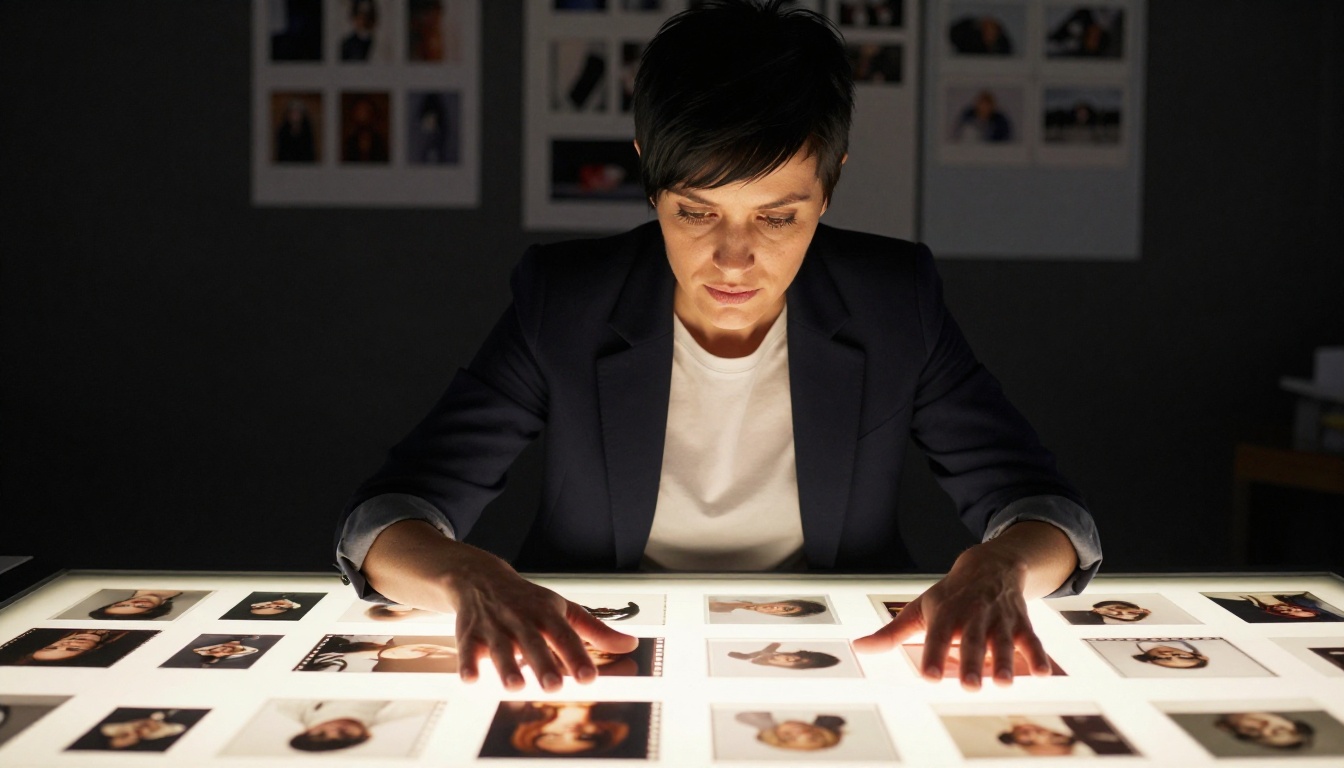
Three core changes define 5.0:
- Revised attention layers: Prompt tokens now carry weighted semantic context across longer descriptions without loss of coherence in the final image
- Improved decoder architecture: Fine textural detail survives the full pipeline to output without the softening artifacts common in earlier versions
- Expanded training corpus: More real-world photography, particularly in skin tones, fabric textures, and complex architectural subjects
The result is a model that behaves more predictably when pushed with long, highly specific prompts. Where 4.5 would occasionally drop minor prompt details in complex scenes, 5.0 shows stronger adherence throughout.
Resolution and Detail at a New Level
Native 4K Output Without Upscaling
Seedream 5.0 generates natively at 4K resolution without relying on post-generation upscaling passes. This is a meaningful distinction from models that produce at 1024x1024 or 1024x576 and then run a super-resolution pass to hit final output dimensions. When upscaling is baked into the pipeline as a post-process step, the model is essentially interpolating detail it did not generate. You can often see this in hair, fabric weave, and skin pores where the texture looks procedurally added rather than naturally captured.

With Seedream 5.0, the native resolution path means that detail present in the model's internal representation survives to the output image intact. The result in practice is imagery where:
- Fabric weave shows actual thread structure at 100% zoom
- Skin pore patterns look organically distributed rather than tiled
- Hair strands retain individual strand differentiation even in complex curl patterns
- Background architectural elements maintain geometric precision without edge softening
Texture Fidelity in Practice
Texture rendering was one of the weaker points in Seedream 4.5. The model produced visually compelling macro results, but close inspection of materials like brushed metal, rough stone, or aged wood often revealed a subtle smearing at the micro-detail level. Seedream 5.0 addresses this through changes to how the model encodes surface normals and material properties during generation.
💡 Tip: When working with Seedream 5.0, specify surface materials explicitly in your prompt. Phrases like "rough linen weave texture visible under raking sidelight" will activate the improved material encoding more reliably than general terms like "fabric."
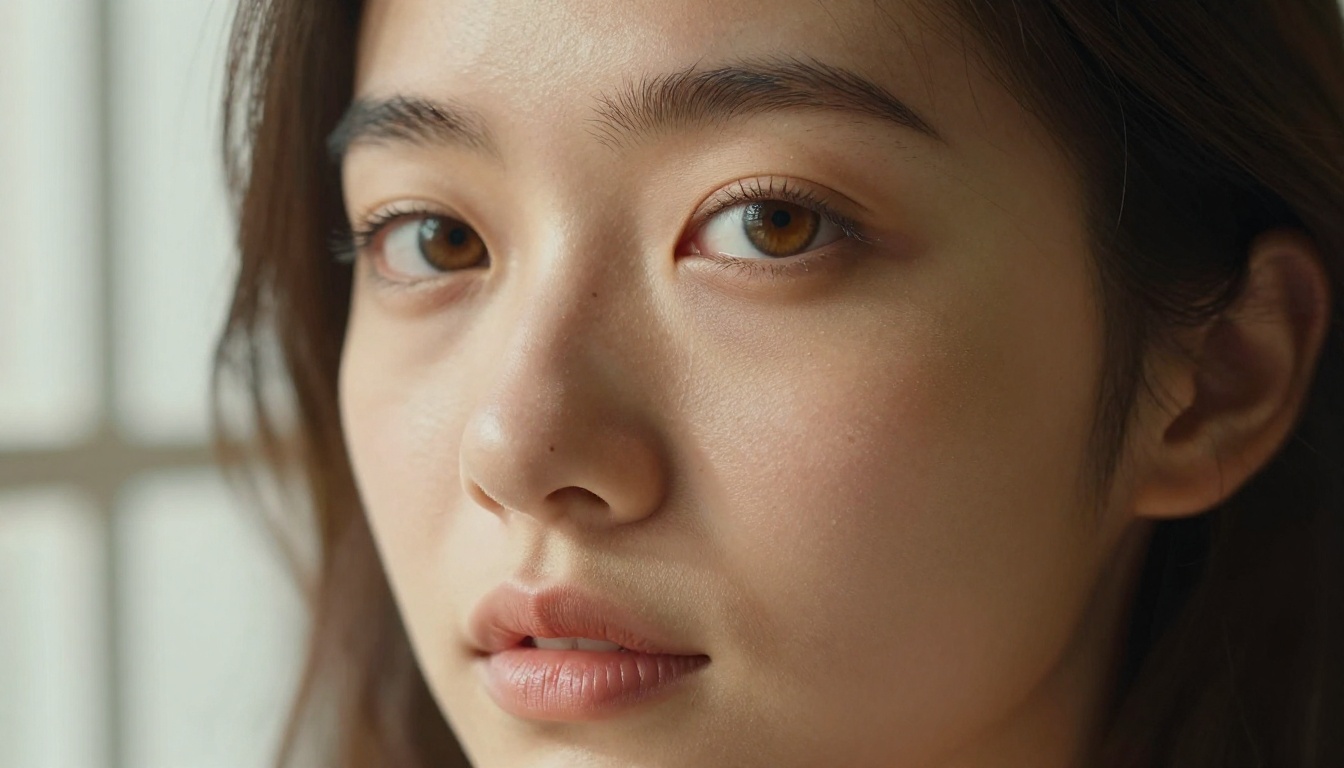
The practical implication for photographers and designers is that Seedream 5.0 imagery holds up at 200% zoom in ways that 4.5 often did not. For print production, product closeup imagery, and portfolio-quality portrait work, this is a real operational advantage.
Prompt Accuracy Gets Serious
Complex Scenes, Fewer Errors
One of the most persistent frustrations with text-to-image models has been what researchers call "semantic binding failure." This happens when a prompt says "a woman in a red dress holding a blue umbrella" and the model produces a woman where the umbrella is red or the dress is partially blue. The model interprets each element but fails to bind the properties to the correct subjects.
Seedream 5.0 shows meaningful improvement here. Testing with complex multi-attribute prompts reveals a substantially lower rate of attribute binding errors compared to 4.5. The model handles spatial relationships more reliably as well, correctly interpreting phrases like "to the left of," "in front of," and "above" with greater consistency across repeated runs.
This improvement is most visible in:
- Color-to-object binding: Correct color assignment to specific named items in a scene
- Positional accuracy: Objects appearing in the correct spatial relationship to one another
- Style-to-subject specificity: When a scene has mixed elements, the requested style applies to the right components
Multi-Subject Compositions
Multi-subject scenes are where most image models struggle most visibly. Two people in a scene frequently merge facial features, share clothing, or produce limbs that seem to belong to neither figure clearly. Seedream 5.0 has improved its instance separation, particularly for human subjects.
💡 Tip: For multi-person prompts in Seedream 5.0, use explicit physical descriptors for each person. "A tall man with short dark hair on the left, a shorter woman with red hair on the right" gives the model's instance separator clear anchors to work with.

The improvement is not perfect. Very complex scenes with four or more distinct human subjects still show occasional anatomical errors. But for the two or three subject compositions that represent the majority of commercial and creative use cases, 5.0 is noticeably more reliable than its predecessor and most competing models at this price tier.
Speed Numbers That Actually Matter
Benchmark Comparisons
Raw speed numbers often mask the real story. A model that generates in 3 seconds but requires multiple iterations to get a usable result is slower in practice than one that takes 8 seconds and delivers a solid result on the first or second attempt. Seedream 5.0's speed improvements are best understood in that context.
Generation times are approximate and vary by hardware configuration and server load.
Throughput in Production
For teams running batch image generation workflows, the 34% speed improvement from 4.5 to 5.0 is operationally significant. If you are generating 1,000 images per day, that difference in time-per-generation translates to meaningful cost savings in compute and faster cycle times for creative iteration. Seedream 5.0 also shows lower variance in generation time, meaning you can plan production workflows with more predictable timing.
The combination of native 4K output and sub-6-second generation time is genuinely rare across the current model landscape. Models that generate at 4K natively almost always pay a significant speed penalty. Seedream 5.0 manages to narrow that gap substantially.
How It Stacks Up Against Rivals
Strengths and Weaknesses Side by Side
Seedream 5.0 does not win on every dimension. It has specific areas where it performs exceptionally and others where models like Recraft 20B or Dreamina 3.1 still hold advantages.
| Capability | Seedream 5.0 | Seedream 4.5 | Competitor Field |
|---|
| Native 4K resolution | Yes | No | Varies |
| Skin texture fidelity | Excellent | Good | Variable |
| Multi-subject accuracy | Improved | Moderate | Varies by model |
| Text rendering in images | Moderate | Weak | Flux/Recraft stronger |
| Bilingual prompt support | Excellent | Excellent | Limited elsewhere |
| Style diversity | Good | Good | Competitive |
| Inference speed | 5.4 sec avg | 8.2 sec avg | Varies widely |

Where Seedream 5.0 is clearly ahead of most competition: bilingual Chinese-English prompt support remains best-in-class, photorealistic skin and portrait rendering is among the strongest available, and the combined 4K-plus-speed profile is a genuine differentiator.
The area where 5.0 still lags: in-image text rendering. If your workflow requires generating images with readable text integrated into the scene (product labels, book covers, signage), models like Flux Redux Dev handle this more reliably for now.
Creative Use Cases Worth Trying
Portrait and Fashion Photography
Seedream 5.0 is particularly strong for portrait and fashion-oriented imagery. The improved skin texture rendering, better handling of fabric materials, and enhanced portrait composition make it a natural fit for this category.
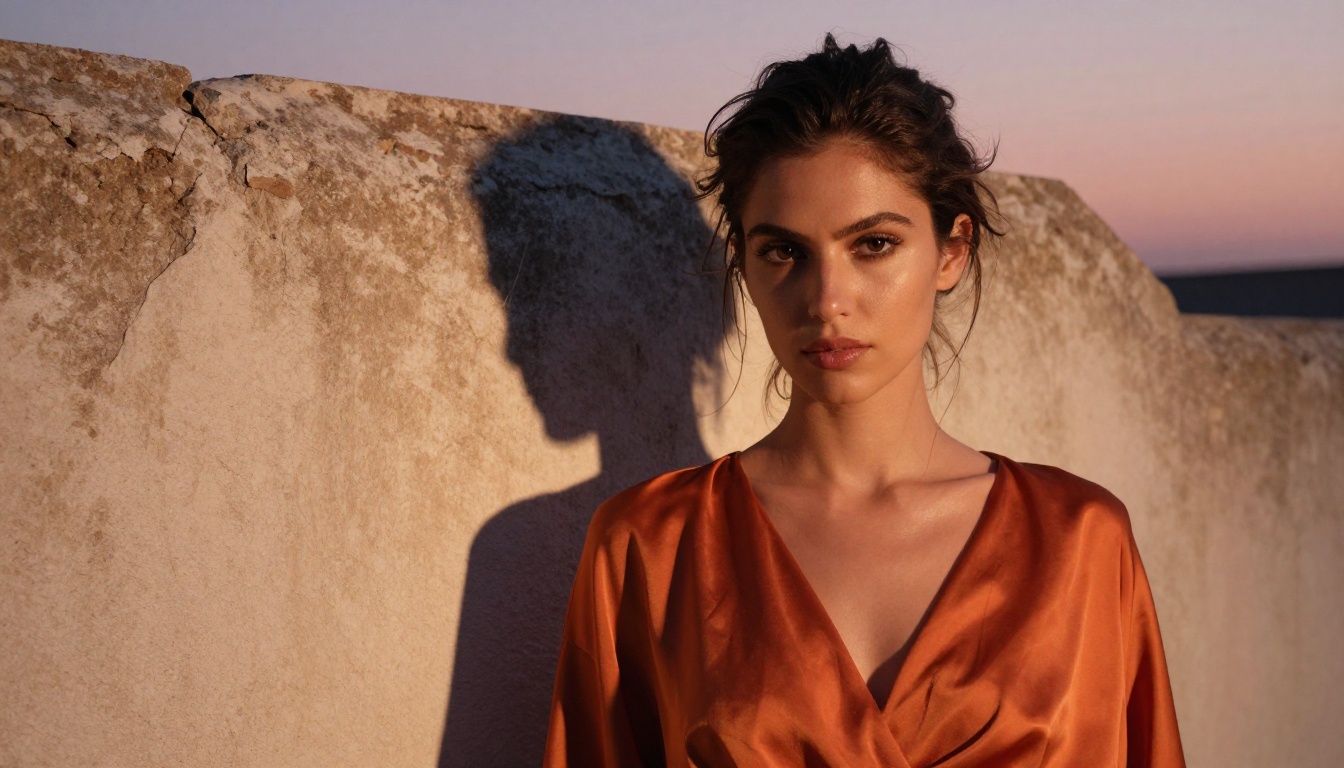
For portrait work, the model responds well to:
- Specific lighting descriptions ("Rembrandt triangle shadow on left cheek from window at 45 degrees")
- Lens and aperture specifications ("85mm f/1.4 at 1.5 meters")
- Film stock references ("Kodak Portra 400 color rendering with fine grain")
- Skin descriptor layering ("natural pores visible, faint freckles, downy facial hair catching sidelight")
Architectural Visualization
The improved spatial reasoning in 5.0 translates directly to better architectural visualization. Interior scenes with complex geometry, multiple light sources, and precise spatial relationships between objects are rendered with greater accuracy than any previous Seedream version.
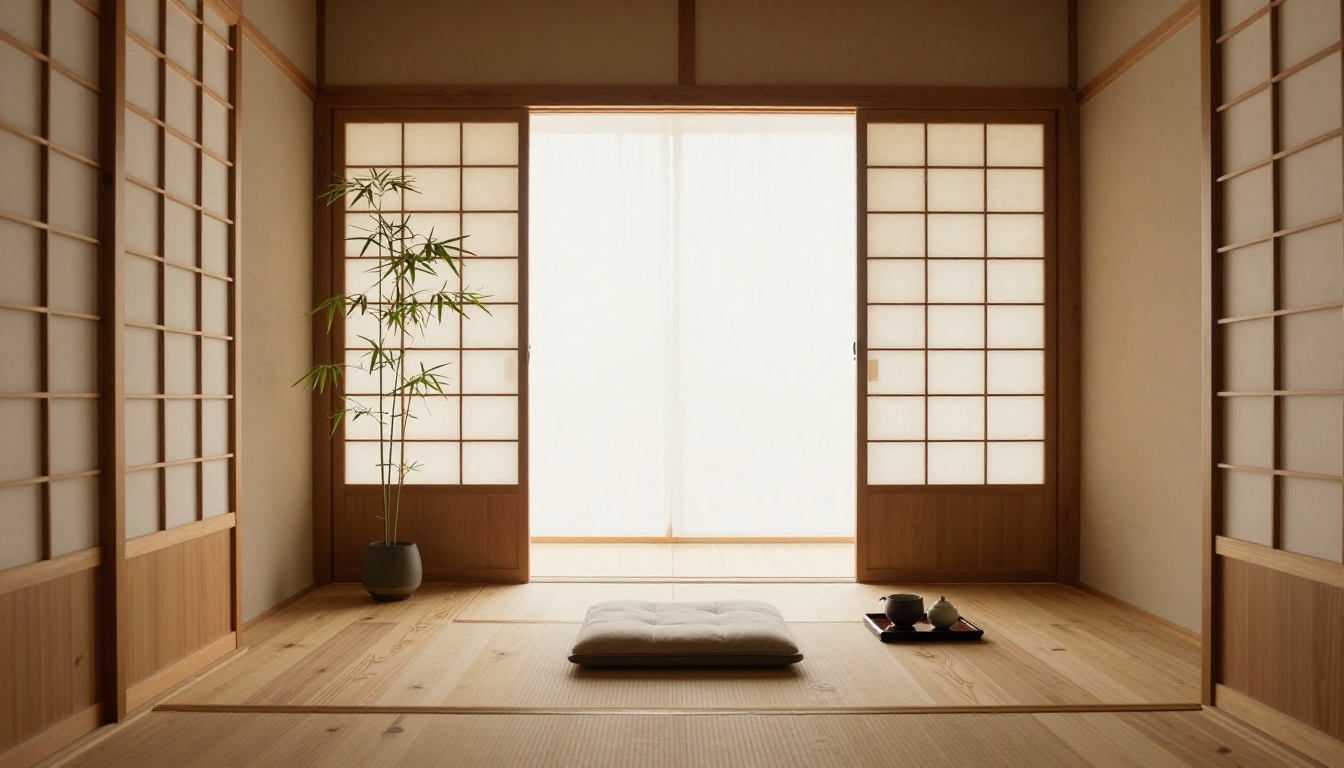
Seedream 5.0 handles architectural subjects with notable strength:
- Natural material textures (wood grain, stone, linen, ceramic) with high fidelity
- Complex daylight and shadow interactions through windows and apertures
- Depth and perspective in wide interior shots without the distortion artifacts common in earlier models
- Minimalist compositions where negative space and surface quality carry the visual weight
Commercial Product Imagery
For product photography workflows, Seedream 5.0 offers a fast path to high-quality lifestyle and studio mockup imagery.
💡 Tip: Combine Seedream 5.0 generation with a super-resolution pass using a dedicated upscaler for commercial output that requires printing at large format. While 5.0's native 4K is strong, print at A2 or larger still benefits from an additional resolution boost.

The model produces compelling imagery for:
- Lifestyle product placements (products shown in realistic daily-life contexts)
- Flat-lay product compositions (overhead product arrangements on styled surfaces)
- Person-with-product scenarios (models interacting naturally with products in unposed, candid-style setups)
How to Use Seedream on PicassoIA
PicassoIA currently hosts Seedream 4.5, the direct predecessor to 5.0, which shares the same core prompt logic and compositional behavior. Working with it today gives you an accurate preview of what to expect when 5.0 arrives on the platform and builds the prompt-writing intuition that carries directly across versions.
Step-by-Step on PicassoIA

Step 1: Access the model
Navigate to Seedream 4.5 on PicassoIA. No account setup is required to start experimenting with basic generations.
Step 2: Write a structured prompt
Seedream responds best to prompts built in this order:
- Subject with physical specifics
- Environment and setting
- Lighting conditions and direction
- Camera angle and lens
- Film stock or quality modifiers
Step 3: Set your output parameters
For photorealistic portrait work, select 16:9 aspect ratio at the highest available resolution. Seedream's architecture handles this ratio particularly well for human subjects and environmental scenes.
Step 4: Iterate on lighting descriptors
If your first result is compositionally correct but the lighting feels flat, refine by adding specific lighting direction and quality: "soft volumetric morning light from the upper left, diffused through frosted glass, warm 5500K color temperature."
Step 5: Use negative prompting for cleaner results
Seedream 4.5 and 5.0 both respond well to negative prompt guidance. Common negatives for photorealistic work: "illustration, painting, cartoon, HDR, oversaturated, artificial lighting, plastic skin."
💡 Tip: Seedream's bilingual capability means you can mix English and Chinese in a single prompt. If you are targeting specific cultural aesthetics or Asian subject matter, Chinese-language descriptors for cultural elements often produce more accurate results than translated English equivalents.
Prompts That Work Well
Three prompt structures that consistently produce strong results with Seedream on PicassoIA:
Portrait formula: [Subject descriptor with age/features] + [exact location in scene] + [clothing with material details] + [lighting direction and quality] + [camera lens at specific distance] + [film stock reference] + [negative: illustration, CGI, artificial lighting]
Environment/architecture formula: [Wide/medium/close establishing shot] + [specific room or location type] + [materials list with textures] + [natural light source direction] + [time of day and color temperature] + [lens focal length and depth of field] + [film stock reference]
Lifestyle/product formula: [Action verb + subject in motion or at rest] + [contextual environment with props] + [ambient light quality] + [camera angle: overhead/eye-level/low-angle] + [texture of key surface in focus] + [film stock reference]
Start Creating with Seedream Today
Seedream 5.0 represents a real step forward: faster generation, sharper native resolution, better prompt fidelity, and stronger portrait rendering. It is not a perfect model, and for certain tasks like text-in-image rendering, there are still better-suited options available. But for the broad sweep of commercial and creative photography-style imagery, 5.0 raises the baseline for what a text-to-image model should be capable of.
The best way to form your own view is to start generating. PicassoIA gives you direct access to Seedream 4.5 right now, alongside 90+ other text-to-image models ranging from Flux Redux Dev to Recraft 20B and Dreamina 3.1. You can run the same prompt across multiple models in minutes and see exactly where Seedream's strengths land for your specific creative needs.
Whether you are building a commercial photography workflow, experimenting with creative portrait prompts, or producing architectural visualization imagery, PicassoIA puts the tools in your hands immediately. Pick a subject, write a detailed prompt following the structures above, and see what 4K photorealism looks like when a frontier model gets it right.


