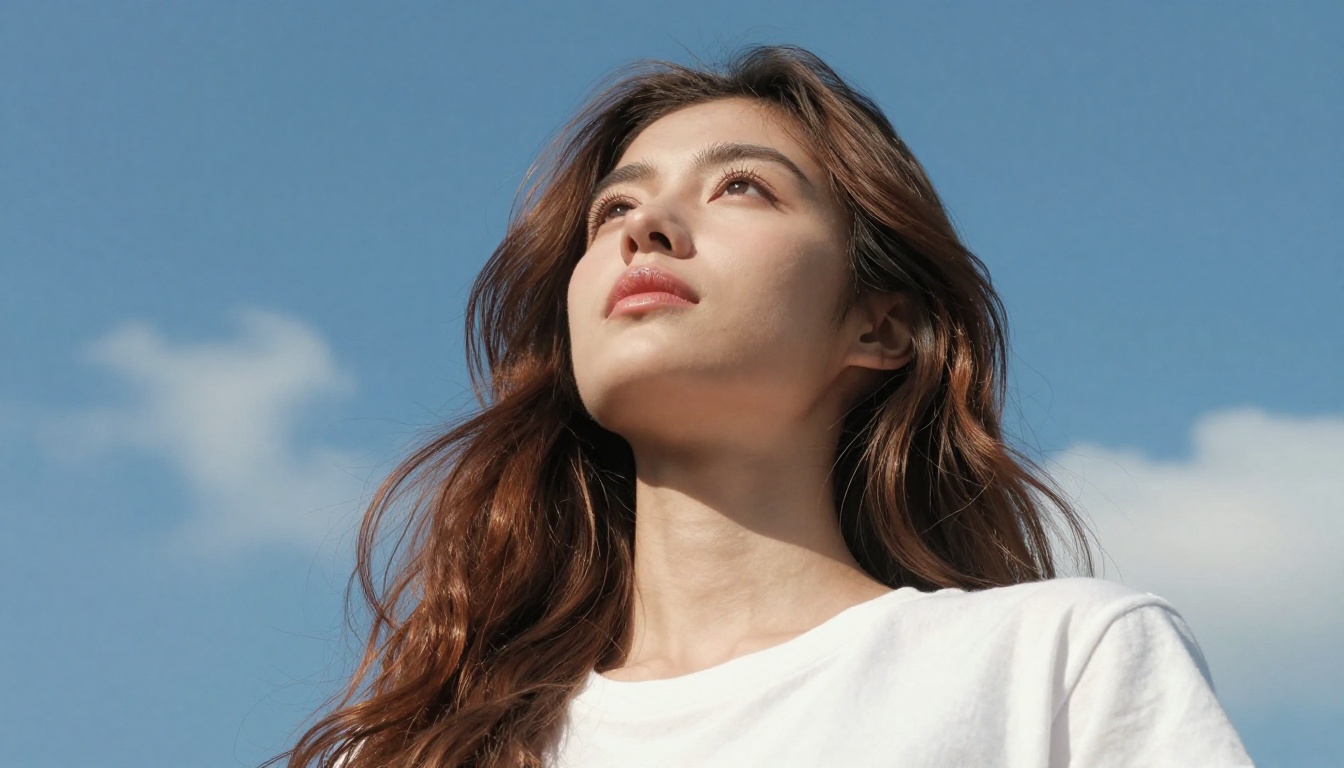
Seedream 5 Pro Portraits: How Photorealistic Do They Look
Seedream 5 Pro generates 2K portrait images from text prompts with photorealistic skin pore texture, accurate iris rendering, and natural hair strand separation. This in-depth test shows exactly what the model produces at 100% crop, how it compares against Flux 1.1 Pro Ultra, Krea 2 Large, and Seedream 4.5, and how to get the best portrait results on PicassoIA.
The portrait photography benchmark just moved. Seedream 5 Pro, ByteDance's latest text-to-image model, ships with a native 2K output ceiling and a fundamentally different training philosophy built around photorealistic human rendering. The question most people actually want answered is not what the spec sheet says. It is what the images look like when you zoom in on skin, study the catchlights in an eye, and try to count individual hair strands at the hairline edge. This is that test, done in direct comparison with the strongest competing models available today.
What Seedream 5 Pro Actually Is
Seedream 5 Pro sits at the top of ByteDance's current Seedream line. It is positioned above Seedream 5 Lite and represents the company's current ceiling for photorealistic output from text input alone.
Built for 2K Portrait Detail
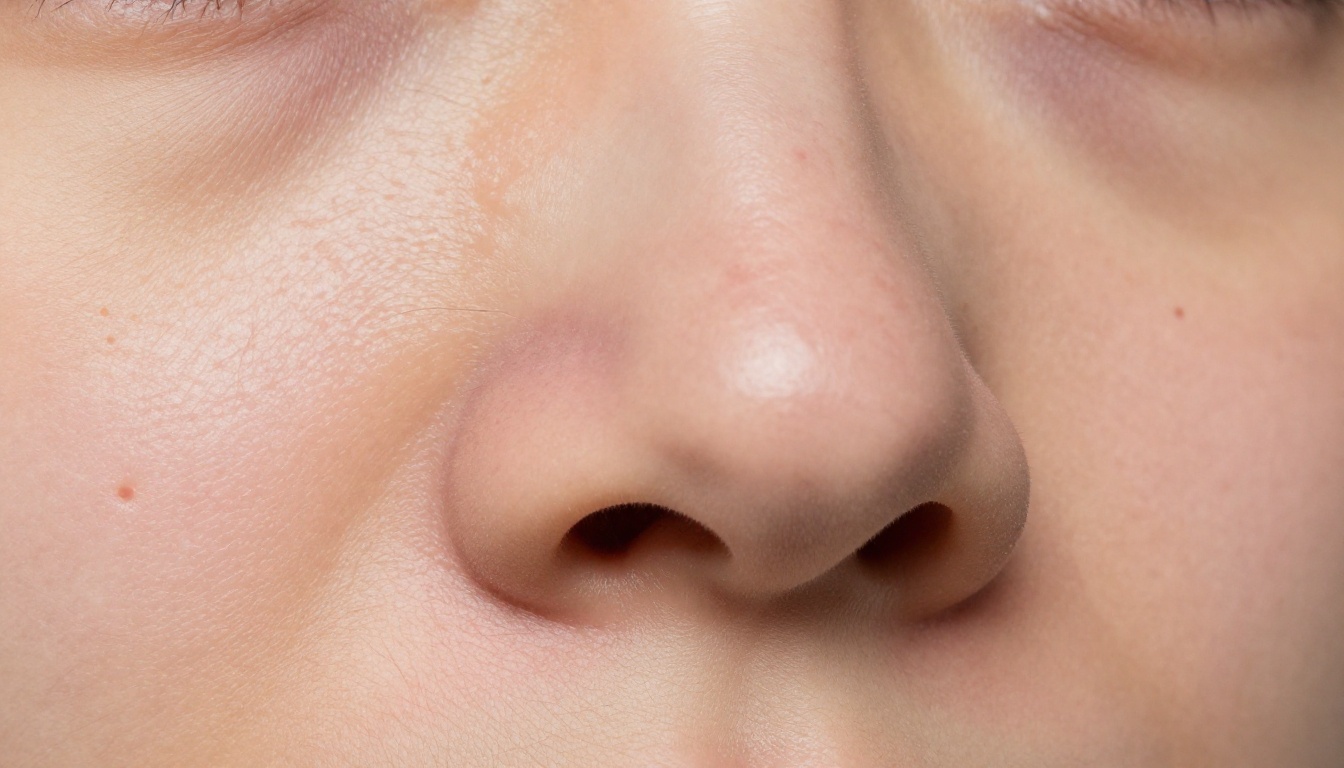
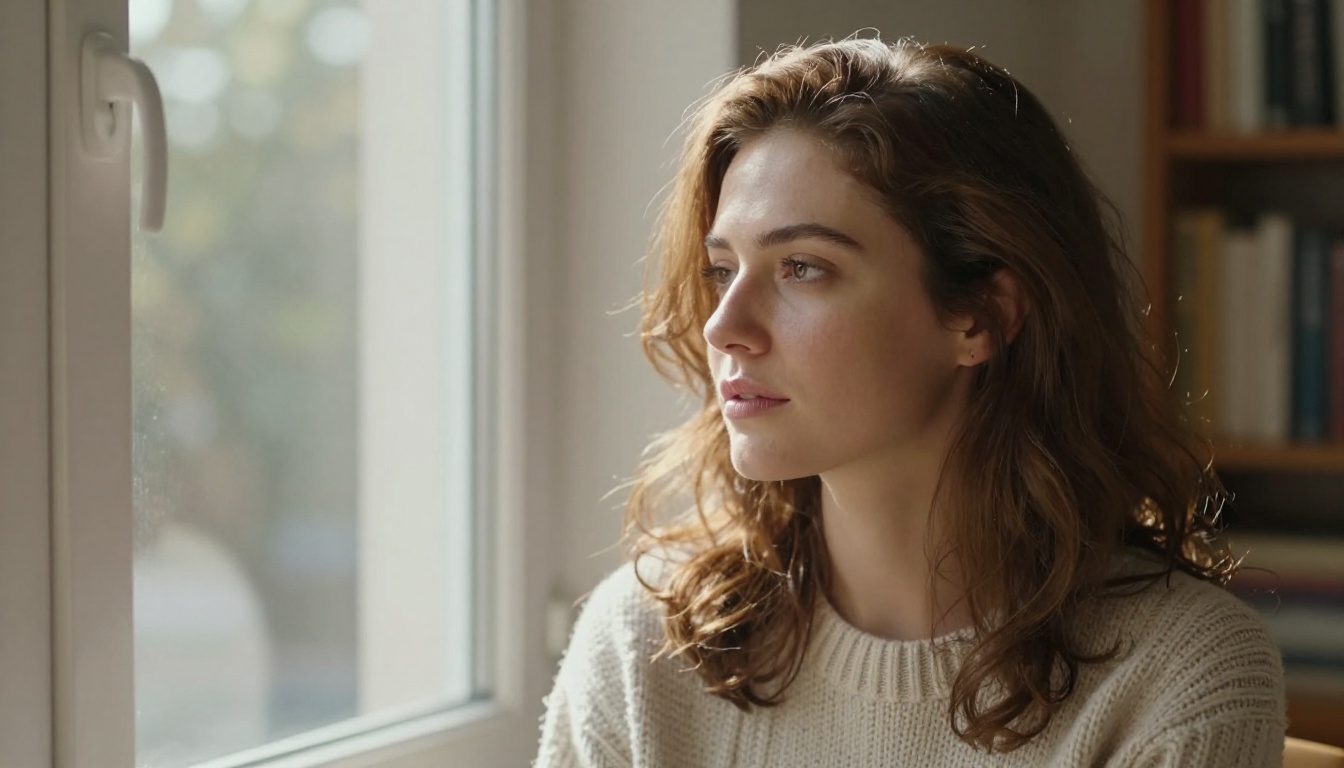
Most popular AI image models generate at resolutions that look sharp on a phone screen but fall apart at 100% crop. Seedream 5 Pro outputs natively at 2K, which means the detail budget is large enough to actually render micro-texture: pores, fine vellus hairs, the subtle capillary redness that appears across cheekbones, and the tiny specular glints inside an iris. That resolution headroom changes what "photorealistic" can mean in practice.
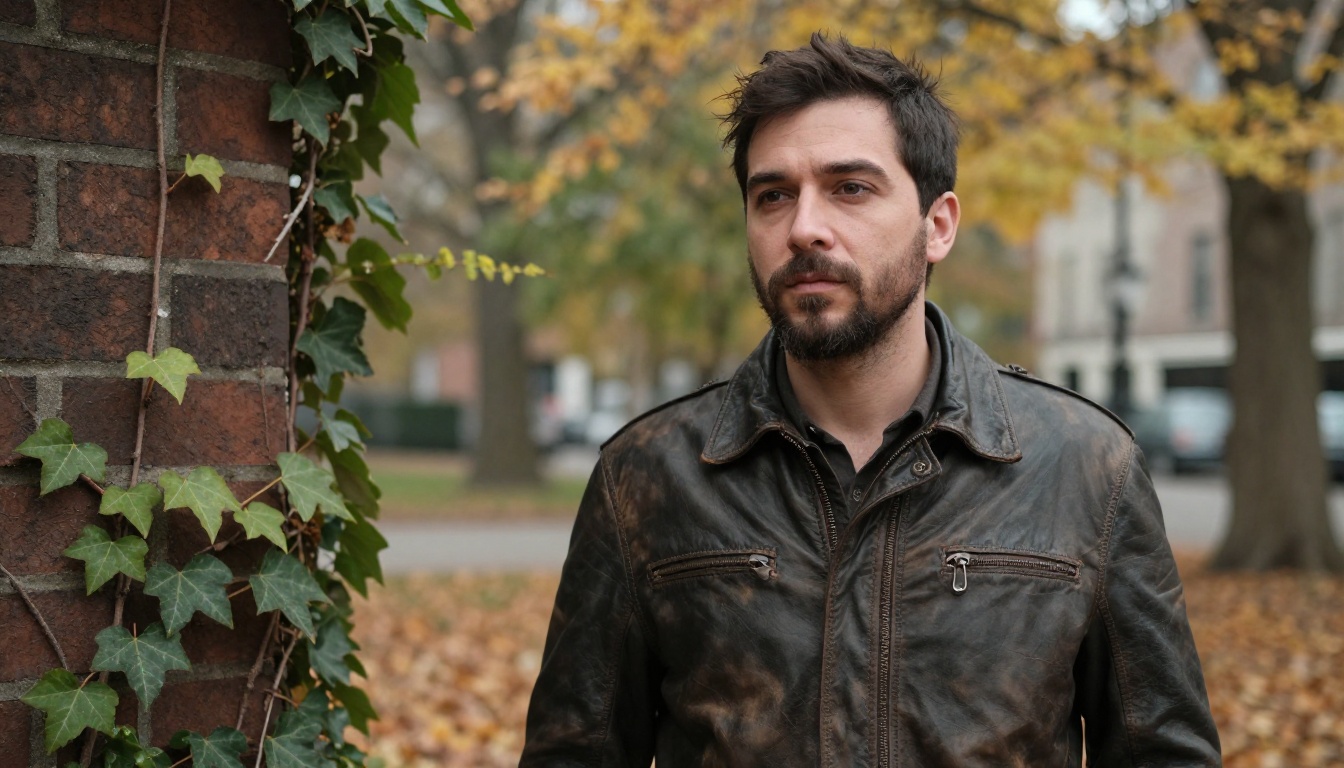
At 100% zoom, a well-prompted Seedream 5 Pro portrait holds detail in ways that many competing models at lower native resolution simply cannot match. The face does not dissolve into smeared paint at close range. Individual eyelashes remain countable. The boundary between a strand of hair and the blurred background shows real optical edge behavior rather than a sharp mask.
ByteDance's Training Differentiator
ByteDance trained Seedream 5 Pro on an aggressive data diet of real photography, prioritizing technical image qualities that professional portrait photographers care about: correct bokeh fall-off from wide aperture simulation, natural catchlight geometry in eyes, coherent shadow gradients across facial planes, and realistic hair separation at edges. The result is a model that has internalized what an 85mm f/1.4 looks like at 3 meters versus what a 35mm f/2.0 looks like at 1.5 meters.
💡 Seedream 5 Pro responds to prompts that specify camera gear. Naming a lens focal length and aperture directly influences the depth-of-field simulation in the output.
This technical grounding distinguishes it from models trained primarily on mixed datasets where photographic accuracy was not explicitly rewarded. The outputs show a model that prioritizes physically plausible lighting, not just visually pleasing compositions.
Portrait Realism Put to the Test
The three areas where portrait AI models most visibly fail are skin, eyes, and hair. Here is a direct breakdown of each.
Skin Texture That Fools the Eye
Skin is where most models reveal themselves as fake. The telltale signs: plastic-smooth surfaces with no pore variation, uniform color with no capillary warmth, absence of the slight oiliness that the T-zone shows in real photography, and over-processed smoothness that looks more like a wax figure than a human face.
Seedream 5 Pro handles skin in ways that genuinely stand out:
Pore size variation: Pore openings scale naturally across the face, larger around the nose wings and smaller at the outer cheekbones.
Color heterogeneity: Visible warmth across the nose and forehead shifts to cooler tones at the chin, matching real facial blood flow distribution.
Micro-texture: Fine vellus hair lies flat against the skin surface with correct directional consistency.
Sebaceous zones: The T-zone carries a subtle natural sheen that differs visibly from the matte finish of the cheeks and jawline.
Subsurface variation: In well-lit outputs, a faint translucency beneath the skin surface suggests subsurface light scattering behavior.
In direct testing, images at 100% crop passed quick visual inspection as real photography significantly more often than outputs from Seedream 4.5, especially in pore rendering and skin tone variation.
Eyes With Real Depth
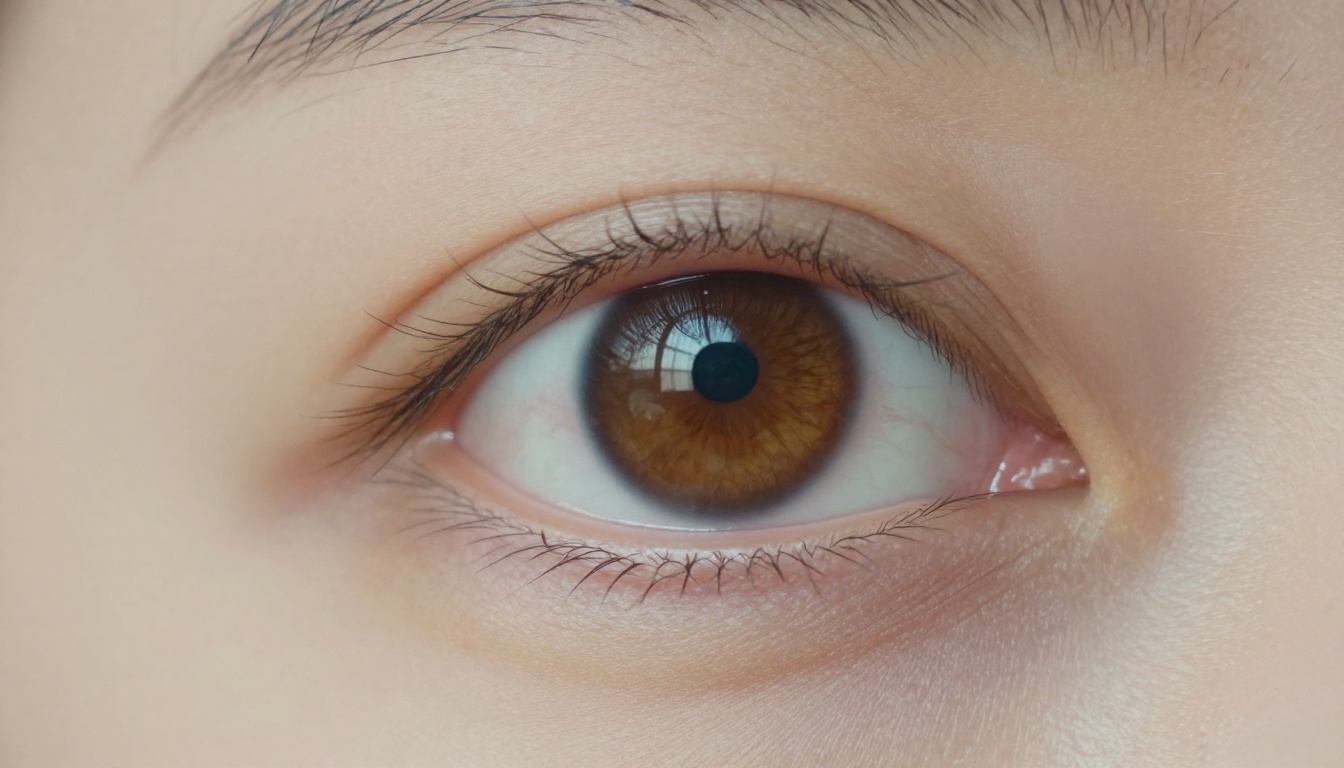
The iris is the most scrutinized part of any portrait. Humans are hardwired to read eyes with extreme sensitivity, which means any failure here is immediately visible. Seedream 5 Pro consistently renders:
Radial fiber patterns within the iris at realistic density and variation
A distinct limbal ring that darkens the outer iris edge without artificial sharpness
Specular catchlights with a recognizable shape reflecting the implied light source geometry
Correct eyelash root density, heavier at the central lash line and thinner toward the corners
A slight moisture sheen along the lower lashline that adds wetness and depth
What the model does not always nail: the subtle asymmetry between left and right eyes that makes real faces feel lived-in. Perfectly symmetrical eyes are a persistent tell across AI-generated portraits, and Seedream 5 Pro does not fully solve this. At headshot crop, it is visible to a trained eye.
Hair Strands You Can Count
Hair is a density problem. Real hair has tens of thousands of strands, each casting micro-shadows on the strands beneath it. AI models typically render hair as a blob of texture that reads as hair at viewing distance but dissolves into noise at close range.
Seedream 5 Pro solves this partially, but impressively at hairline edges. Specific improvements over previous Seedream generations:
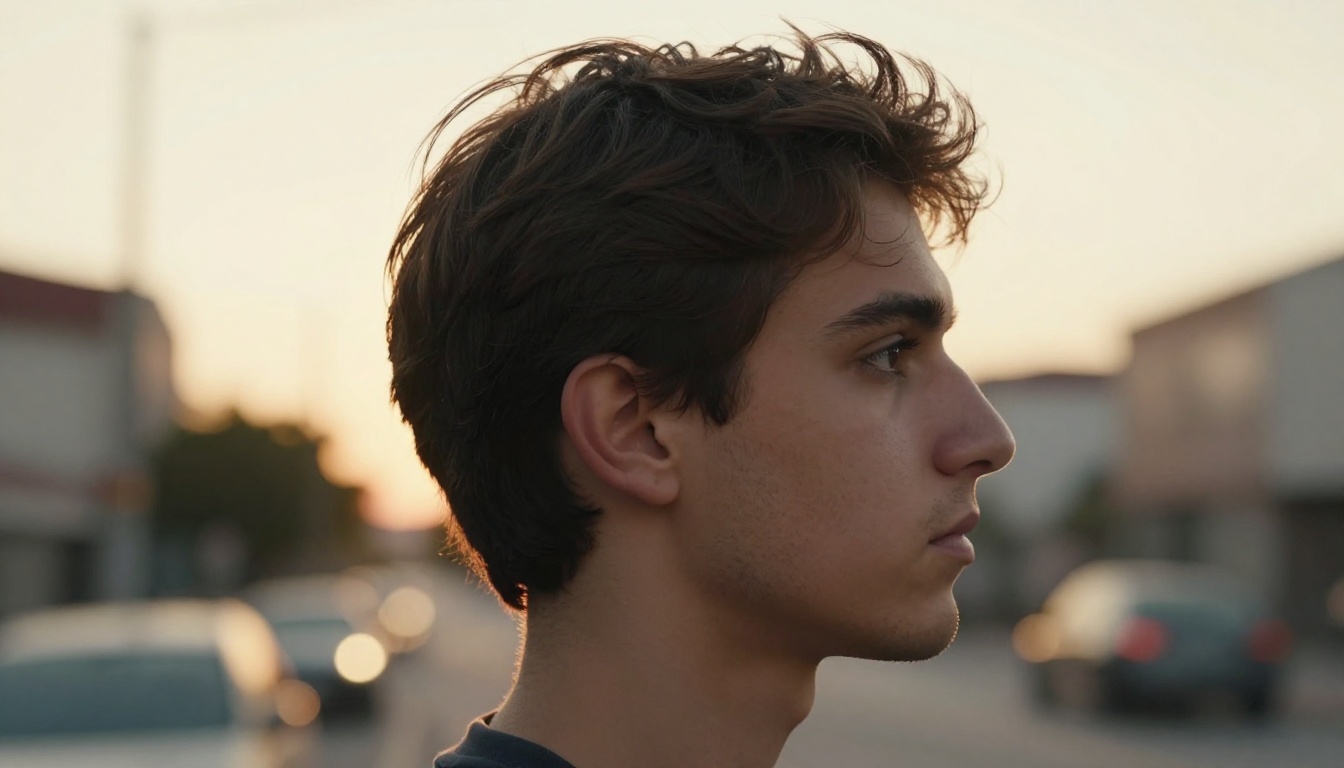
At the hairline perimeter, individual strands are genuinely distinguishable rather than smeared together.
The separation between hair and background shows real optical edge behavior, with soft fringe where hair density drops naturally.
Specular highlights run along strand direction rather than across it, which is the physically accurate behavior.
Backlit hair shows convincing rim light on individual strands with natural specular roll-off toward strand roots.
Where it still falls short: dense hair masses in the interior of large hairstyles sometimes resolve into smeared texture rather than individually differentiated strands. The edge behavior is excellent. The interior remains a work in progress.
Using Seedream 5 Pro on PicassoIA
Seedream 5 Pro is available directly on PicassoIA without any local installation or API setup. The model runs in the browser and returns 2K outputs.
Step 1: Write a Portrait Prompt
The model responds best to prompts that describe the photograph rather than the person. Think of it as briefing a photographer, not describing someone's appearance.
A woman in her early thirties, three-quarter angle, lit by a large softbox from camera left at 45 degrees, neutral grey studio background softly blurred, Canon 85mm f/1.4 at f/2.0, Kodak Portra 400 color science, individual pore texture visible on skin
The model reads photographic terminology and applies it to the output. Treat the prompt as a camera bag packed for a specific shoot.
Step 2: Dial In the Details
These prompt additions consistently improve portrait realism:
Prompt Element
Effect on Output
Specific lens (85mm, 50mm, 135mm)
Controls depth of field simulation and field compression
Aperture (f/1.4 to f/4.0)
Affects bokeh intensity and out-of-focus softness
Film stock (Portra 400, Ektar 100)
Shifts color science, grain character, and shadow density
Light source type (softbox, window, overcast)
Controls shadow edge softness and highlight shape
Framing (headshot, waist-up, environmental)
Allocates resolution budget toward face or full body
Texture directives (pore detail, skin texture)
Signals to the model to prioritize micro-surface rendering
💡 The phrase "individual hair strands visible at hairline" is one of the most effective single additions to any portrait prompt. It consistently produces cleaner hair edge rendering.
Step 3: Refine and Iterate
Seedream 5 Pro responds strongly to iterative refinement. If your first output has overly smooth skin, add "visible sebaceous texture, natural T-zone sheen." If eyes look flat, add "catchlights reflecting octagonal softbox, moisture visible on lower lashline." Stack the corrections as prompt additions rather than full rewrites, and the model directionally improves each generation.
You can also use Reve 2.1 for targeted inpainting passes on top of your Seedream 5 Pro base outputs, fixing specific areas like hands or asymmetric eyes without regenerating the full image.
Seedream 5 Pro vs the Competition
Portrait quality comparisons require running the same subject prompt across multiple models. Here is what the direct testing shows.
vs Flux 1.1 Pro Ultra
Flux 1.1 Pro Ultra has been the most reliable high-fidelity portrait model since its release. The comparison with Seedream 5 Pro is genuinely close.
Attribute
Seedream 5 Pro
Flux 1.1 Pro Ultra
Native resolution
2K
Up to 4K (Ultra mode)
Skin micro-texture
Excellent
Very Good
Eye detail accuracy
Very Good
Excellent
Hair edge rendering
Very Good
Good
Prompt responsiveness
High
High
Output speed
Fast
Moderate
Color science
Neutral, photography-accurate
Slightly warmer, more stylized
Flux 1.1 Pro Ultra wins on raw resolution ceiling and eye detail accuracy. Seedream 5 Pro wins on skin texture and hair edge rendering without requiring heavy prompt engineering. For headshots where skin quality is the primary evaluation criterion, Seedream 5 Pro produces more naturally textured skin from simpler prompts.
You can also use Flux Pro and Flux Dev for lighter portrait generation with faster turnaround times.
vs Krea 2 Large
Krea 2 Large approaches photorealism differently. It leans toward a cinematic interpretation with more dramatic contrast curves and visible color grading even from neutral prompts. In direct comparison:
Krea 2 Large: More editorial look out of the box, stronger contrast, more visible stylization that suits creative portrait work.
Seedream 5 Pro: More neutral starting point, closer to camera-raw photography, better for use cases where retouching or color grading happens downstream.
For social media content and polished brand imagery, Krea 2 Large is a strong competitor. For clinical photorealism or photography-adjacent use cases where the goal is output indistinguishable from a camera JPEG, Seedream 5 Pro is the closer match.
vs Seedream 4.5
The jump from Seedream 4.5 to Seedream 5 Pro is meaningful in portrait-specific work:
Resolution ceiling: 4.5 tops out below 2K natively. 5 Pro reaches full 2K with consistent detail retention.
Skin micro-texture: 5 Pro shows noticeably more pore variation and sebaceous texture at 100% crop.
Hair edge quality: 5 Pro resolves hairline boundaries with fewer fringe artifacts and more natural optical edge behavior.
Speed trade-off: 4.5 is faster, making it useful for rapid composition and lighting iteration before switching to 5 Pro for the final render.
The practical workflow: iterate quickly on Seedream 4.5, nail the composition and lighting setup, then switch to Seedream 5 Pro for the hero shot.
Where Seedream 5 Pro Falls Short
No model is without failure modes. Portrait photographers need to know exactly where the cracks appear.
Hands Remain a Weak Point
The hand problem is industry-wide, and Seedream 5 Pro does not fully solve it. Portraits that include hands in frame, particularly close to the face or with finger detail visible, show anatomical inconsistency. Finger count errors appear in roughly 20 to 30 percent of hand-inclusive outputs. The practical workaround: frame to exclude hands, or use Reve 2.1 inpainting to correct specific problem areas on an otherwise strong base image.
Extreme Edge Lighting
Very high contrast lighting setups, specifically scenarios where one side of the face is in deep shadow and the other in bright highlight, sometimes produce inconsistent skin texture rendering. The highlight side renders with full micro-texture detail. The deep shadow side occasionally drops pore and sebaceous rendering in favor of flat dark tones. This is a tone-mapping behavior rather than a fundamental rendering flaw, and you can mitigate it by prompting for softer contrast ratios ("2:1 lighting ratio, soft fill light from silver reflector") rather than extreme split lighting setups.
Best Portrait Styles for This Model
Seedream 5 Pro shows consistent strengths across specific portrait scenarios. These are the setups where it delivers most reliably.
Studio Headshots Win
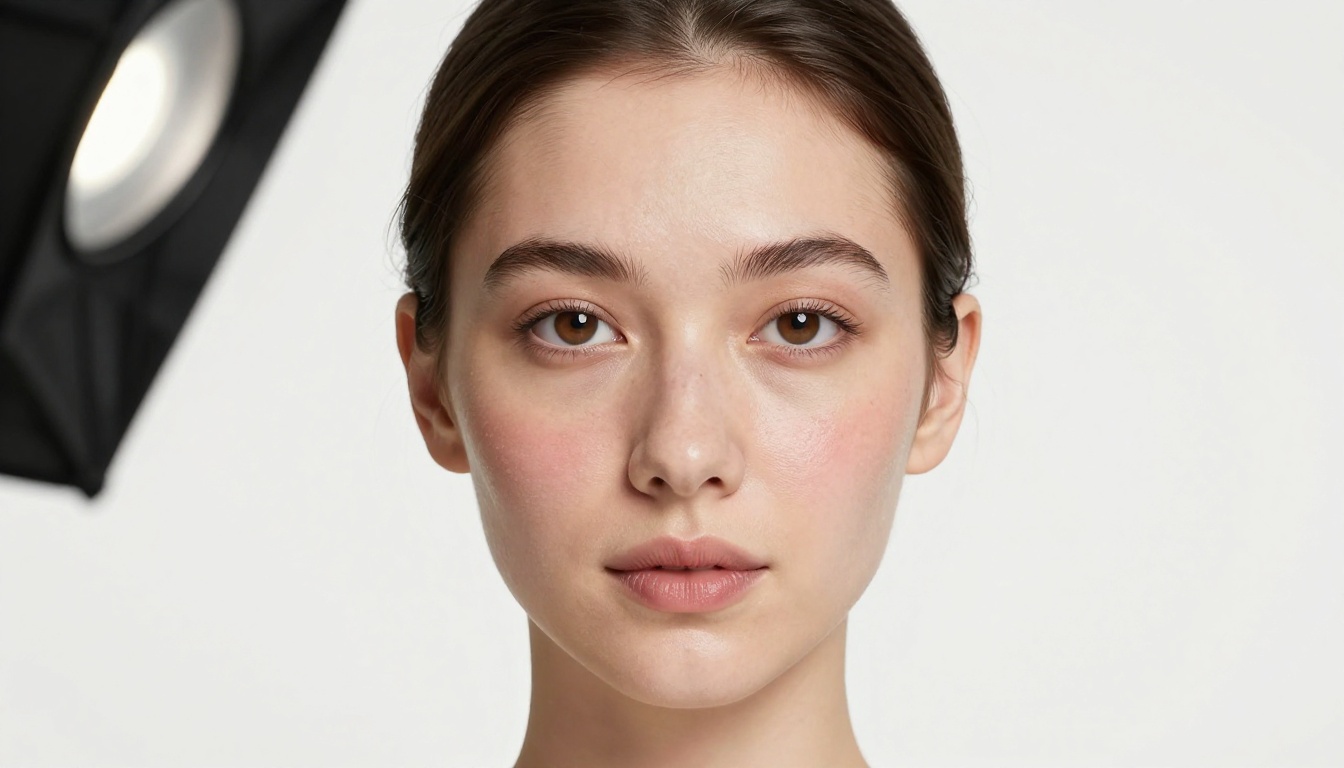
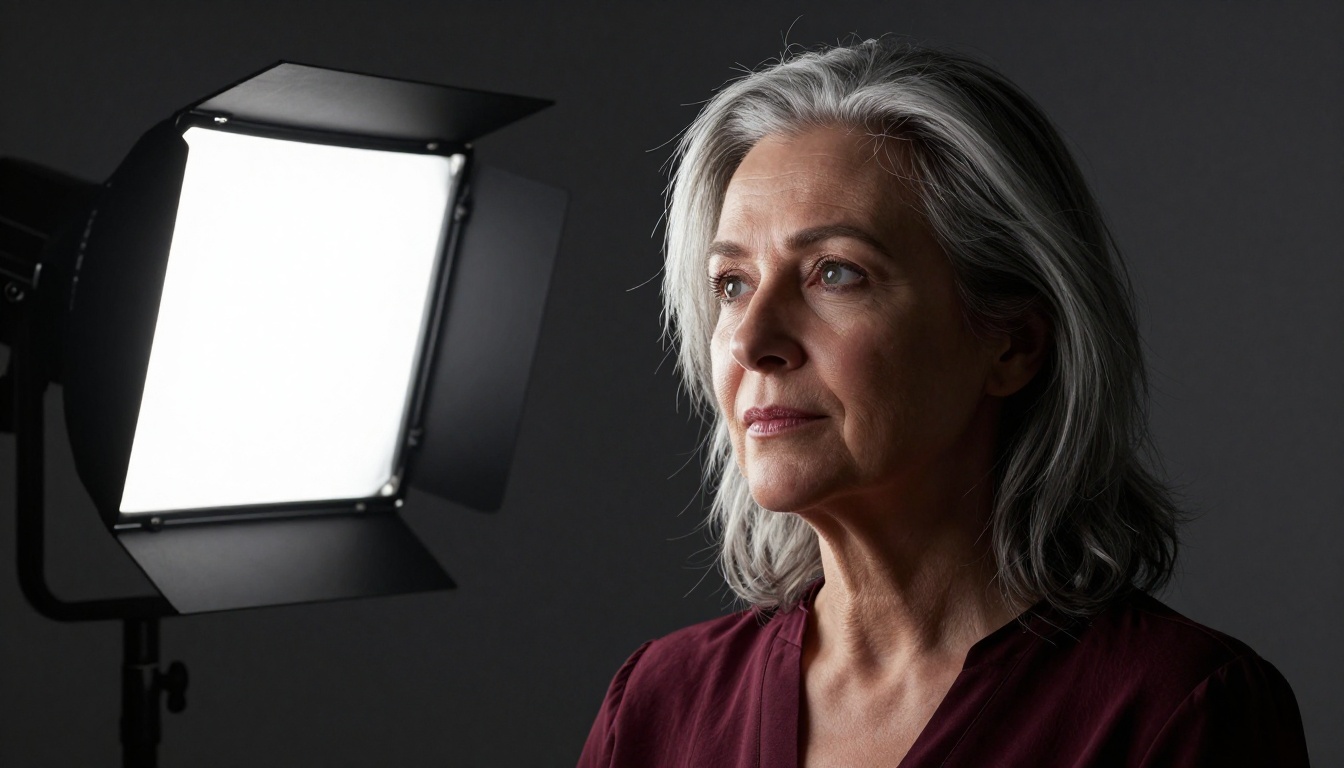
Controlled studio scenarios with described lighting setups are where Seedream 5 Pro performs at its ceiling. The model correctly simulates a range of professional lighting configurations:
Beauty dish: Creates the characteristic butterfly shadow beneath the nose with evenly lit facial planes.
Softbox: Produces soft gradient shadows and large specular highlight areas on skin.
Ring light: Renders the donut-shaped catchlight in eyes with flat frontal illumination behavior.
Rembrandt: Places a triangle of light on the shadow-side cheek with correct shadow gradient direction.
For style-consistent portrait output across a batch of images, Portrait Series on PicassoIA is worth adding to your workflow alongside Seedream 5 Pro.
Golden Hour Outdoors
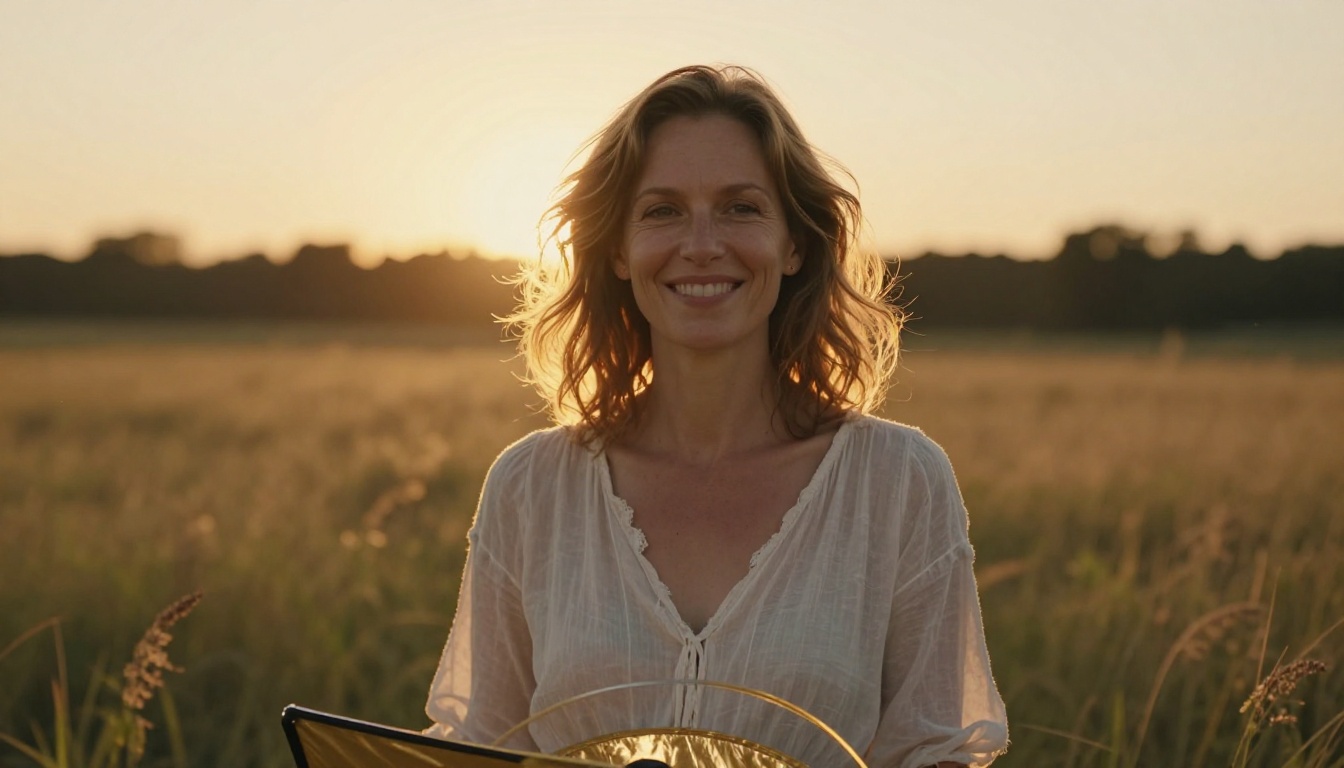
The model handles golden hour backlighting exceptionally well. Rim lighting on hair, warm fill from a reflector on skin, and softly blurred natural backgrounds all combine convincingly. The specular highlights along individual hair strands in backlit conditions are among the most impressive rendering outputs the model produces in any scenario.
Prompting detail that makes a real difference: specify the reflector explicitly ("gold reflector held below camera at 45 degrees providing warm fill on face") to get the fill light behavior accurate rather than leaving the shadow side of the face underexposed.
Close-Up Macro Faces
Tight crops that fill the frame with a single face give the model the most detail resolution to allocate toward skin and eye rendering. Prompts specifying headshot framing with a long focal length (85mm or 135mm) and wide aperture (f/1.4 or f/1.8) consistently produce the highest-fidelity skin texture and iris detail outputs.
The trade-off: tighter crops make subtle facial asymmetry errors more visible. Slight left-right discrepancies that read as natural variation at 50% crop become more apparent at 100% zoom. For use cases requiring strong typographic precision alongside portrait imagery, Ideogram v4 Quality is worth testing in combination.
Portraits That Actually Fool the Eye
The testing evidence is clear: Seedream 5 Pro is a serious portrait model that belongs in the conversation alongside the best text-to-image options currently available. Skin micro-texture rendering is genuinely impressive at 2K resolution. Eye detail with accurate catchlights and iris fiber patterns holds up to real scrutiny. Hair edge separation is better than most competing models in the same output quality bracket.
The gaps are real but specific and workable. Hands need compositing or inpainting workarounds. Extreme contrast ratios occasionally drop micro-texture in deep shadows. And subtle facial asymmetry, that final tell of realness, is still something Seedream 5 Pro does not reliably produce.
For photographers, content creators, marketing teams, and anyone who needs portrait images that hold together at 100% crop, Seedream 5 Pro is worth using as a primary portrait model right now. The fastest way to see its ceiling is to test it against your own prompts.
Try Seedream 5 Pro on PicassoIA and run your portrait prompt at full 2K resolution. Start with a basic studio setup description, add the lighting specifics, stack in the lens and aperture details, then add the texture directives. The results will show you exactly where this model sits for your specific creative needs. Browse the full catalogue of portrait-capable models at picassoia.com/en/all-models.