If you've been watching AI image generation evolve, you know ByteDance doesn't release new models just to check a box. Seedream 5 Pro arrived in 2026 with serious technical claims: higher native resolution output, better anatomical accuracy, and photorealism that finally closes the gap with real photography. But claims are one thing. After running extensive real-world tests across portraits, landscapes, and product photography, this is an honest assessment of what Seedream 5 Pro actually delivers and whether it belongs in your workflow.
What Makes Seedream 5 Pro Different

ByteDance has been refining the Seedream architecture across several generations, and Seedream 5 Pro represents the most significant leap yet. The model was trained on a substantially larger and more curated dataset than Seedream 4.5, with particular focus on anatomical correctness, natural lighting physics, and material texture fidelity.
The improvements are not subtle. Side-by-side testing against older Seedream generations reveals that the new model has a qualitatively different relationship with spatial reasoning and light behavior. Earlier versions approximated lighting; this one simulates it, and the difference is visible the moment you zoom into any generated image at full resolution.
The Architecture Behind the Output
Most text-to-image models at this tier use diffusion-based architectures, but where they differ is in how they handle prompt adherence and spatial reasoning. Seedream 5 Pro shows improved spatial coherence: objects relate to each other in physically plausible ways, light sources behave consistently across the frame, and reflections actually match their environments.
This matters practically. When you ask for a coffee cup sitting on a reflective surface next to a window, cheaper models place the cup but ignore the reflection logic entirely. Seedream 5 Pro infers the missing physical properties rather than ignoring them, producing outputs that hold up under close inspection.
The model also demonstrates stronger prompt adherence on compositional requests. Ask for a specific camera angle, and the output reliably delivers that angle. Ask for a specific light source position, and shadows fall accordingly. This responsiveness to photographic specifications is what separates professional-tier models from consumer-grade generators.
Native Resolution and Output Quality
Seedream 5 Pro generates at higher native resolutions than its predecessors, which means less reliance on upscaling as a post-processing step. The model produces clean detail at the pixel level rather than the smeared look that older AI generators display when you zoom into fine textures like fabric weave, hair strands, or skin pores.
For anyone using AI-generated imagery in professional workflows, this is the practical difference between output you can use directly and output that needs a separate upscaling pipeline before it can go to print or client presentation. The texture depth in high-resolution output from Seedream 5 Pro is genuinely competitive with medium-format digital photography at equivalent magnification.
💡 Tip: When generating images at full resolution with Seedream 5 Pro on PicassoIA, include specific camera lens specifications in your prompt, for example "85mm f/1.4 shallow depth of field." The model responds to these details and produces more technically accurate optical characteristics in the final output.
Seedream 5 Pro vs Previous Versions
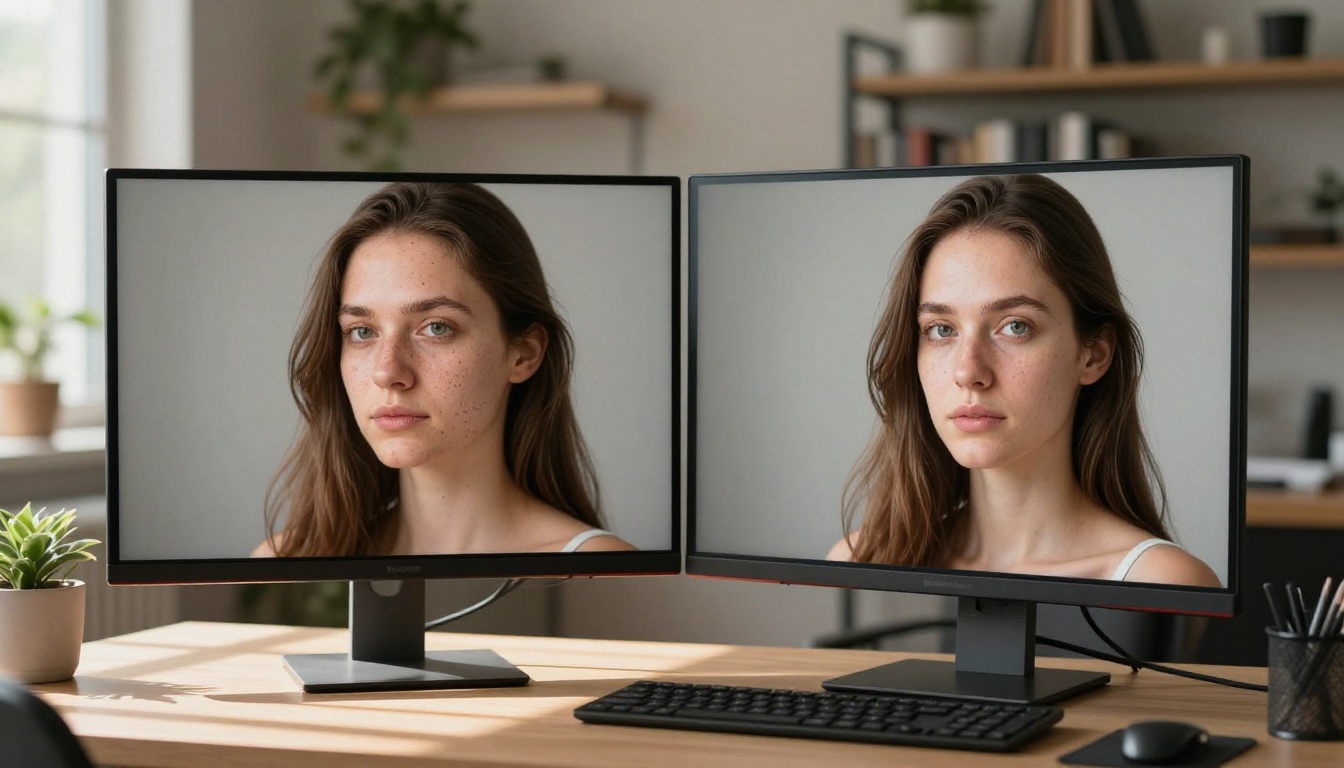
If you have been using Seedream 4.5 or Seedream 3, you want to know whether upgrading is worth the switch. The short answer: yes, but not uniformly across all use cases.
Seedream 5 Pro vs Seedream 4.5
| Capability | Seedream 4.5 | Seedream 5 Pro |
|---|
| Portrait skin texture | Good, occasional smoothing | Excellent, pore-level detail |
| Hand rendering | Inconsistent finger count | Substantially improved |
| Complex backgrounds | Sometimes incoherent | Spatially logical |
| Text in image | Poor | Slightly improved, still limited |
| Generation speed | Fast | Moderately slower |
| Native resolution | Standard output | Higher native output |
| Material physics | Approximate | Accurate reflection and refraction logic |
| Lighting coherence | Single-source inconsistent | Consistent across the frame |
The portrait improvement is immediately visible. Seedream 4.5 produces smooth, slightly artificial-looking skin that reads as AI on close inspection. Seedream 5 Pro renders individual pores, fine facial hair, and the slight asymmetries that make a face look photographically real. This single improvement alone justifies the switch for anyone doing character or portrait work at a professional level.
The background coherence improvement is equally important for scene-based work. Seedream 4.5 sometimes produces backgrounds with internal logical contradictions: light appearing from incompatible directions, objects floating at implausible distances, reflective surfaces ignoring the scene they are in. Seedream 5 Pro resolves most of these issues without requiring explicit correction in the prompt.
Seedream 5 Pro vs Seedream 3
Compared to Seedream 3, the difference is dramatic. The older model struggles with lighting coherence, often placing multiple apparent light sources that create physically impossible shadows. Seedream 5 Pro treats lighting as a physics problem, not a style choice. Natural, single-source scenes look photographically accurate in a way that was simply not achievable with Seedream 3, regardless of prompt quality or iteration count.
For anyone still running Seedream 3 in production, the jump to Seedream 5 Pro will feel like switching from a consumer camera to medium format. The resolution difference is one factor; the coherence difference is a larger one.
Real-World Image Quality Tests
The only way to assess these claims is through actual output. Here are results from tests run across the three categories where text-to-image quality matters most for professional use: portraits, landscapes, and product photography.
Portrait Results
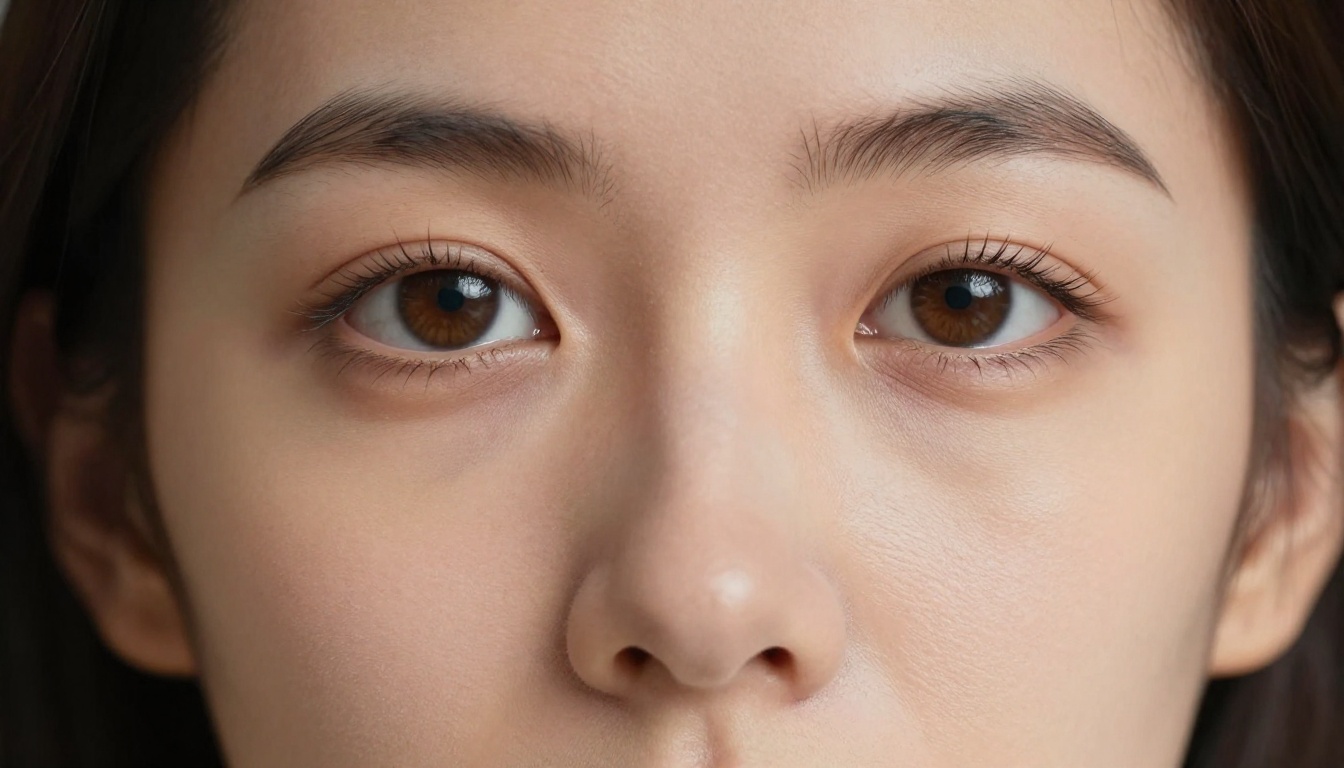
Portrait generation is where Seedream 5 Pro shows its most dramatic improvement. Using photorealistic portrait prompts with specific lighting directions, camera distance, and lens specifications, the output consistently delivers:
- Skin texture at macro level: Individual pores visible, subtle facial hair rendering, natural oil sheen variation across different skin zones
- Eye detail: Iris fiber patterns render correctly, catch lights match the described light source position, lash micro-shadows fall across cheeks as physics dictates
- Anatomical accuracy: Hands show correct finger counts in most orientations, ears render in correct proportions relative to the face, neck and jaw muscle structure is present and accurate
The one remaining weakness in portrait work is consistency across multiple generations. Run the same prompt five times and you get five different faces. Seedream 5 Pro does not offer native character consistency, so for projects requiring the same subject across multiple images, you will need seed control or a reference-based supplementary workflow.
Landscape and Nature Scenes
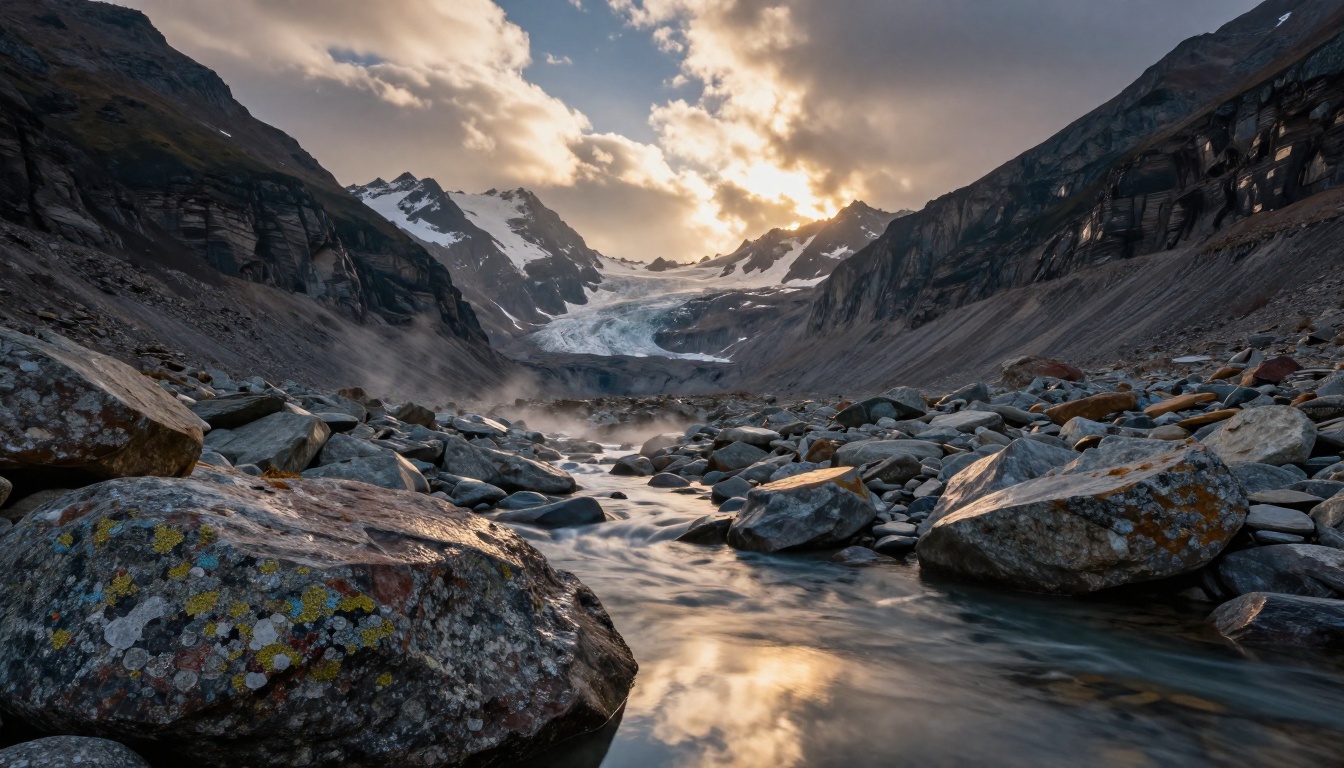
Landscape generation is where Seedream 5 Pro performs most consistently. The model's improved understanding of natural light physics produces landscapes that feel photographically honest rather than algorithmically approximated.
Test prompts using mountain environments at various times of day produced volumetric lighting with god rays through cloud gaps, mist over water surfaces, and shadow gradients that match the described sun position with high accuracy. Material differentiation was strong across the board: wet rock versus dry rock look materially different, water reflections respond to described wind conditions, and snow texture varies between fresh powder and packed ice without explicit prompting to differentiate them.

The organic complexity of natural scenes renders without the uniform quality that gives AI landscapes away in lower-tier models. Complex fractal branching patterns in tree canopies, an area where many models produce repetitive or symmetrical shapes, appear genuinely irregular in Seedream 5 Pro output. Individual leaves catching backlight show translucent veining. Lichen patches vary in color and density across bark surfaces. Water droplets on foliage show accurate surface tension geometry.
Product Photography

Product photography is a rigorous test because it involves precise material rendering: glass, fabric, metal, liquids, and reflective surfaces all behave differently, and AI models frequently blend their characteristics incorrectly or ignore interaction between adjacent materials.
Seedream 5 Pro handles material physics well across most categories:
Glass and crystal: Refraction patterns, internal light dispersion, and the characteristic caustic patterns projected through glass onto surfaces beneath render correctly. Earlier Seedream versions showed refraction but without consistent physics logic connecting refraction to the described light source position.
Fabric: Thread weave is visible at close examination, natural drape behavior follows gravity and material weight, and material-specific sheen is distinguishable between silk, cotton, and linen without explicit prompting.
Marble and stone: Vein patterns follow plausible natural formations rather than the repeating tile-like AI patterns that appear in lower-tier models. Surface texture varies appropriately between polished and rough sections based on described surface finish.
💡 Tip: For product photography prompts with Seedream 5 Pro, specify your light source as a photographer would brief a studio: "4x8 foot softbox, 45 degrees above and left, no fill light." The model uses this information to calculate realistic shadow behavior rather than approximating it.
How to Use Seedream 5 Pro
Seedream 5 Pro is available directly on PicassoIA, giving you a clean interface for prompt entry, parameter control, and rapid iteration without needing API access or local hardware. Here is the workflow that consistently produces the best results.
Step 1: Write Your Prompt
The most common mistake with Seedream 5 Pro is under-prompting. The model is capable of interpreting complex photographic and lighting specifications, but it defaults to median aesthetic choices when prompts are vague. Vague prompts produce average results; specific prompts produce professional ones.
Structure your prompt in deliberate layers:
- Subject: What is in the image and what is happening
- Environment: Setting, background, spatial context
- Lighting: Source type, position, quality (hard or soft), color temperature in Kelvin
- Camera: Angle, height, distance, lens focal length, aperture
- Film and texture: Color profile, grain character, post-processing style
A prompt specifying "85mm f/1.8, volumetric morning light from the left, Kodak Portra 400 film grain, shot at eye level" produces materially different results than "realistic photo of a woman in a park." Both are valid inputs, but only one gives Seedream 5 Pro enough information to operate near its output ceiling.
Step 2: Configure Your Parameters
On PicassoIA, Seedream 5 Pro exposes several parameters that affect output quality:
- Aspect ratio: 16:9 for landscape and product work, 9:16 for portrait orientation, 1:1 for square social formats
- Steps: Higher step counts increase render quality but slow generation time. For final output intended for professional use, push steps toward the maximum available setting.
- Seed: Set a specific seed when you find a composition worth iterating on. Locking the seed preserves the spatial arrangement while you refine prompt details, allowing you to improve individual elements without losing the overall composition.
Step 3: Iterate and Refine
Seedream 5 Pro rewards iteration. Rather than searching for the perfect prompt on the first attempt, generate four or five variations, identify which elements work consistently across multiple outputs, then refine the prompt to reinforce those elements while addressing specific weaknesses.
Treat the first generation as a diagnostic rather than an attempt at the final image. Most strong professional outputs come from the third or fourth iteration. The PicassoIA interface makes this fast: generate, assess, modify prompt, repeat without losing your session context.
Where It Falls Short

No model is without limitations. Seedream 5 Pro has two consistent weaknesses worth knowing before building a production workflow around it.
Text Rendering Limits
Text within generated images remains an area where Seedream 5 Pro falls short. Short English words of one or two words render recognizably when heavily specified in the prompt, but longer text strings degrade into plausible-looking characters that do not spell coherent words on close inspection.
If your workflow requires accurate in-image text, plan for a post-processing compositing step rather than relying on the generation itself. This is a limitation shared across nearly all current text-to-image models rather than a Seedream-specific weakness, and it is not likely to resolve fully in this generation of architectures.
Consistency Across Generations
As noted in the portrait section, Seedream 5 Pro does not natively maintain character consistency across multiple generations without seed control. For storytelling or sequential workflows requiring the same face or environment across a series of images, use seed-locked iterations or supplement with a workflow that feeds reference images back into the generation process.
Seedream 5 Lite is the faster, lighter version of the same architecture, and it shows these limitations more acutely than the Pro variant. For professional output intended for client presentation or publication, always default to Seedream 5 Pro rather than the Lite version.
Seedream 5 Pro vs the Competition
The relevant comparison set for Seedream 5 Pro in 2027 includes other professional-tier text-to-image models. Here is how it stacks up across the dimensions that matter most for commercial use.
Seedream 5 Pro vs Flux
Flux has been a benchmark for photorealism in 2025 and 2026, particularly for portrait and editorial photography styles. The comparison is close across most dimensions:
| Dimension | Seedream 5 Pro | Flux |
|---|
| Portrait realism | Excellent | Excellent |
| Landscape coherence | Strong | Strong |
| Prompt adherence | Very high | High |
| Complex lighting | Excellent | Good |
| Material physics | Excellent | Good |
| Generation speed | Moderate | Fast |
| Character consistency | Low (seed-dependent) | Low (seed-dependent) |
| Product photography | Strong | Moderate |
Seedream 5 Pro edges Flux specifically on complex lighting scenarios and material physics rendering. For scenes with multiple interacting surfaces, such as glass on marble near a window, the physical plausibility of the Seedream 5 Pro output is noticeably higher. Flux remains faster, which matters at production scale where you are generating dozens of variations per session.
Speed and Pricing
Seedream 5 Pro on PicassoIA runs at a credit cost competitive with other professional-tier models. The slightly slower generation time compared to Seedream 5 Lite is the direct trade-off for the quality ceiling you get with the Pro variant.
For high-volume commercial production where output quality is the priority, the value per credit is strong. For rapid prototyping or casual iteration where speed matters more than ceiling quality, Seedream 5 Lite is the sensible alternative to keep generation costs lower during the ideation phase before switching to Pro for final output.
Who Benefits from Seedream 5 Pro
Seedream 5 Pro is not the right tool for every workflow. Here is where it genuinely excels:
Commercial photographers and art directors who need photorealistic reference images, mood boards, or client-facing concepts without full production shoots. The material and lighting accuracy makes outputs usable in professional presentations without requiring disclosure of the AI generation step.
Brand and product designers working with product visualization where material accuracy matters. The glass, fabric, and surface rendering is strong enough for pre-production visualization alongside or before physical samples are available.
Content creators producing editorial or blog imagery at scale. Seedream 5 Pro outputs read as photographs rather than illustrations, which suits written content that needs credible visual support across a high publication volume.
Character and concept artists who use AI output as a reference layer or starting point for hand-finished work. The anatomical accuracy at portrait scale substantially reduces the correction burden compared to earlier models.
E-commerce operators who need product images on consistent backgrounds without the overhead of full product photography sessions for every SKU variation.
Where it is less valuable: animated content, sequential storytelling requiring consistent characters without a dedicated reference workflow, images with required text legibility, or workflows where generation speed matters more than the output quality ceiling.
💡 Tip: For the best portrait results with Seedream 5 Pro, pair your positive prompt with a negative prompt that excludes softening filters and artificial retouching. The model defaults to natural rendering when you block the AI beauty post-processing conventions that lower-tier outputs rely on.
Try Seedream 5 Pro Yourself
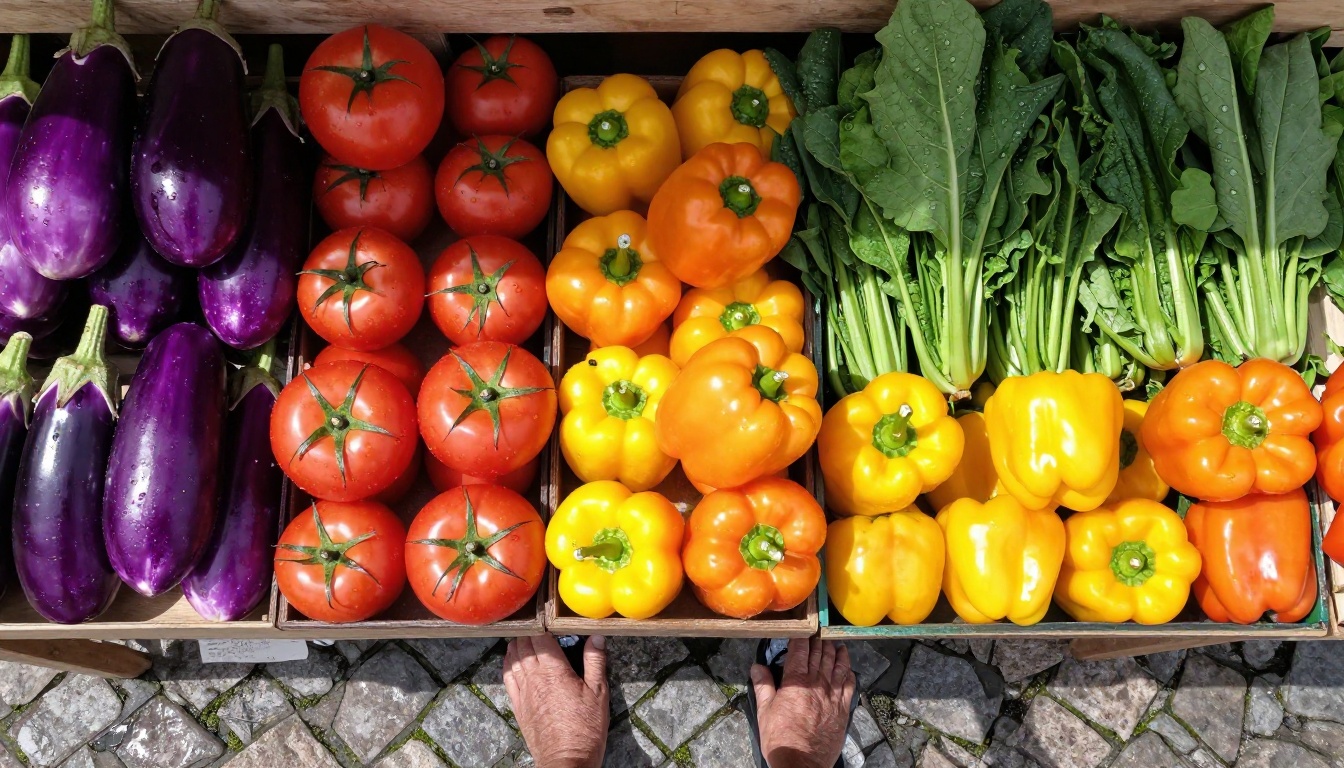
The only way to form a real opinion on Seedream 5 Pro is to run your own prompts through it. Reading about photorealistic skin texture only tells you so much: the real test is whether a specific image you need, at the quality level you need it, comes out of the model in the first or second iteration without heavy post-processing.
PicassoIA gives you direct access to Seedream 5 Pro alongside a full catalog of over 90 text-to-image models, including Seedream 4.5, Seedream 4, and Seedream 3 for direct comparison testing in the same session. You can run identical prompts across multiple models and see where the quality differences actually appear without switching platforms or managing separate accounts.
Beyond image generation, the platform includes video creation through models like Seedance 2.5 and Kling v2.6, AI video tools including Veo 3.1 and Wan 2.7 I2V, plus audio generation, face swap, AI music, and super-resolution, all in one place without separate subscriptions.
Start with a scene you already know well photographically. Describe it the way you would brief a photographer: light source type and position, shooting distance, lens focal length, time of day, atmospheric conditions. Check whether the output matches what a skilled photographer could actually capture. That test tells you everything you need to know about whether Seedream 5 Pro fits your standards and your workflow requirements.
Visit picassoia.com/en/all-models to browse all available models and generate your first image today.


