Content creation has evolved dramatically in recent years. What once required teams of specialists can now be accomplished by individual creators with the right tools. The pressure to produce consistently high-quality material across multiple platforms—blogs, social media, videos, podcasts—has never been greater.

Caption: Hands working with AI writing tools, showing the tactile nature of modern content creation
Writing Assistance That Actually Works
Every creator faces the blank page problem. Whether you're drafting blog posts, social media captions, or email newsletters, getting started is often the hardest part. AI writing tools have moved beyond simple grammar checking to become genuine creative partners.
💡 Tip: Start with AI for outlines and structure, then add your personal voice and experience. The best content combines AI efficiency with human authenticity.
How AI Writing Tools Help
Outline Generation: Tools like GPT-5 and Claude 4.5 Sonnet can analyze your topic and produce structured outlines in seconds. This gives you a roadmap without spending hours on organization.
Tone Adjustment: Need to switch from formal to casual? AI models can rewrite sections in different styles while maintaining your core message. Gemini 2.5 Flash excels at this particular task.
Research Assistance: Instead of spending hours researching, AI can summarize key points from multiple sources. The Deepseek V3.1 model specializes in processing and synthesizing information from diverse documents.
Common Use Cases:
- Blog post introductions and conclusions
- Social media caption variations
- Email newsletter drafts
- Product descriptions
- Interview question preparation

Caption: Aerial view of social media planning with AI-generated content mockups
Visual Content Made Simple
Visual content drives engagement across every platform. From Instagram to YouTube thumbnails, the quality of your visuals directly impacts performance. AI image generation has reached a point where creators can produce professional-grade visuals without design skills.
Image Generation for Social Media
Platform-Specific Sizes: Different platforms require different dimensions. AI tools like Flux 2 Pro can generate images in exact dimensions needed for Instagram posts (1080x1080), Stories (1080x1920), or YouTube thumbnails (1280x720).
Consistent Branding: Maintaining visual consistency across your content builds brand recognition. AI can learn your color palette, typography preferences, and style guidelines to produce on-brand visuals every time.
Quick Iterations: Need five variations of a product image? With P-Image, you can generate multiple options in minutes instead of hiring a photographer for reshoots.
Practical Applications

Caption: Photographer's eye view through camera showing AI-generated image preview
Video Content Without the Complexity
Video remains the most engaging content format, but traditional production requires significant resources. AI video tools have democratized video creation, making it accessible to creators of all skill levels.
From Idea to Finished Video
Script to Video: Start with a written script and let AI handle the visualization. Tools like Veo 3.1 can transform text descriptions into cohesive video sequences with consistent characters and settings.
Image to Video: Already have great images? Convert them into dynamic videos with WAN 2.6 I2V. This is perfect for turning product photos into engaging social media content.
Voiceovers and Narration: AI voice synthesis has improved dramatically. Minimax Speech 2.6 HD offers natural-sounding narration in multiple languages and accents.

Caption: Video editor working with AI video generation software interfaces
Video Workflow Optimization
Batch Processing: Need to create multiple short videos from a longer recording? AI can automatically identify key moments and create clips optimized for different platforms.
Subtitles and Captions: Accessibility matters. Tools like GPT-4o Transcribe can generate accurate subtitles in minutes, improving both accessibility and engagement.
Format Conversion: Different platforms require different video formats and aspect ratios. AI tools handle these conversions automatically, saving hours of manual editing.
Audio Content Creation Simplified
Podcasts and audio content continue to grow in popularity. AI tools streamline every aspect of audio production, from recording to distribution.
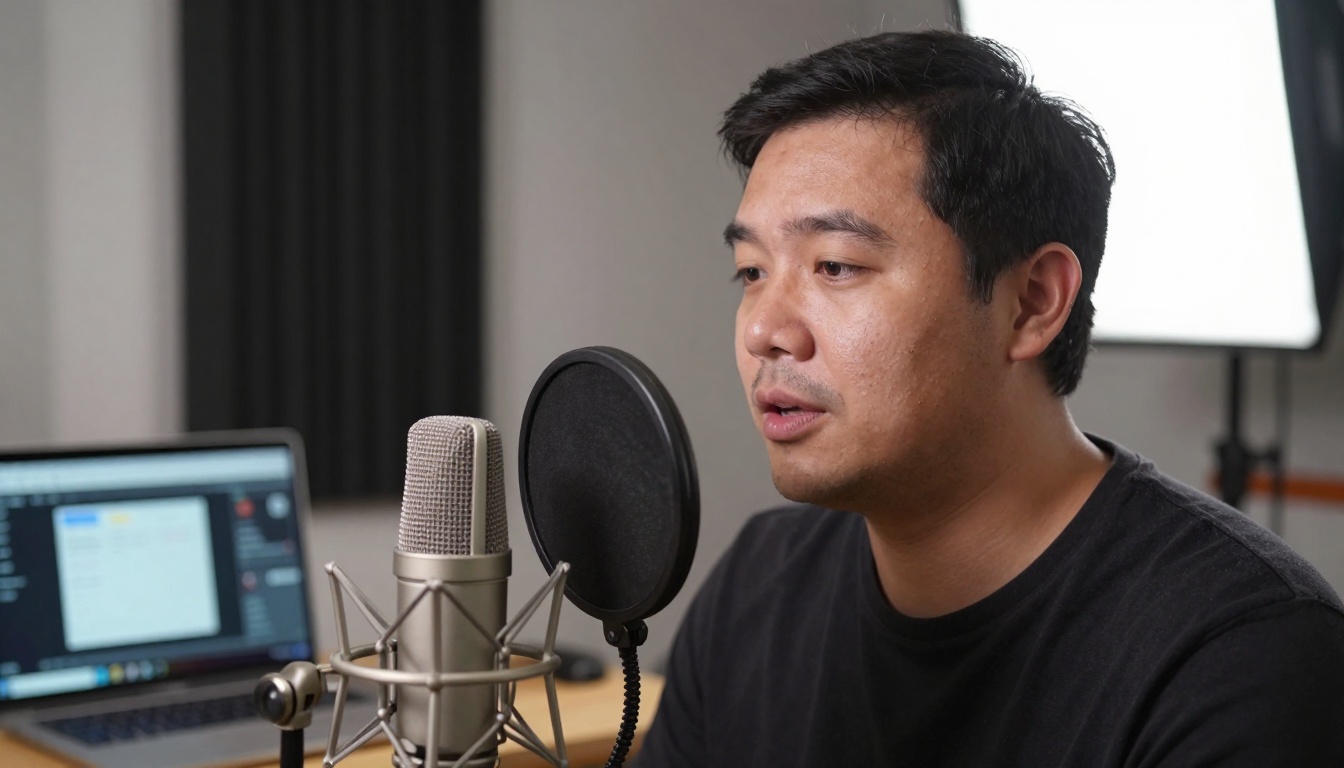
Caption: Content creator recording with AI transcription software visible in background
Transcription and Editing
Real-time Transcription: Record your content and get immediate transcripts with Gemini 3 Pro. This speeds up editing and makes content searchable.
Noise Reduction: Background noise can ruin good content. AI-powered noise reduction cleans audio files while preserving voice quality.
Episode Show Notes: AI can analyze your audio content and generate comprehensive show notes, including key takeaways, timestamps, and quotes.
Distribution Optimization
Platform-Specific Formats: Different podcast platforms have different requirements. AI tools can optimize your audio files for each distribution channel automatically.
Social Media Clips: Extract the most engaging moments from longer episodes and create social media snippets with captions and visuals.
Managing multiple social media accounts consumes significant time. AI tools automate repetitive tasks while maintaining quality and consistency.

Caption: Smartphone showing AI-powered social media scheduling app interface
Content Scheduling and Optimization
Optimal Posting Times: AI analyzes your audience engagement patterns to determine the best times to post for maximum visibility.
Hashtag Recommendations: Based on content analysis and trending topics, AI suggests relevant hashtags to expand your reach.
Cross-Platform Adaptation: Create content once and let AI adapt it for different platforms—shortening for Twitter, adding visuals for Instagram, optimizing for LinkedIn.
Engagement Management
Comment Analysis: AI tools scan comments and messages to identify sentiment, frequently asked questions, and engagement opportunities.
Response Suggestions: For common inquiries, AI can suggest appropriate responses, saving time while maintaining personal connection.
Trend Identification: Stay ahead of trends by having AI monitor industry conversations and suggest relevant content topics.

Caption: Graphic designer working with AI design software on digital tablet
Design and Illustration Without Design Skills
Not every creator has graphic design experience, but every creator needs visual assets. AI bridges this gap effectively.
Custom Graphics Creation
Logo and Brand Assets: Need a logo variation for a special campaign? P-Image Edit can modify existing designs while maintaining brand consistency.
Infographics and Data Visualization: Turn complex data into engaging visuals. AI tools analyze your information and create clear, professional infographics.
Template Customization: Start with basic templates and let AI customize them with your branding, colors, and content.
Practical Design Workflows
Batch Asset Creation: Need multiple social media graphics for a campaign? Generate variations with consistent styling in minutes instead of hours.
Style Transfer: Have a visual style you like? Apply it to new images while maintaining content integrity.
Format Conversion: Convert designs between different formats and resolutions for various platforms and uses.

Caption: Team meeting discussing AI analytics dashboards for content strategy
Analytics and Strategy Enhancement
Data-driven decisions improve content performance. AI analytics tools provide insights that would take hours to compile manually.
Performance Analysis
Content Performance Prediction: Before publishing, AI can analyze your content and predict engagement levels based on historical data.
Audience Insights: Understand your audience demographics, preferences, and behavior patterns without manual survey analysis.
Competitor Analysis: AI tools monitor competitor content performance to identify opportunities and gaps in your strategy.
Strategic Recommendations
Content Gap Analysis: Identify topics and formats your audience wants but you're not currently providing.
ROI Calculation: Track which content types deliver the best return on your time investment.
Trend Forecasting: Predict upcoming topics and formats that will resonate with your audience.

Caption: Creative professional working with multiple AI tools integrated into workflow
Integrating AI Into Your Workflow
The most effective creators don't use AI tools in isolation—they integrate them into cohesive workflows that maximize efficiency while maintaining quality.
Workflow Optimization Steps
-
Identify Repetitive Tasks: What tasks consume disproportionate time? These are prime candidates for AI automation.
-
Start Small: Begin with one tool for one specific task. Master it before adding complexity.
-
Maintain Quality Control: AI assists, but human review ensures quality. Establish checkpoints in your workflow.
-
Iterate and Improve: Regularly evaluate what's working and adjust your tools and processes accordingly.
Common Integration Patterns
Content Creation Pipeline: From research to writing to visuals to distribution, AI tools can handle different stages while you maintain creative direction.
Quality Assurance Loop: Use AI for initial creation, human review for refinement, then AI for final optimization.
Multi-Platform Distribution: Create once, then use AI to adapt and distribute across all your channels with platform-specific optimizations.
The barrier to entry for AI content creation tools has never been lower. Most platforms offer free tiers or affordable subscription models. The real cost isn't money—it's the time investment to learn and integrate these tools effectively.
💡 Action Step: Pick one area from this guide that currently consumes significant time in your workflow. Research the specific AI tools mentioned, try one on a small project, and evaluate the time savings versus quality impact.
Platform Recommendations
For creators looking to explore AI tools, platforms like PicassoIA offer access to multiple AI models through a single interface. This eliminates the need to manage multiple subscriptions and learn different interfaces. The curated selection includes proven models for specific tasks, reducing the trial-and-error phase.
What to Expect
Initial Learning Curve: Like any new tool, there's a learning period. Start with simple tasks and gradually increase complexity.
Quality Improvements: As you provide better prompts and understand tool capabilities, output quality improves significantly.
Time Savings: Even basic proficiency with AI tools can reduce content creation time by 30-50% for repetitive tasks.
Creative Expansion: Freed from technical constraints, you can explore more creative concepts and formats.
The tools exist. The methods are proven. The only question is which aspect of your content creation you'll enhance first with AI assistance. Start with one small improvement, measure the impact, and build from there. The cumulative effect of multiple small optimizations often exceeds any single dramatic change.
Final Note: Remember that AI tools are assistants, not replacements. Your unique perspective, experience, and voice remain your most valuable assets. Use AI to handle the technical aspects, freeing you to focus on what only you can provide—authentic connection with your audience.


