Two AI models from OpenAI are showing up in the same creative pipelines, and the results are worth paying attention to. Sora 2 brings high-fidelity, physics-aware video generation. GPT-5.4 brings the kind of structured, nuanced reasoning that turns vague creative ideas into precise, production-ready prompts. When you run them in sequence, the gap between "idea" and "finished video" shrinks dramatically, and the output quality rises to a level neither model reaches on its own.

What Sora 2 Actually Does
Sora 2 is not a simple upgrade to the original model. The architecture was rebuilt to handle longer temporal coherence, meaning objects and characters maintain consistent behavior across longer clips. You get fluid camera movements, accurate shadows, and surface interactions that feel genuinely physical.
The practical difference shows up immediately. Ask Sora 2 to generate rain hitting a puddle in an alley, and the ripples propagate correctly. Ask for a handheld tracking shot following a subject through a crowd, and the motion blur and focus shifts read as authentic cinematography rather than AI approximation.
💡 Sora 2 responds best to cinematic language. Phrases like "shallow depth of field," "volumetric lighting," and "tracking shot" reliably produce professional-looking output.
More Than Just Video
The model handles storyboard-style generation with equal reliability. Feed it a reference description containing scene, subject, action, mood, and lighting, and it assembles those elements with the spatial awareness you would expect from a professional director of photography.
Resolution options in Sora 2 Pro push into territory that was previously unachievable with text-to-video models: up to 1080p at longer durations, with stable subject tracking maintained across the full clip length.
Prompt Sensitivity at This Level
Here is the critical point for the workflow: Sora 2 is very sensitive to how prompts are written. A vague prompt returns a vague clip. A precisely structured prompt with clear subject, action, environment, lighting, and camera instruction produces something dramatically different.
This sensitivity is exactly why GPT-5.4 changes the equation entirely.

GPT-5.4 as the Creative Brain
GPT-5.4 represents a significant step in OpenAI's language modeling capabilities. The model excels at structured output generation, contextual refinement, and maintaining complex logical chains across long conversations. For video production workflows, those capabilities translate directly into better prompts, faster iteration, and more consistent results.
Writing Prompts That Sora 2 Responds To
The most immediate use of GPT-5.4 in this pipeline is prompt engineering. Instead of manually crafting 150-word video descriptions, you describe your creative intent to GPT-5.4 in plain language and ask it to generate a Sora 2-formatted prompt.
The difference in output quality is measurable. A manually written prompt like "a woman walking in a city at night" will produce something generic. A GPT-5.4-generated prompt for the same concept might read: "A young woman in a charcoal wool coat walks through a narrow cobblestone street in a European city at 2am, streetlamps casting warm sodium vapor pools of light on wet pavement, camera at waist height tracking her movement from slightly behind, 35mm lens, shallow depth of field, faint distant traffic sounds implied by atmospheric haze."
That level of specificity is what separates technically competent AI video from genuinely cinematic output.
Iterating Fast with Language
The second advantage is iteration speed. With GPT-5.4, you can generate 10 variations of a prompt in seconds, each with different emotional tones, camera angles, or environmental conditions. Test them in Sora 2 and quickly identify which direction produces the output you want.
This creates a tight feedback loop: write in GPT-5.4, generate in Sora 2, refine in GPT-5.4, regenerate in Sora 2. Teams that adopt this workflow report cutting video production time significantly compared to working with a single model in isolation.

Why These Two Models Click
The compatibility between GPT-5.4 and Sora 2 is not accidental. Both models share an OpenAI training philosophy that prioritizes instruction-following and nuanced context awareness. Sora 2 was designed to respond to detailed, structured descriptions. GPT-5.4 was designed to produce exactly that kind of output.
The Natural Handoff
Think of GPT-5.4 as the screenwriter and Sora 2 as the cinematographer. The screenwriter does not pick up a camera. The cinematographer does not write dialogue. But the quality of the finished film depends on how well their intentions align.
When GPT-5.4 structures a prompt with scene hierarchy (subject first, then action, then environment, then lighting, then camera), Sora 2 reads those layers in the order they were intended. The output reflects that structure visibly in the final clip.
What Changes in the Output
| Workflow | Prompt Quality | Visual Coherence | Iteration Speed |
|---|
| Manual prompting only | Variable | Inconsistent | Slow |
| GPT-5.4 + Sora 2 | Structured, detailed | High | Very fast |
| GPT-5.4 alone | Excellent text | No video output | N/A |
| Sora 2 alone with basic prompts | Limited | Moderate | Moderate |
The combination outperforms standalone use in every practical metric that matters for production work.
💡 For marketing teams: GPT-5.4 can write multiple prompt variants tuned to different audience segments, then Sora 2 generates each variant. One brief, multiple deliverables.

How to Use Sora 2 on PicassoIA
Sora 2 is available directly on PicassoIA, making this workflow accessible without API keys or technical setup. Here is how to run the GPT-5.4 plus Sora 2 pipeline from scratch.
Step 1: Write Your Creative Brief
Start with a plain language description of what you want. Do not worry about technical details at this stage. Something like "a travel scene of a solo traveler arriving in Tokyo at dawn, feeling both tired and excited" is enough raw material for GPT-5.4 to work with.
Step 2: Generate the Sora 2 Prompt with GPT-5.4
Feed your brief to GPT-5.4 with this instruction: "Rewrite this as a detailed video generation prompt for Sora 2. Include subject, action, environment, lighting, camera angle, and lens type. Be specific and cinematic."
GPT-5.4 will return a structured, production-ready prompt you can paste directly into Sora 2.
Step 3: Open Sora 2 on PicassoIA
Navigate to Sora 2 in the PicassoIA text-to-video collection. Paste your GPT-5.4-generated prompt into the input field without modification. The structure GPT-5.4 produced is already optimized for Sora 2's prompt parser.
Step 4: Set Your Parameters
- Duration: Start with 5-10 seconds for testing runs
- Resolution: 720p for drafts, 1080p for finals via Sora 2 Pro
- Seed: Fix a seed once you find a generation you like, for production consistency
Step 5: Iterate with Language
If the first output does not match your vision, return to GPT-5.4. Ask it to adjust the prompt with specific instructions: "make the camera movement slower," "shift the time of day to golden hour," "add atmospheric fog to the background." Each refinement in language produces a measurable shift in the video output from Sora 2.

Images Before Video: The Storyboard Trick
One of the most effective additions to this workflow is using AI image generation as a storyboarding step before committing to video renders. This approach lets you visualize scenes cheaply and quickly before spending credits on full generation runs.
Using Flux 2 Pro for Visual Pre-Production
Flux 2 Pro on PicassoIA generates photorealistic stills from the same prompt structures you use for video. Generate 3-4 still frames for your planned shots first. If the aesthetic and composition work visually in still form, the video version will land well too.
This storyboard-first approach cuts wasted video generation attempts in half. It is also how professional AI filmmakers are structuring their pre-production in 2027. The cost savings over repeated video generation attempts are substantial.
GPT Image 1.5 for Reference Frames
GPT Image 1.5 adds another dimension to this workflow. Because it shares the GPT lineage with GPT-5.4, it interprets the same structured prompts with remarkable fidelity. Use it to generate character reference sheets, mood boards, or specific environmental shots that Sora 2 can then animate.
The full pipeline becomes: GPT-5.4 writes the creative direction, GPT Image 1.5 or Flux 2 Pro visualizes the stills, and Sora 2 animates the final sequence.

3 Common Mistakes in This Workflow
Even with powerful models, the same errors keep appearing in productions that do not reach their potential.
Mistake 1: Skipping the Language Layer
Some users go straight to Sora 2 with minimal prompts and get frustrated when outputs feel generic. The language layer is not optional in this workflow. GPT-5.4's structured prompts are what enable Sora 2 to perform at its ceiling.
Skipping GPT-5.4 in this pipeline is like shooting a film without a script. You might produce something, but it will not match your original creative intent.
Mistake 2: Too Many Elements at Once
GPT-5.4 can describe extremely complex scenes. Sora 2, like any generation model, performs best with clear subject hierarchy. A prompt with six competing focal points will produce a visually cluttered clip where nothing reads with authority.
The fix: Ask GPT-5.4 to produce a "primary subject, supporting environment" structure. One main subject. One clear action. One dominant light source. Complexity should come from detail, not from quantity.
Mistake 3: Ignoring Prompt Order
The order of elements in a Sora 2 prompt affects how the model weights them. Subject before action, action before environment, environment before lighting, lighting before camera. GPT-5.4, when properly instructed, naturally outputs prompts in this hierarchy. Do not reorder them manually without testing both versions.
💡 Pro tip: Ask GPT-5.4 to score its own prompt on specificity from 1-10 before you use it. It will flag vague areas automatically and offer revisions without you having to identify the problem yourself.
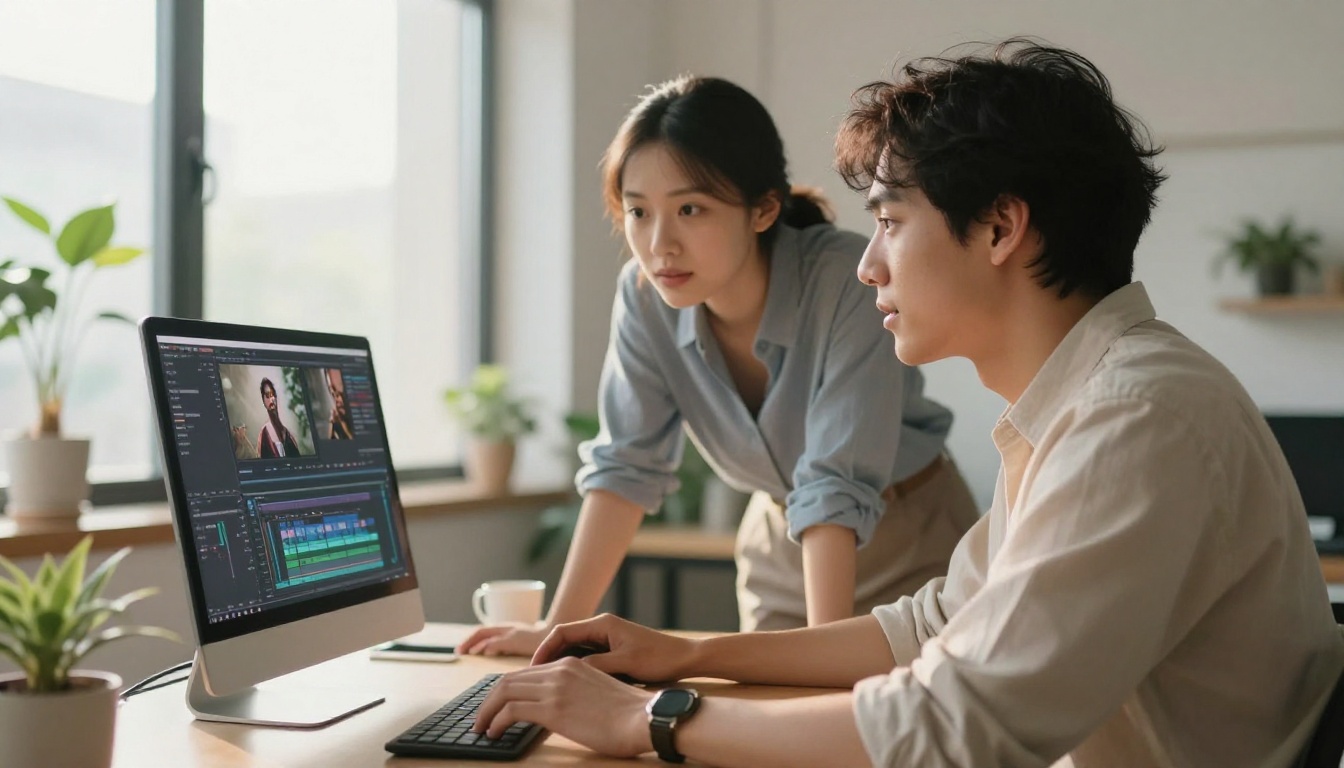
What Other Video Models Offer
The Sora 2 plus GPT-5.4 pipeline is strong, but it is not the only option available on PicassoIA. Depending on your project requirements, other video models may better fit specific production needs.
When Gen-4.5 Makes Sense
Gen-4.5 by Runway excels at shorter, high-motion clips where stylistic consistency matters. If you are producing social content that needs a distinctive visual identity maintained across multiple clips, Gen-4.5's style-lock capabilities outperform Sora 2 for that specific use case.
When Kling v3 Is the Right Call
Kling v3 handles human motion with exceptional fidelity. For content featuring people walking, dancing, or performing physical actions, Kling v3's motion model produces fewer artifacts than Sora 2 in fast-action scenarios. Pair it with GPT-5.4 prompts for best results.
When Wan 2.6 Works Best
Wan 2.6 T2V is the most accessible option for high-volume video production. Lower cost per generation and fast turnaround make it ideal for producing multiple draft variations before committing to a Sora 2 final render. Many professionals use Wan 2.6 for the iteration phase and Sora 2 for the final output only.
The smart pipeline uses GPT-5.4 to write the prompts, Wan 2.6 for rapid iteration, and Sora 2 for the cinematic final version.
Comparing the Top Video Pipelines
| Pipeline | Visual Quality | Speed | Best For |
|---|
| GPT-5.4 + Sora 2 | Cinematic | Moderate | Final productions |
| GPT-5.4 + Kling v3 | High, motion-focused | Fast | Human movement content |
| GPT-5.4 + Gen-4.5 | Stylized, consistent | Fast | Branded social content |
| GPT-5.4 + Wan 2.6 | Good | Very fast | Draft iterations |
| Manual prompts + LTX-2.3 Pro | Good | Fast | Budget-conscious output |
💡 Workflow tip: PicassoIA hosts all these models in one place, so you can switch between them in a single session without managing separate accounts or API credentials.
Expanding the Workflow with Audio
The creative pipeline does not have to stop at video. Once your Sora 2 clip is ready, PicassoIA's audio tools add another full production layer. Text-to-speech models generate voiceovers from the same scripts GPT-5.4 wrote. AI music generation creates original soundtracks matched to the mood of your visual.
This means the same GPT-5.4 brief that produced your video prompt can also drive your entire audio production. One creative document, three production outputs: video, voice, and music.
Lipsync for Talking Head Content
If your workflow involves on-camera presenters or avatar-based content, PicassoIA's lipsync models can sync dialogue generated by text-to-speech to any video clip Sora 2 produces. The result is a full production pipeline running from a single text input all the way to a finished deliverable with synchronized audio.
For brands producing presenter-led content at scale, this combination removes the most expensive and time-consuming bottlenecks in the entire production process.

Try This Pipeline on PicassoIA Right Now
The workflow described here, GPT-5.4 writing structured prompts and Sora 2 generating cinematic video from them, is available right now on PicassoIA. No local setup, no API configuration, no waiting list.
PicassoIA brings together 91 text-to-image models and 87 text-to-video models in one platform. From photorealistic stills with Flux 2 Pro to high-resolution video with Sora 2 Pro, the entire AI creative stack is accessible from the same interface.
Start with a single scene description. Let GPT-5.4 build the prompt. Generate the still with GPT Image 1.5. Animate it with Sora 2. Add voice with a text-to-speech model. That is a finished short-form production, built entirely from one paragraph of creative intent.
The creative ceiling for individual creators has never been higher. The only thing between your idea and a cinematic AI production is knowing which models to use, and in which order. Now you do. Head to PicassoIA and start building.


