OpenAI dropped Sora 2 Pro into the market with considerable fanfare, and the response split into two camps almost immediately. Some creators called it a breakthrough; others dismissed it as incremental at best. After putting it through intensive real-world testing, comparing its output directly against the leading competitors, and examining where it breaks down under pressure, this is what Sora 2 Pro actually delivers in 2027.
What Sora 2 Pro Actually Does
Sora 2 Pro is OpenAI's premium text-to-video model, positioned above the standard Sora 2 on output resolution, clip duration, and generation fidelity. The Pro tier is not a cosmetic distinction. It unlocks 1080p output, clips up to 20 seconds, and priority queue access that cuts wait times significantly during busy periods.
The Core Mechanics
The model operates as a diffusion transformer, trained on large-scale video datasets covering a wide range of motion types, environments, and subject matter. You input a text prompt, optionally pair it with a reference image for image-to-video generation, and Sora 2 Pro produces a clip that manages camera movement, lighting continuity, object physics, and scene coherence without requiring manual keyframe input.
The practical advantage of this architecture is temporal consistency. Unlike older video AI approaches that rendered frame-by-frame with accumulating drift, Sora 2 Pro reasons across the full clip duration, maintaining spatial relationships between subjects from first frame to last.
What You Can Generate
The subject range is broad. Sora 2 Pro handles all of the following with varying degrees of success:
- Cinematic narrative scenes with human subjects and naturalistic ambient lighting
- Product showcase shots with controlled, deliberate camera movement
- Environmental footage including landscapes, weather effects, and time-of-day transitions
- Urban scenes with crowd dynamics and moving vehicles
- Abstract atmospheric content where mood and motion are the primary focus rather than narrative specifics
The model reads compositional and stylistic cues from prompt language and tends to preserve them throughout the clip rather than applying them heavily to the opening frames and then losing them.
The Real Output Quality
Photorealism and Detail
At 1080p, Sora 2 Pro produces genuinely photorealistic output when you give it a specific enough prompt. Skin texture carries visible subsurface detail, fabric shows realistic weave and drape, and environmental lighting responds logically to scene geometry. Background elements hold their detail without dissolving into compressed noise partway through the clip.
The consistent weakness, shared across most AI video generators in 2027, is hand and finger articulation. Sora 2 Pro reduces the frequency of these artifacts compared to previous generations and many competitors, but does not eliminate them entirely. Expect roughly one in five clips involving precise hand work to show some degradation on complex poses. Wide gestures and non-specific hand positions generate cleanly and reliably.
💡 Tip: Avoid prompting for fine hand interactions like typing, instrument playing, or precise object manipulation. Sora 2 Pro handles expressive broad gestures and relaxed hand framing far more reliably.
Motion Consistency
This is where Sora 2 Pro earns its price point most clearly. Subjects maintain coherent spatial positioning across the full clip duration without the subtle floating or drift artifacts that appear in many competing models. Camera moves, whether a slow dolly, a wide pan, or a simulated handheld push, execute with natural ease-in and ease-out rather than uniform mechanical speed.
Gen 4.5 from Runway occasionally produces mid-clip positional drift on subjects in complex multi-element scenes. Sora 2 Pro handles this considerably better across a range of prompt types, and the improvement is visible in a direct comparison without needing frame-by-frame analysis.
Audio Sync
Sora 2 Pro includes synchronized ambient audio alongside video output. Environmental sounds including wind, rain, street noise, and room ambience match the visual content and add a layer of production value that previously required separate post-production audio work. Dialogue and original music generation remain outside the scope of current AI video models, but the environmental audio layer is a meaningful addition for short-form content production.
Speed and Credit Costs
Generation Times
On the Pro tier with priority queue access, a 5-10 second clip at 1080p typically generates in 90 seconds to 4 minutes. Off-peak hours often bring that below 2 minutes for shorter clips. Peak hours on weekday evenings push wait times toward 5-7 minutes depending on server load.
This generation speed is competitive with, though not always faster than, models like Seedance 2.5 from ByteDance, which handles 30-second clips through a highly optimized inference pipeline in roughly comparable timeframes for proportionally longer content.
How Credits Work
Sora 2 Pro uses a credit-based system where cost scales with resolution and clip duration. A typical 10-second 1080p clip costs 2-4 credits depending on prompt complexity. This matters significantly if your workflow involves iterating through many variations to find the right output, since credit burn across a round of test generations accumulates quickly.
💡 Budget Tip: Use a faster, lower-cost or free model for iteration. Seedance 2.5 Lite is free and unlimited, ideal for testing prompts and compositions before committing Sora 2 Pro credits to your final clip.
Sora 2 Pro vs the Competition
The AI video generation space in 2027 is genuinely competitive. Sora 2 Pro is not the automatic best choice for every use case and every budget.
Sora 2 Pro vs Kling v3
Kling v3 Video from Kuaishou competes closely on output quality. In direct comparisons, Kling v3 produces slightly richer color contrast and a more filmic aesthetic on default settings, which appeals strongly to creators prioritizing dramatic visual style. Sora 2 Pro counters with stronger motion consistency and more reliable prompt fidelity across complex multi-element scenes.
For high-drama visual content where color impact takes priority, Kling v3 is a strong competitor. For content where precise adherence to a complex scene description matters more than aesthetic boldness, Sora 2 Pro holds the advantage. Kling v2.6 is also worth testing for cinematic motion control work specifically, as it includes precise camera path controls that Sora 2 Pro handles only through prompt language.
Sora 2 Pro vs Veo 3
Google's Veo 3 and Veo 3.1 match Sora 2 Pro closely on photorealism benchmarks, particularly for outdoor environmental content. Veo 3.1 produces exceptional results on landscape, architectural, and nature subjects, often matching or exceeding Sora 2 Pro in those specific categories.
Sora 2 Pro maintains a broader subject range advantage. On human-centered narrative content, particularly urban scenes and character-driven clips, Sora 2 Pro tends to produce more detailed and compositionally coherent outputs than Veo 3 across a wider variety of prompt styles.
Sora 2 Pro vs Seedance 2.5
Seedance 2.5 occupies a different point in the value stack. It supports 30-second clips and processes them at competitive speeds. For social content production at volume, Seedance 2.5 delivers better economics per output than Sora 2 Pro without sacrificing enough quality to matter for most platforms and audiences.
For premium short-form work where per-frame detail counts, Sora 2 Pro produces more refined output. The choice often comes down to whether you need high-volume throughput or maximum quality on fewer, more carefully crafted clips.
Quick Comparison Table
| Feature | Sora 2 Pro | Kling v3 Video | Veo 3.1 | Seedance 2.5 |
|---|
| Max Resolution | 1080p | 1080p | 1080p | 1080p |
| Max Duration | 20s | 10s | 8s | 30s |
| Motion Consistency | Excellent | Very Good | Good | Good |
| Prompt Fidelity | Excellent | Very Good | Excellent | Good |
| Ambient Audio | Yes | Yes | Yes | Yes |
| Cost per Clip | High | Medium | Medium | Low |
| Free Tier | No | No | No | Yes |
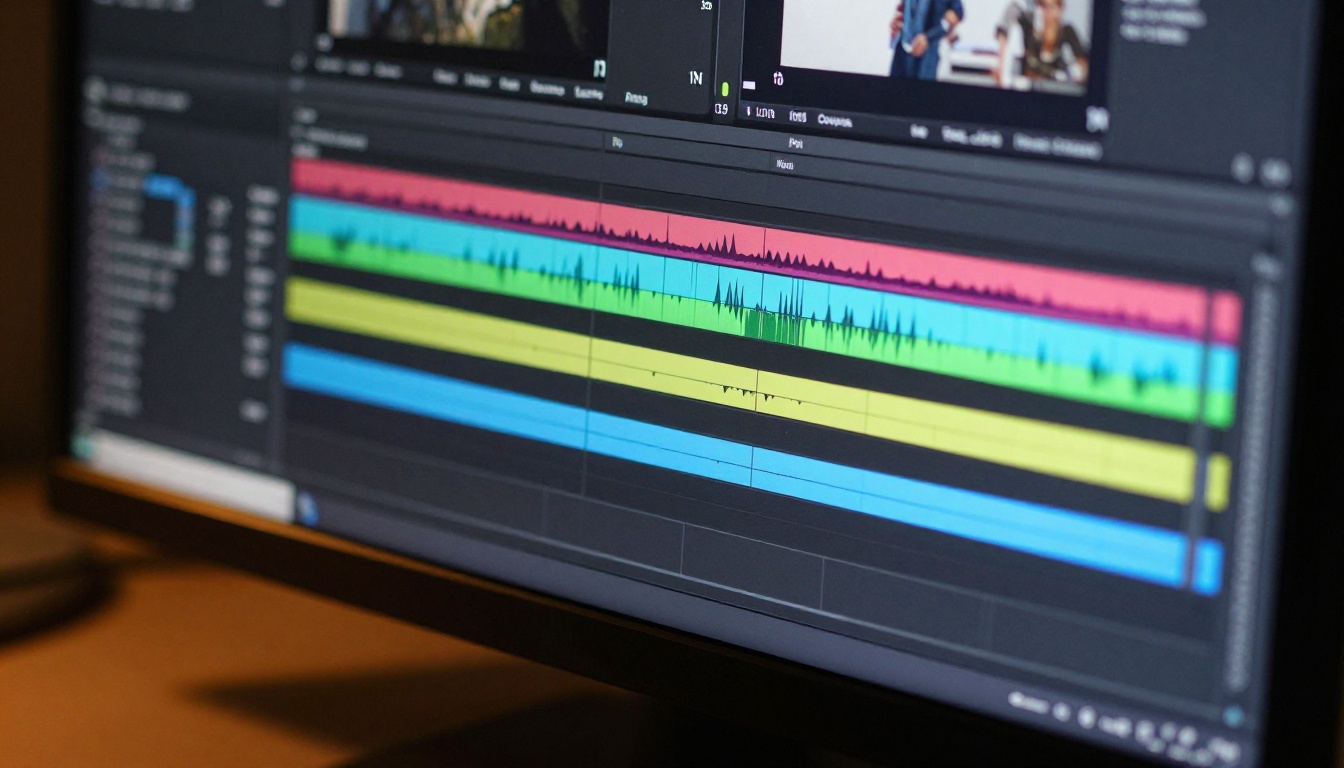
Where It Falls Short
The Limitations Nobody Talks About
Understanding these limitations is practical, not pessimistic. They directly affect whether Sora 2 Pro fits your specific workflow.
Readable text in frame: Sora 2 Pro cannot reliably render clear, legible text inside the video. Brand names, on-screen titles, and readable words need to be composited in post-production rather than generated into the clip itself.
Character consistency across sessions: Maintaining the same character's visual appearance across multiple separate generation sessions is not reliable. Each generation may interpret your prompt description slightly differently, producing variations on the same character rather than a consistent individual across clips. This is a significant limitation for multi-clip narrative projects.
Synchronized physical interaction between characters: Prompts requiring two characters to touch, hand an object between each other, or perform choreographed physical movement frequently produce one clean character alongside one that degrades in detail. Direct physical contact between two subjects remains the weakest subject category across AI video generation broadly.
Seamless looping: Generated clips do not loop seamlessly by default. Content formats that benefit from infinite loops require additional processing after export.
Clip length economics: The credit cost for 20-second clips at 1080p is substantial. In practice, most creators find the 5-10 second range delivers the best quality-to-cost ratio, which makes Sora 2 Pro's maximum duration advantage more theoretical than practical for most production budgets.
Prompt Sensitivity
Sora 2 Pro rewards investment in prompt craft more directly than most of its competitors. Vague inputs produce adequate but uninspired results. Detailed prompts specifying lighting type, camera angle, environmental texture, color temperature, and emotional tone produce dramatically stronger outputs.
This is a skill investment, not a flaw. Creators who develop strong prompt habits for Sora 2 Pro will extract considerably more value from each credit than those expecting polished results from minimal input.
💡 Prompt Formula: Subject + Action + Environment + Lighting + Camera angle + Mood. Addressing all six dimensions produces measurably better outputs than addressing only two or three of them.

How to Use Sora 2 Pro on PicassoIA
PicassoIA hosts Sora 2 Pro directly, accessible without any local installation or API configuration. Here is how to run your first generation:
Step-by-Step
- Open the model page at picassoia.com and select Sora 2 Pro
- Write your prompt using the six-dimension formula: subject, action, environment, lighting, camera angle, and mood
- Set your resolution to 1080p for broadcast-quality output, or 720p when speed matters more than peak detail
- Choose clip duration starting at 5-7 seconds to validate your prompt before committing to a longer, more expensive generation
- Click Generate and wait for the priority queue to process your request
- Review the result carefully, document what specific language produced the strongest output, then refine and regenerate as needed
- Download or share directly from the platform without any additional export steps
Tips for Better Results
- State camera movement explicitly: "slow dolly toward subject," "static overhead shot," "gentle handheld sway"
- Describe lighting with direction and time of day: "warm backlight from the right at golden hour," "flat overcast diffusion from above"
- Specify how many subjects are in the frame and their relative positions when generating multi-character scenes
- For image-to-video: choose a reference image with clear compositional structure, as Sora 2 Pro reads existing spatial relationships from the source image and extends them naturally into motion

Better Alternatives Worth Trying
Not every project justifies the credit cost of Sora 2 Pro. A clear-eyed look at the alternatives shows that the quality gap between tiers is smaller than the price difference might suggest for many use cases.
For Speed
Ray 3.2 from Luma delivers fast generation with strong HDR quality. It is the model to reach for when turnaround speed matters more than maximum per-frame detail. Wan 2.7 T2V also produces 1080p video rapidly and excels specifically on architectural and environmental content with detailed prompt specificity.
For Cinematic Quality
LTX 2 Pro and LTX 2.3 Pro from Lightricks target 4K output, giving them a resolution ceiling above Sora 2 Pro for production work where maximum detail is non-negotiable. Generation is slower, but the per-frame quality at 4K exceeds what Sora 2 Pro currently delivers at 1080p.
For Budget
Seedance 2.5 Lite is free and unlimited on PicassoIA, making it the practical choice for iteration and concept validation. Pixverse v5.6 and Hailuo 02 sit at lower credit costs with solid output quality for the majority of social media applications.
For talking-head and avatar-driven content specifically, Q3 Pro from Vidu delivers 1080p output with audio and handles the specific demands of presenter-style video more precisely than general-purpose text-to-video models.
When Sora 2 Pro Is the Right Call
- Cinematic clips where subject motion consistency across 10-20 seconds is essential to the final output
- Projects where complex multi-element scenes need to render with precise compositional fidelity to the prompt
- Final delivery assets where per-frame quality justifies the credit investment relative to project value
- Short-form narrative work requiring naturalistic human subjects and coherent environmental detail
The Honest Verdict
Sora 2 Pro delivers on its core promise: best-in-class motion consistency and photorealistic per-frame quality make it the right tool for high-stakes short-form cinematic production. The credit cost and prompt sensitivity are real considerations that affect the practical economics of daily use.
The hype is partially justified. For polished narrative content where every frame matters, Sora 2 Pro sits at the top of what is commercially accessible in 2027. For social content at volume, a combination of free-tier models for iteration and mid-tier models for final renders will often produce better cost-per-output results.
The AI video market is moving fast. Models competing with Sora 2 Pro today are closing the gap quickly. What Sora 2 Pro offers right now is the strongest combination of resolution, motion consistency, and prompt fidelity for creators who need broadcast-grade output without studio infrastructure behind them.
💡 Bottom Line: Sora 2 Pro earns its premium price for the right projects. The alternatives are closer than the marketing suggests, which means the investment only makes clear sense when maximum quality on a specific clip justifies the credit cost over a more affordable option.
Start Generating Your First Clip
The most direct way to evaluate Sora 2 Pro is to run it against a competing model on the same prompt and compare the outputs yourself. PicassoIA puts Sora 2 Pro, Sora 2, and over 85 other text-to-video models on a single platform, which makes that side-by-side test straightforward without juggling multiple subscriptions.
Run one clip with Sora 2 Pro and one with Kling v3 Video from the same detailed prompt. The difference in output will tell you more about which model fits your workflow and aesthetic than any third-party review can communicate.
Browse the full catalog at picassoia.com/en/all-models and start creating today.