Every week, a new AI video model claims the top spot. But in 2027, three names dominate every serious conversation: Sora 2, Veo 3.1, and Kling. Not because of marketing, but because they actually deliver something remarkable. This full-test breakdown puts all three through the same prompts, the same scenarios, and the same real-world tasks so you can stop guessing and start creating.
Three Models, Three Philosophies
These are not interchangeable tools. Each one was built with a specific vision for what AI video generation should be, and that philosophy shows up in every output.
Sora 2 by OpenAI
Sora 2 is OpenAI's flagship text-to-video model, built as a significant leap from the original Sora release. It generates videos up to 1080p with what OpenAI describes as a "world simulator" approach. The model attempts to understand physical cause-and-effect, not just surface-level motion.
The results are striking. Drop a glass on a marble floor in a Sora 2 prompt and the shards scatter realistically. Ask for a person running through rain and the water reacts to each footstep. This attention to physical simulation is where Sora 2 earns its reputation. It is also available in a more powerful variant, Sora 2 Pro, which pushes resolution and temporal coherence even further.
💡 Sora 2 excels at: complex physical interactions, long scene continuity, cinematic camera movements with realistic depth-of-field simulation.
Veo 3.1 by Google
Veo 3.1 is Google DeepMind's answer to what happens when a company with decades of video data meets a frontier multimodal architecture. It generates native 1080p video and, critically, is one of the only models in this comparison to produce synchronized ambient audio alongside the video.
The jump from Veo 3 to 3.1 brought meaningful improvements in temporal stability, reducing the common flickering-objects artifact that plagued earlier text-to-video generations. A faster variant, Veo 3.1 Fast, trades some quality ceiling for significantly faster turnaround, making it practical for iteration-heavy workflows.
💡 Veo 3.1 excels at: native audio generation, cinematic scene composition, facial expression accuracy, and long-form narrative coherence.
Kling by Kuaishou
Kling v2.6 and its siblings represent a different strategy entirely. Built by Chinese tech giant Kuaishou, the Kling series has become the default choice for creators who need speed without sacrificing too much on quality. The newest release, Kling v3 Video, introduced sharper motion blur and improved handling of multi-subject scenes.
There is also Kling v3 Omni Video for creators who want full 1080p cinematic output, and Kling v2.5 Turbo Pro for the fastest possible generation at professional quality levels.
💡 Kling excels at: stylized cinematic shots, fast generation cycles, human motion realism, and high-volume content production.
Output Quality Side by Side

Benchmarking AI video quality is inherently subjective, but certain dimensions lend themselves to objective comparison. Here is how the three models stack up across the metrics that matter most to working creators.
Motion Physics and Realism
This is where the gap between Sora 2 and the rest is most visible. When the test prompt involves fluid dynamics, cloth simulation, or object collisions, Sora 2 consistently produces the most physically accurate result. Water pours correctly. Fabric wrinkles as it should when someone sits down. Hair moves with strand-level variation rather than as a single rigid mesh.
Veo 3.1 trails closely, with excellent results on human motion and facial micro-expressions. Its biggest strength here is in scenes involving people: walks, gestures, conversations. Where Veo 3.1 occasionally stumbles is on background elements that need sustained physical coherence across many frames, like distant trees swaying in wind during a scene focused on a foreground subject.
Kling handles human motion very well, particularly upper body movement and walking cycles. For abstract physical tests like pouring liquid or paper folding, it generates plausible-looking results rather than physically accurate ones.
| Test Scene | Sora 2 | Veo 3.1 | Kling |
|---|
| Fluid dynamics (water pour) | ★★★★★ | ★★★★☆ | ★★★☆☆ |
| Human walking (full body) | ★★★★☆ | ★★★★★ | ★★★★★ |
| Cloth and fabric motion | ★★★★★ | ★★★★☆ | ★★★☆☆ |
| Background scene coherence | ★★★★☆ | ★★★★☆ | ★★★★☆ |
| Facial micro-expressions | ★★★★☆ | ★★★★★ | ★★★★☆ |
Prompt Adherence Scores
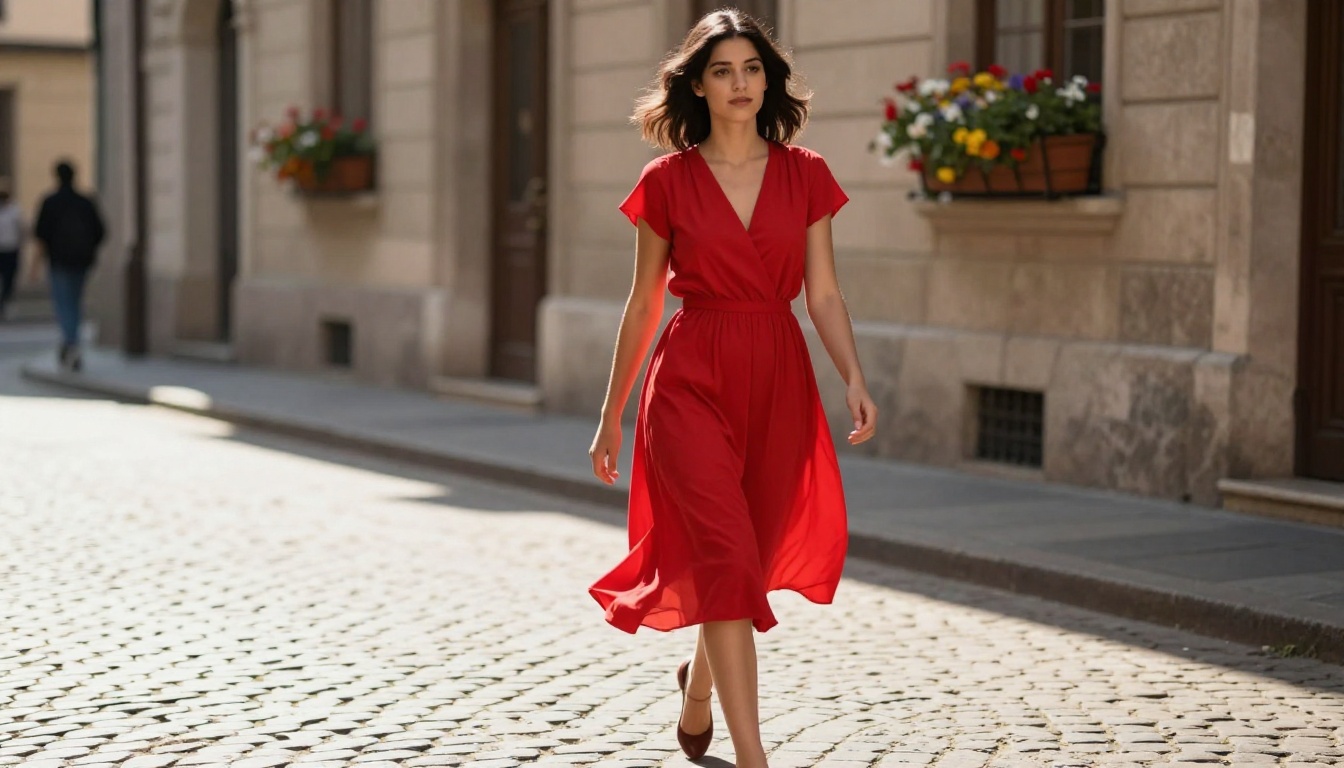
All three models handle simple, direct prompts with impressive accuracy. The differences emerge at complexity. Feed any of them "a woman walking through a forest at dawn" and you will get a compelling clip. Tell them "a woman in a blue 1940s evening dress walks past three men in tuxedos who are arguing near a vintage car in a rain-slicked Paris alley at 2am" and the divergence begins.
Veo 3.1 demonstrated the highest prompt adherence on complex multi-element scenes during testing. It picked up more semantic details from long prompts and placed them accurately in the frame. Sora 2 was close, sometimes taking creative liberties with specific descriptors. Kling showed the most variance, occasionally omitting secondary prompt elements when the scene became compositionally complex.
Who Has the Sharpest Output?
At 1080p, all three deliver frames that hold up to scrutiny. The real difference is in temporal consistency: how sharp the output stays over the duration of the clip, not just in the first frame.
Sora 2 Pro holds the sharpest and most consistent output over time, particularly in scenes with fast camera movement. Veo 3.1 at full quality is competitive, but the Fast variant shows more compression artifacts on rapid motion. Kling's sharpness is strong on static or slow-moving shots and tends to soften slightly on fast pans.
Speed Test Results
Generation Time Per Clip
Speed matters enormously for creative workflows. Here is what to expect for a standard 5-second 1080p clip on current infrastructure:
If speed is your primary constraint, Kling v2.5 Turbo Pro or Veo 3.1 Fast are the obvious picks. For projects where the quality ceiling matters more than iteration speed, Sora 2 Pro or full Veo 3.1 are worth the wait.

Audio: The Wildcard in This Comparison
This is the dimension where the comparison gets asymmetric fast.
Veo 3.1's Native Sound Advantage
Veo 3.1 generates ambient audio natively synchronized with the video. This is not a post-processing add-on. The model generates sound as part of the video creation process, meaning footsteps align with steps, crowd noise rises and falls with the crowd in frame, and rain sounds like actual rain rather than a stock audio track dropped over the clip.
This feature alone changes the production workflow for many creators. What previously required a separate audio pass now arrives in the first render. For social media creators, documentary editors, and short-form advertisers, this is genuinely significant. The original Veo 3 established this capability, and 3.1 refined it substantially. Veo 3 Fast also includes native audio at lower output quality.
Sora 2 and Kling Without Built-In Audio
Sora 2 does not generate audio. Neither does Kling v3 Video in its current form. Both produce silent video outputs that require audio to be added in post-production. This is not a fatal limitation, but it does add a workflow step. For creators who want a complete deliverable from a single prompt, Veo 3.1 holds a clear structural advantage here.
💡 Workflow tip: If you use Sora 2 or Kling for final output, pair them with an AI music generation or text-to-speech tool to complete the audio layer without leaving the platform.

Cost Per Second of Video
Pricing in AI video generation shifts frequently, but as of April 2025 the rough breakdown looks like this:
For high-volume content production, Kling's pricing model makes it the most cost-efficient option without dropping to genuinely low-quality outputs. Veo 3.1 Fast offers the best value per clip for creators who need audio included in the output.
Best Use Cases for Each Model
Picking the right model is less about which one is "best" and more about matching the tool to the actual job.
Social Media and Short-Form
For Instagram Reels, TikTok, and YouTube Shorts, the most important factors are speed, visual punch, and audio readiness. Veo 3.1 Fast with native audio wins here. You get a complete clip, sound included, in under two minutes. Kling v2.5 Turbo Pro is a strong second for pure speed and visual quality.
Sora 2 is genuinely overkill for content that plays at 9:16 on a phone screen, where the physical simulation advantages are largely invisible to viewers scrolling at speed.
Film, Ads, and Commercial Work
This is where Sora 2 Pro and full Veo 3.1 justify their generation time and higher cost. When a director needs a specific camera movement executed perfectly across a 10-second clip, or when an ad agency needs a product showcase with physically accurate lighting and reflections, these models deliver at a level the others cannot consistently match.
Sora 2 Pro in particular has found adoption in concept visualization for film productions, where the quality ceiling matters more than anything else in the pipeline.
Experimental and Creative Projects
Kling v3 Motion Control and Kling v3 Omni Video open up creative applications that the other two models do not easily support. The ability to specify camera trajectory and character motion separately gives artists a degree of control that feels closer to traditional filmmaking than typical AI video generation prompting.
For music video directors, experimental animators, or brand storytellers who want something that does not look like stock footage, Kling's control models are worth serious exploration.
How to Run These Models on PicassoIA
All three model families are available directly through PicassoIA. No API keys, no local setup, no GPU required. Here is how to get results fast on each one.
Sora 2 on PicassoIA: Step by Step
- Open the Sora 2 model page on PicassoIA.
- In the prompt field, describe your scene with specific camera language: include lighting direction, subject action, and any physical interactions you want simulated.
- Set duration to 5 or 10 seconds depending on scene complexity.
- For maximum quality, switch to Sora 2 Pro with 1080p output selected.
- Submit and expect a 4 to 8 minute generation window.
Pro tip: Sora 2 responds well to cinematographic language. Instead of "a man running," write "low-angle tracking shot of a man sprinting across wet asphalt in heavy rain, camera moves with him at 1.2x speed." The model was trained on real film and responds to production terminology.

Veo 3.1 on PicassoIA: Step by Step
- Open the Veo 3.1 model page on PicassoIA.
- Write your prompt and include sound descriptors in the text. This signals to the model what audio to generate alongside the video.
- For faster iteration on first drafts, switch to Veo 3.1 Fast to preview your scene at lower cost.
- Once satisfied with the composition, run the full quality version for the final render.
- Download the output with audio already included, ready for editing or direct publishing.
Pro tip: Include audio cues in your prompt explicitly. Phrases like "the sound of rain hitting a car roof" or "ambient coffee shop chatter in the background" will activate Veo's audio generation for those specific elements.
Kling on PicassoIA: Step by Step
- Choose your Kling variant based on your priority: Kling v3 Video for cinematic quality, Kling v2.5 Turbo Pro for speed.
- For precise control over camera movement, use Kling v3 Motion Control.
- Kling handles short, punchy prompts slightly better than long paragraph-style descriptions. Keep subject description specific and background description concise.
- Use Kling v2.6 for consistent everyday cinematic output at a reasonable cost per generation.
Pro tip: Kling's motion control model accepts trajectory references. If you have a specific camera arc in mind, define it with the motion control tool rather than trying to describe it in text alone.

Which One Should You Pick?
There is no single winner in the Sora 2 vs Veo 3.1 vs Kling full test. There is only the right tool for what you are building right now.
Pick Sora 2 when physical accuracy and cinematic realism are non-negotiable. Film concept work, product visualizations, and scenes involving complex physics belong here. Add Sora 2 Pro when you need the absolute highest output quality available.
Pick Veo 3.1 when you need audio in the final output without a separate production step, or when your prompt is long and richly descriptive. It reads prompts most faithfully and produces the most complete deliverable out of the box. Veo 3.1 Fast is the version to use when iteration speed matters.
Pick Kling when you need volume, speed, or creative camera control. For content creators producing at scale, or for experimental projects that need motion trajectory control, no other model in this price range comes close on cost-per-output. Kling v3 Omni Video and Kling v2.6 cover most professional use cases.
💡 You do not have to commit to just one. Running the same prompt through all three models takes minutes on PicassoIA, and picking the best result per project is a completely valid strategy.

The models are ready. Whether you want the raw physical simulation of Sora 2, the audio-native output of Veo 3.1, or the creative speed of Kling v3, all three are available on PicassoIA right now. Pick a scene. Write a prompt. See which one surprises you first.


