Two of the biggest names in AI video generation are going head-to-head in 2027: Sora 2 from OpenAI and Veo 3.1 from Google DeepMind. Both tools claim to produce photorealistic, cinematic video from a simple text prompt, but they take very different approaches to the problem. If you're a filmmaker, content creator, or social media producer trying to decide where to invest your time and budget, this breakdown cuts straight to what matters.
Both Sora 2 and Veo 3.1 are text-to-video AI models that convert written descriptions into fully rendered video clips. You type a prompt, you get footage. No cameras, no actors, no production crew required.
But the similarity mostly ends there. Under the hood, these models have distinct training philosophies, output characteristics, and target audiences.
Sora 2 at Its Core
Sora 2 is built around temporal coherence and long-form storytelling. OpenAI trained it to maintain consistent physics, object permanence, and character identity across extended video sequences. The result is footage that holds together over time without objects disappearing, morphing unnaturally, or losing their shape mid-clip.
Where Sora 2 excels: narrative sequences, product showcases, cinematic b-roll, and any use case where objects need to stay consistent from frame to frame.
For users who need higher resolution output, Sora 2 Pro delivers HD video with extended generation options and increased detail fidelity.
Veo 3.1 at Its Core
Veo 3.1 is Google's latest iteration in their Veo series, following Veo 3 and the earlier Veo 2. The standout feature of the Veo 3.x line is native audio generation. Veo 3.1 doesn't just generate video; it synthesizes ambient sound, dialogue, and audio cues directly from the prompt.
Where Veo 3.1 excels: social content, short-form video with sound, marketing clips, and anything where audio-visual synchronization matters out of the box.
There is also a faster variant, Veo 3.1 Fast, which prioritizes generation speed over maximum quality, making it ideal for rapid iteration workflows.

Video Quality, Frame by Frame
When it comes to raw visual quality, the differences are noticeable but context-dependent. Each model shines in different scenarios, and understanding those scenarios is what separates a good result from a great one.
Resolution and Technical Specs
| Feature | Sora 2 | Veo 3.1 |
|---|
| Max Resolution | 1080p | 1080p |
| Frame Rate | Up to 24fps | Up to 24fps |
| Video Length | Up to 20 seconds | Up to 8 seconds |
| Aspect Ratios | 16:9, 9:16, 1:1 | 16:9, 9:16 |
| Native Audio | No | Yes |
| Character Consistency | Strong | Moderate |
| Prompt Complexity | High | High |
Sora 2 currently produces longer clips, which is a significant advantage for cinematic work. Veo 3.1 clips top out at 8 seconds but the visual fidelity within those 8 seconds is genuinely impressive, with sharp edge definition and natural color science that closely matches real-world footage.
Motion Physics and Realism
This is where the real difference shows. Sora 2 handles complex motion better over longer durations: a person walking through a crowd, water flowing around rocks, a car navigating a turn. The model appears to have a deeper physical intuition about how objects interact with each other and with their environment.
Veo 3.1, on the other hand, produces motion that feels more organic at the micro level. Clothing folds naturally, hair behaves realistically in wind, and faces show subtle micro-expressions that many AI video tools still get wrong. These details matter enormously on high-resolution displays where viewers scrutinize every frame.
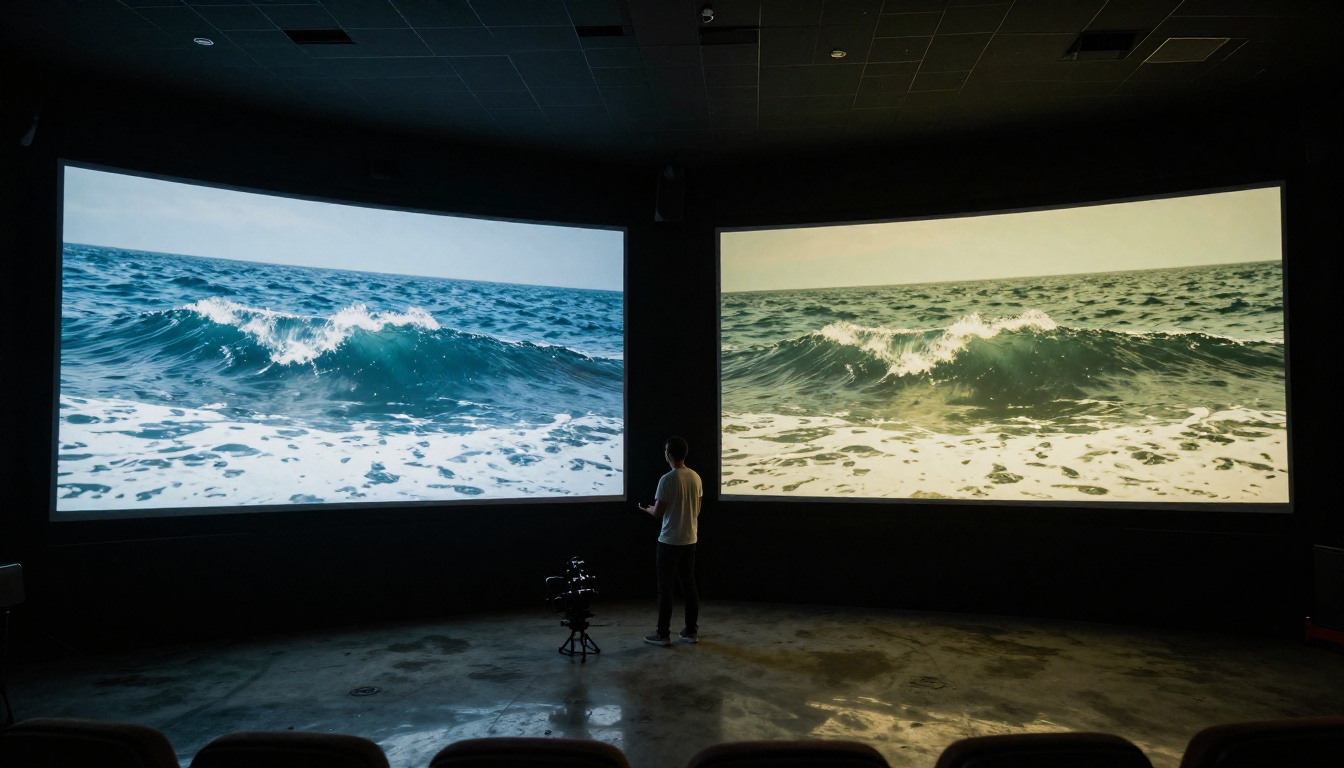
💡 For short social clips where every second is scrutinized, Veo 3.1's micro-motion quality gives it an edge. For longer narrative b-roll where consistency matters more, Sora 2 holds the advantage.
How Well They Follow Prompts
Prompt adherence is the art of actually generating what you asked for, not just something loosely related to your description.
Complex Scene Handling
Both models handle simple prompts reliably. The differences emerge with complex, multi-element scenes.
A prompt like "A woman in a red dress standing at a rainy Parisian intersection at night, a motorcycle reflected in the puddle, warm cafe lights in the background" will test both tools hard.
- Sora 2 tends to prioritize the overall composition. It gets the scene right but may miss specific secondary details like the motorcycle reflection or precise lighting placement.
- Veo 3.1 often nails individual details but can occasionally misplace spatial relationships between scene elements, particularly in dense multi-subject compositions.
For most practical use cases, both models perform at a professional level. The difference matters most to users with highly specific creative visions where every compositional element counts.
Character Consistency Across Clips
If you need the same character to appear consistently across multiple separate clips, Sora 2 has a clear advantage. Its training emphasis on temporal coherence translates directly into better character identity retention across generations.
Veo 3.1 is less consistent with character specifics across separate generations, which limits its use for serialized content or multi-clip narratives without additional post-processing or reference conditioning.

Generation Speed: Who's Faster?
Speed is a real-world constraint that affects creative workflows significantly. Waiting 5 minutes per iteration makes rapid experimentation expensive in both time and money.
Sora 2 Latency
Sora 2's generation time varies based on clip length and resolution. A 10-second, 1080p clip typically takes between 2 to 4 minutes to generate. The Sora 2 Pro version at maximum settings can push closer to 5 to 6 minutes per generation when generating at full HD with extended duration.
This is not slow by AI video standards, but it does require patience in iterative workflows where you're testing multiple prompt variations before committing to a final direction.
Veo 3.1 Latency
Veo 3.1 generates its shorter 8-second clips in approximately 90 seconds to 3 minutes under normal conditions. The speed gain from the shorter clip length ceiling is substantial for practical workflows.
Veo 3.1 Fast cuts generation time significantly further, making it one of the faster high-quality AI video generators currently available for rapid iteration and content testing.
💡 If you're testing multiple prompt variations before committing to a final output, Veo 3.1 Fast is worth using for the exploration phase, then switch to the full Veo 3.1 for final renders.

The Audio Capability Gap
This is the most significant structural difference between the two tools in 2025, and it directly determines which one fits your production pipeline.
Veo 3.1's Native Sound Generation
Veo 3.1's native audio generation is a genuine capability leap. When you prompt for "a busy Tokyo street crossing at rush hour," the model doesn't just generate the visual. It synthesizes the ambient crowd noise, the crossing signal beep, the distant traffic rumble, and the hum of the city, all timed to match the visual content precisely.
This audio is not added in post-production. It is rendered natively alongside the video, with timing and spatial placement that corresponds to what is happening on screen. For content creators who need fully finished short clips, this removes an entire step from the production pipeline.
The audio quality is not studio-grade, but it is convincingly realistic for social and digital distribution. For dialogue-heavy clips, the model handles lip sync adequately at short clip lengths, though longer segments can show minor timing drift.
Sora 2's Silent Output
Sora 2 does not generate native audio. Outputs are silent video files. This is not a technical limitation in isolation since many professional workflows involve adding audio in post, and a clean silent output is easier to work with in an editing timeline.
But for creators who need a finished, shareable asset directly from the generation step, the absence of audio means an extra workflow step that Veo 3.1 eliminates entirely.
Pricing and What You Actually Get
Access models matter as much as technical capability when making a real-world choice between two tools.
Sora 2 Access and Cost
Sora 2 is available through OpenAI's API and via third-party platforms. Pricing is usage-based, typically measured per second of generated video. At current rates, a 10-second HD clip costs roughly $0.50 to $2.00 depending on resolution and speed settings selected.
For high-volume commercial use, this adds up quickly, making batch generation workflows and prompt iteration discipline important for cost control.
Veo 3.1 Access and Cost
Veo 3.1 is accessible via Google's Vertex AI platform and via third-party integration platforms. Pricing is similarly usage-based, with per-second billing that rewards shorter, tightly crafted clips.
The Veo 3.1 Fast variant is priced lower than the full version, making it the economical choice for exploration and draft-quality generation before committing to final renders.
💡 Both tools are accessible on PicassoIA without needing to set up API credentials, cloud billing accounts, or platform-specific integrations. You get direct access to both models in a single interface.

Sora 2 Is the Right Pick For...
- Narrative film projects where scene and character consistency across multiple clips matters
- Product demonstration videos with consistent object identity and accurate physics
- Long-form b-roll that will be cut into a larger piece with its own professionally produced audio track
- Brand storytelling with specific creative visions requiring precise scene composition and longer clip duration
- Silent stock footage libraries for commercial licensing where audio is handled separately
Veo 3.1 Is the Right Pick For...
- Social media clips where a fully finished output with synced audio is the end goal
- Marketing shorts that need to feel polished and ready-to-post straight from generation
- Fast iteration workflows using Veo 3.1 Fast for rapid experimentation across multiple prompt directions
- Audio-visual storytelling where ambient sound is an integral part of the narrative impact
- Short-form content creators producing for TikTok, Instagram Reels, and YouTube Shorts
Use Cases Where It's Too Close to Call
| Use Case | Verdict |
|---|
| General landscape b-roll | Even |
| Abstract visual art | Even |
| Architecture visualization | Slight Sora 2 edge |
| Fashion and lifestyle content | Slight Veo 3.1 edge |
| Social media advertising | Slight Veo 3.1 edge |
| Documentary-style footage | Even |
| Product photography in motion | Slight Sora 2 edge |
| Travel content | Even |
Other AI Video Models Worth Knowing
The Sora 2 vs Veo 3.1 debate doesn't happen in isolation. The AI text-to-video space has a rich set of alternatives, each with specific strengths worth knowing.
Kling v3 Video and Kling v2.6 from Kwai are strong competitors, particularly for cinematic motion with training data that produces visually distinctive aesthetics favored in fashion and lifestyle content.
Seedance 2.0 from ByteDance brings native audio generation similar to Veo 3.1, with an additional emphasis on character-driven storytelling and dynamic scene transitions.
Wan 2.6 T2V is one of the strongest open-weight text-to-video models currently available, making it appealing for users who prioritize flexibility and cost-efficient batch generation.
Hailuo 2.3 from MiniMax delivers impressive 1080p output with fast generation times that compete directly with Veo 3.1 Fast on both speed and quality.
Gen 4.5 from Runway ML remains a top choice for creative professionals who need integration with broader post-production pipelines and precise camera motion control.
LTX 2.3 Pro from Lightricks pushes into 4K territory, making it the current leader for ultra-high-resolution AI video generation where pixel-level detail is non-negotiable.
The reality is that no single model wins every use case. Professional AI video workflows increasingly draw on multiple models at different stages, selecting the right tool for each specific task rather than committing to one platform for everything.
How to Use Veo 3.1 on PicassoIA
Since Veo 3.1 is available directly on PicassoIA, here is how to get the best results from it without needing any prior experience with AI video generation.
Step 1: Write a Structured Prompt
Break your prompt into three parts: subject and action, environment and setting, camera and mood. For example: "A surfer riding a large wave at sunset [subject] in turquoise Pacific waters with distant volcanic cliffs [environment] aerial drone shot, golden hour warm tones, slow motion [camera/mood]."
Step 2: Direct the Audio
Since Veo 3.1 generates audio natively, you can steer it directly in your prompt. Add phrases like "with crashing wave sounds and wind" or "ambient cafe noise, soft jazz in the background" at the end of your prompt to shape the audio output alongside the visual.
Step 3: Pick the Right Ratio
The 16:9 ratio produces the most consistent and high-quality results for horizontal content. Vertical 9:16 is available for social formats but tends to impose slightly more spatial constraints on the model's composition logic.
Step 4: Iterate with Fast First
Use Veo 3.1 Fast to test 3 to 5 prompt variations quickly and cheaply. Once you have a winning prompt structure, run the full Veo 3.1 for final output quality.
Step 5: Check the Audio Layer Before Downloading
Play the final output with sound before saving. Veo 3.1's audio is generally strong but occasionally produces minor timing artifacts on complex soundscapes with multiple simultaneous audio sources. A simple re-generation usually resolves this without prompt changes.
Start Making AI Video Right Now
If you've been sitting on the fence about which tool to try first, here's the direct answer: try both. The fastest way to understand what each model does well is to run the same prompt through Sora 2 and Veo 3.1 and compare the outputs side by side. The differences become obvious immediately when you see them in motion.
PicassoIA gives you access to both models in one place, alongside 85+ other text-to-video options including Kling v3 Video, Seedance 2.0, Wan 2.6 T2V, and Pixverse v5. No API credentials, no platform accounts, no technical setup required.
Whether your project calls for the narrative depth and temporal consistency of Sora 2 or the audio-native immediacy of Veo 3.1, both are one prompt away.


