Open-source AI image generation has never been this competitive. Three models, each built by a different team with a different philosophy, are now producing results that rival commercial tools. Stable Diffusion, Flux Schnell, and Nano Banana Pro each perform differently in terms of speed, image fidelity, and how they respond to prompts. Picking the wrong one slows your workflow down. This comparison gives you the data to pick the right one.
Three Models, One Question
The question isn't "which model is best." It's "which model is best for what you're doing." Speed, image quality, prompt behavior, and hardware needs all pull in different directions. Once you know what each model actually does, choosing becomes straightforward.
What Stable Diffusion Actually Does
Stable Diffusion is the original open-source text-to-image model. Released by Stability AI in 2022, it uses a latent diffusion process: it starts with noise and removes it over multiple steps to produce a final image. The default 50 inference steps give you clean, detailed results at resolutions up to 1024x1024 pixels.
It responds well to structured prompts with explicit details. Describe composition, lighting, style, and negative prompts together, and the output tightens up considerably. The tradeoff is that prompting is a skill you build over time. Loose prompts produce inconsistent results.
The model supports six schedulers (DDIM, K_EULER, DPMSolverMultistep, K_EULER_ANCESTRAL, PNDM, KLMS), each affecting how the denoising process runs. Switching from DPMSolverMultistep to K_EULER_ANCESTRAL, for instance, can shift your output from sharp and controlled to softer and more organic, particularly useful for portraits and natural scenes.
What Flux Schnell Brings to the Table
Flux Schnell is built by Black Forest Labs, the same team behind the original Stable Diffusion development. It takes a radically different approach: just four denoising steps instead of fifty, producing a finished image in under five seconds.
That speed does not mean low quality. Flux uses a transformer-based flow architecture that processes information more efficiently per step than older diffusion models. In practical terms, this means crisp composition, natural lighting, and solid prompt adherence on the first try.
Flux Schnell supports eleven aspect ratios (from 9:21 to 21:9), produces output in WebP, JPG, or PNG, and includes a speed-optimized quantized mode that cuts generation time further. It runs with no credit caps on PicassoIA, making it the ideal choice for fast iteration sessions where you need volume.
Nano Banana Pro's Quiet Power
Nano Banana Pro operates differently from both. It accepts natural language prompts without the structured syntax that Stable Diffusion requires, and it renders at up to 4K resolution. You can also feed it up to 14 reference images alongside your prompt, letting you steer output toward a specific visual style or composition without describing it in words.
Its output skews strongly toward photorealism. Product shots, portraits, and architectural visuals come out clean and sharp, often without the post-processing you would normally need. The 4K output is genuinely usable for print work, which puts it in a different category from the other two for commercial applications.
Image Quality, Side by Side
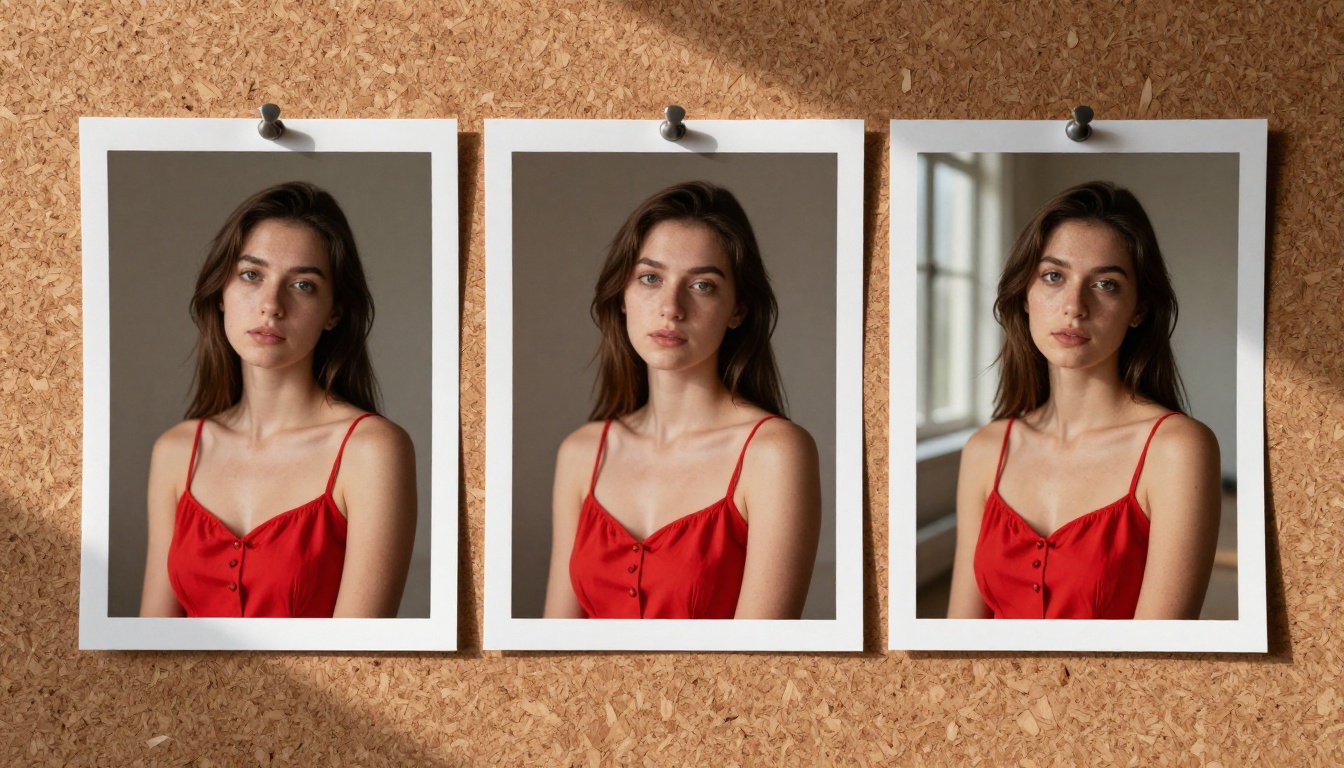
Quality comparisons between these three models depend heavily on the subject. Portrait photography, product images, and abstract concepts each reveal different strengths.
Skin Texture and Realism
For photorealistic portraits, Nano Banana Pro leads. Its 4K output captures micro-detail in skin that lower-resolution models simply cannot match. Pores, hair strands, and catchlights in eyes render with a level of fidelity that typically requires fine-tuned checkpoint models in Stable Diffusion to achieve.
Flux Schnell handles faces well for a four-step model. At standard resolution, faces are coherent and consistent across the image. Where it drops off is in very fine detail: individual hair strands or skin texture at extreme close-up are softer than what Nano Banana Pro produces at 4K.
Stable Diffusion sits in the middle. At 50 inference steps, it can produce excellent skin detail with the right prompting. It benefits most from detailed prompts that specify lighting direction and surface texture explicitly. Without that guidance, outputs vary widely between generations.

Background Coherence and Depth
Flux Schnell produces the most spatially coherent backgrounds. Objects sit in space correctly; depth cues are consistent; perspective holds. Even with a simple prompt, backgrounds feel photographed rather than assembled.
Stable Diffusion sometimes generates backgrounds that look constructed from parts rather than captured as a scene. This is addressable with detailed prompts and the right scheduler, but it requires more iteration to get there.
Nano Banana Pro produces clean backgrounds but occasionally over-smooths them. If you need grain and texture in the environment (rough stone, worn wood, sandy ground), you may need to specify it explicitly or provide reference images that show the texture you want.
Where Each Model Falls Short
| Model | Main Weakness | Workaround |
|---|
| Stable Diffusion | Inconsistent without structured prompts | Detailed prompts + negative prompts |
| Flux Schnell | Less fine detail at extreme close-ups | Use 1-megapixel mode, avoid macro framing |
| Nano Banana Pro | Slower at 4K, over-smoothed textures | Use reference images for texture control |
Speed and Hardware Reality Check

Speed matters when you are testing dozens of prompt variations or running sessions that produce 50+ images. The three models handle this very differently.
Inference Steps and Generation Time
Flux Schnell is the fastest by a significant margin. Four denoising steps versus fifty means generation time under five seconds on PicassoIA's infrastructure. For a 30-image iteration session, Flux finishes before Stable Diffusion has completed its first few outputs.
Stable Diffusion at 50 steps takes 2 to 8 seconds per image depending on resolution and server load. Dropping to 20 steps reduces quality noticeably; the sweet spot for most use cases is 30 to 40 steps, which shaves off time without destroying detail.
Nano Banana Pro at 4K takes significantly longer, sometimes over a minute for a single image at full resolution. At 1K it is faster, but you lose the resolution advantage that makes it worth choosing in the first place. Generation time is a real consideration if you are iterating quickly on creative direction.
GPU Requirements for Each
| Model | Minimum VRAM | Optimal VRAM | Inference Steps |
|---|
| Stable Diffusion | 4GB | 8GB+ | 30-50 |
| Flux Schnell | 8GB | 12GB+ | 4 |
| Nano Banana Pro | Cloud-based | N/A | N/A |
Running Without a GPU
This is where PicassoIA removes the biggest obstacle. All three models run on cloud infrastructure, meaning you get full generation quality without needing a local GPU setup. No CUDA configuration, no VRAM errors, no driver conflicts.
💡 For anyone who has spent hours debugging a local ComfyUI or Automatic1111 installation, running these models directly on PicassoIA eliminates that entire overhead. You open a browser and start generating.
Prompting Each Model Effectively

Each model has a different prompting logic. Using Stable Diffusion syntax with Nano Banana Pro often produces worse results than a simpler natural language description would.
Stable Diffusion's Prompt Logic
Stable Diffusion responds best to structured prompts with explicit descriptors separated by commas. The format typically looks like: subject, environment, lighting condition, style, quality modifiers, negative prompt.
Example: "young woman in white dress, Mediterranean coastline, golden hour light from left, photorealistic, 8K, Canon 85mm f/1.4, no distortion, no blur"
Using negative prompts is critical with this model. Adding "deformed hands, watermark, low quality, blurry" to the negative field removes common artifacts that otherwise appear in a significant portion of generations. Skipping negative prompts is the single most common mistake with Stable Diffusion.
The guidance scale (default 7.5) controls how strictly the model follows your prompt. Higher values (10-12) produce more literal interpretations; lower values (5-6) give the model more creative latitude. For commercial work where accuracy matters, stay between 7 and 9.
Flux Schnell's Simplified Prompting
Flux Schnell handles natural language much better than Stable Diffusion. You do not need to structure your prompt in a specific format. Conversational descriptions like "a woman sitting on a beach at sunset, looking toward the camera, photorealistic" produce solid results without any special formatting.
This makes Flux faster to use in practice: you spend less time crafting prompts and more time evaluating outputs. For teams or creators who are not deeply familiar with diffusion prompting conventions, this is a real operational advantage.
The model responds well to lighting directions and camera lens specifications even when written naturally. Adding details like "volumetric light from the right, 85mm lens, shallow depth of field" improves output without requiring technical comma-separated formatting.
💡 Flux Schnell at 4 steps is fast enough that you can run 10 prompt variations in the time it takes Stable Diffusion to produce 2-3 images. Use this speed for early-stage concept work before committing to longer generation times.
Nano Banana Pro's Natural Language Edge
Nano Banana Pro accepts the most casual prompts and still produces high-quality output. Its architecture interprets intent rather than parsing keywords, which means "a product shot of running shoes on a white background, clean and commercial" works as well as any carefully formatted prompt would.
The reference image input is its biggest prompting shortcut. Instead of describing a visual style in words, you can show it three or four reference images alongside a brief description. This approach reduces prompting time significantly for style-consistent work, especially when you are building a visual identity or brand campaign.
How to Use These Models on PicassoIA
All three models are available directly on PicassoIA, no local setup required. Here is how to get the best output from each.
Stable Diffusion on PicassoIA
- Open Stable Diffusion on PicassoIA
- Write your prompt with subject, environment, and lighting details listed clearly
- Set width and height (768x768 is a solid starting point for portraits)
- Add a negative prompt to block unwanted artifacts before generating
- Set Num Inference Steps to 30-50 (lower for speed, higher for detail)
- Set Guidance Scale to 7-8 for balanced prompt adherence
- Hit generate, then save the seed from any strong result to reproduce it
Scheduler selection: Switch from DPMSolverMultistep to K_EULER_ANCESTRAL for softer, more organic results, particularly useful for portraits and natural scenes. For sharp commercial visuals, stay with DPMSolverMultistep.
Flux Schnell on PicassoIA
- Open Flux Schnell on PicassoIA
- Write a natural language prompt, no special formatting needed
- Select your aspect ratio (16:9 for landscape shots, 9:16 for vertical content)
- Enable Go Fast mode for sub-five-second generation
- Set output format to JPG for immediate use or PNG for editing workflows
- Generate multiple variations quickly and lock in the seed on your best result
Batch approach: Run the same prompt with minor wording variations across 5-10 generations. At Flux Schnell's speed, this takes under a minute and gives you a strong set of options to choose from.
Nano Banana Pro on PicassoIA
- Open Nano Banana Pro on PicassoIA
- Write a plain language description of what you want to see
- Upload reference images (up to 14) if you have a specific style in mind
- Select resolution: 1K for speed, 2K for most digital uses, 4K for print work
- Choose your aspect ratio (16:9, 4:3, or 1:1 cover most scenarios)
- Set safety filter to block_only_high for the most flexible generation range
When to choose 4K: Only when you need the output for large-format print or extreme close-up work where skin and surface texture matter at the pixel level. For web and social content, 2K is sufficient and generates faster.
Which Model Fits Your Work

The right model depends on your workflow and output requirements, not on abstract rankings.
For Portraits and People
Nano Banana Pro at 4K is the top choice for photorealistic portraits where skin detail matters. If you are generating model images, lifestyle photography, or portrait work for commercial or editorial use, the 4K resolution and photorealism output is worth the slower generation time. The ability to feed reference images also makes it the most controllable for character-consistent work.
Flux Schnell is the right choice when you need portraits quickly and at good-but-not-maximum quality. Content appearing on social feeds at compressed resolutions does not benefit from 4K detail. A Flux Schnell output at 16:9 in under five seconds is often entirely sufficient for the use case.
For Product Shots and Commercial Use
Nano Banana Pro handles clean product shots well, particularly when you have reference images showing the visual style you want. The 14 reference image inputs let you show the model exactly what "on-brand" looks like without writing a long descriptive prompt.
Stable Diffusion also works here when you control the prompt carefully. The negative prompt feature lets you eliminate background clutter, color contamination, and style drift that sometimes appear in AI product images. Pair it with the DPMSolverMultistep scheduler and a high guidance scale for the cleanest commercial results.
For Fast Iteration and Volume
Flux Schnell wins without contest. Four steps, sub-five-second output, no complex prompt syntax, no credit caps on PicassoIA. If you are running 50 prompt variations in one session to find the right creative direction, Flux is the only rational choice. The other two models require 5-10 times the time for the same number of outputs.
| Use Case | Best Model | Why |
|---|
| High-res portraits | Nano Banana Pro | 4K skin detail, reference image input |
| Fast concept iteration | Flux Schnell | 4 steps, under 5 seconds per image |
| Controlled commercial shots | Stable Diffusion | Negative prompts, scheduler control |
| Social media content | Flux Schnell | Speed, aspect ratio flexibility |
| Print-ready output | Nano Banana Pro | 4K resolution, clean file output |
| Style-consistent campaigns | Nano Banana Pro | Up to 14 reference images |
Try It on PicassoIA Right Now
The comparison is useful, but there is no substitute for running your own prompts. Each of these models responds differently to your specific subject matter, and the best way to calibrate your expectations is to generate the same prompt across all three and compare the results directly.
PicassoIA has all three ready to run with no local setup, no GPU required, and no credit caps:
- Stable Diffusion: For structured, controllable generation where you want fine-tuned parameter control
- Flux Schnell: For speed, iteration volume, and natural language prompting
- Nano Banana Pro: For 4K photorealistic output with reference image support
Pick a prompt you have been struggling to execute well. Run it on all three. The results will tell you more than any written comparison can. PicassoIA's infrastructure handles the generation so you can focus entirely on what matters: finding the image that works.