Pika had its moment. When it launched, it felt like a meaningful step forward for AI video creation, giving anyone with a text prompt the ability to generate short clips in seconds. But the technology has moved fast, and continuing to use Pika in 2027 means settling for outdated motion quality, hard resolution limits, and very little control over the final output. The models available right now are not just slightly better. They are in a different category entirely, and the gap between what Pika delivers and what the current generation produces is now impossible to ignore.
Why Pika Falls Short
There is no single catastrophic failure with Pika. It works. It produces video clips. But when you measure it against what the current generation of AI video models can do, the limitations become obvious fast. Resolution, motion coherence, prompt accuracy, and audio support are all areas where Pika has been left behind.
The Resolution Problem
Pika's default output tops out at 1080p in most use cases, and even at that ceiling the frame sharpness leaves something to be desired. Motion artifacts show up frequently, particularly around fine details like hair, fabric edges, and overlapping subjects. For creators who need footage they can actually use in professional productions, those artifacts are disqualifying.
Models like LTX 2 Pro and LTX 2.3 Pro are generating true 4K video output with substantially better texture fidelity across every frame. That is not an incremental upgrade. That is a fundamental difference in what the output can actually be used for.
Motion Coherence Is the Real Issue
The bigger problem with Pika is not resolution. It is motion coherence. When objects move across the frame, or when a camera pan occurs, Pika struggles to maintain spatial consistency. Characters drift. Backgrounds shift. Objects appear and disappear between frames. The resulting footage requires heavy post-processing corrections, which defeats the purpose of using an AI generator in the first place.
Kling v3 Video was specifically engineered to address this exact problem. Its motion control architecture produces physically plausible movement across complex scenes, and the difference is visible within the first second of playback.
The Models That Actually Deliver
Here is the honest picture of what is performing at a high level right now. Each of these models handles video generation differently, and knowing which one to reach for depending on your use case will save you time and produce far better results than Pika at any tier.
Kling v3 Video Is the New Standard
Kling v3 Video from Kwaivgi is the current benchmark for cinematic text-to-video generation. It produces 1080p footage with exceptional motion fidelity, handles complex camera movements without spatial drift, and responds accurately to detailed prompts. If you describe a slow dolly shot through a foggy forest at dawn, Kling v3 delivers exactly that, with real atmospheric depth and consistent lighting across the entire clip.
What makes it stand out:
- Full 1080p output with sharp edge retention on moving subjects
- Complex multi-subject scene handling without object bleed
- Camera direction accuracy that far exceeds Pika
- Consistent lighting and shadow physics across all frames
- Support for up to 10-second clips with maintained coherence
For projects requiring faster iteration cycles, Kling v2.6 and Kling v2.5 Turbo Pro offer shorter render times at a small quality trade-off, making them the right choice when you need to move quickly through multiple creative concepts before committing to a final direction.
Seedance 2.0 Has Built-In Audio
Seedance 2.0 from ByteDance is doing something most video models still cannot do: generating synchronized audio natively alongside the video clip. This is not a post-process audio overlay. The audio is generated as part of the output, meaning ambient sound, motion effects, and environmental audio actually match what is happening on screen, frame by frame.
For content creators working in social video, this eliminates an entire editing step. You generate the clip, and it comes with sound. Seedance 1.5 Pro operates on the same audio-native principle and outputs at 1080p with strong cinematic color rendition.
Worth knowing: If your workflow involves adding music or voiceover in post, the native audio can be stripped or muted. But for ambient effects, crowd sounds, and environmental realism, the built-in audio from Seedance 2.0 adds a dimension of immersion that no pure video output can match.

Veo 3 and Veo 3.1 From Google
Veo 3 represents Google's full entry into text-to-video with native audio generation. Like Seedance 2.0, it produces audio alongside the video, but Veo 3 operates at a different visual fidelity level, with cinematic color grading, realistic physics simulation, and support for complex narrative prompts involving multiple character interactions and environmental transitions.
Veo 3.1 and its faster variant Veo 3.1 Fast push this further, targeting 1080p output with improved temporal consistency between frames and tighter audio-visual sync. For creators focused on cinematic storytelling rather than short social clips, Veo 3 is the model worth testing first.
Wan 2.7 Raises the Bar for Open Models
The Wan series from wan-video has been quietly becoming the most capable open model stack for video generation. Wan 2.7 T2V generates 1080p video from text with strong physical accuracy and detailed scene composition. The model handles crowd scenes, dynamic weather, and architectural environments with far more consistency than Pika manages at any resolution setting.
The Wan 2.7 series covers three distinct workflows:
Best for Image-to-Video
If you are starting from a still image and animating it, Pika's approach is particularly weak. The resulting animations often misread the image's perspective, produce edge ghosting around subjects, and struggle to maintain realistic motion of organic materials like hair, fabric, and water.
Wan 2.7 I2V Sets the Benchmark
Wan 2.7 I2V handles image-to-video with impressive spatial awareness. Upload a photograph, write a motion description, and the model animates the scene while preserving the original composition, lighting, and subject proportions throughout the entire clip. Hair, fabric, and water all animate with physically realistic behavior that Pika rarely achieves even with simple prompts.
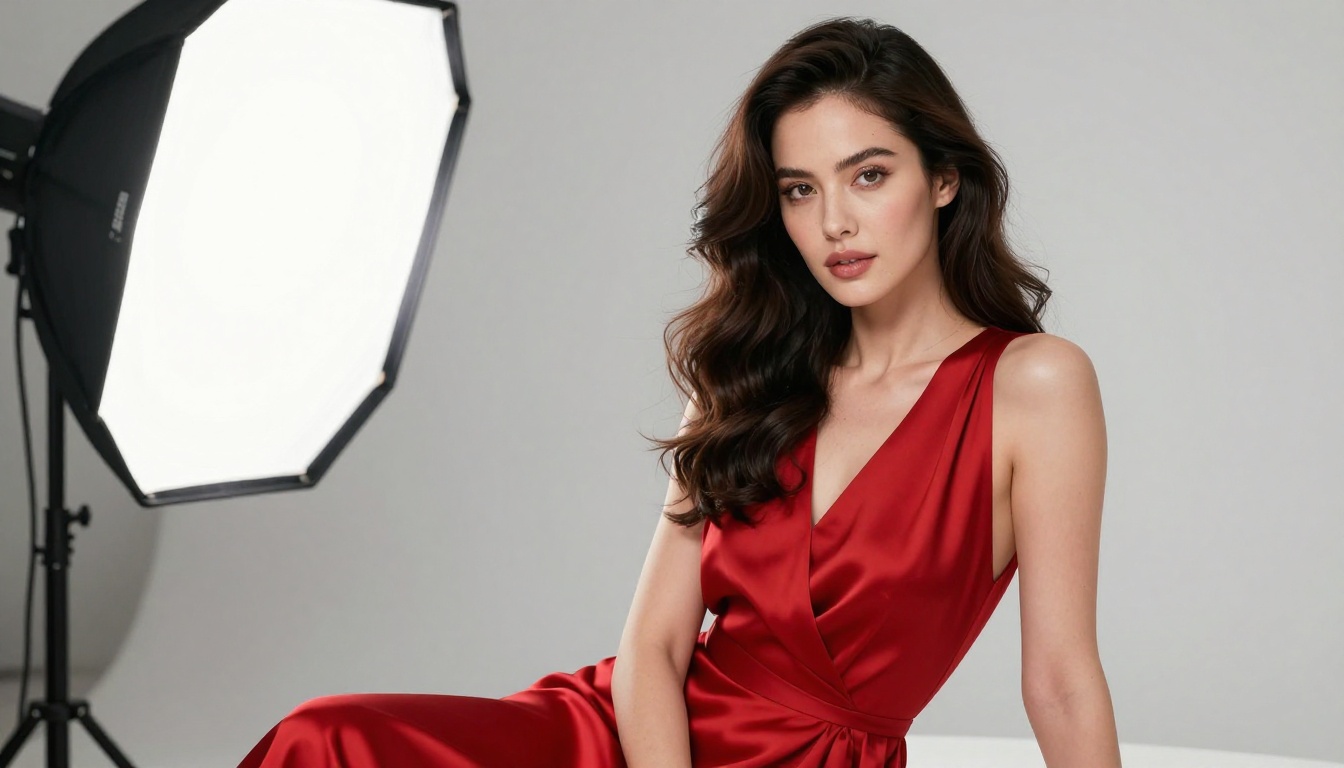
For portrait photography and glamour content specifically, Kling v2.1 and Kling Avatar v2 excel at bringing faces to life with micro-expressions, natural head movement, and realistic eye behavior. The results from a high-quality portrait photograph are dramatically better than anything Pika produces from the same input.
Kling v2.6 Motion Control
Kling v2.6 Motion Control takes image animation further by letting you specify precise camera paths and subject movement trajectories. Rather than writing "the camera slowly zooms in," you can define the exact camera arc you want using a drawing interface. This level of precision over animated footage simply does not exist in Pika at any pricing tier.
For character animation requiring specific body movement patterns, Dreamactor M2.0 from ByteDance generates full-body animated sequences from a single reference image with natural limb physics and realistic weight distribution.
Speed vs. Quality
Not every use case requires running at maximum fidelity. Sometimes you need to generate 20 concept clips in an hour to find the one that works. For that workflow, fast models that still produce usable output are the right choice.
When You Need Fast Renders
Seedance 2.0 Fast and LTX 2 Fast are the two strongest options for rapid iteration. Both produce clips that are good enough for concept validation, and both generate significantly faster than Pika's standard pipeline while maintaining substantially better motion coherence.
Wan 2.5 T2V Fast and Wan 2.2 T2V Fast offer similar speed profiles for the Wan architecture, letting you move quickly through iterations without committing to full render time until you lock a direction.
For free rapid testing, Ray Flash 2 720p from Luma generates 720p clips at no cost, and Hailuo 02 Fast delivers instant 512p output for quick visual validation before moving to a higher-res render.
When Quality Is Non-Negotiable
For final output going into production, three models consistently deliver the best results:
- Kling v3 Video for cinematic scenes with complex motion and multi-subject compositions
- Veo 3 for narrative storytelling that requires native audio alongside the video
- LTX 2.3 Pro for 4K output requiring maximum resolution and texture detail
Each requires longer render times than Pika, but the output quality justifies it for footage that will be seen by an audience.
Full Model Comparison
Here is how the top alternatives stack up against each other across the metrics that matter most for production use:
| Model | Max Resolution | Native Audio | Best Use Case |
|---|
| Kling v3 Video | 1080p | No | Cinematic scenes, motion accuracy |
| Seedance 2.0 | 1080p | Yes | Social content, environmental audio |
| Veo 3 | 1080p | Yes | Narrative video with synced audio |
| Veo 3.1 | 1080p | Yes | Cinematic 1080p with fast renders |
| LTX 2 Pro | 4K | No | High-res production footage |
| Wan 2.7 T2V | 1080p | No | Open model scene generation |
| Hailuo 02 | 1080p | No | Fast 1080p clips |
| Pixverse v5 | 1080p | No | Social video at speed |
| Pika | 1080p | No | Basic short clips |
The pattern is consistent across every metric: the alternatives outperform Pika on motion coherence, audio capability, and scene complexity. The only category where Pika competes is familiarity.

How to Use Kling v3 on PicassoIA
Since Kling v3 Video is the strongest all-around replacement for Pika, here is how to get the best results from it starting on your first session.
Step 1: Write a Structured Prompt
Kling v3 responds well to structured descriptions. Include the subject and action, the environment, the camera angle, and the lighting condition in that order. A prompt like "A woman in a silk dress walks slowly through an empty marble corridor, soft afternoon sunlight from tall windows, medium shot, cinematic" will produce substantially better output than a short, vague description. Specificity is rewarded.
Step 2: Set the Duration Intentionally
Kling v3 supports clips up to 10 seconds. For establishing shots and cinematic moments, 5 to 8 seconds is the right range. For motion-heavy action sequences, shorter clips at 3 to 5 seconds maintain tighter temporal consistency and produce sharper frames throughout.
Step 3: Use Negative Prompting
Use the negative prompt field to exclude common artifacts: "blurry, flickering, text, watermark, low quality, distorted faces, morphing." This keeps the output clean without requiring post-processing corrections and significantly reduces the chance of getting a clip you cannot use.
Step 4: Validate with Kling v2.6 First
Before committing to a full Kling v3 render, run the same prompt through Kling v2.6 first. It generates faster and the motion characteristics are similar enough to validate your composition before spending the render time on v3.
Tip: For portrait animation and face-forward footage, Kling Avatar v2 handles facial expression and head tracking with noticeably better realism than the standard video model. If the subject of your clip is a face, use Avatar v2 first.
Beyond Video: The Full Production Stack
Switching away from Pika is not just about getting better video clips. It opens access to a full production stack that Pika does not offer.
For creators working with still images before generating video, text-to-image tools with over 91 models let you create high-quality source frames that then become input for image-to-video models. The workflow of generating a precise still image and then animating it with Wan 2.7 I2V produces footage that no pure text-to-video prompt can consistently match, because you start with a controlled, correct composition rather than leaving that entirely to the model.
For audio production, once you have your video clip, text-to-speech and AI music generation tools handle the audio layer without requiring third-party software. For video post-processing, super resolution upscaling tools can increase footage from any source to 2x or 4x resolution. That is an end-to-end production pipeline, not just a clip generator.
For audio-synchronized content, Wan 2.2 S2V creates video that is synchronized to an audio input file, and Audio to Video by Lightricks animates still images to match any sound file you provide. These capabilities represent production tools that go far beyond anything in Pika's feature set.
Other Strong Models Worth Testing
Beyond the main models above, several others deserve attention for specific workflows:
For social-first content:
- Pixverse v5.6 produces fast 1080p with strong color fidelity across skin tones and natural environments
- Hailuo 2.3 handles cinematic prompts with native audio support at high frame consistency
For character and avatar animation:
- Dreamactor M2.0 animates any character with realistic full-body movement from a single reference image
- Kling v3 Motion Control gives you frame-level motion trajectory control for precise animated sequences
For cinematic open-world prompts:
- Sora 2 Pro handles long-form HD video with strong physics simulation
- Hunyuan Video from Tencent produces realistic video with fine-grained texture across complex environments
- Gen 4.5 from Runway delivers cinematic motion with strong prompt adherence across varied scene types
For camera control and editorial video:
- Video 01 Director lets you specify precise camera movements like pan, tilt, and dolly within the generation parameters
- Kling v3 Omni Video generates 1080p footage with multi-axis camera support and high scene fidelity
Start Creating Now
The video you have been trying to generate in Pika, the one with smooth motion, realistic lighting, and actual cinematic quality, is not a future feature. It is what these models produce today.
Pick one prompt you have been struggling with in Pika. Run it through Kling v3 Video. Then try the same prompt in Seedance 2.0 with built-in audio. The difference between what you get back and what Pika produces will be immediate and obvious from the first frame.
There are over 100 text-to-video models available, spanning every use case from fast social clips to 4K cinematic production. None of them require installation, technical setup, or API credentials. You write a prompt, select a model, and your video generates in the cloud.
The only thing standing between you and better video is still using the same tool you started with two years ago. That is worth reconsidering today.


