Two platforms changed how independent creators think about music production in 2027. Suno v5 arrived with polished vocals and a streamlined interface that made full songs feel effortless. Stable Audio 2.5 came from Stability AI with a completely different philosophy, one built around open architecture, longer outputs, and finer creative control. If you have been trying to figure out which one deserves your time, this comparison breaks it down without the hype.

Before diving into the details, it is worth being specific about what separates these two tools. They share the "AI music generation" label, but they target different problems.
Suno v5 at a Glance
Suno v5 is a text-to-song model. Feed it a prompt, pick a mood or genre, and it returns a full song with vocals, lyrics, instrumentation, and mixing baked in. Version 5 added sharper vocal articulation, more natural transitions between verse and chorus, and a model that handles genre-blending prompts better than its predecessors. The free tier gives you a limited number of song credits per day, and the output is typically two to three minutes long.
The important thing about Suno is that it handles the entire song pipeline in one step. There is no layer-by-layer control. You write a prompt, you get a song. That is its biggest strength and its biggest constraint.
Stable Audio 2.5 at a Glance
Stable Audio 2.5 by Stability AI takes a fundamentally different approach. It is a text-to-audio model optimized for high-fidelity stereo output. Where Suno leans into song structure with vocals, Stable Audio 2.5 leans into audio quality and length. The model generates tracks up to three minutes long at 44.1 kHz stereo, which matters when you are scoring a video or building background loops.
It also separates the concept of music generation from song generation. You are not always writing a song. Sometimes you need a 90-second jazz instrumental, a cinematic texture bed, or an ambient loop for a podcast intro. That is exactly where Stable Audio 2.5 earns its reputation.

Sound Quality in Practice
Sound quality is subjective, but there are measurable differences in what each model prioritizes.
Vocals and Lyrics
Suno v5 has the clear edge here. The vocal synthesis in v5 sounds closer to a trained human singer than anything available in a free AI music tier. The model handles emotional delivery, stylistic mimicry across pop, R&B, and indie folk, and lyric coherence across multiple verses. You can also feed custom lyrics directly if you prefer to write your own words.
Stable Audio 2.5 generates instrumentals only. There are no vocals. If your workflow requires sung lyrics, Suno v5 is the obvious pick. If you want vocals alongside Stable Audio 2.5 output, you need a separate text-to-speech tool. PicassoIA covers that gap with models like Speech 2.8 HD and ElevenLabs v3, both accessible on the platform.
Instrumental Texture
This is where Stable Audio 2.5 wins. The model produces audio at 44.1 kHz stereo with a richness and spatial accuracy that most AI tools do not hit. Individual instruments have realistic timbre. A piano sounds like a piano. A cello has body. The stereo field is wide without feeling artificially processed.
Suno v5's instrumentals are competent but secondary to the vocal experience. The mixing is compressed for a streaming-ready sound, which is great for social content but can feel limiting when you need organic acoustic textures.
💡 For scoring video or building audio assets: Stable Audio 2.5 is the stronger choice. For creating full songs with vocals fast: Suno v5 has no equal in the free tier.

Who Gets a Free Tier
Free tier access is where most creators make their first decision, and both tools handle it differently.
Suno Free Plan
Suno's free plan gives you 50 credits per day, translating to roughly 10 songs. Songs are generated at standard quality and are licensed for non-commercial use on the free tier. The interface is browser-based, no installation required. You can share songs publicly or keep them private.
The catch: free songs cannot be used commercially. If you want to monetize content built on Suno generations, you need a paid plan.
Stable Audio 2.5 Free Access
Stability AI offers daily-reset generation limits for Stable Audio 2.5. Some access points add watermarks, but accessing Stable Audio 2.5 through PicassoIA removes that friction entirely. You get direct model access without navigating Stability AI's separate account setup.
💡 On PicassoIA, Stable Audio 2.5 sits alongside the full catalog of AI music tools, including Google Lyria 3, MiniMax Music 2.6, and ElevenLabs Music, all in one dashboard without platform-hopping.
Speed and Output Length
Speed and output length affect real workflows more than most reviews acknowledge.
Generation Time
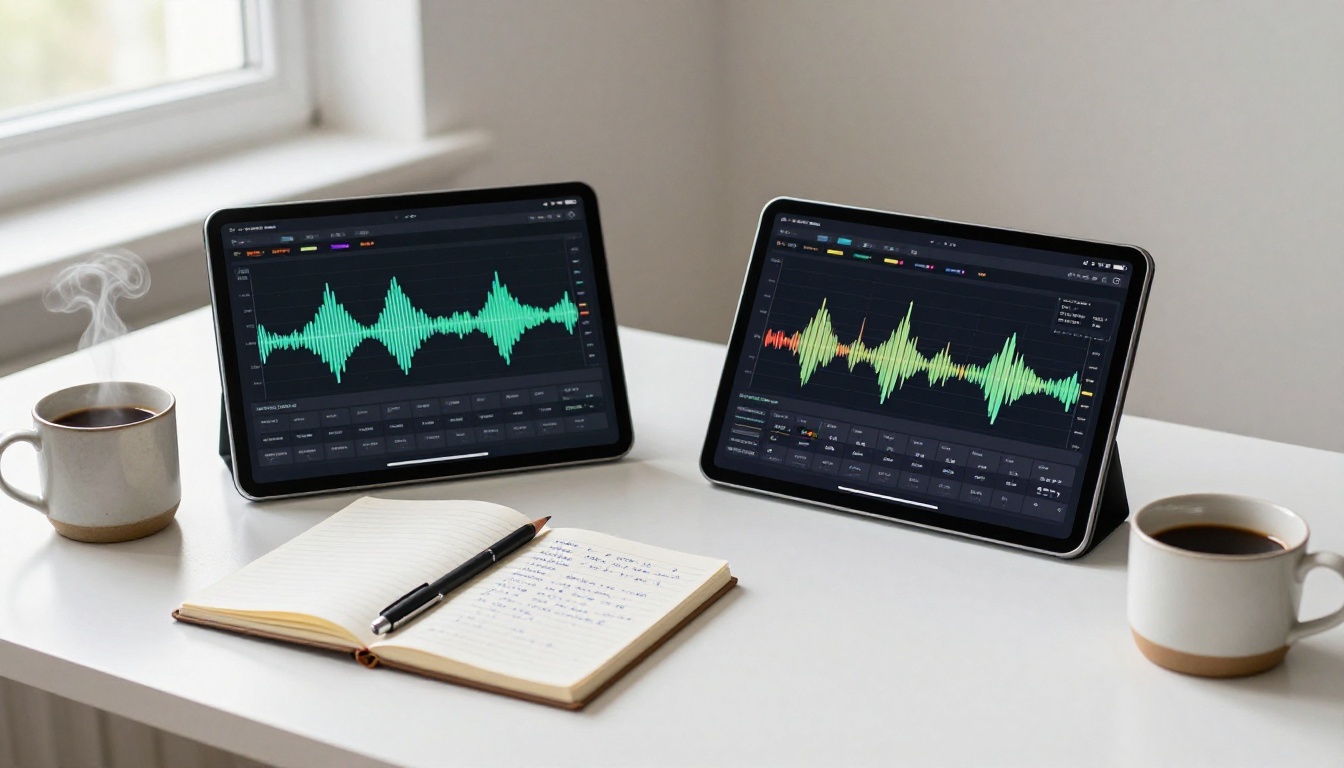
Both tools generate quickly. Suno v5 typically delivers a two-to-three minute song in under 30 seconds. Stable Audio 2.5 generates similarly fast, with output time roughly proportional to the requested duration. For creators who iterate rapidly, both are viable.
Track Duration and Structure
This is a major differentiator. Suno v5 creates songs with a defined structure (verse, chorus, bridge) that caps out around three minutes. Editing or extending requires re-generation or stitching.
Stable Audio 2.5 supports outputs up to three minutes at full quality, but the critical advantage is continuous audio. You can generate a three-minute seamless background texture, loop it cleanly, and drop it into video editing software without awkward structural breaks. For creators working in video production, podcasting, or game audio, this is precisely what they need.
| Feature | Suno v5 | Stable Audio 2.5 |
|---|
| Output type | Full song with vocals | Instrumental audio |
| Max duration | ~3 min (structured) | Up to 3 min (continuous) |
| Audio quality | Streaming-compressed | 44.1 kHz stereo |
| Free tier | 50 credits/day | Available via PicassoIA |
| Vocals | Yes | No |
| Custom lyrics | Yes | Not applicable |
| Best for | Songs, social content | Scoring, loops, textures |
Control and Customization
Prompt quality determines output quality in both tools, but they respond differently to detailed instructions.
Prompt Flexibility
Suno v5 responds well to style descriptors and mood tags. Prompts like "upbeat indie pop, female vocals, summer road trip vibe" produce consistent results. You can also specify BPM, instrumentation, and song sections explicitly using Suno's custom mode.
Stable Audio 2.5 is more technically precise in its prompt response. You can specify instruments, key signatures, tempo in BPM, mood, era (such as "1970s funk"), and recording environment (such as "live room with room reverb"). The model respects these parameters more literally, which makes it a better fit for creators who know exactly what they want sonically.
Stems and Export Options
Neither free tier offers stems (separate instrument tracks) by default. This is a meaningful limitation for music producers who want to remix or layer outputs.
On paid tiers, Suno v5 offers stem separation as a feature. Stable Audio 2.5 does not natively output stems, but since the audio quality is high enough for downstream processing, dedicated audio separation software can extract usable stems from the output. For voiceover layering on top of Stable Audio 2.5 instrumentals, Speech 2.8 HD and ElevenLabs v3 are both available on PicassoIA.
Best Use Cases for Each
Real-world fit matters more than spec sheets. Here is where each tool actually earns its place in a workflow.
When Suno v5 Wins
- Social media content: You need a full song with vocals, fast. Suno delivers.
- Lyric writing assistance: Use Suno to prototype musical ideas before committing to production.
- Short-form video: TikTok, Reels, and YouTube Shorts benefit from the polished, radio-ready sound.
- Non-musicians: The fully automated pipeline requires zero music theory knowledge.
- Demos and pitching: Generate a rough song demo in minutes to share with collaborators.
When Stable Audio 2.5 Wins
- Video production: Background scores, title sequences, and montage audio without awkward structural breaks.
- Podcasting: Intro and outro music plus ambient beds without licensing headaches.
- Game audio: Loopable ambient textures, menu music, and scene transitions at professional quality.
- High-fidelity masters: The 44.1 kHz stereo output holds up better in professional post-production.
- Precise sonic control: When you know exactly what you want instrumentally and need the model to follow your prompt literally.
How to Use Stable Audio 2.5 on PicassoIA
Since Stable Audio 2.5 is available directly on PicassoIA, here is exactly how to use it without navigating multiple platforms or separate accounts.
Step-by-Step Walkthrough
Step 1: Open the model page
Go to Stable Audio 2.5 on PicassoIA. No extra account setup is required beyond your PicassoIA login.
Step 2: Write a detailed prompt
Be specific. Instead of "jazz music," write: "slow jazz trio, upright bass walking pattern, brushed snare, muted trumpet melody, late-night bar atmosphere, 72 BPM." The model responds to this level of detail and the output shifts substantially based on precise wording.
Step 3: Set your duration
Choose a generation length between a few seconds and three minutes. For background loops, aim for 60 to 90 seconds and loop the result in your video editor. For full pieces, use the maximum duration.
Step 4: Adjust the diffusion steps
Higher steps (100 and above) produce cleaner, more detailed audio. Lower steps are faster but rougher. For final assets, 100 to 150 steps is the sweet spot. For fast drafts, 50 to 70 is fine.
Step 5: Generate and preview
The model generates your audio in stereo format. Preview it directly in the browser. Small changes to prompt wording can shift the output significantly, so iterate freely.
Step 6: Download or embed
Download the file for your production pipeline or copy the hosted URL for direct embedding in a project.
💡 PicassoIA also offers Google Lyria 3 Pro and MiniMax Music 2.5 for even more range. If you need full songs with vocals in the same workflow, ElevenLabs Music pairs naturally with Stable Audio 2.5 instrumentals.

The Suno vs. Stable Audio comparison does not cover the full picture. Several other AI music generators are worth knowing for specific scenarios.
Google Lyria 3 is Google's latest music generation model. It excels at producing diverse instrumental arrangements and benefits from Google's massive audio training datasets. Google Lyria 3 Pro pushes this further with longer generation windows and better temporal coherence over extended outputs.
MiniMax Music 2.6 and MiniMax Music 2.5 offer a compelling middle ground: full songs with vocals, similar to Suno, but with a different voice character and stronger performance on certain pop and electronic genres.
ElevenLabs Music bridges the music and speech worlds. ElevenLabs brings the same audio quality sensibility from their voice synthesis work (the ElevenLabs v3 TTS model remains one of the most expressive available) directly to music composition.
For content creators working with spoken word, pairing any of these music generators with PicassoIA's text-to-speech catalog (including Speech 2.8 HD and Qwen3 TTS) creates a fully automated audio production workflow from a single platform.
And when you need to write, organize, or script content before generating audio, Claude Sonnet 4.6, GPT 5, and Gemini 3.5 Flash are all available on PicassoIA without switching platforms.
Make Your First AI Track Today
Suno v5 and Stable Audio 2.5 solve different problems well. Suno is the fastest path to a full song with vocals. Stable Audio 2.5 is the better choice when audio quality and precise instrumental control matter more than an automated vocal track.
Neither tool requires music training or software installation. Both are accessible to first-time creators and working professionals in the same session.
The most practical thing to do right now is test both. Head to Stable Audio 2.5 on PicassoIA and generate your first instrumental track. Write a specific, detailed prompt. Adjust the duration and step count. Notice what changes between iterations.
Then browse the full AI music generation catalog on PicassoIA to see what else fits your workflow. There are over ten models available, from ambient loops to full vocal productions, all accessible from one place.
Your next project's soundtrack is a prompt away.


