Most AI companions disappoint within the first ten minutes. They answer questions, hold a surface-level conversation, and then offer nothing further. No opinions. No quirks. No sense that there is a real character on the other side of the screen. The gap between a chatbot and a genuinely engaging digital companion is not a technology limitation. It is a design problem, and it has a clear three-part solution.
This article walks through exactly those three steps: shaping her character with a large language model, giving her a distinct voice through speech synthesis, and building her look with photorealistic image generation. Each step works on its own, but when all three are coherent, the experience shifts from a novelty to something that actually feels like a relationship.

Why Most AI Companions Feel Hollow
There is a specific kind of disappointment that comes from interacting with a flat AI companion. You ask something, it responds. You push further, it hedges. You ask what she thinks about something personal, and she pivots to a vague answer designed not to offend anyone. Within a week, most people stop opening the app.
The reason is structural. Most AI companion apps are built on top of general-purpose language models with a thin personality layer added on top. The underlying model is trained to be helpful and inoffensive, and that training directly conflicts with what makes a person feel real: actual preferences, moods, quirks, and the occasional strong opinion.
The Missing Ingredient
A real personality is not a list of traits. It is a pattern of behavior that stays consistent across very different situations. A person who is introverted does not just describe themselves that way. They trail off when tired, they prefer texts over calls, they go quiet in large groups. That behavioral consistency is what makes someone feel like a real person. An AI companion without it feels like a costume, not a character.
What "Personality" Actually Means for AI
For an AI system, personality emerges from three components working together. First, the context prompt: a structured description of who she is, how she thinks, and how she responds. Second, the voice: because tone, rhythm, and warmth carry emotional information that text alone cannot deliver. Third, the visual presence: because seeing someone shapes how you relate to them in ways that go below conscious attention. Strip any one of these and the illusion breaks.
💡 Core insight: AI personality is not something you discover, it is something you build. The depth of what comes back is directly proportional to the specificity of what you put in.
Step 1: Build Her Character with an LLM
The foundation of any AI companion is the language model powering her responses. The model you choose, and more importantly the system prompt you write for it, determines everything about how she talks, what she values, and whether she feels like a person or a ticket-resolution script.
Choosing the Right Language Model
Not all language models perform equally for companion use cases. You want a model that follows nuanced persona instructions without drifting, maintains character across long conversations, and responds with genuine warmth rather than corporate caution.
For companion personas specifically, Claude 4 Sonnet and GPT 5 are the top two choices. Both follow complex persona instructions without reverting to generic helpfulness, and both have the emotional register to make a character feel genuinely three-dimensional. If you want speed without sacrificing character depth, Gemini 3.5 Flash delivers real-time responses while still honoring detailed persona instructions. For more creative latitude or local deployment, Llama 4 Maverick and Deepseek v3.1 are strong open alternatives.

Writing Her Personality Prompt
This is where most people underinvest. A personality prompt is not a list of adjectives you want her to embody. It is a description of who she actually is. The difference between those two things is enormous.
A weak personality prompt:
"You are Sofia, a warm and caring AI girlfriend who is always supportive and loves art."
A strong personality prompt:
"You are Sofia, 26, a ceramics artist who grew up in Lisbon and moved to Berlin three years ago. You are genuinely curious but slow to warm up to new people. You have strong opinions about architecture, find small talk draining but love deep tangents at 2am, and are quietly competitive in ways you don't always admit."
The second version gives the language model actual material to work from. Her preferences create natural conversational friction. Her backstory gives her opinions logical origins. Her weaknesses make her believable. GPT 5 and Claude 4 Sonnet can both maintain a character this specific across very long conversations when the prompt is written with this level of detail.
What to include in a strong personality prompt:
- Backstory: Where she grew up, what shaped her, what she left behind or regrets
- Quirks: Specific and behavioral, not adjectives ("she always notices exits in a room," not "she is anxious")
- Preferences: What she actively dislikes, not just what she loves
- Conversational style: Does she interrupt? Use humor as deflection? Go quiet when hurt?
- Relationship style: How she shows affection, how she responds to conflict, what she needs to feel close to someone

Memory, Consistency, and Quirks
Character drift is one of the hardest problems in AI companion design. After a long conversation, the model can gradually lose the texture of the persona and revert to more generic responses. The most effective countermeasure is including three to five hard behavioral invariants in the system prompt.
These are things she will always do or never do, regardless of context. "She never gives unsolicited advice about major life decisions." "She always notices what someone is wearing when she first meets them." These invariants act as rails that keep her grounded without making her robotic.
Gemini 3.5 Flash has multimodal memory architecture that holds detailed context across sessions. GPT 5's extended context window lets you re-inject the full persona definition without truncation. Both are worth choosing for companion use cases where continuity matters. For those who want open-source flexibility, Llama 4 Maverick and Deepseek v3.1 also support sufficiently long context windows to hold a detailed persona across most conversations.
💡 Tip: Give her one specific recurring habit. Something like "she always asks how your day started, not how it went." Small rituals create the feeling of a continuous relationship.
Step 2: Give Her a Voice
Text is intimate. Voice is immediate. Adding speech to your AI companion changes the experience at a level that is difficult to anticipate until you try it, because human brains process vocal tone in ways that bypass the analytical layer that reads text.

Why Voice Changes Everything
There is a reason phone calls feel more personal than messages. Prosody, which is the rhythm, pitch, and pacing of speech, carries emotional information that text consistently strips away. A message that reads as flat can land as warm when spoken in the right voice. A voice that hesitates communicates uncertainty in a way that ellipsis cannot replicate.
For an AI companion, voice also creates physical presence. When she speaks, she occupies real space. That matters more than it might initially seem.
The other thing voice does is pace. A conversation at speaking speed has a different intimacy than one at reading speed. There is less time to analyze and more time to just respond. That shift alone changes the dynamic significantly.
Best Text-to-Speech Models for Her
PicassoIA offers several high-quality speech synthesis models that work well for companion voices. Each has a distinct profile suited to different character types:
ElevenLabs V3 produces the most naturalistic speech currently available on the platform. It handles emotional range well, including subtle sadness, warmth, and dry humor, without sounding performed. The top choice when realism is the priority.
Speech 2.8 HD by MiniMax delivers studio-quality audio at very low latency. The speed-to-quality ratio makes it ideal for real-time companion interfaces where her response needs to arrive fast without sacrificing vocal richness.
Chatterbox Pro by Resemble AI allows full voice cloning and detailed emotion tuning. You can design a voice from scratch rather than selecting from presets, making her voice as specific and intentional as her personality prompt.
Qwen3 TTS supports custom voice design across dozens of languages. If your companion speaks more than one language or you want fine-grained control over speaking rhythm and style, this is the most capable multilingual option on the platform.
Gemini 3.1 Flash TTS offers 30 distinct voice presets across 70+ languages, making it the fastest entry point for finding a voice that fits the character without building from scratch. Good for prototyping before committing to a specific sound.
For speed-first workflows, Speech 2.8 Turbo by MiniMax and ElevenLabs Flash v2.5 are strong options when you need fast generation at scale without a noticeable drop in quality.
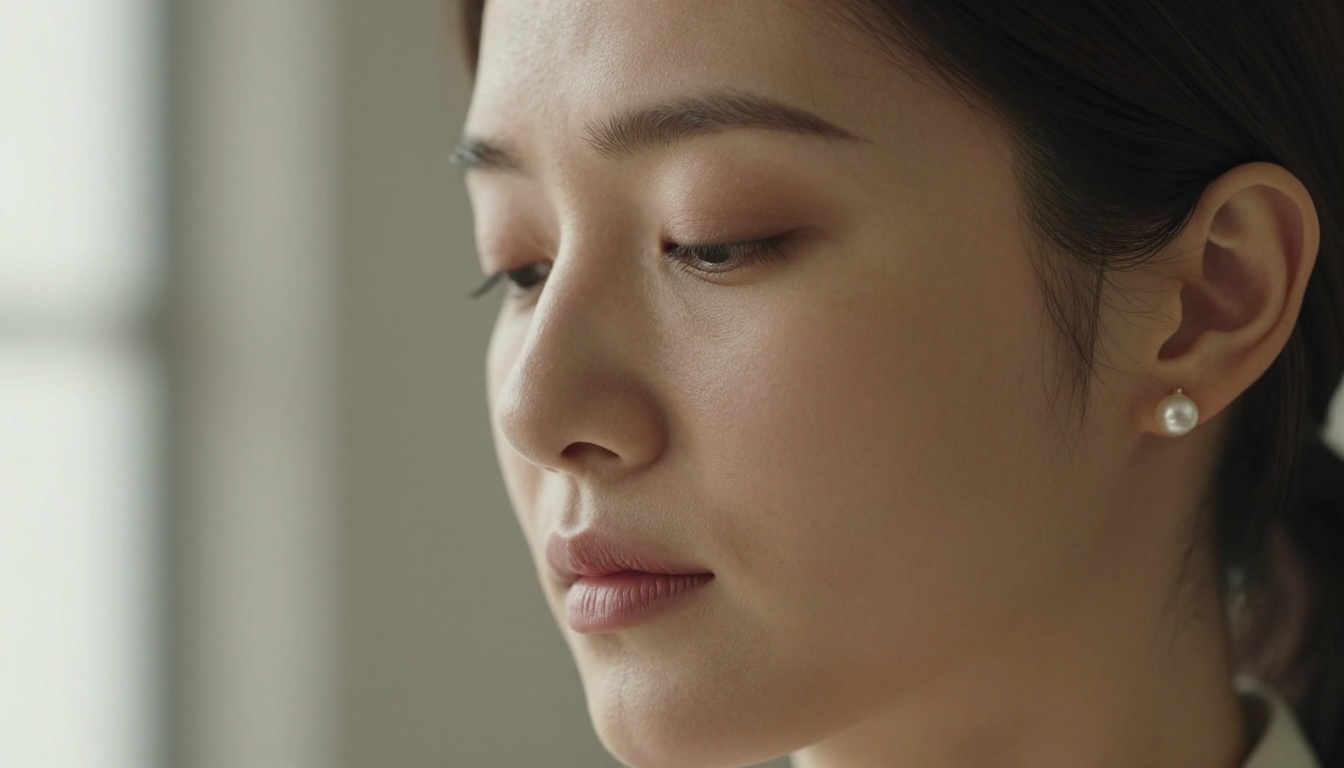
Matching Voice to Character
Voice and personality need to be coherent with each other. An introverted, observant character should not have a bright, high-energy voice. A confident, direct character should not sound tentative. Think of it as casting rather than generation.
| Personality Type | Voice Characteristics |
|---|
| Warm, nurturing | Slow pace, low-mid pitch, slight breathiness |
| Sharp, intellectual | Crisp enunciation, moderate pace, minimal filler sounds |
| Playful, quick-witted | Variable pace, rising inflection, quick pauses |
| Calm, introspective | Long measured pauses, consistent low pitch |
| Passionate, expressive | Wide pitch range, strong emphasis, faster delivery |
Use Chatterbox Pro or ElevenLabs V3 when you need fine-grained control over where on that spectrum her voice lands. Use Gemini 3.1 Flash TTS or Speech 2.8 HD when speed and natural warmth are the primary requirements and you need to get audio into the experience fast.
Step 3: Create Her Look
The third step is appearance. A visual representation of your AI companion changes how you relate to her at a level that most people underestimate until they experience it. A face gives the brain something to attach the voice and personality to, completing the presence.

What Makes an AI Image Feel Real
The difference between a photorealistic AI portrait and an obviously generated one comes down to specific technical choices: lighting direction, skin texture, depth of field, film grain, and compositional logic. A companion portrait should follow the same rules as a real photograph.
The prompting approach that works best uses RAW 8K photography style, Kodak Portra 400 film emulation, 85mm lens simulation with natural depth of field, and realistic skin texture with natural variation. No glossy finish. No uncanny symmetry. Real people have pores, asymmetry, and natural catch-light variation in their eyes. The goal is photographs, not renders.
What to specify in an appearance prompt:
- Lighting: Directional and named. "Volumetric morning light from the left," not just "good lighting"
- Lens: "85mm f/1.4" gives you a specific field of view and blur character
- Skin: "Visible pore detail, subtle asymmetry, natural under-eye texture"
- Film: "Kodak Portra 400 grain" adds naturalistic noise that reads as real
- Setting: Lived-in, specific. Not "a nice room" but "a worn linen armchair next to a bookshelf with stacked paperbacks"
Best Models for Her Appearance
PicassoIA has a meaningful advantage here: several models on the platform accept NSFW content without restrictive filters, which means your companion's appearance can match the full creative intent behind her character.
Seedream 4.5 is the top recommendation for AI companion imagery. It generates highly realistic results, accepts adult prompts, supports image editing on existing images, and delivers output in under 3 seconds. Its successor, Seedream 5 Lite, does not support NSFW content, so for this use case, 4.5 is the version to use.
PicassoIA Image Editor Pro is an img2img model with one major practical advantage: unlimited generations on Elite and Infinite plans. That means 1,000 images costs the same as 10. Compare that to models like Nano Banana 2, where generating 1,000 images costs around $100. It accepts NSFW content, returns results in under a second, and offers a 3-generation free trial with no credit card required.
Qwen Image 2 is an open-source option for both text-to-image generation and image editing. Its open-source nature means no content restrictions, and it handles detailed realism well across both creation and editing workflows.
Grok Imagine Image excels at realistic image transformations, particularly for outfit or style changes applied to an existing character base. Effective for generating visual variety from a single reference image.
Recraft V4 delivers very realistic text-to-image results. Best used for the initial character creation pass when working purely from a text description.
P-Image by PrunaAI generates NSFW-capable images in under one second. When you need fast iteration at volume during the early design phase, this is the most efficient option on the platform.

Visual Consistency Across Images
One portrait is a starting point. A companion with real visual presence needs a consistent identity across different settings, outfits, and moods. The most effective workflow is to establish a seed image with Seedream 4.5 or Recraft V4, then use img2img workflows through PicassoIA Image Editor Pro or Qwen Image 2 to generate variations that share the same core face and features.
Generate her in different lighting conditions, different outfits, different emotional states. That visual variety, held together by a consistent face, is what creates a believable visual identity rather than a single frozen image.
You can browse the complete catalog of models across every category at picassoia.com/en/all-models.
How to Combine All Three Steps
Each layer is valuable on its own. The language model gives her something to say. The voice gives her warmth. The image gives her presence. But the real shift happens when all three are coherent with each other, built intentionally around the same character.

A Full Setup Example
Here is how the three steps come together in practice around a single character:
The character: Mia, 24, a freelance photographer who grew up moving between cities. She is observant and slightly restless, with strong opinions about light and composition. She uses humor when nervous and goes very quiet when angry.
The LLM: Claude 4 Sonnet with a detailed system prompt that includes her backstory, her quirks, and three hard invariants: she always notices visual details in her immediate environment, she deflects emotional questions with a question back, and she uses very specific metaphors rather than generic ones.
The voice: ElevenLabs V3 tuned to a moderate pace with a slightly husky mid-tone register. Variable pitch that drops at the end of serious statements. A light pause before long sentences.
The look: Initial portrait generated with Seedream 4.5 from a detailed 85mm portrait prompt in Kodak Portra 400 style. Variations in different settings and outfits generated with PicassoIA Image Editor Pro using the seed portrait as the base image.
The result is a companion where every layer reinforces the others. Her way of speaking matches her personality. Her voice matches her tone. Her face matches the image in your mind when you read her words. That coherence is what moves the experience from clever novelty to something that actually feels like a connection.
Common Mistakes People Make
Over-specifying the obvious. Saying "she is funny" gives the model nothing to work with. Describing how she is funny, what she finds funny, and when she stops being funny gives the model something real.
Matching voice to your preference rather than her character. Choosing a voice you find attractive rather than one that fits her personality breaks character coherence. The voice should serve the character, not the listener's abstract taste.
Generating one image and stopping. Visual presence requires variety. One image makes her feel static. Generate her in different lighting, different settings, and different moods. Consistency across those images is what creates a recognizable visual identity.
Skipping the behavioral invariants. Without hard rules in the system prompt, long conversations drift. Three to five invariants keep her grounded without making her feel scripted.
Treating all three layers as separate. The most common version of this mistake is building a beautiful visual with one aesthetic and a personality that reads completely differently. They need to be the same person. Start with the character. Build the voice and image from that center.
💡 The 48-hour test: Build the full three-layer companion, then use her for 48 hours without tweaking anything. What breaks the immersion points exactly to what needs fixing.
What to Build Next
The three steps in this article are a foundation, not a ceiling. Character, voice, and appearance get the core experience working. From there, you can layer in memory systems, conditional behavior triggers based on conversation state, image variation pipelines for daily visual updates, and video presence using tools like PicassoIA Video for unlimited text-to-video clip generation or P-Video by PrunaAI for image-to-video output up to 1080p with no safety filter.

Every model referenced here is available in one place. From GPT 5 and Claude 4 Sonnet for character, to ElevenLabs V3 and Speech 2.8 HD for voice, to Seedream 4.5 and PicassoIA Image Editor Pro for appearance, all of it is at picassoia.com/en/all-models.
Pick a character you find genuinely interesting. Be specific about who she is, not just what she does. Build her voice to match her tone. Generate her face with the same specificity you put into her personality prompt. The tools are ready. The rest is how well you know the character you want to bring to life.


