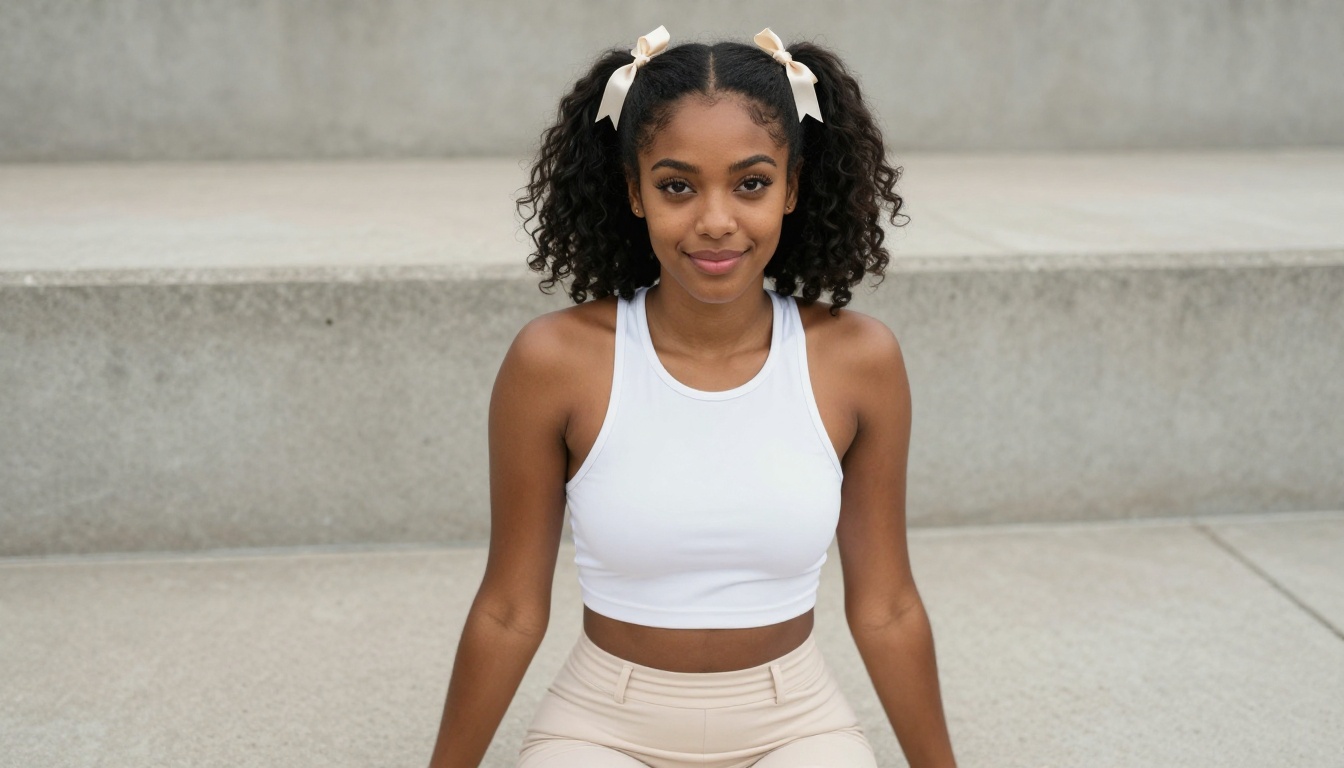
From 4K photorealistic anime beauties to instant fantasy characters, these 7 AI waifu generators are what serious AI art fans actually use. Each model has distinct strengths for character creation, photo conversion, and style flexibility. Find your perfect match on PicassoIA.
If you've spent any time searching for the perfect AI tool to create anime waifu characters, you already know the problem: the results range from stunning to unusable depending on which model you use. The wrong generator gives you blurry faces, distorted hands, and flat colors. The right one delivers crisp 4K character portraits with expressive eyes, flowing hair, and intricate costume details that feel like they came straight from a professional illustrator.
This breakdown covers the 7 best AI waifu generators available right now, what each one does well, and exactly when to reach for each one.
What Actually Separates Good Waifu Generators
Not all AI image models handle anime character art the same way. The gap between a mediocre result and a jaw-dropping waifu portrait comes down to three core qualities that vary dramatically across different models.
Art Style Range
A strong generator handles everything from soft shoujo aesthetics with pastel palettes and delicate linework to bold seinen character designs with high contrast and dramatic lighting. Models locked into a single visual lane frustrate you the moment you want variety in your character creations.
The best models respond accurately to style descriptors in your prompt. Tell it "soft watercolor shading, gentle pastel tones" and it delivers something genuinely different from "cel-shaded, bold outlines, vibrant saturated colors."
Character Detail Fidelity
Hair texture separates average generators from great ones. Individual strands, gradient color transitions from root to tip, and the way hair catches light and falls in natural volumes are all hard to render correctly. Models trained heavily on anime data tend to handle this better than general-purpose image generators.
Eye rendering matters just as much. Large, expressive anime eyes with multiple catchlight layers, detailed iris patterns, and natural highlights take a model with real expertise in anime aesthetics to get right.
Then there's clothing: fabric folds, embroidery, metallic armor reflections, and layered accessories all contribute to whether a character feels detailed and intentional or hastily generated.
Speed and Output Quality
Some models sacrifice generation time for quality, taking 20-30 seconds per image but producing stunning results. Others generate in 3-5 seconds with slightly softer detail. Knowing which tradeoff fits your workflow saves a lot of frustration.
💡 Pro tip: Detailed prompts always win. Describe hair color, length, and style. Name specific eye colors. Describe the outfit fabric and fit. Specify the pose and camera angle. Vague prompts produce vague results across every model on this list.
The Top 7 Anime Waifu Generators
1. Seedream 4.5: The 4K Portrait Powerhouse
Seedream 4.5 sits at the top of this list for one reason: resolution fidelity. When you need 4K-level detail in anime character portraits, this is the model to reach for first. Developed by ByteDance, it handles fine linework, gradient hair coloring, and delicate fabric textures with a precision that most models struggle to match.
Its prompt adherence is exceptional. Describe "silver twin-tails with lavender tips, violet eyes with star-shaped catchlights, black school uniform with white bow tie, cherry blossoms drifting in the background" and the output delivers exactly that, rendered with clarity that holds up at full resolution.
What Seedream 4.5 does best:
Multi-color gradient hair with smooth, seamless transitions
Detailed eye reflections with layered catchlights and iris patterns
Complex costume embroidery, trim, and metallic accessories
Soft skin shading with smooth tonal gradients and natural blush
Best for: Fans who want high-resolution character portraits for prints, desktop wallpapers, or detailed illustration work.
Set aspect ratio to 9:16 for tall portrait orientations or 1:1 for square character art
Write a detailed prompt covering all character elements from hair to background
Add quality modifiers like "anime style, high detail, 4K, sharp linework" at the end
Run and compare 2-3 variations with different seed values
2. Flux Dev: Where Photorealism Meets Anime
Flux Dev from Black Forest Labs doesn't position itself as a pure anime model, yet it creates some of the most striking semi-realistic anime character art available today. The results occupy that compelling space between photorealistic portrait photography and clean anime aesthetics.
What makes it work for waifu art is its ability to render believable skin texture and cinematic lighting while maintaining stylized anime features. Eyes stay large and expressive, hair holds stylized volume, but the overall image carries a cinematic quality that pure anime-focused models often lack.
Flux Dev performance breakdown:
Feature
Rating
Skin texture and realism
★★★★★
Hair detail and sheen
★★★★★
Cinematic lighting
★★★★★
Pure anime style accuracy
★★★★☆
Generation speed
★★★★☆
💡 Flux Dev tip: Add "studio lighting, 85mm portrait lens, shallow depth of field" to your prompts for dramatic character portraits with professional bokeh backgrounds that make the character pop.
Best for: AI art fans who want characters that feel photographic and cinematic rather than purely illustrated.
3. SDXL: Free Waifu Art with No Restrictions
SDXL built the foundation for modern AI waifu art in the community. It powers thousands of custom LoRA models and fine-tunes, and on PicassoIA you access it without restrictions or credit limits eating into your session.
The flexibility here is unmatched. SDXL accepts a massive range of prompting styles, responds well to positive and negative prompts, and handles almost any anime art direction you describe. Its 1024x1024 base resolution is strong for character work, and the XL architecture captures fine details in hair, clothing, and accessories reliably.
SDXL is the right pick when you want:
Broad stylistic experimentation with no usage anxiety
Classic anime aesthetics with soft watercolor-adjacent tones
Characters with complex multi-piece outfit designs
Rapid iteration across dozens of character concept variations
Access to community prompt recipes with proven track records
Negative prompts that improve SDXL waifu results:
blurry, low quality, distorted face, extra limbs, bad hands,
deformed eyes, asymmetrical face, watermark, signature, text
Best for: Users who want a free, flexible baseline for anime character work with wide community support.
4. Qwen Image Edit Plus LoRA Photo to Anime: Real Photo to Waifu
Qwen Image Edit Plus LoRA Photo to Anime operates differently from every other generator on this list. Rather than building a character from scratch using text, it takes a real photograph and converts it into an anime-style character portrait while preserving the subject's facial features, expression, and likeness.
For fans who want an anime version of themselves or want to animate a reference photo into waifu art, this tool is genuinely impressive. The conversion maintains the subject's proportions and expression while rendering hair, skin, and eyes in clean anime style. Results are consistent and avoid the uncanny distortions that basic style-transfer approaches typically produce.
How to get the best conversion results:
Upload a clear portrait photo with even lighting and a forward-facing expression
Set the style intensity by including descriptors like "anime style, soft cel shading, large expressive eyes, clean linework"
Run the first generation and evaluate how well facial features transferred
Use follow-up prompt edits to adjust hair color, eye size, or background if needed
What the conversion handles well:
Face shape and expression preservation from the source photo
Hair adaptation from realistic to anime volume and style
Skin tone rendering accurately mapped to anime palette
Background replacement with fitting anime-style environments
💡 Important: Use a clear, evenly lit front-facing photo for the best anime conversion. Strong directional shadows in the source image can create inconsistencies in the converted output.
Best for: Fans who want to create a personal waifu character based on their own appearance or a specific reference image.
5. Stable Diffusion 3.5 Large: Detail in Complex Scenes
Stable Diffusion 3.5 Large from Stability AI brings serious architectural improvements for anime character work compared to its predecessors. The 3.5 architecture handles complex compositions exceptionally well, which matters when you're creating full-body character designs or scenes with multiple visual elements competing for attention.
Its standout quality is long-prompt fidelity. Where other models lose track of details mentioned deep in a prompt, SD 3.5 Large tends to honor them. Describe a character with a specific sword inscription, a particular color of ribbon on a specific sleeve, and a cat sitting in the lower left corner of the scene, and this model often delivers all three correctly.
SD 3.5 Large works best for:
Full-body character sheets with detailed costume elements
Characters carrying intricate weapons or complex accessories
Multi-character scenes showing character interactions
Backgrounds with detailed architectural or natural environment elements
Prompt Component
SD 3.5 Large Performance
Complex multi-element outfits
Excellent
Long detailed prompts (150+ words)
Excellent
Multiple characters in one scene
Very Good
Single portrait focus
Good
Generation speed
Moderate
Best for: Users creating detailed character designs that require accuracy across many specific elements simultaneously.
6. Dreamshaper XL Turbo: Instant Anime, No Waiting
Dreamshaper XL Turbo was built for speed above all else. When you're rapidly iterating on character concepts and need results in seconds rather than minutes, this is the model you want open.
Don't let the speed mislead you. Dreamshaper XL Turbo produces clean, attractive anime character art with well-defined features and strong aesthetic consistency. It has a distinctive visual voice that leans into the dreamy, soft fantasy side of anime aesthetics, making it particularly good for ethereal characters, magical girls, and fantasy-themed waifu designs.
The Dreamshaper XL Turbo aesthetic:
Soft, slightly desaturated pastel color palettes with warm undertones
Dreamy, slightly soft-focus character rendering with natural softness
Beautiful hair with natural-looking flow and impressive volume
Strong performance on fantasy and magical character themes
💡 Prompt boost for Dreamshaper: Add "dreamlike atmosphere, soft golden light, magical aura, flowing hair, pastel sky background" to tap directly into this model's strongest visual strengths.
Speed comparison across all 7 generators:
Model
Approximate Generation Time
Dreamshaper XL Turbo
3-5 seconds
Flux Schnell
4-6 seconds
SDXL
8-15 seconds
Seedream 4.5
10-18 seconds
Flux Dev
10-20 seconds
Stable Diffusion 3.5 Large
15-25 seconds
Flux 2 Pro
12-20 seconds
Also worth noting: Flux Schnell is another speed-focused option on PicassoIA that pairs well with Dreamshaper for rapid concept testing when you want to quickly test two different stylistic directions.
Best for: Rapid character concept iteration, quick draft generation, and users who prioritize iteration speed over maximum resolution.
7. Flux 2 Pro: The Versatile All-Rounder
Flux 2 Pro closes this list as the most versatile option. Unlike models that specialize in one workflow, Flux 2 Pro handles text-to-image generation and image-to-image workflows with equal competence. You start from scratch with a detailed text prompt, or begin with a reference photo and evolve it into a fully realized character design.
Its architecture produces exceptionally clean line quality and handles fine detail in intricate patterns with impressive precision. Jewelry engravings, fabric weaves, weapon details, and layered accessories all render with a clarity that makes the final result feel intentional.
Flux 2 Pro standout capabilities:
Dual-mode creation: Text-to-image and image-to-image in the same model without switching tools
Pattern precision: Fabric weaves, engravings, and fine details render accurately and crisply
Color accuracy: Specific named colors in prompts render true to description
Composition control: Complex scenes with multiple focal points stay organized
💡 Power move with Flux 2 Pro: Use a rough character sketch or reference image as the starting point in image-to-image mode, then layer on a detailed text prompt describing the final character. Results match your exact vision far more reliably than pure text prompting alone.
Best for: Users who want one flexible model that handles both scratch creation and reference-based character refinement.
Getting great results from any of these models comes down to prompt construction. Here are the components that consistently produce better character output.
Build Prompts in Layers
Think of your prompt as a character sheet:
Core appearance: Hair color, length, texture, and style. Eye color, size, and shape. Skin tone. Face shape and expression.
Outfit and accessories: Specific clothing items with named colors and materials. Jewelry, weapons, bags, headwear.
Pose and framing: Standing, sitting, lying down. Three-quarter view, close-up portrait, full body.
Setting and atmosphere: Location description, time of day, weather, lighting direction and quality.
Style and quality modifiers: Anime style type, art direction notes, resolution and quality descriptors.
A Prompt That Works
Here is a prompt that consistently delivers strong results with Seedream 4.5:
"Young woman, long rose-gold hair with violet gradient tips and flowing natural waves, large bright violet eyes with star-shaped catchlights and detailed iris, natural blush on cheeks, wearing white sailor school uniform with blue accents and gold trim buttons, gentle warm smile, cherry blossom garden at golden hour, soft volumetric afternoon light from the right, anime style, high detail, sharp linework, 4K"
What to Avoid in Prompts
Contradiction conflicts: Don't describe "black hair" and "blonde highlights" without specifying placement
Vague style terms: "pretty" and "cute" do less work than "large doe eyes, soft pastel skin, delicate facial features"
Missing lighting: Always specify a light source direction for more cinematic results
No framing: Specify portrait vs. full-body vs. medium shot so the composition focuses where you want it
Mixing Models for Better Results
Many experienced AI art creators use two-model workflows. Generate a strong base character with Seedream 4.5 or SDXL, then run the result through Flux 2 Pro in image-to-image mode to refine details, adjust lighting, or change outfit elements without rebuilding the character from scratch. It is a faster iteration loop than pure text-to-image every time.
If you need ultra-realistic editing of a generated character, Flux Kontext Pro on PicassoIA allows you to rewrite specific elements of any image using text instructions, which is powerful for adjusting outfits, backgrounds, or accessories after the initial generation.
The Right Choice for Your Workflow
Every fan's workflow is different. Here is the honest short version of which model to start with:
Highest quality portrait, no compromises: Seedream 4.5
Photorealistic cinematic anime characters: Flux Dev
Every one of these seven generators is available right now on PicassoIA. No downloads, no GPU setup, no installation required. Open a browser, pick a model, write your prompt, and your character appears in seconds.
The platform gives you instant access to all seven models with a straightforward interface built for both newcomers and serious AI artists. Switch between models instantly to compare stylistic results, adjust parameters like aspect ratio and generation steps, and save your generations directly to your account without losing your work.
The waifu you have been picturing is a few precise prompts away. Pick the model that fits your goal from the seven above, write a detailed character description, and let the generation begin. The best results always come from artists who iterate, so don't stop at the first output. Refine the prompt, try a variation, compare two models side by side, and build toward exactly what you imagined.