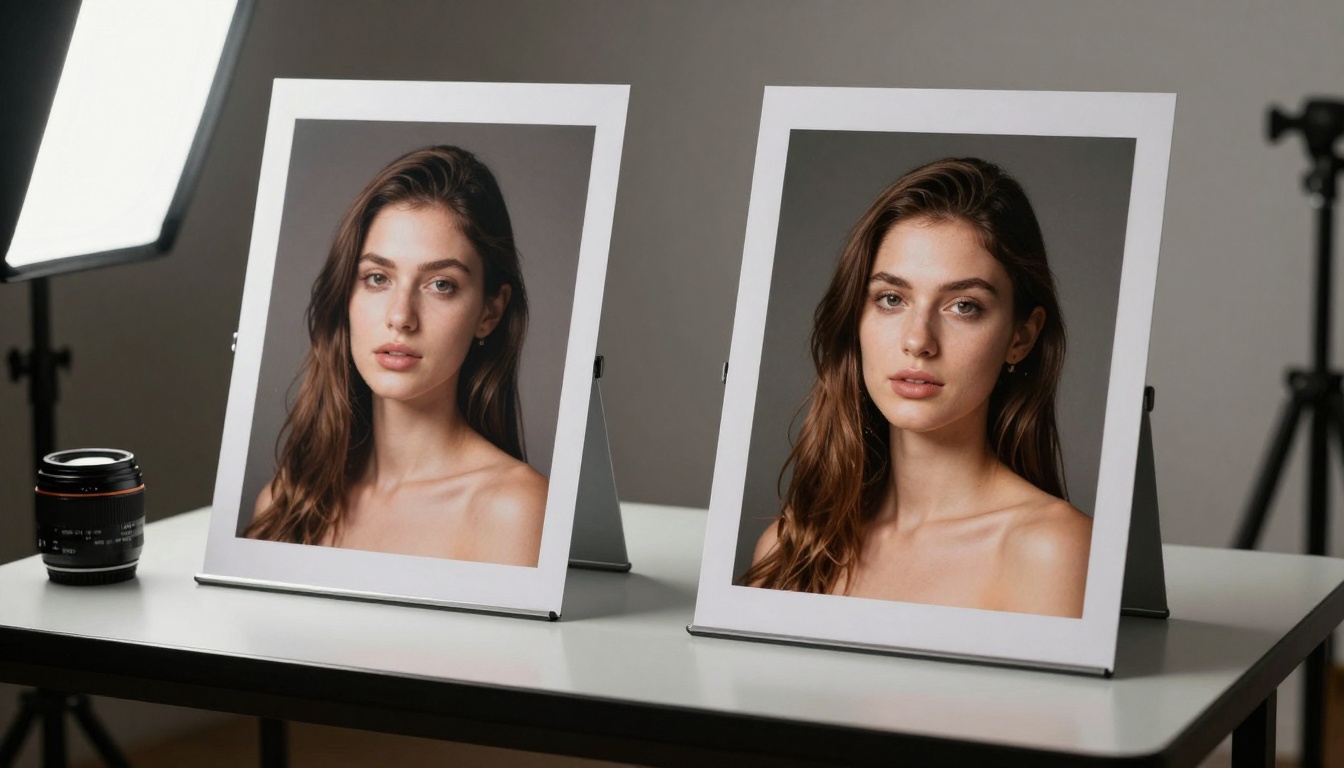
This comprehensive guide covers the most powerful free AI generators available today, from image creation tools like flux-2-klein-4b and video generators like wan-2.6-t2v to text generation with models like gpt-4o-mini. Learn which tools deliver professional results without subscription fees, how to maximize their capabilities, and practical applications for creative projects.
The landscape of AI tools has exploded in recent years, with hundreds of generators promising to transform your creative workflow. What most people don't realize is that many of the most powerful AI tools are completely free to use—if you know where to find them. From generating photorealistic images to creating professional videos and writing compelling content, free AI generators have reached a level of sophistication that rivals paid alternatives.
Why Free AI Generators Matter Now
Free AI tools have moved beyond simple novelty applications to become essential productivity assets. The barrier to entry for high-quality content creation has dropped dramatically, enabling solo creators, small businesses, and educational institutions to access capabilities previously reserved for large organizations with substantial budgets.
💡 Key Insight: The most advanced AI models often offer free tiers or community versions that provide 80% of the functionality at 0% of the cost. The trick is identifying which tools maintain quality at scale without hidden limitations.
Text-to-Image: The Most Accessible AI Power
Image generation represents the most mature category of free AI tools, with several platforms offering professional-grade results. These aren't just basic generators—they produce work that can compete with stock photography and commissioned artwork.
Flux Series: Speed Meets Quality
The flux-2-klein-4b model from Black Forest Labs delivers exceptional results for rapid image generation. What sets this apart is its balance between speed and quality—generations complete in seconds while maintaining photorealistic details.
Key Parameters for Best Results:
Prompt specificity: Use detailed descriptions of lighting, composition, and materials
Resolution settings: Higher values produce sharper but slower results
Qwen Image: Realistic Outputs
qwen-image-2512 specializes in hyperrealistic generation with particular strength in human subjects and natural environments. The free version handles complex prompts involving multiple subjects and detailed backgrounds without degrading quality.
Practical Applications:
Product visualization for e-commerce
Character design for games and animation
Architectural renderings and interior design
Educational materials and textbook illustrations
OpenAI's GPT Image: Multimodal Understanding
gpt-image-1.5 stands out for its exceptional prompt comprehension. Unlike other generators that struggle with complex instructions, this model understands nuanced requests involving multiple elements and specific relationships between subjects.
Feature
Flux-2-Klein-4b
Qwen Image 2512
GPT Image 1.5
Speed
⚡⚡⚡⚡⚡ (Very Fast)
⚡⚡⚡⚡ (Fast)
⚡⚡⚡ (Medium)
Realism
⭐⭐⭐⭐ (High)
⭐⭐⭐⭐⭐ (Very High)
⭐⭐⭐⭐ (High)
Complex Prompt Handling
⭐⭐⭐ (Good)
⭐⭐⭐⭐ (Very Good)
⭐⭐⭐⭐⭐ (Excellent)
Free Usage Limit
50 images/day
30 images/day
20 images/day
Video Generation: From Static to Motion
Free AI video generators have evolved from simple animation tools to full-fledged production assistants capable of creating professional content.
WAN Video Series: Professional Motion
wan-2.6-t2v offers one of the most capable free video generation systems available. The model understands cinematic concepts like camera movement, scene transitions, and temporal consistency—elements that separate amateur from professional video content.
Workflow Integration Tips:
Start with strong image prompts: Video quality depends heavily on the initial frame
Specify camera movements: Use terms like "dolly in", "pan left", "crane shot"
Control pacing: Mention duration and rhythm in your prompts
Iterate: Generate multiple versions and combine the best segments
Kling Video: Chinese Model Excellence
kling-v2.6 brings exceptional motion quality and character animation capabilities. The free tier supports substantial video length with good resolution, making it suitable for social media content, explainer videos, and short film projects.
Best Practices:
Use detailed character descriptions including clothing, expressions, and posture
Specify lighting conditions throughout the video timeline
Mention camera equipment and lens characteristics for cinematic look
Include audio direction if generating with sound (where supported)
Seedance: Bytedance's Video Powerhouse
seedance-1.5-pro excels at dynamic scenes with multiple moving elements. The model handles complex interactions between subjects and maintains consistency across longer durations better than many competitors.
Large Language Models: Beyond Basic Chat
Free text generation has matured far beyond simple chatbot interfaces. Today's models offer capabilities ranging from content creation to technical analysis and creative writing assistance.
GPT Series: The Gold Standard
gpt-4o-mini provides exceptional performance for its size class. While smaller than the full GPT-4o, it delivers 90% of the capability for common tasks while being completely free to use through certain platforms.
Content Creation Applications:
Blog posts: Generate outlines, draft sections, create meta descriptions
Marketing copy: Write product descriptions, ad copy, email campaigns
Technical documentation: Create API documentation, user guides, tutorials
gemini-2.5-flash offers remarkable speed without sacrificing quality. The model excels at tasks requiring rapid iteration, such as brainstorming sessions, rapid prototyping of ideas, and quick research synthesis.
Strengths:
Speed: Processes requests 3-5x faster than comparable models
Multimodal understanding: Can analyze images and text simultaneously
Code generation: Produces clean, efficient code in multiple languages
Factual accuracy: Maintains good grounding in verified information
Claude Models: Anthropic's Safety-Focused Approach
claude-4.5-sonnet and claude-3.5-haiku offer different strengths. The Sonnet version provides deep reasoning capabilities for complex analysis, while Haiku delivers speed for rapid content generation tasks.
💡 Pro Tip: Combine multiple free LLMs for different tasks. Use faster models for brainstorming and structure, then switch to more capable models for refinement and polishing.
Audio and Music Generation
Free AI music generators have reached professional quality levels, enabling creators to produce original compositions without music theory knowledge or expensive software.
Music 01: Instant Composition
music-01 from Minimax creates complete musical pieces from text descriptions. The model understands genre, mood, instrumentation, and structure—producing coherent compositions rather than random audio snippets.
Effective Prompt Structure:
[Genre] [Mood] [Tempo] [Instrumentation] [Structure] [Additional Details]
Example: "Cinematic orchestral epic with hopeful mood, 80 bpm, featuring strings, brass, and choir, with rising crescendo throughout"
Stable Audio: Quality Sound Design
stable-audio-2.5 specializes in sound design and ambient audio creation. The free version produces high-quality audio suitable for video background music, podcast intros, and sound effects.
Image Editing and Enhancement
Free AI editing tools go beyond simple filters to offer professional-grade retouching, enhancement, and manipulation capabilities.
P-Image Edit: Rapid Multi-Image Processing
p-image-edit from PrunaAI handles complex editing tasks across multiple images simultaneously. The model understands relationships between images and can apply consistent edits across batches—essential for product photography and brand consistency.
Common Use Cases:
Product catalog preparation: Apply consistent color correction and background removal
Real estate photography: Sky replacement, interior lighting enhancement
Social media content: Create cohesive visual sets from varied source images
Super Resolution: Quality Upscaling
Free upscaling tools like real-esrgan and increase-resolution transform low-resolution images into high-quality assets without the artifacts common in traditional upscaling methods.
Technical Considerations:
Source quality matters: AI upscaling works best with decent source material
Multiple passes: Sometimes better to upscale gradually rather than in one jump
Specific models: Different upscalers excel at different content types (faces, text, nature)
Practical Integration Strategies
Success with free AI generators depends on smart workflow integration rather than isolated tool usage. The most effective creators develop systems that combine multiple tools for different stages of their creative process.
The Hybrid Creation Pipeline
Ideation Phase: Use fast LLMs like gpt-4o-mini for brainstorming and concept development
Polish and Refine: Use editing tools like p-image-edit for final adjustments
Resource Management
Free tools come with usage limitations, but smart management extends your capabilities:
Daily Limits Optimization:
Prioritize quality over quantity: Spend time crafting better prompts rather than generating more mediocre content
Batch similar requests: Many tools process similar prompts more efficiently
Use offline periods: Generate content during off-hours to spread usage
Combine outputs: Multiple free tools can complement each other's limitations
Quality vs. Quantity Balance
The most common mistake with free AI tools is prioritizing output volume over quality. Professional results come from thoughtful iteration rather than mass generation.
Quality Control Checklist:
✓ Prompt refinement: Iterate on prompts based on initial results
✓ Parameter adjustment: Fine-tune technical settings for each use case
✓ Post-processing: Basic edits can dramatically improve AI outputs
✓ Consistency checks: Ensure style and quality remain consistent across related content
Platform Considerations
Different platforms offer varying access to free AI tools. Understanding the ecosystem helps you maximize available resources.
PicassoIA Platform Advantages
The PicassoIA platform aggregates multiple free AI models with consistent interfaces and unified access. Key benefits include:
Model variety: Access to text, image, video, audio, and editing tools in one place
Consistent quality: Platform maintains quality standards across different model providers
Usage tracking: Centralized monitoring of your free tier usage across multiple tools
Community resources: Shared prompts, templates, and best practices from other users
Standalone Tool Considerations
Some free tools exist independently with unique advantages:
Specialized capabilities: Some standalone tools excel at specific niche tasks
No platform limitations: Direct access sometimes offers more generous free tiers
Rapid updates: Independent developers can update and improve tools faster
Community focus: Niche tools often have highly engaged user communities
Advanced Techniques for Free Tools
Experienced users develop techniques that extract maximum value from free AI generators.
Prompt Engineering for Better Results
Effective prompts transform basic free tools into professional assets. Key elements include:
Intermediate: "Photorealistic portrait of a woman standing in a sunlit forest"
Advanced: "Medium shot of a woman with natural skin texture standing in a sun-dappled pine forest, volumetric morning light streaming through trees, 85mm f/1.8 lens, Kodak Portra 400 film simulation, cinematic lighting, photorealistic"
Parameter Optimization
Each free tool has specific parameters that dramatically affect output quality:
Common Adjustments:
CFG scale: Controls how closely the output follows your prompt
Sampling steps: More steps usually mean better quality but slower generation
Seed values: Fixed seeds allow reproducible results for iteration
Resolution settings: Balance between detail and generation speed
Workflow Automation
Even with free tools, automation saves time and improves consistency:
Template systems: Create reusable prompt templates for common tasks
Batch processing: Design workflows that handle multiple related generations
Quality checking: Develop systematic review processes for outputs
Organization: Implement consistent naming and storage for generated content
Common Limitations and Workarounds
Understanding free tool limitations helps you develop effective strategies to overcome them.
Generation Speed vs. Quality
Free tools often prioritize either speed or quality. The solution is knowing which tool to use for each task:
Rapid prototyping: Use faster tools like flux-2-klein-4b for initial concepts
Final quality: Switch to more detailed tools like qwen-image-2512 for finished work
Balanced approach: Some tools like gpt-image-1.5 offer good balance for general use
Output Consistency Challenges
Maintaining consistent style across multiple generations can be difficult with free tools:
Consistency Techniques:
Reference images: Use previous successful outputs as style guides
Prompt libraries: Maintain collections of effective prompts for different styles
Parameter standardization: Use the same technical settings across related generations
Post-processing: Apply consistent edits to unify different outputs
Usage Limit Management
Daily or monthly limits require strategic planning:
Limit Management Strategies:
Priority scheduling: Generate most important content first each period
Tool rotation: Spread usage across multiple free tools with different limits
Quality focus: Fewer high-quality outputs often serve better than many mediocre ones
Offline preparation: Plan and prepare prompts during non-generation time
Future Developments in Free AI
The free AI tool landscape continues evolving rapidly. Current trends suggest several developments that will further enhance accessibility and capability.
Increasing Quality Ceilings
Free tools continue closing the gap with paid alternatives. Recent model improvements suggest free tiers will soon match what premium services offered just months ago.
Expected Advancements:
Higher resolution outputs without proportional speed penalties
Better temporal consistency in video generation
Improved prompt comprehension for complex requests
Enhanced multimodal capabilities across text, image, and audio
Specialization Trends
As the market matures, free tools are becoming more specialized rather than generic:
Domain-specific models: Tools optimized for particular industries or use cases
Style-focused generators: Models that excel at specific artistic styles
Integration tools: AI that works seamlessly with existing software ecosystems
Collaboration features: Tools designed for team use rather than individual creators
Getting Started with Free AI
Beginning with free AI generators requires a strategic approach rather than random experimentation.
Initial Setup Recommendations
Platform selection: Choose a platform like PicassoIA that offers multiple free tools in one place
Tool prioritization: Start with 2-3 core tools rather than trying everything at once
Skill development: Focus on mastering prompt engineering for your selected tools
Project application: Apply learning to actual projects rather than abstract experimentation
Learning Resources
Free tools often have excellent community support:
Official documentation: Platform guides and model-specific instructions
Community forums: User discussions of techniques and solutions
Example galleries: Successful outputs with their prompts and settings
Video tutorials: Visual demonstrations of workflows and techniques
Progressive Skill Development
Advance through stages of AI tool mastery:
Phase 1: Basic Operation
Learn interface navigation
Understand basic prompt structure
Generate simple outputs
Phase 2: Quality Improvement
Refine prompts for better results
Experiment with different parameters
Develop personal style preferences
Phase 3: Workflow Integration
Combine multiple tools effectively
Develop efficient generation processes
Create consistent output systems
Phase 4: Advanced Application
Handle complex multi-step projects
Develop specialized techniques
Mentor others in tool usage
Real-World Applications
Free AI generators solve practical problems across industries. Understanding these applications helps you identify opportunities in your own work.
Content Creation and Marketing
Social media content: Generate images, videos, and captions for consistent posting
Blog and article visuals: Create custom illustrations and featured images
Email marketing: Design visuals and write compelling copy
Product visualization: Show products in various settings and configurations
Education and Training
Educational materials: Create illustrations, diagrams, and explanatory visuals
Training videos: Generate scenario-based learning content
Language learning: Develop visual aids and practice materials
Research visualization: Create graphics to explain complex concepts
Creative Projects and Hobbies
Personal art projects: Explore artistic styles and techniques
Writing assistance: Develop characters, settings, and plot elements
Music composition: Create background music for personal projects
Video creation: Produce short films, animations, and visual effects
Small Business Solutions
Brand identity: Develop logo concepts, color schemes, and visual styles
Marketing materials: Create brochures, flyers, and promotional content
Product development: Visualize product concepts and packaging designs
Customer communication: Generate personalized content and responses
The landscape of free AI generators represents one of the most significant democratizations of creative technology in recent history. Tools that were exclusive to well-funded organizations just a few years ago are now accessible to anyone with an internet connection. The key to success lies not in having the most expensive tools, but in developing the skills to use available tools effectively.
As you explore these free AI generators, focus on developing your prompt engineering skills, learning each tool's unique strengths, and creating efficient workflows that combine multiple tools. The quality gap between free and paid tools continues to narrow, making this an ideal time to build proficiency with available resources.
Start with one or two tools that address your immediate needs, invest time in learning them thoroughly, and gradually expand your toolkit as your skills and requirements grow. The most successful AI users aren't those with access to every tool, but those who master the tools they have and apply them creatively to real-world problems.
Experiment with different approaches, learn from both successes and failures, and continuously refine your techniques. The free AI generator ecosystem offers unprecedented opportunity for creative expression, professional development, and practical problem-solving—all without financial barriers to entry.