A simple selfie holds untapped creative potential. With AI image generation tools, you can transform that single photograph into ten entirely different cinematic visions. Each reimagining captures the essence of iconic film genres, from the shadowy depths of film noir to the neon-soaked streets of cyberpunk.
This approach gives creators the ability to explore multiple visual narratives without elaborate photoshoots or extensive post-processing. Whether you're building a portfolio, creating content for social media, or simply experimenting with creative styles, AI-powered transformations offer a fast and flexible solution.
Starting with Your Base Image
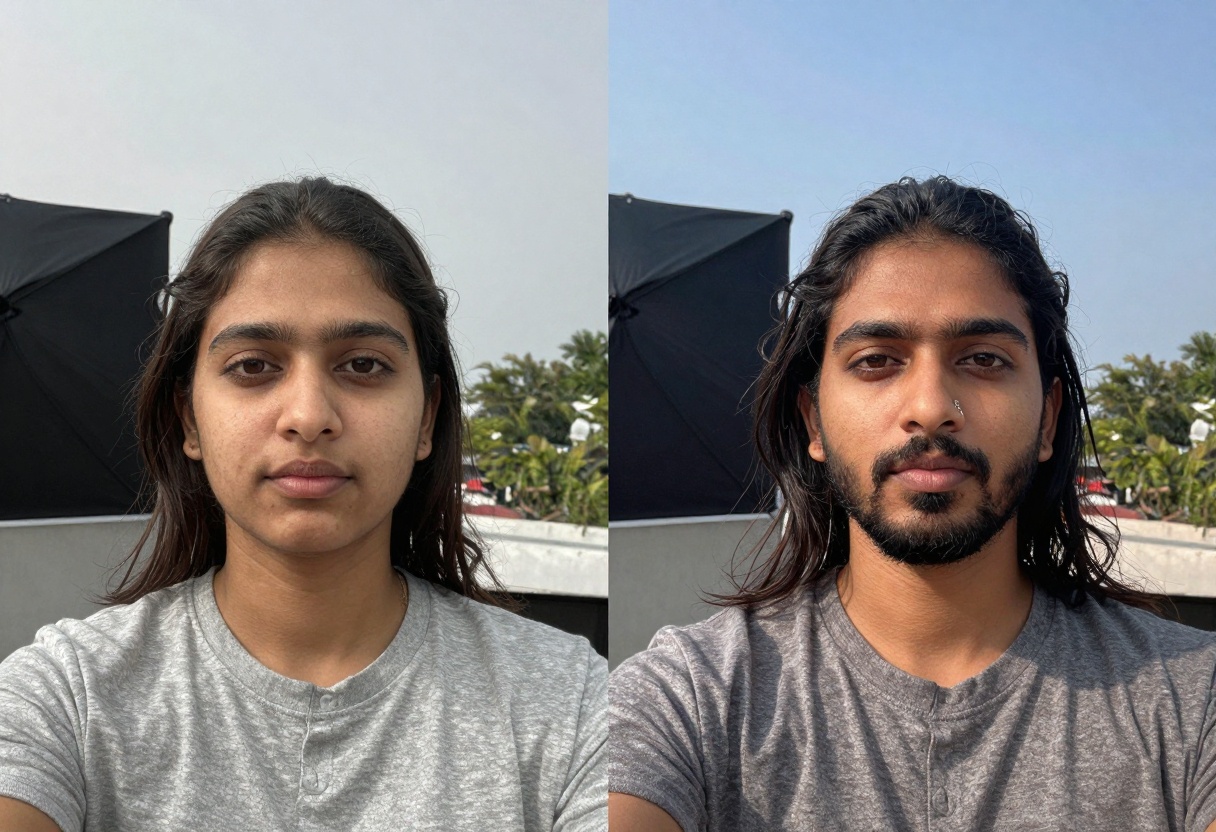
The foundation of any great transformation is a clear, well-lit selfie. You don't need professional equipment or studio lighting. A smartphone photo with good natural light works perfectly. The key is having a clear view of your face with minimal distractions in the background.
What makes a good base selfie:
- Clear facial features with even lighting
- Neutral or simple background
- Forward-facing angle or slight turn
- Natural expression that can be interpreted multiple ways
- High enough resolution to work with (at least 1080p)
The beauty of this technique is its flexibility. Once you have your base image, the AI handles the heavy lifting of adapting it to each film style's unique visual language.
Crafting Effective Style Prompts
The magic happens in how you describe each film genre to the AI. Each style has its own visual DNA that needs to be captured in your prompt. Rather than generic descriptions, focus on the specific elements that define each aesthetic.
For a film noir look, you might emphasize high-contrast lighting, deep shadows, and dramatic composition. For Wes Anderson's signature style, the focus shifts to perfect symmetry, pastel colors, and quirky details. Understanding these nuances helps the AI generate more accurate transformations.
Consider using a language model to help craft your prompts. You can provide a simple request like "Write prompts to transform this into 10 different film genres" and receive detailed descriptions for each style. This approach ensures consistency while capturing the essence of each cinematic aesthetic.
PicassoIA provides the tools needed to bring these cinematic visions to life. The platform's image generation models can interpret your prompts and reference images to create stunning transformations that maintain your likeness while adopting each film style's characteristics.
The process is straightforward. Upload your base selfie, input your crafted prompt for the desired film style, and let the AI generate the transformation. You can experiment with different parameters like aspect ratio and resolution to fine-tune the results.
What sets this approach apart is the ability to maintain consistency across all ten transformations. Your facial features remain recognizable while the overall aesthetic shifts dramatically from one style to another.
Let's break down ten distinct film styles and what makes each one unique. Understanding these characteristics helps you appreciate the transformation process and guides you in creating effective prompts.
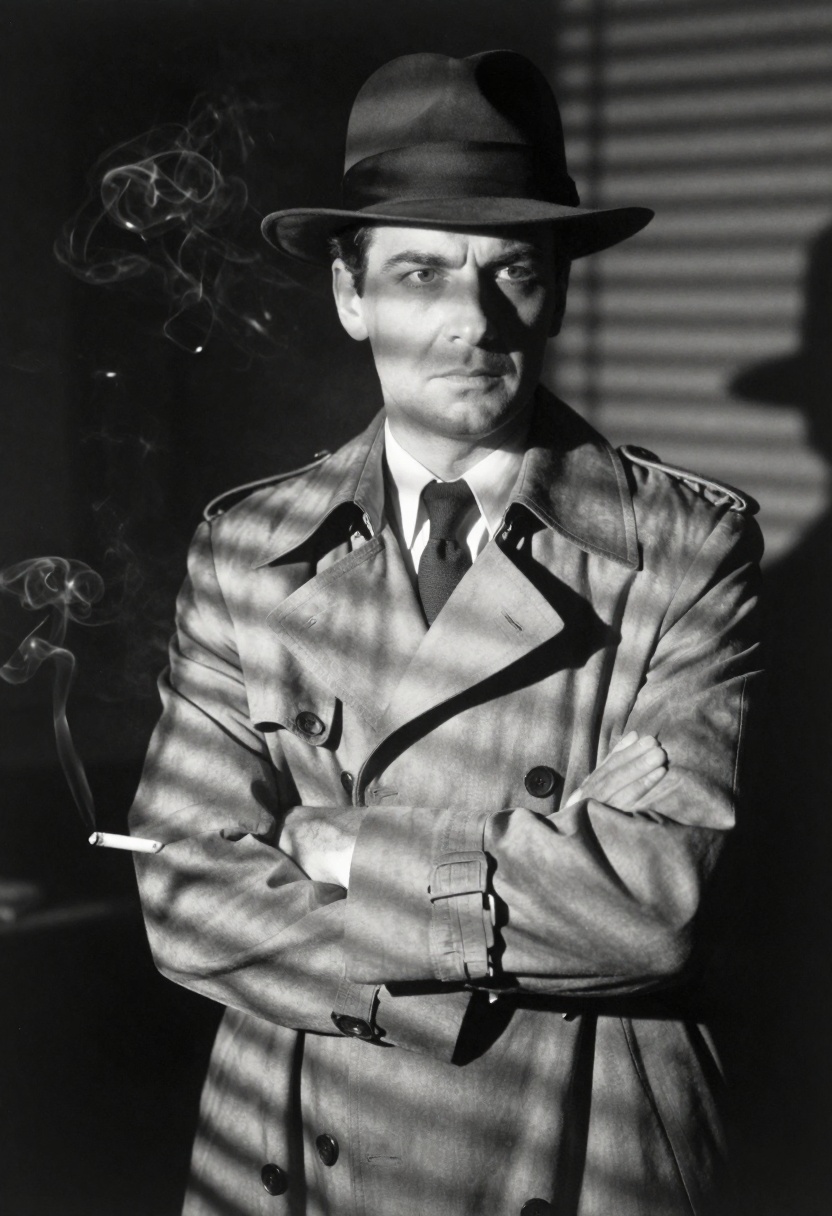
Film Noir Detective
The classic detective aesthetic defined by 1940s Hollywood. This style embraces dramatic shadows, high contrast black and white, and moody atmospheric lighting. Venetian blind shadows across the face, fedora hats, and trench coats complete the look.
The lighting is everything here. Side lighting creates those iconic shadows that fall across the face, suggesting mystery and intrigue. The composition often feels tight and claustrophobic, adding to the noir atmosphere.
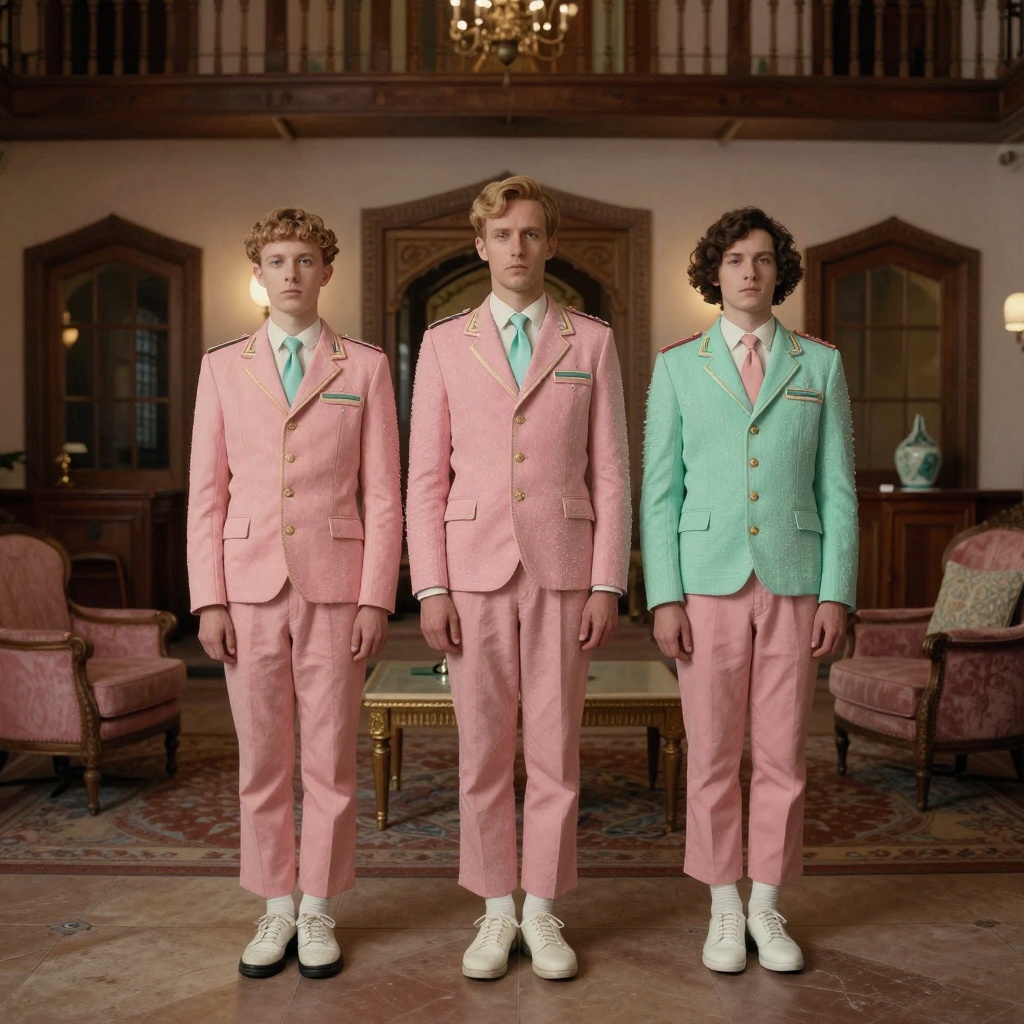
Wes Anderson Whimsy
Perfectly symmetrical compositions define this instantly recognizable style. Pastel colors, centered framing, and quirky details create a storybook quality. Think soft pinks, mint greens, and muted yellows arranged with meticulous precision.
The charm lies in the flatness of the lighting and the deadpan expression. Every element feels deliberately placed, creating a sense of whimsical order. Vintage props and retro costumes enhance the nostalgic atmosphere.
Cyberpunk
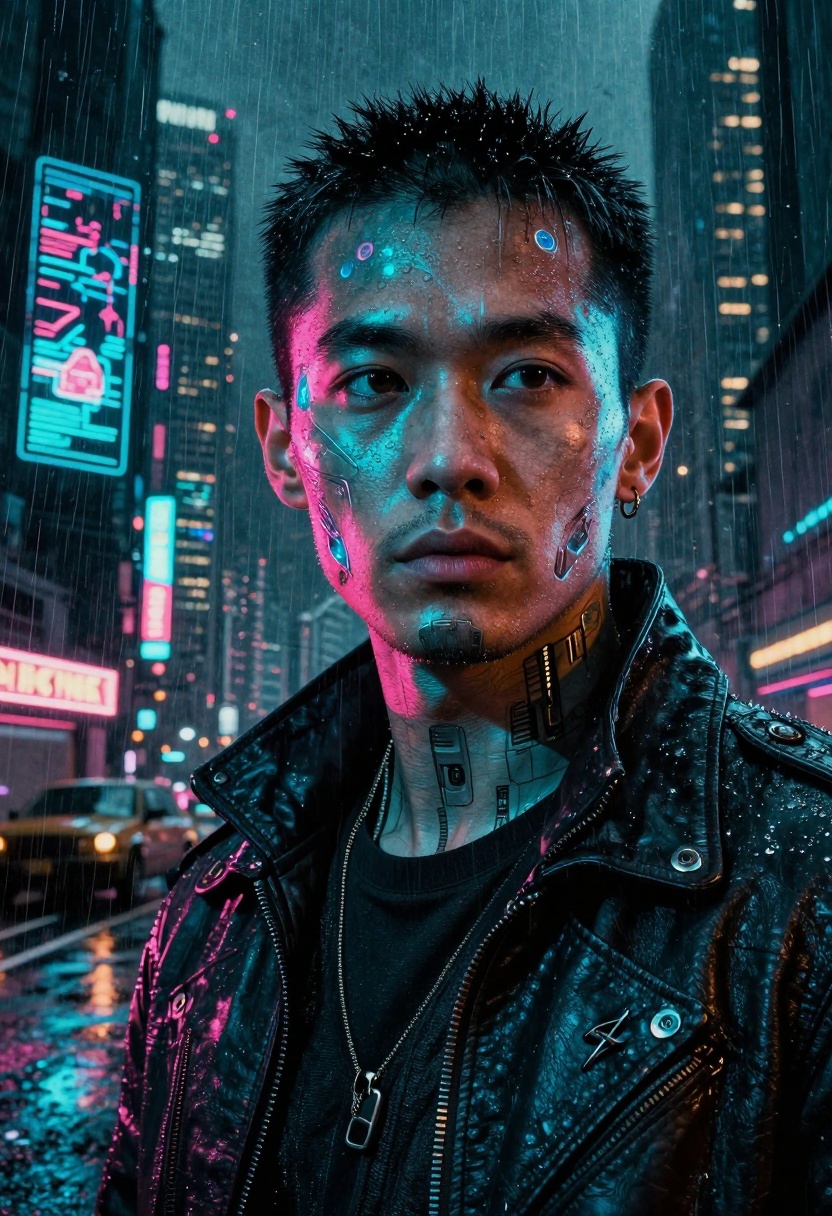
Neon-soaked and gritty, this futuristic aesthetic captures bold contrasting colors, dramatic lighting, and urban dystopia. Electric blues clash with hot pinks while rain-slicked streets reflect holographic advertisements.
The cyberpunk look thrives on that edge between high-tech and low-life. Tech implants, leather jackets, and moody expressions against futuristic cityscapes create the perfect blend of style and atmosphere. The lighting is always dramatic, with neon sources creating strong color casts.
A24 Horror
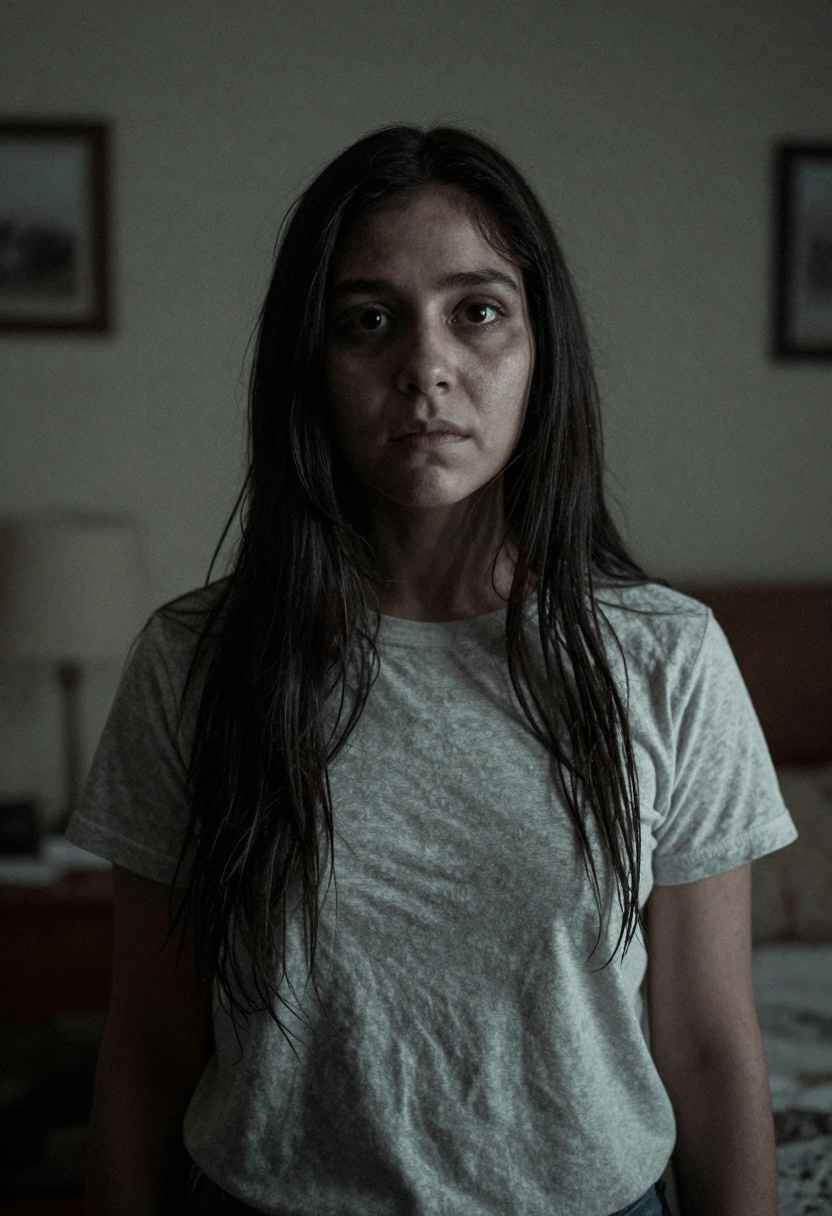
Modern psychological horror embraces unsettling compositions, muted tones, and uncomfortable framing. Unlike jump-scare horror, this style builds dread through atmosphere and subtle visual cues.
The color palette leans toward desaturated, pale tones. Lighting feels natural but wrong somehow. Off-center framing and unusual angles create psychological discomfort. It's horror that gets under your skin rather than making you scream.
Spaghetti Western
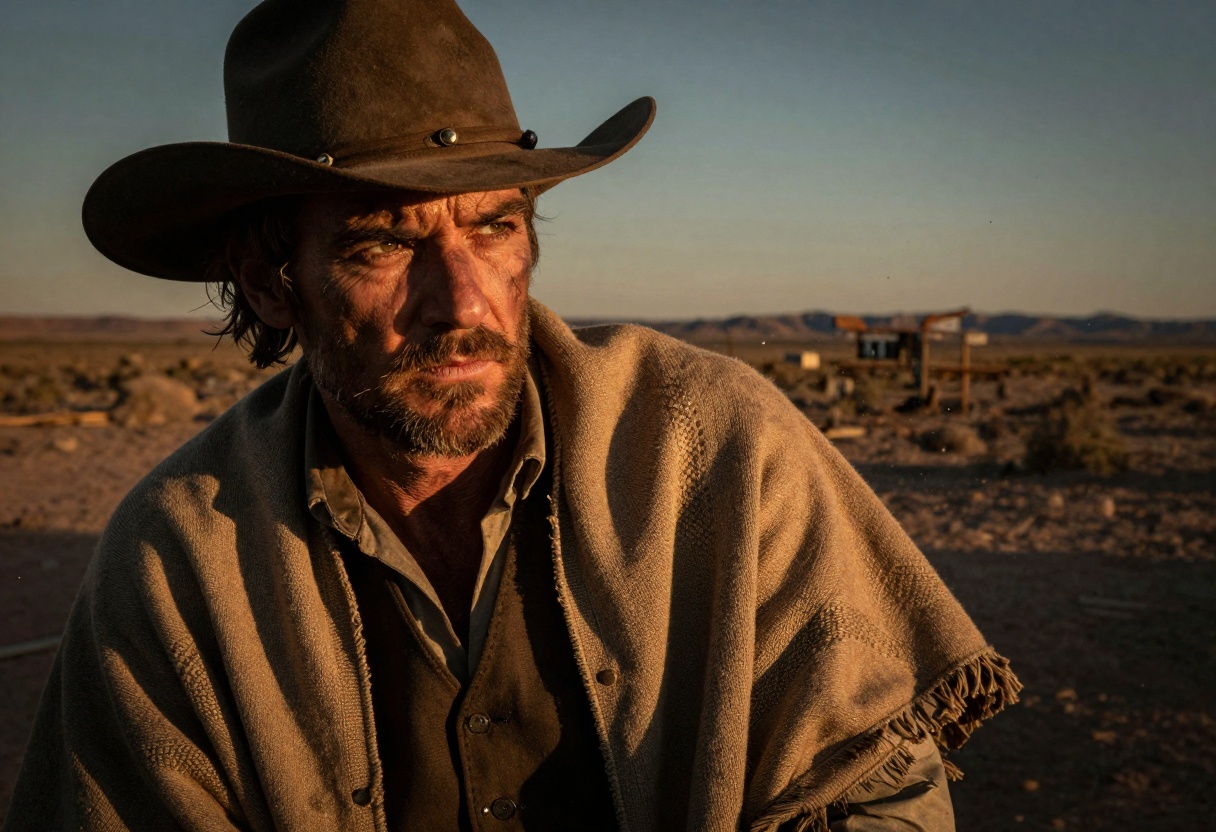
The dusty, sun-baked aesthetic of classic westerns. Warm golden lighting, rugged textures, and wide desert landscapes define this style. Think Sergio Leone's iconic close-ups and dramatic sunset silhouettes.
Intense squinting eyes, weathered faces, and cowboy hats casting long shadows capture the essence of the lone gunslinger. The color palette is all earth tones and warm golds, with dust particles catching the light.
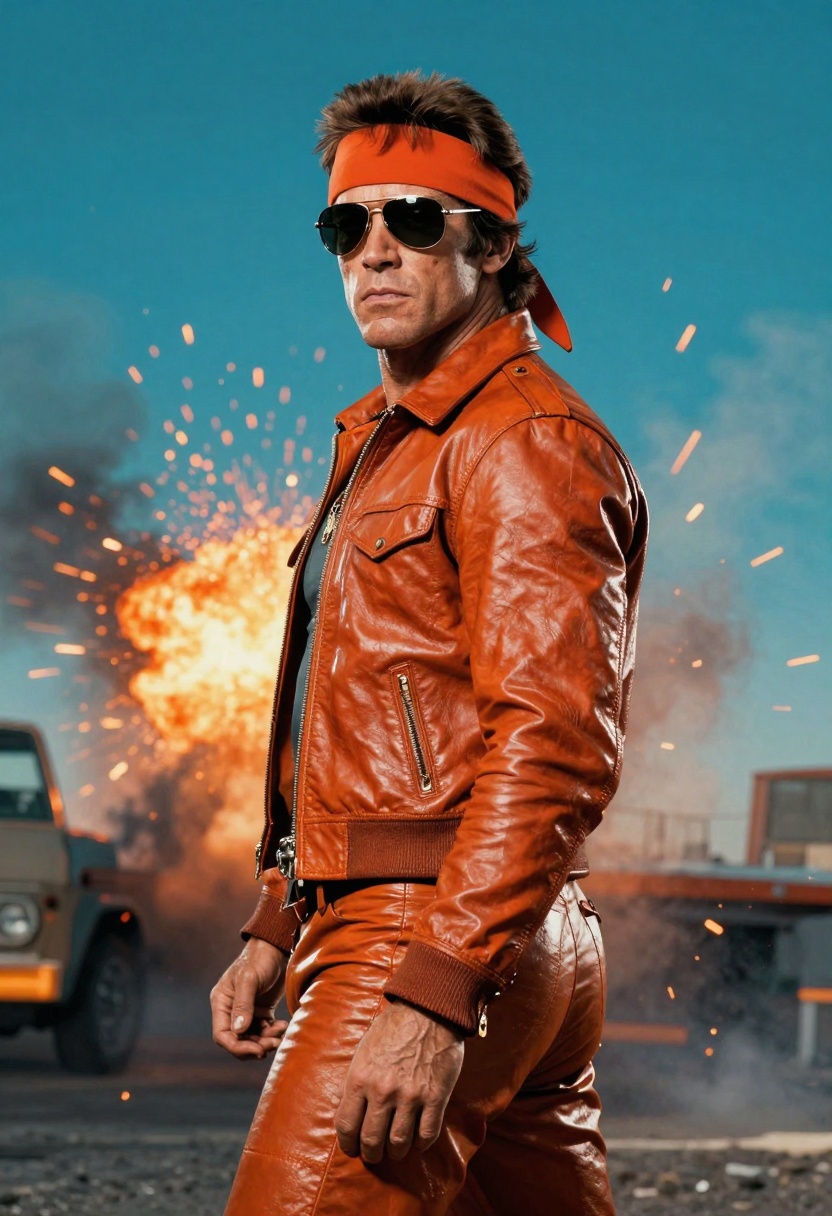
80s Action Movie
Bold, saturated colors and over-the-top energy characterize this era. Orange and teal color grading, dramatic poses, and explosive backgrounds create that unmistakable 80s action vibe.
Leather jackets, aviator sunglasses, and muscular poses against smoke-filled backdrops capture the aesthetic perfectly. The lighting is always dramatic, often backlighting to create heroic silhouettes. Everything feels larger than life.
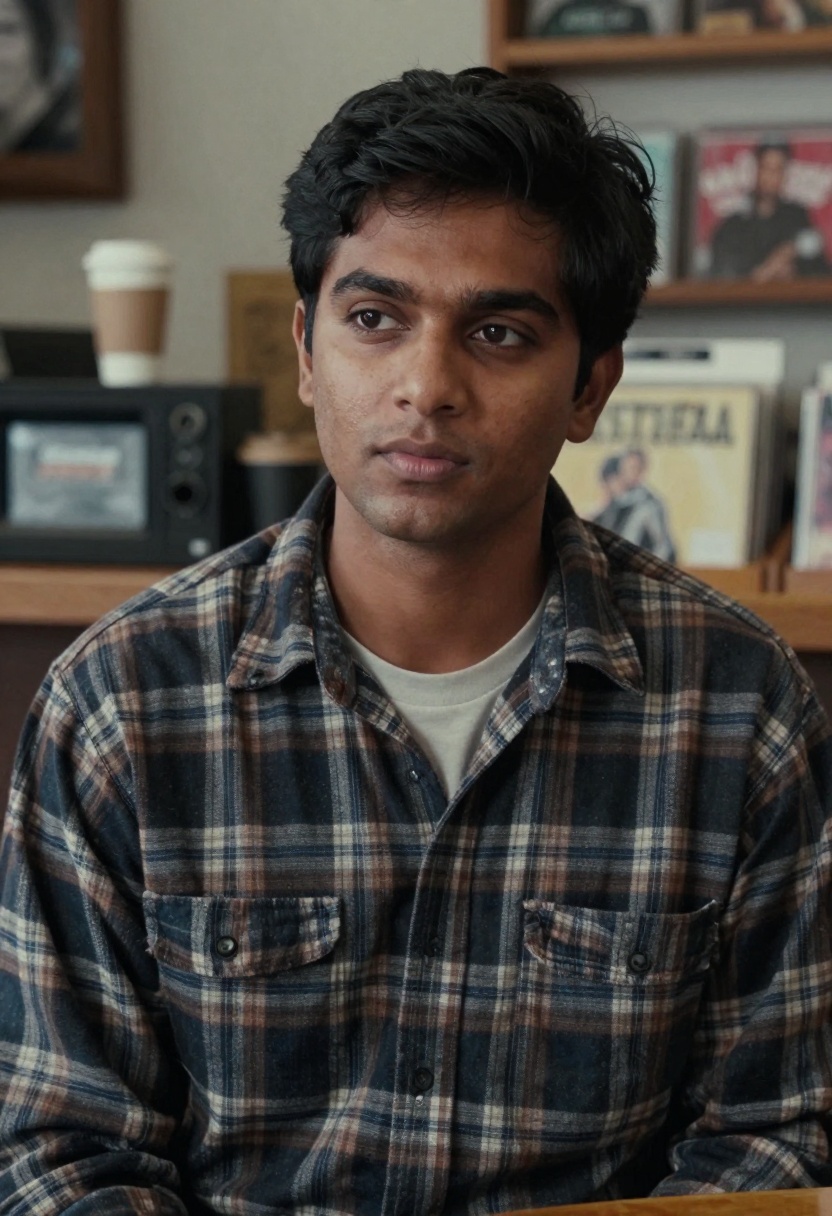
90s Indie Film
Naturalistic and understated, this style embraces muted colors, soft lighting, and authentic moments. Think coffee shops, record stores, and genuine human connection captured with grainy film texture.
The aesthetic rejects the polished look in favor of raw authenticity. Flannel shirts, casual poses, and soft natural light create a nostalgic melancholy. There's a slight film grain that adds to the vintage feel.
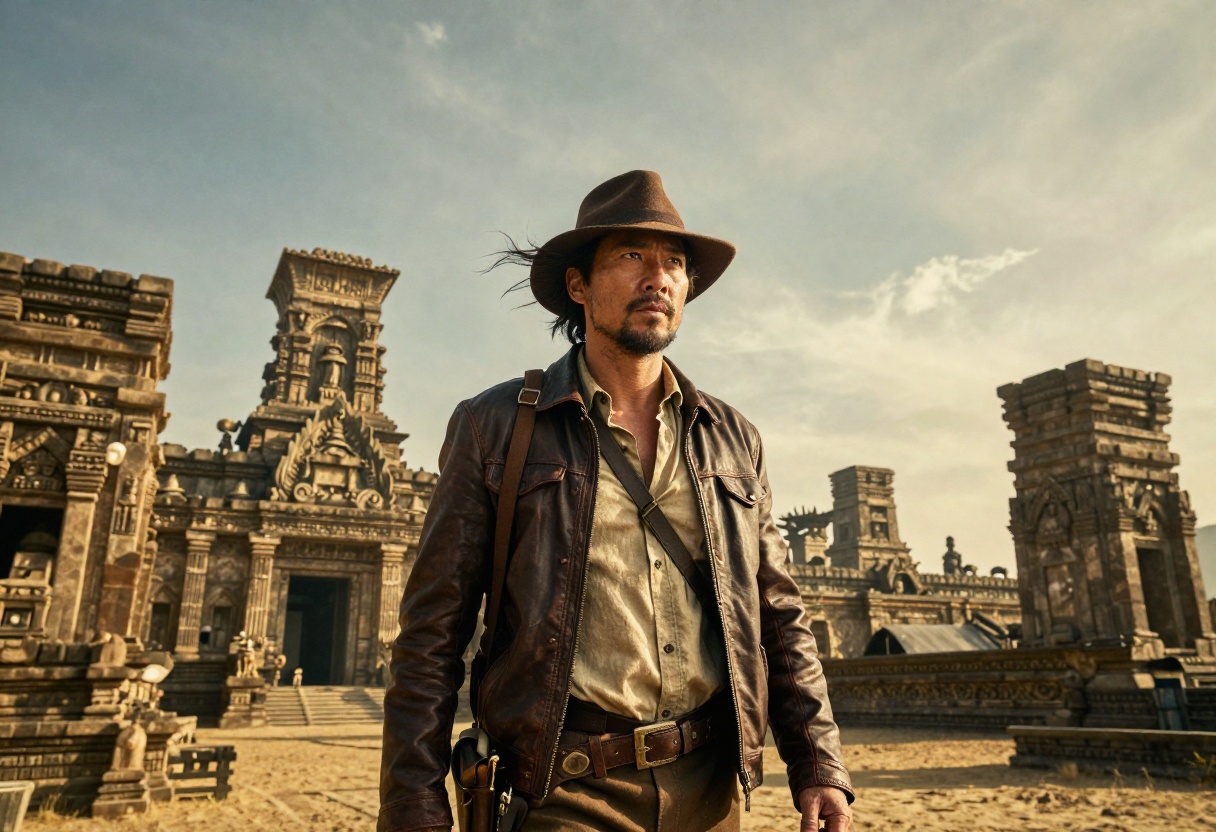
Hollywood Adventure
Epic scale and heroic framing define this blockbuster style. Dramatic lighting from below, windswept hair, and exotic locations create that sense of grand adventure.
Think Indiana Jones or classic adventure films. Leather jackets, determined expressions, and golden sunset lighting against ancient temples or sweeping vistas. The composition emphasizes the hero's journey with wide angles and dramatic perspectives.
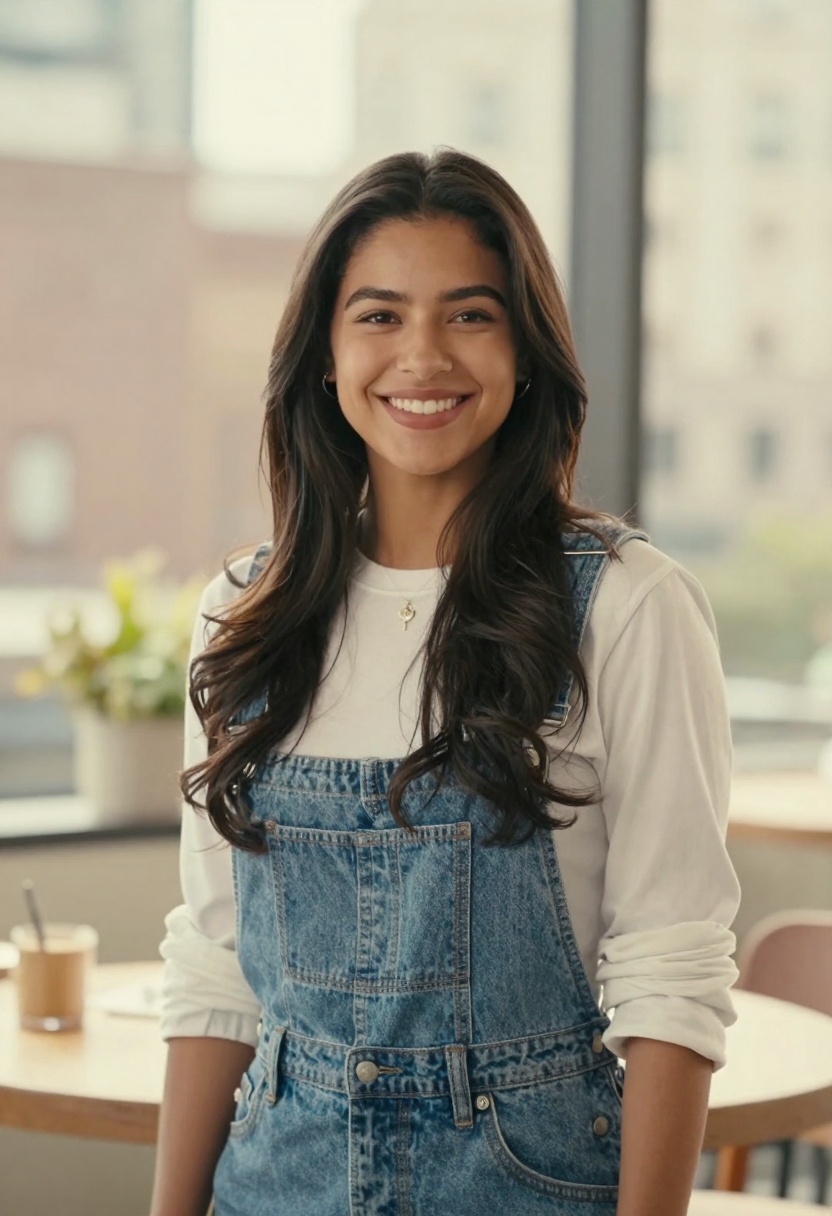
Romantic Comedy
Bright, cheerful, and optimistic, the rom-com aesthetic embraces soft lighting, warm colors, and genuine smiles. Everything feels approachable and inviting, with urban backdrops or cozy cafe settings.
The lighting is flattering and soft, often with golden hour warmth. Dreamy bokeh backgrounds and natural expressions create that feel-good vibe. Casual, trendy outfits and charming smiles complete the look.
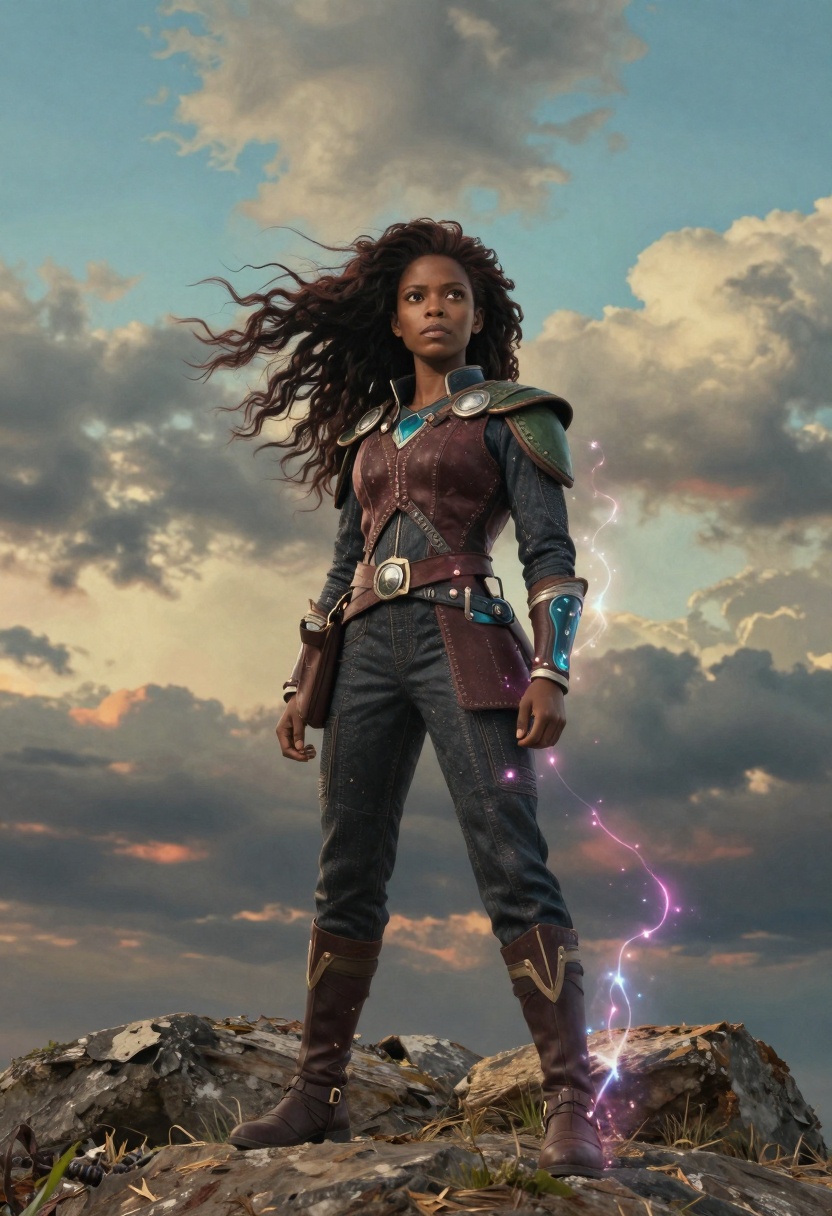
Anime Adventure
This style bridges the gap between animation and photorealism. Vibrant colors, dynamic wind effects, and heroic expressions capture that anime energy in a live-action interpretation.
Fantasy costumes with intricate details, magical glowing effects, and dramatic skies create the anime aesthetic. The colors are highly saturated and bold, with dynamic composition suggesting movement and adventure. Think Studio Ghibli meets live action.
Refining Your Results
The first generation rarely gives you the perfect result. AI image generation thrives on iteration and experimentation. Small adjustments to your prompts can dramatically shift the output.
If a transformation doesn't quite capture the style you're after, try adding more specific details. Instead of "film noir," describe "1940s detective with venetian blind shadows and cigarette smoke." The more precise your visual language, the better the AI understands your vision.
Tips for better results:
- Be specific about lighting conditions and direction
- Mention color palettes and tones explicitly
- Reference specific film aesthetics or directors when relevant
- Describe the mood and atmosphere you want to create
- Include details about composition and framing
Don't be afraid to generate multiple versions of the same style. Sometimes the AI needs a few attempts to nail the aesthetic perfectly.
Why This Works for Creators
This technique solves several problems for content creators. Traditional photoshoots require time, equipment, locations, and often multiple outfit changes. AI transformations compress that entire process into minutes.
For portfolio building, having ten distinct style variations demonstrates versatility. Social media content benefits from the variety, allowing you to maintain visual interest while staying on brand. Each style can appeal to different audience segments.
The consistency is another advantage. Because all transformations stem from the same base image, there's a cohesive thread connecting them. This works beautifully for before-and-after comparisons or showcasing creative range.
Practical applications include:
- Building diverse creative portfolios quickly
- Creating engaging social media content series
- Exploring different artistic directions before committing to a full shoot
- Generating concept art for creative projects
- Producing variety without extensive resources
The speed and flexibility of AI generation mean you can experiment freely without significant investment.
Getting Started with Nano Banana Pro on PicassoIA
Ready to create your own cinematic transformations? Nano Banana Pro on PicassoIA offers the advanced capabilities needed for these high-quality style transfers. This model excels at understanding complex prompts and maintaining facial likeness across dramatic style changes.
Step 1: Navigate to Nano Banana Pro
Visit the Nano Banana Pro model page on PicassoIA. This advanced text-to-image model supports reference images and offers fine control over the generation process.
Step 2: Upload Your Base Selfie
Use the image_input parameter to upload your base selfie. Nano Banana Pro supports up to 14 reference images, giving you flexibility if you want to work with multiple angles or variations. For this technique, a single clear selfie works perfectly.
Step 3: Craft Your Film Style Prompt
In the prompt field, describe the specific film style you want to achieve. Be detailed and specific. For example:
"Film noir detective portrait with dramatic high-contrast black and white lighting, shadows falling across face, fedora hat, 1940s aesthetic, venetian blind shadows, moody mysterious atmosphere"
The more specific your prompt, the better the results.
Step 4: Configure Generation Settings
Adjust the optional parameters to fine-tune your output:
- aspect_ratio: Choose from various formats including cinematic (16:9), portrait (2:3), or square (1:1)
- resolution: Select 1K for quick tests, 2K for standard quality, or 4K for maximum detail
- output_format: Choose JPG for smaller file sizes or PNG for lossless quality
- safety_filter_level: Adjust content moderation based on your needs
For cinematic portraits, a 2:3 aspect ratio at 2K resolution typically provides excellent results.
Step 5: Generate and Iterate
Click generate and wait for your transformation to complete. Review the result and make note of what works and what could be improved. Refine your prompt and generate again until you achieve the desired aesthetic.
Pro tips for Nano Banana Pro:
- Start with 2K resolution for faster iterations, move to 4K for final versions
- Use specific film references in your prompts when possible
- Experiment with different aspect ratios for different platforms
- Save successful prompts for future use
- Generate multiple variations of your favorite styles
The model's ability to maintain facial consistency while dramatically changing the overall aesthetic makes it perfect for this creative technique.
Key Takeaways
Transforming a single selfie into ten cinematic film styles demonstrates the creative potential of AI image generation. This technique offers content creators, photographers, and visual artists a powerful tool for exploration and expression.
Remember these essential points:
- Start with a clear, well-lit base image with minimal background distractions
- Craft specific, detailed prompts that capture each film style's visual DNA
- Use reference materials and study the aesthetics you want to recreate
- Iterate and refine your results through multiple generations
- Experiment with different parameters to find what works best for each style
The combination of AI technology and creative vision opens new possibilities for visual storytelling. What once required elaborate productions now happens in minutes, democratizing access to professional-quality creative transformations.
Whether you're building a portfolio, creating social media content, or simply exploring creative possibilities, this technique provides a fast, flexible, and fun approach to visual experimentation. The key is understanding the visual language of different film styles and translating that into effective prompts.
Ready to transform your selfies into cinematic art? Try Nano Banana Pro on PicassoIA and start creating your film genre collection today.


