The AI video generation market has moved fast, and so has the credit math behind it. Running flagship models at scale chips away at budgets quickly, and for creators who need consistent output volume over one-off prestige generations, that adds up to a real constraint. Veo 3.1 Lite is Google's response to that pressure: a purpose-built entry-level variant in the Veo 3.1 family that brings the model's core strengths at a significantly lower credit cost per generation. Whether a "Lite" label translates to genuinely capable output or just a stripped-down experience in budget-friendly packaging is the right question to ask. After running it across real production scenarios, this is what Veo 3.1 Lite actually produces, where it holds its ground, and when it is the smarter choice.
What Veo 3.1 Lite Actually Is
Google's Veo family has expanded rapidly across the past year. From Veo 2 through Veo 3 and Veo 3 Fast, the lineup has consistently raised the bar for motion coherence, photorealism, and, most significantly, native audio synthesis. The current 3.1 branch now offers three distinct variants with clearly differentiated cost and output profiles.
Where It Fits in the Veo Lineup
The three current Veo 3.1 options give creators a clear decision framework based on resolution requirements and credit budget:
Lite is not a downgraded or experimental build. It is a deliberate architectural choice, optimized for throughput and per-generation cost while preserving the capabilities that define the Veo experience: native audio, stable motion, and responsive prompt adherence. What changes is the resolution ceiling and the compute overhead per run.
What "Lite" Means in Real Terms
In AI models, "Lite" often signals a meaningful capability reduction. With Veo 3.1 Lite, the primary trade-off is clear and singular: the model caps at 720p output rather than 1080p. For social-first content, rapid iteration, and high-volume content creation, 720p is adequate and often more than sufficient. For broadcast work, cinematic production, or workflows requiring heavy cropping in post, the ceiling becomes a genuine constraint.
Subject tracking, camera motion simulation, natural lighting response, and native audio all carry over from the full Veo 3.1 architecture. This is a leaner model, not a lesser one.
Output Quality: What You Actually Get
Running Veo 3.1 Lite through a broad range of prompts reveals a model that holds up well for most production scenarios that do not require 1080p source material.
Resolution and Motion Stability
At 720p, the output is clean, sharp within its resolution class, and temporally stable in ways that budget AI video generation has historically not been. Subject edges hold through motion. Backgrounds maintain frame-to-frame consistency. Smooth camera pan simulations, slow dolly effects, and static wide shots all execute reliably. The persistent flickering and subject morphing that marked earlier AI video models is largely absent in focused, well-structured prompt scenarios.
Fast-action sequences are where motion stability begins to break down. Quick hand gestures, rapid crowd movement, and multi-subject interaction scenes introduce the temporal artifacts familiar from working with text-to-video models at this price tier. A hand morphs briefly before snapping back. An object loses edge definition mid-motion. These issues are not unique to Veo 3.1 Lite and appear consistently across competing models at comparable cost, but knowing them in advance means you can structure shots to work with the model's strengths.
Tip: Single or dual-subject prompts produce dramatically better motion fidelity than multi-actor scenes. The model tracks one or two subjects with real precision. Add a third independently moving subject and reliability drops noticeably.
Native Audio: Real or Just Packaging?
Native audio is the capability that most meaningfully separates the Veo family from competitors at this price tier. Syncing external audio in post-production is time-consuming work, and having the model generate synchronized sound natively has direct production value.
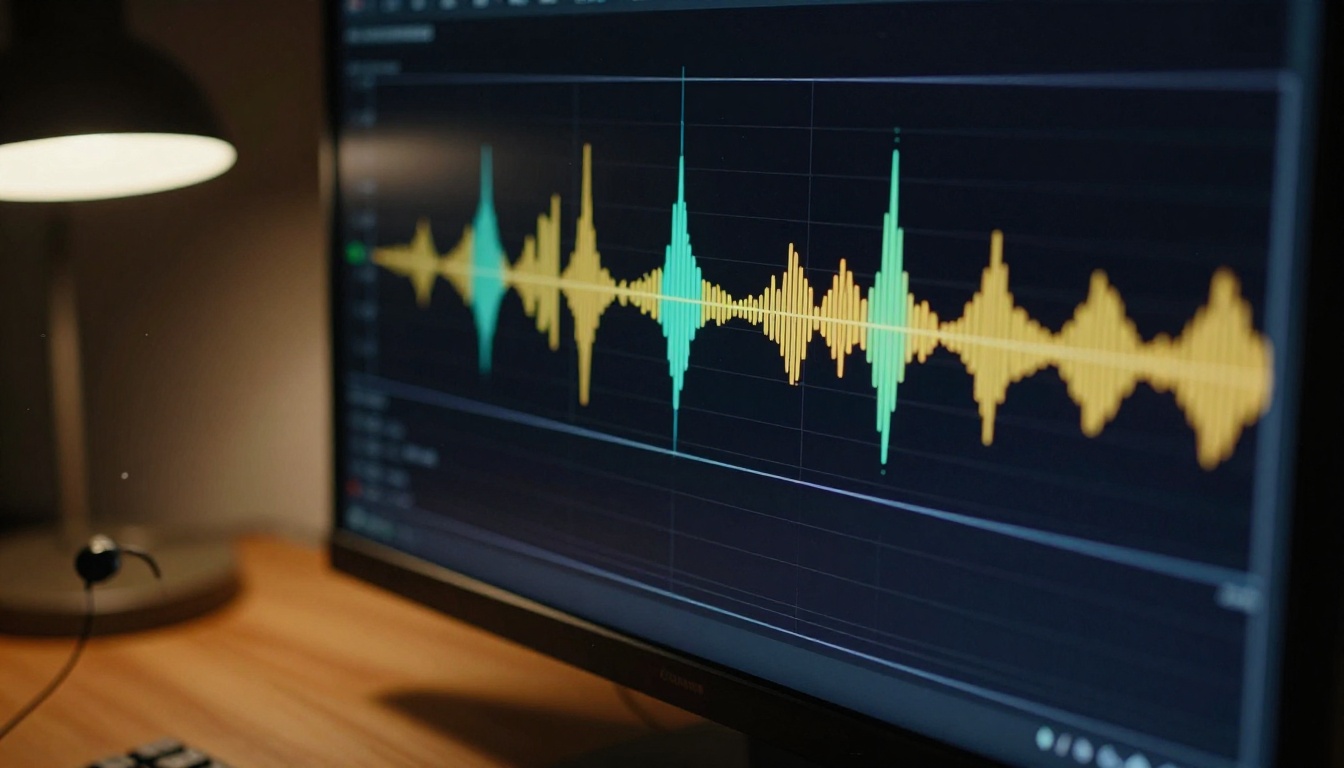
The audio quality in Veo 3.1 Lite is solid for environmental and ambient sound. Footsteps on pavement, rain on windows, crowd murmur at distance, wind through trees: these come through with appropriate texture and sync convincingly to the visual action. The audio feels contextually tied to what is happening on screen rather than generically layered over it.
Music generation, when prompted explicitly, produces recognizable melodic or rhythmic structures but lacks the production quality of dedicated AI music models. Speech and intelligible dialogue remain the weakest point across the entire Veo family at this stage. The model simulates the cadence and visual appearance of speech well, but clear and understandable words are not reliably produced. For narration or dialogue, a dedicated text-to-speech solution and post-production audio layering is the correct workflow.
Net verdict on native audio: It is a genuine production advantage for ambient and environmental sound. For creators producing social clips, product showcases, or atmospheric footage, it saves meaningful time and makes output feel polished and complete without extra audio work.
Prompt Adherence Across Complexity Levels
Veo 3.1 Lite handles different prompt complexity levels with varying degrees of reliability:
- Single-subject prompts: Excellent. Specific subject descriptions in specific environments are followed closely and consistently.
- Camera angle instructions: Good. Terms like "low-angle shot," "overhead view," and "slow dolly-in" are applied with reliable accuracy.
- Lighting condition direction: Good. Time-of-day references, natural vs. artificial light sources, and mood descriptors register meaningfully in the output.
- Multi-element scenes: Moderate. Multiple subjects with distinct simultaneous actions produce output where one element takes priority and others become imprecise.
- Stylistic and texture direction: Good. Atmosphere, surface texture, and visual tone descriptors have consistent and noticeable effect.
The practical rule: focused prompts produce precise results. Overloaded prompts produce averaged ones. That relationship is predictable and manageable once you know it.
Veo 3.1 Lite vs. The Competition
Cost only matters relative to what you could get for the same credits. Here is how Veo 3.1 Lite positions against the models creators are most likely comparing it with.
Against Veo 3.1 Full
The full Veo 3.1 generates at 1080p with higher detail retention in complex and fast-motion scenes. If your deliverable requires 1080p source material, that decision is already made before you reach this comparison. But for output destined for social platforms, mobile viewers, or contexts where video is compressed on delivery, the visible difference between Lite and the full version is minimal in practice.
For creators generating high volumes of short clips where each generation is not a final deliverable, the credit savings with Veo 3.1 Lite are substantial enough to justify the resolution trade-off in most workflows.
Against Seedance 2.5 and Kling v2.6
Seedance 2.5 from ByteDance is a genuine competitor at a comparable price range. Its motion quality for fast-action and dynamic scenes outperforms Veo 3.1 Lite. However, Seedance does not include native audio synthesis at the budget tier level, which is a meaningful gap for creators who rely on that capability.
Kling v2.6 delivers cinematic motion and physical accuracy that competes well for specific subject types. Prompt adherence for unconventional subjects and atypical camera angles can be inconsistent, limiting its reliability for direction-heavy creative workflows.
Pixverse v5.6 outputs at 1080p with a fast generation pipeline and solid all-around motion quality. Ray 3.2 from Luma offers HDR-quality output and cinematic-grade motion at the higher end of the current text-to-video quality spectrum. Both outperform Veo 3.1 Lite in raw output quality but are not optimized for cost-efficient high-volume generation. For creators producing 30 to 50 clips per month, the credit arithmetic consistently favors Lite, particularly when the final destination is a compressed social platform.
| Feature | Veo 3.1 Lite | Seedance 2.5 | Kling v2.6 | Ray 3.2 |
|---|
| Native Audio | Yes | Yes | Yes | Limited |
| Max Resolution | 720p | 1080p | 1080p | HDR |
| Fast Action | Moderate | Strong | Strong | Excellent |
| Prompt Adherence | Strong | Good | Moderate | Good |
| Cost Efficiency | High | Medium | Medium | Low |
For native audio at low credit cost, Veo 3.1 Lite holds the clearest advantage. For raw resolution and fast-motion fidelity, competing models gain the edge.
How to Use Veo 3.1 Lite on PicassoIA
Veo 3.1 Lite is available directly on PicassoIA alongside the full Veo 3.1 and Veo 3.1 Fast, with a consistent interface across all three variants.
Three Steps to Your First Clip
Step 1: Open the model. Navigate to Veo 3.1 Lite on PicassoIA. The text prompt field and parameter options are immediately visible. No additional setup is required.
Step 2: Write a structured prompt. The model responds best to prompts that specify subject, action, environment, lighting, and camera behavior as distinct elements. A solid starting example: "A woman in a cream linen shirt walks through a morning outdoor market, soft golden hour light from the left, ambient street noise and crowd murmur, shallow depth of field, slow tracking shot."
Step 3: Review and iterate. First generations are rarely final. Adjust one variable at a time to isolate what each change affects. Since resolution is fixed at 720p, your iteration focus belongs on composition, motion quality, and audio character.
Prompt Structure That Gets Results
The prompt structure that consistently delivers the best output from Veo 3.1 Lite follows this sequence:
- Subject plus state: "A man in a navy peacoat at the edge of a fog-covered harbor"
- Action: "slowly turning to face the camera, breath visible in cold air"
- Environment: "weathered wooden dock, industrial cranes softly blurred in background"
- Lighting: "overcast diffused daylight, no hard shadows, cool blue-grey tones"
- Camera: "medium shot, slight dolly-in over the clip duration"
- Audio cue: "distant foghorn, light wind, gentle lapping water"
The audio cue in step six is particularly important. Describe the sonic environment explicitly and Veo 3.1 Lite generates audio that ties directly to the visual context, rather than applying a generic ambient layer. This is where the Veo architecture's strength at this price tier shows most clearly.
Parameters Worth Dialing In
- Aspect ratio: 16:9 is the default and produces the most reliable results across subject types.
- Action density: Structure your prompt action to fit naturally within the generation window. Prompts describing too much sequential movement relative to clip length produce rushed or incomplete execution.
- Negative prompts: Adding "no flickering, stable subject edges, no morphing" in the negative prompt field measurably improves temporal consistency in scenes with faster subject movement.
Cost strategy: Pair Veo 3.1 Lite output with a dedicated video upscaling tool for final deliverables that require 1080p. Upscaling 720p Lite output often costs less in total than generating at full Veo 3.1 rates across a large batch.
Who Should Actually Use This Model
Veo 3.1 Lite has a clear and specific use case profile. Knowing where it fits well and where it does not prevents wasted credits on the wrong tool.

Solo Creators Working at Volume
For creators producing 20 to 50 clips per month, premium model credit costs compound quickly into a significant line item. Veo 3.1 Lite is built for this scenario. It allows high-volume output without sacrificing the native audio quality that makes clips feel finished without post-production audio work.
For content library building, concept iteration, and draft-round generation, Lite is the practical daily-driver choice in the Veo lineup. The credit savings on first-pass generations that will be revised before final output are where the real value accumulates.
Short-Form Social Platforms
Instagram Reels, TikTok, and YouTube Shorts all apply platform-side compression for mobile delivery. That compression effectively removes most visible difference between 720p and 1080p at typical mobile playback conditions. The native audio Veo 3.1 Lite generates adds more practical value for social content than the resolution increase of full Veo 3.1 would, because sound is present at every screen size regardless of display resolution.
For creators producing at scale for social channels, Lite is almost always the right starting point.
When Lite Is the Wrong Call
There are specific scenarios where Veo 3.1 Lite will not serve you well:
- Broadcast or film deliverables requiring 1080p or higher source material
- Post-production workflows that involve heavy cropping or punch-in on the generated footage
- Fast-action subject matter where motion fidelity limitations become visible in the final output
- Multi-subject scenes requiring precise independent tracking of three or more subjects simultaneously
For these cases, Veo 3.1 or alternatives like Kling v2.6 or Ray 3.2 are worth the additional credit investment. The right tool for the right output requirement is always cheaper than the wrong tool at any price.
Where It Falls Short
Every model has genuine limits. Knowing Veo 3.1 Lite's specific limits in advance prevents wasted credits on generation types it cannot handle reliably.
The Resolution Cap Is a Hard Limit
720p is not a soft guideline. No prompting strategy, parameter adjustment, or workflow workaround produces higher resolution output from this model. If your workflow requires 1080p source material, make that decision before starting with Lite.
A two-stage workflow remains viable: generate with Veo 3.1 Lite, then run through a dedicated video upscaling tool. The combined cost of this approach frequently comes in below running Veo 3.1 directly across a high-volume batch, while preserving the production quality needed for final deliverables.
Fast Motion Produces Artifacts
Fast-moving subjects in the frame, particularly hands, feet in rapid motion, and objects crossing the frame quickly, produce temporal artifacts that are difficult to avoid. The model's motion synthesis becomes less stable when:
- Subject speed increases significantly within the clip window
- Occlusion occurs, with subjects or objects passing behind one another
- Three or more subjects move independently in different directions simultaneously
Structuring prompts to use slower, more deliberate motion, and focusing on one or two primary subjects, produces output quality that is noticeably better. Working within the model's constraints rather than against them is consistently more productive.
Speech Output Remains Unreliable
Intelligible spoken dialogue is not a reliable output from Veo 3.1 Lite. The model simulates the visual cadence and appearance of speech convincingly, but the audio it generates does not produce words you can clearly parse. For narration, scripted dialogue, or any voiceover requirement, a dedicated text-to-speech solution and post-production audio overlay is the correct workflow approach.
The Credit Math That Matters
For high-volume creators, cost per clip is the primary selection criterion, and this is where Veo 3.1 Lite makes its clearest argument.

The relative relationship between Veo 3.1 variants is consistent: Veo 3.1 Lite generates more clips per equivalent credit budget than the full Veo 3.1. For a creator producing 30 clips per month, that difference compounds into a meaningful share of monthly AI tool spending across a year of production.
The most efficient approach for quality-conscious creators: use Veo 3.1 Lite for all first-pass generation and creative iteration, then commit to Veo 3.1 only when a clip has been approved and needs final-output resolution. This eliminates credit waste on high-resolution generations of concepts that will be revised before any client or audience sees them.
Workflow tip: Draft with Lite. Finalize with full Veo 3.1 only at the point of approval. Credit spend on abandoned or revised clips drops substantially across any high-volume workflow.
Three things stand out after running Veo 3.1 Lite across real production scenarios. First, native audio remains the clearest differentiator at this price tier. Most competing budget models do not offer synchronized native audio generation. The ones that do handle it differently from Veo. The model's audio synthesis ties directly to the visual content, producing ambient sound that feels contextually earned rather than generically applied. Second, temporal stability is stronger than the price suggests. Artifacts and flickering common in budget AI video generation are largely absent from Veo 3.1 Lite output in focused prompt scenarios. Third, the prompt engineering ceiling is higher than expected. Well-built prompts coax specific lighting conditions, defined camera behaviors, and detailed environmental character in ways that consistently deliver more than the price tier would suggest is possible.
Start Generating Right Now
Veo 3.1 Lite is live on PicassoIA and accessible without setup, configuration, or technical prerequisites. Open the model, write a prompt describing your scene, and generate your first clip. The credit cost is low enough that real experimentation is practical without financial pressure. Start with simple, focused prompts to calibrate what the model does well, then push into more detailed direction as you build a sense of its behavior and strengths.
For creators who want to step up in quality, the full Veo 3.1 and Veo 3.1 Fast are on the same platform one click away. And for those who want to see what AI video generation looks like across the full range from free to premium, including Seedance 2.5 Lite, Kling v2.6, Ray 3.2, and 87 other text-to-video models, the complete library is at picassoia.com/en/all-models.
Start with Lite. Generate something real. Then decide where to go from a position of actual output rather than spec sheet assumptions.


