Google's Veo 3.1 arrives in two distinct flavors: the full-power Standard version and a trimmed-down Lite, known on the platform as Veo 3.1 Fast. At first glance, the price difference looks straightforward. Dig a little deeper, and the real question becomes about how you create, how fast you need results, and whether cinematic quality is non-negotiable for your workflow. This article breaks it down without the marketing spin, so you can stop guessing and start generating.

What Separates Standard from Fast
The naming can confuse newcomers. Veo 3.1 Standard refers to the full-capability Veo 3.1 model, designed for maximum output quality at 1080p with native audio synchronization. Veo 3.1 Fast, often called the Lite tier, is the same architecture optimized for speed, running inference faster at the cost of some visual fidelity.
Both live under the Veo 3.1 family. Both handle text-to-video prompts. But they are not interchangeable tools, and the trade-offs matter depending on your production pipeline.
Veo 3.1 Standard at a Glance
Veo 3.1 runs the full model weights without compromise. It processes every frame through its complete attention layers, producing more consistent motion, sharper textures, and better prompt alignment than the Fast variant. Expect:
- Resolution: 1080p full quality
- Motion quality: Smooth, physically consistent movement across complex scenes
- Prompt adherence: High, even with multi-subject or narrative prompts
- Generation time: Slower, typically 2 to 4 minutes depending on server load
- Native audio: Yes, synced ambient sound and contextual dialogue cues
The Standard tier is where Google's training fully expresses itself. Cinematic camera movements, realistic lighting physics, and subtle secondary motion such as hair, fabric, and leaves all perform noticeably better here. If you are placing this video in front of an audience, this is the version that shows.
Veo 3.1 Fast at a Glance
Veo 3.1 Fast applies step-reduction techniques to cut generation time significantly, often by 50% or more compared to Standard. What you trade:
- Resolution: 1080p technically, though fine surface detail is sometimes softer
- Motion quality: Strong for simple single-subject scenes, less consistent with complex compositions
- Prompt adherence: Reliable for focused prompts, weaker on detailed multi-clause descriptions
- Generation time: Fast, often under 90 seconds
- Native audio: Yes, same capability as Standard
For rapid prototyping, social content, or testing prompt ideas before committing to Standard credits, Fast is a genuinely practical choice. It is not a lesser model so much as a different tool with a different job.
The Price Gap Explained
This is where most creators stall. The difference in per-video cost between Standard and Lite is real and grows fast if you're generating at volume.
What You Pay Per Video
Both versions are accessible through PicassoIA's unified interface without separate API configuration. The pricing tiers reflect the computational cost of inference. Standard consumes significantly more GPU time per generation, which translates directly into higher credit consumption. A practical comparison for planning:
| Feature | Veo 3.1 Standard | Veo 3.1 Fast (Lite) |
|---|
| Output Resolution | 1080p Full Detail | 1080p (softer textures) |
| Avg. Generation Time | 2 to 4 minutes | Under 90 seconds |
| Native Audio | Yes | Yes |
| Prompt Complexity | High | Moderate |
| Best For | Final production | Drafts and social clips |
| Credit Cost | Higher | Lower |
💡 Pro Tip: Run your prompt through Veo 3.1 Fast first. If the composition and motion look right, regenerate with Veo 3.1 Standard for the final version. You'll save credits and catch bad prompts before they cost you.
The Cost of Quality
Standard is not overpriced if your output goes into a final deliverable. A 15-second promotional clip for a client, a YouTube thumbnail animation, or a course teaser benefits from the cleaner motion and sharper detail that Standard produces. Paying more per video is justified when that video represents your work to the public.
For internal drafts, storyboards, or high-frequency social posts where platform compression anyway softens the final result, paying Standard rates is wasteful. Fast handles these cases cleanly and at a meaningful cost reduction.

Video Quality Side by Side
Numbers tell part of the story. What you actually see in the output tells the rest.
Resolution and Detail
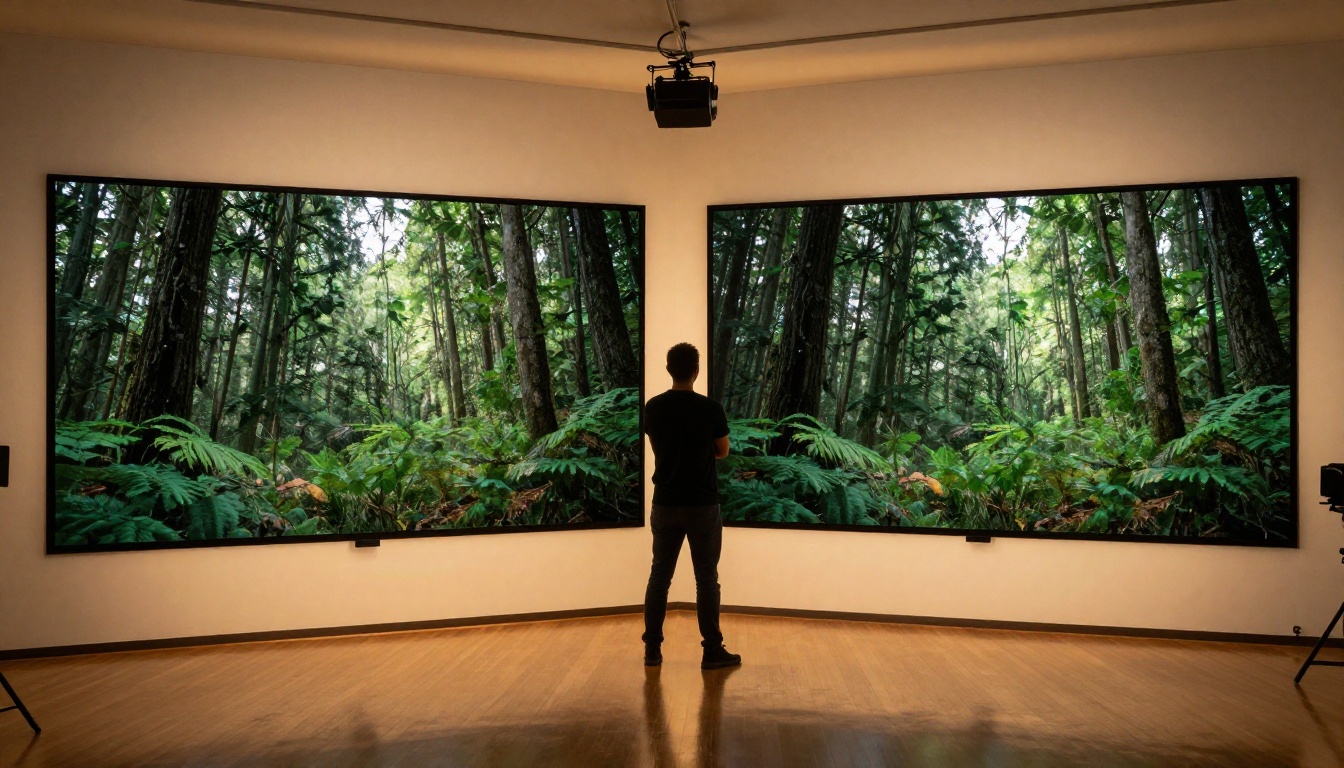
Both models output at 1080p. The distinction lies in texture rendering. Standard produces more defined edges, finer surface detail including fabric weave, skin texture, and foliage grain, plus more accurate light behavior across objects within the frame. Fast produces a visually solid output but with smoother, less detailed surfaces where Standard would show fine texture and depth.
For large-screen playback, streaming embeds, or projection environments, the difference becomes clearly noticeable. For Instagram Reels, TikTok, or 720p viewport embeds, the Fast output is practically indistinguishable from Standard to most viewers. This is the honest case for the Lite tier: compression and small screens close the gap considerably.
Prompt Adherence
Standard handles multi-clause prompts more reliably. A prompt like "a woman in a red dress walks slowly through a sunlit wheat field while a hawk circles overhead in the distance" will yield closer results in Standard because the model allocates more capacity to composing all elements simultaneously.
Fast performs best with single-subject, single-action prompts. "A man walks down a rainy street at night" is where it thrives. Add compositional complexity and results become more variable. Knowing this shapes how you should write prompts for each version.
Speed Differences That Matter
Generation speed is not just a convenience feature. It shapes your entire creative workflow.
Generation Time in Practice
If you need ten variations of a scene to find the best one, Standard will take you 20 to 40 minutes of waiting. Fast gets you those ten options in under 15 minutes. When deadlines are tight and creative direction is still being refined, speed becomes a feature in itself, not a compromise.
For solo creators running multiple projects at once, Fast makes iteration affordable in both time and credits. Standard is the execution step, not the exploration step. Treating them as a two-stage process changes how efficiently you work.
Fast Is Not a Slow Model
Despite the comparison framing, Veo 3.1 Fast is a genuinely capable model. It runs faster than most non-Google AI video tools on the market while retaining the native audio capability that the Veo 3.1 architecture was built for. Compared to predecessors like Veo 3 or Veo 2, the Fast version still represents a meaningful generational improvement in realism and motion.
💡 Worth Knowing: Veo 3 Fast is the predecessor to Veo 3.1 Fast. If you're familiar with that model, expect Veo 3.1 Fast to deliver better-composed shots with fewer visual artifacts and cleaner audio sync.

Native Audio: Does It Change the Decision?
One of Veo 3.1's headline capabilities is native audio generation. Both Standard and Fast include it. This is not a differentiator between tiers, but it is a major differentiator between Veo 3.1 and most competing AI video models available today.
Both Have It, but with Nuances
Native audio means the model generates ambient sound, background noise, and contextual dialogue cues synchronized directly with the visual content. A video of rain on a city street generates the sound of rain. A market scene generates crowd murmur. A workshop generates tool noise and echoing space.
Standard's audio quality benefits slightly from the more thorough inference process. Audio layers are better synchronized with fine visual motion, particularly in scenes where sound sources move across the frame. Fast's audio is functional and solid, but synchronization with fast-moving or complex visual elements is occasionally less precise.
For voiceover-heavy productions where you plan to replace the audio track entirely, this distinction becomes irrelevant. For content where you want usable ambient audio directly from generation without additional post-processing, Standard produces the cleaner result.

Who Should Use Which Version
Standard Is Built for This
Use Veo 3.1 Standard when:
- Client deliverables require broadcast or streaming-grade visual output
- Complex scenes involve multiple subjects, dynamic camera movement, or detailed environments
- Audio sync needs to be tight and usable without additional post-processing
- Brand representation depends on consistent visual quality
- Final cut delivery is the goal, not iteration or exploration
Agencies, production houses, and professional content creators working on commercial projects will find Standard worth the extra credit cost. The output quality justifies the investment when the video publicly represents your work or your client's brand.
Fast Works Best Here
Use Veo 3.1 Fast when:
- Prototyping or storyboarding to test narrative ideas quickly and cheaply
- Social media content where platform compression reduces the visible quality gap
- High-volume output is needed, such as 20+ clips in a single session
- Prompt testing before committing Standard credits to an uncertain direction
- Budget-sensitive projects where output quality is sufficient for the context
Independent creators, social media managers, educators, and marketing teams will find Fast delivers strong ROI. The quality is not a compromise when matched to the right use case. It is a deliberate allocation of resources.

How to Use Veo 3.1 on PicassoIA
Both versions of Veo 3.1 are available directly through PicassoIA's text-to-video collection. No separate API setup, no developer accounts. Here is how to get results worth keeping.
Setting Up Your First Generation
- Choose your model: Open Veo 3.1 for production quality or Veo 3.1 Fast for rapid iteration from PicassoIA's text-to-video section.
- Write a specific prompt: Avoid vague descriptions. Specify subject, action, environment, and lighting. Example: "A chef slices vegetables in a bright modern kitchen, natural window light from the left, medium shot."
- Set your clip duration: Both models support clips up to 8 seconds. For social content, 4 to 6 seconds is the sweet spot for engagement and processing efficiency.
- Describe the audio environment: If you want usable ambient audio, reference the sonic context in your prompt. "A quiet library with soft page-turning sounds" actively informs the audio generation layer.
- Review critically: Check motion smoothness, prompt adherence, and audio sync before deciding whether to re-run or promote to Standard.
Prompt Tips for Better Results
Regardless of which version you use, prompt quality drives output quality more than almost any other variable.
- Camera directives work: Add "slow push-in," "aerial pan," or "handheld tracking" to shape movement.
- Light descriptions matter: "Overcast afternoon diffused light" vs "harsh midday backlight" produces very different visual moods.
- Avoid overloading: More than four distinct elements in a single prompt increases the chance of failed composition, especially in Fast mode.
- Use constraint language: Phrases like "no text, no watermarks, centered framing" help prevent unwanted additions.
- Short prompts for Fast, longer for Standard: Fast rewards prompts under 40 words. Standard handles 80 to 100 words cleanly.
Making the Most of the Two-Stage Workflow
💡 Workflow Approach: Generate five variations with Veo 3.1 Fast at five seconds each. Pick the best composition and motion from that batch. Re-run only that refined prompt through Veo 3.1 Standard for the final version. You spend one Standard credit instead of five, with higher confidence in the outcome.
This two-stage approach takes roughly the same time as running two Standard generations but produces a much higher hit rate on quality outputs because the Fast-stage already validated the concept.

Veo 3.1 vs Other AI Video Models
The comparison extends beyond Standard and Lite. Where does Veo 3.1 land in the broader AI video landscape available on PicassoIA?
Kling v2.6 and Kling v2.1 Master remain strong competitors for motion consistency, particularly with character animation and fluid organic movement. Veo 3.1 Standard edges ahead on overall scene realism and native audio integration, but Kling still delivers in specific motion-heavy use cases.
Sora 2 from OpenAI competes directly at the quality tier. Sora 2 produces longer clips and handles narrative continuity with more nuance. Veo 3.1 Standard is faster to generate and more accessible through PicassoIA without additional API overhead.
Seedance 1.5 Pro offers a compelling alternative for creators who want audio-synced video at a mid-tier credit cost. Its motion rendering takes a slightly different approach to Veo's physics-based simulation.
Ray Flash 2 720p serves as the budget-efficient speed option for creators who need volume at scale without demanding quality requirements.
The bottom line: Veo 3.1 Standard sits at the top of the photorealism and audio integration tier. Veo 3.1 Fast positions in the competitive mid-tier where prompt execution quality and speed become the deciding factors rather than raw capability alone.

Start Creating with Veo 3.1 Now
Both versions of Veo 3.1 are worth having in your workflow. The question is never which is objectively better in the abstract. It is which one fits what you are making right now, for whom, and at what stage of production.
Standard belongs in your pipeline when the output is a deliverable. Fast belongs in your creative process when speed and iteration drive the value. Using them together as a two-stage system is the sharpest approach for creators who want quality results without burning credits on exploratory runs.
PicassoIA puts both Veo 3.1 and Veo 3.1 Fast in the same interface. No API keys, no separate accounts, no friction between switching tiers. You can run them back to back in the same session and see the quality difference firsthand on your own prompts.
If you have not tried either yet, open Veo 3.1 Fast on PicassoIA and write a 30-word prompt about a scene you would actually want to watch. You will have a result in under two minutes. From there, the decision between Standard and Lite stops being abstract and starts being practical, based on your own eyes on your own content.


