The phrase "no filter" gets thrown around constantly in AI art communities. It shows up in forum threads, Discord servers, and Reddit posts where someone promises their prompt will bypass restrictions, generate anything you ask for, and finally let you create without limits. Most of the time, that promise is vague, misunderstood, or just wrong. The actual meaning of "no filter" in AI image generation is more specific, more technical, and more useful than the hype suggests.
The Filter Is a Software Layer, Not a Law
What the safety checker actually does
Every major AI image model ships with an optional component called a safety checker. This is a separate classifier that runs after the image is generated. It looks at the finished output and compares it against a set of categories: explicit content, violence, disturbing imagery. If the output crosses a threshold in any category, the model returns a blank image or an error instead of the result.
The safety checker is not baked into the core generation process. It sits on top of it. The diffusion model does its job, produces a full image, and then the checker decides whether to hand that image to you. That distinction matters because it means the filter is separable. When a model exposes a disable_safety_checker parameter, it simply tells that downstream classifier to stand down and pass the result through regardless of what it contains.
Where it lives in the pipeline
The technical architecture is worth understanding clearly. A text-to-image model like FLUX Dev operates in latent space: it takes your text prompt, converts it into a numerical representation, and then iteratively denoises a field of random values until it forms a coherent image. The safety checker sees none of that process. It only sees the decoded pixel output at the very end, running a rapid classification before the image reaches you.
This means the model itself is not making judgments in real time. The generation happens freely. The restriction is applied post-generation, like a security guard at a door rather than a rule built into the building's structure.
Legal exposure and hosting liability
When an image generation platform serves results to users, it is not just providing a tool, it is hosting, transmitting, and potentially storing content. Most jurisdictions hold platforms to a standard where knowingly facilitating certain types of content creates legal exposure. Defaulting safety checkers to "on" is the simplest way to operate within those boundaries without auditing every output manually.
The business logic is straightforward: a platform serving millions of prompts per day cannot review each image. A classifier that flags 99.7% of explicit content is cheaper and faster than human moderation at scale. For companies building on top of these models, leaving the checker enabled is a default risk management decision, not a technical constraint.
The business case for content policies
There is also the matter of advertisers, app stores, and payment processors. A platform that distributes AI-generated explicit content risks losing access to payment infrastructure, being removed from app stores, or losing advertising partnerships. These commercial pressures push platforms toward restrictive defaults even when the underlying models are technically capable of more.
This is why you see a gap between what a model can do and what a given platform lets you do with it. The capability and the access policy are two separate things entirely.
The Spectrum from Locked to Open
| Restriction Level | Characteristics | Examples |
|---|
| Fully gated | Safety checker always on, cannot be disabled | Consumer-facing apps, social media tools |
| Softly gated | Checker on by default, can be disabled with verification | Some API providers |
| Open platform | Checker optional or off by default | SDXL on PicassoIA, FLUX Dev |
| Open weight | Model weights downloadable, run locally | Stable Diffusion variants, FLUX forks |
Fully gated platforms
Some tools simply do not expose the safety checker parameter at all. The user has no way to modify it, no way to see it in the interface, and no documented path to changing its behavior. The output is post-processed before it reaches the user, and content categories are determined by the platform's internal policy rather than the base model's actual capabilities.

Open-weight models with no restrictions
At the other end of the spectrum are open-weight models where you download the model weights and run generation locally. In this case there is no platform in the way, no safety checker unless you add one yourself, and no content policy enforced at inference time. The model executes on your hardware and produces whatever the prompt describes.
This is what most people mean when they say "no filter" in the technically accurate sense: running a model locally with no post-generation classification applied.
The middle ground
Most relevant for people who want capability without setting up local GPU infrastructure is the middle position: platforms that use open models with configurable safety parameters and make the checker optional rather than mandatory. PicassoIA operates in this space, offering access to models like FLUX Dev, SDXL, and Dreamshaper XL Turbo with no credit caps, unlimited generation, and no local setup required.
Which Models Run Without Restrictions
FLUX Dev and its optional safety checker
FLUX Dev is a 12-billion parameter model from Black Forest Labs that sits at the top of the realism ladder among open models. It renders skin, fabric, hair, and architectural surfaces at a fidelity level that competing models struggle to match. The model includes a disable_safety_checker boolean that defaults to false. Flip it to true and the post-generation classifier steps aside entirely.
The model supports both text-to-image and image-to-image workflows, 11 aspect ratios from square 1:1 to ultra-wide 21:9, and output in WebP, JPG, or PNG. Inference steps can be adjusted between 28 and 50 for quality-speed tradeoffs. The seed parameter lets you lock in a result and iterate from there with minor prompt changes.
💡 Tip: On FLUX Dev, lower guidance values (2.5-3.5) produce more natural photorealistic results. Push the guidance above 5 and the image starts looking over-processed and artificial.

SDXL's unlimited generation capability
SDXL (Stable Diffusion XL) runs at 1024x1024 native resolution and handles the full range from photorealism to painted illustration. On PicassoIA it runs without usage quotas or generation limits, meaning you can iterate through dozens of prompt variations in a single session without watching a credit counter.
The model accepts negative prompts, one of the most useful tools for controlling output quality. Specifying what you do not want: poorly rendered hands, soft focus, watermarks, overexposed highlights, consistently produces tighter results than trying to describe everything positively.
SDXL also has a refiner pipeline that sharpens details and textures in a second pass. For images where you want maximum fidelity in specific regions of the frame, enabling the refiner is worth the extra generation time.
Dreamshaper XL Turbo's multi-style output
Dreamshaper XL Turbo is built for range. Where FLUX Dev is optimized for photorealism and SDXL for general quality, Dreamshaper handles photorealistic portraits, oil painting styles, anime, and manga from the same model. It runs in as few as 6 denoising steps, making it one of the fastest open models available without sacrificing output quality.
The model works particularly well for portrait work where you want a consistent style applied across a series of images. Locking in a seed and varying the prompt slightly between runs produces a coherent set that feels unified.

Stable Diffusion 3 and prompt fidelity
Stable Diffusion 3 addresses something most generators get wrong: accurately rendering what you actually described. Earlier models routinely dropped elements from complex prompts, merged subjects, or added things you did not ask for. SD3's architecture handles multi-subject, multi-detail descriptions with significantly better fidelity.
It also renders readable text inside images more reliably than competing models, which makes it useful for generating mockups that include labels, signs, or headlines as part of the scene. The image-to-image mode with prompt strength control gives you precise control over how much of a reference image survives versus how much the prompt rewrites it.
How to Use FLUX Dev on PicassoIA
Using FLUX Dev on PicassoIA requires no account setup or API credentials. Open the model page in your browser and you are ready to generate immediately.
Step-by-step
- Write your prompt with a specific subject, environment, lighting direction, and camera angle. Vague prompts produce average results regardless of which model you use.
- Set the aspect ratio to match your intended use: 16:9 for widescreen, 9:16 for mobile, 1:1 for social posts.
- Adjust inference steps between 28 and 35 for standard quality, up to 50 for maximum fidelity at the cost of generation time.
- Set the guidance scale between 2.5 and 4.0 for photorealistic results. Higher values push toward more stylized, illustration-like rendering.
- Fix a seed if you want reproducible results. Leave it blank for fresh outputs every run.
- Generate and review the result. Use the same seed with minor prompt edits to iterate on specific details without losing the overall composition.
Parameters that matter
The two parameters that most affect output quality on FLUX Dev are inference steps and guidance scale. Most people set both too high, expecting higher numbers always mean better images. In practice, 35 steps at a guidance scale of 3.0 produces more natural photorealistic results than 50 steps at 7.0. The higher settings push the model toward over-interpretation, introducing artifacts and an over-processed look.
💡 Tip: Use the img2img mode on FLUX Dev to refine an initial generation. Set prompt strength to 0.6-0.7 to keep the composition while improving specific details like skin texture or background sharpness.
What "No Filter" Does NOT Mean
The misconception about quality
One of the most common assumptions is that removing filters improves image quality. It does not. The safety checker is a post-generation classifier. It has no effect on the visual quality of the image it evaluates. An open model with no safety checker produces exactly the same quality output as the same model with the checker enabled for content it would pass anyway.
The confusion comes from people who run open models and compare them to restrictive platforms, then attribute quality differences to the filter being removed. The actual variables are the underlying model architecture, inference parameters, or prompt quality, not the presence or absence of a safety checker.
Prompt discipline still matters
Open models do not compensate for poor prompting. A vague or contradictory prompt on an unrestricted model produces a vague or contradictory image. The skill is in the prompt: specific subject descriptions, explicit lighting direction, camera angle, lens choice, and atmosphere descriptions consistently outperform short prompts regardless of whether a filter is in place.

The most common prompt mistake is describing what an image should feel like rather than what it should contain. "A beautiful portrait of a woman" tells the model almost nothing useful. "A close-up portrait of a woman in her 30s with natural makeup, shot on 85mm f/1.4, lit by directional morning light from the left, shallow depth of field, Kodak Portra 400 color grading" gives the model enough to produce a specific and predictable result.
3 Common Mistakes With Open Models

1. Over-specifying negative prompts
Negative prompts are useful for excluding specific unwanted elements, but stacking 40 negative terms creates conflicting signals. The model tries to avoid every item simultaneously, which constrains the generation space so tightly that outputs become generic and flat. Keep negative prompts focused: 5 to 10 specific terms you genuinely want to exclude, not a copy-pasted list from a forum thread.
2. Ignoring seed control
When you find a generation that has the right composition or mood but needs refinement in one area, most people re-run with a modified prompt and accept that everything will change. Using a fixed seed preserves the overall composition while allowing prompt changes to affect specific elements. This is one of the most powerful iteration tools available on models like FLUX Schnell and SDXL, and most users overlook it entirely.
3. Confusing style with content restrictions
"No filter" does not give a photorealism model the ability to generate illustration styles it was not trained on. A model fine-tuned for photorealistic output will not produce anime simply because you removed the safety checker. Style capability and content restriction are different axes entirely. Dreamshaper XL Turbo handles multiple visual styles because it was trained across a multi-style dataset, not because restrictions were lifted.
Start Creating Without Limits
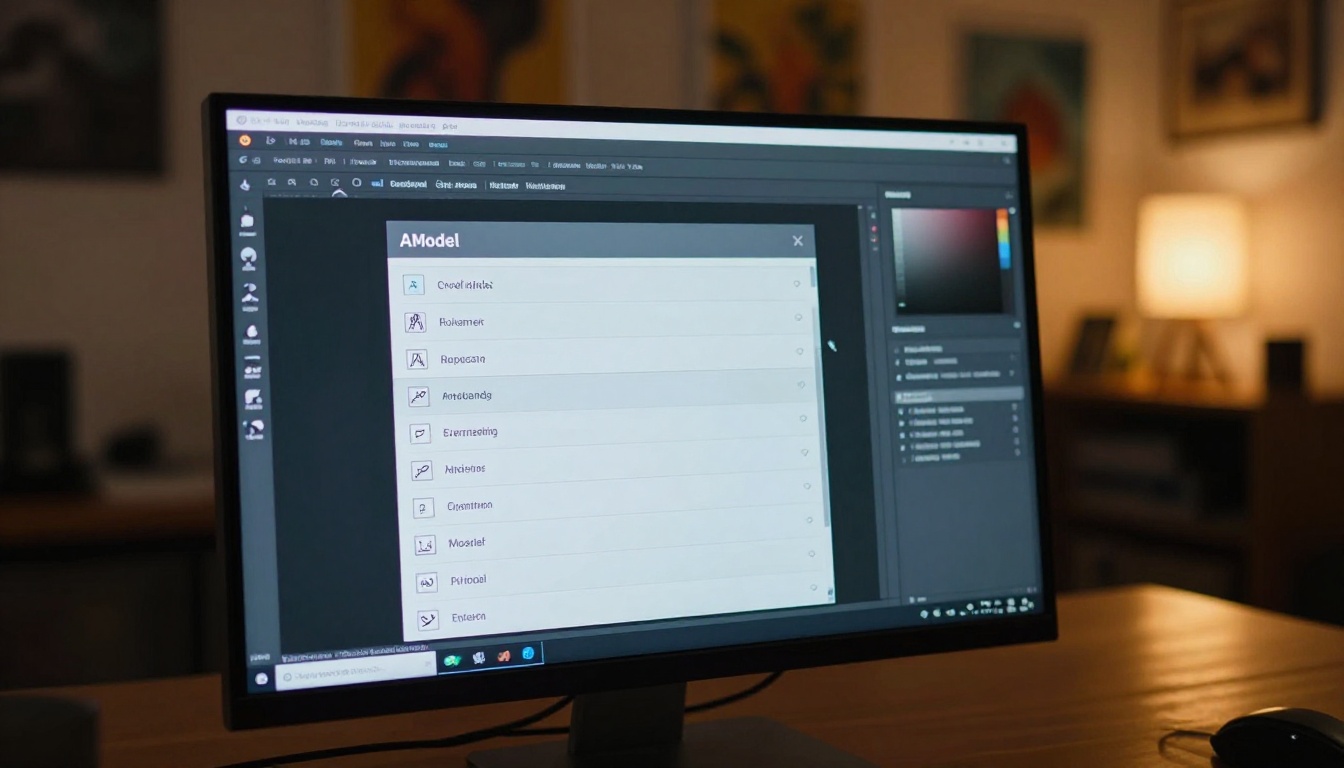
If you have been working with restricted platforms and wondering what your prompts would produce without the post-generation classifier in the way, PicassoIA is the practical place to find out. Every model runs browser-side with no installation, no credit caps, and no per-generation fees to track.
The lineup covers the models that matter most for open creative work: FLUX Dev for photorealistic portrait and scene generation, SDXL for general-purpose generation with inpainting and img2img, Dreamshaper XL Turbo for multi-style output across photos and illustrations, and Stable Diffusion 3 for complex prompt fidelity and text rendering in images.
Beyond image generation, PicassoIA gives you access to over 87 text-to-video models, video editing tools, AI audio generation, face swap, background removal, super-resolution upscaling, and lipsync, all from the same platform with no switching between tools.
Pick a prompt you have been holding back from testing on restricted platforms. Select a model, set your parameters with intention, and run it. The distance between knowing what a model can do and actually seeing it produce the result you described is exactly where understanding becomes practical.


