Most AI video generators share a common flaw. They produce frames that look beautiful in isolation but fall apart the moment motion enters the frame. Objects slide through scenes without weight. Hair behaves like a rigid prop. Water ripples in the wrong direction. Seedance 2.0, ByteDance's second-generation video synthesis model, made a deliberate choice to prioritize what the rest of the field kept postponing: motion that actually looks right.
This article breaks down the specific technical decisions behind Seedance 2.0, why they matter in practice, and how you can use the model right now on PicassoIA.
The Motion Problem Nobody Solved
Why early AI video fell apart
The first generation of AI video models treated video as a sequence of independent images. Each frame was synthesized with some awareness of adjacent frames, but the underlying architecture wasn't built for temporal reasoning. What you got was technically impressive, frame by frame, but incoherent as a sequence. Subjects changed shape subtly between cuts. Backgrounds shifted color. Motion direction reversed without cause.

The problem wasn't compute or model size. It was a fundamental architecture mismatch: these systems were optimized for image quality metrics, not motion quality metrics. Temporal coherence, the property that makes objects move consistently and believably through time, requires a different loss function, different training data, and a fundamentally different relationship between frames.
Early adopters felt this immediately. You could generate a beautiful slow-motion pour of liquid in one attempt, then run the exact same prompt and get footage where the liquid flows upward. The model had no stable understanding of physical causality. Optical flow, the mathematical description of how pixels move between frames, was inconsistent. Frame interpolation added artifacts instead of smoothing them. The result was footage that worked as a demo but failed as a production asset.
The physics gap in early models
Simulation researchers have spent decades building accurate physics engines for film and game production. These systems calculate forces, fluid dynamics, and collision response to millisecond precision. AI video models, trained on compressed web video, inherited a statistical approximation of physics rather than physics itself.

The result: things moved in ways that looked plausible to a casual viewer but failed the moment you paid attention. Cloth didn't crumple correctly under gravity. Faces morphed slightly between frames during complex camera moves. Hands became especially problematic in motion because every frame introduced a new error that compounded into visible flickering across the sequence.
The generation-one models also lacked a stable sense of spatial consistency. A coffee cup on a table in frame 1 might shift two pixels left by frame 15, not enough to notice consciously, but enough to make the footage feel wrong at the level of physical intuition. That subconscious wrongness is why early AI video felt uncanny even when individual frames looked photographic.
Seedance 2.0 addressed these problems not by building a physics engine, but by training on data that was heavily filtered for physical consistency and annotated for motion type. That distinction matters: it's a data and architecture decision, not a compute decision, which is why the output quality improvement doesn't simply correlate with model size.
How Seedance 2.0 Actually Works
Temporal coherence explained simply
Temporal coherence means that what was true in frame N is still true in frame N+1, accounting for motion. A ball falling at frame 10 should be lower at frame 11. A rotating surface should maintain its texture orientation. A person's shoulder shouldn't change width as their arm moves.
Seedance 2.0 achieves this through a video diffusion architecture that attends to multiple temporal windows simultaneously. Rather than predicting each frame purely from the preceding one, which allows errors to cascade, the model maintains a global representation of the clip as it generates. This means errors in one region of a frame are corrected against the broader clip context before the output is finalized.

The practical effect is striking. Objects that move out of frame stay gone. Reflections in surfaces update correctly as the camera angle changes. Hair responds to implied wind without turning into a static shape slid across the frame. The temporal smoothness you see in Seedance 2.0 output isn't the result of post-processing blur applied to hide inconsistencies. It's the result of the generation process itself maintaining physical consistency as a primary objective.
💡 The key insight: Temporal coherence isn't about making better individual frames. It's about making the relationship between frames physically consistent. That's a harder problem, and it's where Seedance 2.0 invested its biggest architectural changes.
The training data difference
ByteDance has access to one of the largest video libraries in the world through TikTok, Douyin, and various licensed content pipelines. Seedance 2.0's training corpus was curated with motion quality as the primary filter, not just visual resolution or aesthetic appeal. High-resolution footage with poor temporal consistency was filtered out. Correctly moving but lower-resolution footage was retained.
This means the model learned from footage where things move correctly, not from the statistical average of all internet video, which includes significant amounts of shaky, compressed, motion-blurred, or physically implausible content. The difference in output motion quality reflects this directly.

Additionally, ByteDance annotated the training data with semantic motion labels: categories for camera motion type, subject motion type, and physics behavior class. This gives the model a vocabulary for motion that earlier systems simply didn't have. When you prompt for "slow pan left with foreground subject walking," Seedance 2.0 understands those as two independent motion channels rather than a single blended prediction. The decomposed understanding of motion types is what makes layered prompts work reliably.
What Makes It Better Than Other Models
Side-by-side comparison
The AI video space has never been more crowded. Here's how Seedance 2.0 stacks up against the models that matter most:
| Model | Temporal Coherence | Native Audio | Max Duration | Best Use |
|---|
| Seedance 2.0 | Excellent | Yes | 10s | Realistic motion, characters |
| Seedance 2.0 Mini | Very Good | Yes | 5s | Fast drafts, iteration |
| Veo 3 | Excellent | Yes | 8s | Cinematic, dialogue scenes |
| Kling v2.6 | Very Good | No | 10s | Commercial, product video |
| Wan 2.7 T2V | Good | No | 10s | Open-source workflows |
| Ray 3.2 | Very Good | No | 10s | HDR, cinematic content |
| Sora 2 | Excellent | Yes | 20s | Long-form storytelling |

What separates Seedance 2.0 from most competitors isn't raw quality on a single metric. It's consistency across motion types. Models like Kling v2.6 produce stunning footage for stationary or slow-motion scenes but show strain under complex combined motions. Seedance 2.0 handles layered motion: a walking figure with hair blowing while a car passes in the background, without any of those three elements breaking the others.
Ray 3.2 competes directly on cinematic quality and handles HDR content with distinction, but it doesn't generate audio natively. If your workflow requires synchronized audio from the same generation pass, Seedance 2.0 is one of the few models that delivers this without a separate audio step.
Native audio synchronization
This is where Seedance 2.0 pulls meaningfully ahead of most competitors. The model generates audio not as a post-processing step but as a synchronized output of the same generation pass. This produces something that most AI video tools can't fake: audio that matches motion timing inherently, not just plausibly.
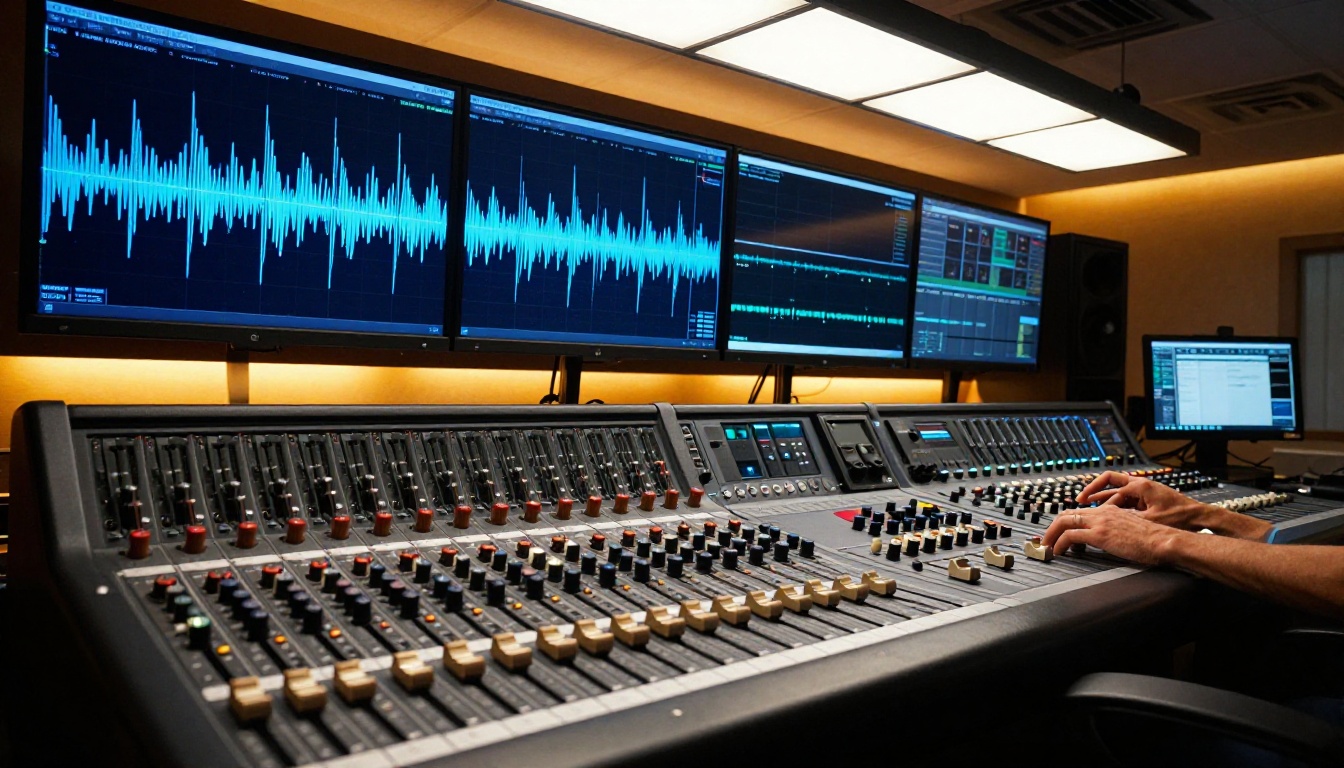
When footsteps hit the ground in a Seedance 2.0 output, the acoustic impact occurs on the frame where the foot makes contact, not a few frames later from a latency-corrected overlay. When water splashes, the frequency profile of the audio matches the visible surface area of the disturbed water. This isn't the model being "smart" about audio in isolation: it's the result of audio and video being co-generated from the same latent state.
Competing models with audio capabilities add audio in a secondary pass. That pipeline can produce good results but struggles with precise synchronization under complex or fast motion. For content where audio timing is production-critical, such as product reveal videos, music visualization, or character action sequences, the difference between native co-generation and post-process audio overlay is immediately audible.
💡 Worth noting: Seedance 2.0 Mini includes the same native audio architecture at faster generation speed, making it ideal for iteration before a final Seedance 2.0 render.
Real-World Results Worth Knowing
Where it shines most
Based on extensive testing across content types, Seedance 2.0 delivers its clearest advantages in these scenarios:
- Human locomotion: Walking, running, dancing, and sports movements. The temporal coherence system handles articulated figure motion better than most comparable models.
- Camera transitions: Slow pans, dolly moves, push-ins, and rack focus sequences stay geometrically consistent even at the 10-second generation limit.
- Natural elements: Water, fire, smoke, and cloth behave with physical plausibility that earlier video diffusion models consistently failed to produce.
- Talking faces and dialogue: Lip synchronization with the co-generated audio is tight enough for near-final creative work without manual correction.
- Crowded scenes: Multiple subjects moving simultaneously maintain individual consistency without the "morphing crowd" artifacts that plague most models in busy environments.

For content creators producing short-form social video, product demos, or narrative sequences under 10 seconds, Seedance 2.0 is currently one of the strongest options for output that doesn't require heavy post-processing to be usable.
Honest limitations
No AI video model is without tradeoffs. Seedance 2.0 has specific ones worth knowing before you commit to a workflow:
- Complex hands in motion: Close-up shots of working hands (typing, writing, cooking, playing an instrument) can still show finger count inconsistencies or subtle morphing under challenging lighting conditions.
- Long-form continuity: At the 10-second limit, objects that need to maintain exact appearance across the full clip sometimes drift subtly toward the end of the sequence.
- Conflicting physics constraints: When prompts specify unusual combinations, such as liquid flowing through a specific container path while a character maintains eye contact with the camera, the model may prioritize one behavioral constraint over the other.
- Render time tradeoff: Full-quality Seedance 2.0 outputs take longer to generate than Seedance 2.0 Fast, which trades some temporal coherence precision for significantly faster turnaround.
These are genuine limitations, but they are narrower than the limitations of competing models at equivalent output quality levels. The progress from the first Seedance generation to 2.0 on these exact failure cases is significant.
How to Use Seedance 2.0 on PicassoIA
PicassoIA hosts Seedance 2.0 directly, with no local setup required. Here's how to get results that actually take advantage of the model's motion strengths.
Step-by-step setup
- Go to Seedance 2.0 on PicassoIA and select your input mode.
- Choose Text to Video for concept-first generation, or Image to Video for precise control over your starting frame and subject appearance.
- Write your motion prompt with explicit attention to motion arc, camera behavior, and environmental physics cues.
- Set your duration. For complex articulated motion, 7-10 seconds allows the model to establish and resolve movement arcs properly rather than cutting off mid-action.
- Draft on Seedance 2.0 Mini first if you want to preview framing and motion character before committing to a full-quality render.

Prompt tips that actually work
The single biggest factor in Seedance 2.0 output quality is how you describe motion. These prompt patterns consistently produce better results:
Describe the motion arc, not just the action:
- Weak: "a person running through a forest"
- Strong: "a person accelerating from a standing position, reaching full sprint speed by mid-frame, arms pumping rhythmically, camera tracking alongside at chest height with a slight lag"
Separate subject motion from camera motion explicitly:
- Include camera behavior: "static wide shot," "slow dolly push-in," "handheld follow at waist height," or "overhead descend"
- Seedance 2.0 treats subject motion and camera motion as independent channels and produces cleaner results when both are specified separately
Include environmental physics cues:
- Add "light morning breeze," "post-rain wet pavement," "direct overhead noon sun" to trigger the model's learned physics priors for those conditions
- These cues activate trained motion behaviors beyond just the visual appearance of the environment
Use Seedance 2.0 Fast for prompt iteration:
- Run 3-4 prompt variations on Fast mode, pick the one with the right motion character, then regenerate with full Seedance 2.0 for final output quality
💡 Pro workflow: Use Image-to-Video when you need a specific subject appearance in the first frame. Generate your keyframe with a text-to-image model first, then pass it to Seedance 2.0 as the source image. This gives you precise control over how the subject looks that pure text-to-video generation can't match.
The Broader AI Video Landscape
Other models worth pairing
Seedance 2.0 isn't the only strong choice on PicassoIA for motion-focused work. Depending on your use case, these models each offer distinct strengths:
Seedance 2.5 extends the architecture with up to 30 seconds of generation, making it the right pick for longer narrative sequences or commercial edits where the 10-second ceiling is limiting.
LTX 2.3 Pro targets 4K resolution output for production workflows where resolution is the primary requirement over generation speed or motion complexity.
Pixverse v5.6 is optimized for high-energy, stylized content and cinematic effects where conventional physics accuracy matters less than visual impact.
Hailuo 02 generates 1080p output with strong facial expression fidelity, making it the better pick when your subject is a close-up portrait or dialogue-driven scene rather than full-body motion.
Wan 2.7 T2V offers 1080p output through an architecture that integrates well with custom pipelines, particularly useful if you're embedding video generation into a production workflow with specific format requirements.
The full PicassoIA catalog at picassoia.com/en/all-models gives you access to over 80 video generation models. The right choice depends on your output requirements, timeline, and whether audio synchronization is a critical feature for your project.
Try It on PicassoIA
Seedance 2.0 is available now on PicassoIA. You don't need local GPU infrastructure, a technical background, or an API account to start generating motion that actually holds together on screen.

The fastest way to see what the model does differently is to run the same motion prompt on two models and compare. Take a simple scenario, a person or object moving through space with a camera following it, and generate once with Seedance 2.0 and once with a model you're already using. The temporal consistency difference is visible without needing to understand the architecture behind it.
PicassoIA also hosts Seedance 2.0 Mini for rapid iteration and Seedance 2.0 Fast for when generation speed matters more than maximum coherence. The three-tier lineup makes it practical to use the right version for each phase of your creative process, from first concept to final delivery.
Motion quality in AI video is no longer a lottery. Seedance 2.0 changed what's achievable at this level of accessibility, and the difference shows up in the first clip you generate.


