The AI video generation space has expanded fast over the past two years, but most of the genuinely powerful tools sit behind paywalls, credit systems, or subscriptions that drain your budget before you even figure out your creative workflow. Wan 2.7 is different. It is an open-source video AI model that delivers serious output quality across three distinct generation modes, and you can access all of them without handing over a credit card. Here is exactly what you get.
Three Modes, Zero Dollars
Wan 2.7 is not a single tool. It ships as three distinct generation modes, each built for a different input type and creative use case. Understanding what each one does changes how you think about what you can produce at no cost.
T2V Turns Words into Footage
Wan 2.7 T2V takes a text prompt and produces a video clip. No source image needed. You describe the scene, the camera movement, the lighting, and the subject, and the model constructs it from scratch. The output resolution reaches 1080p, which puts it level with several paid commercial models that charge by the second.
What makes T2V genuinely useful is its handling of camera motion. You can describe a slow dolly-in, a tracking shot, or a static locked frame, and Wan 2.7 tends to respect the instruction. Older or cheaper open-source models often ignore camera direction entirely and produce jittery, undefined movement. Wan 2.7 is more deliberate, more controlled.

💡 Tip: Structure your prompt in three layers: the subject and action, the background environment, and the camera behavior. "A woman walking through a rain-soaked Tokyo alley, slow tracking shot from behind" produces better output than "woman walking in rain."
I2V Brings Your Photos to Life
Wan 2.7 I2V takes a still image as its starting frame and animates it into a video clip. Feed it a photograph of a landscape, a portrait, a product shot, or any visual asset, and it generates motion that extends naturally from what is already in the frame.
This mode is where many creators spend the most time. The reason is practical: if you already have strong visual assets from a photo session, a previous AI image generation run, or a design workflow, I2V lets you turn those assets into moving content without starting over. The model reads the lighting, colors, and spatial composition from your input image and preserves them through the output.
The quality of I2V output depends heavily on your source image. Sharp, well-composed inputs with clear subject separation produce cleaner animations. Flat, low-contrast images tend to produce muddy or flickering results. Start with your best stills.
R2V Puts Any Subject in Motion
Wan 2.7 R2V is the most specific of the three modes. R2V stands for reference-to-video, and it is designed for subject-driven generation. You provide a reference image of a specific character, object, or figure, and the model generates video in which that subject appears moving through a scene you describe in the prompt.
This opens up use cases that T2V and I2V cannot cover. If you want a specific person, mascot, or product to appear consistently across generated clips, R2V maintains that visual identity across frames. The consistency is not perfect at the free tier, but it is usable for content creators who need repeatable characters without spending hours in a 3D pipeline.
What 1080p Looks Like for Free
Resolution alone does not tell you much. A 1080p output from a weak model looks worse than a 720p output from a strong one. What matters is what Wan 2.7 actually does with that resolution in practice.
Frame Quality You Actually Notice
The frame-level detail in Wan 2.7 output sits noticeably above what open-source video models produced even twelve months ago. Textures hold across the clip. Edges are stable rather than smearing between frames. Skin tones in human subjects stay consistent rather than shifting in ways that immediately read as artificial.
This matters because one of the biggest tells of low-quality AI video is temporal inconsistency: colors shift, faces morph slightly, objects flicker or warp. Wan 2.7 has meaningfully reduced this compared to earlier open-source options like Wan 2.6 T2V or the older Wan 2.5 T2V, both of which are still available on PicassoIA.
💡 Tip: For the clearest output, describe subjects with high contrast against their backgrounds. "A red sports car on a grey road" generates cleaner subject edges than "a car in a parking lot."
Motion Realism Compared
Motion in Wan 2.7 falls in a specific category: smooth but intentional. It is not trying to simulate chaotic, unpredictable real-world movement. It performs well on controlled camera movements and subject actions that have clear, defined behaviors. Running, walking, flowing water, ocean waves, and environmental motion like wind through grass all produce strong results.
Where it struggles is complex multi-subject interaction, rapid cuts, and highly specific hand or finger movements. This is not unique to Wan 2.7; it is a limitation shared across the current generation of video AI models.
| Motion Type | Wan 2.7 Performance |
|---|
| Camera pan and dolly | Excellent |
| Environmental (wind, water, fire) | Very Good |
| Single subject walking or running | Good |
| Hand and finger detail | Fair |
| Multi-subject interaction | Fair |
| Fast cuts and transitions | Poor |
How to Use Wan 2.7 T2V on PicassoIA
PicassoIA hosts all three Wan 2.7 modes directly. No setup, no API keys, no local GPU required. You open the model page, write your prompt, and generate. Here is how to get the most out of it.
Writing a Prompt That Works
The model responds best to structured prompts that separate what is happening, where it is happening, and how the camera is behaving. A pattern that consistently produces strong output:
Subject + action, Environment, Lighting direction, Camera instruction
For example:
- Weak: "A sunset over the ocean"
- Strong: "Ocean waves crashing against black volcanic rocks at sunset, golden-hour backlight creating specular highlights on the water surface, slow push-in from low angle, 50mm lens perspective"
Things to always include:
- The direction of light (front, back, side, overhead)
- Whether the camera is moving or static
- The time of day or ambient light quality
- The texture or material of the main subject
Things to avoid in your prompts:
- Vague descriptors like "beautiful" or "dramatic" without specifics attached
- Multiple subjects doing different things simultaneously
- Contradictory lighting conditions such as "bright natural sunlight with neon glow"
Parameters Worth Tweaking
When you open Wan 2.7 T2V on PicassoIA, you will see controls beyond the main prompt field. Two are worth paying close attention to:
Negative prompt: Use this field to suppress known problem outputs. Reliable entries include: "blurry, flickering, morphing faces, watermark, distorted hands, text overlay, low quality"
Aspect ratio: The default is 16:9 for standard landscape video. If you are generating vertical content for short-form platforms, switch to 9:16 before generating to get properly formatted output.
The Real Limits of the Free Tier
Free access to Wan 2.7 is real, but it is not unlimited in every dimension. Knowing where the ceiling sits helps you plan your workflow realistically.
Queue Times and Speed
The most significant practical limitation is generation speed. Free-tier access runs through shared compute resources. During peak usage periods, queue times can stretch from a few minutes to considerably longer. If you are working against a deadline, this becomes a real constraint.
The approach most creators use: queue multiple generations in sequence before stepping away from a work session. Let them run while you handle other tasks. When you return, you have a batch of outputs to review and compare rather than waiting in real time for each one.
Paid platforms like Kling v2.6 or Seedance 2.5 on PicassoIA prioritize faster generation. But for exploratory work, prompt testing, or building a content library over days rather than hours, the queue is an inconvenience, not a blocker.
Clip Length and Output Format
Free-tier Wan 2.7 generation produces clips in the 5-second range by default. For many content use cases, this is sufficient: a social media loop, a product showcase, a section within a longer edit. For longer narrative video or continuous footage, you generate multiple clips and stitch them in a video editor.
The output is clean MP4 footage. No watermarks on free generations via PicassoIA. This is a meaningful difference from some other platforms where free outputs include visible branding overlays that make the footage unusable for anything client-facing or professional.
💡 Tip: Plan for multiple short clips from the start. Generate 5 to 8 clips of the same scene with slight variation in camera angle or lighting description. In post-production, you have options rather than one locked take.
How Wan 2.7 Stacks Up
The free video AI space has more competition than it did a year ago. Wan 2.7 is strong, but understanding where it sits relative to alternatives helps you pick the right tool for each project.
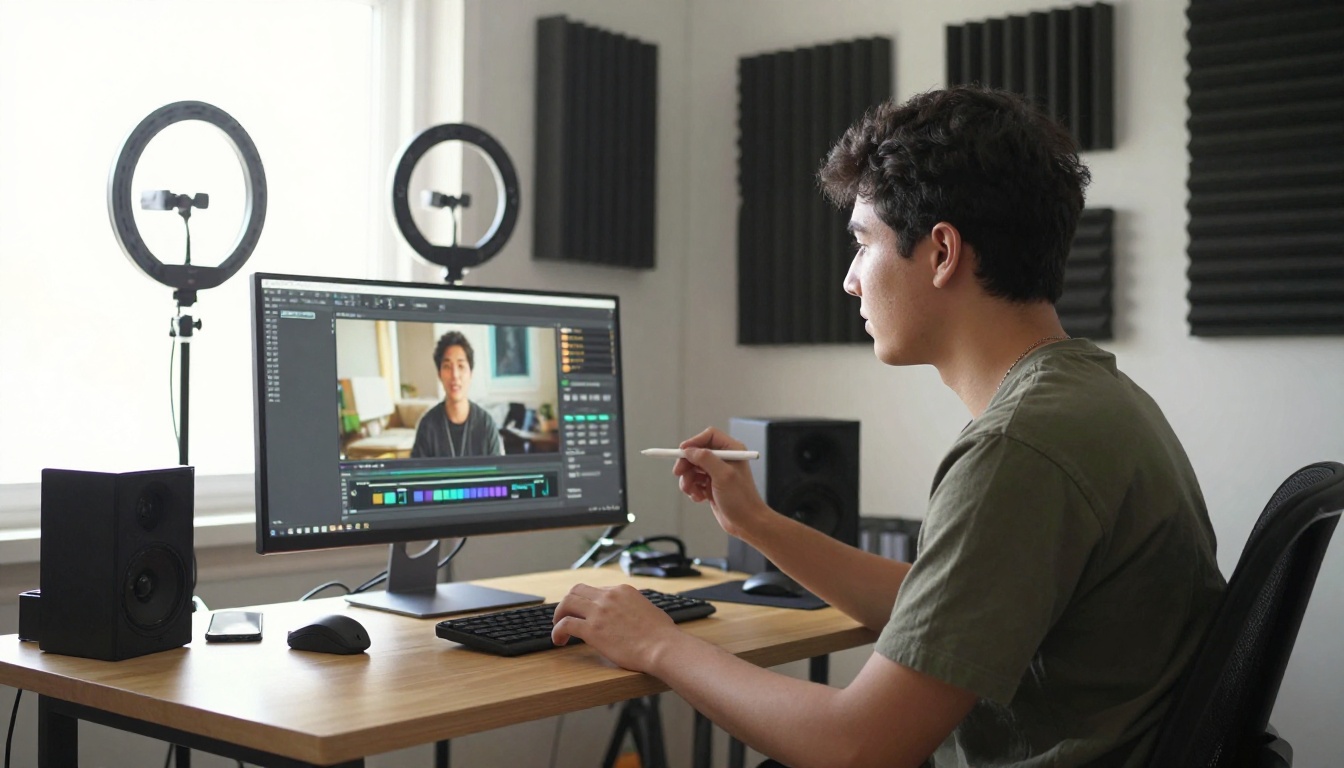
Free Video Tools Side by Side
The pattern is clear: Wan 2.7 sits at the top of the free tier for raw resolution output, trading some generation speed for that quality ceiling. If speed is the priority and 720p is acceptable, LTX 2 Fast or Ray Flash 2 720p are worth testing. If you need clean 1080p output at zero cost, Wan 2.7 is the strongest option currently available in the free category.
When Wan 2.7 Wins
Wan 2.7 performs best in these specific situations:
- Landscape and environmental footage: Wide shots of natural environments, cityscapes, and atmospheric scenes play directly to its motion realism strengths
- Single-subject clips: A person walking, a product rotating, an animal in motion produces cleaner results than multi-subject scenes
- Image animation projects: If you have high-quality still images to animate, Wan 2.7 I2V preserves the visual quality of your source better than most free alternatives
- Brand-safe deliverables: No watermark plus 1080p output means footage is usable in real projects without any cleanup
It is less suited for:
- Rapid prototyping sessions where you need 20 clips in an hour (queue times compound here)
- Talking head video with lip sync (use a dedicated lipsync tool for that use case)
- Abstract or highly stylized visual art (more specialized models serve that better)
Wan 2.7 vs. Its Older Siblings
Placing Wan 2.7 in the context of the models that came before it shows how quickly the series has improved. Wan 2.5 T2V and Wan 2.6 T2V are still available on PicassoIA and still produce decent output. But Wan 2.7 shows improvements in two measurable areas: temporal consistency across frames holds noticeably better, and prompt adherence for camera and subject instructions is more reliable.
Wan 2.2 T2V Fast is the speed option in the Wan family. It generates much faster than Wan 2.7 but with a visible quality reduction. If you are doing rapid iteration to test prompt structures before committing to a full Wan 2.7 generation, Wan 2.2 Fast is a reasonable prototyping tool within the same ecosystem.
The broader picture: the Wan series gives you a tiered system entirely within the free tier. Fast draft work on 2.2, solid mid-tier output on 2.5 or 2.6, and maximum quality on 2.7.
The Open-Source Advantage
One thing worth saying directly: because Wan 2.7 is open-source, the model itself will not be paywalled, deprecated, or suddenly repriced based on a company's commercial decisions. Closed commercial models can pull access or change pricing at any point. Open-source models like Wan 2.7 continue to be hosted and available as long as platforms choose to serve them, and community-driven improvements keep making them better over time.
This stability matters for creators building repeatable workflows. If your production pipeline depends on a specific model's output characteristics, you want that model to still be accessible in six months. The commercial video AI space has already seen several tools disappear behind enterprise plans or shut down entirely. The open-source tier is structurally more reliable as a long-term foundation.
What You Actually Walk Away With
To be specific about what free access to Wan 2.7 means in practice:
- 1080p text-to-video clips with camera motion control and no watermark
- Image-to-video animation that preserves your source image quality through the output
- Reference-to-video clips for consistent subject generation across multiple scenes
- No credit card required to start generating immediately
- Clean MP4 output usable in professional editing workflows without any conversion
- No watermarks that would require a paid tier to remove
The only real costs are time (queue waits during peak periods) and iteration patience (you will need multiple attempts to dial in a strong prompt). Both are skills that improve with practice, and neither costs money.
Build Your First AI Video Today
If you have been holding off on AI video because you assumed you would need a paid subscription to get anything worth using, Wan 2.7 removes that assumption entirely. Open Wan 2.7 T2V on PicassoIA, write a structured prompt using the subject-environment-lighting-camera format described above, and run your first generation.
Once you have seen what T2V produces, move to Wan 2.7 I2V with one of your existing photographs or AI-generated images. The control you gain from providing a strong source image is significant. From there, Wan 2.7 R2V opens up character-consistent content at zero cost.
PicassoIA also hosts dozens of other text-to-video and image-to-video models across the full quality spectrum. The full catalog is available at picassoia.com/en/all-models, and everything from fast draft models to cinema-grade commercial tools sits in the same interface. Start with what is free, build your prompting skills, and move up the quality tier whenever a specific project demands it.