Grok's image generation feature, powered by its Aurora model, arrived with genuine momentum. Integration into X (formerly Twitter) gave millions of users instant access to AI image generation without a separate signup or subscription. That convenience is real. But convenience and capability are different things, and after months of production use, the specific places where Grok Imagine still falls short are no longer a matter of opinion. They are a documented pattern that affects designers, content creators, marketers, and anyone using AI images for work that actually matters.
This is a practical breakdown, not a general critique. Here is where the model struggles, why each limitation matters for real workflows, and which tools are currently filling those gaps.
Where the Prompt Goes Wrong

Prompt fidelity is the baseline requirement for any image generator. You describe something, and the model produces it. The relationship between input and output should be reliable. With Grok Imagine, it is not, specifically as prompts grow more complex.
Complex Scenes Break Down Fast
Ask Grok to generate "a woman in a red dress standing in a rainy alley at night, holding a yellow umbrella, with a cat sitting on a nearby dumpster" and you will lose at least one element. Typically two. The cat disappears. The umbrella becomes optional. The rain renders as vague wetness on an otherwise dry surface. These are not edge cases or bad luck. They are the consistent output of a model that struggles to weight multiple prompt elements with equal importance.
The pattern is well-documented: Aurora performs best on single-subject, single-environment prompts. The moment you introduce spatial relationships, secondary subjects, or conditional details like weather or accessories, the model begins editing your intent rather than executing it.
Multi-Subject Compositions Miss the Mark
Two people interacting? Grok handles this reasonably. Three people with distinct actions? You are gambling. A scene with a child handing flowers to an elderly woman while a dog watches from beneath a table? At best, two of those three elements survive the generation. At worst, you get an anatomically confused merged figure that belongs to neither subject.
This is exactly where Flux Pro separates itself. Flux's architecture handles multi-element prompt parsing with meaningfully higher fidelity. The same three-subject scene described above produces a coherent, correctly structured result in Flux far more consistently. For complex compositional work, the difference is not marginal.
Stable Diffusion 3.5 Large also outperforms Aurora on structured multi-subject prompts, particularly when combined with ControlNet tools that let you specify pose and positioning directly rather than relying on the model's interpretation.
The Censorship Problem Is Real

Content moderation in AI tools is necessary. That is not the argument. The problem with Grok Imagine is that its content filter is calibrated so conservatively that it regularly blocks entirely legitimate professional requests.
Blocked for No Clear Reason
Users report consistent rejections for prompts involving:
- Historical war and conflict imagery in clearly documentary contexts
- Artistic figure studies with no explicit content whatsoever
- Fashion photography featuring swimwear or activewear
- Fantasy violence in obviously stylized or illustrated contexts
- Medical and anatomical illustration requests
- Athletic bodies in competitive sports contexts
These are standard requests for professional photographers, illustrators, graphic designers, and advertising agencies. The filter does not distinguish between an artistic beach portrait and explicit content. It treats proximity to the human body as suspicious by default.
💡 Worth knowing: This calibration issue is not unique to Grok, but Grok's filter is among the most trigger-happy in the field. And unlike most alternatives, there is no user-facing control to adjust it.
No Way to Adjust the Filter
The deeper issue is the absence of any user control. Platforms like PicassoIA offer access to models across a wide spectrum of content policies. Seedream 5 Pro generates sharp 2K photorealistic images with handling that respects the creator's intent. Flux Dev applies a different approach entirely. You choose the right model for the project at hand.
With Grok, you get one filter, applied universally, with no recourse when it misfires. For anyone doing professional creative work involving fashion, editorial, advertising, or artistic photography, that rigidity alone is enough to disqualify it as a production tool.
Text in Images Is Still a Mess

Rendering legible text within AI-generated images has been a meaningful challenge across the entire industry. Most platforms have made real progress. Grok Imagine has not moved at the same pace, and the gap shows in practical output.
Typography Problems That Persist
Ask Aurora to generate a storefront sign reading "GRAND OPENING" and you will almost certainly get something close, but with at least one letter malformed, mirrored, partially fused, or replaced with a visually similar character. Longer phrases fare considerably worse. Business card mockups, poster designs, book cover concepts with readable titles, infographic-style visualizations: all of these are highly unreliable with Grok. The output looks correct at a glance and falls apart on inspection.
This matters for anyone using AI image generation as a production tool rather than a rough mood board resource. Marketing materials, product packaging mockups, social media graphics with readable text: all of these require reliable typography, and Grok does not provide it.
When Text Actually Has to Work
Ideogram v4 Quality was built with this specific problem in mind. Its architecture applies a dedicated rendering treatment to text elements, which means words come out clean, correctly spaced, and legible in the vast majority of generations. For any project where text-in-image matters, Ideogram represents a fundamentally different capability level.
Imagen 4 Ultra handles typography with similarly high accuracy, particularly for mixed-case phrases and stylized fonts. Both models are available on PicassoIA without additional subscriptions.
Character Consistency Falls Apart
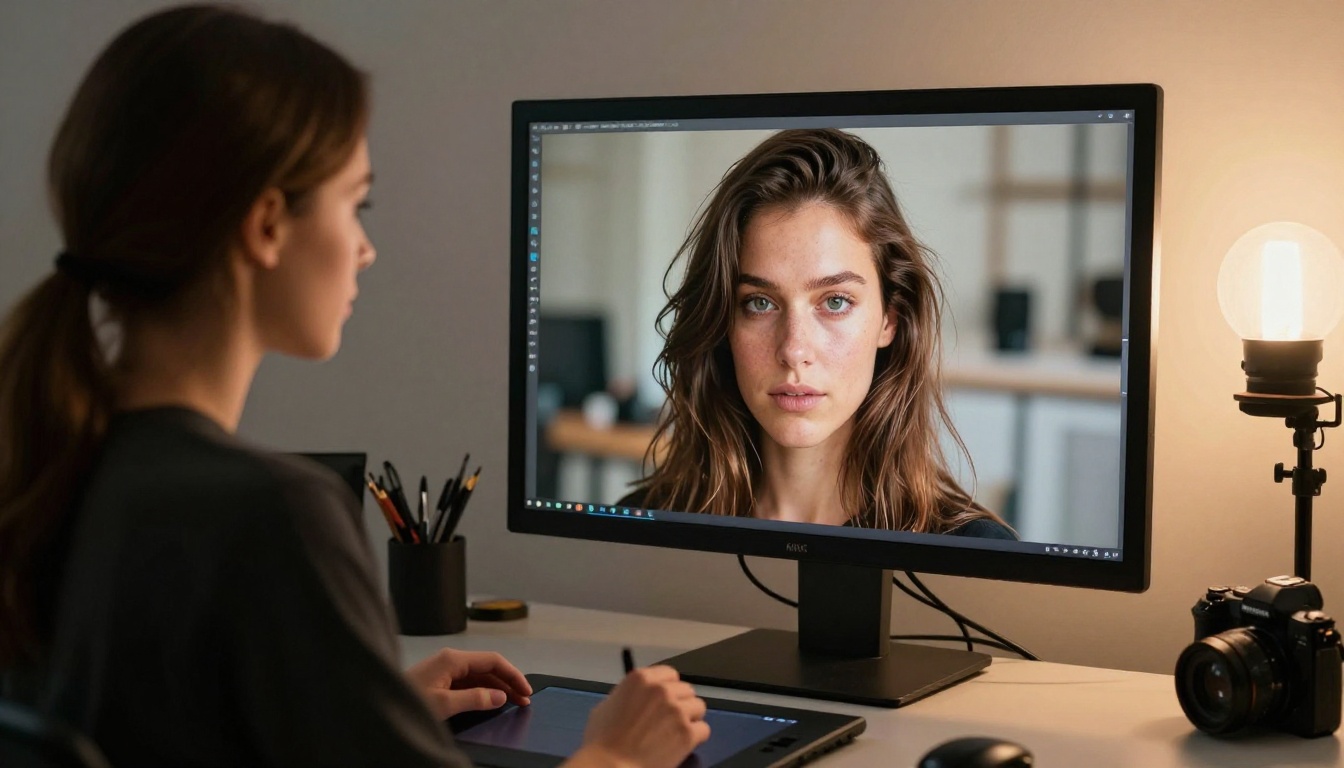
If your project requires the same person, character, or mascot to appear consistently across multiple images, Grok Imagine is a liability from the first generation. There is no mechanism for visual identity continuity.
No Style Locking, No Session Memory
Generate an image of a specific character. Write down every detail: hair length and color, eye shape, skin tone, facial structure, clothing style. Now generate a second image of "the same character" using the identical description. You will get someone different. This is not a limitation of prompting technique or a problem you can work around with better wording. It is a structural absence.
This limitation directly prevents Grok from being used in:
- Brand mascot development where the character must be visually identical across campaigns
- Comic and storyboard work requiring consistent faces across sequential panels
- Social content series where visual identity is a deliberate brand asset
- Product mockups featuring human models that need to appear in multiple scenes
- Character-driven storytelling for games, animation pitches, or branded media
Style Drift Between Generations
Even within a single prompt session, Grok's stylistic choices shift noticeably. Request three variations of the same portrait and you will see the lighting approach, skin tone rendering, and overall image mood drift between each output. There is no seed locking, no style reference system, no persistence of any kind.
Flux Redux Dev addresses this with an image variation pipeline that maintains structural similarity to a reference input. You establish a character in one generation and produce a consistent set of variations without starting from zero each time. For character-driven workflows, this is a fundamental capability that Grok simply lacks.
The Resolution and Detail Ceiling
Grok Imagine outputs look acceptable on a phone screen. Zoom in, attempt to use them in print production, or place them next to work from competing generators, and the resolution limitations become apparent quickly.
Fine Detail Gets Compressed
The default output resolution from Grok's standard interface targets web display levels. Fine textures, fabric weave patterns, skin pore detail, individual hair strand separation: all of these resolve at a level appropriate for casual browsing but insufficient for production use. There is a visible softness to fine details that professional workflows cannot absorb.
Compare this directly to what Flux Dev or Playground v2.5 1024px Aesthetic produce at full resolution. The differentiation between, say, a wool knit texture and bare skin in the same frame, or between polished wood and matte fabric, is handled with a precision level that Grok's output does not approach.
Upscaling Cannot Fix Source Quality
Running a Grok output through an AI super-resolution tool afterward partially addresses the resolution problem, but introduces a second error point. The upscaler operates on compressed, lower-quality source information and extrapolates texture details that may not match the original prompt intent. Artifacts appear in hair, fabric edges, and background transitions. Native high-resolution output is always superior to upscaled output, and Grok's pipeline does not prioritize native detail depth.
Seedream 5 Pro generates natively at 2K with fine detail rendered at the source level. Stable Diffusion 3.5 Large Turbo produces fast, high-detail outputs that hold up to pixel-level inspection without the degradation seen in upscaled Grok outputs.
How the Numbers Actually Compare
The following table maps Grok Aurora against leading alternatives for the use cases where it most consistently falls short:
| Capability | Grok Aurora | Flux Pro | SD 3.5 Large | Ideogram v4 | Seedream 5 Pro |
|---|
| Complex prompt fidelity | Limited | Strong | Strong | Good | Good |
| Text-in-image accuracy | Poor | Moderate | Moderate | Excellent | Good |
| Character consistency | None | Via Redux | Limited | Limited | Limited |
| Content filter control | None | Flexible | Flexible | Moderate | Flexible |
| Native output resolution | Web-grade | 8K-capable | 8K-capable | High | 2K native |
| Generation speed | Fast | Fast | Moderate | Moderate | Fast |
| Multi-subject handling | Weak | Strong | Strong | Good | Good |
The table is not an argument that Grok Imagine is without value. For quick social post generation, casual use through X, or simple single-subject prompts, it is often convenient and adequate. For anything production-grade or professionally demanding, the limitations above are disqualifying.
What PicassoIA Does Differently

The fundamental difference is model access and platform design philosophy. Grok gives you one model, one content policy, and one output quality ceiling. PicassoIA operates across more than 91 text-to-image models, which means you select the right tool for each specific job rather than forcing every creative need through a single model's limitations.
Working on editorial fashion content with a tight deadline? Dreamshaper XL Turbo generates in seconds with a photorealistic aesthetic optimized for human subjects. Need clean architectural visualization? Stable Diffusion 3.5 Large delivers detailed, structured outputs. Working on personal creative projects that need atmospheric freedom? SDXL with its deep LoRA ecosystem is available without an additional subscription.
The ControlNet-based tools add another layer of precision entirely. SDXL ControlNet LoRA lets you feed in a pose reference or depth map, ensuring your generated subject hits the exact composition you specified rather than leaving it to interpretation. The structural control that Grok cannot offer is a core platform feature here.
💡 Practical insight: When Grok blocks your prompt, the issue is the platform's filter, not the legitimacy of your request. Switching to a model with appropriate content handling typically produces exactly what you were after, without workarounds.
How to Use Flux Pro on PicassoIA

If prompt fidelity is the core frustration, Flux Pro is the immediate starting point. Here is how to get strong results from the first generation:
Step 1: Open the model. Navigate to Flux Pro on PicassoIA and click Generate. No additional configuration required.
Step 2: Write a structured prompt. Flux responds better to structured prompts than conversational descriptions. Use a clear format: Subject plus Action plus Environment plus Lighting plus Camera specs. For example: "A middle-aged man in a tailored grey suit standing at a rain-soaked crosswalk in Tokyo at night, warm amber streetlights reflecting in pooled water, 85mm f/1.8 lens, shallow depth of field, Kodak Portra 400 grain, photorealistic."
Step 3: Set your aspect ratio. For web and social content, 16:9 or 1:1 are standard. For editorial or print mockups, 3:2 matches standard photographic ratios.
Step 4: Adjust the guidance scale. Higher values (7-9) push the model to follow your prompt literally. Lower values (4-6) allow more creative interpretation. For complex multi-subject scenes, start at 8.
Step 5: Generate multiple variations. Unlike Grok's single-output approach, you can batch multiple variations of the same prompt and select the strongest result. This takes the gambling out of generation.
Step 6: Upscale where needed. After selecting your preferred result, run it through PicassoIA's super-resolution tools to push to full print-quality resolution. The starting quality of a Flux Pro output makes the upscale cleaner and more faithful to the original.
The difference in prompt fidelity is immediate. Complex multi-element scenes that Grok regularly mangled come through intact. Text elements remain where you placed them in the description.

Grok's image generation is one feature embedded in a chatbot. PicassoIA is built as a dedicated creative production platform, which means the tooling extends well beyond text-to-image work.
The same platform gives access to:
- 87+ video generation models, including text-to-video and image-to-video pipelines for motion content
- Video upscaling and stabilization tools for restoring or improving existing footage
- Background removal optimized for product photography and compositing workflows
- Face swap for realistic, instant subject replacement across images and video
- Lipsync tools for content localization and creative storytelling
- 500+ visual effects applicable directly to video footage without external editing software
- AI music generation for original backing tracks built from text prompts
- Text-to-speech across multiple voices and languages
- Speech-to-text transcription for content repurposing workflows
The practical result: workflows that previously required separate subscriptions for image work, video work, and audio work can run through a single platform. When Grok's limitations push you to look elsewhere, the alternative is not just a better image generator. It is an environment built for every stage of visual content production.
For anyone comparing AI image generators in 2027, the question is not whether Grok Imagine has improved. It has. The question is whether those improvements close the gaps that matter for professional use. On prompt fidelity, text rendering, character consistency, content policy flexibility, and native output resolution, they have not. The alternatives available on PicassoIA are not marginal improvements over what Grok offers. They are categorically different outputs.
Try It for Yourself
Every limitation described above has a direct, working solution. Prompt fidelity: Flux Pro or Flux Fast for speed without sacrificing quality. Text rendering: Ideogram v4 Quality produces clean, legible typography that Grok cannot match. Maximum photorealism: Seedream 5 Pro at native 2K resolution. Creative flexibility across every type of project: the full model catalog at picassoia.com/en/all-models.
The image you were trying to make in Grok exists. The right model can produce it. Pick one from the platform, write your prompt the way you actually intended it, and see what comes out when the tool is not working against you.


