The past few weeks have seen an unprecedented wave of image editing models from nearly every major AI lab. What started with advanced capabilities for style transformations and basic edits has evolved into a competitive landscape where each model brings unique strengths to the table.
With so many powerful options available, choosing the right model for your specific needs can feel overwhelming. Should you prioritize speed or quality? What about specialized tasks like text editing or background replacement? In this guide, we put the leading models through rigorous testing across five key image editing tasks to help you make an informed decision.

To start, here's what you need to know about the models we're evaluating. Each offers different trade-offs between cost, speed, and capabilities. The fastest models can generate results in under 2 seconds, while more sophisticated options take 10-40 seconds but deliver superior quality for complex edits.
For our comparisons, we focus on the primary version from each AI lab, testing them on real-world editing scenarios that you're likely to encounter in your own projects.
Object Removal
The ability to cleanly remove objects from images is foundational to image editing. This task reveals how well a model understands spatial relationships and can interpolate missing information. When removing elements that occlude other parts of an image, the model must intelligently fill in what was hidden behind.
We tested this capability using a scenic bridge photograph.

The challenge was straightforward: remove the bridge structure while maintaining the natural landscape behind it.
Test prompt: Remove the bridge
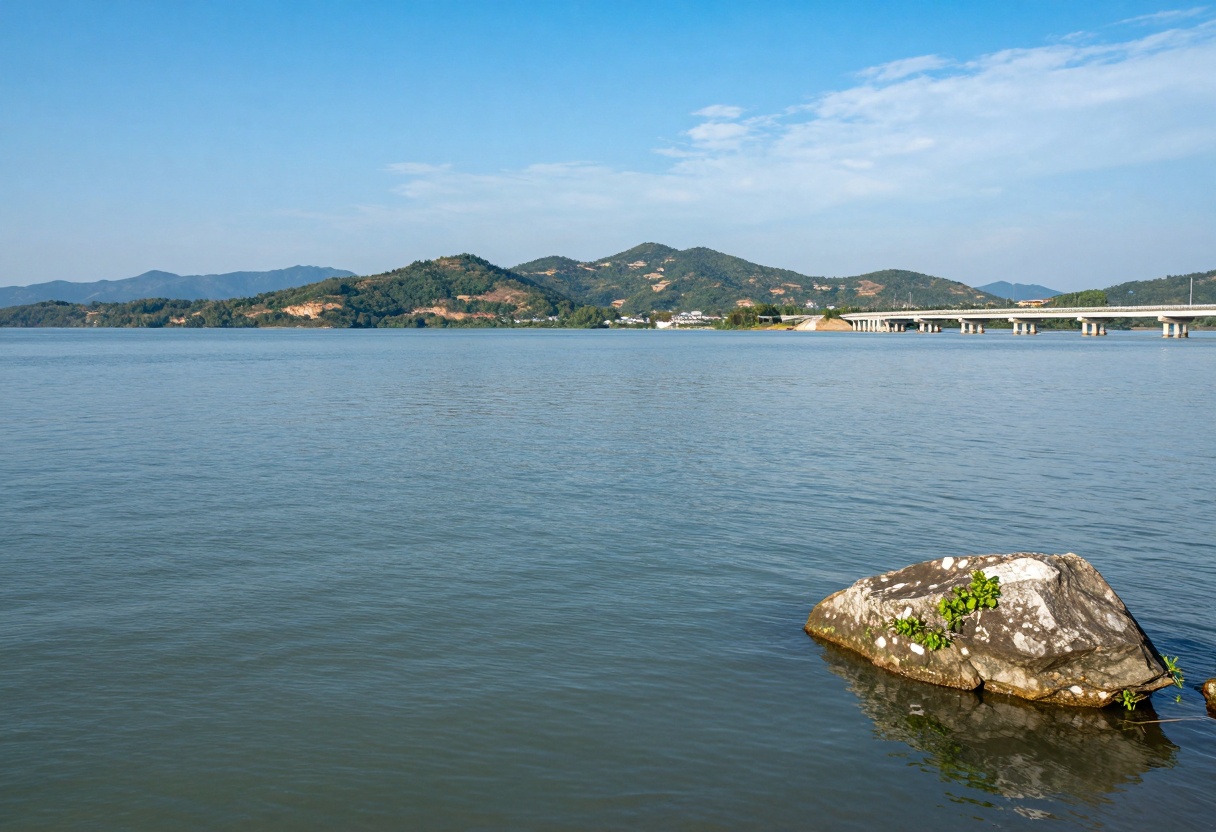
Top performers: Several models handled this well, successfully removing the entire structure and generating believable water and hillside scenery.
Struggled: Some models left portions of the bridge towers in place or introduced inconsistencies in the background terrain. One model removed the bridge but also altered surrounding buildings, showing how challenging it can be to maintain contextual integrity.
For straightforward object removal tasks, most modern models perform adequately. The key differentiator is whether they preserve fine details in surrounding areas while generating natural-looking fill content.
Changing viewing angles while maintaining subject consistency is significantly more complex than simple object removal. This task tests a model's understanding of 3D space and its ability to reconstruct unseen angles of a subject.
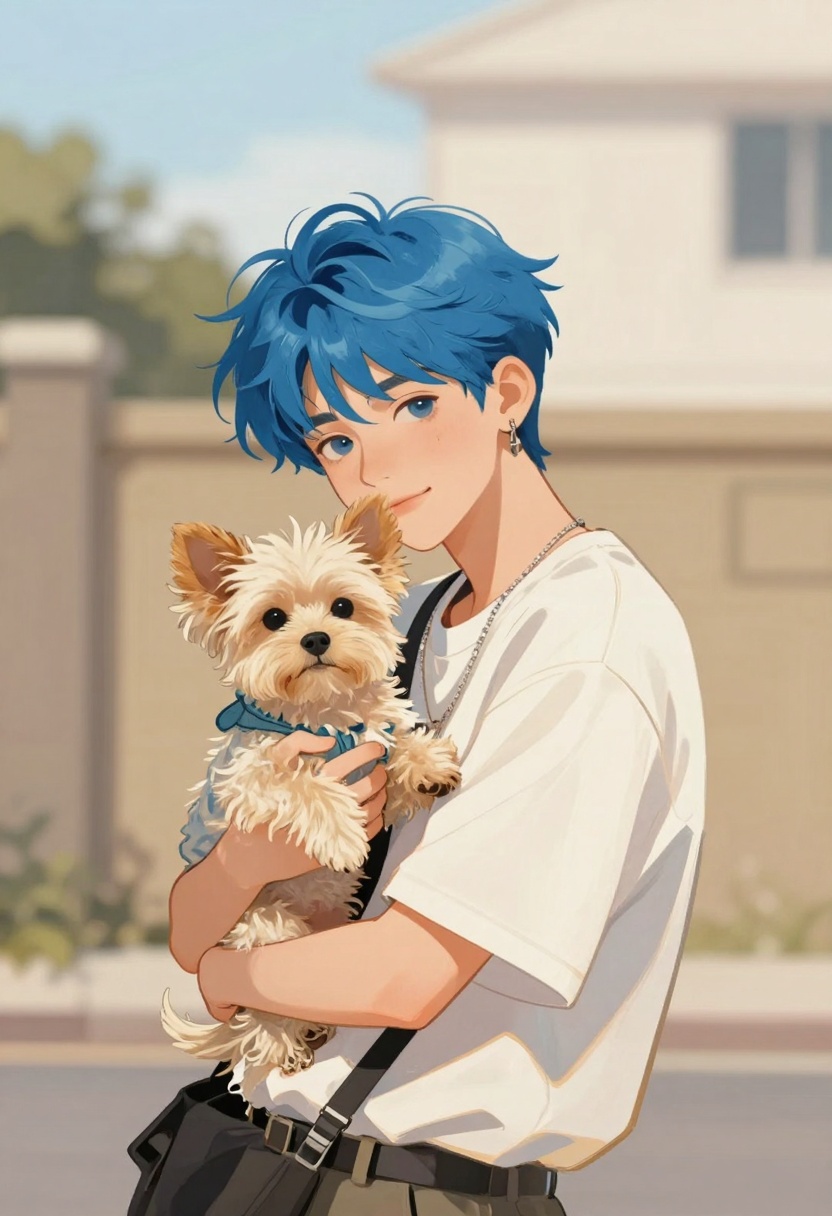
We used a stylized character portrait and challenged the models to show a front-facing view while preserving distinctive features like hair color, clothing, and small details.
Test prompt: Show the front view of the person and pet
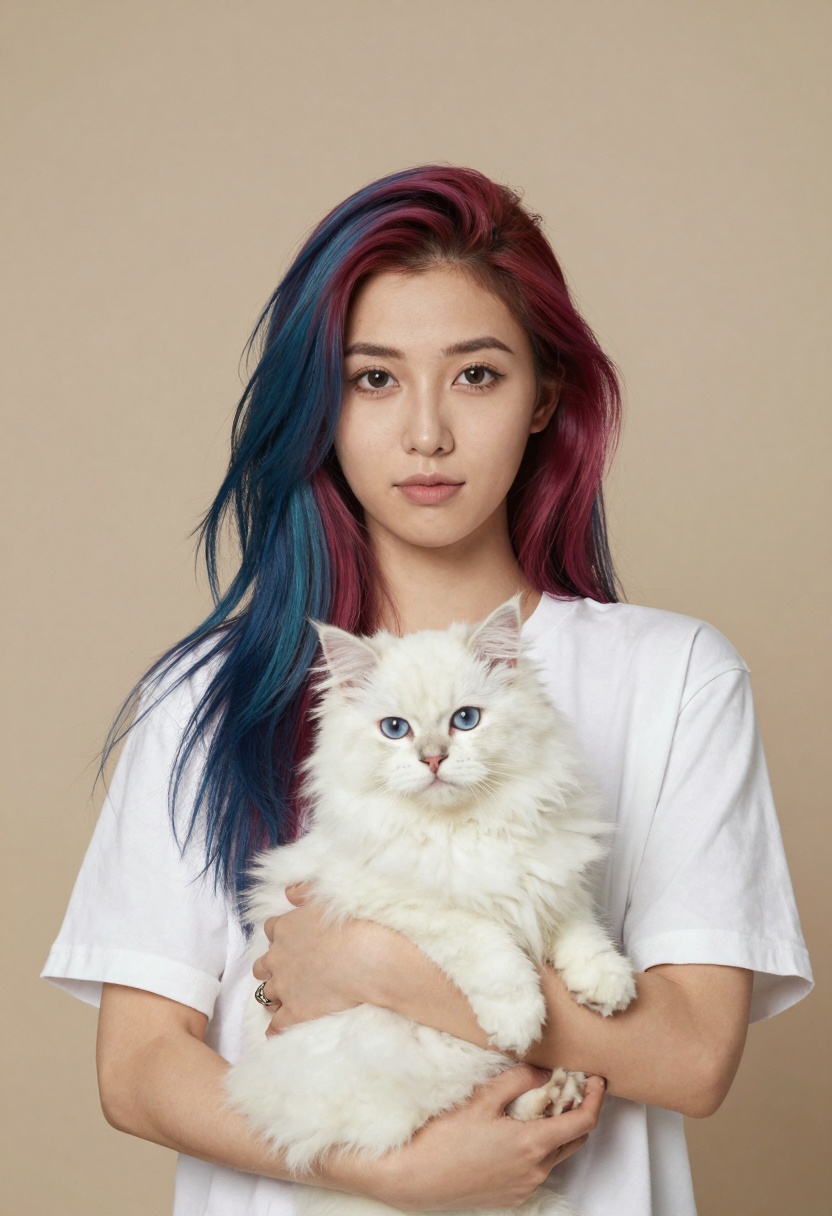
Winner: The models that excelled delivered true front-facing views with excellent character consistency, maintaining unique identifiers from the original image.
Struggled: Several models either didn't rotate the perspective enough or failed to preserve character-defining features. Some generated entirely different subjects rather than rotating the existing one.
This task highlights a crucial distinction: generating a new image from scratch is easier than transforming an existing one while maintaining identity. If your work requires precise character or object consistency across different angles, you'll want a model that specifically excels at perspective transformation.
Background Editing
Background replacement requires sophisticated understanding of object boundaries, lighting consistency, and environmental integration. The model must separate foreground subjects cleanly and place them believably in new environments.

We tested this with a cartoon character in a plain environment, requesting a dramatic background change.
Test prompt: Make the background a jungle
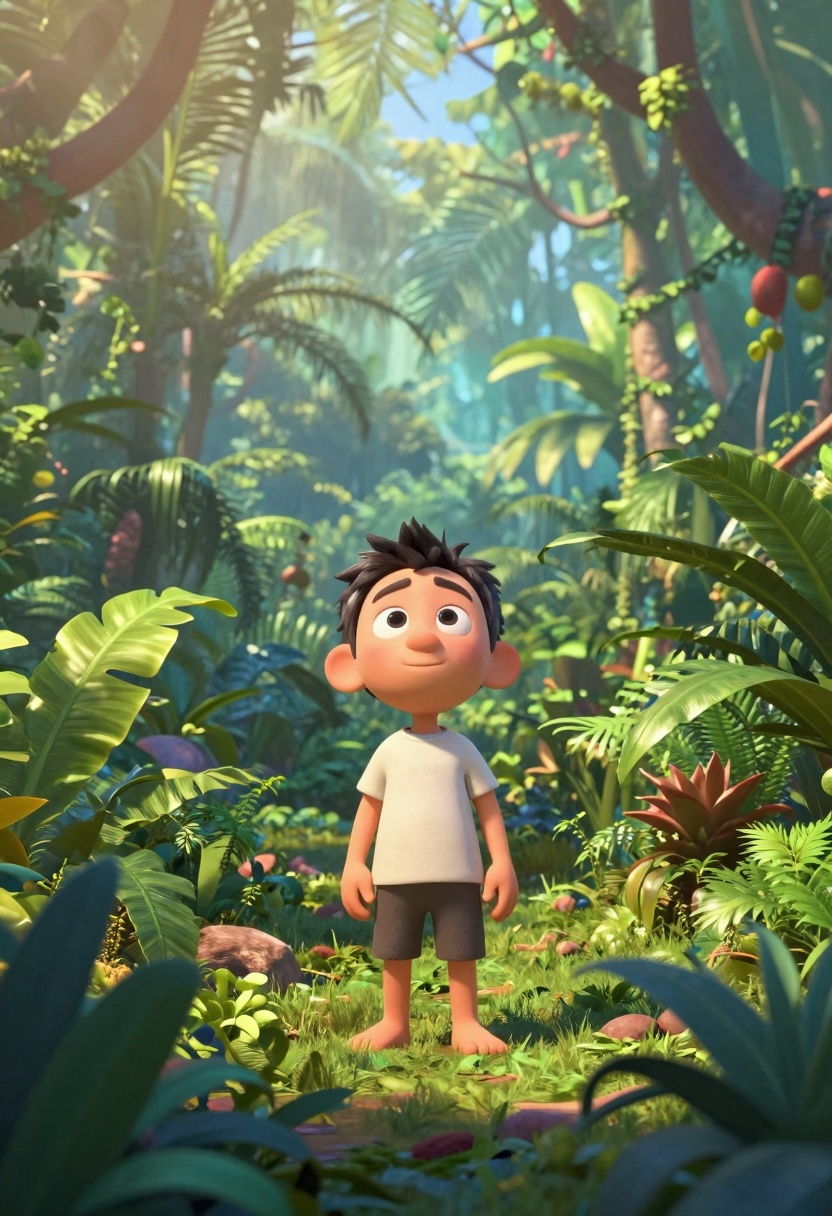
Top performers: The leading models created lush, believable jungle backgrounds with natural lighting that matched the character. Subject edges were clean, and the overall composition felt intentional rather than artificially composited.
Struggled: Some models generated generic backgrounds with poor character integration. One model created a small cutout of the subject and pasted it onto a jungle scene, completely breaking the illusion.
The sweet spot for background editing combines three elements: clean edge detection, lighting that matches the new environment, and composition that feels natural. The best models achieved all three consistently.
Text Editing
Text manipulation within images represents one of the most impressive and challenging capabilities in modern image editing. The model must understand typography, perspective, texture, and lighting while modifying specific text elements without disrupting the rest of the image.
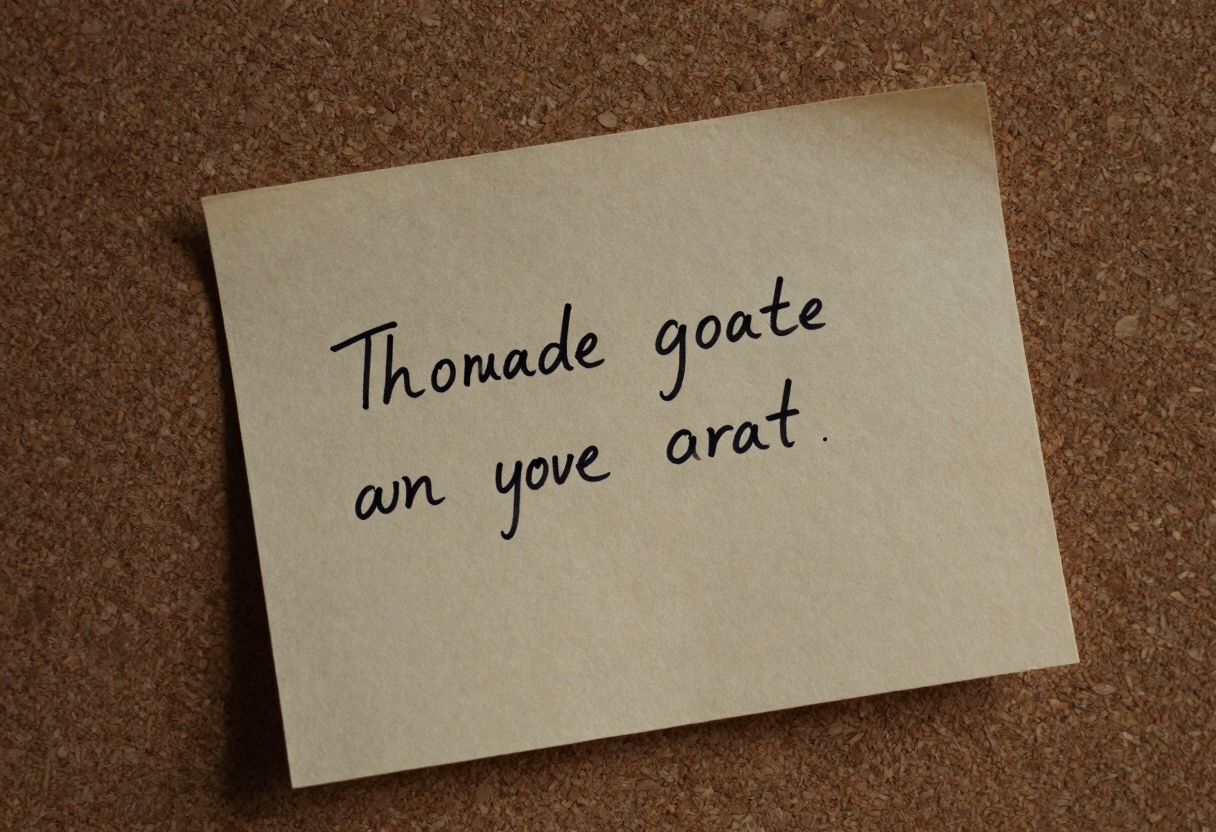
We tested text editing using a handwritten note, asking models to change a single word while preserving the handwriting style and paper texture.
Test prompt: Change one word in the text
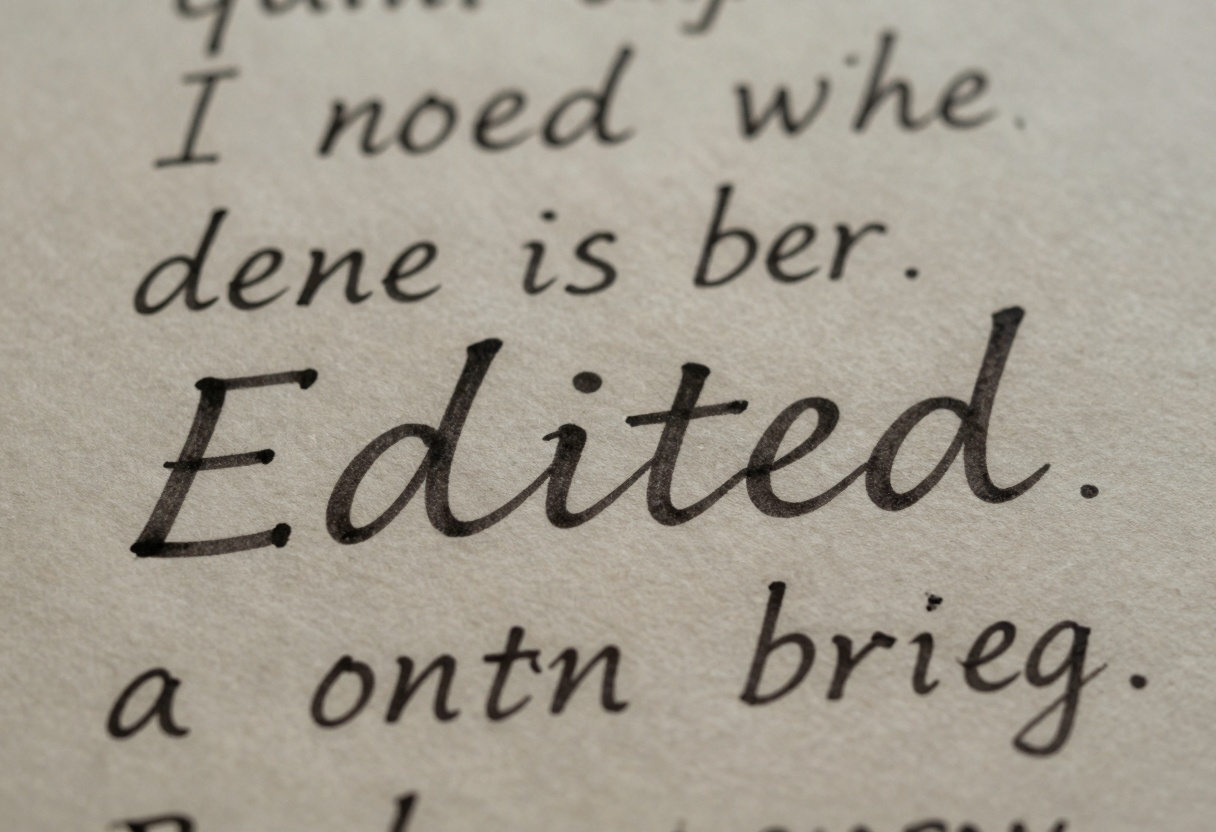
Winners: The top performers achieved remarkable results, maintaining consistent typography, preserving paper texture, and making edits that look completely natural. Even subtle details like pen pressure and ink flow matched the original handwriting.
Losers: Some models clearly showed their edits, with text that appeared pasted on rather than written. Others changed the paper appearance or failed to match the original font characteristics.
Text editing showcases the cutting edge of what's possible with AI image manipulation. A year ago, this task was nearly impossible. Today, the best models handle it with surprising accuracy, though results still vary significantly between providers.
Style Transfer
Artistic style transfer demonstrates a model's ability to understand and apply artistic techniques while preserving underlying content and composition. This goes beyond simple filters, requiring true comprehension of artistic styles.
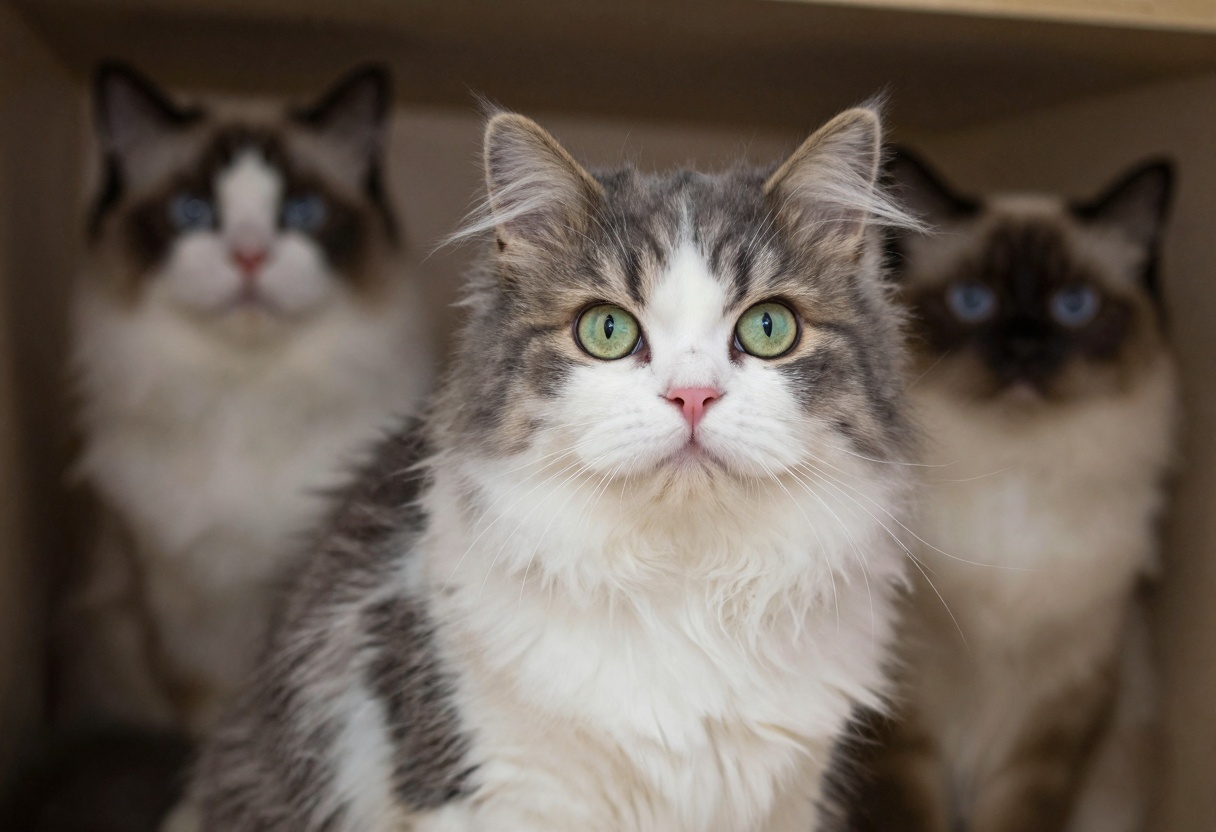
We used a photographic cat portrait and requested an oil painting transformation.
Test prompt: Transform this into an oil painting
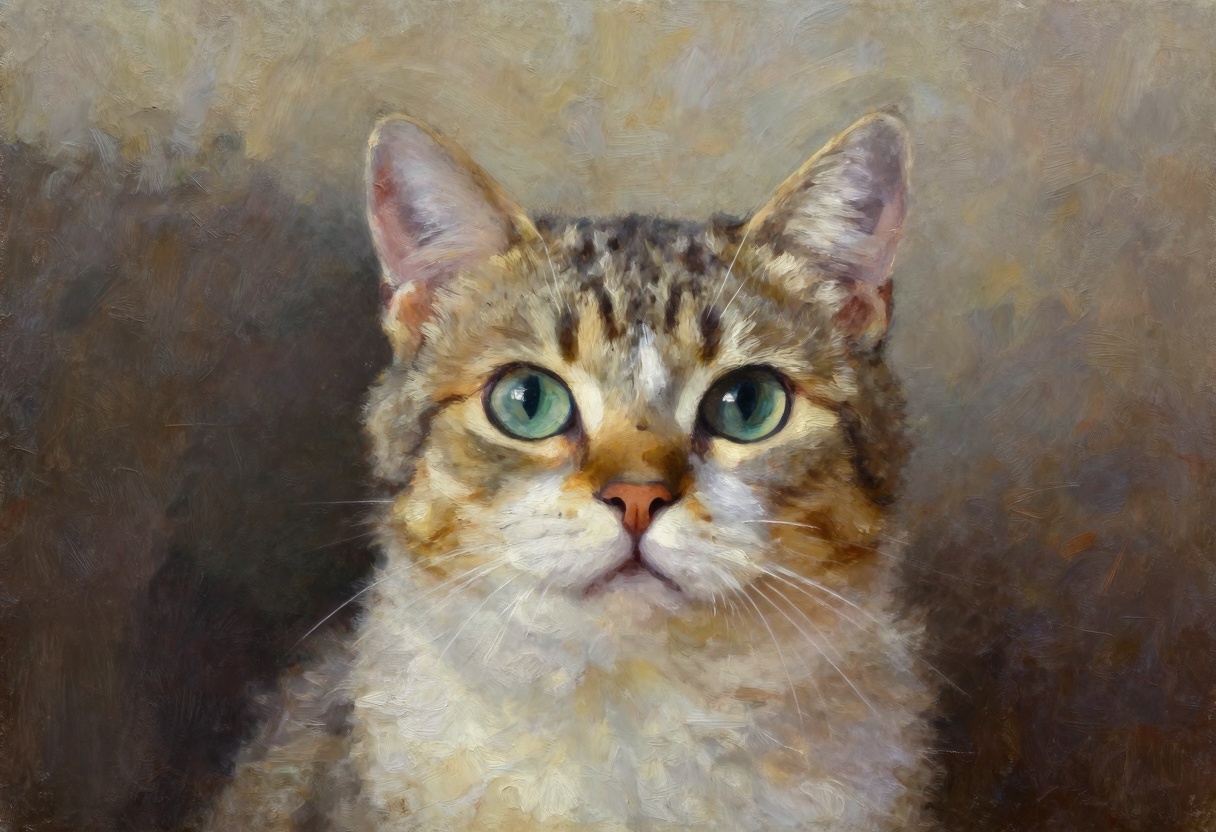
Winner: The best results showed clear brush strokes, appropriate texture, and artistic interpretation while maintaining recognizable subject features. The transformation felt like a skilled artist created a painting based on the photo.
Varied interpretations: Interestingly, different models had distinct ideas about what "oil painting" meant. Some created smooth, blended looks while others emphasized visible brush strokes. Some introduced warmer tones while others stayed closer to the original color palette.
This variability isn't necessarily bad. Depending on your creative vision, you might prefer different artistic interpretations. The key is finding a model whose aesthetic style aligns with your goals.
Key Findings
After extensive testing across five distinct editing tasks, several patterns emerged:
Object removal: Most modern models handle this reasonably well, though quality varies in how naturally they fill removed areas.
Perspective changes: This remains challenging. Only specialized models consistently achieve the requested viewpoint while maintaining subject identity.
Background editing: The top performers create natural-looking composites with proper lighting and integration. Others struggle with basic edge detection and placement.
Text editing: This is where you'll see the biggest quality gaps. Leading models produce nearly undetectable edits, while others create obviously artificial results.
Style transfer: Expect different artistic interpretations between models. Choose based on which aesthetic matches your creative vision.
Remember that these evaluations represent surface-level testing. Your specific use case may reveal different strengths and weaknesses. The model that excels at your particular task might not top the charts in other areas.
Using Image Editing on PicassoIA
PicassoIA offers powerful image editing capabilities through models like p-image-edit, designed for fast, professional results. Here's how to get started:
Accessing the Model
Navigate to the p-image-edit model page on PicassoIA. This model specializes in quick edits with sub-second processing times while maintaining production-quality output.
Required Parameters
To edit an image, you'll need:
- Images: Upload your source images. For editing tasks, place your main image first. You can reference multiple images in your prompt as "image 1" and "image 2"
- Prompt: Describe your edit clearly and specifically. Good prompts explain exactly what you want changed
Optional Fine-tuning
Aspect ratio: Choose from standard ratios (1:1, 16:9, 3:2, etc.) or match your input image dimensions.
Turbo mode: Enabled by default for maximum speed. Disable for complex edits that need more processing time.
Seed: Set a specific number for reproducible results across multiple generations.
Safety checker: Enabled by default. Can be disabled if needed for your specific use case.
Best Practices
For optimal results with PicassoIA's image editing:
- Write detailed, specific prompts rather than vague instructions
- When working with multiple images, clearly reference which image you're editing
- Start with turbo mode on, then disable it if results aren't satisfactory
- Use consistent seeds when you need to generate variations of the same edit
- Match aspect ratios to your intended output format
The model excels at rapid iterations, making it perfect for A/B testing different edit approaches or quickly prototyping creative concepts. Whether you're retouching product photos for e-commerce, creating social media content, or generating marketing visuals, the sub-second processing times dramatically accelerate your workflow.
Real-world Applications
PicassoIA's image editing capabilities shine across various scenarios:
- E-commerce: Quick product photo retouching and background replacement
- Marketing: Banner generation and visual asset creation with rapid turnaround
- Social media: Content enhancement and on-brand image creation
- Design prototyping: Fast concept exploration and mood board development
- Publishing workflows: Batch editing for consistent visual style
The combination of speed and quality makes PicassoIA's image editing ideal for both individual creators and teams managing high-volume visual production.
Making Your Choice
The "best" image editing model depends entirely on your specific needs:
- Need lightning-fast results for high-volume work? Prioritize speed and consider batch processing capabilities
- Working on projects where quality is paramount? Choose models that excel at your specific task type
- Budget-conscious? Compare per-image costs against your expected usage volume
- Require consistent character representation? Focus on models that maintain identity across edits
Rather than chasing a single "winner," consider which model aligns with your workflow priorities. Some projects demand perfection and justify longer processing times, while others benefit from rapid iteration even if individual results aren't flawless.
The AI image editing landscape continues evolving rapidly. New models emerge regularly, each pushing capabilities forward in specific areas. Stay flexible in your tool choices, test multiple options for important projects, and don't hesitate to switch between models for different tasks.
What matters most is finding the right tool for each job rather than committing to a single solution for everything.


