Why Creators Are Switching From Leonardo to Picasso AI (And Not Looking Back)
Over the past year, a growing wave of digital creators, social media managers, and commercial photographers has migrated away from Leonardo AI to platforms offering more model variety, faster generation speeds, and scalable pricing. This article breaks down the specific reasons behind the switch, with a model-by-model look at what creators are now building and how they are doing it.
If you have been paying attention to creator communities on Discord, Reddit, and X over the past several months, you have probably noticed a pattern: photographers, social media managers, and digital artists who used to swear by Leonardo are quietly logging into new platforms and not coming back. The shift is real, it is accelerating, and the reasons are specific enough to be worth unpacking in detail.
Why Leonardo Built a Loyal Base
Leonardo AI earned its reputation legitimately. It arrived at a time when Midjourney was the only credible option for creators wanting stylized output, and it carved out a strong niche with its image quality, built-in LoRA fine-tuning, and a workable free tier. For a certain type of creator, hobbyists, indie game designers, illustrators wanting painterly output, it delivered exactly what was promised.
But the AI image space moved fast, and what worked in 2023 became a ceiling by 2025.
The Model Bottleneck
Leonardo's core product is tightly bundled with its own proprietary models. Phoenix, Alchemy, and their variants produce consistent results within a specific aesthetic range. That range is the problem. If your work sits outside it, documentary-style photography, product shots, hyperrealistic portraits, or specific cultural aesthetics, you end up working against the tool rather than with it.
The platform's model roster has not kept pace with open-weight releases from Black Forest Labs, ByteDance, Tencent, or Runway. Meanwhile, Phoenix 1.0 (Leonardo's flagship, also available on PicassoIA as a comparison point) produces strong results in narrow aesthetic categories but consistently struggles with the level of photorealism creators now expect as a baseline.
The Pricing Problem at Volume
Leonardo's credit system works fine at low volume. It starts breaking down for anyone producing more than 50 images per session regularly. Credits deplete faster than intuitive, there is no transparent per-image cost to reason about, and the subscription tiers do not scale linearly with professional output needs.
Creators working at volume, posting daily content, running brand campaigns, handling client deliverables, found themselves hitting walls they could not plan around. The unpredictability of credit burn alone was enough to push many to look elsewhere.
Speed at High Demand
At peak hours, Leonardo's generation times can stretch to 30 seconds or longer per image. For a solo creator, that is manageable. For a social media team generating 200 assets for a campaign launch, it creates a real production bottleneck that compounds across the workday. Time spent waiting is time not spent iterating, and iteration is where quality actually comes from.
The Model Library That Changed the Equation
The primary reason creators are switching from Leonardo to Picasso AI is not frustration with Leonardo. It is that the alternative is genuinely better on the dimension creators care about most: access to the right model for the right job, right now.
PicassoIA runs over 91 text-to-image models in its collection, with new ones added as they are released. That number matters less than what it means in practice: if a better model ships anywhere in the world, it appears in the platform within days. You do not wait for a proprietary roadmap. You just use the best tool available.
Flux and What It Actually Means
Black Forest Labs' Flux architecture has become the baseline for photorealistic image generation, and PicassoIA offers every major variant in one place:
Flux Redux Dev: image variation generation, perfect for creating content families from a single reference image
Flux Fill Pro: inpainting and outpainting that respects and extends original composition
Flux Canny Pro: structure-preserving generation using edge detection for campaign consistency
Flux Depth Pro: depth-aware editing that maintains correct spatial relationships across edits
Flux Kontext Fast: text-guided image editing that applies changes in a single prompt without full regeneration
Flux Krea Dev: specifically optimized for images that do not look like AI at all
💡 Flux Krea Dev was built to eliminate the "AI look" entirely. If your clients or audience push back on images feeling artificial or generated, this model is worth testing before anything else.
For creators who need fine-tuning capability, Flux Pro Finetuned and Flux 2 Klein 9B Base LoRA offer custom style training without leaving the platform or managing external infrastructure.
GPT Image 2, Gemini, and the Tech Giants
One category Leonardo simply cannot compete in: models from the major AI labs. PicassoIA gives you direct access to:
GPT Image 2 (OpenAI): exceptional at following complex, layered, multi-element instructions in a single prompt
Gemini 2.5 Flash Image (Google): fast, instruction-accurate, and particularly strong for images that include legible text
These are not Leonardo-equivalent options built to fill a gap. They represent a completely different generation of model architecture, now accessible from the same dashboard without switching tabs, accounts, or billing systems.
Seedream, Hunyuan, and Wan 2.7
The major Asian AI labs have produced models that outperform Western alternatives in specific domains, particularly photorealistic portraiture and 4K detail rendering:
Seedream 4.5 (ByteDance): 4K output, exceptional at rendering human skin, hair strand detail, and fabric texture
Hunyuan Image 3 (Tencent): sharp AI images with strong prompt adherence and fine feature detail
Wan 2.7 Image Pro (Wan Video): 4K image generation optimized for professional-grade commercial output
💡 For portrait work specifically, Seedream 4.5 is worth running as your default. The level of skin, hair, and fabric detail it produces at 4K resolution is difficult to achieve consistently with any other model currently available.
Speed and Pricing That Actually Scales
Here is a direct comparison of what creators are reporting across both platforms after using each in production conditions:
Feature
Leonardo AI
PicassoIA
Model variety
~15 proprietary models
91+ text-to-image models
Photorealistic output
Limited to Phoenix range
Multiple dedicated photorealism models
Speed on fast tier
15-30 seconds
3-8 seconds with Flux Fast
Editing tools
Basic, limited scope
Inpainting, outpainting, object replacement
Model update cycle
Slow, platform-controlled
Immediate, follows open-weight releases
Free tier access
Yes, credit-limited
Yes, with multiple model options
LoRA fine-tuning
Yes
Yes, with multiple dedicated trainers
Big lab model access
No
GPT Image 2, Gemini, Gen4
The speed difference is most visible for anyone doing batch work. With Flux Fast, creators regularly generate 10 to 15 images in the time it takes Leonardo to produce three or four. Over a full production session, that gap compounds significantly.
What Creators Are Actually Building
The switch from Leonardo to Picasso AI is not abstract. Here is what creators are building differently now that they have access to a broader model stack.
Social Media Content at Volume
Social media managers generating content for multiple accounts or brands need both volume and variety. The combination of fast-tier Flux models for speed and specialized portrait models for hero images means a full day's content can be batched in under two hours.
Qwen Image Edit Plus has become particularly popular for social teams who need quick corrections to generated images without starting over. A slightly off-center subject, a distracting background element, or a color that clashes with brand guidelines can all be corrected in a single edit pass, preserving the parts of the image that already worked.
Professional Portraits and Headshots
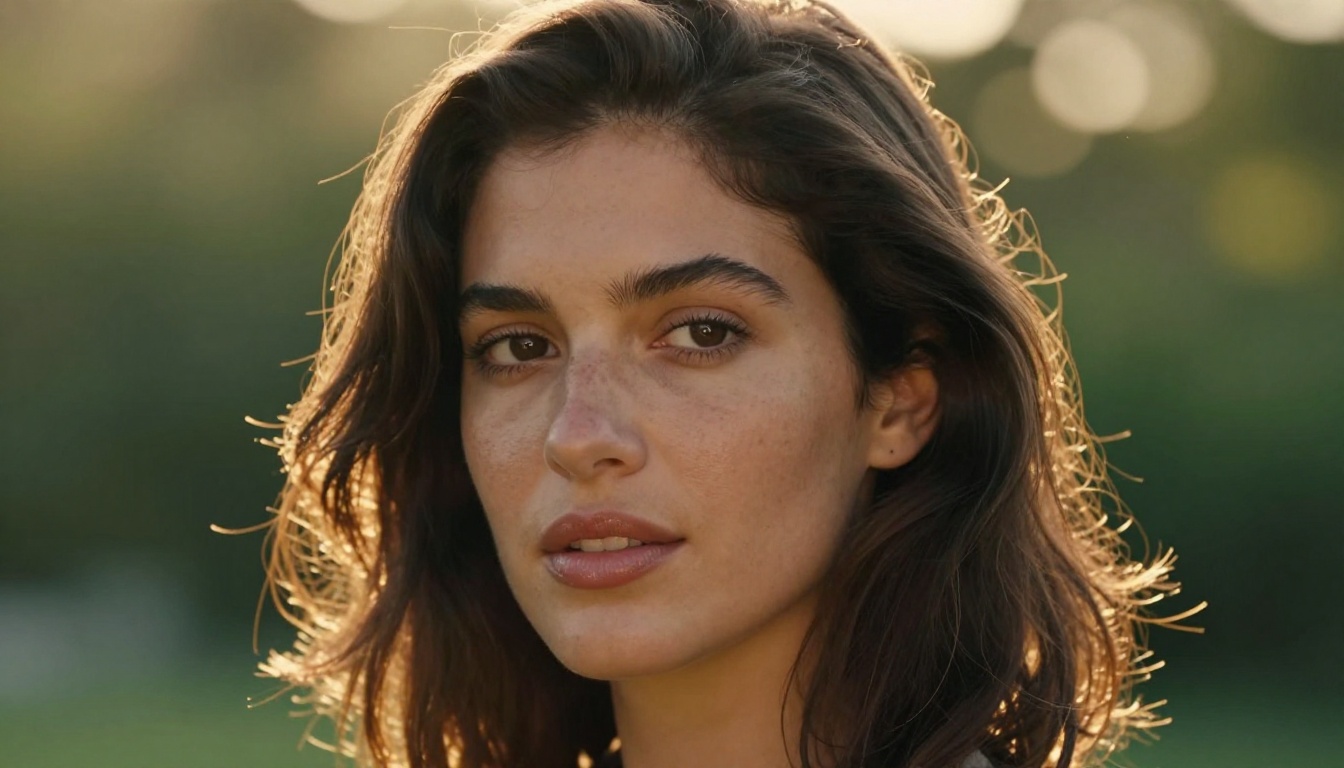
This is where the platform difference is most visible to clients. LinkedIn headshots, press photos, and profile images for brands and publications require a level of realism that Leonardo's aesthetic models were not built to deliver consistently.
PicassoIA's Professional Headshot model handles this with a single reference photo as input. The Portrait Series model turns one image into a complete set with varied angles, lighting setups, and framing options, giving clients a portfolio from a single shoot.
For creators working with human subjects regularly, Multi Image Kontext Max takes two input images and merges them intelligently, opening up workflows for creative direction and brand consistency that simply were not possible on legacy platforms.
Product Photography and Commercial Work
The commercial photography use case alone justifies the switch for many freelancers. What used to require a studio, a photographer, and a full day of shooting can now be produced in 90 minutes with the right prompts and model selection.
Genfill lets you add or replace objects in any image with photorealistic precision. Expand Image extends the canvas with coherent outpainting that matches the original. Together they handle the two most common client requests: "add this product to the scene" and "we need a wider crop for the banner format."
How to Use Flux Fast on PicassoIA
Flux Fast is the entry point most creators start with, and it is the model that often confirms the decision to switch. It is fast, accessible on the free tier, and the output quality consistently beats what Leonardo produces at equivalent settings and prompting effort.
Step 2: Write a descriptive natural language prompt. Flux Fast responds well to specificity. Include subject, environment, lighting, and camera details:
Professional female creator, late 20s, cream linen shirt, sitting at a
modern desk in a sunlit studio. Warm morning light from the left.
85mm f/1.8, Kodak Portra 400, photorealistic, film grain.
Step 3: Set your aspect ratio. For social posts use 1:1 or 9:16. For editorial headers and banners, 16:9. For product shots, 1:1 or 4:3 depending on the platform.
Step 4: Run the generation. With Flux Fast, expect results in 3 to 6 seconds.
Step 5: If the composition is close but needs a specific adjustment, switch to Flux Kontext Fast for a text-guided edit without full regeneration. Describe what needs to change and the model applies it surgically to the existing image.
💡 Prompt tip: Flux Fast performs best when you include camera specifications directly in the prompt. Adding "Kodak Portra 400, photorealistic, film grain, 85mm f/1.8" consistently produces warmer, more natural-looking results than generic photorealism requests. The model responds to photography vocabulary the same way a photographer would.
The Real Workflow Shift
Switching platforms is never just about models. It is about whether the platform fits how you actually work, at the scale you actually work at.
Batch Output Without Artificial Limits
PicassoIA does not artificially limit how many generations you can queue in a session. Creators running large campaigns regularly generate 50 to 100 images by setting up prompt variations and running them in sequence or parallel. This production-scale workflow simply does not exist at the same scale on Leonardo, where credit consumption and generation queues both act as friction at volume.
Structure Control for Campaign Consistency
Flux Canny Pro and Flux Depth Pro bring ControlNet-level precision to creators who need to maintain composition across variations. If you have a product placement that must be consistent across 30 campaign images, these models let you lock the spatial structure and vary only the styling, lighting, or background context.
This level of control is what separates professional creative output from one-off generation. It is also the capability that most clearly does not exist in Leonardo's current model set.
Picking the Right Model for the Job
The decision to switch from one AI image platform to another comes down to three concrete questions: Does it have the model you need for the specific output you are trying to create? Is the speed and pricing structure compatible with your production volume? Do the editing tools save you time or add steps?
On all three, the difference is measurable. Here is a practical model selection table for the most common creator use cases:
Creators who tried to replicate their Leonardo workflow on PicassoIA found they could do it faster, with better output, and with access to model options that do not exist on the original platform. The table above is what that looks like in practice.
Stop Waiting. Start Generating.
The shift from Leonardo to Picasso AI is happening at volume because it is a workflow improvement that pays off immediately. Not a marginal improvement on paper: a real one that shows up in output quality, production speed, and the range of work you can confidently take on and deliver.
Start with Flux Fast on the free tier. Run 10 prompts with the camera specification technique described above. Compare the output to what you have been generating elsewhere. Most creators reach for Seedream 4.5 next for portrait work, then settle into a rotation of four or five models that cover every content category they produce on a regular basis.
That rotation takes about a week to find. After that, being limited to a single platform's proprietary model set feels genuinely restrictive in a way it never did before you had the alternative.