If you have ever tried Freepik's AI tools and walked away feeling like you hit a ceiling, you are not alone. Millions of designers and content creators share that same experience: a single model, subscription paywalls, and output quality that rarely matches what modern AI can actually produce. Picasso AI changes that equation entirely, and once you see the difference, going back feels like downgrading on purpose.
Freepik vs Picasso AI: The Real Difference
Freepik built its reputation on stock assets, and its AI features were added later as a response to market pressure. That origin shows. The platform was designed around content consumption, not creative production. Picasso AI was built from the ground up as an AI-first creative tool, and that distinction matters at every step of the workflow, from the moment you write your first prompt to the moment you download the final file.
What Freepik AI Actually Offers
Freepik's AI image generator gives you one engine with limited customization. You pick a style preset, write a prompt, and hope the output matches your vision. There is no way to swap models, no ControlNet support, no fine-tuned variants, and no access to the latest open-source breakthroughs. The results are acceptable for simple tasks, but the moment you need photorealistic skin texture, accurate hands, or specific compositional control, the limitations surface immediately.

Where Creators Hit the Wall
The frustration with Freepik follows a predictable pattern. You start generating, the results are decent, then you need something more specific. You want to replicate a lighting style from a reference photo. You want to control depth of field. You want to use Flux Dev because you know it produces dramatically better results for portrait work. Freepik cannot do any of that. Picasso AI can do all of it.
💡 The core difference: Freepik gives you one AI tool wrapped in a stock library. Picasso AI gives you access to over 90 text-to-image models, each with distinct strengths, all on the same platform with no tool-switching required.
A Side-by-Side Reality Check
The comparison is not subtle when you look at the specifics:
| Feature | Freepik AI | Picasso AI |
|---|
| Available models | 1 | 90+ |
| Max resolution | 1024px | 4MP+ |
| ControlNet support | No | Yes (Canny, Depth) |
| Image editing | Basic | Full inpaint/outpaint |
| Speed options | Single | Fast to ultra |
| Free tier downloads | Watermarked | Clean, no watermark |
| Video generation | No | 87+ models |
| Audio tools | No | TTS, STT, Music |
This is the number that most surprises first-time visitors to Picasso AI. Not two models. Not ten. Over 90 text-to-image models spanning everything from rapid casual generation to ultra-high-fidelity photorealism. For anyone who has been working within the constraints of a single-model platform, this breadth is genuinely transformative.

The Flux Family
Flux Dev and Flux Pro from Black Forest Labs represent the current peak of open-weight image generation. These models produce results with exceptional prompt adherence, meaning what you describe is what you get. Text rendering, accurate human anatomy, complex multi-subject scenes: these are all areas where Flux consistently outperforms older architectures.
For faster iterations, Flux Fast delivers results in seconds without a significant quality drop. When you need to test ten prompt variations before committing to a creative direction, speed matters enormously. Flux Kontext Fast extends this further, letting you edit existing photos using natural language instructions. You upload a photo, describe the change you want, and the model applies it. That capability does not exist on Freepik.
The newest additions, Flux 2 Pro and Flux 2 Max, push resolution up to 4 megapixels with noticeably improved color accuracy and fine detail in fabrics, hair, and skin.
Stable Diffusion and Beyond
Stable Diffusion 3.5 Large remains one of the best models for stylized creative work. Its outputs carry a distinct cinematic quality that works beautifully for editorial content, social media visuals, and brand storytelling. Stable Diffusion 3 offers a strong balance of speed and quality for high-volume workflows where consistent output across many assets is the priority.
For designers who need fast, reliable results with minimal prompting overhead, SDXL Lightning 4Step generates images in just four inference steps, making it one of the fastest models available on any platform today.
Specialized Tools for Every Need
Beyond the flagship text-to-image models, Picasso AI includes specialized variants that cover every production gap:
- Portrait Series: Turn a single reference photo into a full portrait series with consistent identity across styles
- Flux Redux Dev: Create image variations from a source while preserving overall composition
- Flux Canny Pro: Use edge detection to control image structure with precision
- Flux Depth Pro: Generate images with depth-aware spatial control using a reference
- Flux Kontext Dev LoRA: Apply custom fine-tuned styles to any existing image
Image Quality That Actually Impresses
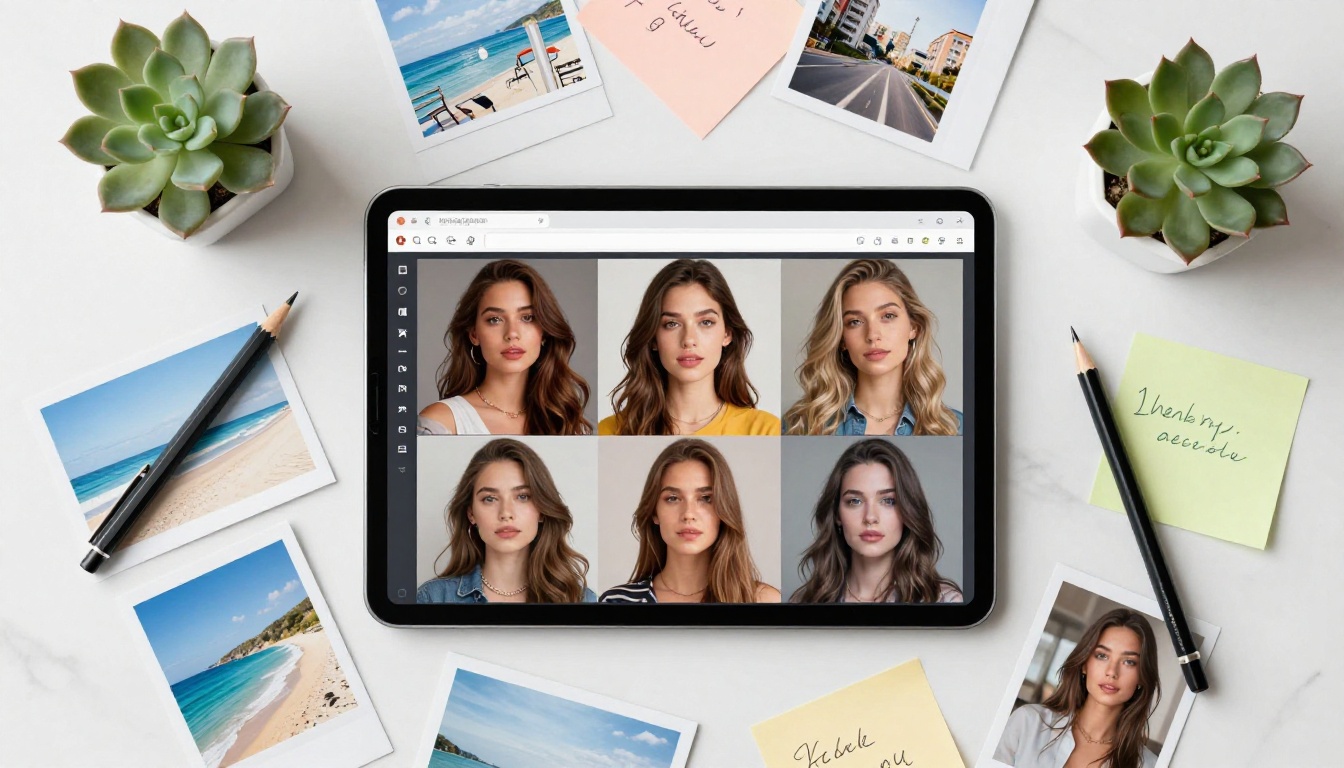
Quality is subjective until you put two images side by side. When you compare Freepik AI output against a well-crafted generation from Flux Dev or Flux 2 Max on Picasso AI, the difference registers in seconds. It is not a matter of slight improvement. It is a categorical step up in what AI image generation can produce.
Photorealism as the Standard
Modern AI image generation has reached a point where photorealistic output is achievable with the right model and prompt. Flux Pro and Flux 2 Max routinely produce images indistinguishable from professional photography at first glance. Skin texture with natural pores, the weave of cotton fabric, reflections in glass, architectural surface detail: all rendered with a fidelity that was impossible two years ago.
Freepik's single model cannot match this because it was never designed to. It was built to produce assets that look presentable for stock purposes. Picasso AI models are built to produce images that stop people mid-scroll.
Resolution and Detail Control
Flux 1.1 Pro Ultra Finetuned generates at up to 4 megapixels, giving you print-ready output without post-processing upscaling. For web assets, SDXL Lightning 4Step produces crisp 1024x1024 outputs at speeds that keep creative momentum intact. And when you need to push an existing image even further, Picasso AI's super-resolution tools can upscale it 2x to 4x while preserving edge detail across the entire frame.
Free Access Without the Catch
One of the most persistent frustrations with creative AI tools is the subscription wall. You sign up, explore the free tier, and immediately discover that the features worth using are locked behind a monthly fee. Picasso AI's free tier is genuinely usable for real professional work, not just a preview that forces an upgrade decision.

No Subscription Walls for Core Features
Access to models like Flux Fast requires no subscription. You can generate images, download them, and use them in commercial projects without entering a credit card. For freelancers and independent creators, this is a significant advantage over Freepik's model, which restricts download quality and generation volume behind subscription tiers.
No Watermarks on Your Work
Freepik applies watermarks to images downloaded under its free plan. For any kind of commercial or client-facing work, that is a dealbreaker. Picasso AI does not watermark generated images. What you create belongs to you, immediately usable, in full resolution, without compromise.
💡 For brand teams: Generating clean, watermark-free assets without a per-seat subscription is a real cost saving at scale. A team of five designers using Picasso AI instead of Freepik Premium redirects meaningful budget back into the project itself.
How to Use Flux Dev on Picasso AI
Flux Dev is the first model most professionals reach for on Picasso AI. It strikes the best balance between output quality, generation speed, and prompt fidelity among the available text-to-image options, making it the right starting point for most professional use cases.

Setting Up Your First Generation
- Open Flux Dev on Picasso AI
- Set your aspect ratio: 1:1 or 9:16 for social media, 16:9 for web banners and editorial
- Write a descriptive prompt covering subject, environment, lighting conditions, and mood
- Set inference steps between 28 and 50 for maximum output quality
- Generate and evaluate. Adjust specific elements of the prompt based on what you want to change
Getting the Most Out of Prompts
The quality gap between a weak prompt and a strong one in Flux Dev is larger than most people expect. A few specific habits produce consistent improvements:
- Lead with the subject: Open with the main focus before describing style or mood
- Specify lighting precisely: "soft natural light from the left" outperforms "good lighting" by a wide margin
- Use photography language: "85mm f/1.8 shallow depth of field" gives the model a precise technical reference point
- Name textures explicitly: "worn leather", "fine linen weave", "matte concrete" all produce noticeably sharper detail rendering
- Add atmosphere last: Mood and color grade work better as finishing qualifiers rather than lead descriptors in the prompt
Using ControlNet for Structural Control
Flux Canny Pro and Flux Depth Pro let you control the structural composition of generated images using a reference photograph. Upload your reference, select the ControlNet type (edge detection for Canny, spatial depth for Depth Pro), write your prompt, and the model generates an image that respects the spatial layout of your reference while applying your described style. For maintaining consistent visual layouts across a campaign or product line, this capability is invaluable.
Beyond Images: A Full Creative Suite
Why Picasso AI is the best Freepik AI alternative goes well beyond image generation. The platform covers the full spectrum of AI-assisted creative production in ways Freepik has never attempted, making it possible to run an entire visual content operation from a single platform.

Video Generation at Scale
With over 87 text-to-video models available, Picasso AI lets you animate a static image into a short video clip or generate video directly from a text prompt. This is a capability Freepik does not offer at all. For social content, product demos, and short-form advertising, having video generation on the same platform as image creation removes significant tool-switching friction from the production workflow.
Audio, Speech, and Music
Text-to-speech, speech-to-text transcription, and AI music generation are all part of the Picasso AI creative suite. Create voiceovers for video content, transcribe interviews for content repurposing, or generate background music for reels and short-form ads, without leaving the platform or paying for separate audio tools. For solo creators managing an entire content pipeline, this consolidation has real practical value on a daily basis.
Background Removal and Super Resolution
Professional background removal and super-resolution upscaling round out the production toolkit. After generating an image with Flux 2 Pro, you can immediately strip the background for product photography use, or upscale it to print resolution, all within the same platform without opening a separate tool or waiting for a file export.
Who Should Make the Switch
Not everyone using Freepik has the same reasons for being there. But across the different use cases, Picasso AI offers a stronger answer for each one.

Designers and Brand Teams
If your work involves creating visual assets for clients or brand campaigns, the watermark-free output, model variety, and ControlNet support make Picasso AI the significantly stronger tool. The ability to use Flux Kontext Dev for photo editing with natural language instructions alone is worth the platform migration for anyone doing regular retouching or asset adaptation work.
Content Creators and Social Media
Speed and volume are the primary needs for social content workflows. Flux Fast and SDXL Lightning 4Step let you generate dozens of image variations in minutes. Combined with the video generation tools, building an entire week of visual content in a single afternoon becomes a realistic production target rather than an aspiration.
Developers and API Users
Picasso AI's access to the latest open-source models through a clean browser interface means developers can prototype AI image workflows without any infrastructure setup. Testing how Flux Redux Dev handles a specific image variation task before integrating it into a production pipeline takes minutes rather than hours of environment configuration and dependency management.

Start Creating Right Now
The gap between what Freepik AI offers and what Picasso AI delivers is not marginal. It is the difference between a single paintbrush and a fully equipped studio. Over 90 image models, 87+ video generation models, audio tools, background removal, super-resolution upscaling, and real photorealistic output quality: all in one platform, with a generous free tier and no watermarks on anything you create.
If you have been limiting your creative output to what a stock platform's AI feature can manage, spend twenty minutes with Flux Dev on Picasso AI. Generate your first image. Refine the prompt. Try Flux Kontext Fast to edit a photo you already have. The output quality will show you immediately what has been missing from your creative workflow.

Creative tools should expand what you can make, not define the ceiling of it. Picasso AI is built on that principle, and the model library, the output quality, and the zero-friction free access all reflect it. Your next best image is one prompt away.


