If you've spent time on OpenArt, you already know what AI image generation can do. The question is whether that platform is actually giving you the best results, or whether you're just used to its limitations.
Picasso AI has quietly become the go-to for creators who want more: more models, better output, fewer restrictions, and a pricing structure that doesn't feel like a trap. This is a direct, honest breakdown of why.
What OpenArt Gets Right (and Wrong)
The real appeal of OpenArt
OpenArt built its reputation early. It was one of the first platforms to aggregate multiple AI models in one place, offer a community feed for inspiration, and give casual users a no-code interface for text-to-image generation.
For newcomers, that combination worked. You could type a prompt, pick a style, and get something usable in minutes. The community feed gave you ideas and showed what others were creating. Social features made it feel less like a tool and more like a creative space.
That appeal is real, and it earned OpenArt a large user base.
Where the cracks start to show
But staying on OpenArt long enough reveals the friction points that serious creators can't ignore:
- Model selection is narrow. The most powerful models are locked behind premium tiers, and the free options feel dated compared to what's available elsewhere.
- Credit burn is fast. High-quality outputs cost more credits per generation, and the credit packages don't scale well for high-volume creators.
- Content restrictions are tight. OpenArt has strict filters that frequently block legitimate creative work, especially in fashion, glamour, and artistic photography styles.
- No native video generation. If your workflow moves beyond static images, OpenArt sends you to other tools.
- Community noise over output quality. The social feed prioritizes popular over precise, making it harder to benchmark what good actually looks like.
None of these are dealbreakers individually. Together, they create a ceiling that a growing percentage of creators are hitting.

91 Models vs. a Curated Few
The first thing you notice on Picasso AI is the model count. Not two or three featured options with a paywall in front of the good ones. 91 text-to-image models, live and accessible.
That number matters because different models produce meaningfully different results. A portrait you'd generate with Flux Pro looks nothing like one from Flux Dev. The cinematic realism from Flux 1.1 Pro Ultra is in a different category than the fast draft quality of Flux Schnell. And Flux Kontext Pro adds context-aware editing that changes how you iterate on images entirely.
Flux: the model family that changes everything
Flux has become the benchmark for photorealistic AI image generation. On OpenArt, access to the Flux family is gated. On Picasso AI, you get the full spectrum:
Beyond Flux, you have GPT Image 2 for instruction-following precision and Seedream 4.5 for creative, surreal renders with remarkable color depth.
Why model variety changes your results
When you work with a single model or a small pool, you optimize your prompts for that model's behavior. You start writing prompts the model wants, not the image you actually have in mind.
With 91 options, the opposite happens: you pick the model that fits your intent. That shift from prompting for the tool to using the right tool for the image is the difference between a generic platform and a professional one.

Image Quality: What the Numbers Don't Tell You
Benchmark comparisons can show resolution stats and scoring metrics. What they miss is how an image actually looks when you print it, publish it, or drop it into a client deliverable.
Photorealism that holds up under scrutiny
The images Flux Pro and Flux 1.1 Pro produce on Picasso AI hold up at 100% zoom. Skin texture with visible pores. Hair strands that catch light individually. Fabric with real weave patterns. Shadow edges that don't smear or pixelate.
OpenArt's outputs at comparable settings tend to smooth over fine detail, especially in faces. That smoothing looks fine at thumbnail size. It falls apart in any professional context.
💡 Tip: For portraits, try Flux 1.1 Pro Ultra with the prompt ending in "film grain, Kodak Portra 400, 85mm f/1.4" for outputs indistinguishable from photography.
Super-resolution and image restoration
Picasso AI includes super-resolution models that upscale outputs up to 4x without introducing artifacts. Combined with AI restoration tools, you can take a draft output and push it to print-ready resolution in two steps.
OpenArt offers upscaling, but it's limited to lower multipliers and lacks the restoration pipeline for damaged or low-detail inputs.

Pricing That Doesn't Punish You for Creating
Both platforms use credit-based pricing. The difference is in what those credits actually buy.
OpenArt's credit math
OpenArt's free tier gives you a limited daily credit allowance. Running Flux or any high-end model costs multiple credits per generation. A single 30-image testing session can exhaust your free allocation in under an hour.
Paid plans help, but the math gets uncomfortable fast when you're generating at volume. Serious creators on OpenArt routinely hit their limits mid-project.
Picasso AI's per-credit value
Picasso AI structures its credits around generation volume rather than penalizing model quality. You're not charged more for using the better model in the same category. That means you can run Flux Pro on your entire batch without rationing credits for the final polish pass.
For creators who generate 50 to 200 images per week across multiple projects, that difference adds up to hours of recaptured workflow time and significantly lower monthly spend.
Creative Freedom Others Won't Give You
This is where the comparison gets direct.
OpenArt uses aggressive content moderation that catches a lot of legitimate creative work in its filters. Fashion shoots with visible skin. Artistic nude photography in the tradition of fine art. Glamour photography with implied sensuality. These get blocked routinely, requiring prompt rewording, multiple retries, and often just a failed session.
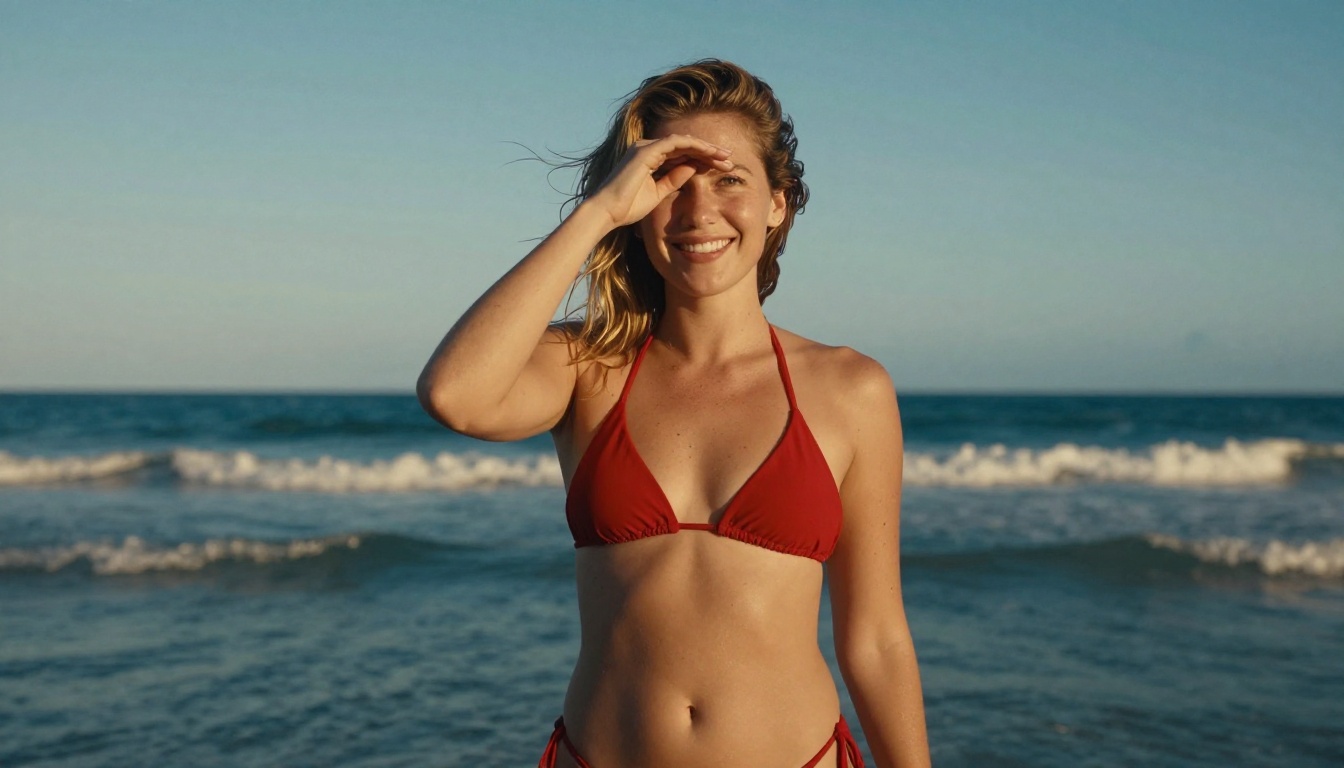
Picasso AI operates with a more mature content policy. Non-explicit NSFW content is permitted within clearly defined guidelines. That includes:
- Bikini and swimwear photography
- Glamour and boudoir aesthetics
- Artistic implied nudity (tasteful, non-pornographic)
- Fashion editorial with suggestive styling
💡 Important: Explicit pornographic content is not permitted on Picasso AI. The platform's policy is about creative freedom within professional artistic norms, not about removing all guardrails.
For photographers, fashion designers, and content creators who work in these spaces professionally, this difference alone justifies switching platforms.
How to Use Flux Pro on Picasso AI
Flux Pro is the model most OpenArt users are trying to access when they search for alternatives. Here's the exact workflow for getting professional results on Picasso AI.
Step 1: Choose your model
Go to Flux Pro in the text-to-image collection. If you need faster iterations first, start with Flux Schnell and switch to Pro for final outputs.
Step 2: Write a structured prompt
Flux Pro responds well to descriptive, layered prompts. The structure that works best:
[Subject + Action] + [Environment/Background] + [Lighting] + [Camera/Lens] + [Film Style]
Example: "Young woman in a white linen dress sitting at a cafe table, Parisian street visible through window behind her, afternoon light streaming from left, shot on 85mm f/1.8, Kodak Portra 400 film grain, warm color palette"
Step 3: Set your parameters
- Steps: 30 to 40 for final quality. 20 for drafts.
- CFG Scale: 7 to 8 for photorealistic outputs. Lower for more creative variance.
- Aspect Ratio: 16:9 for editorial, 3:2 for photography, 9:16 for social media.
Step 4: Iterate with Flux Kontext
Once you have a strong base image, use Flux Kontext Pro to make targeted edits without regenerating from scratch. Change lighting, swap background elements, or refine specific areas while keeping everything else locked.
Step 5: Upscale for delivery
Run your final output through Picasso AI's super-resolution models for 2x or 4x upscaling. This gets you to print-ready resolution without visible AI artifacts.
Beyond Still Images: A Full Creative Suite
OpenArt is fundamentally an image generation platform. Picasso AI is built as a multi-format creative toolkit.
Video generation that stays in your workflow
Picasso AI includes 87 text-to-video models, covering everything from cinematic scene generation to product demos. You can generate a photorealistic image with Flux Pro and animate it into a short video clip without leaving the platform.
OpenArt does not have native video generation. You generate your image and export to a separate tool. That context switch breaks flow and adds friction to every video project.
Audio, speech, and music
The platform includes text-to-speech with realistic voice generation, speech-to-text transcription for workflows that start with recorded content, and AI music generation for creating custom soundtracks from text prompts.
For content creators producing videos, social media assets, or branded media, having audio and visual generation in the same platform eliminates a significant layer of tool-switching.
Image editing and control
ControlNet-style tools let you control pose, structure, and composition. Outpainting expands your canvas. Inpainting fills or replaces specific areas. Object replacement swaps elements while preserving the rest of the image.
These editing tools turn Picasso AI from a generation platform into a full post-production environment.
The Direct Comparison
Here's where OpenArt and Picasso AI stand against each other on the metrics that actually matter:
| Feature | OpenArt | Picasso AI |
|---|
| Text-to-Image Models | Limited selection | 91 models |
| Flux Access | Gated / Premium | Full access |
| Credit Efficiency | Penalizes quality models | Consistent per-generation pricing |
| NSFW / Artistic Content | Heavily restricted | Non-explicit permitted |
| Video Generation | Not available | 87 models |
| Audio Tools | Not available | TTS, STT, AI Music |
| Super Resolution | Limited | 2x to 4x upscaling |
| Image Editing Suite | Basic | Inpaint, Outpaint, Object Swap |
| Background Removal | Available | Available |
The pattern is consistent: Picasso AI outperforms or matches OpenArt in every category that affects professional output quality.
What Most Switchers Notice First
Creators who move from OpenArt to Picasso AI consistently report the same few things in the first week:
- Fewer blocked generations. The content filters aren't constantly stopping legitimate work.
- Faster iteration. Having the right model for each task means less time fighting prompts.
- Better final quality. The gap between a quick draft and a finished output is smaller.
- No tool-switching for video. Being able to animate a still image without leaving the platform changes the workflow.
The learning curve exists, mostly around choosing between 91 models instead of a handful. But that's a good problem. It means you have real choices, not an illusion of them.
💡 Starting point: New users on Picasso AI should start with Flux Schnell for fast drafts, Flux 1.1 Pro for polished outputs, and Flux Kontext Pro for iteration. Those three models cover 80% of professional image generation workflows.
Try It Yourself
The fastest way to see the difference is to replicate a generation you've done on OpenArt and run it on Picasso AI with Flux Pro. Use the same prompt. Compare the output quality, detail retention, and any content filtering differences.
Most creators who do this don't go back.
Picasso AI is available now with free credits to start. No commitment required to see what 91 models and a full creative suite actually feel like in practice. Start with a portrait, a landscape, or whatever image you've been trying to get right. The tools are there, and so is the creative freedom to use them.


