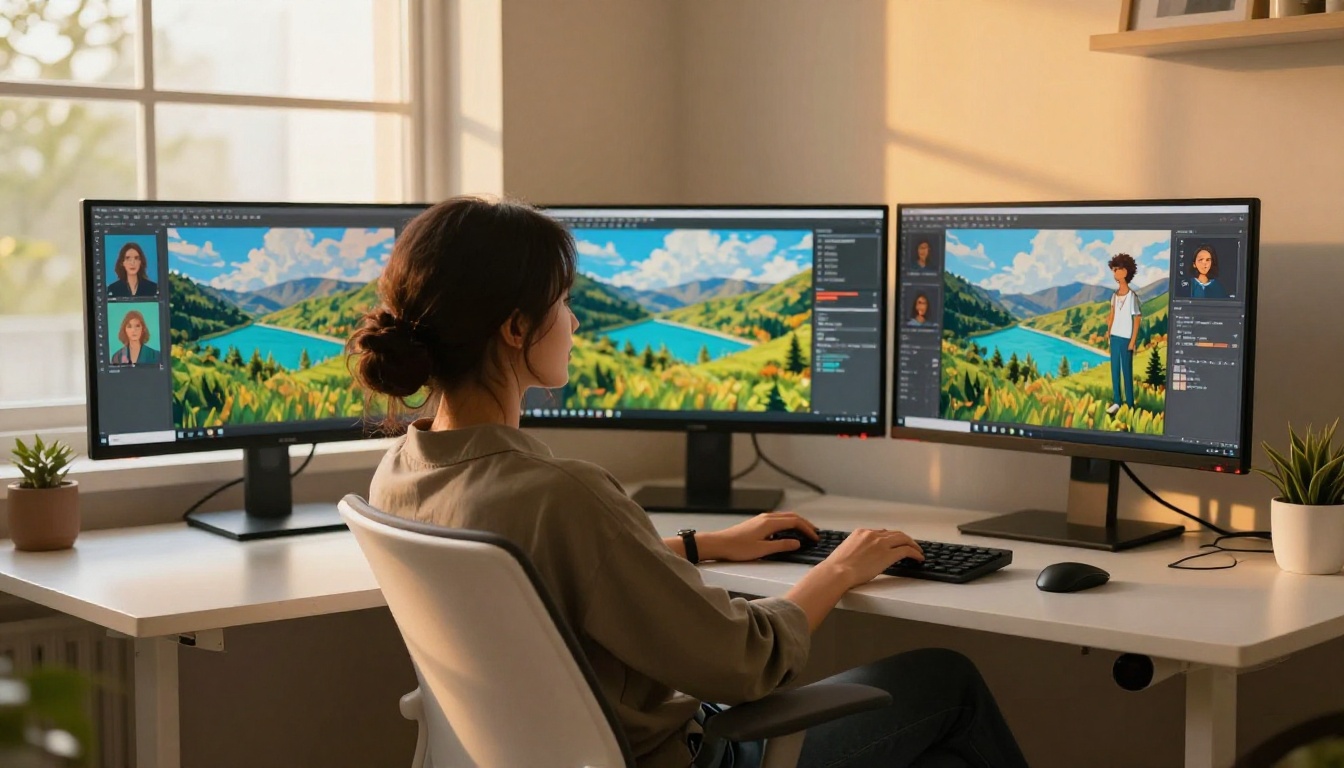
Paying per AI image sounds harmless at first. You run a few test generations, the quality looks good, and the cost per image seems manageable. Then a real project arrives: a product launch with 40 variations, a social media campaign spanning three channels, or a client who wants to see ten iterations before approving anything. Suddenly, that "affordable" per-image fee has doubled your project budget before you've delivered the first draft. This is the hidden trap of pay-per-generation pricing, and it's exactly why PicassoIA Image Editor Pro exists as a flat-rate alternative that doesn't penalize you for being productive.
The Real Math Behind Pay-Per-Image Pricing
What popular platforms actually charge
Most AI image tools price their service in credits. Buy a bundle, use it up, buy again. The per-image cost looks small in isolation, but professional usage volumes expose the real expense quickly.
Here is a realistic comparison for anyone generating images as part of an ongoing creative workflow:
| Platform | Approx. Cost per Image | 200 Images per Month |
|---|
| DALL-E 3 HD | $0.080 | $16.00 |
| Midjourney Basic | $0.044 | $8.80 |
| Adobe Firefly (pay-as-go) | $0.050 | $10.00 |
| Replicate Flux.1 Pro | $0.055 | $11.00 |
| PicassoIA Image Editor Pro | Flat rate | Unlimited |
Two hundred images per month is not a heavy workload for anyone using AI image generation professionally. A freelance social media manager serving three clients, a blogger producing custom visuals for daily posts, or a designer iterating on a product shoot can exceed that in two weeks.
💡 The real cost isn't the generation fee alone. It's the hesitation. When every attempt carries a price, creators self-censor. You settle for the third result even when it isn't quite right, because regenerating means spending more. That conservative behavior quietly lowers the quality of everything you produce.

How costs spiral when volume increases
The per-image pricing model was designed for low-volume hobbyist use. It breaks down completely once you treat AI image generation as a professional production tool.
Real-world volume examples that push creators past "affordable" territory fast:
- E-commerce product photography: A store with 120 SKUs, each needing four variations for different channels, requires 480 images before you account for retakes.
- Blog and SEO content: A team producing 25 articles per month, each with five images, generates 125 images monthly for basic visual content alone.
- Social advertising: Running A/B creative tests across three ad sets with five variants each produces 15 images per test. At two tests per week, that's 120 images monthly just for paid social.
These are standard professional workflows. At $0.055 per image, 500 monthly generations cost $27.50 on top of any base subscription fee. Add high-resolution surcharges and premium model fees, and the number climbs further.
The compounding effect no one talks about
Per-image pricing has a second-order cost that rarely appears in platform marketing: wasted creative potential. When each generation is billable, creators build a habit of settling. They stop running bold prompts that might not work. They skip the variation that would have been better. They deliver work that is acceptable rather than excellent, because the economics of iteration don't support experimentation.
Over months, that conservatism becomes invisible. You don't notice you're underperforming because you've adjusted your standards to match your billing limits. A flat-rate subscription removes that ceiling.
What PicassoIA Image Editor Pro Actually Delivers
No per-image charges, anywhere
PicassoIA Image Editor Pro is structured around a single subscription that eliminates the per-generation fee entirely. You pay a flat monthly rate and generate as many images as your work demands, without watching a credit counter tick down.
This changes the nature of creative work in a practical way. Instead of asking whether a generation is worth the cost, you ask what the best possible result looks like. That shift produces better output because your decision-making is optimized for quality rather than budget allocation.
The subscription includes access to the full model library on the platform, including models that carry significant per-image charges when accessed through their native APIs. Flux Fast and Flux Kontext Fast are available inside PicassoIA Image Editor Pro as part of the subscription, not as separate API charges per generation.
90+ models inside one plan
The advantage of the Pro plan extends well beyond unlimited volume. PicassoIA aggregates over 90 text-to-image models under one subscription, covering a breadth that no single platform outside of PicassoIA offers in a bundle.

Rather than managing separate subscriptions to Midjourney for artistic styles, Firefly for commercial rights, and Replicate for API-level access, everything is available in one place. Models included span the full range of professional use cases:
- Flux Kontext Fast: Natural language contextual editing applied to existing images
- Seedream 5 Pro: 2K resolution output with photorealistic fine detail
- Reve 2.1: Precise prompt adherence with strong compositional control
- GPT Image 1: OpenAI's flagship image model with high instruction accuracy
- Dreamina 3.1: Cinematic 4MP image generation with photorealistic atmosphere
- Gemini 2.5 Flash Image: Google's rapid-generation model built for iteration-heavy workflows
- Flux Fill Pro: Inpainting and outpainting for editing within or beyond existing images
- Reve Create: Clean text-to-image output with reliable prompt interpretation
Each model has distinct strengths. Professionals who work across different project types benefit from switching between them based on what a specific job requires, not on which subscription they happen to have active.
Per-Image vs. Subscription: Real Scenarios
For freelancers and solo creators
Freelancers face a specific problem with per-image pricing that agency workers often don't: client revision cycles.
A client approves a brief. You generate 15 images to present three creative directions. They select one and request modifications. You generate 10 more variations to refine that direction. That's 25 images for a single deliverable before production begins. At $0.055 per image, that revision cycle costs $1.38. Multiply that across five clients per month with two revision rounds each, add final production runs, and monthly generation fees reach $40 to $80 before accounting for platform base costs.
💡 For freelancers: Reve 2.1 reduces iteration rounds because its prompt adherence keeps first results closer to brief. Fewer rounds needed means faster delivery, not just lower cost.

PicassoIA Image Editor Pro flattens that variable cost entirely. Your generation budget is predictable. You can present more options, iterate more freely, and deliver higher-quality work without billing decisions shaping creative choices.
For small teams and agencies
Agencies have a compounding problem with per-image pricing: usage multiplies with headcount.
Five designers each generating 100 images per month means the agency is paying for 500 images in generation fees alone, separate from any platform subscription. At standard rates, that's $27.50 to $40.00 monthly in generation overhead with no deliverable attached to it. It's pure overhead.
| Team Size | Per-Image Fees at 100 img/person/mo | PicassoIA Pro |
|---|
| 1 person | ~$5.50/month | Flat rate |
| 3 people | ~$16.50/month | Flat rate |
| 5 people | ~$27.50/month | Flat rate |
| 10 people | ~$55.00/month | Flat rate |
As team size grows, the case for flat-rate access becomes straightforward. The subscription covers everyone, the model library is shared across seats, and there is no per-seat generation fee to track or allocate.
The Models That Make This Worth It
Flux Kontext Fast: edit without rebuilding
Flux Kontext Fast processes natural language editing instructions applied to existing images. You can take a generated or uploaded image and modify specific elements without reconstructing the entire prompt from the beginning.
For product photography workflows, this is practical in ways that generic text-to-image generation cannot match. Generate a base product shot, then iterate on the background color, adjust surface elements, change the lighting direction, or swap secondary props with direct language instructions. Each edit that would cost $0.04 to $0.08 per call on a direct API is covered by your subscription.
Seedream 5 Pro: when resolution matters
Seedream 5 Pro produces images at 2K resolution with detail levels sufficient for print use cases, large-format digital display, and billboard production. The fine texture rendering at this resolution exceeds what standard models deliver at default settings.
High-resolution outputs typically carry premium pricing on per-image platforms. At some providers, 2K resolution output costs twice the standard rate. Inside PicassoIA Image Editor Pro, the resolution choice doesn't change your billing.
Reve 2.1: accurate from the first generation
Prompt adherence is one of the consistent frustrations in AI image generation at professional scale. You write a specific brief, the model interprets it loosely, and you spend several regenerations nudging it toward your original vision. Reve 2.1 was built to close that gap between written prompt and generated output.
Its compositional control and accurate prompt interpretation reduce the average number of generations needed to reach a usable result. For professionals working with detailed creative briefs, this translates directly into time savings and more consistent outputs across a project.
Flux Fill Pro: fix the element, keep the image
Flux Fill Pro handles inpainting tasks: selecting specific regions of an existing image and replacing or refining them without disturbing the surrounding composition. It also handles outpainting, extending the canvas beyond the original boundaries to fill new content that matches the existing style and lighting.
These editing capabilities are sold as separate premium features or carry higher per-image rates on most standalone platforms. Inside the Pro plan, they're included in the flat subscription.
Your First Session with Image Editor Pro
Set up and start generating
The interface on PicassoIA is direct. Once your Pro subscription is active, the full model library is accessible from one interface without managing separate app logins, API keys, or credit balances across platforms.
A practical workflow for a first professional session:
- Pick the right model for the task: Dreamina 3.1 or Seedream 5 Pro for photorealistic hero images; Gemini 2.5 Flash Image for rapid concept iteration.
- Write a specific prompt: Use camera language for photorealistic output. Describe subject, lighting direction, distance, lens focal length, and atmosphere.
- Set aspect ratio and resolution: Match the output to your end-use format before generating.
- Run four to six variations: With no per-image cost, you can afford to see the range. The best result from six variations consistently outperforms the best result from two.
- Refine with editing models: Use Flux Kontext Fast or Flux Fill Pro to fix specific elements without regenerating from scratch.
Getting consistent results at scale
Practices that increase output consistency when working at professional volume:
- Batch by project style: Generate all images for one project in a single session using the same model and prompt structure. Consistency across a visual set matters for brand and editorial work.
- Note your best seeds: When a generation produces an ideal composition, record the seed value. You can produce tight variations without losing the composition that worked.
- Match models to workflow phases: Use fast models like Gemini 2.5 Flash Image during concept exploration, and high-fidelity models like Seedream 5 Pro for final production output.
- Inpaint instead of regenerating: When one element in an otherwise strong image is wrong, use Flux Fill Pro to fix that region. This preserves the composition you already have.

💡 Consistency habit: Keep a prompt template for each recurring project type. When you find phrasing that reliably produces on-brief results for a specific client or content style, save it. Reuse and adapt it rather than rebuilding from scratch each time.
Who Should Make the Switch Right Now
The per-image model works for people generating fewer than 50 images per month with minimal iteration needs. For professional creative production, it creates cost friction that shapes decisions in ways that reduce output quality over time.
PicassoIA Image Editor Pro is the right fit if you:
- Freelance and regularly run client revision cycles
- Produce social media content at scale for multiple accounts or clients
- Work on a small creative team where multiple people generate images
- Publish blog or editorial content with original image visuals on a regular schedule
- Work in e-commerce photography with large product catalogs and seasonal refreshes
- Need access to multiple model styles within a single project or campaign

Per-image pricing may still work if you:
- Generate fewer than 30 images per month in total
- Need a one-time batch with no ongoing production requirement
- Are testing AI image generation before committing to a professional workflow
For the second group, PicassoIA still offers access to individual models for initial experimentation, making it a natural starting point before upgrading.
Stop Counting Credits, Start Creating
The core problem with per-image pricing isn't purely financial. It's behavioral. Every generation becomes a small negotiation with yourself: is this worth regenerating? Is this result good enough even though it isn't quite right? That pattern of micro-decisions accumulates into a slower, more cautious, and less experimental creative workflow.
AI image generation is most valuable when you can move fast, test ideas that might not work, and iterate until the output is genuinely excellent. PicassoIA Image Editor Pro removes the cost friction that prevents that way of working.
With access to over 90 models including Flux Kontext Fast, Seedream 5 Pro, Reve 2.1, GPT Image 1, and Dreamina 3.1, the Pro plan gives you every tool a professional needs, priced in a way that doesn't penalize volume.
If you're ready to see what your creative output looks like when cost per image is no longer a variable, start with the full model catalog at picassoia.com/en/all-models and run a session without watching the meter.


