Social media doesn't wait. The creator who posts at 8 AM wins over the one who finishes editing at noon. Speed is the competitive advantage that nobody wants to talk about, but everyone feels. That's exactly why Seedance 2.0 Fast by ByteDance is turning heads among serious content creators. It produces polished, ready-to-post AI video clips with native audio in a fraction of the time that other models require, and that matters more than almost any other feature when your audience expects fresh content every single day.

Content cycles on platforms like TikTok, Instagram Reels, and YouTube Shorts have compressed from weekly to daily to several times per day. Algorithms reward recency. Trending sounds and topics have a shelf life of 24 to 72 hours. If your production pipeline takes two to four hours per clip, you're already late by the time you hit publish.
The problem is not creativity. Most creators have plenty of ideas. The problem is the gap between idea and published post.
The 24-Hour Content Cycle
Every platform's algorithm prioritizes content posted recently, especially in the first hour after publishing. This creates a pressure loop: post more often, post faster, never let the channel go quiet. For solo creators or small teams, this is brutal when video production is involved.
AI video generation changes the math entirely. A well-crafted text prompt can produce a 5 to 10 second clip that works as a Reel, a TikTok hook, or a YouTube Shorts intro in under two minutes. That shifts daily output from 1 to 2 posts all the way to 5 to 10 posts without hiring a production team.
Posting Frequency vs. Production Cost
Most creators face a hard trade-off between how much they post and how much time each post costs them:
| Approach | Posts Per Day | Time Per Post | Weekly Hours |
|---|
| Traditional video editing | 1-2 | 2-4 hours | 15-25 hrs |
| Stock footage with editing | 2-3 | 1-2 hours | 10-18 hrs |
| AI video with standard models | 3-5 | 20-40 min | 5-10 hrs |
| AI video with fast models | 8-15 | 2-5 min | 2-4 hrs |
Fast AI models like Seedance 2.0 Fast sit in that last row. The output-to-effort ratio is categorically different from anything that came before it.
What Seedance 2.0 Fast Actually Does
Seedance 2.0 Fast is the speed-optimized variant of the full Seedance 2.0 model from ByteDance, the company behind TikTok. That lineage is not a coincidence. ByteDance built this model with direct knowledge of what social media video actually needs to perform: snappy motion, clear subjects, natural sound, and output that renders fast enough to fit into a real creator's daily schedule.
💡 Seedance 2.0 Fast supports both text-to-video and image-to-video generation, meaning you can start from a written prompt or from a static photo you already own.
Native Audio in Every Clip
One of the most underrated features of the Seedance family is native audio generation. Most AI video models produce silent clips that require separate audio layering in post-production. Seedance 2.0 Fast generates ambient sound, motion-matched audio, and atmospheric tones directly in the output clip. For social media where auto-play with sound is standard behavior, this is a significant production shortcut that saves real time.
Text and Image Input Options
The model accepts two types of input, giving creators flexibility at every stage of their workflow:
- Text prompt only: Describe the scene, mood, and action, and the model generates video entirely from scratch.
- Image plus text: Provide a reference image and a motion prompt, and the model animates your scene from that visual starting point.
The image-to-video option is particularly powerful for product creators. You take a clean product photo, write a motion prompt like "slow 360 rotation on marble surface, soft morning light," and get a clip ready for Reels without ever picking up a camera.

Speed without quality is useless. This is where many fast-mode AI video models stumble: they sacrifice resolution, motion coherence, or prompt fidelity to hit faster render times. Seedance 2.0 Fast does not make that trade-off at the level that matters for social platforms.
Resolution and Aspect Ratio
The model outputs at resolutions suitable for mobile-first content, with native support for the formats creators actually use:
- 9:16 for TikTok and Instagram Reels
- 16:9 for YouTube Shorts landscape and Twitter clips
- 1:1 for Instagram feed posts and Facebook
This eliminates the cropping and reformatting step that eats time in traditional video workflows. You generate directly for the destination format, and the output is ready to post.
Temporal Consistency
One of the most common failure modes in AI-generated video is temporal inconsistency: subjects that warp, flicker, or drift between frames. Seedance 2.0 Fast maintains strong subject consistency across clips, which matters especially when generating branded content where your product or recurring character needs to look stable throughout the full duration.
💡 For best results on social media, write specific, concrete prompts. Instead of "a beautiful woman walking through a city at night," try "woman in red jacket walking forward, wet urban street, neon reflections, slow motion cinematic."
How Seedance 2.0 Fast Compares to the Competition
The text-to-video space has never been more crowded. Knowing where Seedance 2.0 Fast sits relative to other fast models helps you choose the right tool for each job.
Seedance 2.0 Fast vs. LTX-2.3-Fast
LTX-2.3-Fast by Lightricks is another speed-first model with strong text-to-video output. It excels at stylized content and has robust prompt fidelity. However, it does not natively generate audio, which means an extra production step for any social media clip where ambient sound matters. Seedance 2.0 Fast has the clear advantage for any workflow where audio-ready output is required from the start.
Seedance 2.0 Fast vs. Kling v3 Video
Kling v3 Video by Kuaishou produces stunning cinematic output and is one of the highest-quality options available. The trade-off is render time and cost per clip. Kling v3 Video is not built for speed-first workflows. If you need 10 clips per day for a high-frequency social channel, Kling v3 Video will bottleneck that pipeline. Seedance 2.0 Fast is the volume tool. Kling v3 is for hero content where cinematic quality justifies the extra time.
Seedance 2.0 Fast vs. Hailuo 2.3 Fast
Hailuo 2.3 Fast by MiniMax is an image-to-video model with strong speed performance. It works best when you already have a reference image to animate. Seedance 2.0 Fast supports both text-to-video and image-to-video, making it more versatile for creators who don't always have a source image ready.
Not every piece of content needs the same treatment. Here's where Seedance 2.0 Fast genuinely outperforms manual production for social media creators.
Short-Form Product Videos
E-commerce brands posting to Instagram or TikTok Shop benefit enormously from fast AI video generation. Instead of booking a videographer for every product launch, you generate a set of clips from existing product photos. A 5-second clip showing a candle flickering on a table, or a skincare bottle slowly rotating in soft morning light, is exactly what Reels audiences stop and watch.
The image-to-video capability makes this workflow practical. You take your existing product photography and animate it. No reshoots. No setup time. No waiting on a studio.
Lifestyle and Travel Content
Lifestyle creators who want to supplement their real footage with AI-generated b-roll will find Seedance 2.0 Fast reliable for generating atmospheric clips: sunlit empty streets, ocean waves at dusk, or seasonal backgrounds like falling autumn leaves. These clips fill gaps when your shot list was incomplete or you simply weren't in a position to film.
💡 Use text-to-video for background and ambient clips where you don't need a specific real location. Use image-to-video when you have a photo you want to bring to life with motion.
Brand Storytelling in Seconds
Brands using social as a channel for emotional connection need a constant stream of short, mood-setting clips. A 6-second clip of coffee steam rising over a morning scene, or hands typing at a desk with autumn light pouring through a window, carries emotional weight without needing a single word of copy. These are precisely the clips Seedance 2.0 Fast produces at volume and at quality.
Faceless Channel Content
Faceless YouTube and TikTok accounts that rely entirely on AI-generated visuals need a fast, high-volume pipeline. The speed of Seedance 2.0 Fast makes it possible to produce an entire week's worth of faceless content in a single afternoon session, freeing up the rest of the week for scripting, research, and community interaction.
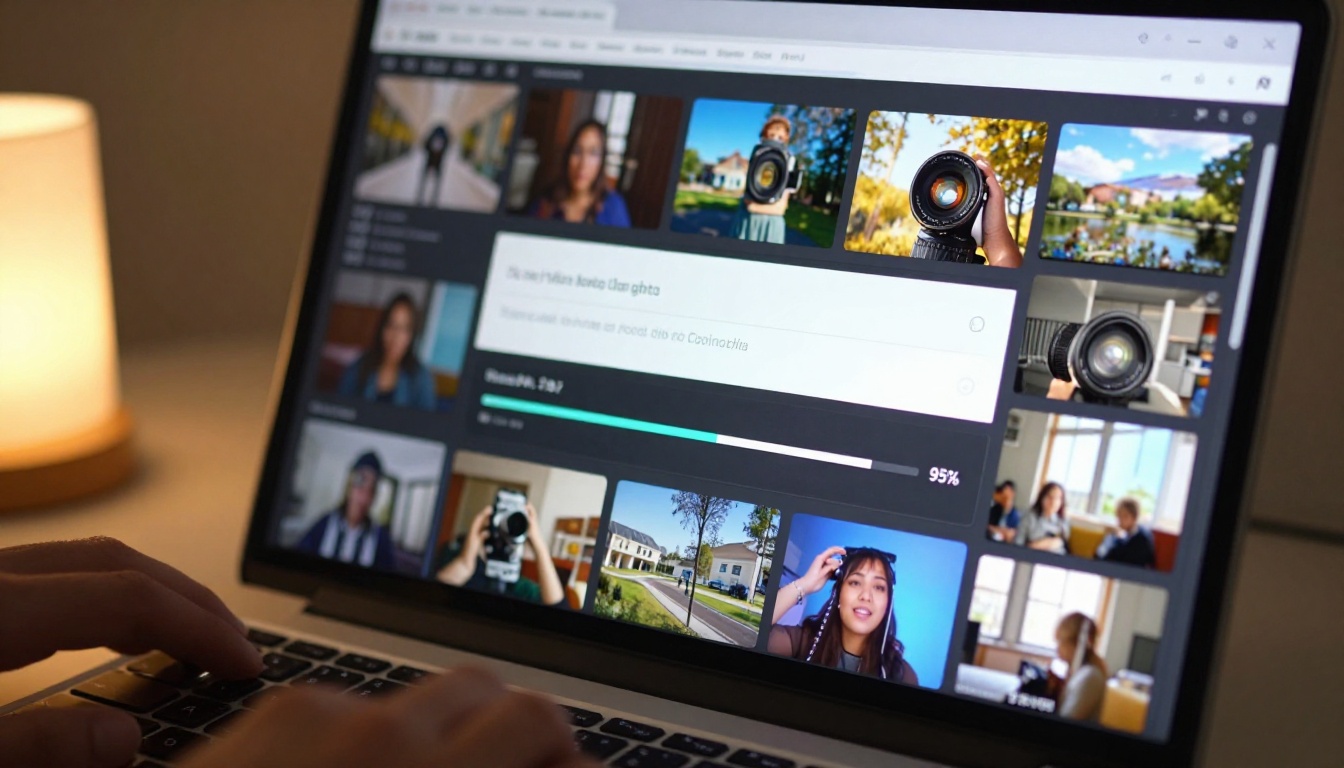
How to Use Seedance 2.0 Fast on PicassoIA
Since Seedance 2.0 Fast is available directly on PicassoIA, the workflow is straightforward. No API setup, no local installation, no GPU required. You access it through your browser and start generating immediately.
Step 1: Write Your Prompt
Open the Seedance 2.0 Fast model page on PicassoIA. In the prompt field, describe your scene with precision:
- Subject: Who or what is in the clip ("a woman pouring coffee")
- Environment: Where and what surrounds the subject ("bright kitchen, white marble countertops")
- Motion detail: What is physically happening ("slow, deliberate pour, steam rising")
- Lighting: Where the light comes from and how it feels ("soft morning window light from the left")
- Mood: The emotional register of the clip ("warm, calm, minimal, unhurried")
The more specific your prompt, the more consistent the output will be with your creative intention.
Step 2: Choose Your Parameters
Seedance 2.0 Fast offers configuration options tailored for social media workflows:
- Aspect ratio: Select 9:16 for TikTok and Reels, 16:9 for YouTube Shorts landscape, 1:1 for feed posts
- Duration: Clips between 4 and 6 seconds perform best as hook content on social platforms
- Image input: Upload a reference photo if you want to animate an existing image rather than generate from text alone
💡 Always generate at 9:16 natively for TikTok and Instagram Reels. Cropping after generation loses quality and removes visual content from the edges of the frame.
Step 3: Generate, Download, and Post
Hit generate. Render time with Seedance 2.0 Fast is significantly shorter than with standard-quality models. Once the clip is ready, download it directly, do any minimal trimming if needed in your preferred app, and post. The native audio means you often don't need to add a separate audio track for ambient-style content. For clips where you want a specific music track, simply mute the AI audio and layer your chosen song before publishing.

When to Pick the Full Seedance 2.0 Instead
Speed isn't always the priority. There are cases where the full Seedance 2.0 model is the better call:
- Campaign hero content where maximum cinematic quality is more important than iteration speed
- Longer clips that need frame-to-frame consistency over 10 to 15 seconds
- Complex multi-subject scenes where a fast model may sacrifice fine detail to hit speed targets
- Paid ad creative where the quality bar is higher than organic social posts
Think of the two models as workflow tools, not competing products. Seedance 2.0 Fast is your daily driver for high-frequency content. The full Seedance 2.0 is for the moments where taking a few extra minutes actually changes the outcome.
If you want to see how the Seedance family has evolved, Seedance 1.5 Pro and Seedance 1 Pro are both available for comparison and offer a useful look at how ByteDance has iterated on motion quality and prompt fidelity across versions.
Moving from a two-hour-per-clip workflow to a five-minute-per-clip workflow is not a marginal improvement. It is a category shift in what is possible for a solo creator or small team.
Here's what a realistic output comparison looks like over a single week:
| Scenario | Clips Per Week | Hours Spent | Daily Publish Frequency |
|---|
| Traditional editing only | 5-7 | 12-18 hrs | Once daily |
| Standard AI video model | 15-20 | 8-12 hrs | 2-3x daily |
| Seedance 2.0 Fast | 40-60 | 4-6 hrs | 5-8x daily |
Higher posting frequency, when paired with consistent quality, is one of the most reliable growth signals on algorithm-driven platforms. More volume means more opportunities to test content styles, identify what your audience responds to, and iterate without burning through all your available hours.

Start Generating Your Own Clips
If you've been producing social media content manually, or relying on slower AI models that bottleneck your publishing schedule, this is a practical moment to change that. Seedance 2.0 Fast on PicassoIA takes a few minutes to try from your browser. Write a prompt, generate a clip, and see whether it fits into your workflow.
The platform also has a wide catalog of other text-to-video options if you want to compare styles side by side, including Kling v3 Video for premium cinematic quality, LTX-2.3-Fast for a different speed-focused approach, and Hailuo 2.3 Fast if your workflow is image-first. Try each one and find the right fit for the different types of content you publish.
Fast content creation is not about cutting corners. It's about spending your time on the ideas, not the production pipeline.


