You typed a completely standard prompt. Maybe it was a woman in a sundress on a beach, or a slow-zoom on a fashion model in a studio. Veo 3.1 came back with a content safety flag, no video, no detailed explanation beyond a terse rejection message. This happens constantly, and the frustration is justified because the prompt wasn't pornographic, wasn't explicit, and in many cases wasn't even suggestive in any meaningful way. So what's actually going on?
Veo 3.1 is one of the most capable AI video generation models available today, delivering 1080p output with native audio in a way that most competitors still can't match. But its content moderation is calibrated for a completely different use case than what most creative professionals need. Understanding why it flags certain prompts, and what you can actually do about it, saves time and credits.

Google's Safety Filter Prioritizes Scale
Veo 3.1 is a product from Google DeepMind, deployed at scale across consumer applications, enterprise APIs, and third-party integrations. When a model operates at that volume, content safety policy is driven not just by a desire to prevent harmful outputs, but by legal exposure, advertiser relationships, and regulatory requirements across dozens of jurisdictions simultaneously.
The safety system was built for the worst-case scenario, not for the edge case of a professional creative with a legitimate project. False positives, meaning prompts that are flagged but are genuinely harmless, are considered an acceptable cost in that tradeoff. This is why prompts that would pass any reasonable human review still get rejected by an automated system optimized for scale.
The problem compounds because each version of Veo has been more conservative than the last. Veo 2 had a tight filter. Veo 3 was tighter. Veo 3.1 is tighter still, and there is no lighter-touch variant in the lineup. Veo 3.1 Fast and Veo 3.1 Lite apply the same safety layer at the same sensitivity level as the full model.
Three Detection Layers Working Together
The content moderation in Veo 3.1 doesn't operate as a simple word filter. It runs at least three parallel detection mechanisms, all active simultaneously:
Semantic embedding matching. The model maps your prompt into a semantic vector space and checks for proximity to flagged concept clusters. This means you don't need to use a flagged word exactly. Words that are semantically adjacent to problematic concepts in the embedding space also trigger the filter. "Swimwear" sits closer in that space to flagged categories than "summer clothing," even if the visual output you're describing is identical.
Contextual intent scoring. Even if no individual element triggers a flag, the overall prompt gets scored for inferred intent. A prompt that combines a female subject, a private setting, camera proximity to the body, and warm intimate lighting reads as higher risk than any of those elements alone. The system evaluates combination patterns, not just individual terms.
Image-conditioned analysis. For image-to-video workflows, the input image gets analyzed before any generation begins. A source photo of a woman in a bikini may trigger a flag at the image analysis stage regardless of what the text prompt says. This catches workflows that attempt to use neutral text prompts alongside suggestive source images.

What the Filter Reads First
Before any video generation starts, Veo 3.1 processes your text prompt through a safety classifier. This classifier was trained on a large dataset of flagged and approved content, and it applies scores across multiple harm categories simultaneously, not just adult content. A single prompt might be evaluated for sexual content, violence, harassment, and copyright concerns at the same time.
The classifier doesn't know that you're a professional fashion photographer, that your audience consists of mature adults who have opted into adult content, or that the scene you're describing is less explicit than a standard magazine editorial. It applies a universal filter that must work for every user in every context, from teenagers in consumer apps to enterprise API customers.
Prompt Patterns That Trigger a Flag
Knowing which specific patterns elevate the risk score lets you work more effectively within the system, or make a faster decision to switch models when the content genuinely falls outside what Veo 3.1 accepts.
Clothing Descriptors That Set Off Alerts
Direct garment descriptions involving minimal coverage are the most reliable flag triggers. Words like "bikini," "lingerie," "swimsuit," "sheer," "topless," and "revealing" trigger consistently. But so do descriptive alternatives: "barely covered," "revealing outfit," "straps only," and "minimal clothing" all read as semantically proximate to flagged categories because of how the embedding model was trained.
The system also catches fashion and glamour-adjacent terms in combination. "Glamour shot" plus a female subject plus a studio setting plus camera proximity to the body creates a flag even when no clothing description is present in the prompt. The combination pattern matters as much as individual terms.
Camera Language Veo Treats as Risky
Camera and shot descriptions that emphasize body proximity are a significant and often underestimated flag source. These phrases consistently raise the risk score:
- "Close-up of legs, waist, or torso"
- "Slow zoom on the subject's body"
- "Tight shot from waist down"
- "Camera tilts up from feet to face"
- "Extreme close-up of skin, lips, or curves"
- "Mid-shot centered on chest or hips"
Framing language that implies voyeurism, even unintentionally, compounds with other risk factors in the prompt. A slow dolly-in on a neutral subject in a neutral public setting passes without issue. The same camera movement applied to a woman in minimal clothing in a private setting does not.
Settings That Raise the Risk Score
Private and intimate spaces carry higher baseline risk scores even with entirely neutral prompts and neutral subjects:
- Bedrooms, especially at night or with soft romantic lighting
- Bathrooms and shower areas
- Changing rooms and locker areas
- Hotel rooms and private suites
- Any location described explicitly as "private" or "intimate"
Public settings are significantly safer. A beach at midday, a city street, a studio with visible equipment, an outdoor restaurant terrace. These context signals lower the overall prompt risk score even when other elements of the prompt are body-forward or minimally clothed.
Veo 3.1 vs. Earlier Versions
The flagging behavior in Veo 3.1 is meaningfully stricter than what users reported in earlier releases. This pattern is intentional and consistent across the product line.
There is no configuration option to reduce sensitivity. No API parameter, no model variant, no prompt phrasing approach disables the safety filter entirely. If your use case requires generating content that Veo 3.1 consistently blocks, the answer is to use a different model, not to keep refining the same prompt through repeated rejections.
How Competing Models Handle This
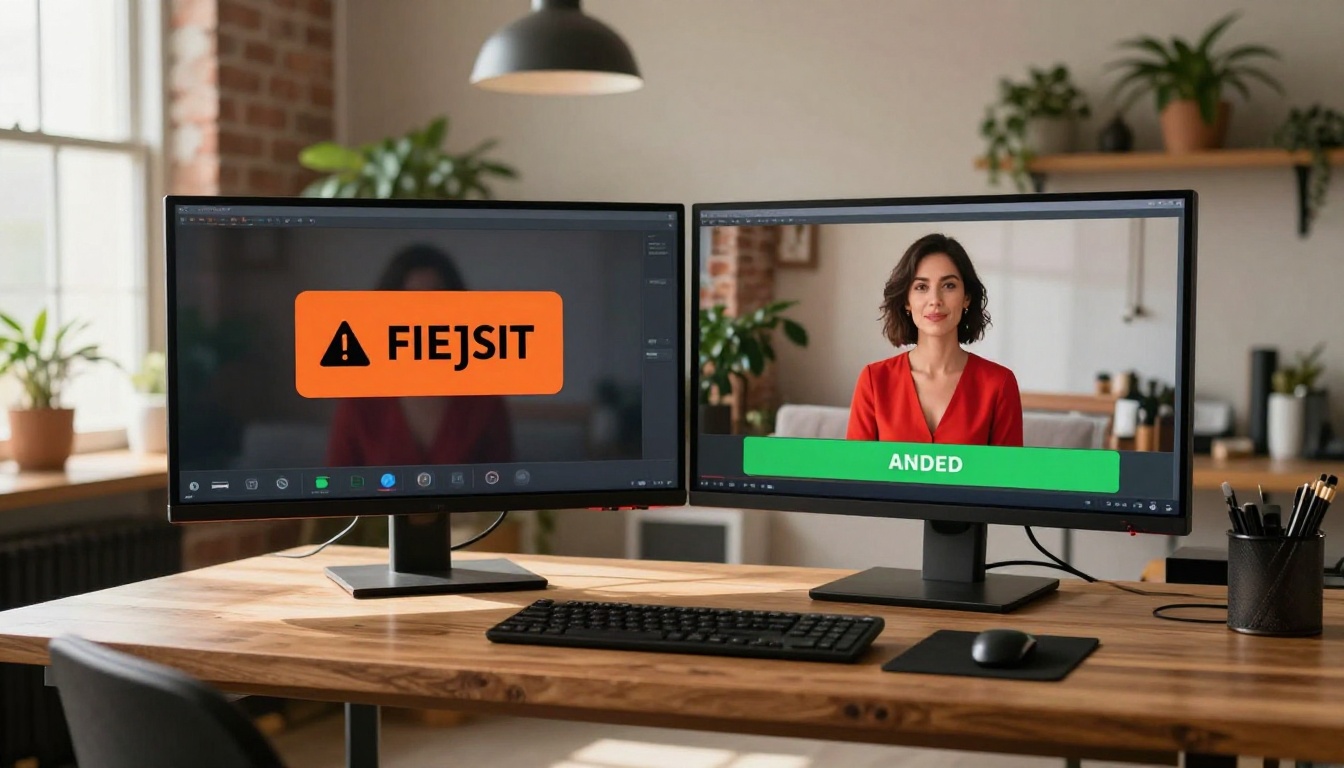
The content moderation approach in Veo 3.1 is not the industry standard. Other models take meaningfully different approaches, and the differences matter for professional creative work.
Seedance 2.5 and ByteDance's Approach
Seedance 2.5 consistently handles glamour, swimwear, and body-forward content that Veo 3.1 blocks outright. ByteDance calibrates the Seedance filter for suggestive content rather than maximum defensiveness, accepting the former and rejecting only genuinely explicit material. The model produces videos up to 10 seconds with synchronized audio at 1080p, making it a direct quality competitor to Veo with a significantly more permissive policy.
Seedance 2.0 and Seedance 2.0 Mini follow the same content policy. All three accept prompts describing minimal clothing, beach and pool settings with close-in framing, and glamour photography scenarios that Veo categorically rejects.
💡 Quick test: If your prompt gets flagged on Veo 3.1, submit it to Seedance 2.5 with zero modification. You'll often get a clean generation on the first attempt.
Kling v2.6 and v3
Kling v2.6 and Kling v3 Video from Kwai have historically been among the most flexible major models for fashion, beauty, and lifestyle content that involves body-forward camera work. Both models render skin, fabric texture, and realistic motion with strong fidelity, and both accept a wider range of prompts than the Veo 3.x lineup.
Kling v2.5 Turbo Pro is also worth testing for high-output workflows where you need both faster generation speed and a more permissive content policy.
Wan 2.7 for Open Workflows
Wan 2.7 T2V and Wan 2.7 I2V give professional creators the most flexibility for mature lifestyle content without requiring significant prompt engineering to work around filters. Wan 2.7 is an open-weight model, and PicassoIA's deployment reflects that with a significantly less restrictive content policy than what Google enforces commercially.

Using Veo 3.1 on PicassoIA
If you want to work with Veo 3.1 specifically, there are prompting approaches that reduce the rejection rate without sacrificing creative quality.
Step-by-Step on the Platform
- Open Veo 3.1 on PicassoIA and begin writing your scene description.
- Start with the environment, not the subject. Establish the setting in full before introducing the person.
- Use neutral clothing language: "dressed for the beach" instead of "bikini," "summer outfit" instead of "revealing dress," "athletic wear" instead of "sports bra and shorts."
- Frame camera language around movement rather than proximity: "camera slowly pulls back to reveal" instead of "tight close-up of," "gentle pan across the scene" instead of "slow zoom into her body."
- Avoid private settings whenever possible. If the scene can work outdoors, move it outdoors.
- Submit the prompt. If flagged, remove the camera proximity language first, then the clothing specifics, then the setting descriptors, testing after each removal to isolate which element is triggering the rejection.
- For Veo 3.1 Fast: same rules apply, with faster output and the same filter sensitivity. For Veo 3.1 Lite: lower resolution output, same content rules.
Prompts That Pass vs. Prompts That Fail
💡 PASSES: "A woman in a summer dress walking along a beach at golden hour, wide establishing shot, gentle ocean breeze, warm natural light, 1080p cinematic"
💡 FAILS: "A woman in a bikini on the beach, slow zoom on her legs, warm afternoon sun, close-up framing on the lower body"
The difference: no clothing specificity plus wide framing versus clothing specificity plus body-focused camera direction. The second prompt fails not because of one word, but because of the combination.
💡 PASSES: "Fashion model in a white dress in a rooftop studio, professional lighting, editorial photography style, mid-distance shot"
💡 FAILS: "Fashion model in sheer lingerie in a studio, dramatic intimate lighting, tight shot of torso, extreme close-up of skin texture"
Strip out garment specifics and pull the camera back, and Veo 3.1 will often approve what it previously blocked.
Where to Go When Veo Rejects You
When prompt adjustments don't solve the problem and the content you need to create falls outside what Veo 3.1 accepts, switching models is the right call. Spending credits on repeated rejections isn't a workflow.
Seedance for Glamour and Swimwear
Seedance 2.5 is the primary recommendation for swimwear, glamour, and lifestyle content that Veo consistently blocks. It handles the full range of suggestive-but-not-explicit content, produces 1080p video with synchronized audio, and runs at competitive generation speeds. Seedance 1.5 Pro is a solid backup for this category when you want shorter clips or alternative aesthetic output.
Kling for Body-Forward Fashion Content
Kling v3 Video excels at fashion and beauty content with strong body-forward camera work. The model renders fabric texture, skin detail, and realistic motion with high fidelity, and accepts prompts that include close framing, swimwear descriptions, and intimate setting descriptors that Veo 3.1 blocks by default.
Wan 2.7 for Maximum Flexibility
Wan 2.7 T2V gives you the broadest prompt acceptance for mature content among the high-quality video models on PicassoIA. For image-to-video work with suggestive source images that get rejected at the image analysis stage in Veo, Wan 2.7 I2V is the direct drop-in alternative. It bypasses the image-conditioned safety check that Veo 3.1 applies to input images.
The Real Cost of Over-Filtering
There's a downstream cost to aggressive content moderation that rarely shows up in product safety metrics. Fashion brands, lifestyle creators, adult content platforms, and artistic photographers are legitimate users with legitimate creative projects. When the filter rejects a fashion editorial prompt, a glamour photography animation, or an artistic implied-nudity concept, those users don't get better at prompt engineering overnight. They switch platforms.
Veo 3.1 produces some of the strongest video output currently available. The cinematics are genuinely impressive, the audio sync is native and high quality, and the 1080p output holds fine detail well. If Google calibrated the content policy slightly less defensively, without abandoning meaningful safety enforcement, the model would serve a substantially larger professional creative market.
Until that changes, the rational workflow is to use Veo 3.1 for the content categories it handles without friction: cinematic narratives, documentary-style footage, product videos, landscape clips, and abstract motion content. For glamour, fashion, lifestyle, and mature creative work, the better tools are Seedance 2.5, Kling v3, or Wan 2.7.
Model Picks by Use Case
| Content Type | Best Model | Why It Works |
|---|
| Cinematic narrative | Veo 3.1 | Best motion and native audio |
| Quick cinematic clips | Veo 3.1 Fast | Same quality, faster generation |
| Long-form video output | Seedance 2.5 | Up to 10 seconds, permissive filter |
| Swimwear and glamour | Seedance 2.5 | Accepts body-forward prompts |
| Fashion and body content | Kling v3 Video | Strong skin and fabric rendering |
| Mature lifestyle content | Wan 2.7 T2V | Most flexible content policy |
| Photo animation with mature images | Wan 2.7 I2V | Bypasses image-level safety check |
| Budget mature content | Kling v2.6 | Quality at lower cost per generation |
Start Creating on PicassoIA
PicassoIA gives you access to all the models in this article within a single platform. Veo 3.1, Veo 3.1 Fast, Seedance 2.5, Kling v3 Video, and Wan 2.7 are all available without switching accounts or managing separate API credentials.
The practical workflow: test your prompt on Veo 3.1 first for the best cinematic quality. If it flags, move the same prompt unchanged to Seedance 2.5 or Kling v3. For image-to-video work with source images that Veo rejects at the image analysis stage, Wan 2.7 I2V is the direct replacement.
💡 You can browse the full range of image and video generation models at picassoia.com/en/all-models to find the right fit for whatever you're building, whether that's cinematic content that Veo 3.1 handles without friction, or mature creative work that needs a less restrictive environment.
The models are there. The platform is there. What changes with this information is knowing which tool to pick first, and which one to reach for when the first one says no.