If you've seen a FLUX.3 Max portrait and briefly wondered whether it was a photograph, you're not alone. Photographers, retouchers, and art directors have been stopping mid-scroll to zoom in, looking for the telltale giveaways, and finding almost nothing. That's not an accident. It's the result of a specific architectural approach to face generation that other text-to-image models haven't fully replicated.
This article breaks down exactly how FLUX.3 Max creates portraits that reach photographic parity: what it's doing at the pixel level, where it outperforms competing models, how to write prompts that extract its best results, and how to put it to work on PicassoIA today.

What Sets FLUX.3 Max Apart for Portraits
Most text-to-image models treat portrait generation as a solved problem. FLUX.3 Max treats it as an unsolved one. The difference in philosophy creates a meaningful difference in output.
The Architecture Behind Realistic Faces
FLUX.3 Max is built on a rectified flow transformer architecture from Black Forest Labs, a design that fundamentally differs from the diffusion U-Net approach used by earlier-generation models. Where standard diffusion models iteratively denoise from random noise in fixed steps, rectified flow models learn straighter probability paths between noise and image, which translates to more coherent semantic structure at high frequencies, meaning micro-detail.
For portraits, this matters enormously. The face is the single most scrutinized subject the human visual system encounters. We have dedicated neural pathways for reading faces, which means AI-generated portraits get evaluated against a far harsher internal benchmark than any other subject. FLUX.3 Max's architecture produces features that survive this scrutiny: facial asymmetry (real faces are never perfectly symmetrical), authentic skin variation across different facial zones, and sub-surface scattering that mimics how light actually interacts with skin tissue rather than reflecting off a painted surface.
💡 What is sub-surface scattering? It's the physical phenomenon where light penetrates slightly into the skin, bounces around under the surface, and exits at a slightly different point. It's why ears glow red when light is behind them, and why skin looks translucent and alive rather than matte and flat.
Why Other Models Still Miss
The most common failure mode in AI portrait generation is the "mannequin effect": smooth, symmetric, textureless skin that reads as plastic rather than human. A second common failure is iris distortion, where the eye geometry is plausible at a glance but wrong on close inspection, triggering the uncanny valley response instantly.
Older FLUX variants like FLUX 2 Dev produced excellent overall image quality but could still struggle with extreme close-ups of eyes and lips. FLUX.3 Max addresses these specifically through higher effective resolution in semantically dense regions. The model allocates more representational capacity to faces when a face is the primary subject, producing proportionally more detail where it counts.

Skin Texture You Can Almost Touch
Skin is where AI portrait generation most often reveals itself, and it's where FLUX.3 Max has made the most significant leap compared to prior generations.
Pore-Level Detail Rendering
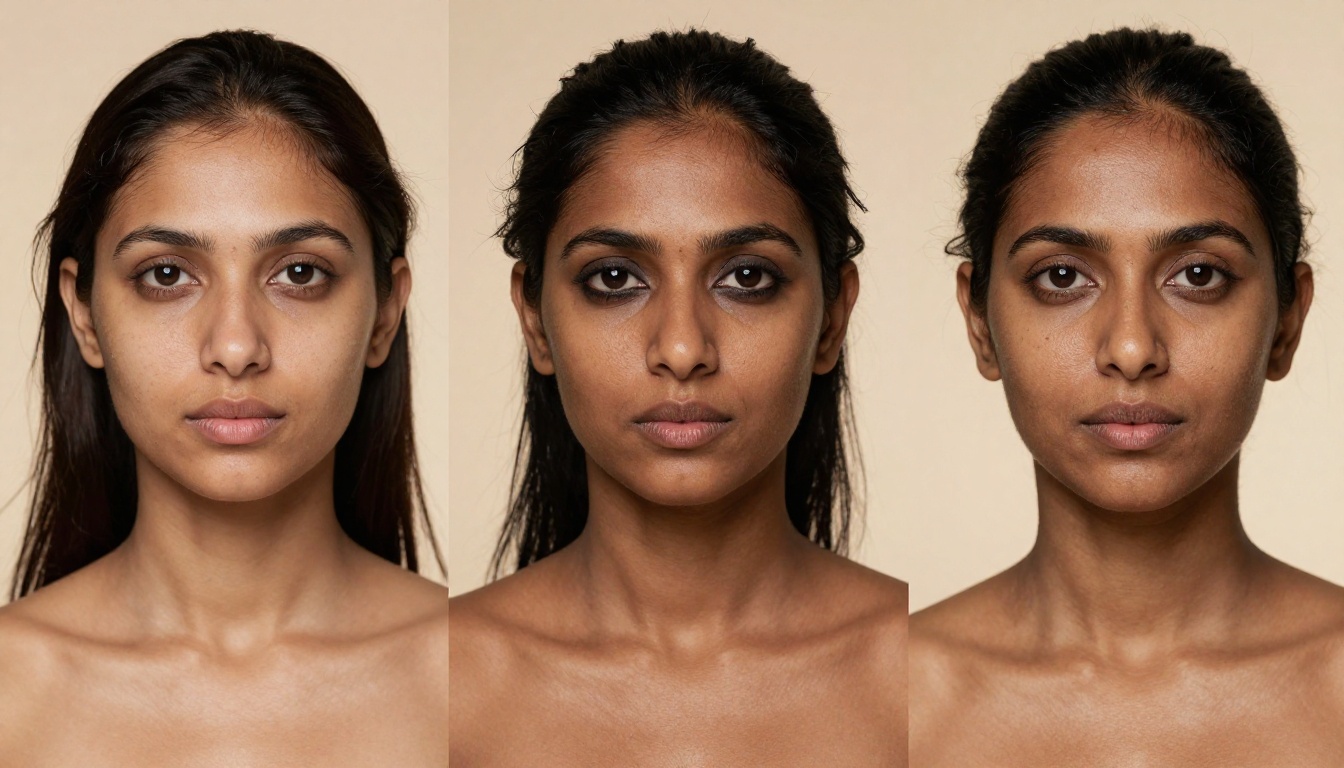
A real photograph at 8K resolution with a medium-format sensor shows skin as a complex three-dimensional landscape: pores, follicles, micro-hairs on the upper lip and cheeks, subtle surface irregularities, natural sebum distribution, capillary flushing in the cheeks. FLUX.3 Max renders this entire vocabulary without being explicitly told to.
In practical terms: when you prompt for a close-up portrait with "photorealistic skin, 85mm f/1.4, natural light," you don't need to specify "show pores." The model infers from photographic context what real skin at that focal length and aperture looks like, and renders it. FLUX Kontext Max takes this further with context-aware detail allocation, shifting skin rendering quality based on how prominently the face sits in the composition.
Subdermal Color and Light Variation
Real skin isn't one color. It contains variations in melanin distribution, blood vessel proximity to the surface, and differential sebum production across the T-zone, all of which create subtle color variation that the eye reads as "real" without consciously registering it.
FLUX.3 Max reproduces this variation accurately across different skin tones and ethnicities, rather than flattening it to a single average value. The effect is particularly visible in portraits lit with a single strong directional source: the lit areas show slightly different color temperature than the shadow areas, and areas of high blood supply (nostrils, inner corners of eyes, lips) show subtle reddening that a photograph would capture and a smoothed AI render would eliminate.

Hair and Eyes: The Two Hardest Tests
Strand-Level Hair Fidelity
Hair is arguably the hardest surface to render in a photorealistic portrait. It involves hundreds of thousands of individual strands, each with its own opacity, color gradient, directionality, and interaction with light. Against a bright background, hair becomes translucent at the edges. In shadow, it clumps and loses individual strand definition. At the scalp, it separates into natural sections based on hair type and styling.
FLUX.3 Max handles all of these scenarios. For long hair, you'll see individual strand definition in the highlights, natural clumping in the shadows, and accurate backlight halo behavior when the light source is behind the subject. The scalp-to-tip color gradient is preserved, which is often where AI-generated hair fails by rendering the full length in a single average tone.
FLUX 1.1 Pro Ultra pushed hair quality significantly, and FLUX.3 Max extends this with more natural movement artifacts: the fine flyaway strands that float slightly away from the main mass in high-humidity environments or after a light breeze. These details are what separate a photograph from a digital render on inspection.

Iris Structure and Eye Reflections
The human eye is optically complex. The iris contains radial fiber patterns, crypts (small depressions in the iris surface), and a collarette around the pupil. The sclera (white of the eye) shows faint blue-gray veining and is rarely pure white. The cornea produces specular reflections that reveal the shape of the light source. Eyelashes have a specific taper, varying length by position, and tend to clump slightly at the roots with mascara buildup.
FLUX.3 Max renders all of this without specific prompting. When you ask for a close-up portrait, you get iris fiber patterns, accurate catchlights positioned where your described light source would logically be, and eyelash root behavior that matches how lashes actually grow rather than how they look in a beauty illustration.

Lighting Simulation That Feels Physical
Light is the currency of portrait photography. The character of a portrait is determined by where the light comes from, how it wraps around facial geometry, and how hard or soft the transitions are between illuminated and shadow areas.
Directional Light and Classic Patterns
Photographers organize portrait lighting into named patterns: Rembrandt (a triangular highlight on the shadow cheek), split (50/50 illumination from one side), loop (a small shadow under the nose from a slightly high, slightly off-center source), and butterfly (a symmetric pattern from a direct front-high source). These patterns produce predictably different shadow behavior on the nose, cheeks, chin, and eye sockets.
FLUX.3 Max understands and reproduces these patterns from natural language descriptions. Ask for "Rembrandt lighting" and you get the correct shadow triangle. Ask for "butterfly lighting with white seamless" and you get the symmetric shadow under the nose with clean background separation. The model has internalized enough photographic vocabulary to serve as a lighting simulation engine, not just an image generator.
FLUX 2 Pro introduced this photographic vocabulary understanding, and FLUX.3 Max extends it to mixed and ambient lighting scenarios that are harder to describe in single-phrase terms.
Mixed and Ambient Lighting
The most cinematic portraits involve light from multiple sources: a warm window as the primary source, a cool ambient bounce, a subtle rim from a reflector just out of frame. These scenarios are harder to describe in a text prompt and harder for a model to physically simulate, because the resulting image must show coherent shadows from all three sources on the same face simultaneously.
FLUX.3 Max handles these scenarios through what appears to be a strong prior on photographic plausibility. Even when prompts describe complex lighting setups imprecisely, the output light behavior on facial surfaces is physically coherent rather than contradictory. Shadow directions don't cross themselves. Highlight placement is consistent with the described source position.
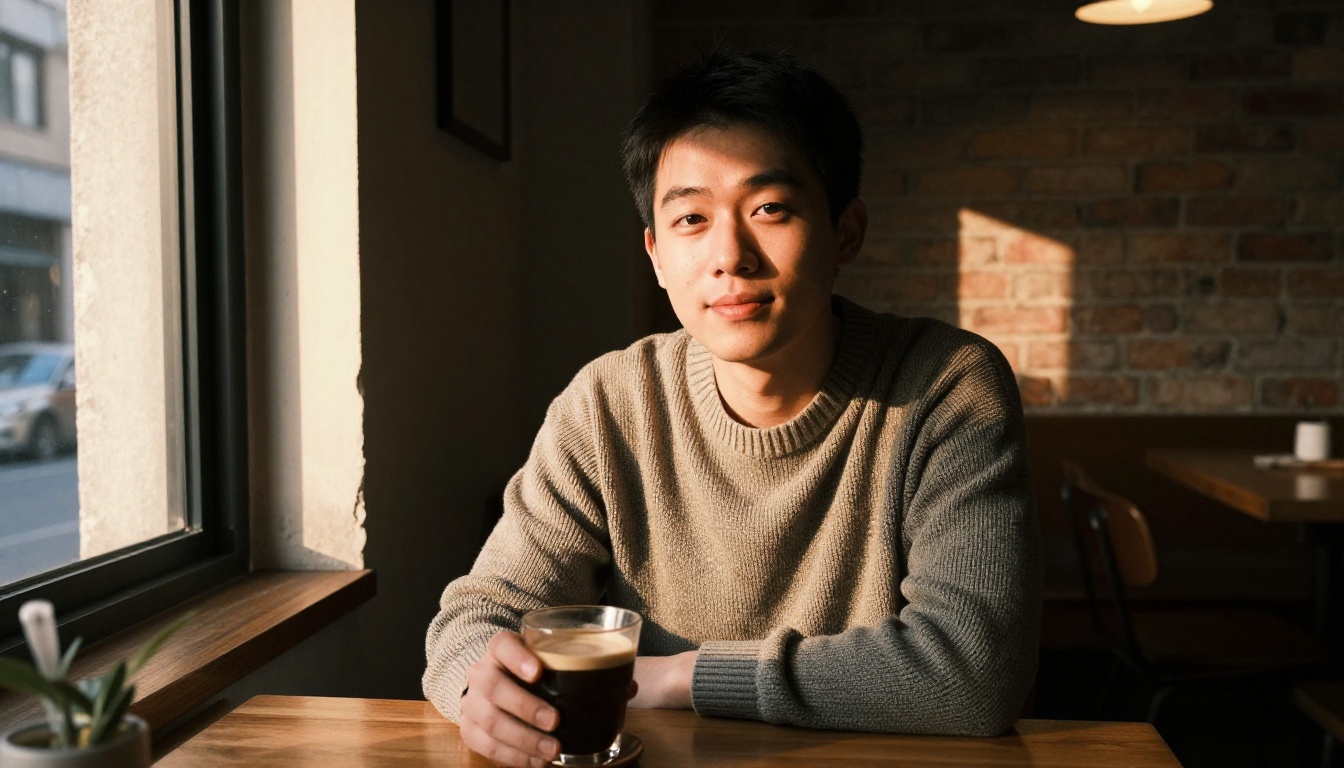
FLUX.3 Max vs Other Portrait Models
How does FLUX.3 Max compare to other leading options for photorealistic portrait generation? The table below covers the dimensions that matter most for portrait work:
The table tells the story clearly: FLUX.3 Max, accessible on PicassoIA as FLUX Kontext Max, scores at the top across every portrait-critical dimension. FLUX 2 Max is the closest alternative and often produces indistinguishable results, making it the natural choice when generation speed is a priority.
Realistic Vision v5.1 remains competitive for quick drafts due to its speed advantage, but requires more careful prompting to reach the same level of skin texture detail that FLUX.3 Max delivers by default.
How to Use FLUX.3 Max on PicassoIA
PicassoIA gives you direct access to FLUX.3 Max capabilities through FLUX Kontext Max, without API setup, billing configuration, or local infrastructure. Here's the workflow that consistently produces studio-quality portrait results.
Step-by-Step Portrait Workflow
Step 1: Choose Your Model
Navigate to FLUX Kontext Max on PicassoIA. This is the primary FLUX.3 Max-tier implementation on the platform. If you're generating high volumes or want slightly faster results, FLUX 2 Max is the recommended alternative.
Step 2: Set Your Aspect Ratio
Portrait photography is typically shot in 2:3 or 3:4 for vertical compositions, or 16:9 for horizontal environmental portraits. For headshots and close-up portraits, 1:1 (square) frames the face well. Choose based on your intended use case.
Step 3: Write Your Prompt
This is where most users leave quality on the table. FLUX.3 Max responds exceptionally well to photographic specificity. A prompt like "portrait of a woman" produces adequate results. A prompt like "35mm f/1.8 environmental portrait of a woman in her late thirties, diffused afternoon window light from camera left, shallow depth of field with blurred office background, natural skin texture, Kodak Portra 400 film grain" produces something that requires a second look.
Step 4: Iterate on Lighting First
If a result is close but not quite there, the most impactful single variable to adjust in portrait generation is the lighting description. Swap "natural light" for a specific source position and quality. The model responds with proportionally better output.
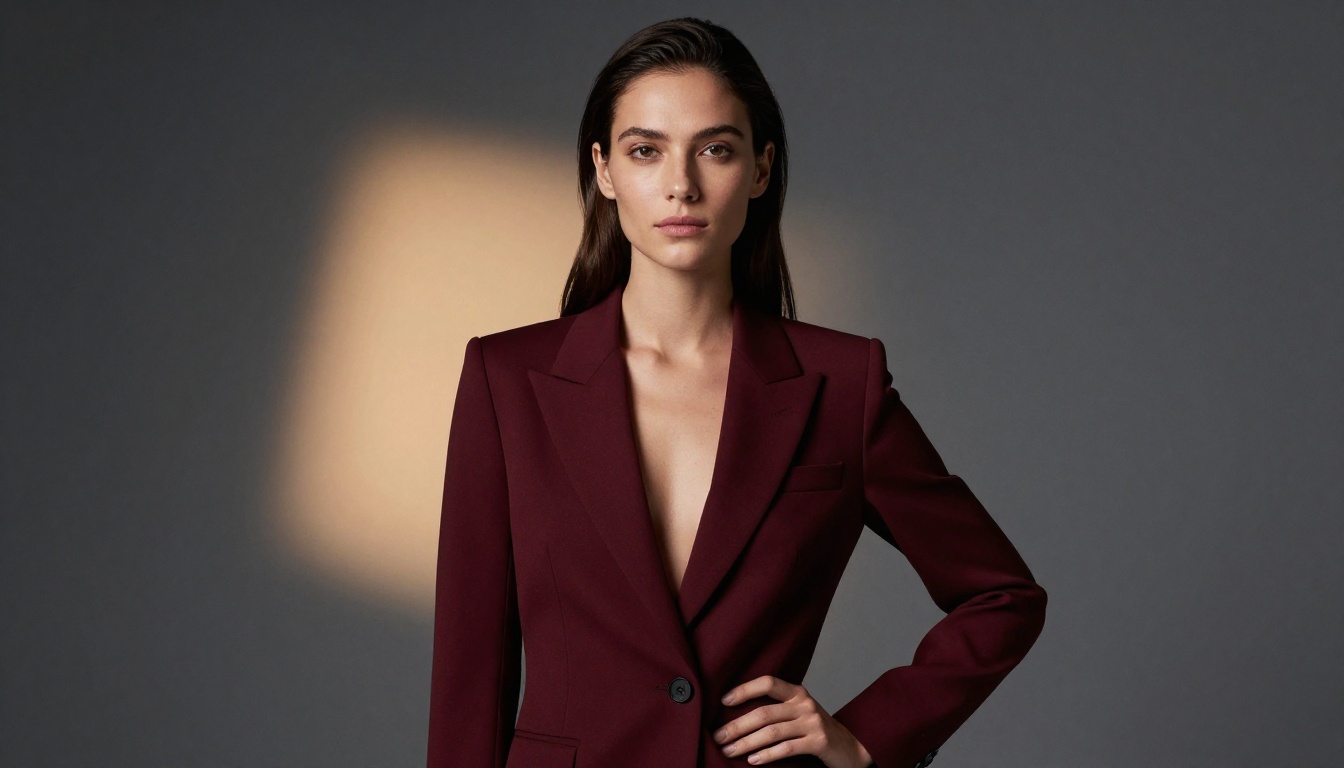
Prompt Structure That Works
The prompts that consistently extract the best portrait results from FLUX.3 Max follow a specific structure. Use this as your template:
[Subject description + age range + expression] + [Specific camera and lens] + [Lighting setup with source position] + [Environment/background] + [Film/sensor reference] + [Mood or atmosphere]
For example: "Close-up portrait of a man in his forties with natural gray stubble, slight downward gaze, Sony A7R V with 90mm f/2.8 macro, single overhead diffused softbox creating strong vertical shadows in eye sockets, seamless dark charcoal background, Kodak T-Max 400 digital simulation grain, introspective and weathered mood"
💡 Mention a specific camera model in your prompt. FLUX.3 Max has internalized quality associations with high-end camera systems. Prompts that include Hasselblad, Phase One, Leica, or Sony A-series references tend to produce sharper, more technically accurate portrait rendering.
Lighting Descriptors That Work
These terms produce reliably strong portrait lighting in FLUX.3 Max:
- "Rembrandt lighting" for triangle highlight drama
- "Butterfly lighting" for symmetrical glamour shots
- "Single overhead diffused source, no fill" for high-contrast editorial looks
- "Volumetric morning light from camera left" for cinematic window-light portraits
- "Backlit rim, golden hour, natural ambient fill" for outdoor editorial warmth
- "Flat studio lighting, dual softbox bilateral" for even commercial headshots
Camera and Lens Terms That Elevate Output
| Term | Effect on Portrait Rendering |
|---|
| "85mm f/1.4" | Natural perspective, shallow focus, smooth bokeh |
| "135mm f/2 telephoto compression" | Compressed background, flattering facial geometry |
| "50mm f/2 documentary" | Wider environmental context, slightly edgier feel |
| "90mm macro" | Extreme close-up detail capacity, sharp micro-texture |
| "Medium format, Hasselblad" | Maximum perceived resolution, tonal richness |
| "35mm f/1.8 candid" | Natural proportions, environmental storytelling |
Skin and Texture Modifiers
Add these to any portrait prompt to push skin rendering quality:
- "Visible pore structure"
- "Natural skin variation, no airbrushing"
- "Film grain, Kodak Portra 400"
- "Sub-surface scattering visible in ears and nostrils"
- "Micro-hairs on facial surface"
- "Slight T-zone sheen, natural skin"
Once you've seen what FLUX.3 Max does with faces, it's worth knowing what the broader PicassoIA ecosystem adds around it. The platform includes background removal tools that work specifically well with portrait outputs, letting you drop subjects onto new backgrounds without re-generating. Super resolution models can upscale FLUX.3 Max portraits to print-ready dimensions while preserving pore detail. FLUX Dev LoRA lets you fine-tune on specific faces or styles for consistent character generation across multiple portrait sessions.
The combination creates a practical end-to-end portrait workflow that photographers are beginning to use for concept work, client mood boards, and reference generation before physical shoots.

Start Creating Portraits Right Now
FLUX.3 Max produces results that genuinely require close inspection to distinguish from photographs. The model is available now on PicassoIA as FLUX Kontext Max, with FLUX 2 Max as a fast-output alternative for rapid iteration.
Start with one of the prompt structures above, choose a specific camera and lighting setup that interests you, and generate your first portrait. Zoom in at 100% on the skin. Look at the irises. Check the hair against the background. Then decide what you want to create next.
The full range of available models across image generation, video, audio, and more is at picassoia.com/en/all-models.


